
Build
Personal Agents
Choose a Personal Agent runtime and manage versioned instructions, packages, and shared files for each agent. Formerly known as Agentic Runtime.
Choose Personal Agent in the builder when an agent needs a sandboxed environment for skills, scheduled tasks, and workflows. Runtime selection belongs to each agent; changing one agent does not switch the whole workspace.
Choose the agent type
Open your agent in Agent Builder → Build. Under Agent Type, choose Chatbot for standard chat and connected Actions, or Personal Agent when that option is available to your workspace. Choose Update and close to publish the agent change.
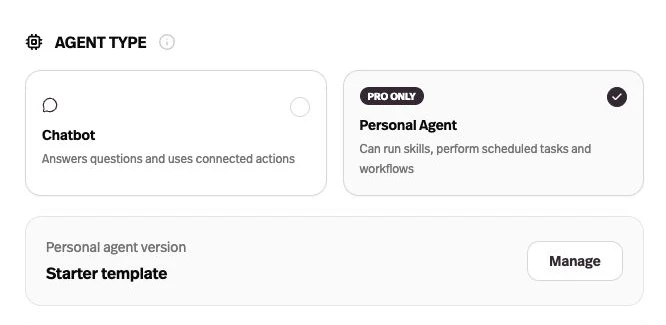
Set up your Personal Agent
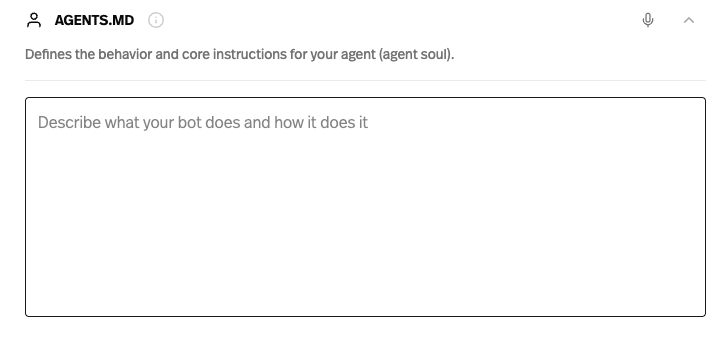
Agent soul
This is your agent’s main instruction manual: its purpose, how it should behave, and the rules it should follow. Think of it as similar to a system prompt within a Pickaxe Chatbot. The instructions you edit here are stored in the agent’s AGENTS.md file.
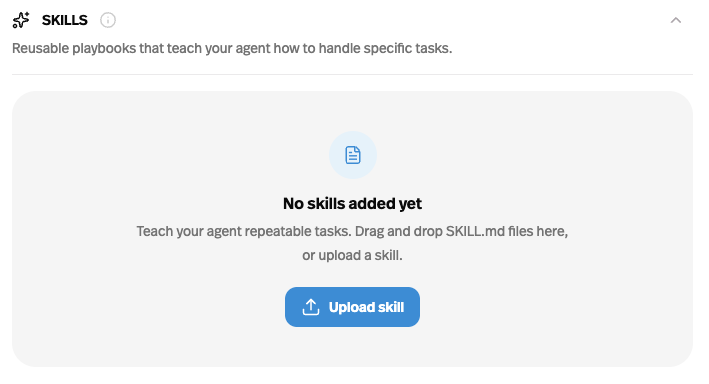
Skills
Skills are reusable playbooks for specific tasks – like preparing a report or reviewing a document. Each skill contains a SKILL.md with instructions, and can include supporting files. Use this section to upload, inspect, and edit them.
File Structure
This shows the files and folders that make up your agent, including its instructions, skills, and supporting resources. Skills and instructions live in this same file system; their dedicated sections make them easier to manage.
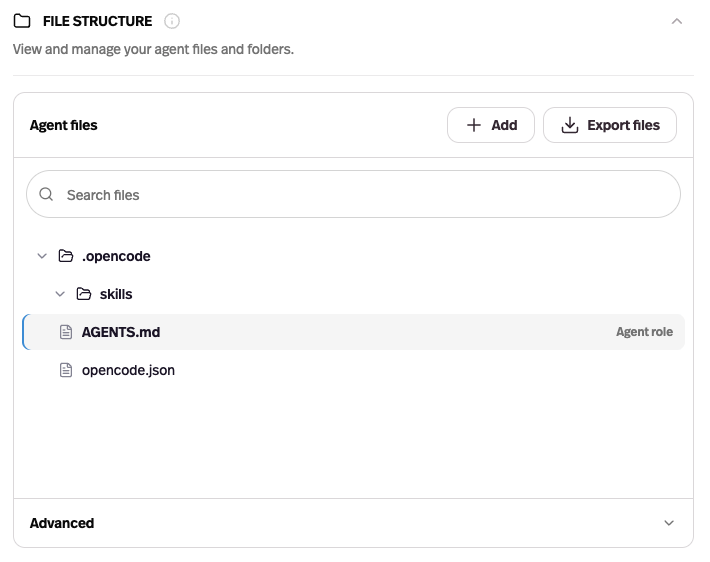
You can also upload files or skills within the file structure area and can also import your own OpenCode agent if you already have one set up elsewhere.
Scheduled Tasks
When Personal Agent is selected, end users can schedule tasks ahead of time by messaging the agent with what they want done and when.
Builder controls for scheduled tasks aren’t available yet, but you can view the tasks each user has scheduled in their user profile.
Advanced Configurations
Under Environment packages, you can add software tools in the form of JSON files if you need any packages that are not natively available within your agent’s environment. Pickaxe locks their versions so the same tools are available consistently.
Under Shared files, enable identified users to reuse files with this agent in later conversations and scheduled runs. Files remain private to that user; they are not shared with other users. This switch saves automatically and applies on the next run. Turning it off retains saved shared files. Template updates and rollbacks do not change this setting or those files. User Memory has separate settings for collecting and retrieving personal facts.
Restore a version
Open Version history to inspect or download a published template. Restoring a version publishes its files and package settings as a new version, keeping the earlier versions in history.
Manage runtime configuration with the API or CLI
The Agent Runtime API exposes runtime selection, template files and skills, packages, version history, restoration, and the live shared-files setting. With the Pickaxe CLI, pull an agent, edit its local runtime directory, review pickaxe diff, then publish with pickaxe push. pickaxe runtime settings --shared-files true changes the shared-files setting separately from template versions.