
Deploy
Deployments Overview
Learn about the different ways to deploy and share your agents with the world.
After you build your agent, you need to set up a deployment to make it accessible. Deployments are how you share your agent with the world — whether that's on your own website, through a messaging platform, or inside a branded portal.
All monetization and access control features work across every deployment type, so your billing and permissions stay consistent whether someone is using your agent through an embed, a WhatsApp bot, or any other channel.
Deployment types
| Type | Description |
|---|---|
| Portals | Branded, multi-agent hubs where users can access one or more of your agents in one place. |
| Pages | Standalone web pages for sharing individual agents or collections. |
| Direct link | A simple shareable URL that takes users straight to your agent. |
| Embeds | Drop your agent into any website as a chat widget or inline embed. |
| Email bot | Users interact with your agent by sending and receiving emails. |
| WhatsApp bot | Connect your agent to WhatsApp so users can chat with it from their phone. |
| Slack bot | Add your agent to a Slack workspace so teams can use it directly in their channels. |
| Telegram bot | Connect your agent to a Telegram bot so people can chat with it from Telegram. |
| Discord bot | Add your agent to a Discord server so your community can use it in the channels they already sit in. |
| Meeting bot | Send your agent into Google Meet, Zoom, or Teams calls to record, help in chat, and save meeting notes. |
| API/MCP | Access your agent programmatically for custom integrations and workflows. |
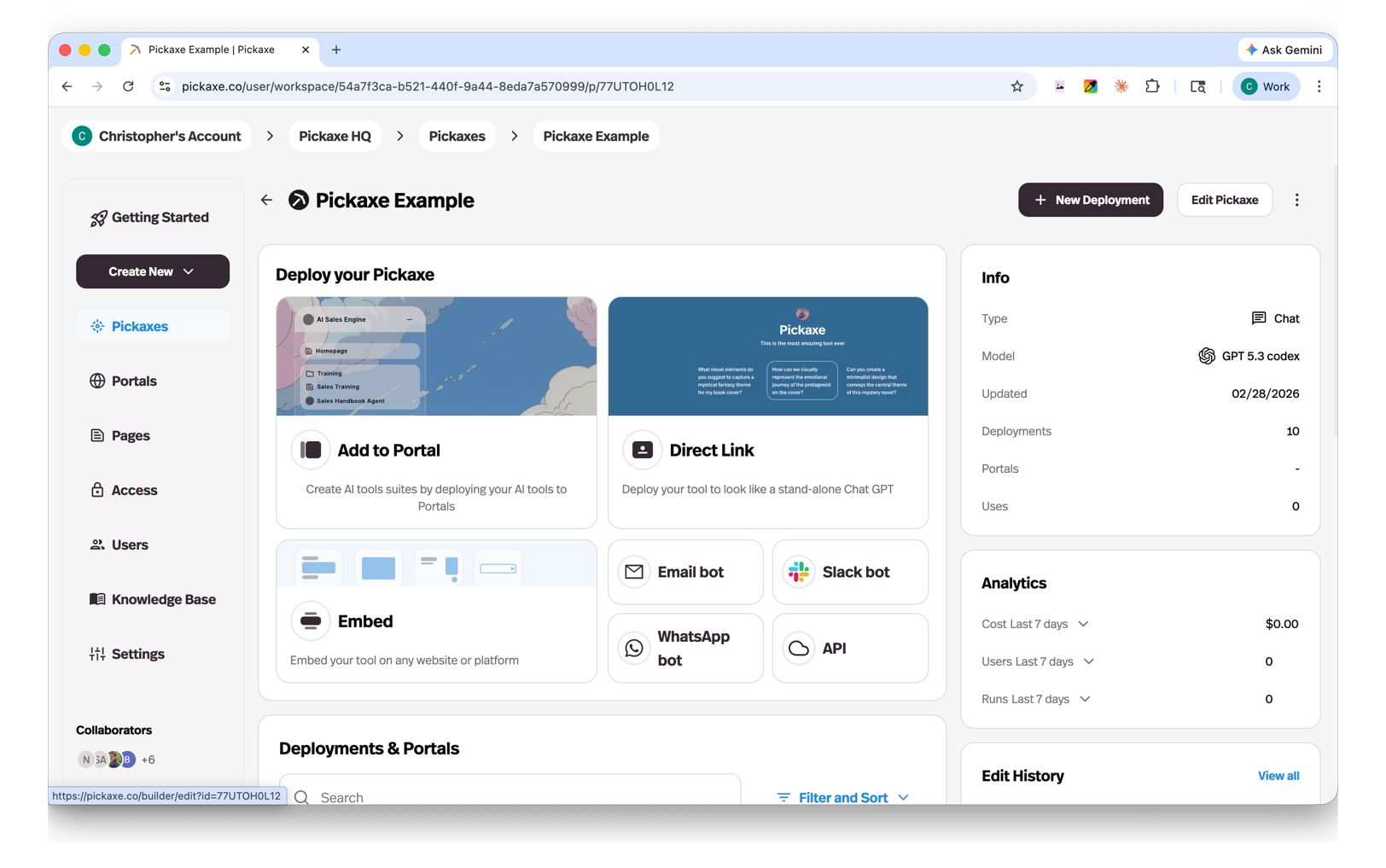
Each deployment type has its own setup and configuration options, covered in detail on their individual pages.
Managing your deployments
The Deployments page lists every deployment and portal in your workspace, and each row's ⋮ menu handles the housekeeping without opening anything: Rename, Edit, Share for embeds, Copy Link for direct links, and Delete. Viewers get the menu without Rename or Delete.
The same actions sit on the Connections table inside an agent, which lists that agent's own deployments and portals and adds an Open button for the ones with a public URL.