
Build
Knowledge Base
Add documents, websites, and other content to give your AI agents context and expertise.
Your knowledge base is the additional context you give to your AI agents. It lets you tailor how they work and the information they operate on — so your agents can give accurate, grounded responses based on your own content.
Once you connect a source, Pickaxe keeps it current automatically: websites are re-checked and only reprocessed when their content actually changes, and Google Drive files sync in near real time — when the file changes in Drive, the knowledge base picks it up.
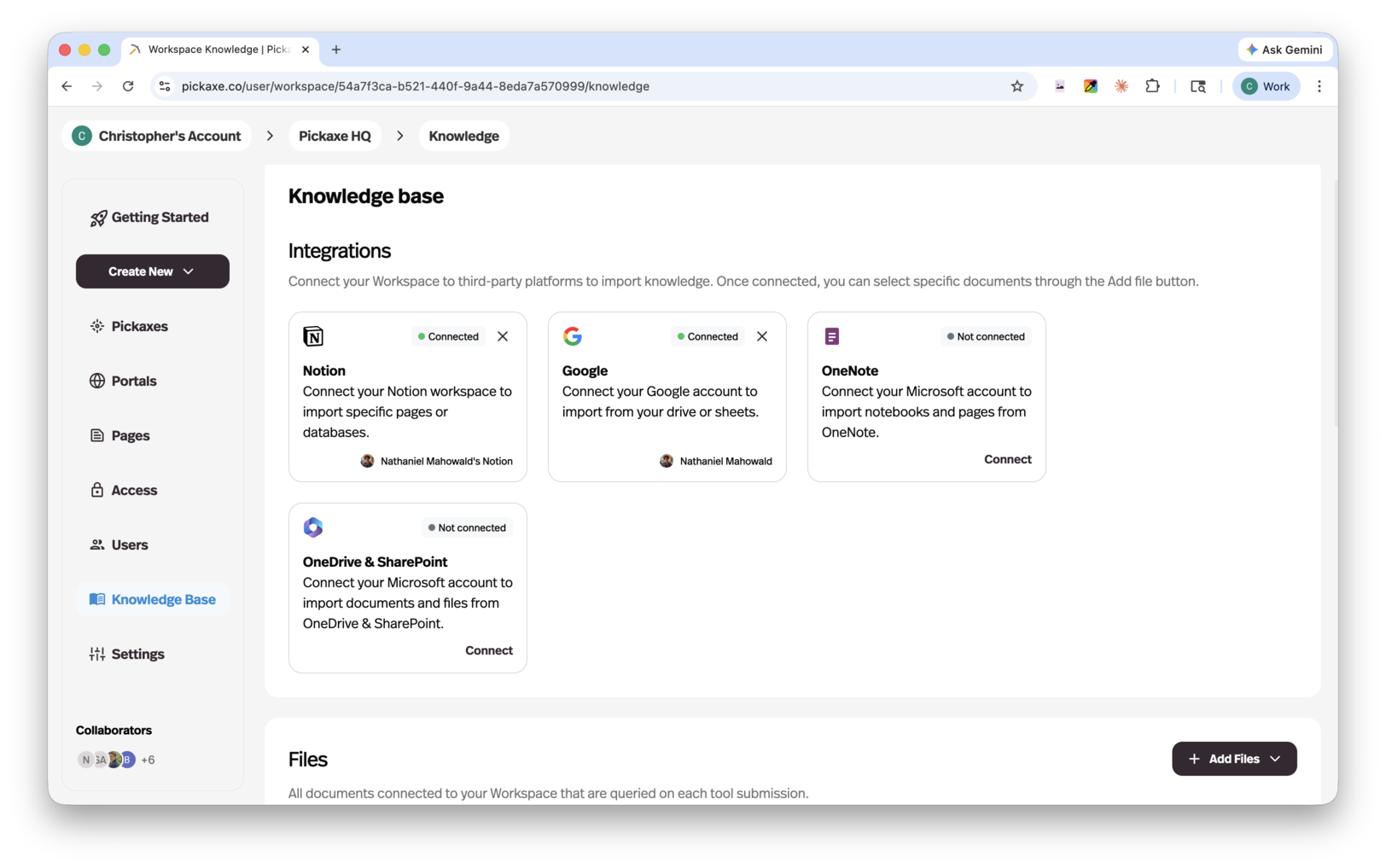
Supported sources
Hit Add Files and Pickaxe asks "What would you like to connect?" — every source type in one picker, so you can see the whole menu before you commit to anything.
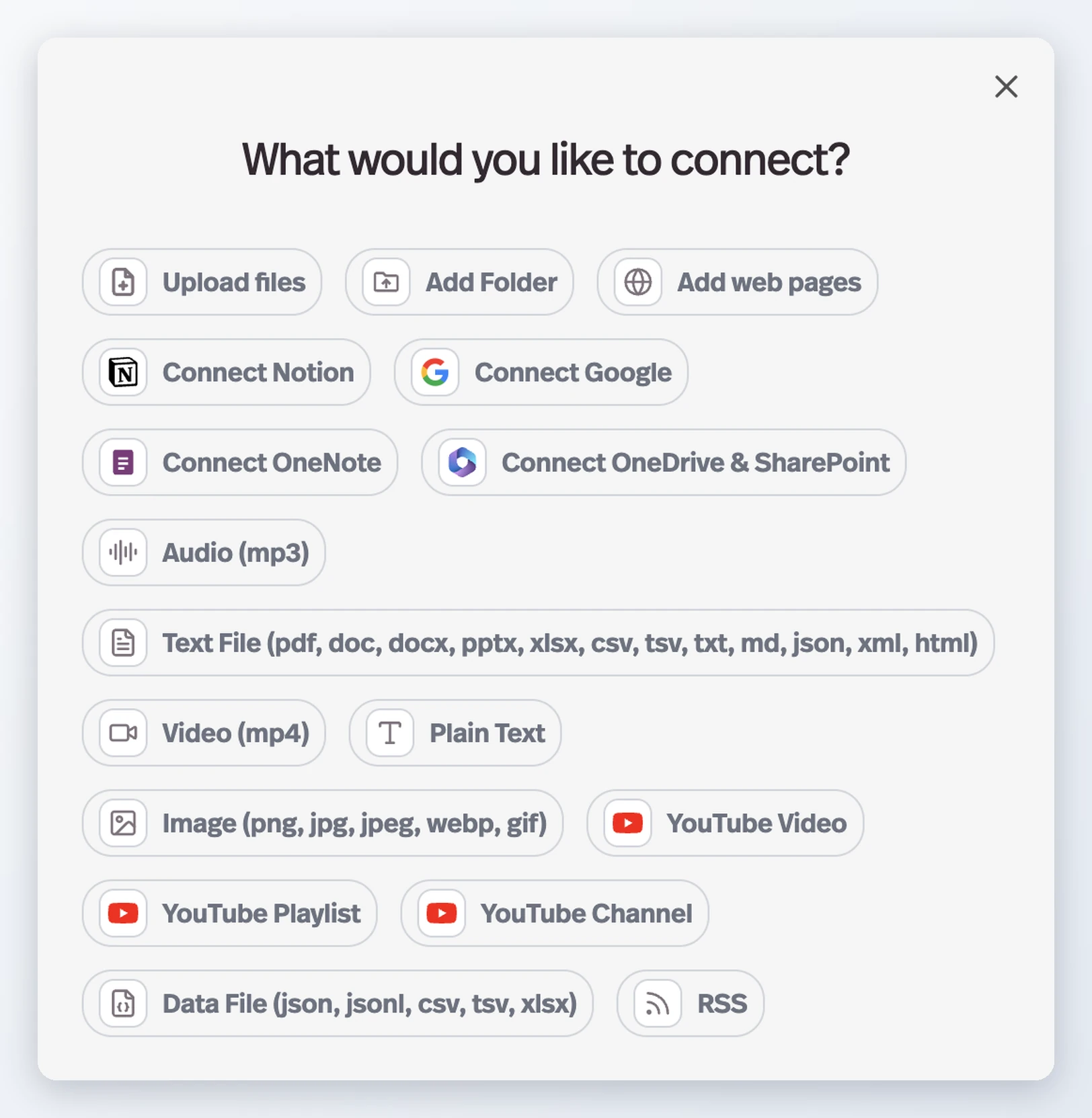
| Source type | What you can add |
|---|---|
| Connected apps | Notion, Google, OneNote, OneDrive & SharePoint |
| Web | A single web page, or a whole website via crawl |
| YouTube | A single video, a playlist, or a whole channel |
| RSS | A feed URL — pick which of its pages to pull in |
| Files | Individual files, or a whole folder at once |
| Documents | pdf, doc, docx, txt, md, pptx, xlsx, xml, html, yaml, log |
| Data files | json, jsonl, csv, tsv, xlsx |
| Images | png, jpg, jpeg, webp, gif |
| Audio | mp3, wav |
| Video | mp4 |
| Plain text | Manual text entry |
A platform you haven't linked yet reads Connect Notion, Connect Google, and so on — authorize it once and it shows a document picker from then on.
A few things happen behind the scenes so more of your content "just works":
- Scanned documents are OCR'd. If a PDF or Word file is a scan with no extractable text, Pickaxe reads the text from the page images automatically.
- Audio and video are transcribed into searchable text, including YouTube videos.
- Spreadsheets and data files are parsed so agents can answer from their rows, not just their raw text.
Adding YouTube and RSS
Both work in two steps: paste the URL, hit Fetch videos (or Fetch pages), and Pickaxe expands it into a list — every video in the playlist or channel, every page in the feed — then you tick the ones you want. So a channel with hundreds of videos doesn't dump all of them into your knowledge base.
YouTube sources also have an Add timestamps switch, which keeps the video's timestamps in the transcribed text so an agent can point at the moment an answer came from.
Keeping a source in sync
Website crawls, YouTube playlists and channels, and connected Google Drive folders can keep themselves current. The upload modal shows an Auto sync switch — already on for a fresh crawl or fetch — and once a day Pickaxe re-checks the source, adds anything new, and removes anything that has disappeared.
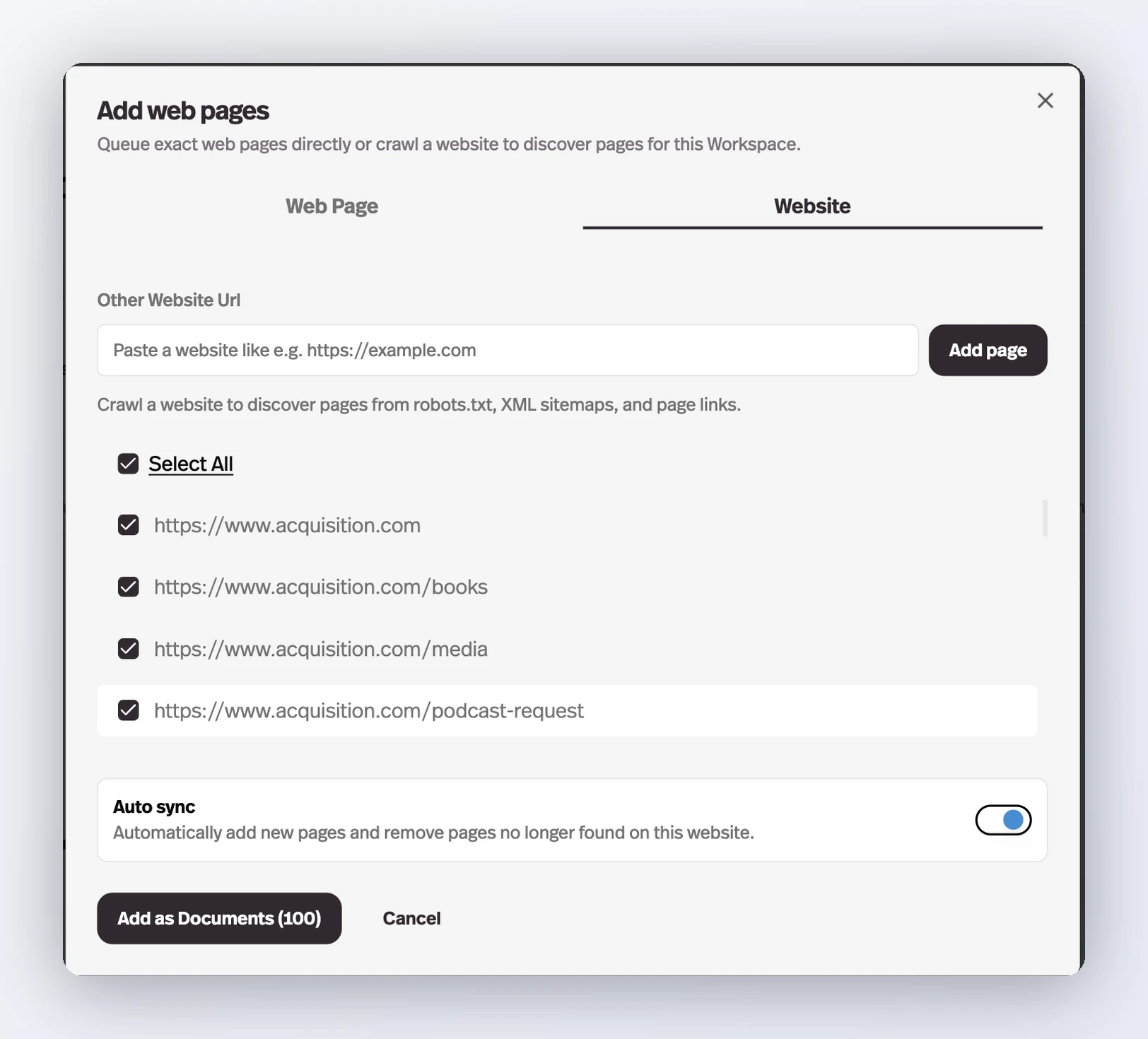
Auto sync covers the whole source, so it only applies when every page or video is selected: untick one and the switch turns itself off.
A synced folder shows a Synced badge with the time of its last run. Its ⋮ menu has Force sync to run one immediately and Turn off auto sync to stop it; deleting the folder disconnects the sync, which the delete dialog warns you about first.
Where to add knowledge
There are two places you can manage your knowledge base, each serving a different purpose.
Workspace-level knowledge base
The Knowledge Base tab in your dashboard is where you manage knowledge across your entire workspace. From here you can:
- Add files — open the connect picker and choose any source above: upload individual files or whole folders, add web pages or full websites, pull in YouTube videos and RSS feeds, or connect Notion, Google, OneNote, or OneDrive & SharePoint.
- View all uploaded files — see every file in your workspace knowledge base along with its refresh state and number of chunks.
- Manage sources — add, remove, or refresh any connected source, and choose which tools each document is attached to. When you upload, Pickaxe asks whether the documents should be available across the workspace or only to specific tools.
- Group documents into folders — New → New folder adds a folder above the file list. As with agent folders, a folder is a view rather than a move: filed documents stay in the full list, and deleting the folder keeps them.
What are chunks? When you upload a file, Pickaxe breaks it down into smaller pieces called chunks. This allows the AI to search through your content efficiently and pull out the most relevant sections when responding to a user. The number of chunks depends on the size and structure of your content.
Files uploaded at the workspace level are available to any agent in your workspace, but they are not automatically added to an agent by default — you choose which knowledge each agent has access to.
Agent-level knowledge base
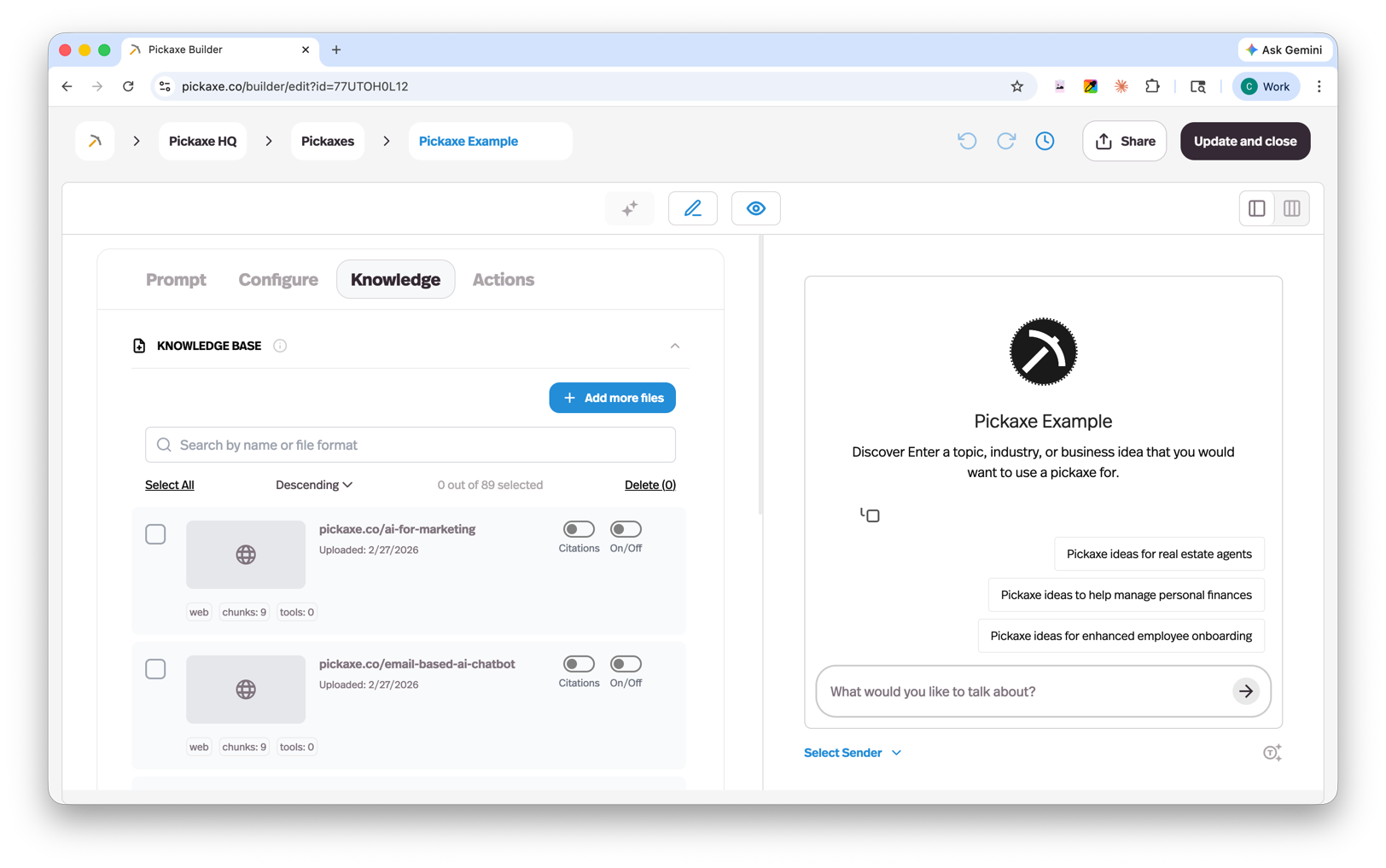
The Knowledge tab inside the Agent Builder lets you manage knowledge for a specific agent. From here you can:
- Add new sources directly — it's the same "What would you like to connect?" picker, with the same source list, and anything you upload here will also appear in your workspace knowledge base.
- Pull in existing files from your workspace knowledge base — pick Connect files from Workspace Knowledge Base, search the workspace's files, and tick the ones this agent should see. The originals aren't duplicated; the agent is simply connected to them.
- Add context instructions — provide additional guidance for how the AI should use the information from each source.
- Choose a search mode — under Knowledge Settings, Search Mode sets how hard the knowledge base looks for matches: Fast (lowest search overhead) or Thorough (searches more broadly for extra context). It's marked experimental and defaults to Fast.
This gives you flexibility: build a shared library of content at the workspace level, then pick and choose what each individual agent needs.
The Knowledge Explorer
The Knowledge Explorer button at the top of the Knowledge Base tab opens a window into exactly what your agents can retrieve.
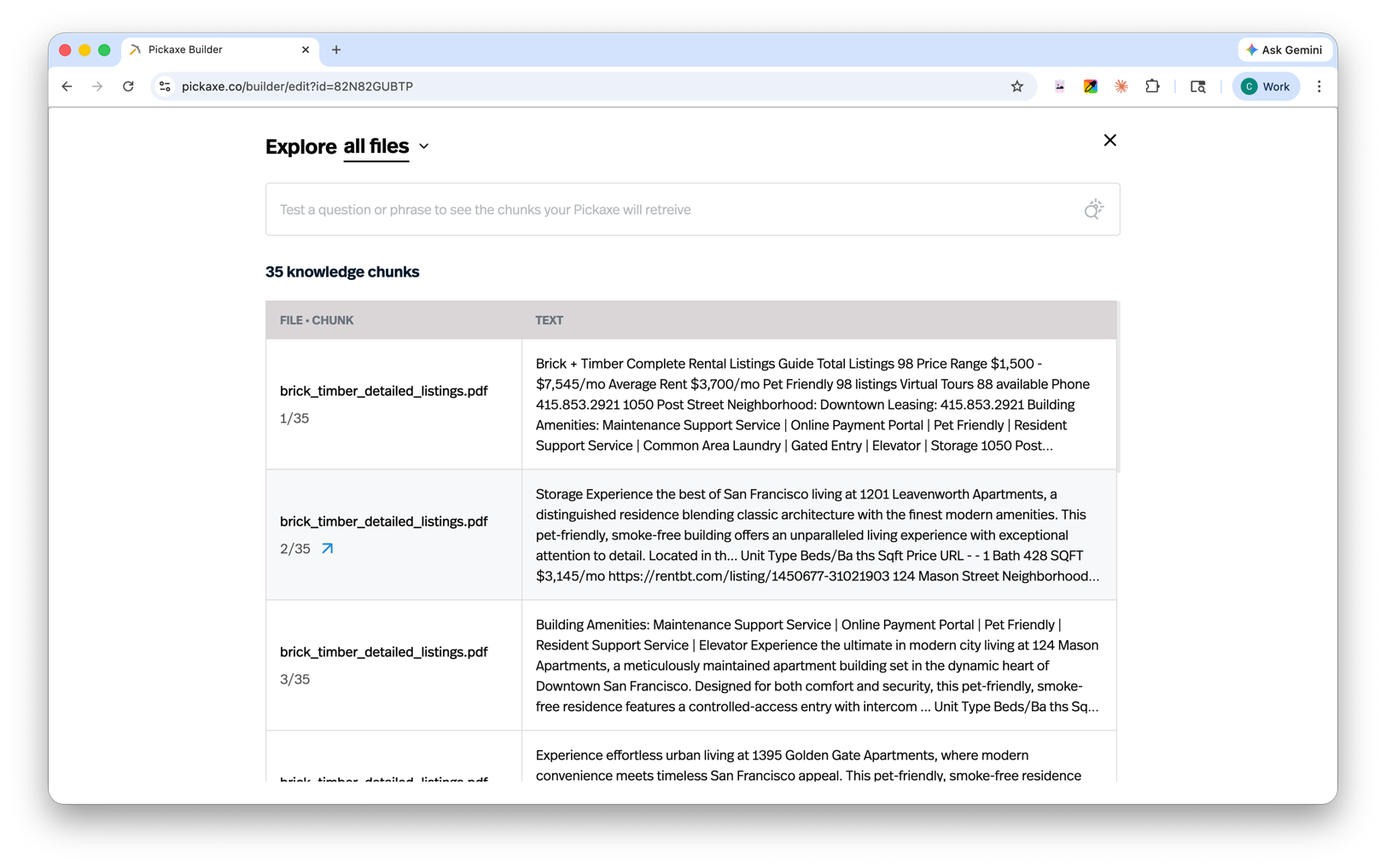
- Explore all files or a selection. The dropdown next to "Explore" lists every document with its chunk count — check the ones you want to inspect, or browse everything at once.
- Browse the chunks. The table shows each chunk with the file it came from and its text, so you can see precisely how your content was split up.
- Test retrieval with a real query. Type a question into the Search chunks bar and the Explorer runs the same semantic search your agents use, showing which chunks are surfaced, how relevant each one is, and how many tokens they'd consume.
It's the fastest way to debug a knowledge base: if an agent gives a wrong or vague answer, run the user's question through the Explorer and you'll see exactly what the agent had to work with — and which document needs better content.