
Build
Models
Choose and compare AI models to find the best fit for each agent.
There are a ton of LLM models out there, and with Pickaxe you have access to all of them. You can easily switch between models at any time to find the best fit for each agent — no need to rebuild your system every time a new model is released.
Picking the right model can make a big difference. Some models are cheaper, some are smarter, and some are better suited for actions. The best choice depends on your specific use case, and Pickaxe makes it easy to experiment.
Not sure where to start? Choosing a Model walks you through a simple framework for picking the right one, plus our current tier-by-tier recommendations.
Comparing models
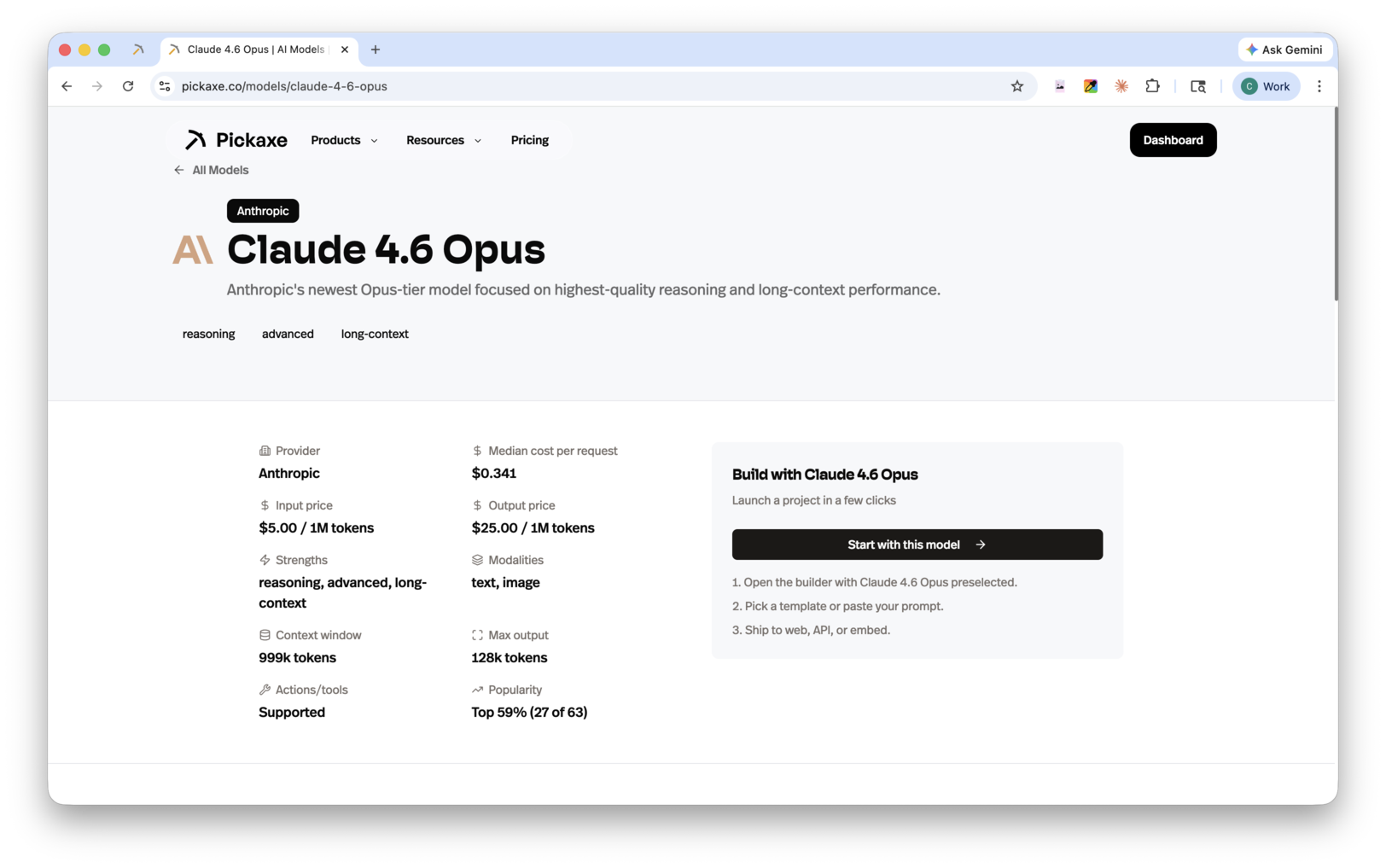
We share as much data as we can to help you make informed decisions. Visit pickaxe.co/models to:
- See the average cost of each model
- Compare response times
- Check context window sizes and output limits
- View popularity across the Pickaxe platform
- Compare models side by side to find the right balance of quality, speed, and cost
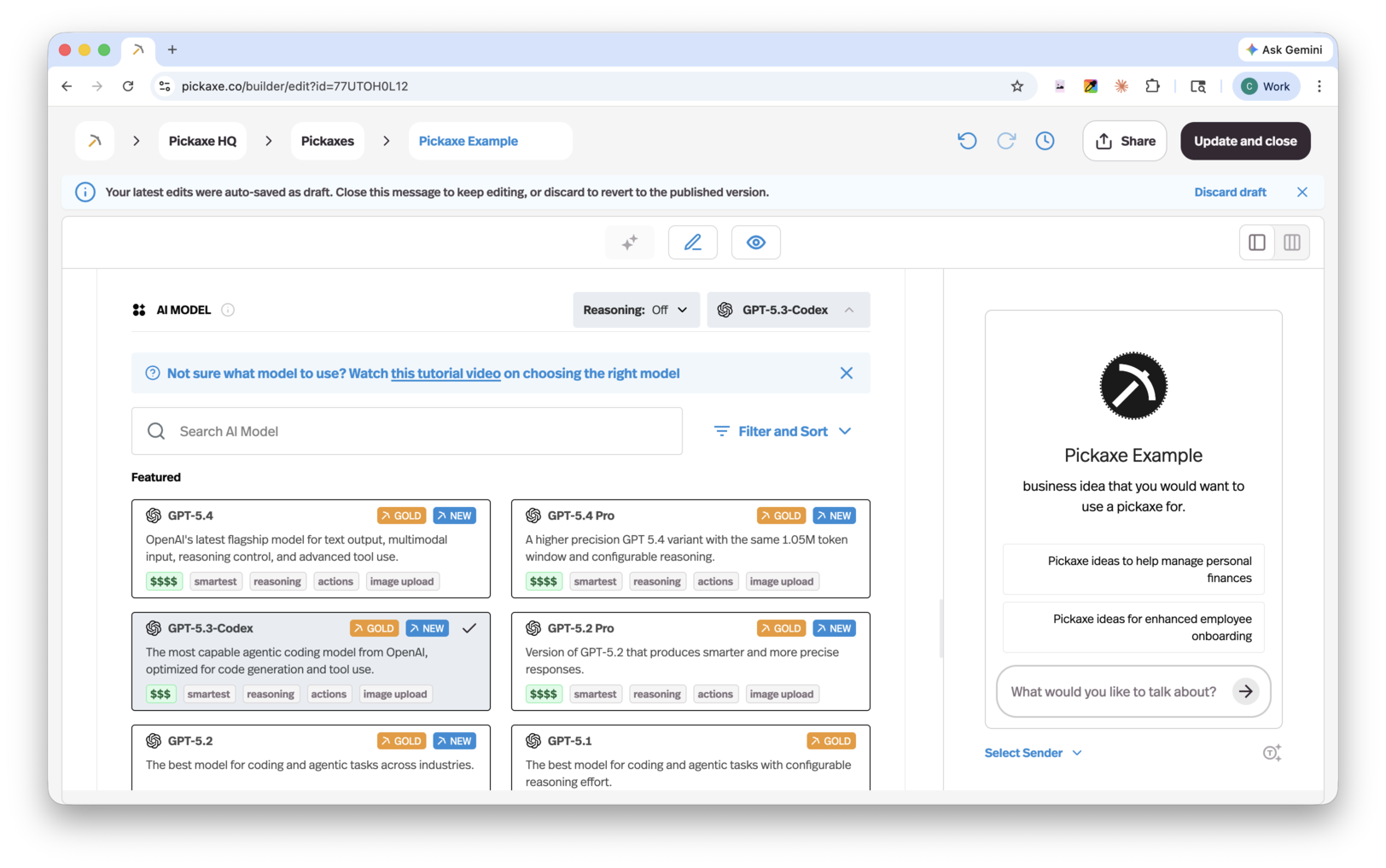
In Agent Builder → Build → Model, open the model picker to browse providers, search models, or filter by capabilities such as Actions, Image upload, and Reasoning. Select a model to inspect its details and set its supported reasoning or search options, then choose Use followed by the model name. When changing options for the current model, choose Apply changes.
Reasoning controls
Many models can now "think" before they answer, and Pickaxe gives you a dial for it. On reasoning-capable models, the model picker shows Reasoning controls with effort levels from Fastest ($) up to Maximum ($$$$$) — and on some models simply On or Off.
Higher effort means smarter, more careful answers at a higher cost per response; lower effort means faster, cheaper replies. The available levels vary by model, and reasoning works alongside Actions, so a thinking model can still call your tools. You can filter the model selector by the Reasoning capability to see every model that supports it.
Sonar Reasoning, Sonar Reasoning Pro, and Sonar Deep Research also offer Fast, Smart, and Smartest in the model picker’s reasoning control.
Claude Sonnet 5.5 also offers Reasoning type: Default thinks before answering, while Between tools skips the initial thinking step for a faster start. Between tools supports Fastest, Fast, and Smart effort.
Search controls
Perplexity's Sonar models search the live web before answering, and they get two extra dropdowns in the Agent Builder. Mode picks where to look — Web (the default), Academic for scholarly sources, or SEC for company filings. Search sets how much it reads first: Low ($), Medium ($$), or High ($$$), trading cost for a better-grounded answer.
Why model flexibility matters
AI models are evolving fast, with new options launching regularly. Building on Pickaxe means you're never locked in — when a better or cheaper model comes along, you can switch to it in seconds without changing anything else about your agent.