
Integrations
Composio (App Integrations)
Connect your agents to over 1,000 apps — Gmail, Slack, HubSpot, Notion, and more — right from the Actions Library.
The fastest way to connect your agent to the apps your business runs on. Pickaxe's Actions Library includes a catalog of over 1,000 app integrations powered by Composio — Gmail, Slack, HubSpot, Notion, Google Sheets, Linear, Calendly, Shopify, and just about anything else with an API — each connecting in a couple of clicks and exposing its tools directly to your agent.
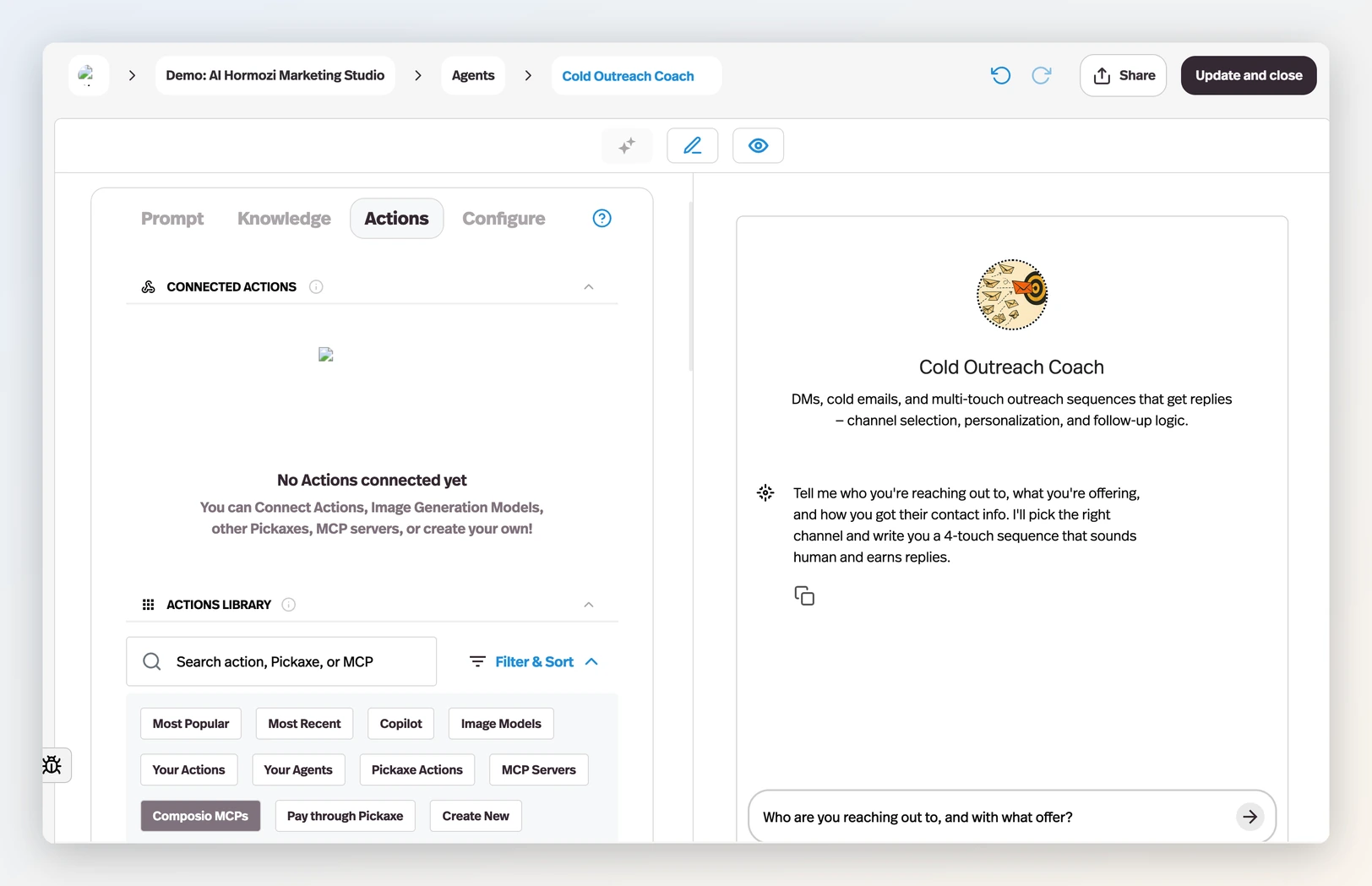
Unlike the Zapier, Make, and n8n integrations — where you build a workflow in the other platform and hand Pickaxe its URL — Composio integrations are native: you browse, connect, and authenticate without leaving the Agent Builder.
Finding an integration
- Open your agent in the builder and go to the Actions tab.
- Select Browse actions, then search for the app by name in the Actions Library. You can narrow the results with Filter → MCPs.
- Each card shows the app's name, what it does, and how often it's used. Click a card to connect it.
Connecting an app
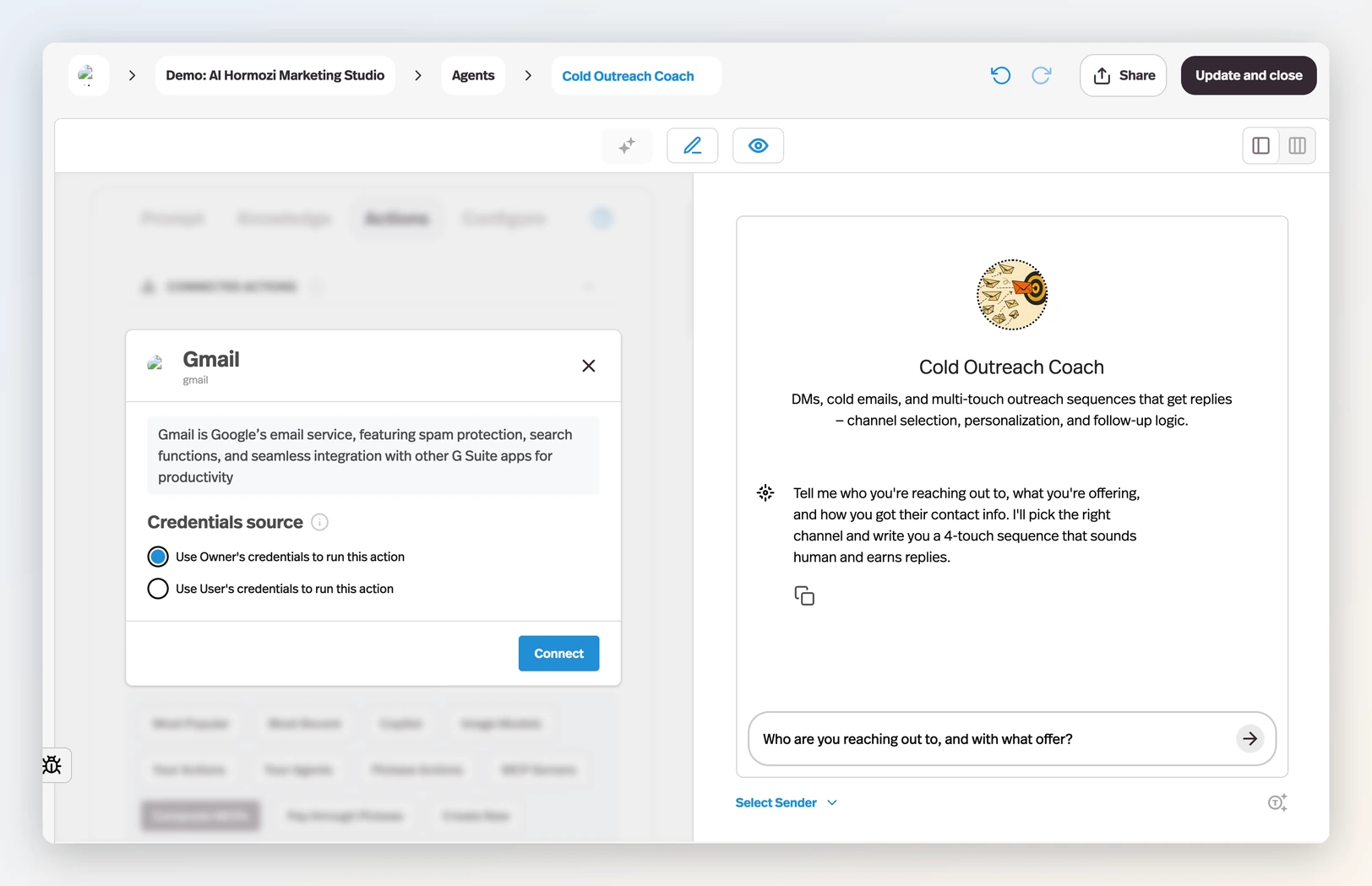
Clicking a card opens the connect flow:
- Choose the credentials source — whose account the action runs through:
- Use Owner's credentials — the action always runs through your connected account. Best when the agent works with your own data, like logging every inbound lead into your CRM.
- Use User's credentials — each person connects their own account the first time they trigger the action. Best when you're building for others, so the agent acts inside each user's own apps.
- Authenticate — for apps that need a login, a sign-in window opens for the app's own OAuth flow. Some toolkits need no authentication at all and connect instantly.
- Click Connect — the integration appears under Connected Actions, where you can toggle it on and off, edit the connection, or disconnect it at any time.
Resetting a connection
The ⋮ menu on a connected action carries a reset that matches its credentials source: Reset Owner Connection clears and reconnects your own saved account, and Reset User Connections clears the saved account of every non-guest member of the workspace, so each of them reconnects the next time the action runs. Both name the other agents sharing that connection before you confirm, since the reset reaches them too. Only the person who created the action sees these; Disconnect still removes the action outright.
Large toolkits and the tool limit
An agent can carry up to 128 tools per request — that's the model-side ceiling. Most apps expose a handful of tools and fit easily; when a toolkit offers more than 120, Pickaxe shows a tool picker so you choose which ones your agent gets (up to 120, with search and bulk select). Picking only the tools your agent actually needs keeps it accurate anyway — a focused toolset beats an exhaustive one.
Prompting your agent to use an integration
Connected tools are like any other action: the agent decides when to use them from the conversation. To get reliable behavior, tell it when — in your system prompt, describe the situations that should trigger the app ("when the user confirms their email address, create a HubSpot contact"), and keep the number of connected apps per agent small. The general guidance on actions applies: no more than four actions per agent, with waterfall setups for anything more complex.
Example setups
- A sales agent that qualifies leads in chat and files them into HubSpot, using your credentials so every lead lands in your CRM.
- A scheduling assistant that books meetings on each user's own Google Calendar, using the user's credentials.
- A support agent that escalates to a human by posting the conversation into Slack.
- An operations agent that reads and updates rows in Google Sheets as users report inventory.