
Deploy
API/MCP
Access your agent programmatically for custom integrations and workflows.
Access your agent programmatically through API requests. This is ideal for custom integrations, internal tools, or connecting your agent to your own applications and workflows.
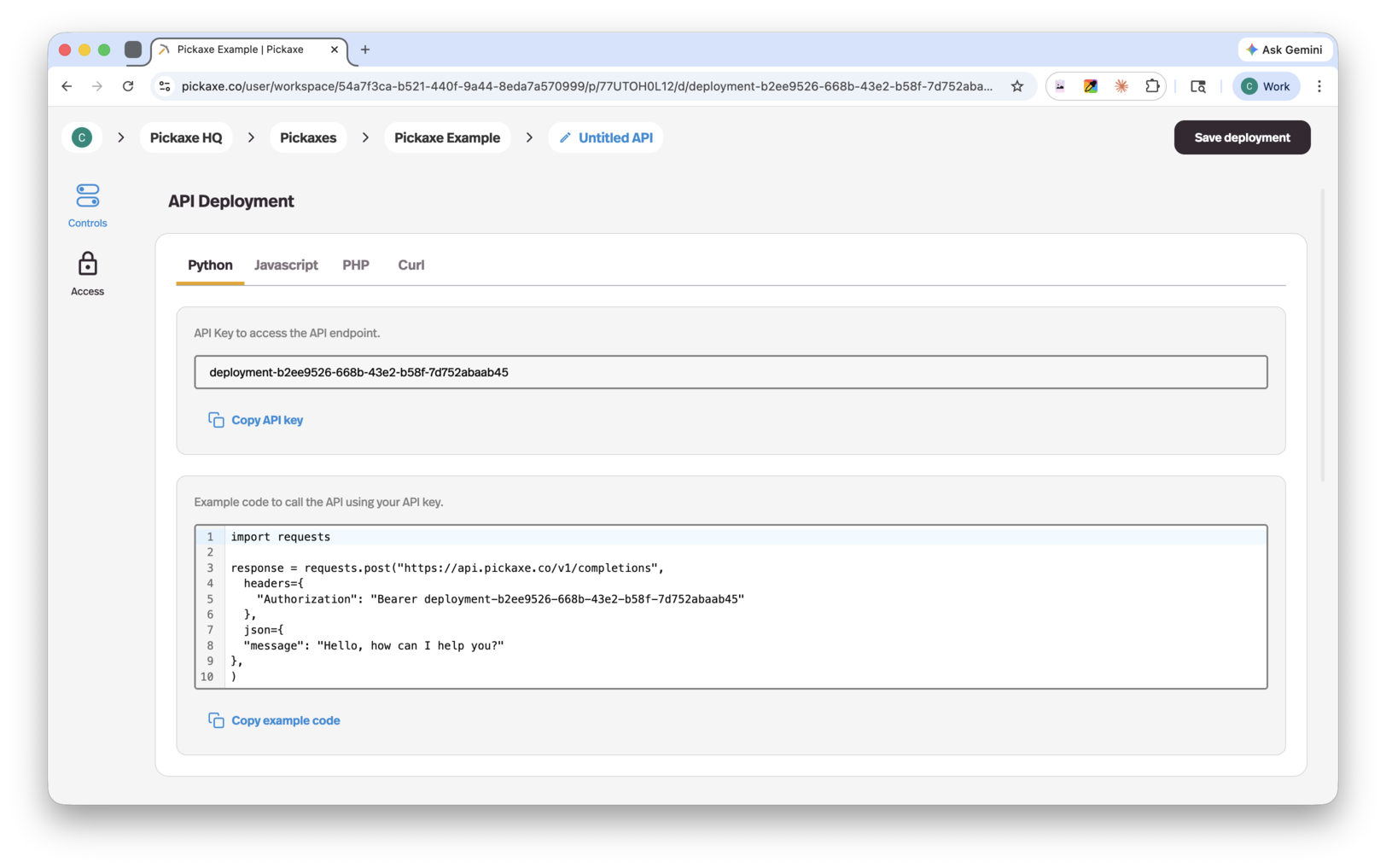
The API key authenticates the deployment, not an individual end user. A matching userId (user ID or email) attributes usage to that user and applies their Access Group allowance, but the caller can omit or change it. Enforce end-user identity in your own application; the workspace pays the underlying API cost in either case.
It's an MCP endpoint too
The deployment type is called API/MCP because it gives you both. Alongside the REST examples, the deployment page has a Connect an MCP client panel: pick your client — Claude Code, Codex, Cursor, VS Code, or generic HTTP — copy the configuration, and this agent becomes a tool your AI client can call.
It authenticates with the deployment's own token, so a client set up this way can run this one agent and nothing else. That's the narrow alternative to the Pickaxe MCP Server, which exposes a whole workspace: use a deployment when you're giving someone one agent, and the workspace server when you're the one working.
Track API/MCP costs
In the dashboard’s Analytics, open API/MCP Cost Over Time to view daily costs for Last Month or All Time, expand the chart, or export a CSV. It combines API-origin agent runs with billed workspace API calls.
Learn more
Full endpoint documentation, request bodies, and examples live in the Pickaxe API documentation.