Monetize
Offers
Sell one-off access to specific tools and content with configurable offers.
Offers let you sell one-off access to specific tools. They are built for creators who want to sell multiple ad hoc products at once, rather than following a more linear upgrade path with standard access groups. With offers, you can have a large variety of different product group offerings without having to create a bunch of separate portals or access groups for each.
Getting started
To get started, head to the portal editor page and go to the Lock tab.
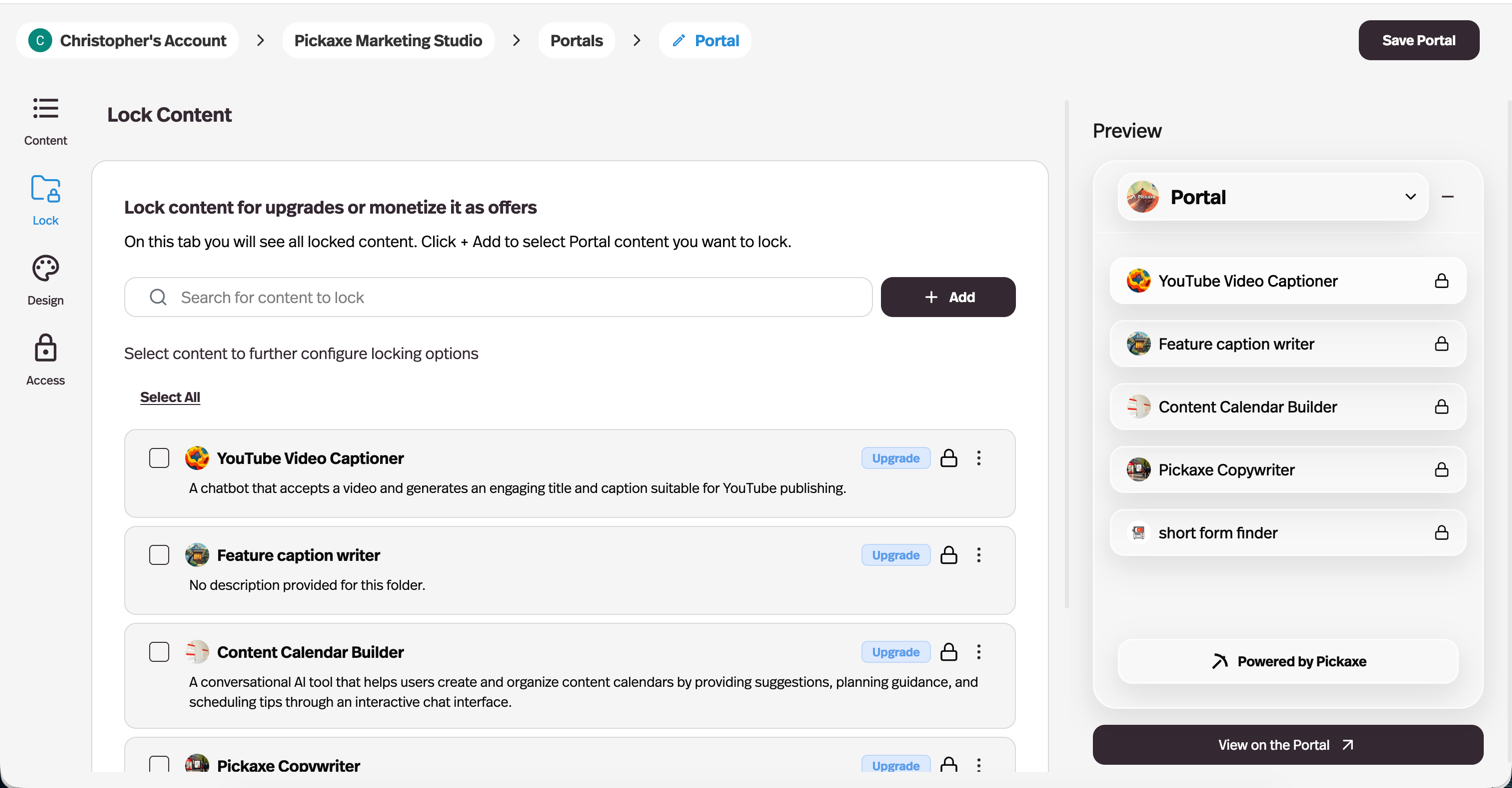
From here you can lock different pieces of content. You can lock pages or agents individually, or combine them into a single folder and lock access to all of them at once.
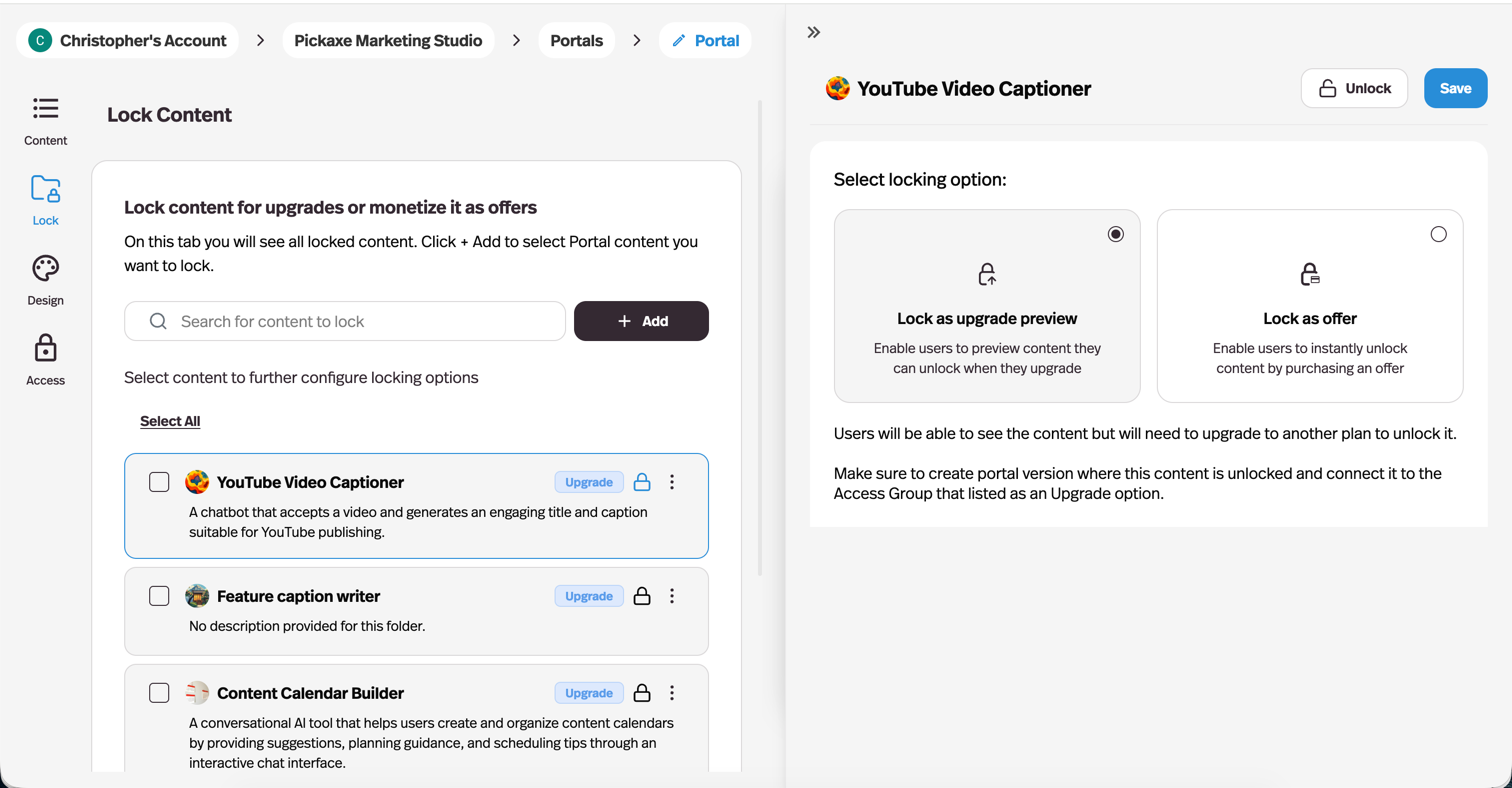
Once you lock content, you have two options: Lock as upgrade preview and Lock as offer.
Either way, the same panel lets you whitelist access groups that skip the lock entirely — see Portals.
Lock as upgrade preview
This option lets you show the content but indicate that it is locked until the user upgrades. It's useful for giving users a glimpse of what's available in a higher tier.
To use this option, make sure you create a portal version where the content is unlocked and connect it to the access group listed as an upgrade option.
Lock as offer
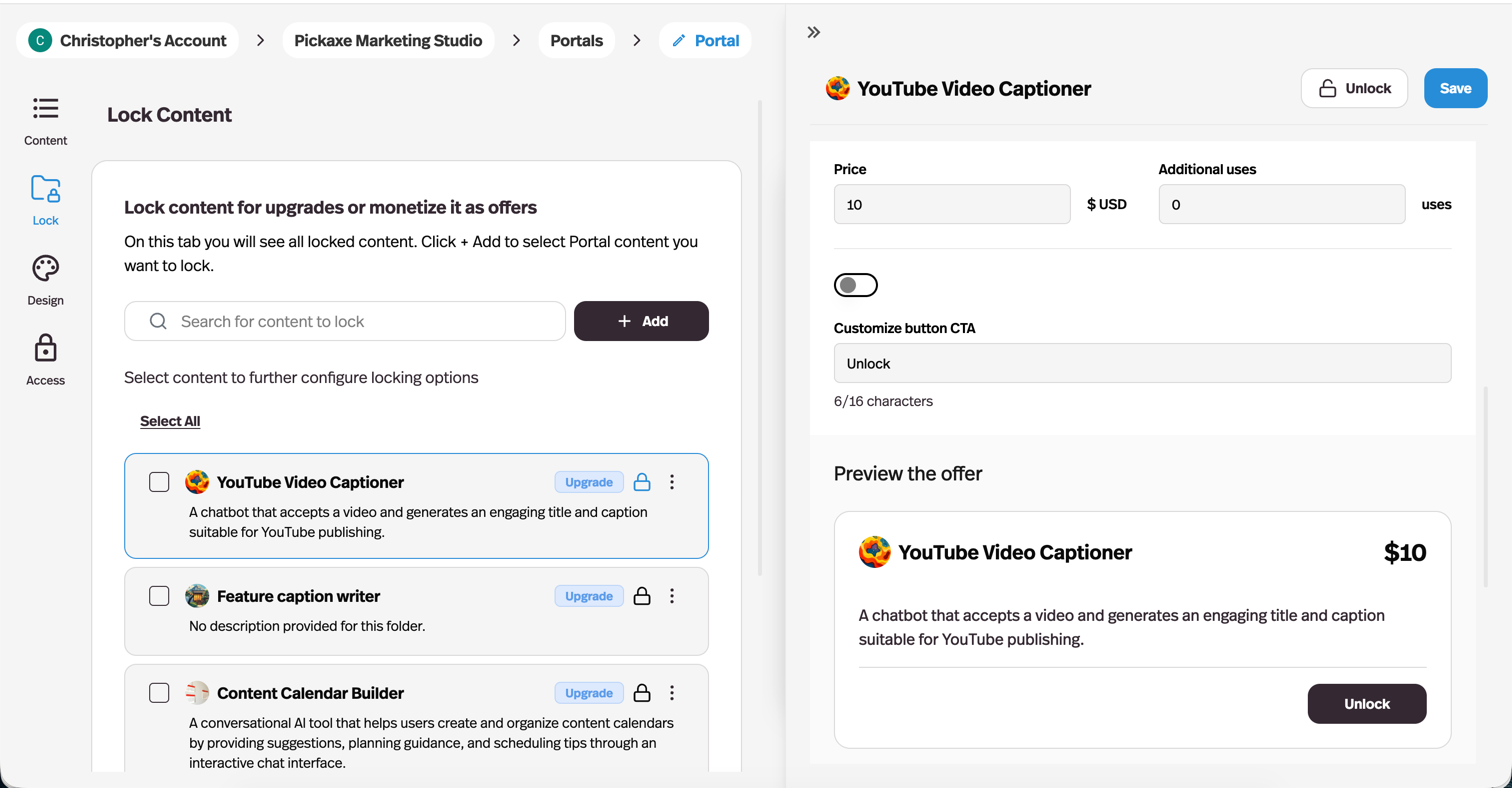
This option allows you to sell one-off access to certain groups of content or agents. You can configure the offer to change how it appears to users, how much it costs, and how many extra credits it provides.
You will also be able to see all users who have the offer enabled, with the ability to add users manually.