
Build
Actions
Connect your agents to external tools, APIs, and other agents so they can take real actions.
Actions let your agent do more than just chat. Think of them as buttons your agent can press when the conversation calls for it — like looking up data, sending an email, submitting a form, or triggering a workflow.
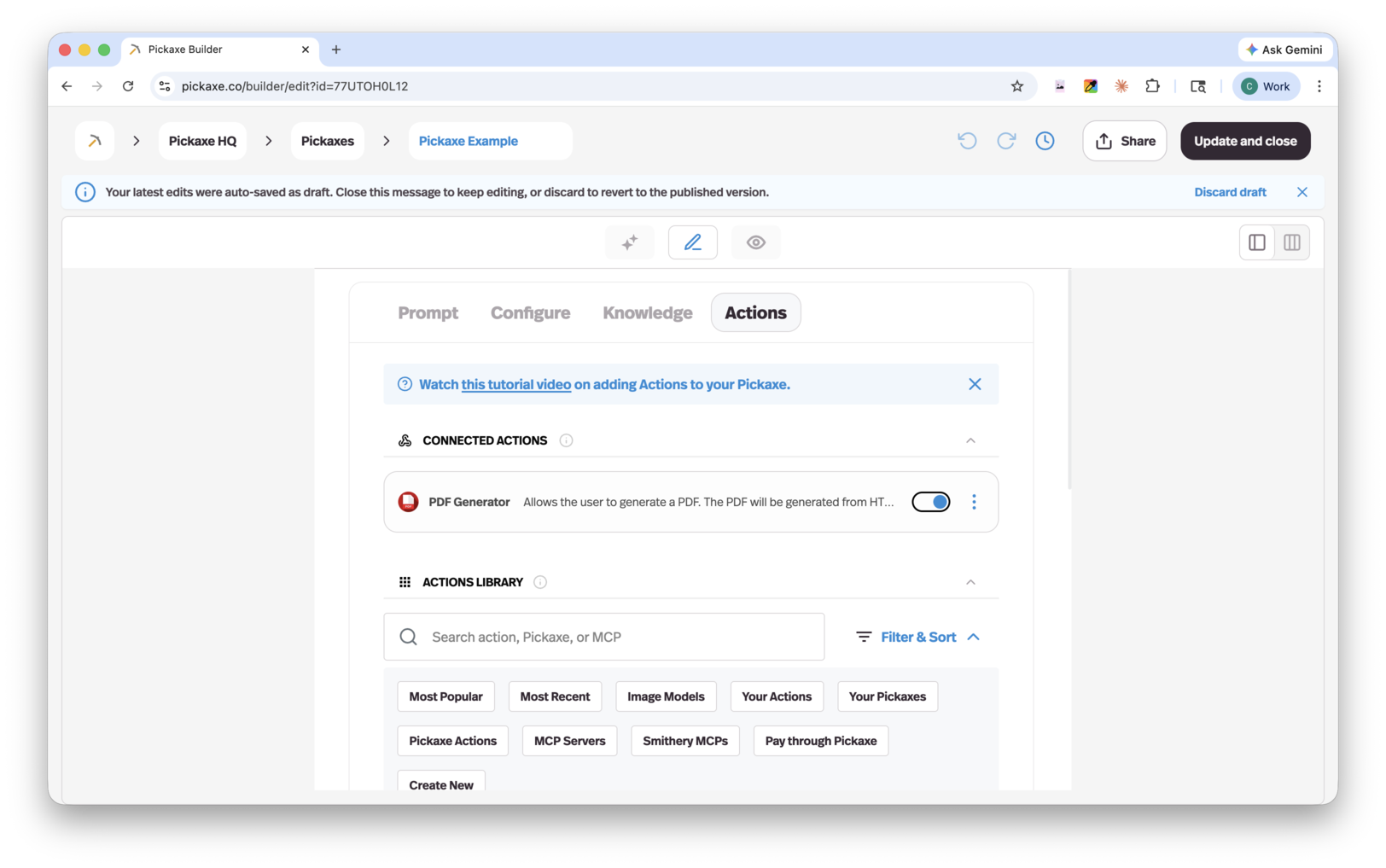
How actions work
When a user interacts with your agent, the AI decides whether an action should be triggered based on the conversation context. To get reliable results, you should define when an action should be used in two places:
- System prompt — Include instructions in your main prompt that describe when and why the agent should use the action.
- Trigger prompt — Each action has its own trigger prompt where you specify the exact conditions that should cause it to fire.
Being clear in both places helps your agent know exactly when to act and when to keep chatting.
What you can connect to
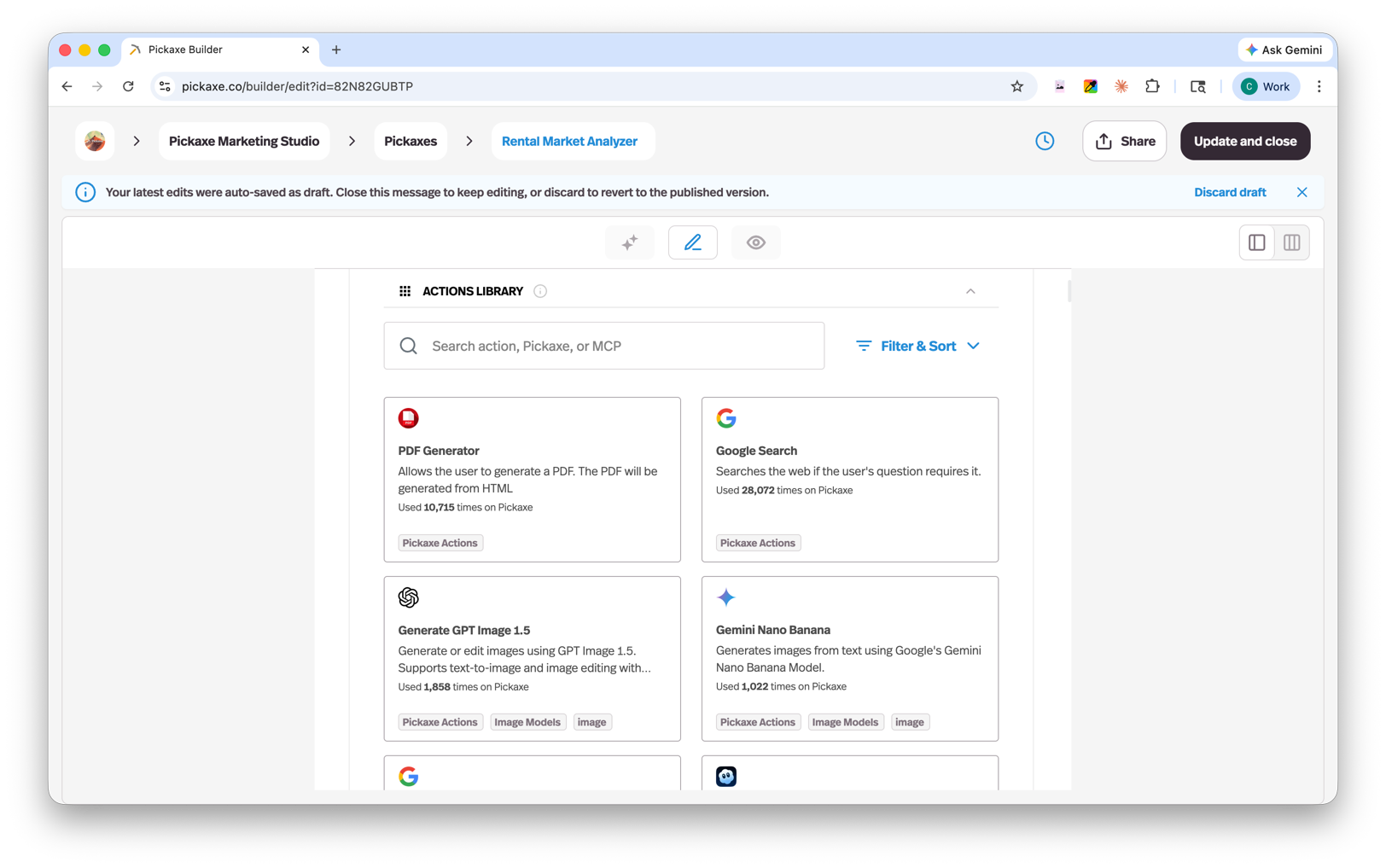
Pickaxe offers a built-in Action Library with a wide range of pre-built integrations. Beyond that, you can:
- Connect over a thousand apps through Composio — the Actions Library includes a full catalog of third-party app integrations (Gmail, Slack, HubSpot, Notion, Linear, and 1,000+ more) that connect in a couple of clicks, each exposing its tools to your agent. See the Composio integration guide for the full walkthrough.
- Connect other agents — one agent can trigger another as part of a larger workflow.
- Connect Zapier, Make, and n8n through MCP — trigger a Zap, scenario, or workflow right from a conversation, whether that's updating databases, sending messages, or filling templates. See the Zapier, Make, and n8n integration guides for setup.
- Connect any MCP server — bring your own MCP server with a custom configuration, or build a fully custom action.
This is also a great way to monetize an existing automation: wrap a Zapier, Make, or n8n workflow in a Pickaxe agent and sell access by usage, with the agent triggering the workflow each time.
Whose account an action uses
When an action connects to an app that needs a login (like HubSpot, Notion, or Gmail), Pickaxe asks whose account it should act through:
- Owner — the action always runs through your connected account. Best when the agent works with your own data, like logging every inbound lead into your CRM.
- End user — each person connects their own account the first time they trigger the action. Best when you're building for others, so the agent takes action inside each user's own apps.
Authentication and credits
Some actions need authentication or an API key before they'll run. Where we can, Pickaxe handles this for you so you can run on Pickaxe credits directly instead of supplying your own key.
Create content with Copilot
Copilot is an action that lets your users create and revise documents, interactive tools, diagrams, and code within a conversation. Find it using the Copilot filter in the Actions library, connect it, and set a trigger prompt describing when your agent should use it. The Copilot guide covers setup, examples, previews, and downloads.
Examples of actions
A few ideas, framed as the kind of agent that might use each one:
- A sales assistant that qualifies an incoming lead and adds them to your HubSpot account as a new contact once the chat shows buying intent.
- An investment research agent that checks a company's latest stock price and financials with Google Finance before answering.
- A social media agent that creates custom post images from the user's description with Generate GPT Images.
- A marketing agent that generates a short promo video from a text prompt with Sora 2.
- A real estate assistant that builds a local market report — recent comps and price trends — into a downloadable PDF for a prospective homebuyer with the PDF Generator.
- A coaching companion that sends a conversation summary to the user by email once the session wraps up.
- An onboarding agent that triggers a Make webhook to kick off a multi-step setup scenario after signup.
- A content agent that runs a publishing automation across your apps with a Zapier Zap when a draft is approved.
- An internal ops agent that starts a self-hosted workflow with an n8n webhook when a request comes in.
- A lead-gen agent that sends a personalized follow-up email through Gmail after the conversation.
- A support bot that posts the transcript to a Slack channel to escalate to a human when it can't resolve the issue.
- A booking assistant that creates an event on Google Calendar when the user picks a time.
- A client-intake agent that logs the user's answers as a new row in Google Sheets.
- A customer-support agent that saves a ticket summary to a Notion database for the team to review.
- An ecommerce support bot that checks which products are in stock in your Shopify store when a shopper asks about availability.
- A research assistant that finds the latest information on a topic with Google Search or OpenAI Web Search to keep its answers current.
- A document agent that pulls a file or saves a generated one in Google Drive.
- A project-management agent that creates a follow-up task in ClickUp or Todoist from an onboarding checklist.
- A support bot that helps the user book a call with the owner through Calendly if they still have questions.
- A triage agent that hands billing questions to a specialist sub-agent by connecting another agent in a waterfall setup.
Browse everything you can connect in the Action Library. Don't see the app you need? If it isn't there, you can almost always reach it through Zapier, Make, or n8n.
How many actions should an agent have?
You can connect multiple actions to a single agent, but we recommend no more than four. Too many actions can make it harder for the AI to consistently choose the right one.
If your use case requires more than four actions, the best approach is to create a waterfall setup — a primary agent that routes to other agents, each with their own focused set of actions. This keeps each agent simple and reliable while still covering complex workflows.