
Deploy
Slack Bot
Add your agent to a Slack workspace for team-accessible AI tools.
Let your users interact with your agent directly within Slack.
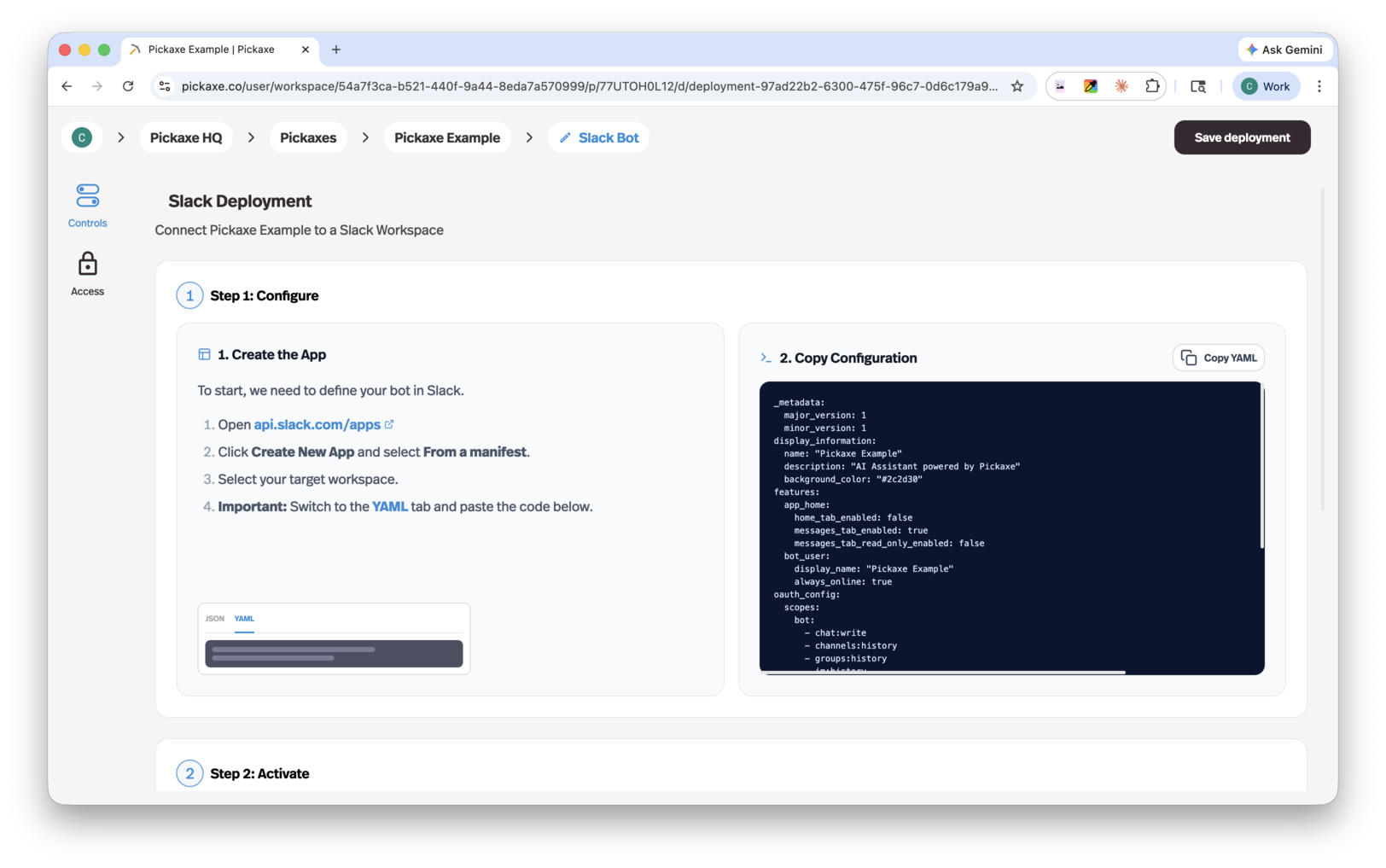
Setup
- Go to api.slack.com/apps, create a new app "From a manifest", select your workspace, and paste in the YAML config provided by Pickaxe.
- Install the app to your Slack workspace from the Install App page.
- Copy the Bot User OAuth Token (
xoxb-...) from Slack's OAuth & Permissions page, paste it into Pickaxe, and click Finish Connection. - Save the deployment in Pickaxe — your bot is live.