
Deploy
Portals
Create branded, multi-agent hubs where users can access your agents in one place.
Portals are like AI studios — a place where you can bundle multiple agents and pages together and serve them as one unified product. They are the primary deployment type on Pickaxe and the cleanest way to package your agents into a sellable product for your users.
You can host your portals at studio.pickaxe.co or connect them to your own custom domain.
Portal editor
The portal editor has four tabs: Content, Design, Access, and Lock.
Content
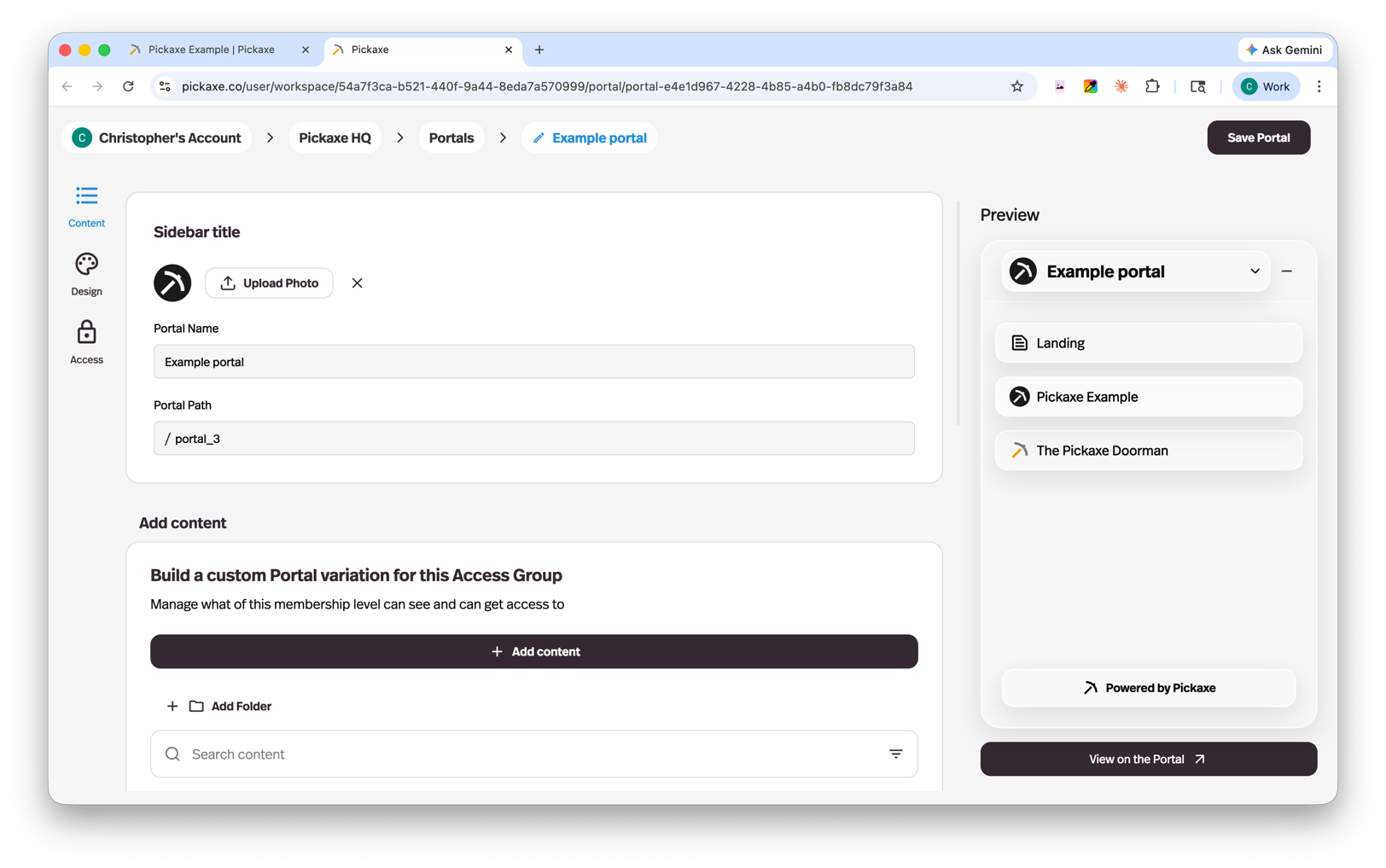
The Content tab is where you manage everything inside your portal:
- Add and arrange agents and Pages within your studio
- Organize content into folders for a clean navigation structure
- Customize the studio name and settings
Agents are deployed to portals as links in the side menu, so users can navigate between them easily. If you're building custom portal content, the Pages guide goes deeper on the page builder blocks you can use there.
Design
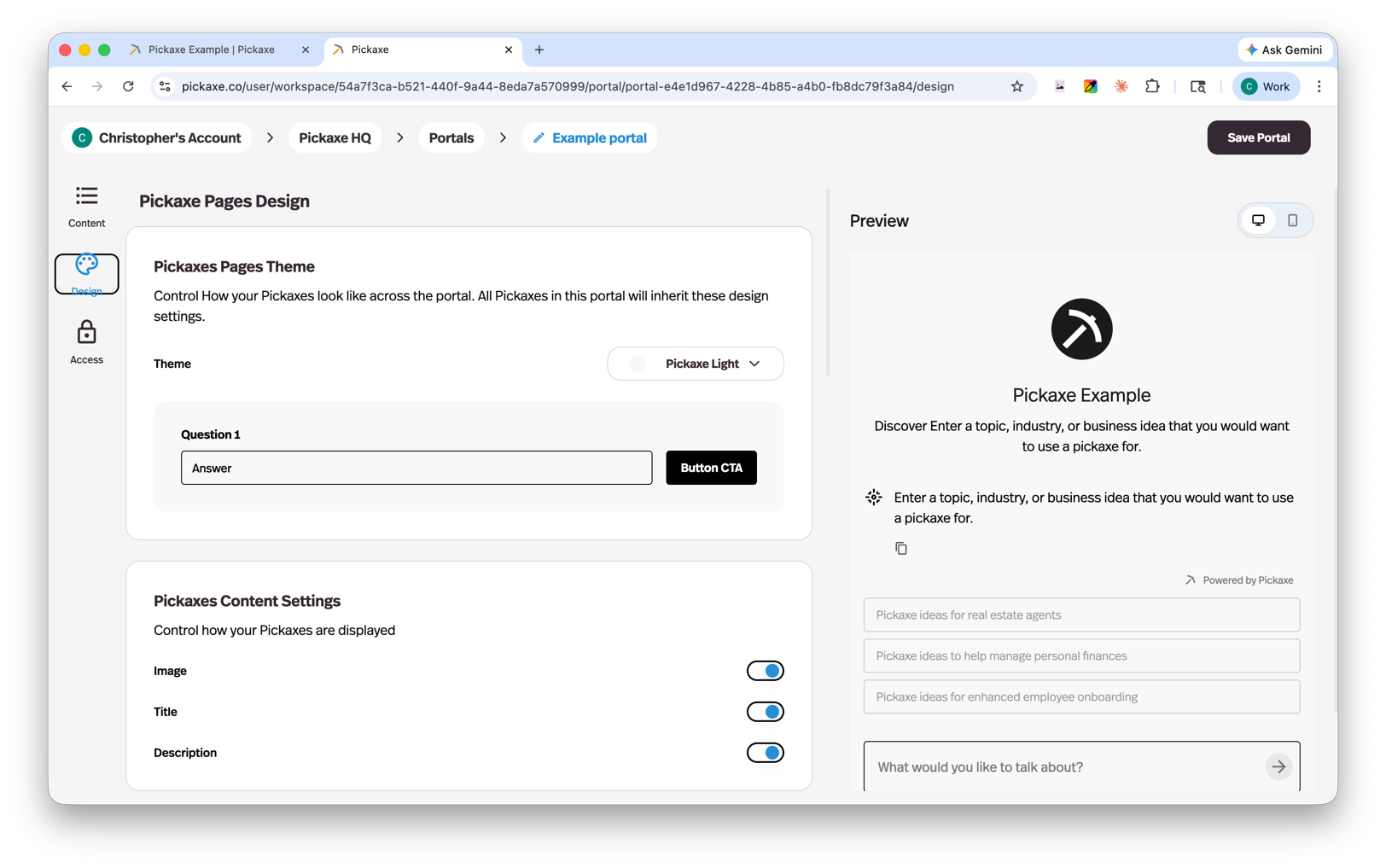
The Design tab gives you control over the look and feel of your portal:
- Customize the visual design of your studio
- Add custom code for more advanced styling or functionality
Access
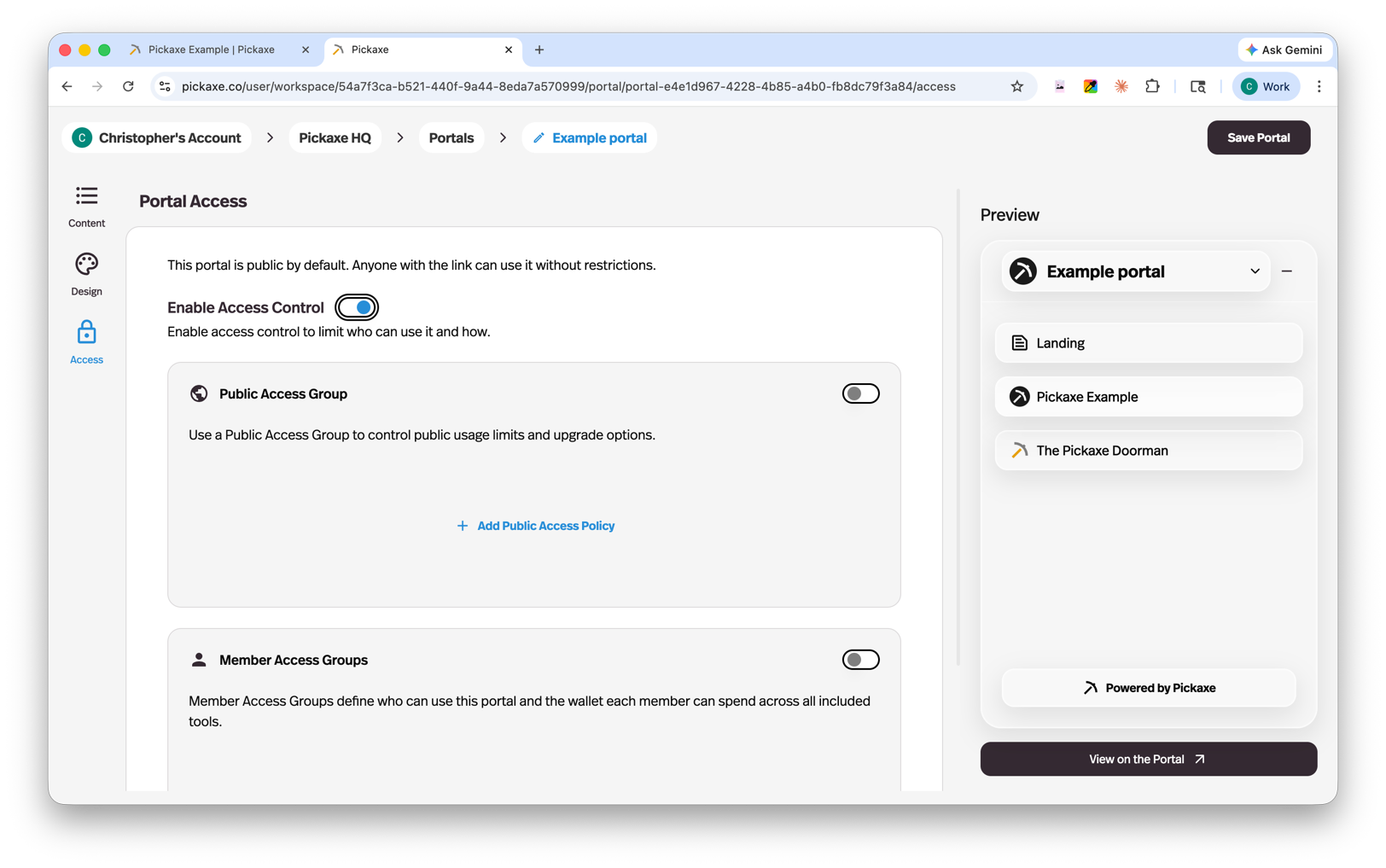
The Access tab is where you connect access groups to your portal. Access groups control who can use your portal and what they have access to (covered in more detail on the Access Overview page).
Each portal has one primary access group and can also have additional access groups. The types you can add depend on the primary access group:
| Primary access group | Allowed additional access groups |
|---|---|
| Guest (public) | Member or invite-only |
| Member | Member or invite-only |
| Invite-only | Invite-only only |
You cannot add another guest access group as an additional access group. A portal whose primary access group is invite-only cannot include guest or member access groups.
Important: Guest and member access groups can each be connected to only one portal. Invite-only access groups are the exception and can be connected to multiple portals. A portal can still have multiple access groups as long as the combinations above are valid.
Lock
The Lock tab lets you lock individual agents, pages, or entire folders of content. Locked content can be set up as an upgrade preview (visible but gated until the user upgrades) or as an offer (purchasable one-off access). This is useful for selling multiple ad hoc products without creating separate portals or access groups for each. See Offers for more details.
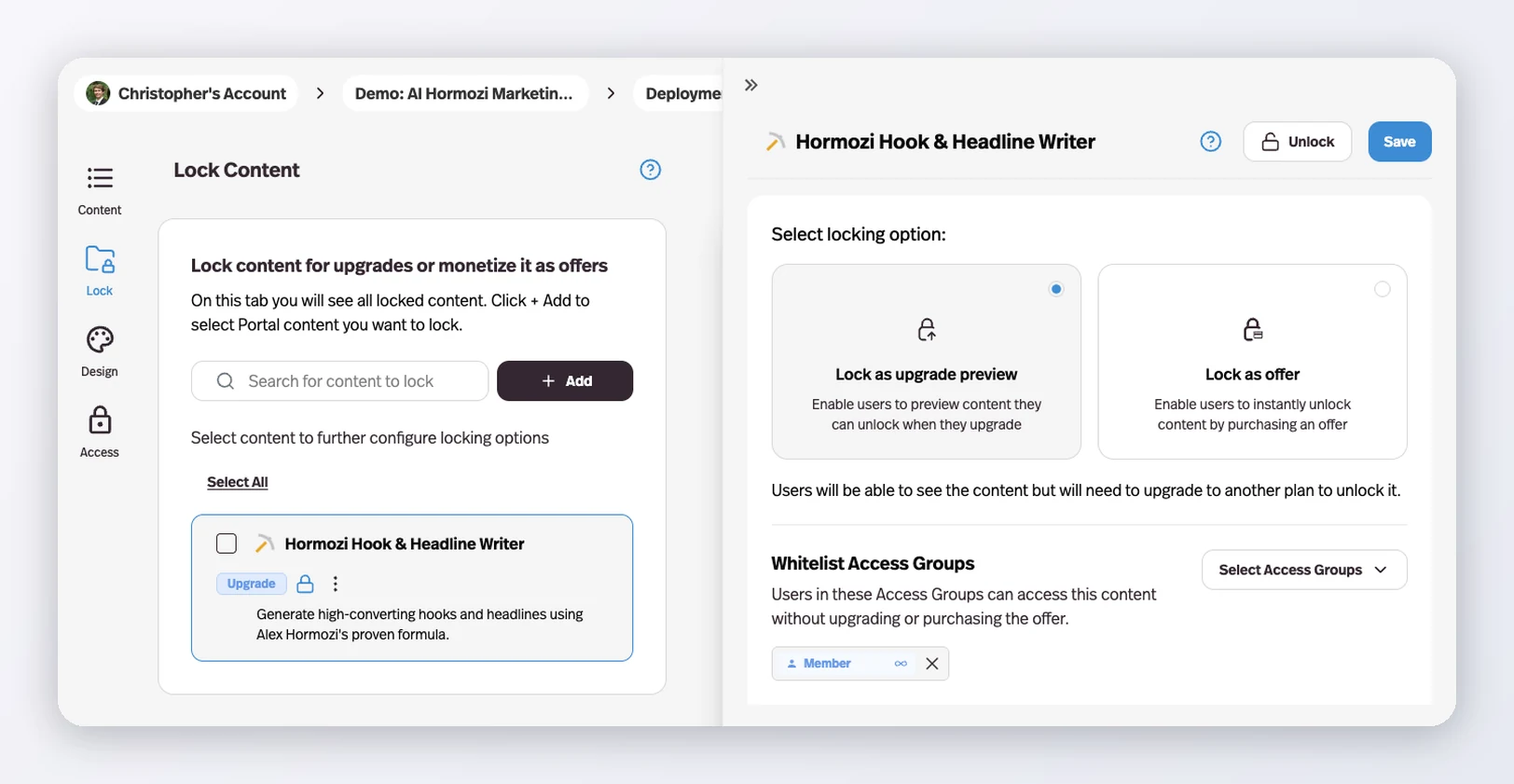
Each locked item also has a Whitelist Access Groups control: pick any of the access groups connected to the portal and its members reach that content without upgrading or purchasing the offer. It works for both lock types, so one group can keep full access while everyone else sees the lock.
What your users see
When users visit your portal, they see a clean interface with:
- Your content — the agents and pages you've added, displayed front and center
- A dropdown menu — listing all available content for quick navigation
- A right-side menu with:
- Search — Find content across the portal
- Pricing — View plans and upgrade paths
- Uploads — Users can upload their own documents to any agent and view everything they've uploaded in one place
- Profile — Account settings and preferences (or a login/sign-up button if they're not logged in)