
Access
Access Overview
Control who can use your tools with public and member access groups.
Access management is one of Pickaxe's core features. It lets you control who can use your tools, segment your users into different groups, and monetize your agents by selling different access tiers. You'll find it on the Access page, under Users in the sidebar.
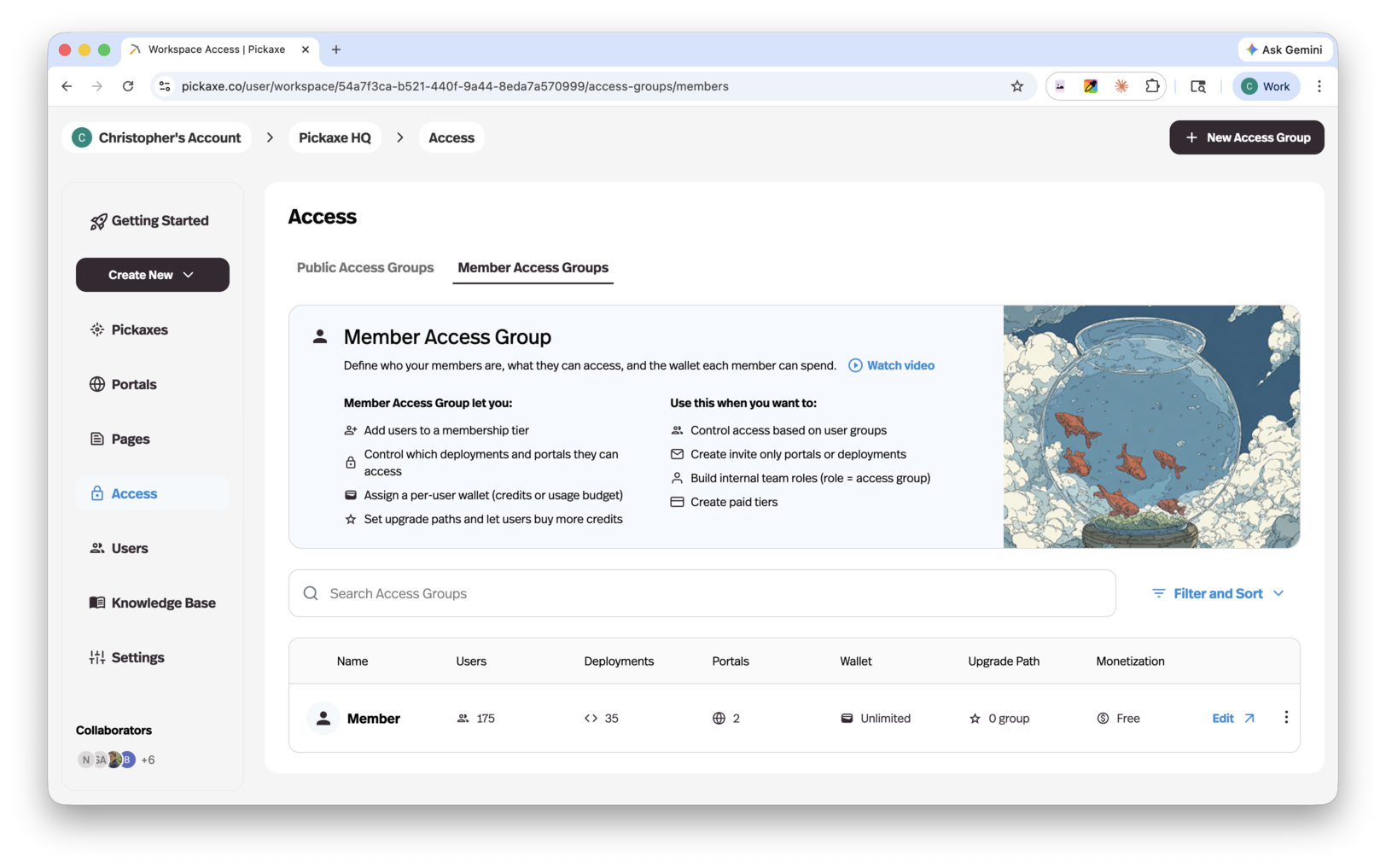
Use access groups to create different experiences for different audiences — they control access behavior, usage limits, upgrades, and monetization. There are three types:
- Public access groups — anyone with the link can access. Users can try your tools and portals without signing in.
- Member access groups — users sign up to access. Members groups support sign-up, subscriptions, and upgrades.
- Invite-only access groups — only invited users can access. Designed for private clients, teams, and communities; users must be invited or approved, and there's no public sign-up.
Each type is covered in detail on its own page. Every access group needs a portal to represent it, and a portal always has a Primary Access Group — new portals get an unlimited public group by default (or an invite-only one, if your workspace is invite-only).
Login methods
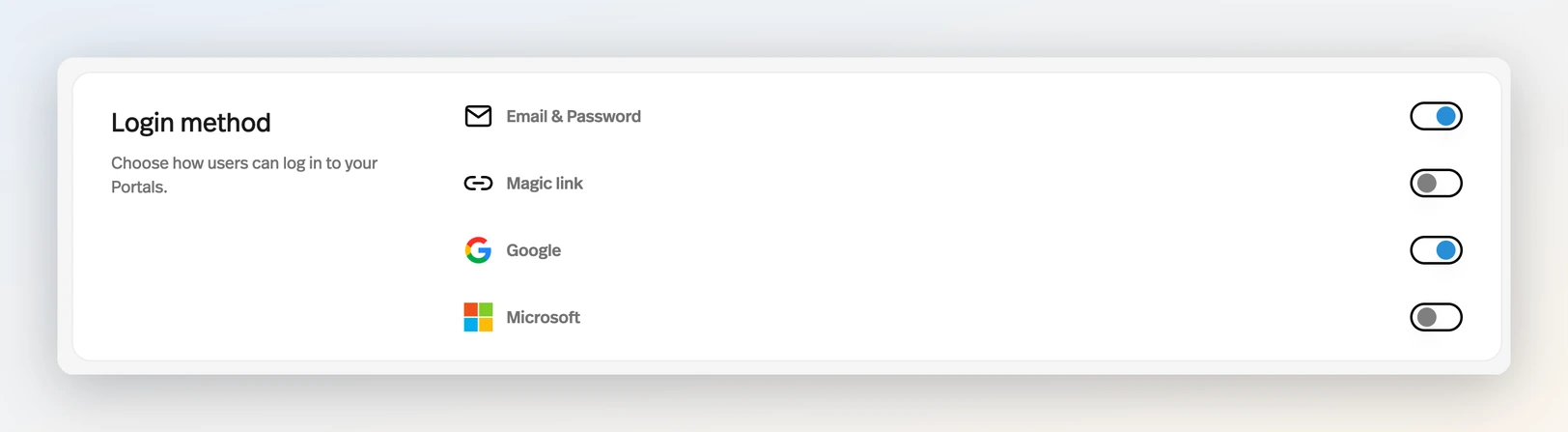
For groups that require sign-in, you control how users authenticate under Settings → Deploy → Login method. Four options can be toggled per studio:
- Email & Password
- Magic link — passwordless sign-in by email. (Email & Password and Magic link are mutually exclusive — enabling one switches the other off.)
- Microsoft
At least one method always stays enabled. Google and Microsoft sign-in work everywhere your users authenticate — portal login, sign-up, and the pricing page.
With Email & Password enabled, an existing user who has no password can choose Email me a sign-in link or Create a password after entering their email address. Creating a password sends them a secure setup link by email.
Customizing account emails
The emails your studio sends around access — Magic Link, Email Verification, Password Reset, and the Invitation Email — are all editable under Settings → Deploy → Mailing, with {{studio.name}}, {{studio.image}}, and {{url}} variables so they match your brand. See Invite-Only Access Groups for the invitation flow in detail.
Sending from your own domain
By default those emails come from yourhandle@mail.studio. On Gold and higher plans, Connect domain in the same Mailing panel swaps that for an address on a domain you own, so an invitation arrives from hello@mail.yourbrand.com instead. The part before the @ is your Mail handle, set just above.
Use a dedicated subdomain like mail.example.com rather than your root domain, so the setup can't interfere with a Google Workspace or Outlook inbox already receiving mail there. Pickaxe hands you the DNS records to add at your registrar and Check DNS re-runs verification; your @mail.studio address keeps sending until the domain reports Active. Remove returns you to it at any time.
Replies to the custom address are forwarded to the workspace owner's email.
You can also set up branded email while adding a Portal domain in Settings → Deploy → Domain → Add a custom domain. Leave Set up branded email too enabled and enter the email domain, or skip it and return to Mailing later. A Portal CNAME needs a separate hostname for email.