
I've lost count of how many AI agent demos I've watched that never survived contact with a real user. A slick video, an autonomous loop, a booking confirmed on screen — and then nothing ships.
So when I set out to collect the best AI agent examples I could find, I gave myself one rule: it has to actually be running somewhere, for someone, on real work. No concept videos. No "coming soon" waitlists.
That rule cuts deeper than you'd expect. Gartner's 2026 CIO survey found that only 17% of organizations have actually deployed AI agents, even though more than 60% expect to within two years. Deloitte's State of AI in the Enterprise research points the same direction — broad intent, narrower reality. Gartner also projects that more than 40% of agentic AI projects will be cancelled by the end of 2027 on cost, unclear value, or weak risk controls.
In other words: the gap between "agent exists" and "agent works" is where most of the money goes to die.
What follows is 16 AI agent examples that made it across that gap, grouped by the job they do — coding, customer service, research, vertical work, general-purpose autonomy, and the custom agents ordinary businesses build for themselves. For each one I've noted what it actually does, what it costs, and where it falls down.
At the end I've pulled out the patterns the working ones share, because that's the part you can copy.
First: What Actually Counts as an AI Agent?
Half the confusion in this space comes from the word being stretched to cover everything from a rules-based chatbot to a fully autonomous system.
The line I use is simple. A chatbot answers. An agent acts.
More precisely, something earns the "agent" label when it has all four of these:
- A goal, not a script. You give it an outcome ("resolve this refund"), not a decision tree.
- Tools it can call. It can read a database, hit an API, send an email, run code — take actions with consequences outside the chat window.
- A loop. It observes the result of its action and decides what to do next, repeatedly, without a human pressing go each time.
- Some memory of context. It carries state across steps, and often across sessions.
If you want the longer version, we broke this down in what are AI agents and in from chatbot to AI agent. There's also a useful distinction between true agents and pre-defined agentic workflows — a lot of what gets marketed as the former is really the latter, and that's often fine.
One more framing worth holding onto: autonomy is a dial, not a switch. Most of the successful examples below sit somewhere in the middle of the autonomy spectrum, with a human in the loop at the points that matter.
The 16 AI Agent Examples at a Glance
Here's the full list before we get into each one.
| Agent | Category | What it does | Starting price |
|---|---|---|---|
| Claude Code | Coding | Terminal agent that reads, edits and ships code | $20/mo |
| Cursor | Coding | In-editor agent for multi-file changes | $20/mo |
| Devin | Coding | Autonomous engineer in its own sandbox | $20/mo |
| GitHub Copilot | Coding | Agent that takes an issue and opens a PR | $10/mo |
| Fin (formerly Intercom) | Support | Resolves support tickets end to end | Per resolution |
| Sierra | Support | Branded enterprise customer agents | Enterprise |
| Decagon | Support | Configurable enterprise support automation | Enterprise |
| ChatGPT agent mode | Research | Browses, runs code, compiles reports | $20/mo |
| Perplexity | Research | Cited answers and deep research runs | Free / $20/mo |
| Harvey | Legal | Contract, diligence and litigation work | Enterprise |
| 11x | Sales | AI SDR that prospects and books meetings | Enterprise |
| Lindy | Operations | No-code agents for meetings, inbox, CRM | Free / $49/mo |
| Manus | General | General-purpose autonomous task agent | $19/mo |
| OpenClaw | Personal | Self-hosted multi-channel assistant gateway | Open source |
| Hermes Agent | Personal | Self-hosted agent with autonomous learning | Open source |
| Pickaxe | Custom | Agents you build and sell under your own brand | Paid plans |
Coding Agents: The Category That Proved Agents Work
If you want evidence that agents are real, look at software engineering first. It's the one domain where agents went from novelty to daily infrastructure in about eighteen months.
There's a good reason for that. Code is the perfect agent environment: the feedback loop is instant and automated. The agent writes something, the tests run, the compiler complains, and it tries again — no human needed to grade the work. Most other domains don't have that luxury.
1. Claude Code
Claude Code is Anthropic's terminal-based coding agent, and it's the one I reach for most. You point it at a repository and describe an outcome. It reads the files it needs, makes edits across as many as the task requires, runs your tests, reads the failures, and fixes them.
What makes it a genuine agent rather than autocomplete is the loop. It doesn't hand you a suggestion and stop — it keeps going until the task is done or it gets stuck, and it tells you which.
Where it stands out: the harness around the model is unusually programmable. Hooks, custom slash commands, subagents, and MCP servers let you shape how it works rather than accepting a fixed product. The official docs are worth reading even if you use a competitor, because they describe the mechanics most coding agents now share.
Where it falls down: it's terminal-first, which is a real barrier if your team lives in a GUI. And on large refactors it will confidently go down a wrong path for a while before noticing.
Price: from $20/month on Claude Pro, with higher usage on Max plans.
2. Cursor

Cursor is the same idea living inside an editor instead of a terminal. You get the agent loop — multi-file edits, test runs, self-correction — but with the diff view, file tree, and inline review that most developers already think in.
That interface advantage is why Cursor picked up so much engineering mindshare, with public adoption at companies like Stripe, Shopify and Notion.
Where it stands out: reviewing what the agent did. Watching a diff appear file by file is far easier to supervise than a wall of terminal output.
Where it falls down: you're in Cursor's editor now. If your team is committed to JetBrains or Vim, that's a migration, not a plugin.
Price: free tier available, Pro from $20/month.
3. Devin
Devin, from Cognition, is the most autonomous of the mainstream coding agents. You assign it a task the way you'd assign a ticket to a junior engineer, and it goes off into its own sandboxed environment — its own shell, browser and editor — to research, plan, code, test and iterate.
You don't watch it type. You come back to a pull request.
Cognition also acquired Windsurf in 2025 for roughly $250 million and, as of June 2026, rebranded that editor as Devin Desktop — so the company now covers both the "delegate it entirely" and "work alongside me" modes.
Where it stands out: genuinely parallel work. You can have several Devins running separate tickets while you do something else, which is the closest thing to headcount leverage in this list.
Where it falls down: cost predictability and task selection. Devin historically billed in Agent Compute Units — roughly 15 minutes of active work each — and on well-scoped, well-tested codebases it shines, while on ambiguous work it can burn budget exploring. Pricing was restructured into cleaner tiers in mid-2026 (Free, Pro $20/mo, Teams, Max $200/mo), but the underlying lesson holds: scope tightly.
This is the same dynamic we covered in the real cost of AI agents — autonomous loops consume tokens in ways that are hard to forecast.
4. GitHub Copilot Coding Agent
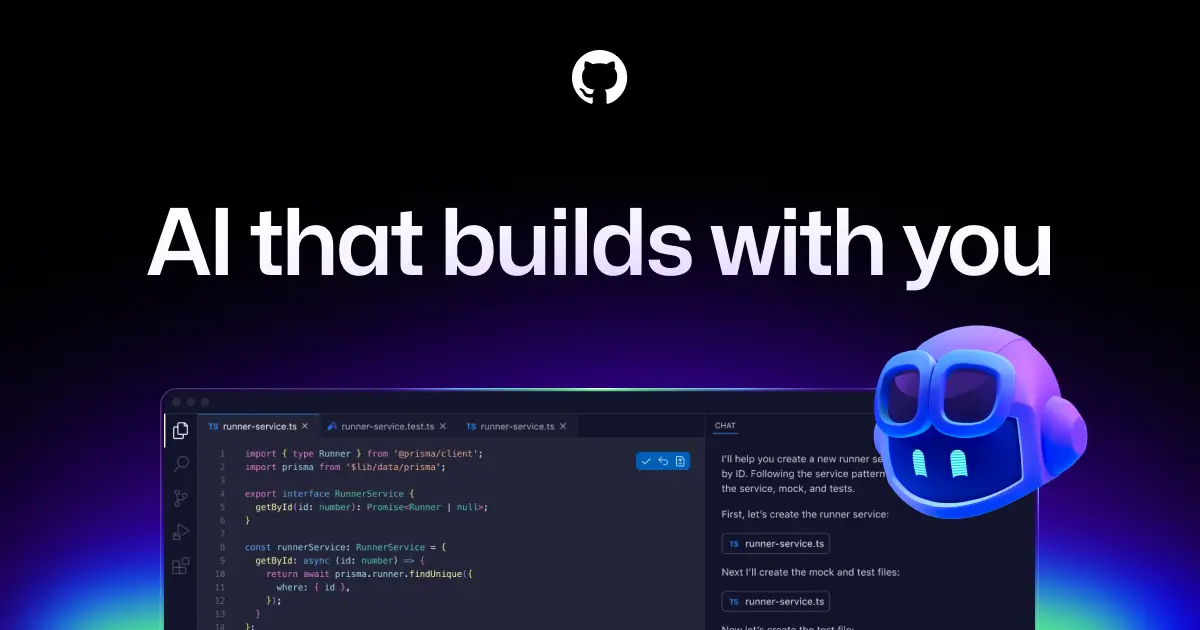
Copilot started as autocomplete and grew into an agent. The version that matters here is the coding agent: you assign it a GitHub issue, and it works in a background environment and opens a pull request for review.
Where it stands out: it lives exactly where the work already is. No new tool, no new review process — the output shows up as a PR in the repo your team already uses, subject to the same CI and approvals.
Where it falls down: it's the most conservative agent here. Great for well-defined issues, less impressive on open-ended architectural work.
Price: from $10/month.
Want an agent like these, but for your own business?
Build one on Pickaxe with your knowledge base, your actions, and your branding — no code required.
Customer Service Agents: The Biggest Money in the Category
Support is where AI agents found their clearest business case, because the unit economics are obvious: a ticket a human doesn't have to touch is a cost you don't pay.
It's also where the valuations went. This category alone produced a $15 billion company and a $3.6 billion acquisition in a single year.
5. Fin (formerly Intercom)

Fin is the AI support agent built by Intercom — a company that renamed itself after the product in May 2026, which tells you how central the agent became.
Fin resolves customer queries end to end across live chat, email, WhatsApp, SMS, phone and Slack. It reads your help center and past conversations, answers, and takes actions like issuing refunds or updating accounts.
In June 2026, Salesforce signed a definitive agreement to acquire Fin for roughly $3.6 billion, citing an agent that closes out around 76% of incoming support requests without a human. (The deal was signed, not closed — Salesforce expects completion in its fiscal Q4 2027.)
Where it stands out: pricing transparency. Fin is the major platform with a published, self-serve, per-resolution rate card — you pay when the agent actually resolves something, which is the cleanest outcome-based model in the category.
Where it falls down: it's happiest inside its own ecosystem, and the Salesforce acquisition adds a question mark over the roadmap for non-Salesforce shops.
6. Sierra

Sierra is Bret Taylor's company, and it's the enterprise heavyweight here. Its pitch is branded, action-taking agents that behave like an extension of the company rather than a generic bot — across chat, voice, email, SMS and WhatsApp.
The numbers are striking. Sierra hit $100 million in ARR in under two years, and in May 2026 raised roughly $950 million at a valuation above $15 billion. Named customers include WeightWatchers, SiriusXM, Sonos, ADT, Chime, Nordstrom, Ramp, Rivian and Wayfair.
Where it stands out: voice. Sierra's phone agents are among the few I've heard that don't immediately telegraph that they're automated.
Where it falls down: it's an enterprise product with enterprise commitment. There's no self-serve path — if you're a 12-person agency, this isn't your tool.
7. Decagon
Decagon is Sierra's closest competitor and the one enterprises pick when configurability matters more than polish. Where Sierra leans toward bespoke builds, Decagon exposes more of the machinery — routing rules, workflow definitions, escalation logic — to the team operating it.
Where it stands out: control. Support leaders who want to see and adjust exactly why the agent did something tend to prefer it.
Where it falls down: that same configurability means more setup work, and like Sierra it's priced for enterprises.
Research Agents: The Ones Most People Have Actually Used
Research agents are the most widely used examples on this list, largely because they arrived bundled into tools people already had.
8. ChatGPT Agent Mode and Deep Research
OpenAI's agent mode is the clearest mass-market example of an agent loop. Given a task, it browses the web, clicks through pages, runs code in a sandbox, and assembles a result — reporting its steps as it goes.
Deep research is the narrower, more reliable sibling: give it a question and it spends several minutes reading dozens of sources before writing a cited report.
Where it stands out: breadth. It'll attempt almost anything, and the sandboxed code execution makes it genuinely useful for data work, not just reading.
Where it falls down: reliability on multi-step web tasks. Logins, cookie banners and dynamic pages still derail it, and it will occasionally report success on a task it didn't complete. Always check the work.
9. Perplexity
Perplexity's contribution is discipline: every claim comes with a citation you can click. That sounds small until you've tried to verify a 2,000-word research report with no sources.
Its deep research mode runs the same multi-source loop as competitors but keeps the citation trail intact throughout.
Where it stands out: verifiability, and speed on straightforward factual questions.
Where it falls down: it's a researcher, not a doer. It won't take actions in your systems.
If citation quality is the thing you care about, we wrote a full guide to building a research agent that actually cites its sources.
Vertical Agents: Where the Real Margins Are
General-purpose agents get the attention. Vertical agents — ones built for a single profession, with that profession's data, vocabulary and liability model baked in — get the contracts.
10. Harvey (Legal)
Harvey is the standout vertical agent, and the numbers make the case for specialization better than any argument I could write.
In March 2026 Harvey raised $200 million at an $11 billion valuation, on roughly $190 million in ARR. It serves 1,500+ customers across 60+ countries, including around half the Am Law 100, and reportedly runs more than 25,000 custom agents for clients.
The work is contract analysis, due diligence, compliance review and litigation support — tasks where a general chatbot is worse than useless because a plausible-sounding wrong answer carries real liability.
Where it stands out: it routes across multiple frontier models (Anthropic, Google, OpenAI) depending on the task, which is the model routing pattern applied properly.
Where it falls down: price, and the fact that it assumes law-firm workflows. In-house teams at smaller companies often find it heavier than they need.
11. 11x (Sales)
11x builds AI sales development reps — agents that research prospects, write outbound sequences, handle replies and book meetings into a calendar.
This is the category with the widest quality gap. The good implementations research a specific account and reference something real; the bad ones generate personalization that's transparently fake and burn your domain reputation doing it.
Where it stands out: volume with an actual research step, rather than mail-merge with a thesaurus.
Where it falls down: reply handling still needs supervision, and buyers have gotten very good at spotting AI outbound. We went deeper on the whole category in top AI sales agents.
12. Lindy (Operations)
Lindy sits between a vertical agent and a build-your-own platform. You create agents from templates — meeting notetaker, inbox triage, CRM updater, lead qualifier — and connect them to your tools without writing code.
Where it stands out: time to first working agent. You can have something useful running in under an hour.
Where it falls down: it's built for internal operations. If you want to put an agent in front of your customers under your own brand, that's a different kind of platform.
Client-facing agents need a different setup
Pickaxe handles branding, logins, access control and billing so your agent looks like your product.
General-Purpose and Open-Source Agents
This group is the most experimental — agents that aren't scoped to a domain and will attempt whatever you throw at them. They're also where the most interesting architecture work is happening.
13. Manus
Manus is a general-purpose autonomous agent: give it a task, and it plans, uses a browser and a code environment, and works through it while you watch a live view of what it's doing.
Where it stands out: the transparency of the run. Seeing the plan, then the steps, then the revisions makes it much easier to trust — or to spot exactly where it went wrong.
Where it falls down: the same reliability ceiling every general agent hits. Long multi-step tasks accumulate small errors, and the further it goes unsupervised the more likely it ends somewhere odd.
14. OpenClaw
OpenClaw is an open-source personal assistant gateway. Architecturally it sits between you and your models, handling routing, permissions, channel integrations and skill dispatch through one control plane.
The practical version: it makes one agent reachable from WhatsApp, Telegram, Slack and Discord, running on your own hardware with your choice of model backend.
Where it stands out: channel coverage and privacy. Self-hosted, sandboxed, no telemetry — which matters if the agent touches anything sensitive.
Where it falls down: you're the ops team now. Self-hosting means you own the uptime, the upgrades and the security posture.
15. Hermes Agent

Hermes is OpenClaw's closest philosophical rival — also open-source and self-hosted, but optimized for autonomous learning and stricter security defaults rather than breadth of channels. That learning loop, and the four places it currently falls down, is the subject of self-improving AI agents.
The short version of the choice: OpenClaw wins on ecosystem and reach, Hermes wins on how the agent improves itself and how locked-down it is by default. We compared them properly in Hermes Agent vs OpenClaw.
Where it stands out: security defaults that don't assume you'll remember to configure them.
Where it falls down: smaller ecosystem, and the same self-hosting overhead as OpenClaw.
16. Custom Agents: The Examples Nobody Writes Articles About
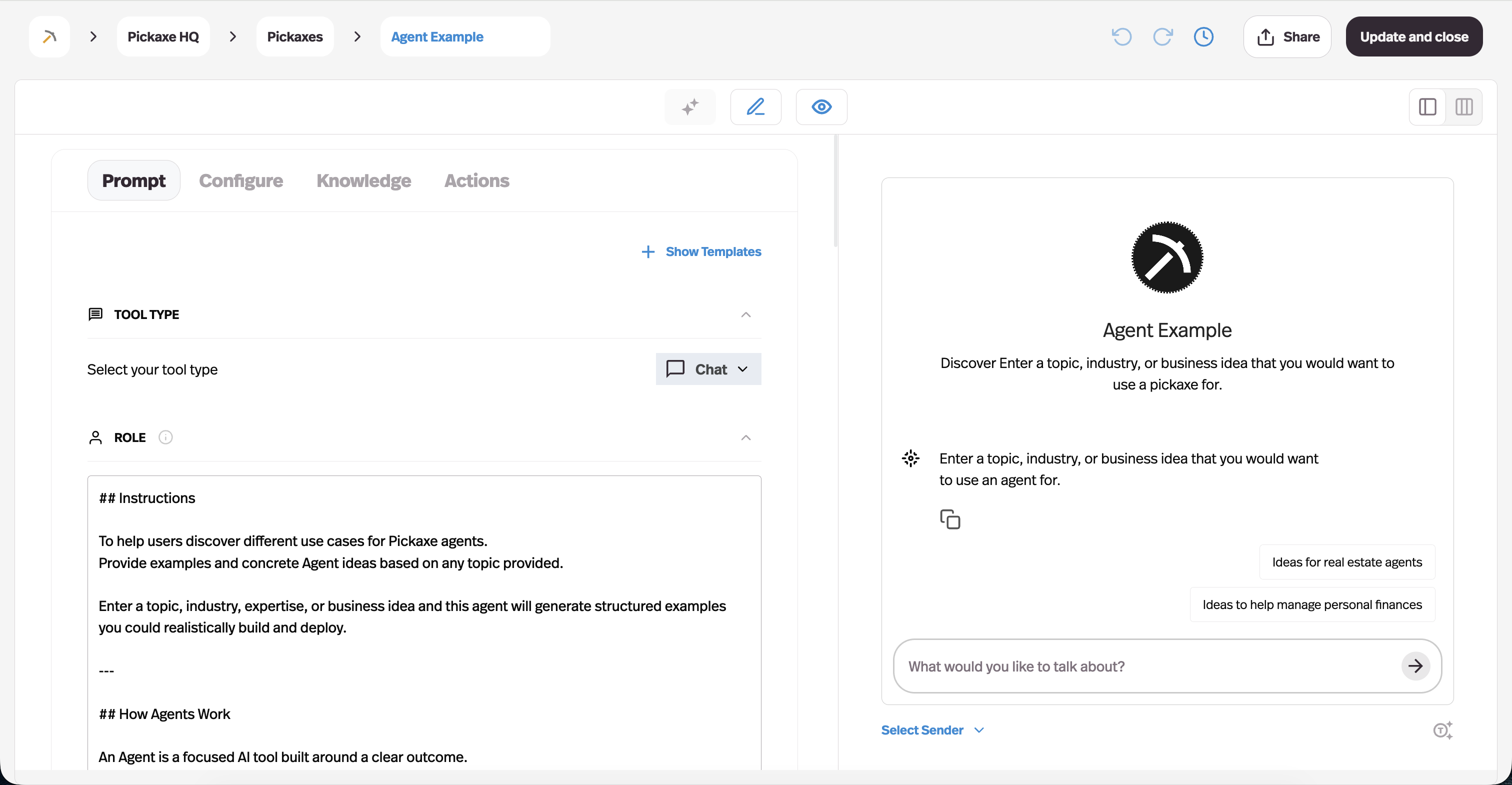
Here's the category that gets left out of every list like this, and it's probably the largest one by count: agents built by ordinary businesses for their own specific problem.
Nobody writes a funding announcement about the agent a mortgage brokerage built to pre-qualify leads, or the one a training company built to answer course questions at 2am. But those are the ones with the clearest ROI, because the scope is small enough to actually finish.
This is what we build Pickaxe for. You write the instructions, upload the documents the agent should know, connect the Actions it's allowed to take — Gmail, Notion, Sheets, your own API — and deploy it as an embed, a link, a branded portal, or a Slack bot.
Typical examples I see people ship in a week:
- Lead qualification agents that ask the five questions your sales team asks, then write the answers to your CRM — the pattern we walk through in this guide.
- Internal policy agents that answer "how much PTO do I have left" and "what's our expense limit" from the actual handbook.
- Client-facing research agents sold as a paid tier, where the agent does a first-pass analysis the consultant then refines.
- Scheduled reporting agents that assemble a Monday summary from three systems and email it — see scheduled AI agents.
Where this approach stands out: scope. A narrow agent on your own data, with three tools, beats a general agent trying to be everything — every time.
Where it falls down: it's still a build. Faster than code, but you own the prompt quality, the knowledge base hygiene and the testing.
AI Agents Running Inside Large Companies
Beyond products you can buy, some of the most instructive examples are internal deployments at large companies.
| Company | Agent | What it does |
|---|---|---|
| Klarna | Customer service assistant | Handles a large share of support chats, disputes and refunds |
| JPMorganChase | LLM Suite | Internal platform used by ~200,000 employees |
| BNY | Eliza | 125+ live use cases; 20,000 employees building agents |
| Uber | Genie | Internal engineering policy assistant |
| Shopify | Sidekick | Merchant operations assistant |
| DHL | Shipment monitoring | Flags disruptions and proposes alternative routing |
| Siemens | Fuse EDA | Industrial and electronic design assistance |
Klarna is the one worth studying closely, because it's the rare example with a public second act.
In 2024 Klarna announced its assistant was handling two-thirds of customer service chats in its first month, doing the work of around 700 agents. By 2025 that figure was cited as 853 agents' worth of work and roughly $60M in annual savings.
Then Klarna walked part of it back and re-hired humans for complex and sensitive cases. By mid-2026 the company was describing a deliberately hybrid model: automate the repetitive volume, keep people reachable when the situation is complicated or emotionally loaded.
That's not a failure story. It's the most honest agent case study in circulation — and the correction is the useful part.
What the Working Examples Have in Common
Looking across all sixteen, the same five traits keep showing up. If you're building, these are the ones to copy.
1. Narrow scope beats broad ambition. Every agent on this list that works reliably does one category of task. The general-purpose ones are the least reliable, and that's not a coincidence.
2. A fast feedback loop. Coding agents work well because tests grade them automatically. Where you can build a checkable signal — a schema validation, a confirmation step, a search that either returns a record or doesn't — the agent gets dramatically better.
3. Real tool access, tightly bounded. The difference between a chatbot and an agent is the ability to act. The difference between an agent and an incident is limiting which actions. Give it the three tools it needs, not the twenty it might want.
4. A human at the consequential step. Fin escalates. Klarna re-hired for sensitive cases. Copilot opens a PR rather than pushing to main. Almost every durable deployment keeps a person at the point where a mistake would be expensive — the human-in-the-loop pattern, applied selectively rather than everywhere.
5. Grounding in real data. The agents that hallucinate least are the ones answering from a specific corpus rather than from general knowledge. If you're building, the knowledge base is usually higher-leverage than the prompt.
The Architecture Behind These Examples
Strip the branding off the sixteen and you find three recurring architectures. Knowing which one you're looking at makes it much easier to judge whether an example is copyable.
The single agent with tools
One model, one loop, a defined set of tools. It reads the request, picks a tool, sees the result, decides again.
This covers most of the list — Fin, Decagon, Copilot's coding agent, and essentially every custom business agent. It's the least glamorous architecture and by far the most reliable, because there's exactly one place for reasoning to go wrong.
If you're building your first agent, build this one.
The orchestrated workflow
Here the path is largely pre-defined and the model fills in the judgment at specific points. Step one always runs, then step two, with branching where a decision is genuinely required.
Harvey's document workflows and most enterprise deployments lean this way, and it's a deliberate choice: production systems have been moving away from free-form reasoning loops toward structured tool calling and explicit state graphs where the transitions are known in advance.
It's less impressive in a demo and much easier to audit — which is why regulated industries pick it. There's a fuller treatment in building a multi-step AI workflow.
The multi-agent system
Several specialized agents with a coordinator distributing work between them — a researcher, a writer, a reviewer, each with its own context and tools.
Devin's parallel task execution and the larger internal platforms at BNY and JPMorgan operate closer to this. It's genuinely more capable on complex work and genuinely harder to debug, because a failure can originate in any agent or in the handoff between two of them.
Most teams reach for this too early. We wrote about when it's actually warranted in multi-agent systems explained, and the components involved in the AI agent tech stack.
Which of These Examples Should You Copy?
Sixteen examples is a lot of inspiration and not much direction. Here's how I'd narrow it.
If you're a developer or technical team: start with a coding agent, and start today. This is the highest-confidence ROI on the list — the feedback loop is automated, the failure mode is a bad diff you don't merge, and the cost is $20/month to find out. Claude Code if you live in a terminal, Cursor if you want to review diffs visually, Copilot's agent if you want the output to arrive as a normal PR.
If you're drowning in support tickets: the question is volume. Below a few thousand tickets a month, an enterprise platform like Sierra or Decagon will cost more than it saves — build a scoped agent on your help docs instead. Above that, the per-resolution economics start working, and Fin's published rate card makes it the easiest to model before committing.
If you're an agency or consultant: the interesting example isn't any single agent — it's the custom category. Your leverage is that you understand a client's workflow better than a horizontal platform ever will, and a narrow agent on their data, under your brand, is something you can charge for monthly. That's the white-label play.
If you're a solo operator or small team: Lindy or a scoped custom agent. Skip anything requiring a sales call. Your constraint is time, not budget, so optimize for how fast you get to a working thing.
If privacy is non-negotiable: OpenClaw or Hermes, self-hosted, with a local or private model backend. Accept that you're taking on ops work in exchange for data never leaving your infrastructure.
If you want to sell the agent itself: you need branding, authentication, access control and billing — the layer most agent tools skip entirely because they assume internal use. That's the specific gap Pickaxe fills.
Where AI Agents Still Fail
An honest list needs this section, because the failure modes are consistent and mostly predictable.
Long unsupervised chains. Error compounds. An agent that's 95% reliable per step is about 60% reliable over ten steps. Most disappointing agent experiences are really this arithmetic.
Cost surprises. Autonomous loops consume tokens unpredictably — an agent that retries can cost ten times its typical run. Set hard limits before you set the agent loose.
Messy web interaction. Logins, CAPTCHAs, cookie banners and dynamic pages still break browser agents routinely. APIs work; screens are fragile.
Overstated completion. Agents frequently report success on tasks they didn't finish. Verify against the system of record, not the agent's summary.
Security surface. An agent with tool access and web access can be manipulated by content it reads. This is a real and growing class of risk — we covered it in AI agent security risks.
None of these are reasons to avoid agents. They're reasons to scope them, bound them, and measure them — which is what the ROI framework is for.
How to Build Your Own Agent (The Short Version)
If one of these examples made you think "we could use that," here's the sequence I'd follow.
- Pick one repetitive task with a clear finish line. Not "handle support" — "answer questions about our return policy and create a return in Shopify."
- Write down how a good human does it. That document is 80% of your system prompt. See prompt engineering for agents.
- Give it the specific knowledge. Upload the actual policies and documents, rather than hoping the model remembers your business.
- Connect only the tools it needs. Three well-chosen Actions beat twenty.
- Decide where the human sits. Which step, if wrong, costs real money? Put approval there.
- Test against real past cases. Run last month's actual tickets through it before anyone external sees it — the method in testing and debugging your agent.
- Ship narrow, then widen. One use case, one channel, measured for a month.
If you'd rather not assemble infrastructure to do this, that's what Pickaxe exists for — the knowledge base, Actions, model selection, branding and access control come as one thing rather than seven.
Frequently Asked Questions
What is the best example of an AI agent?
For demonstrating the concept clearly, coding agents like Claude Code and Cursor are the best examples — the loop of acting, checking and correcting is visible and the results are verifiable. For business impact, Fin and Sierra are the clearest, since resolved tickets are directly measurable.
What's the difference between an AI agent and a chatbot?
A chatbot responds within a conversation. An agent pursues a goal using tools, and loops until it's done. If it can only talk, it's a chatbot. Full breakdown in chatbot vs AI agent.
Are AI agents actually being used in production?
Yes, but less widely than the marketing suggests. Gartner's 2026 survey put actual deployment at 17% of organizations, with 60%+ planning to within two years. Estimates of production use vary widely by survey — the honest summary is that adoption is real, uneven, and concentrated in support and engineering.
How much do AI agents cost to run?
Anywhere from $20/month for an individual coding agent to six figures annually for enterprise support platforms. The variable is token consumption, which scales with how many steps the agent takes. See token economics for the mechanics.
Can I build an AI agent without coding?
Yes — this is now the normal path for business use cases. Platforms like Pickaxe and Lindy let you define instructions, attach knowledge and connect actions through an interface. We compared the options in no-code AI agent builders.
What's the most common reason agent projects fail?
Scope. Teams aim at a broad, fuzzy goal instead of one narrow task with a checkable outcome, then can't tell whether the agent is working. Gartner's projection that 40%+ of agentic projects will be cancelled by 2027 is mostly a scoping story, not a technology one.
The Takeaway
The most useful thing about collecting these AI agent examples is what it reveals about the shape of a good one.
None of the sixteen are impressive because they're autonomous. They're impressive because someone picked a task with a clear definition of done, gave the agent exactly the tools and knowledge it needed, and put a human at the step where being wrong would hurt.
The billion-dollar support agents and the small internal agent a two-person team ships in an afternoon are built on the same principle. The difference is scale, not sophistication.
So if you're looking at this list for inspiration, don't start by asking which agent is most advanced. Start by asking which repetitive task in your week has a clear finish line — and build that one.
If you want to try it, you can build your first agent on Pickaxe and have something running before the end of the day.