
The most useful Microsoft Copilot Studio alternatives depend on what you are delivering: a paid client product, a customer-support conversation, or an automation that works behind the scenes.
I looked through the current pricing and documentation with that distinction in mind. A platform can be excellent at updating a CRM and still leave you building the login, checkout, usage limits, and handoff that make a client service usable.
My starting shortlist is Pickaxe for paid client portals, Voiceflow or Botpress for support experiences, and n8n or Zapier for internal automation. Dify suits builders who want infrastructure control; Relevance AI suits teams coordinating specialized agents.
This is a documentation-based comparison checked on October 14, 2026, not a production benchmark. The product images are current official marketing previews, and every pilot or cost scenario below is a proposed example.
Microsoft Copilot Studio alternatives at a glance
These are starting points for different jobs, not seven interchangeable subscriptions. Read the delivery constraint before treating the advertised price as your client project's cost.
| Platform | My best-fit recommendation | Current pricing reference | What to budget or verify |
|---|---|---|---|
| Pickaxe | Branded AI products with member access and paid usage | Gold $37 monthly or advertised $29/month billed annually; plan details | AI consumption, platform payment fee, and required plan features |
| Voiceflow | Designed chat and voice support journeys | Current public page requests pricing; agency/business options | Plan, credits, seats, phone numbers, and client handoff entitlement |
| Botpress | Conversational support with a white-label webchat | Plus $150/month billed annually, 250 conversations/month; base plan | Conversation packs and AI usage beyond the included allowance |
| n8n | Workflow automation with technical ownership | Cloud Starter €20/month billed annually, 2,500 executions/month; plans | Model consumption, application costs, maintenance, and commercial scope |
| Zapier | Agentic steps inside existing business automations | Platform Professional starts at $19.99/month billed annually; current plans | Task tier and AI multipliers; legacy Agents uses a separate activity meter |
| Dify | Custom AI applications with cloud or self-hosted infrastructure | Cloud Professional $590/workspace/year with 5,000 message credits/month; annual plan | Model-dependent credits, own API usage, infrastructure, and license conditions |
| Relevance AI | Specialized agents coordinating an operations workflow | Current public page shows Enterprise/custom pricing; request a quote | Action and vendor-credit allowances, approvals, and external delivery terms |
Prices retain their published currency and billing interval. Annual commitments, taxes, third-party services, and the cost of maintaining the finished service can change the total.
Copilot the assistant and Copilot Studio the builder
Searching for “Copilot alternatives” mixes two decisions. Replacing an assistant that helps an employee write or research is different from replacing the platform used to build an agent for customers.
If you want an everyday assistant, start with our guide to AI assistants by job. This article covers the builder and the work needed to deliver an agent someone else can use.
Copilot Studio is a credible option for external agents too. Microsoft's licensing documentation describes a standalone subscription with supported channels and premium connectors; its trial allows building and testing, but not publishing.
The US pricing page lists $200/month for a 25,000-Copilot-Credit pack, plus pre-purchase and pay-as-you-go options. It separately lists Microsoft 365 Copilot at $30/user/month paid yearly with a qualifying Microsoft 365 plan.
That is not a universal requirement to buy E5 for every customer. First identify the standalone route, the employee entitlements you already own, and the audience that will actually invoke the agent.
Model choice is also broader than an OpenAI-only comparison suggests. Microsoft's primary-model documentation includes external providers, with availability depending on region, administration, and model status.
I'd keep Copilot Studio on the shortlist when the client already operates through Microsoft identity, data, and administration. Rebuilding those relationships somewhere else creates work that a lower subscription price may not repay.
How I evaluate Microsoft Copilot Studio alternatives
I start at the customer's first visit and work backward. Can they reach the agent, authenticate, see the correct information, take the intended action, and get help when it fails?
The next question is ownership. Decide whether you are delivering into the client's account, running a managed service, or selling access to a product you operate; the permissions and commercial terms differ.
- Audience: employees, anonymous visitors, invited clients, or paying members?
- Work: answering, completing a support journey, or acting across business systems?
- Access: who authenticates, and which customer's data can each user reach?
- Economics: what event consumes the allowance, and what happens at the limit?
- Handoff: who owns billing, credentials, documents, and the operational runbook?
A widget with your logo is useful, but it does not answer every question about paid access. Likewise, a connector catalog does not prove the particular action you need supports the right permissions or data fields.
For an agency selling an ongoing service, our client portal planning guide is a useful companion. Define the member experience before spending the whole pilot comparing model responses.
1. Pickaxe: best for a paid client AI product
Pickaxe is the option I'd start with when the deliverable is a branded destination that clients return to, rather than a background automation they never see.
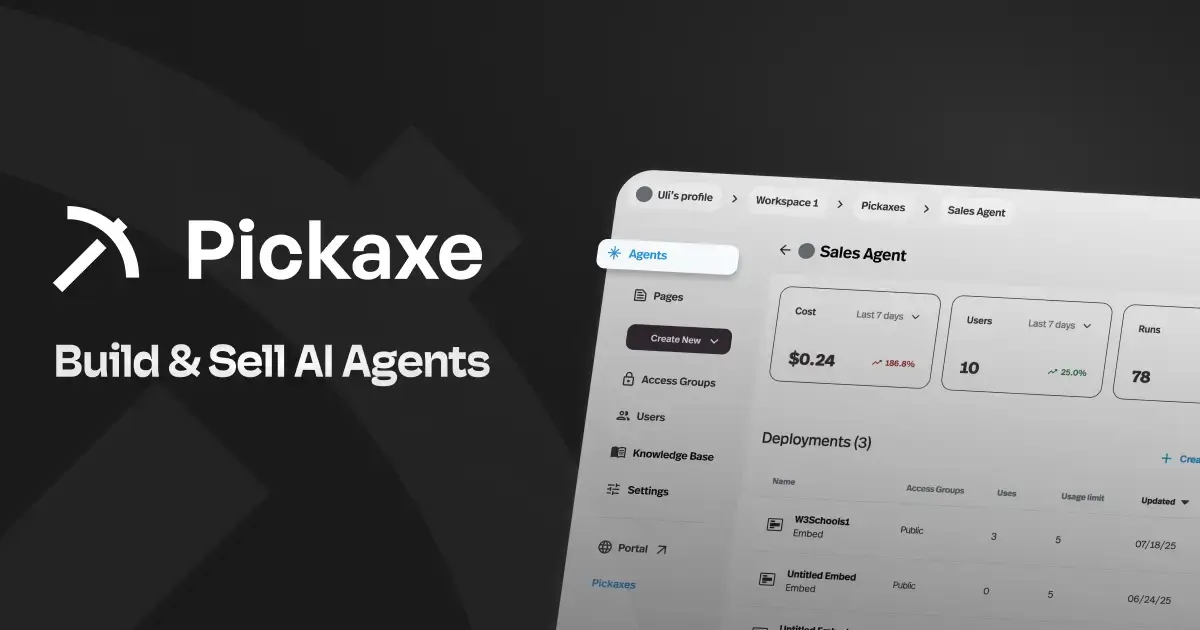
The Portal documentation describes a branded hub combining agents and pages, hosted on the platform or a custom domain. That gives the service a home beyond an isolated chat link.
Member access groups connect authenticated users with access tiers and individual usage budgets. For a consultant, that joins the audience and allowance decisions to the place where the agent is delivered.
In a proposed advisory product, I'd put a document Q&A agent and an intake agent in the same portal, then define what each membership receives. The difficult decision is what belongs in shared knowledge and what must stay specific to a client.
Pricing: the current plan page shows Gold at $37/month on monthly billing or an advertised $29/month billed annually, with $15/month of AI credits. Pro is $147/month monthly or $116/month billed annually, with $50/month of AI credits.
Those allowances are not unlimited inference. Gold also has workspace and Action limits, while Pro includes capabilities such as workspace ownership transfer; pick the plan from the handoff requirements, not just the entry price.
Monetization documentation covers Stripe-linked subscriptions and usage-based access, with a 10% platform processing fee on Gold and 8% on Pro. Include the applicable payment-processing costs when estimating margin.
My tradeoff: choose this path for packaging and operating a client product, then validate the specific integrations and boundaries. I would not assume it replaces a client's Microsoft administration or an entire contact-center stack.
2. Voiceflow: best for designing support conversations
Voiceflow is compelling when the conversation itself needs careful design: asking for the right details, following a controlled process, and switching between flexible answers and explicit steps.

Its current documentation combines agentic Playbooks with deterministic Workflows, knowledge, API tools, a chat widget, and telephony. That is a useful shape for a service journey with both exploration and mandatory steps.
For a proposed appointment-support agent, I would separate questions about services from the booking procedure. A good explanation should not accidentally become a booking, and a missing required field should produce a clear request for clarification.
The attraction is the ability to discuss the journey with a support manager. Review the branch where the customer changes their mind, the branch where an external system fails, and the branch that must reach a person.
Pricing needs a current account quote. The public pricing page currently promotes agency client management, white labeling, and handoff, with a request-pricing route for businesses.
The billing guide describes plan fees, credits, and optional add-ons such as editor seats and phone capacity. I would not quote an older fixed monthly price as today's complete offer.
Ask for the intended channels, expected usage, concurrent calls, collaborators, and exact client handoff rights in one quote. Then test whether the receiving account can maintain the agent without depending on your personal credentials.
My tradeoff: I like this option for a designed support experience. A recurring paid advisory membership still needs its own access and checkout plan; agency billing management is not automatically the same customer-facing product.
3. Botpress: best for a conversational support deployment
Botpress deserves a look when the main product is a support agent on a website or messaging channel, and your team wants a conversation-oriented deployment rather than a portal of paid tools.
The current base Plus plan lists white-label webchat and a branded Help Center with a custom domain. Those are concrete customer-facing features, and more useful to this decision than an abstract “enterprise ready” label.
Plus is $150/month billed annually with 250 conversations/month included. Additional packs of 100 conversations are listed at $65, and each conversation includes $0.10 of AI usage, with auto-recharge available for usage beyond the allowance.
That makes a conversation count an incomplete forecast. A long, tool-heavy interaction can have different AI consumption from a short policy question even if both occupy one conversation unit.
For a proposed returns agent, I'd test normal policy questions, missing order information, a frustrated customer, and a request outside policy. Agree on the escalation destination and the information that must accompany the handoff before launch.
I'd also ask the vendor to explain how returning visitors and conversations spanning a time boundary are counted for your deployment. Use that definition when translating website traffic into billable volume.
The free plan is a place to explore, with 100 conversations and no top-ups or overages listed. It is not evidence that the paid service has no consumption limits.
My tradeoff: white-labeling the chat surface can fit support delivery well. A customer subscription, member-only resource library, or several paid agents should be specified separately rather than inferred from a custom-domain Help Center.
4. n8n: best for workflows you can operate
n8n is my technical shortlist choice when the work is moving data, calling systems, handling branches, and producing an outcome across a client's existing applications.

The current Cloud pricing page lists Starter at €20/month billed annually for 2,500 monthly workflow executions, and Pro at €50/month billed annually for 10,000. Keep the euro price and annual commitment visible in a client quote.
An execution is a workflow run, not an answer or a token. Estimate how many runs your trigger starts, including retries and follow-up processes, then identify the model, application, and infrastructure charges for your chosen configuration.
My proposed use case would be a client intake workflow: receive a structured request, classify it, create a draft record, and send a review notification. Keep deterministic validation around the model so a plausible answer cannot substitute for a missing required field.
The practical attraction is being able to inspect the steps and locate a broken handoff. The practical responsibility is knowing who repairs credentials, failed executions, and changes in an external API.
Self-hosted does not mean unrestricted resale. The maintained Sustainable Use License limits the covered software to internal business or noncommercial/personal uses; Enterprise portions have separate terms.
Before selling access to an embedded or rebranded instance, get the exact commercial arrangement confirmed. A client's own internal deployment, a consultancy-operated backend, and a hosted product exposing the editor are different proposals.
My tradeoff: n8n can be a strong operating layer when someone owns its upkeep. It becomes a less attractive purchase if the client expects a finished member portal and nobody has budgeted to build and support that experience.
5. Zapier: best for internal automation during its Agents transition
Zapier is worth considering when the client already lives in its automations and needs an AI step inside an existing business process. There is a current product transition to account for before starting a new build.
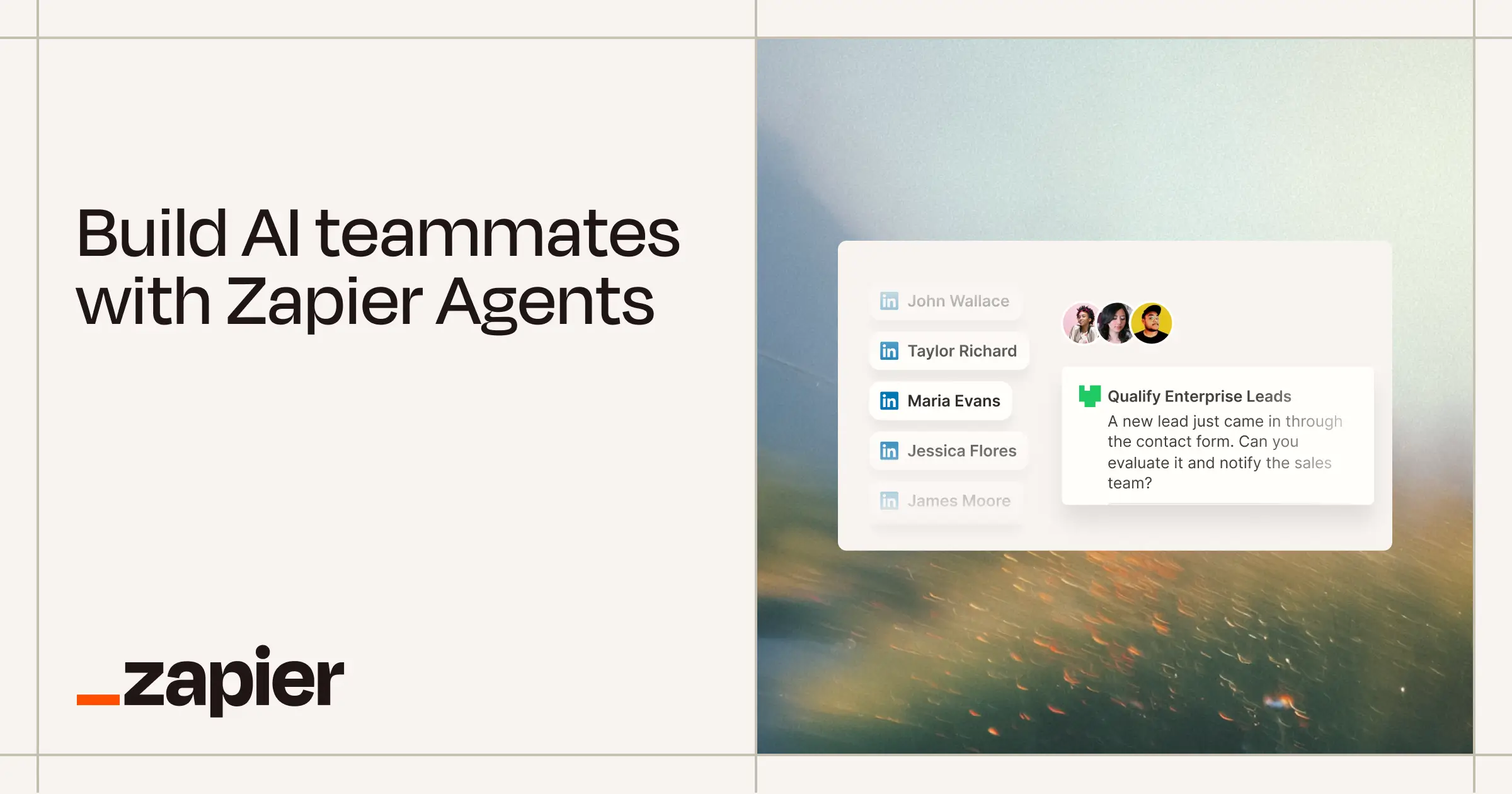
Zapier's October 1 migration guide says standalone Agents is moving to AI by Zapier inside the Zap editor. It says no shutdown date has been set, so I would not invent a deadline.
The new route combines an agentic AI step with regular triggers and deterministic steps, and uses task-based billing. The guide also documents per-tool approvals; migration keeps the agent inside one AI step rather than automatically splitting every tool into separate steps.
The old price and new meter are different. The live pricing page still shows legacy Agents Pro at $400/year with 1,500 monthly activities, while Platform Professional starts at $19.99/month billed annually.
For a new project, price the intended AI by Zapier implementation and task tier. Do not apply the legacy activity allowance to a migrated Zap or assume the base Platform price covers every AI task multiplier.
A proposed internal lead workflow would receive a form, research missing information, and prepare a CRM update for review. I'd ask the client to approve the fields and write behavior before giving the agent permission to update production records.
The migration guide flags gaps in some knowledge sources and on-demand chat triggers. Verify the exact sources and entry point your client needs; the transition is not permission to assume parity.
My tradeoff: a good fit for work inside a business's automation account. A paid client-facing assistant needs a separate customer surface, permissions, and payment design, so I would not sell the automation account itself as a complete storefront.
6. Dify: best for a custom application with infrastructure control
Dify interests me when a technical team wants to assemble the AI application and retain more control over where it runs. That control comes with decisions a managed product platform normally makes for you.
The maintained project repository describes visual agentic workflows, retrieval pipelines, model/tool integrations, and cloud or self-hosted deployment. I'd shortlist it for a custom application with an engineer responsible for the surrounding service.
Cloud Professional is $590 per workspace per year on the current annual pricing view, with 5,000 monthly message credits. The page says credit consumption depends on the model and that you can switch to your own API key after the allowance.
That is not 5,000 guaranteed user conversations or an unlimited model budget. A self-hosted deployment also needs its own infrastructure, model credentials, backups, updates, and monitoring plan.
For a proposed document-advisory app, I'd define retrieval behavior and a structured answer format first. Then assign responsibility for login, customer separation, payment status, and the interface that shows the answer.
The current license is based on Apache 2.0 with additional conditions. It addresses multitenant service authorization and restricts removing logos/copyright from Dify's frontend; backend-only use has a different scope.
Get those terms checked against the architecture you actually plan to sell. “The code is available” is not an answer to whether you can operate a rebranded, multiple-workspace service.
My tradeoff: infrastructure flexibility can justify the work when it is a real requirement. If you just need clients to sign in and purchase access, building all the surrounding application is a responsibility to price explicitly.
7. Relevance AI: best for specialized agents working together
Relevance AI belongs on the shortlist when one request passes between several specialized agents, each with its own tools and a clear role. I would evaluate the handoffs before admiring the workforce diagram.
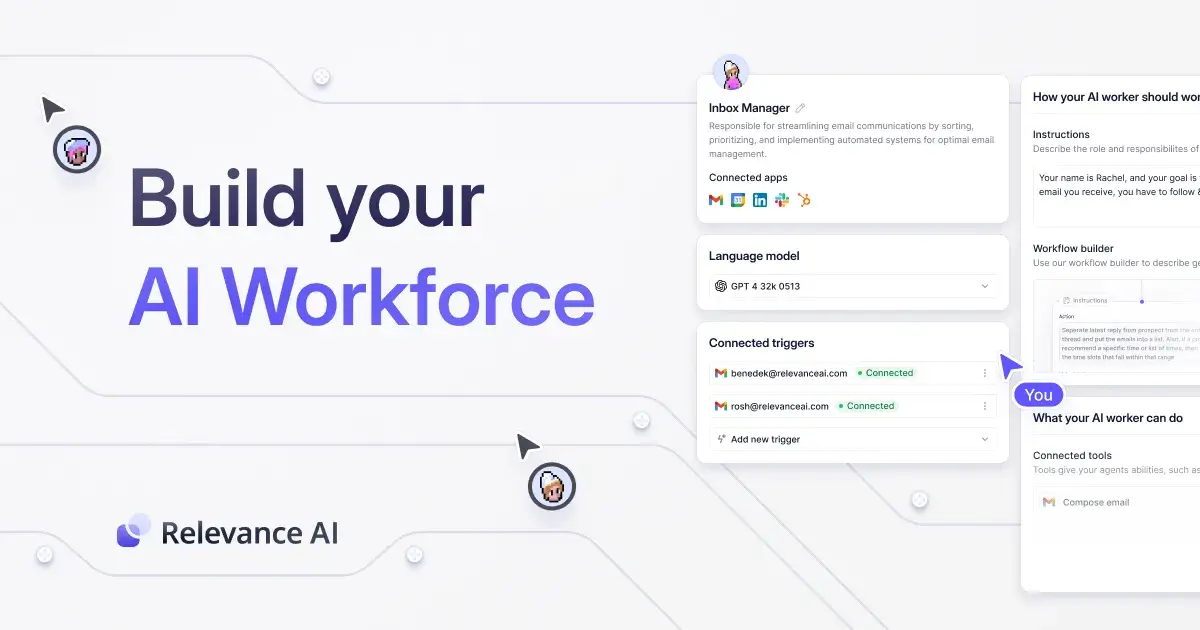
The product documentation distinguishes Agents, Tools, Knowledge, and visual Workforces. That is a useful organizational model for an operations process involving research, preparation, and a final reviewer.
A proposed account-research service might have a researcher collect evidence, a second agent prepare a brief, and a person decide whether it is ready for a client. Define the fields each participant passes forward so uncertainty does not disappear at the handoff.
Approval Mode documentation describes per-tool autonomous operation or explicit human approval. I would use the latter for an external write while the workflow is being evaluated.
Get a current quote. The public pricing page currently presents Enterprise with custom Action and Vendor Credit capacity, rather than a numeric self-serve price that I can responsibly reuse.
Request allowances, overage behavior, collaboration, and the exact external-client delivery terms. An agent run that recruits another agent or repeats a tool call should be visible in the estimate you receive.
I'd also test how a task resumes after an approval and how a reviewer identifies which client the proposed action affects. A well-named agent is helpful, but it is not itself an access boundary.
My tradeoff: coordinating an operations team is a different buying goal from launching a simple paid assistant. Choose the additional coordination only when the workflow benefits from it and someone will maintain it.
Compare the workload before comparing the bill
Most “cheaper than Copilot Studio” claims skip the shape of the work. Put that shape on a small workload card, then ask each vendor to price the same requested outcome using its own meter.
Hypothetical workload: 300 customer sessions in a month, with three generative answers and one agent action in each. This is a forecasting example, not measured usage on any platform.
Using Microsoft's Standard-harness rates, the answer/action subtotal is 300 × ((3 × 2) + 5) = 3,300 Copilot Credits. It excludes graph grounding, reasoning-token charges, flows, voice, BYOM, and other billable work.
Do not turn that subtotal into a PAYG dollar estimate without the applicable commercial rate. Equally, the capacity-pack price is an up-front allowance purchase, not a promise that one credit corresponds to one user message.
- Conversation plans: apply the vendor's conversation definition, then price packs and model allowances.
- Execution plans: count triggered workflows and separate processes, then add the chosen model and application costs.
- Task or activity plans: count the applicable steps and multipliers for that product version.
- Model-credit plans: use the selected model's consumption and any separate API bill.
- Paid products: include payment fees, support work, refunds, and the free usage you fund.
The practical margin calculation is revenue minus the platform, AI consumption, payment processing, and operating labor. Our guide to agent token economics explains consumption; pricing AI services connects it to the offer.
Keep low, expected, and heavy-usage scenarios. If the heavy case loses money, change the included allowance or escalation behavior before promising the client an unlimited service.
Move the service, not just the prompt
I would migrate the smallest useful workflow first. Reproducing every existing branch makes it harder to tell whether the new platform improves the service or merely relocates its complexity.
Prepare a portable inventory before rebuilding. The person who takes ownership should be able to understand it without opening your old builder.
- Outcome and boundaries: what the agent completes, what it may draft, and what needs a person.
- Knowledge: original files/URLs, permissions, update owners, and expected citations.
- Tools: inputs, outputs, credentials, error behavior, and which writes require approval.
- Audience: user identities, client separation, access tiers, and cancellations.
- Operations: alerts, usage limits, billing owner, support contact, and rollback procedure.
- Evidence: representative questions and known failure cases with expected behavior.
Keep the original service available during a controlled pilot, and avoid running both versions against live write triggers. A duplicated customer notification is a migration defect even if both models wrote excellent text.
For private documents, map access before copying content. Our agent security guide is a useful place to plan those boundaries, and the human approval guide helps decide which actions must pause.
The handoff is finished when the responsible operator can refresh knowledge, rotate an integration, read a failed run, and pause the service. A successful demonstration in your own account does not establish any of those things.
Build the client experience into your pilot
Try one focused agent with a portal, member access, and a clear allowance.
A proposed pilot that tests the whole delivery
Here is the 20-case pilot I'd use before signing off on a replacement. It is a suggested evaluation set, not a test I claim these vendors have passed.
| Cases | What to exercise | Evidence to keep |
|---|---|---|
| 8 normal requests | The actual questions and actions customers need | Useful outcome, source, tool result, and usage |
| 4 ambiguous requests | Missing data, contradictions, and unsupported requests | Clarification or appropriate escalation |
| 4 access cases | Wrong client, logged-out visitor, canceled member, exhausted allowance | The exact permitted result for that access policy |
| 4 operating failures | Expired credential, unavailable tool, duplicate trigger, operator handoff | Failure record, recovery owner, and absence of duplicate writes |
Use synthetic information until the permissions are verified. For access cases, write the expected outcome first so a friendly answer cannot be mistaken for a passed boundary test.
Track outcome quality, operator corrections, usage, and recovery separately. A cheaper run that consistently needs manual repair is not the same service at a lower price.
I would shortlist two platforms for the same outcome and have the future operator watch the pilot. Their ability to maintain it is part of the product you are delivering.
Questions I would settle before buying
Is Copilot Studio only for Microsoft 365 users?
No. Microsoft's standalone route supports external channels and non-licensed audiences; internal entitlements and external consumption have different conditions, so confirm the intended license and identity path.
Which alternative is free?
Some platforms have trials or limited free plans, and some provide self-hostable code. Ask whether the allowance renews, whether publishing is included, and who pays for infrastructure and models; “free to explore” and “free to operate” are different budgets.
Which is cheapest for a consultant?
There is no credible universal answer across these meters. Price the same workload, access requirements, commercial rights, and operating responsibility; only then compare the complete quotes.
Can I sell clients access to any of these?
A deployment feature does not establish every resale right or payment capability. Verify the actual plan and contract, especially when embedding an editor, removing branding, or operating a multitenant service.
Should I replace Copilot Studio if the client already uses it?
Only when you can name the delivery problem the change fixes. A new portal experience, required infrastructure control, or a better-fitting operational workflow is a stronger reason than a lower advertised starting price.
Choose the platform that finishes the client job
For a paid branded AI product, I would begin with Pickaxe and validate the complete membership experience. For a support journey, I would put Voiceflow and Botpress through the same conversation and handoff cases.
For internal automation, I would compare n8n with the current AI by Zapier route, while checking Zapier's transition gaps. Dify and Relevance AI deserve a place when infrastructure control or specialized-agent coordination is an actual requirement.
Copilot Studio can remain the right choice when the existing Microsoft environment already solves the identity, data, and operational work. The goal is a service the client can use and maintain.
If the portal route fits your project, start with one focused agent and run the proposed pilot. Let the finished delivery, including access and recovery, decide the purchase.