
Here's a stat that reframes the whole problem: you're 21 times more likely to qualify a lead if you respond within five minutes instead of thirty, according to the widely cited Harvard Business Review lead-response study. Respond within one minute and conversions can jump by nearly 400%.
Now the reality: HubSpot's research pegs the average B2B lead response time at 42 hours. Almost two full business days. Meanwhile Salesforce's State of Sales report says 64% of buyers now expect a real-time reply.
That gap — between how fast leads want an answer and how slowly most teams actually respond — is exactly where an AI lead qualification agent earns its keep. It replies in seconds, asks the right questions, scores the lead against your criteria, and routes the good ones to a human before a competitor even opens the inbox.
I've built and looked into a lot of these setups, and the good news is you don't need a data-science team or a pile of custom code. You need clear criteria, a scoring model, and a platform that can hold a conversation and connect to your CRM. This guide walks through the whole thing, step by step, with an agency lens — because if you get this right, an AI lead qualification agent is one of the easiest services to sell to clients.
If you're still fuzzy on the difference between a plain chatbot and an agent that can actually act, skim what AI agents are and how they differ from chatbots first. Everything below assumes your agent can ask questions, reason over the answers, and take an action like writing to a CRM.
What an AI lead qualification agent actually does
A lead qualification agent is a conversational AI that sits at the top of your funnel and does the job a junior SDR would do on a first touch: greet the lead, ask a handful of qualifying questions, score the answers, and decide what happens next. If you would rather buy than build, we compared the top AI sales agents and SDR tools.
It's not just a form. A form collects fields. An agent interprets them — it can ask a follow-up when an answer is vague, recognize that "we're just exploring" means low intent, and adapt its questions based on what the lead already said.
And it's not just a chatbot that answers FAQs. Qualification agents are goal-directed: every exchange is pushing toward a decision — is this lead worth a human's time, and if so, how urgently?
Here's the practical difference between manual intake and an agent doing the same work.
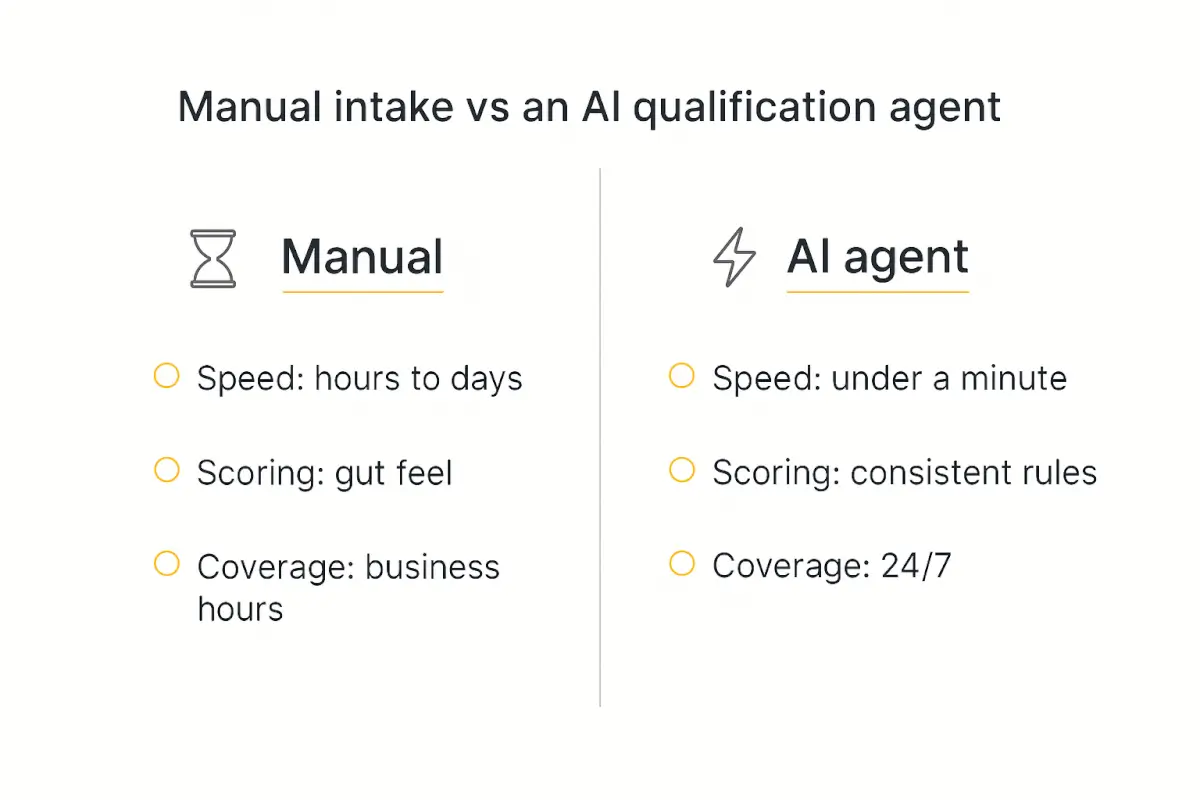
Three things change when an agent handles first-touch qualification:
- Speed. The agent replies the instant a lead lands, day or night — collapsing that 42-hour average to seconds and capturing the 5-minute window that drives most conversions.
- Consistency. Every lead gets scored against the same rubric. No "I had a good feeling about that one." The criteria are written down and applied identically every time.
- Coverage. Leads that arrive at 2am on a Saturday get the same treatment as the ones that arrive Tuesday at 10am. For agencies running lead-gen across time zones, that's a real revenue difference.
The point isn't to remove humans. It's to make sure your humans only ever talk to leads worth talking to — and that no good lead sits cold in a queue.
Pick a qualification framework before you build anything
Before you touch a platform, decide how you'll judge a lead. This is the single most important decision, and it's the one people skip. If your criteria are mushy, your agent will be mushy.
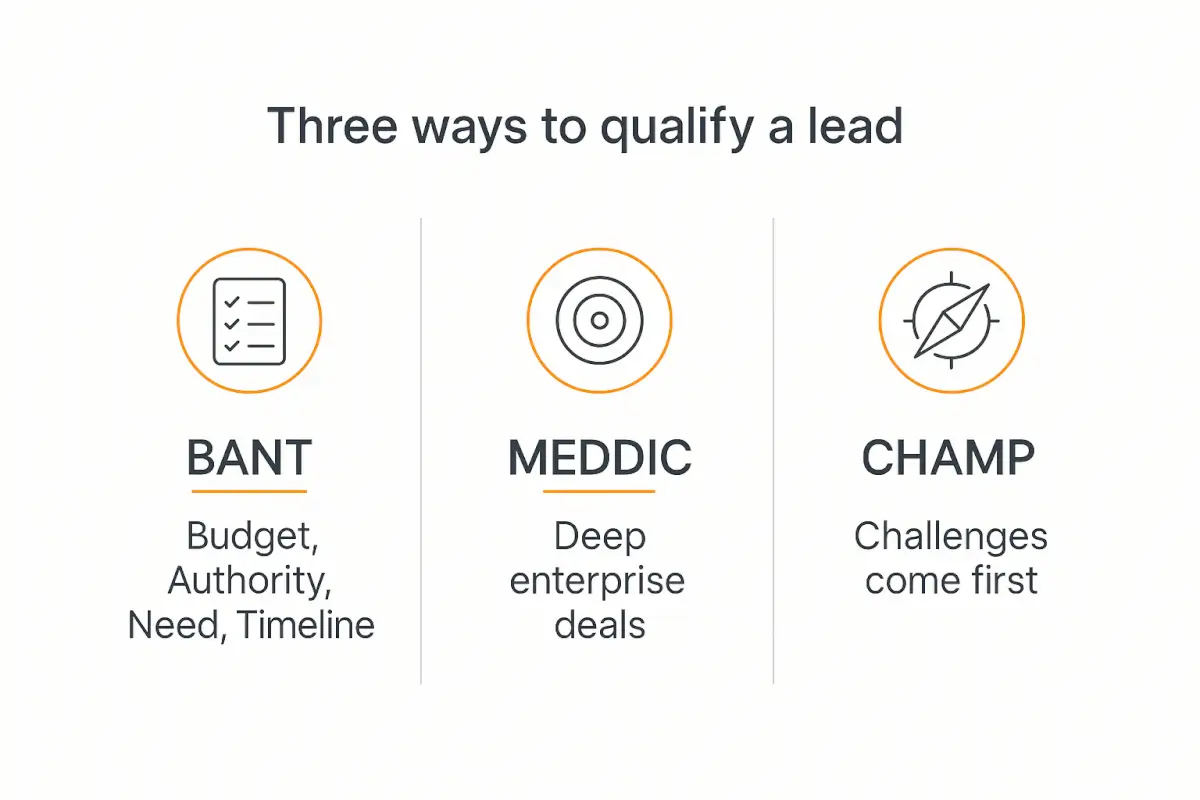
Most teams anchor on one of three established frameworks. You don't need to invent your own — pick the one that fits your deal size and adapt it.
BANT — the default for most agencies
Budget, Authority, Need, Timeline. Does the lead have money to spend? Are you talking to a decision-maker? Do they have a real problem you solve? And when do they want to act?
BANT is the right starting point for most SMB and mid-market services. It's simple enough to encode in four questions and covers the signals that actually predict a closed deal. If you're not sure where to start, start here.
MEDDIC — for bigger, more complex deals
Metrics, Economic buyer, Decision criteria, Decision process, Identify pain, Champion. MEDDIC is heavier and made for enterprise sales cycles with multiple stakeholders. Use it when deals are large enough to justify a longer qualifying conversation. For most agency lead-gen it's overkill.
CHAMP — when pain leads the conversation
Challenges, Authority, Money, Prioritization. CHAMP flips BANT to put the prospect's problem first, which tends to feel more like a helpful conversation and less like an interrogation. It's a great fit for consultative services where the pain point is the hook.
Whichever you choose, the framework becomes the backbone of your agent's questions and scoring. Write it down before you build. Everything downstream depends on it.
The 6 steps to build your lead qualification agent
Here's the whole build at a glance. We'll go through each step in detail below.
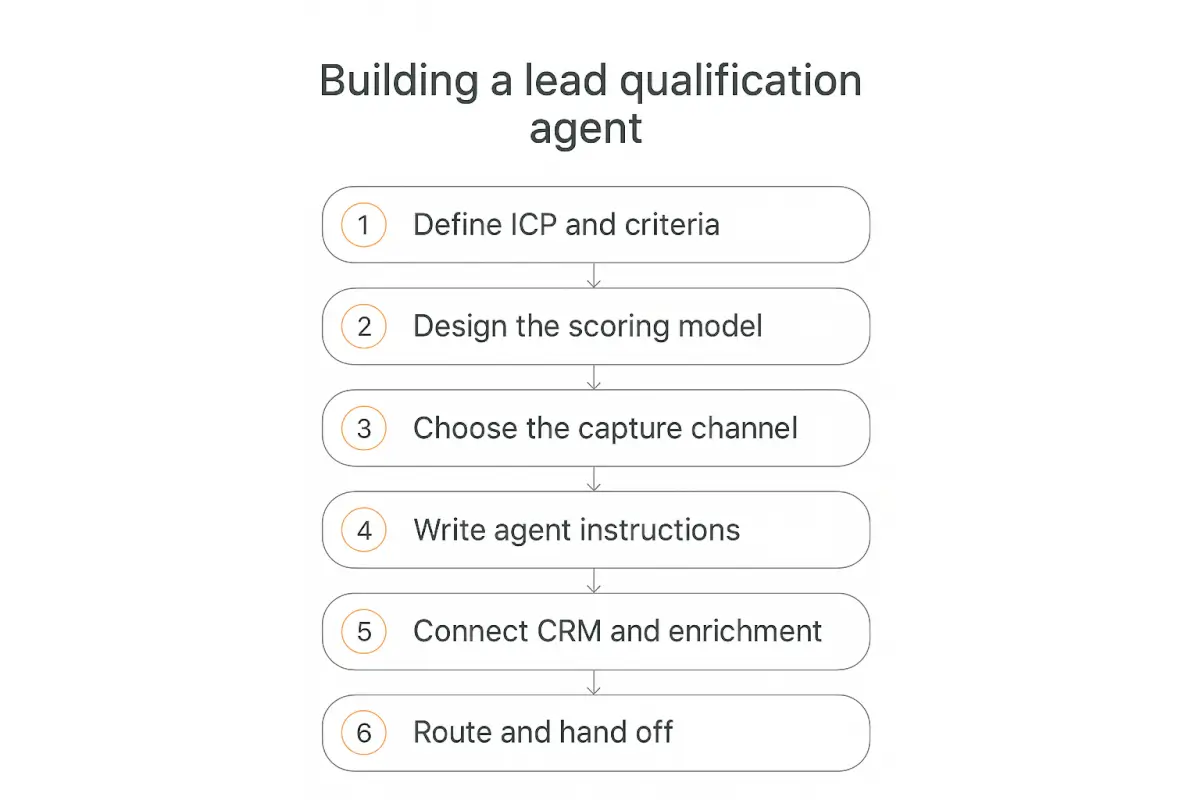
Step 1 — Define your ICP and qualification criteria
Start with your Ideal Customer Profile. Who is a great-fit client, and who is a waste of everyone's time? Get specific: company size, industry, budget range, geography, the problem they need solved, and who inside the company you need to be talking to.
Then translate that into concrete, answerable questions. For a BANT setup, that might be:
- Budget: "Roughly what monthly budget have you set aside for this?"
- Authority: "Are you the person who'll sign off, or are others involved?"
- Need: "What's the main problem you're trying to solve right now?"
- Timeline: "When are you hoping to have this up and running?"
Also write down your disqualifiers — the answers that mean "politely say no." Budget below your floor, wrong geography, no real timeline. An agent that knows when to disqualify is worth as much as one that knows when to book a call, because it protects your team's time.
Keep the list tight. Four to six questions is the sweet spot. Every extra question is a chance for the lead to drop off.
Step 2 — Design your scoring model
Now turn those questions into numbers. Assign point values to each answer so the agent can produce a single score and route on it. This is what makes qualification consistent instead of vibes-based.
A simple, battle-tested rubric looks like this:
| Signal | Qualifying answer | Points |
|---|---|---|
| Budget | In your target range | 25 |
| Authority | Decision-maker | 20 |
| Timeline | Within 30 days | 20 |
| Need | Clear, well-defined problem | 15 |
| Fit | Matches ICP industry/size | 10 |
| Engagement | Answered all questions thoughtfully | 10 |
Then set your thresholds. A common split: 70+ is hot (route to a human now), 40–69 is warm (nurture), under 40 is cold (disqualify or send to a self-serve resource).
Don't overthink the exact numbers on day one. The point is to have a rubric you can tune. After a few weeks of real leads you'll adjust the weights based on which scored leads actually closed — more on that in the optimization section.
Step 3 — Choose your capture channel
Where does the lead meet your agent? The three most common options:
- Website chat widget. The agent lives in the corner of your site (or a client's site) and engages visitors in real time. Best for high-traffic pages where speed matters most. Here's a walkthrough on how to embed an AI agent on your website.
- Conversational landing page. Instead of a static form, the lead has a short chat. Great for paid campaigns — it lifts completion rates because a conversation feels lighter than a wall of fields.
- Inbound form follow-up. Keep your existing form, but the agent immediately follows up (email, SMS, or chat) to qualify deeper. This is the easiest to bolt onto an existing funnel.
For agencies, the chat widget and conversational landing page tend to win because they capture the lead while intent is highest — at the moment they raised their hand.
Step 4 — Write your agent's instructions
This is where most of the quality lives. Your agent is only as good as the instructions (the system prompt) behind it. A vague prompt produces a rambling, off-script bot. A precise one produces something that feels like your best rep.
Good qualification instructions cover:
- Role and tone. "You are a friendly intake specialist for [agency]. You're warm, concise, and never pushy."
- The exact questions to ask and in what order, with permission to ask one follow-up if an answer is vague.
- The scoring rubric so the agent can evaluate answers and produce a score.
- Routing rules — what to say and do for hot, warm, and cold leads.
- Guardrails. Don't invent pricing, don't promise timelines, don't answer questions outside its lane — hand those to a human.
Keep questions conversational, not interrogative. "To point you to the right person, roughly what budget range are you working with?" lands far better than "What is your budget?" Our full prompt engineering guide for agents goes deep on structuring instructions that hold up in the real world.
Step 5 — Connect your CRM and enrichment tools
An agent that qualifies leads but doesn't write them anywhere is a dead end. The moment a conversation ends, the lead, its answers, its score, and the full transcript should land in your CRM automatically.
This is where Actions and integrations come in. A capable platform lets your agent call out to other tools mid-conversation or at the end:
- CRM write-back to HubSpot, Salesforce, Pipedrive, or GoHighLevel — create or update the contact with the score and notes.
- Enrichment — look up company size, industry, and funding from the lead's email domain so the agent (and your team) has context the lead never had to type.
- Calendar booking — drop a booking link (or book directly) for hot leads so they never leave the conversation to schedule.
- Notifications — ping the right rep in Slack or email the instant a hot lead comes through.
When we build this on Pickaxe, this is what Actions handle — connecting the agent to Google Sheets, Slack, your CRM, and 50+ other apps without writing integration code. If you want the broader menu of what's connectable, our roundup of the top AI integrations is a good map.
Step 6 — Set routing and human handoff rules
The last mile is deciding what happens after the score. This is where the agent stops being a novelty and starts driving pipeline.
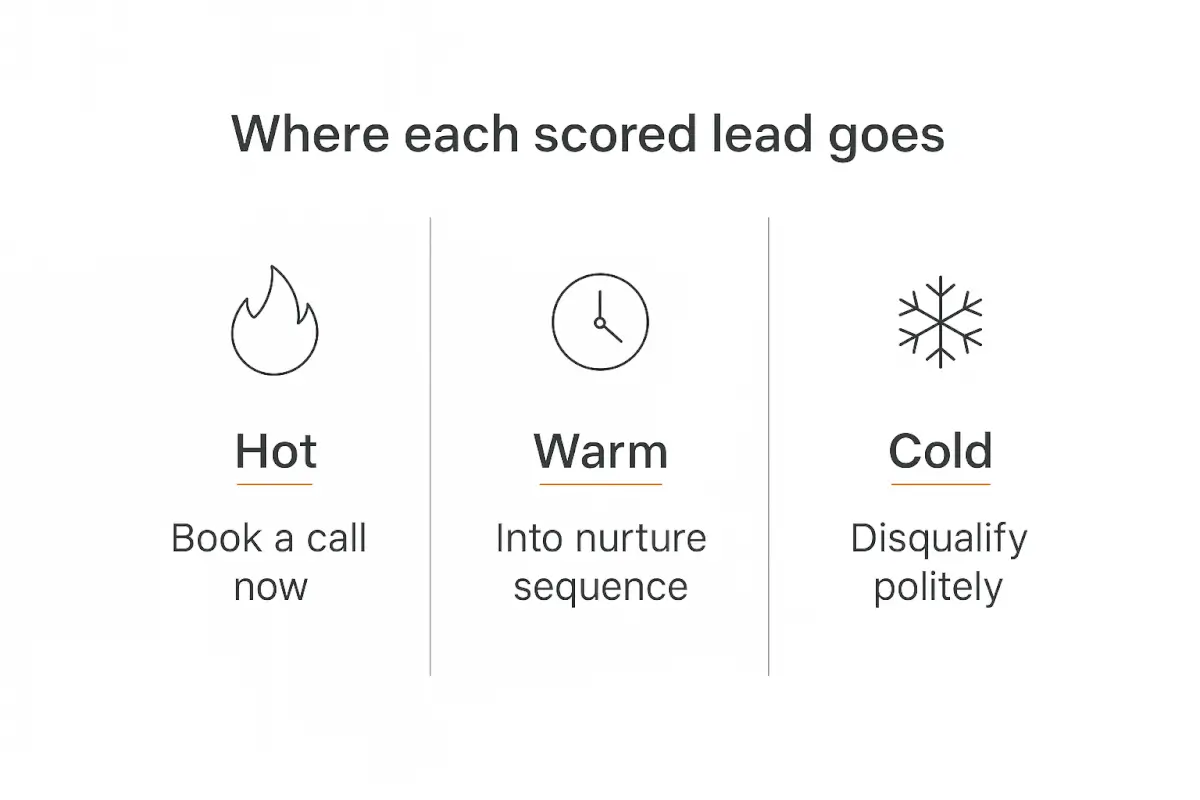
- Hot (70+): Hand off immediately. Book a call on the spot, notify a rep, and pass the full transcript so the human walks in already knowing the context. Never make a hot lead repeat themselves.
- Warm (40–69): Into a nurture sequence. Send a helpful resource, tag them for follow-up, and re-engage later. They're real — just not ready.
- Cold (under 40): Disqualify politely. Point them to a self-serve option or a piece of content, thank them, and don't burn a rep's hour on them.
The golden rule of handoff: a human should never start from zero. The whole value of the agent is that by the time a rep gets involved, the lead is scored, enriched, and context-loaded. That's what turns "we use AI" into "we close faster."
For higher-stakes deals, keep a person in the approval loop — the agent recommends, the human confirms. For high-volume, low-ticket funnels, let the agent run and book calls autonomously.
Test and debug before you go live
Do not point real leads at an untested agent. The failure modes are subtle: it accepts a vague budget answer as qualified, it forgets to ask about timeline, it books a call for someone it should have disqualified.
Run it through a batch of scenarios before launch:
- A textbook hot lead who answers everything perfectly.
- A cold lead who's clearly out of budget — does it disqualify gracefully?
- An evasive lead who dodges the budget question — does it follow up or cave?
- Someone who tries to derail it with off-topic questions — does it stay on task?
- A lead who asks something it shouldn't answer (custom pricing) — does it hand off?
Score each run against what a human would have decided. When they diverge, tighten the instructions and try again. Our guide on how to test and debug an AI agent before deploying has a full checklist for this — it's worth an hour before you ship.
Optimize with real data (this is where the ROI compounds)
Launching is the start, not the finish. The agents that actually move the needle get tuned every week for the first month or two.
Build a simple review loop:
- Audit qualified leads weekly. Pull the leads the agent marked hot. How many became opportunities? If lots of "hot" leads went nowhere, your threshold is too generous.
- Audit disqualified leads too. Spot-check the ones it rejected. Did it wrongly kill any good ones? That's a more expensive mistake than a false positive.
- Re-weight based on what closes. If timeline turns out to predict closes better than budget, bump its points. Let real outcomes shape the rubric.
- Version your prompt. Keep a log of what you changed and when, so you can tie a jump (or dip) in quality to a specific edit.
Track the metrics that matter: response time, qualification rate, hot-lead-to-meeting rate, and ultimately qualified-lead-to-close. Our piece on AI agent analytics covers what to instrument. Once you can show a client "leads that used to sit for two days now get a scored, booked call in ninety seconds," you've made the ROI case for you.
Build your lead qualification agent without code
Pickaxe gives you the chat interface, scoring instructions, CRM Actions, and handoff logic in one place.
How agencies package and sell this as a service
Here's the part that makes this more than a productivity hack: a lead qualification agent is one of the cleanest offers an agency can sell, because the value is obvious and measurable.
The pitch writes itself. "Your inbound leads currently wait hours. We'll deploy an agent that qualifies and scores them in seconds, books the good ones straight into your calendar, and disqualifies the tire-kickers so your team never wastes another hour." That's a before-and-after any business owner understands.
On pricing, most agencies land on a monthly retainer for something like this — commonly in the $300–$1,500/month per client range depending on volume and integrations, plus a setup fee. Our guide on selling AI agents to local businesses breaks down that exact model, and AI agent pricing models covers per-seat vs. usage-based vs. outcome-based if you want to get fancier.
A few things make this offer especially agency-friendly:
- It's productizable. Build one strong template, then customize the ICP, questions, and CRM per client. The second deployment takes a fraction of the time of the first.
- It's white-labelable. Deploy it under the client's brand on their domain, in their portal. They see their agent, not your platform.
- It's sticky. Once an agent is wired into a client's CRM and booking flow and it's producing meetings, nobody wants to rip it out. That's recurring revenue you don't have to constantly re-sell.
If lead-gen is your niche, adjacent builds stack naturally on top — see how the same pattern applies to recruiting and staffing agencies, where "qualification" becomes candidate screening.
Sell qualification agents to your clients
White-label the agent under your client's brand and bill it as a monthly service.
Common mistakes to avoid
A few patterns sink these projects. I've seen all of them.
- Too many questions. Every question you add costs completions. If you can't tie a question to a routing decision, cut it.
- No disqualification path. An agent that qualifies everyone is just a lead form with extra steps. The "no" is half the value.
- Robotic scripting. If it reads like a survey, leads bail. Warm, conversational phrasing keeps them talking.
- Dead-end handoff. Passing a hot lead to a human with no context forces the lead to repeat everything and kills the momentum you just built.
- Set-and-forget. The rubric that's right at launch is rarely right two months in. If nobody's reviewing outcomes, quality quietly drifts.
- Ignoring the edge cases. Evasive answers, off-topic detours, and out-of-scope questions are where untested agents embarrass you. Test them deliberately.
Frequently asked questions
How long does it take to build an AI lead qualification agent?
On a no-code platform, a first working version is a day or two of focused work — most of that is defining criteria and writing instructions, not "building." Budget one to two weeks to test, connect your CRM, and tune it before it handles real volume.
Do I need to know how to code?
No. Modern platforms like Pickaxe handle the conversation, scoring, and CRM connections through a visual builder and Actions. The hard part is thinking clearly about your criteria — that's strategy, not engineering.
Will it replace my sales team?
No, and it shouldn't. It replaces the first-touch triage that your reps hate doing anyway — the qualifying, scoring, and scheduling. Your humans spend their time on the conversations that actually need a human. The agent just makes sure they only get the good ones.
How is this different from a lead form with conditional logic?
A form collects and branches on fixed fields. An agent interprets free-text answers, asks adaptive follow-ups, handles ambiguity, and can reason about intent. A form knows the budget field says "$500." An agent understands "we're bootstrapped but serious" and scores it accordingly.
What data does the agent need to score accurately?
Your ICP, your qualification questions, and your scoring rubric — that's the minimum. Enrichment data (company size, industry from the email domain) sharpens it further, but you can launch a strong agent on your criteria alone and layer enrichment in later.
Start small, then compound
You don't need a perfect agent to beat a 42-hour response time. You need one that replies in seconds, asks four good questions, scores honestly, and hands hot leads to a human with context. That alone puts you ahead of most of the market.
Nail the criteria, write clear instructions, wire it to your CRM, and review the outcomes weekly. Within a month you'll have an agent that qualifies more consistently than a tired human at 5pm on a Friday — and never misses a midnight lead.
If you want to build one without stitching tools together, Pickaxe gives you the chat interface, the instruction layer, the CRM Actions, and the handoff logic in a single platform — and lets you white-label the whole thing for clients. The best time to catch a lead is the minute they raise their hand. An AI lead qualification agent is how you're actually there when they do.