
The first time I let an AI agent send an email on its own, I stood over its shoulder like a nervous parent. It drafted a reply to a customer, paused, and waited for me to click "approve." I approved it. Then the next one. Then the next.
By the fiftieth approval, I wasn't reading them anymore. I was just clicking.
That's the paradox at the heart of human-in-the-loop AI agents. The whole point of a human checkpoint is to catch the one decision that matters — but if you gate everything, the human stops being a safeguard and becomes a rubber stamp. Get the balance wrong in either direction and you've either handcuffed a useful agent or handed it a loaded gun.
So this guide is about the balance. When should a person stay in the approval loop? When should you step back and let the agent run? And how do you design the handoff so the human checkpoint stays sharp instead of decaying into reflex?
I've built a lot of agents on Pickaxe and watched clients deploy dozens more. What follows is the framework I actually use — grounded in the 2026 research on agent oversight, not theory.
What "human in the loop" actually means
Human-in-the-loop (HITL) is any design where a person is part of the agent's decision cycle — the agent proposes, and a human approves, edits, or rejects before the action actually happens.
The key word is before. The human sits inside the loop, between the agent's decision and the real-world consequence. Nothing irreversible happens until someone signs off.
That's different from a human reading a report after the fact, or spot-checking logs at the end of the week. Those are useful too — but they're not "in the loop." They're reviewing history, not gating the future.
If you're still fuzzy on what separates an agent from a plain chatbot, it's exactly this ability to take actions in the world — see chatbot vs AI agent for the full breakdown. An agent that can only talk doesn't need much of a loop. An agent that can spend money, delete records, or message your customers absolutely does.
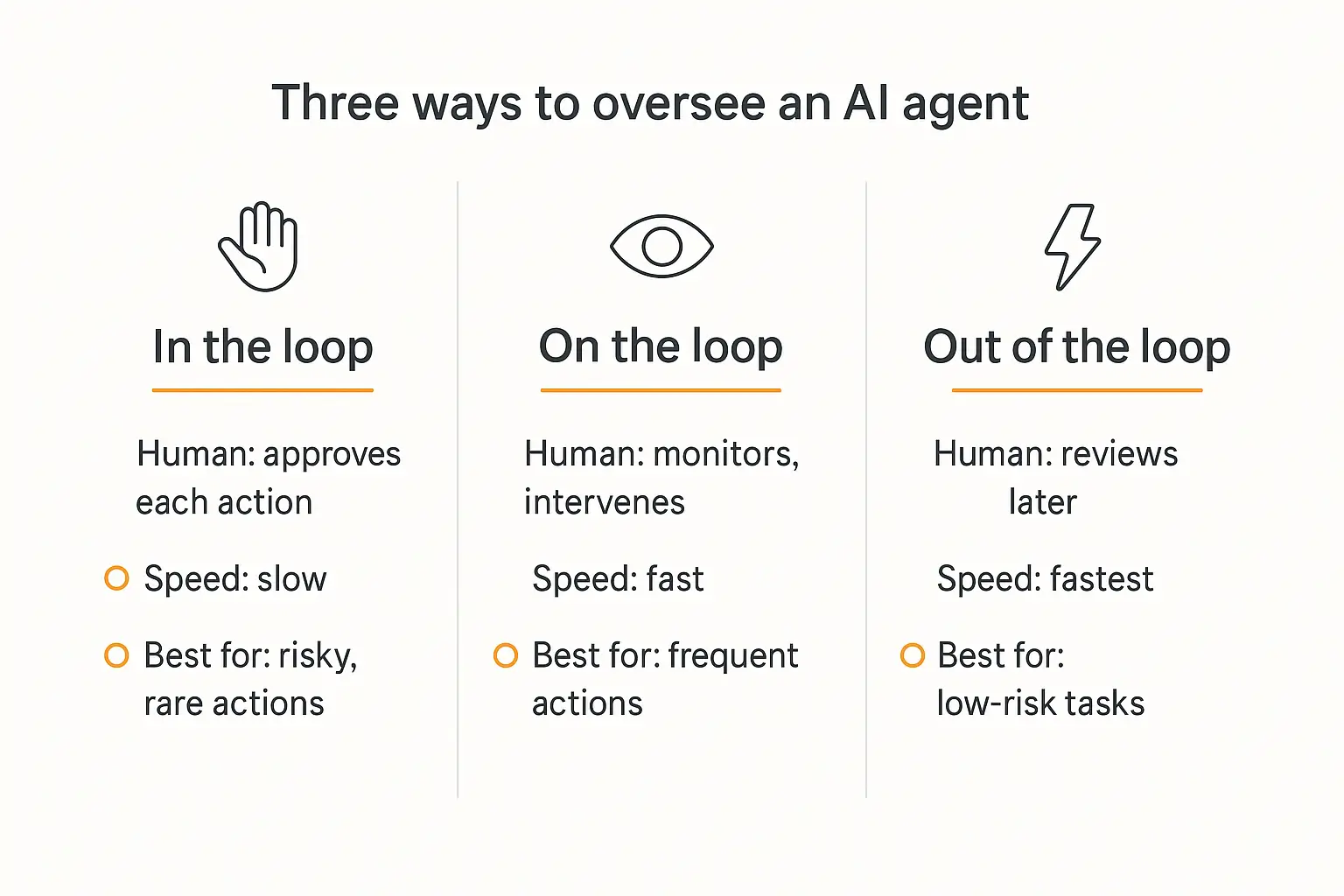
The three oversight models: in the loop, on the loop, out of the loop
"Human in the loop" is really one point on a spectrum of oversight. There are three positions, and knowing which one a given task belongs in is most of the battle.
Human-in-the-loop (HITL)
The human is a required step. The agent stops and waits for approval before it acts. Nothing moves without a person.
Best for high-stakes, low-volume, or irreversible actions — wiring money, publishing to production, sending a legal notice. Slow on purpose.
Human-on-the-loop (HOTL)
The agent runs autonomously, but a person monitors and can intervene. Think of a dashboard with alerts and a big red "pause" button. The human supervises rather than approves each step.
Best for medium-risk work that happens often enough that per-action approval would be unbearable, but where a bad outcome is recoverable.
Human-out-of-the-loop
Full autonomy. The agent observes, decides, and acts with no person gating or watching in real time. You review outcomes later, if at all.
Best for high-volume, low-risk, easily-reversible tasks: categorizing tickets, drafting first-pass content, tagging leads, searching a knowledge base.
Here's the crucial part, and it's backed by the oversight research from practitioners tracking agentic identity in 2026: all three can live inside a single agent. One workflow might let the agent autonomously read data (out of the loop), monitor its own outreach on a dashboard (on the loop), but stop and ask before it issues a refund (in the loop). The oversight level is set per action, by risk — not once for the whole agent.
| Model | Human's role | Speed | Best for |
|---|---|---|---|
| In the loop | Approves each action before it happens | Slow | Irreversible, high-stakes, rare actions |
| On the loop | Monitors, intervenes on exceptions | Fast | Frequent, recoverable, medium-risk actions |
| Out of the loop | Reviews outcomes later, if at all | Fastest | High-volume, low-risk, reversible tasks |
Why this matters more in 2026 than it did last year
Two things happened. Agents got good enough to actually deploy, and businesses noticed they weren't ready to govern them.
Deloitte's 2026 State of AI in the Enterprise report found that adoption of agentic AI is set to climb to 74% of enterprises within two years — but only about one in five said they have a mature model for governing autonomous agents. That gap is the whole story.
McKinsey's 2026 AI trust work put a sharper number on it: only about a third of enterprises meet their own governance bar for autonomous agents, and two-thirds name security as the top barrier to scaling agentic AI.
Meanwhile the regulators moved. The EU AI Act's Article 14 makes human oversight a legal requirement for high-risk AI systems — not a nice-to-have. The NIST AI Risk Management Framework in the US pushes the same direction. If you operate in a regulated space, "the agent did it on its own" is not a defense you want to test.
The upside is real, though. Designs that keep a human at the right checkpoints don't just reduce risk — they build trust, which is what actually gets an agent adopted internally. That's the same reason agent security and compliance have gone from afterthoughts to table stakes.
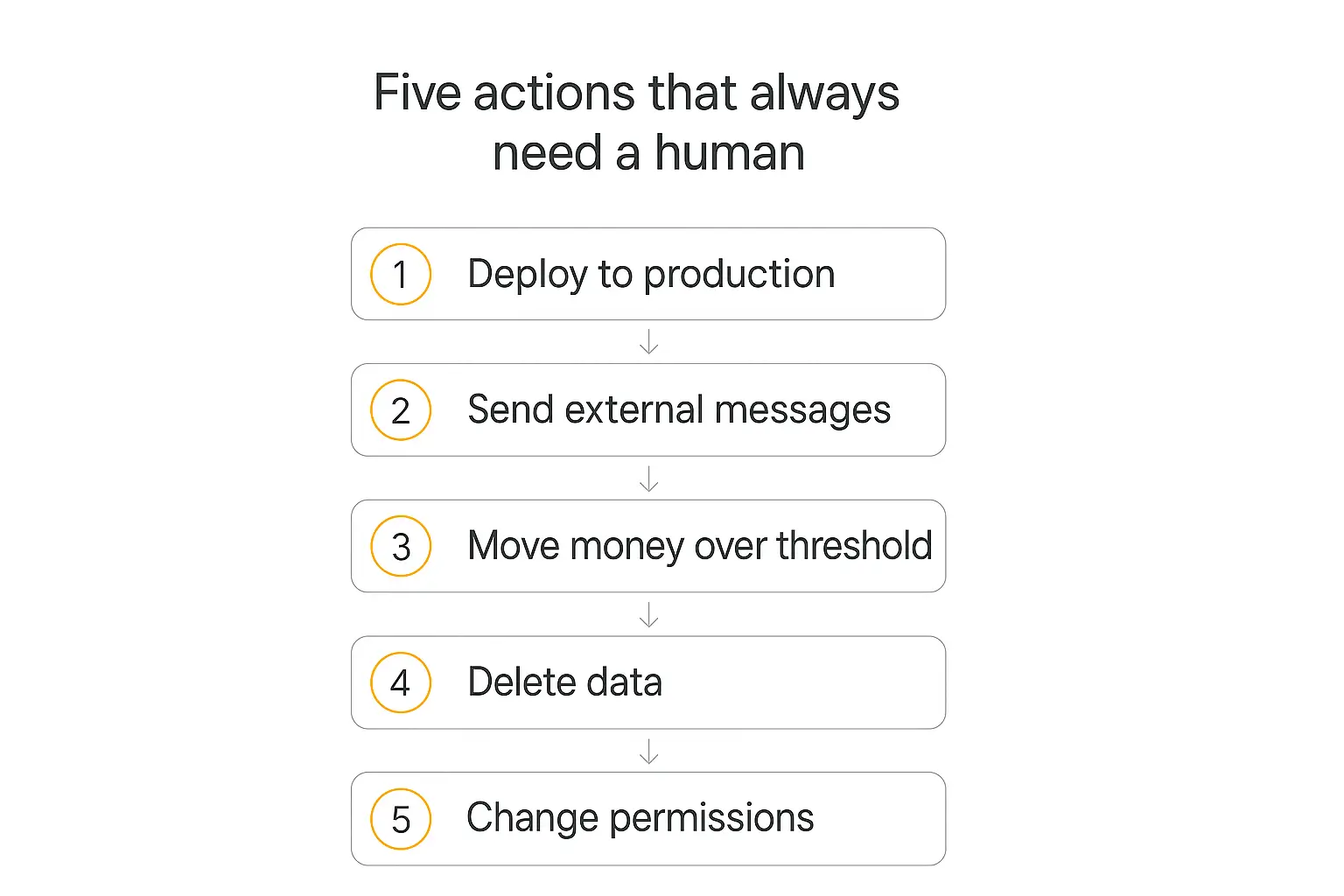
When to keep a human in the loop
Don't gate by vibes. Gate by consequence. An action deserves a human checkpoint when it is irreversible, costly, regulated, or high-blast-radius — and especially when it's more than one of those at once.
A useful shortcut has emerged in the 2026 agent-safety community: a short list of action categories that should basically always require sign-off. Adapt the thresholds to your business, but the shape holds:
- Deploying to production. Anything that ships code, config, or content to a live environment. Easy to break, hard to unbreak.
- Sending external communications. Emails, DMs, or messages to customers, partners, or the public. Your agent is speaking in your name.
- Moving money above a threshold. Refunds, payments, transfers. A common default is to auto-approve small amounts (say, under $100) and gate anything larger.
- Deleting data. Records, files, accounts. Deletion is the classic irreversible action.
- Changing permissions or privileges. Granting access, escalating roles, changing security settings. Small action, enormous blast radius.
Notice what these have in common: the cost of a wrong "yes" is far higher than the cost of a slight delay. That asymmetry is the entire justification for a human checkpoint. Where a mistake is cheap and reversible, the checkpoint costs more than it saves.
One rule I'd underline from the design research: the approval requirement should live in the workflow, not in the prompt. If the agent itself gets to decide whether something needs approval, a clever bit of reasoning (or a prompt injection) can talk it out of asking. The gate has to be structural — enforced by the system around the model, not negotiated by the model. That's a core idea in the AI agent tech stack: the scaffolding around the model does the safety work the model can't be trusted to do itself.
Build an agent with the guardrails baked in
Set boundaries, escalation rules, and human handoffs — no code required.
When to let the agent run
The mirror image matters just as much. Gating too much is its own failure mode — and a more common one than people admit.
Let the agent run, out of the loop, when the task is high-volume, low-stakes, and reversible:
- Routing and tagging incoming tickets or leads
- Drafting first-pass content a human will edit anyway
- Searching internal docs and summarizing what it finds
- Categorizing low-value transactions
- Pulling data together for a report (the report itself might get a review; the data-gathering doesn't)
The test I use: if a human would approve this 99 times out of 100 without changing anything, the checkpoint isn't oversight — it's theater. You're not catching errors; you're adding latency and training your reviewer to click without looking.
This is where the idea of levels of AI agent autonomy becomes practical. You don't pick one autonomy setting for your whole business. You pick one per action, and you let the low-risk stuff run so the humans have attention left for the decisions that actually need judgment.
The approval-fatigue trap (the mistake almost everyone makes)
Here's the counterintuitive core of the whole topic, and it's the thing I wish someone had told me before I clicked "approve" fifty times in a row.
Too many checkpoints don't make an agent safer. They make it less safe.
The mechanism is called approval fatigue, or checkpoint fatigue. When a person is asked to approve too many things too often, they stop evaluating each one. Approval becomes a reflex — click, click, click — and at that point the oversight layer still exists on paper but no longer functions.
As one industry analysis put it bluntly, human-in-the-loop shouldn't rubber-stamp decisions. The whole safeguard depends on the approval being a real decision. The moment it becomes automatic, you've built a compliance theater: the policy is documented, the button gets clicked, and nobody is actually watching.
There's a related trap researchers call automation bias — humans tend to over-trust confident-sounding AI output, so even an attentive reviewer will wave through a plausible-looking mistake. Pile fatigue on top of automation bias and your "human in the loop" is a formality.
How do you catch fatigue before it bites? Watch the reviewers, not just the agent. Decision speed, edit rate, and reversal rate are the tells. If approvals are getting faster and the edit rate is dropping toward zero, your humans have checked out — and it's time to either reduce the number of gates or rethink which ones actually earn their place.
How to design approval workflows that scale
So the goal isn't "more human." It's "human at the right moments, and nowhere else." A few patterns make that real in production.
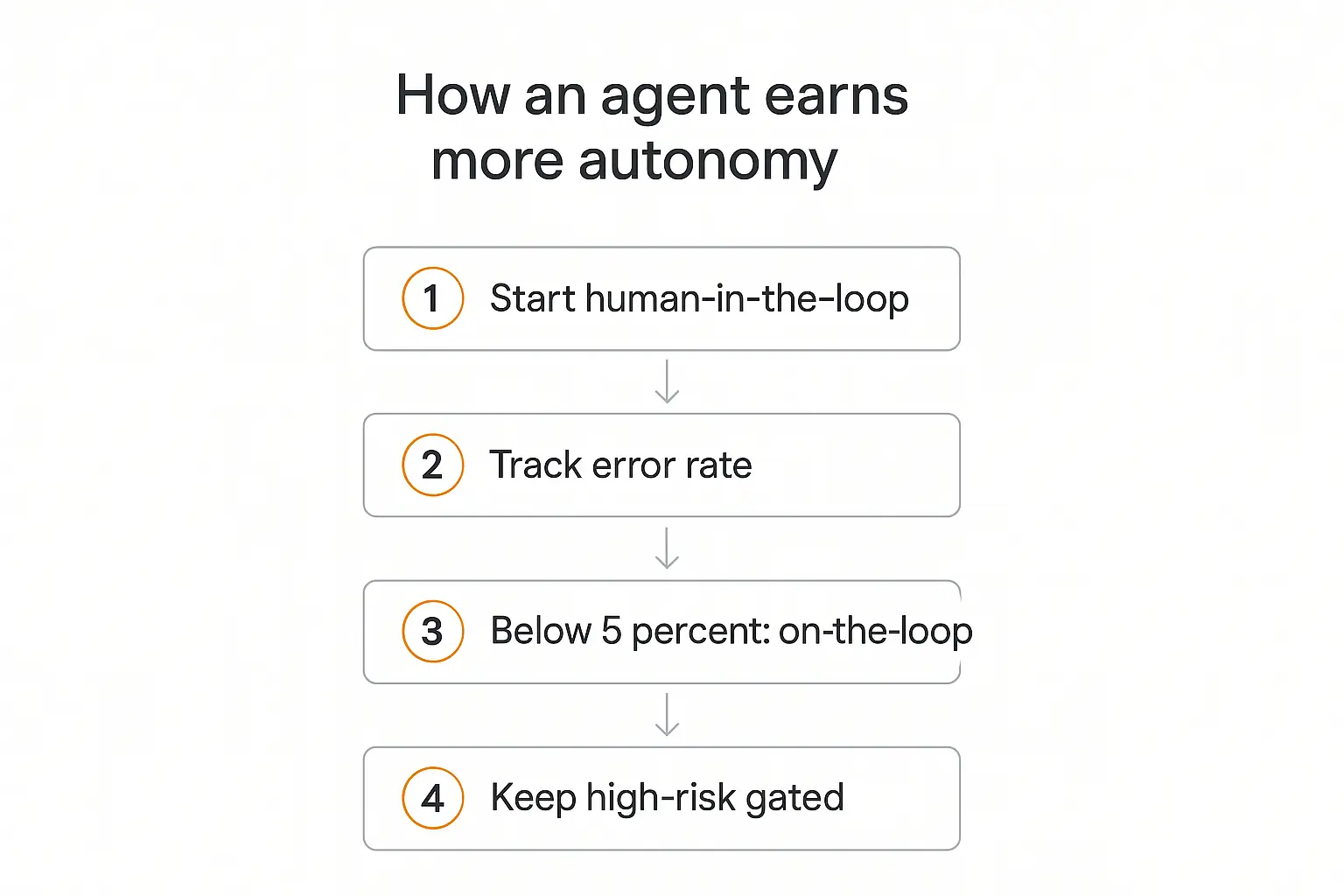
1. Start every new agent in the loop
When you deploy a brand-new agent, gate its significant actions by default. You don't yet know where it's weak. Full HITL is how you find out cheaply.
2. Track its decisions and let good behavior earn autonomy
Watch the error rate per action type. When an agent's mistakes on a specific action fall below a threshold you're comfortable with — a common cut-off is around 5% — you can graduate that action from "in the loop" to "on the loop." The agent earns autonomy by demonstrating reliability, action by action, instead of getting it all on day one. Good agent analytics are what make this possible; you can't graduate what you don't measure.
3. Use calibrated, multi-signal escalation triggers
The best production handoffs don't rely on a single number. They combine signals: a confidence score, sentiment (an angry customer escalates faster), whether the agent is looping, and hard stake-based rules ("anything touching money, always escalate"). One caveat from the research: raw model confidence scores are notoriously overconfident, so treat "the agent seemed sure" as one weak input, not the deciding vote.
4. Keep the high-risk gates permanent
Some actions never graduate. Wiring money, deleting production data, and changing permissions stay in the loop no matter how reliable the agent has been, because the downside of the one bad case is catastrophic and the frequency is low enough that the checkpoint costs almost nothing. This mirrors the same asymmetry we started with: gate where a wrong "yes" is expensive. Weighing the cost of a checkpoint against the cost of a mistake is, in the end, an ROI question like any other.
5. Give every pending approval a deadline
A checkpoint that can block forever is its own failure. Good systems put a timer on approvals — if no one responds within, say, 30 minutes, the request escalates or the action is safely cancelled. That prevents an agent from silently stalling because someone went to lunch.
The frameworks that handle this well — from Anthropic's guidance on building effective agents to the escalation patterns documented by teams at Galileo and Permit.io — all converge on the same principle: bounded autonomy with structural checkpoints beats either extreme.
Building a human-in-the-loop agent with Pickaxe (no code)
You don't need to wire this up from scratch. Here's how the pieces map onto a no-code build.
Set boundaries in the instructions. In the agent's Role Prompt, spell out what it may do on its own and what it must escalate. Pickaxe's Model Reminder is perfect for the hard rules — it prepends a consistent instruction to every message, so "never issue a refund over $100 without a human" gets reinforced on every single turn, not just when the model happens to remember it.
Escalate the risky stuff to a person with Actions. Pickaxe Actions connect your agent to outside tools, and one supported pattern is escalation: instead of having the agent complete a sensitive task itself, you have it hand off — an Action posts the details and its recommendation to a Slack channel or email, and a person makes the final call and executes the sensitive step. The agent surfaces the decision; a human owns it.
Deploy where the humans already are. Because Pickaxe agents can deploy to run on a schedule, over email, Slack, WhatsApp, or an embedded widget, the escalation lands in a channel your team actually watches. An approval request that shows up in Slack gets answered; one buried in a dashboard nobody opens does not.
Watch the outcomes. Use the monitoring on your deployment to track how often the agent escalates and how often the human overrides it. That's the data that tells you when an action is ready to graduate to more autonomy — the same measure-then-loosen loop from the section above.
The reason I like doing this on a single platform is that build, deploy, and oversight live in one place. You're not stitching a model to a queue to a Slack bot to a logging tool. If you want the wider picture of what goes into a production-grade setup, the AI agent tech stack guide walks through every layer.
Deploy an agent your team can actually supervise
Slack and email escalation, boundaries, and usage tracking in one no-code platform.
What this looks like in practice: a support agent
Abstract rules are easier to trust when you can see them run. So here's a concrete one — a customer-support agent handling inbound tickets — mapped to the three oversight models.
Out of the loop (runs freely): The agent reads each incoming ticket, tags it by topic, checks the knowledge base, and drafts a reply. It does this hundreds of times a day. A wrong tag or a rough draft costs nothing — a human is editing the draft anyway — so gating it would just add drag.
On the loop (monitored): For routine questions with a clear answer, the agent sends the reply itself, and the human watches a live feed. If a customer's sentiment turns sharply negative, or the agent's answer confidence drops, the ticket flags for a person. The human isn't approving every message — they're supervising a stream and stepping in on exceptions.
In the loop (gated): The moment the ticket involves a refund over the threshold, a cancellation, or a change to the customer's account, the agent stops. It drafts the action, posts it to a Slack channel, and waits. No money moves and no account changes until a human clicks approve.
That's a single agent operating at three different oversight levels at once — fast where speed is safe, gated where a mistake is expensive. It's also, not coincidentally, roughly the setup teams describe when they talk about deflecting the bulk of support volume while keeping humans on the cases that carry real risk.
The same shape transfers to almost any domain. A sales agent qualifies and enriches leads freely, sends routine follow-ups on the loop, and gates the discount it wants to offer. A content agent drafts freely, publishes internal notes on the loop, and gates the post that goes to your public blog. Find the expensive, irreversible step — that's your checkpoint. Everything upstream of it can usually run.
Common mistakes to avoid
- Gating everything. The number-one mistake. It feels responsible and it quietly destroys your oversight through fatigue. Gate by consequence, not by anxiety.
- Letting the agent decide when to ask. Approval logic belongs in the workflow, not the prompt. A model can be argued — or injected — out of asking.
- Trusting the confidence score alone. Model confidence is systematically overconfident. Combine it with other signals before you use it as a gate.
- No timeout on approvals. A checkpoint that blocks forever is a broken workflow. Every pending approval needs a deadline and a fallback.
- Set it and forget it. Oversight isn't static. Review your gates as the agent proves itself — tighten where it fails, loosen where it earns trust.
- Confusing "reviewed later" with "in the loop." Reading logs after the fact is monitoring, not gating. If the money already moved, the human wasn't in the loop.
Frequently asked questions
What does "human in the loop" mean for AI agents?
It means a person is part of the agent's decision cycle — the agent proposes an action and a human approves, edits, or rejects it before it actually happens. The human sits between the agent's decision and the real-world consequence, so nothing irreversible occurs without sign-off.
What's the difference between human-in-the-loop and human-on-the-loop?
In-the-loop means the human approves each action before it executes (slow, for high-stakes work). On-the-loop means the agent runs autonomously while a human monitors and intervenes only on exceptions (fast, for frequent recoverable work). Most real agents use both, chosen per action by risk.
When should an AI agent require human approval?
When the action is irreversible, costly, regulated, or high-blast-radius. Practical always-gate categories: deploying to production, sending external communications, moving money above a threshold, deleting data, and changing permissions.
Can too much human oversight make an agent less safe?
Yes. It's called approval fatigue. When people are asked to approve too many low-stakes actions, they stop reading and start reflexively clicking, so the checkpoint still exists but no longer catches anything. Fewer, better-placed gates keep the human's attention sharp.
How do I add human-in-the-loop controls without code?
Use a no-code platform like Pickaxe: define escalation boundaries in the Role Prompt and Model Reminder, use Actions to route sensitive tasks to a human via Slack or email for approval, and monitor how often the agent escalates so you know when an action is ready for more autonomy.
The takeaway
Human-in-the-loop isn't a switch you flip on for safety. It's a dial you set per action, tuned to consequence.
Gate the decisions where a wrong "yes" is expensive and rare. Let the agent run where mistakes are cheap and reversible. And watch your reviewers as closely as your agent — because the failure mode that gets people isn't the agent going rogue. It's the human quietly clicking "approve" without looking.
Get that balance right and you get the best of both worlds: an agent fast enough to be worth having, with a person present at exactly the moments that matter. If you want to build one, Pickaxe lets you set those boundaries, route approvals to Slack or email, and deploy — without writing a line of code.