

For a consultant selling a branded assistant, I would choose Pickaxe in the Pickaxe vs Activepieces decision. The practical advantage is that the agent, customer portal, access rules, usage allowance, and paid offer can live in one managed product.
I would shortlist Activepieces when the deliverable is an operation across business apps, especially when a client needs a visual flow builder or self-hosting. Both products support AI agents and connected tools; the buying question is what you need to put around that agent.
This is Pickaxe's blog, and I work from that perspective. I compared current documentation and pricing, checked November 10, 2026; the screenshots are official documentation images, and the pilots below are proposed tests, not measured performance results.
Functionality overview
| Functionality | Pickaxe | Activepieces |
|---|---|---|
| Paid customer product | ✓ Best fit for paid client access: branded portal, access groups, usage and monetization | Agents and flows; retail checkout and entitlements need an explicit implementation |
| Agent configuration | Model, prompt, knowledge, Actions and Preview | Instructions, model, tools, knowledge and output fields |
| App operations | Connected Actions, MCP and Personal Agent workflows | Visual triggers/actions, agents inside flows and run inspection |
| Website delivery | ✓ Best fit for a hosted assistant: portals, pages and agent embeds | Commercial Embed SDK places the builder inside your application |
| Customer boundaries | Member/private groups and per-user allowances | Project membership, roles and connections; plan qualifications apply |
| Hosting | Managed Pickaxe service | ✓ Best fit when self-hosting is required: open core plus plan-qualified commercial features |
| Cost unit | Platform plan, AI consumption, payment and applicable API fees | Platform plan, execution/AI credits, optional model bill and commercial embedding |
The paid-client and embedded-builder rows draw on Pickaxe Portals, member access groups, and Activepieces embedding documentation. Building, operation, and hosting rows are expanded with their specific evidence below.
Pickaxe vs Activepieces starts with the buying job
Start with what the client receives. A coaching business might want a private assistant that answers from its methodology, remembers permitted customer context, and charges for access; an operations team might want a flow that reads a spreadsheet, updates a CRM, and routes exceptions.
Those jobs share models and integrations, but their acceptance criteria differ. For the first, a usable login, the correct entitlement, a clear limit message, and a working checkout are part of the product.
For the second, the important questions are which event starts the work, what happens after a partial failure, and who can inspect the run. A beautiful customer portal does not prove that an operational workflow recovers correctly.
I would write one sentence before choosing: “The buyer pays me for this person to achieve this outcome through this interface.” If that sentence ends with a customer using your expertise, Pickaxe's delivery layer deserves more weight than connector totals.
If you are still deciding how much reasoning the job needs, our guide to agents, workflows, and automation helps separate a predictable procedure from decisions that need an agent.
Building: configure the assistant around the customer
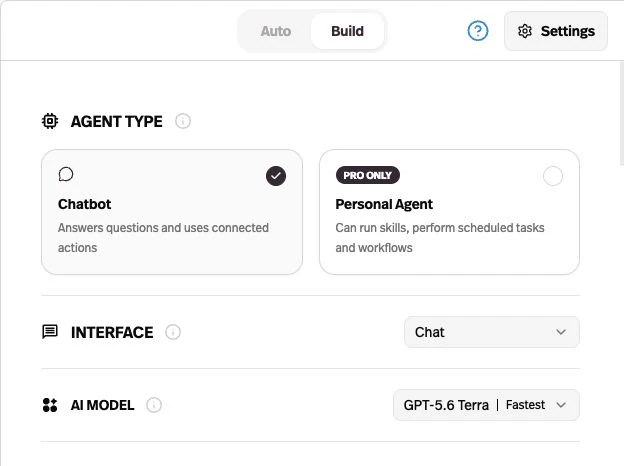
Pickaxe's Agent Builder puts the model, standing instructions, knowledge, and Actions together in Build, with Auto assistance and a Preview. I like that arrangement for client delivery because I can define the task and inspect the user's experience in the same workflow.
Building and models
| Requirement | Pickaxe | Activepieces |
|---|---|---|
| Describe the agent | Auto suggests changes for review | Sentence-to-agent drafting and Edit with AI |
| Choose the model | Model selection per agent | Models backed by platform credits or permitted provider keys |
| Test behavior | Preview, including Select Sender | Test tab and tool inspection |
| Runtime shape | Chatbot or Personal Agent; Pro lists Personal Agents | Reusable published agent; flow step can return structured fields |
Sources: Pickaxe builder controls and Personal Agents; Activepieces' agent configuration and provider and key controls. Pickaxe's Pro plan lists Personal Agents and scheduled tasks.
Activepieces can draft an agent from a sentence and attach app actions, flows, files, and tables. Its instructions, selected model, tools, output fields, and maximum steps are configuration choices, so describing it as a simple deterministic automation tool would miss a substantial part of the product.
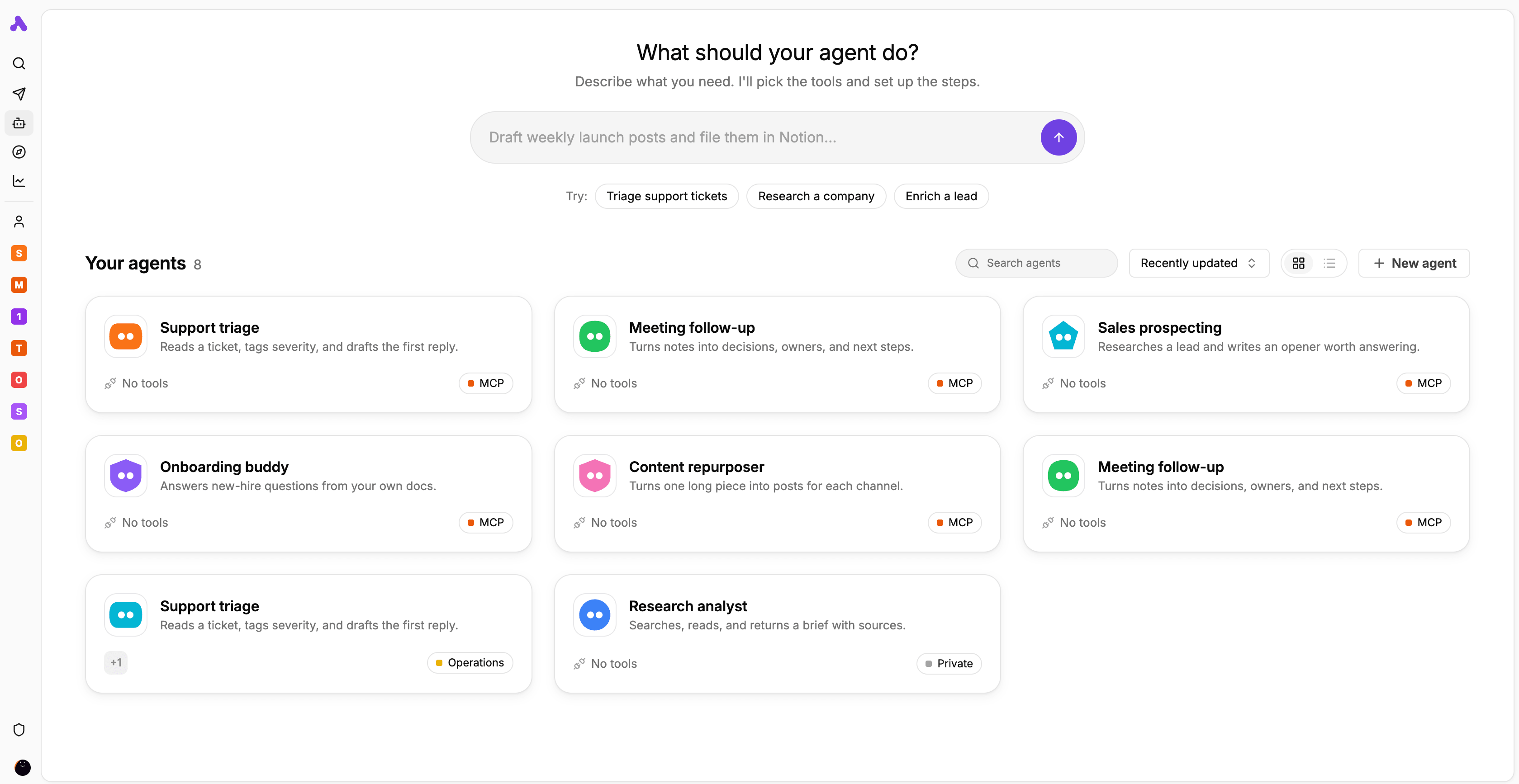
Neither natural-language setup removes the need for acceptance tests. I would ask the same ambiguous question twice, inspect the tools selected, and check whether the assistant asks for missing information rather than quietly inventing it.
My verdict: both can configure an agent. Pickaxe is the more direct fit when the next task is turning that configuration into a customer-facing service; Activepieces earns consideration when the agent is one reusable component inside a larger flow.
Knowledge: check what changes after the PDF changes
Pickaxe's advantage for an expertise product is a documented source-management path alongside the agent. You can connect knowledge at workspace level, explicitly attach the sources an agent should use, and inspect retrieval rather than treating every upload as automatically available everywhere.
Knowledge and freshness
| Requirement | Pickaxe | Activepieces |
|---|---|---|
| Approved documents | Attach selected workspace or agent sources | Attach supported files to the agent |
| Changing sources | ✓ Best fit for connected document workflows: documented website checks and Drive updates | Re-upload files; flows can update attached project tables |
| Inspect retrieval | Knowledge Explorer shows chunks and query results | Knowledge source configuration; validate answers in the intended agent |
| Boundary | Workspace availability does not automatically attach every source | Knowledge and connections belong to the agent’s project |
Sources: Pickaxe knowledge sources, refresh, and Knowledge Explorer; Activepieces' file and table knowledge and table-backed agent lookup. These are documented capabilities, not retrieval benchmarks.
Pickaxe documents website change checks and near-real-time Google Drive file updates. I would still test the actual source and deployment: synchronization language is not a guarantee that every permission change, deletion, and revised answer becomes visible at a particular second.
Activepieces supports uploaded files and project tables as knowledge. Files are refreshed by re-uploading, while flows can update table rows; a table can therefore be a sensible source for changing product or customer records.
A useful pilot changes one clearly identifiable policy, removes the superseded copy, and asks the same question again. Record the source version and answer, then repeat as an unauthorized user to check that correct retrieval does not come at the expense of access boundaries.
I would not decide this category from file-format counts or the word “RAG.” The relevant question is whether the client's source owner can keep the answer current; our knowledge-base setup guide covers the preparation work.
Actions: verify the account and the side effect
Pickaxe can perform app actions and reach workflows through MCP or custom Actions. Its documented owner-versus-end-user credential choice is particularly useful when packaging a client product: the same apparent action can mean writing to your agency's CRM or to each customer's own account.
Actions and automation
| Requirement | Pickaxe | Activepieces |
|---|---|---|
| Connected tools | App integrations, custom Actions, other agents and MCP | Individual piece actions, flows and external MCP tools |
| Whose account? | Owner or end-user credentials where supported | Project connections; model/provider access set by admins |
| Constrain a write | Choose credentials and connected tools; validate action inputs | Pin individual inputs rather than letting the agent fill them |
| Visual cross-app procedure | Use Actions or a connected workflow; Personal Agents add workflows | ✓ Best fit for a visual procedure: explicit trigger and action canvas |
Sources: Pickaxe Actions, credential selection and connection reset, and Activepieces' piece, flow, and MCP tools and flow triggers and actions. Connector availability does not prove a particular action or permission works.
Activepieces lets an agent use an individual piece action or a saved flow as a tool. Inputs can be left to the agent, pinned to a fixed value, or left empty; pinning an approved destination is a concrete way to reduce what the model decides.
For a proposed “create a follow-up task” feature, I would give either product only the required destination and permissions. Then I would test an expired connection, a missing required field, and a repeated request before allowing unattended writes.
A successful response is not proof of a successful write. The acceptance record should contain the external record identifier or an explicit failure, with no claim that a task was created when the destination rejected it.
My preference is Pickaxe for the customer conversation that starts the work. If the bounded action expands into several conditional app updates, a separate operational flow may be the cleaner implementation; that is an architecture choice, not evidence that Pickaxe lacks integrations.
Delivery: a paid portal and an embedded builder are different products
This is the strongest reason I would choose Pickaxe for a paid assistant. A portal bundles agents and pages, gives them your branding, and connects the experience to access groups; customers use the service without becoming automation builders.
Delivery and customer access
| Requirement | Pickaxe | Activepieces |
|---|---|---|
| Customer destination | ✓ Best fit for paid assistant delivery: hosted branded portal with agents and pages | App/project experience or commercially embedded builder in your host app |
| Access | Public, member and invite-only groups; portal combination rules apply | Users mapped to projects and roles; not a retail subscription entitlement |
| Commercial packaging | ✓ Best fit for integrated sales: subscriptions, usage top-ups and content Offers | Specify host checkout, billing and entitlements in your implementation |
| Embedding | Agent interface on an existing website | Builder SDK plus backend token provisioning; commercial plan |
Sources: portal controls, member allowances and upgrades, private access, Offers, and Activepieces' user provisioning and embedded builder SDK.
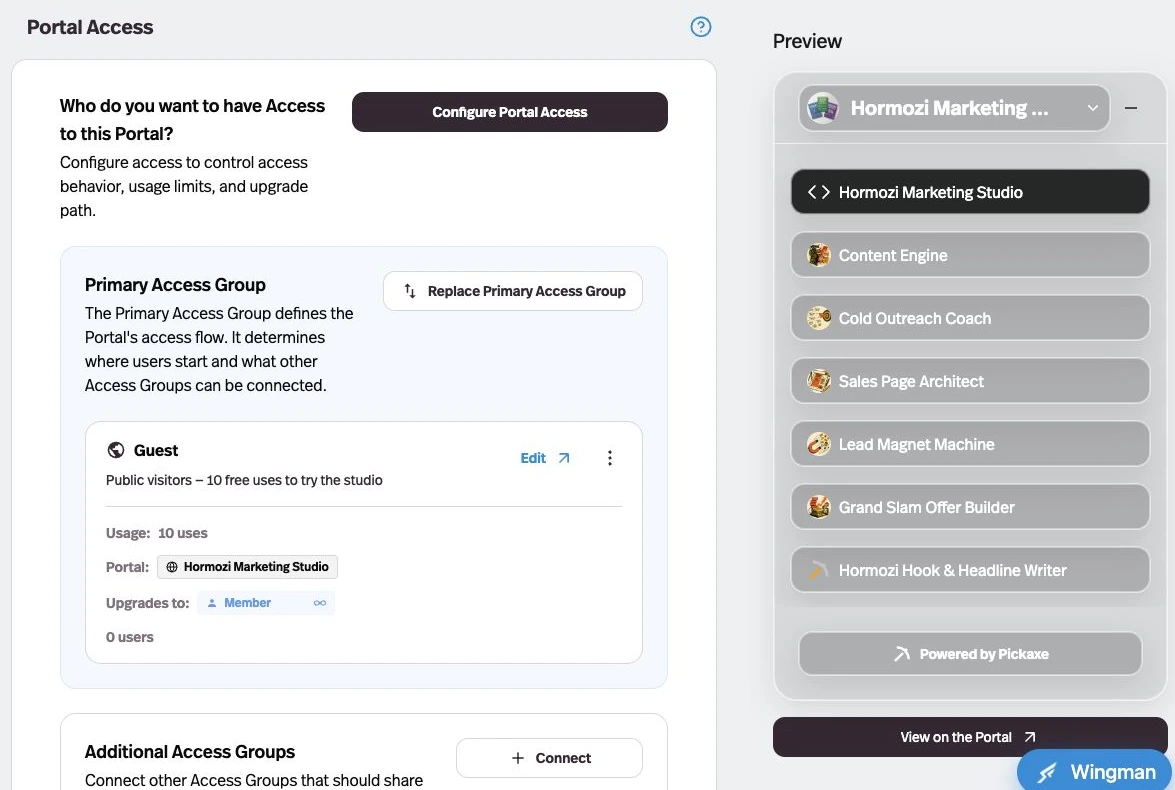
Pickaxe supports member subscriptions, one-time purchases, usage top-ups, and Offers for individual agents, pages, or folders. Monetization needs a connected Stripe account; external checkout links require you to grant access or credits manually, as the monetization guide explains.
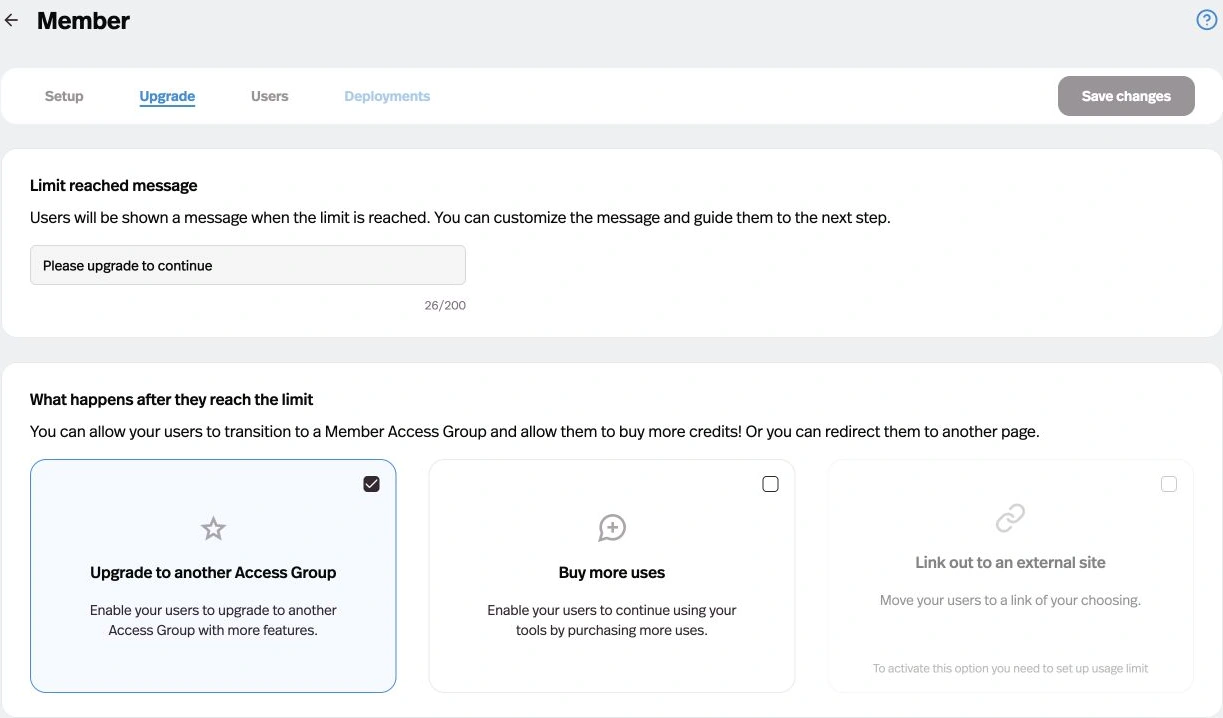
Private client groups are also supported, but do not assume they behave like public subscription funnels. Invite-only groups have no self-serve upgrade-to-another-group path, and the portal's primary group constrains which additional group types can be connected.
Activepieces has a genuine embedded product, not merely a link to its cloud dashboard. The documented implementation provisions users and projects with a backend-signed token, then renders a configurable builder through its SDK.
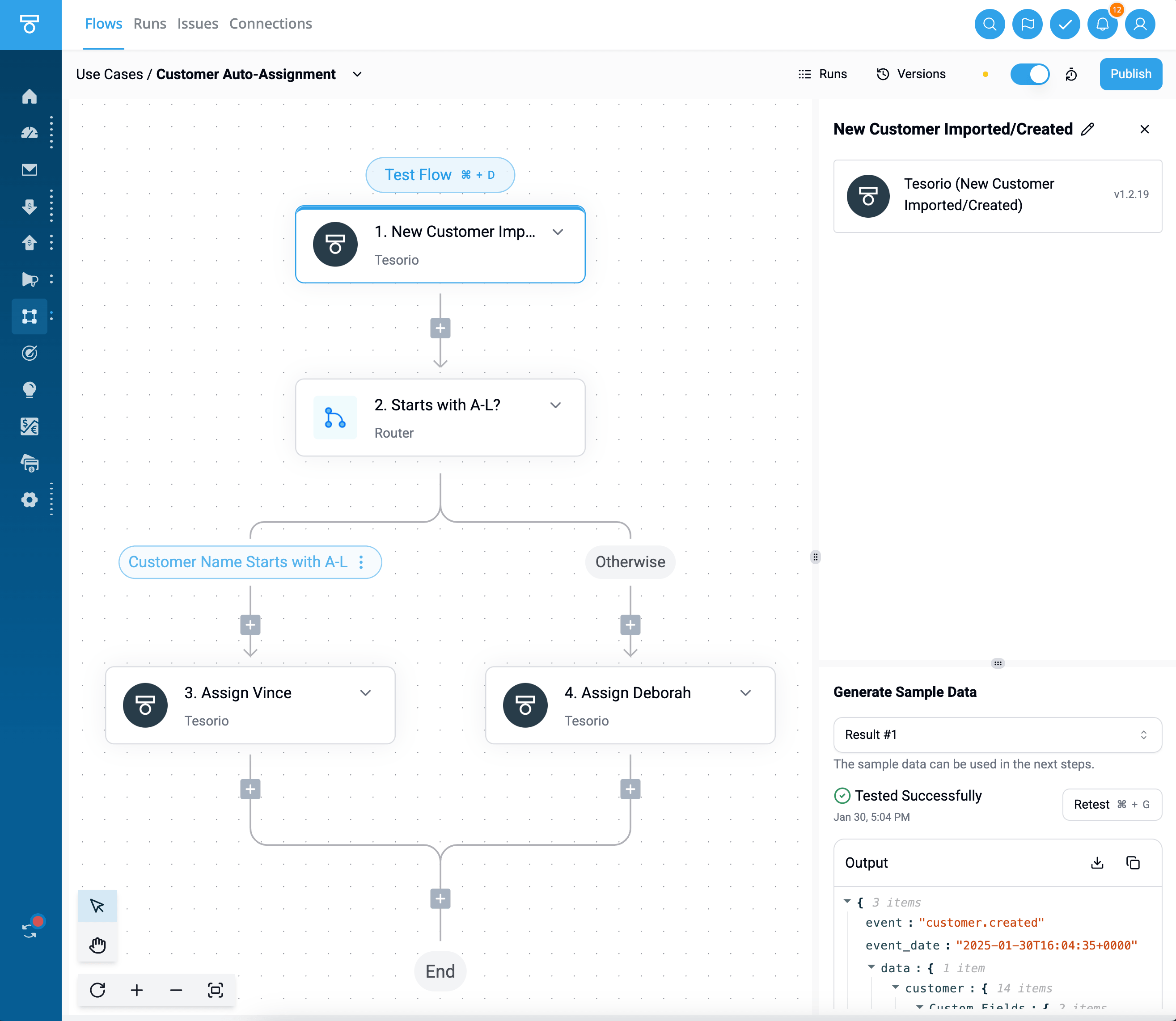
That is compelling when your software needs customers to build their own automations. For an agency selling a knowledge assistant, I would count the host application's checkout, entitlements, support surface, and customer identity as implementation work unless the purchased contract explicitly supplies them.
The distinction is the delivered interface. Pickaxe embeds an agent for the customer to use; the Activepieces Embed documentation describes embedding automation-building capabilities inside your application.
Operations: assign an owner before adding autonomy
For a paid AI service, Pickaxe's user administration and activity views help connect the product to the people using it. For a complex cross-app procedure, Activepieces exposes run-level debugging and published flow versions; both kinds of visibility matter, but they answer different operational questions.
Operations and ownership
| Requirement | Pickaxe | Activepieces |
|---|---|---|
| Customer activity | User and conversation views, usage insights and exports | Agent/flow runs and plan-qualified AI usage views |
| Flow recovery | Validate connected workflow and external result separately | Run input/output inspection and per-step success/failure |
| Published changes | Personal Agent template version controls | Published flow versions and drafts; advanced releases depend on plan |
| Administration | Customer access, user memory and connection lifecycle controls | Project roles; advanced governance and audit are plan-qualified |
Sources: Pickaxe activity, user management, and exports, Personal Agent versions, Activepieces' run details, flow versions, and plan-qualified roles.
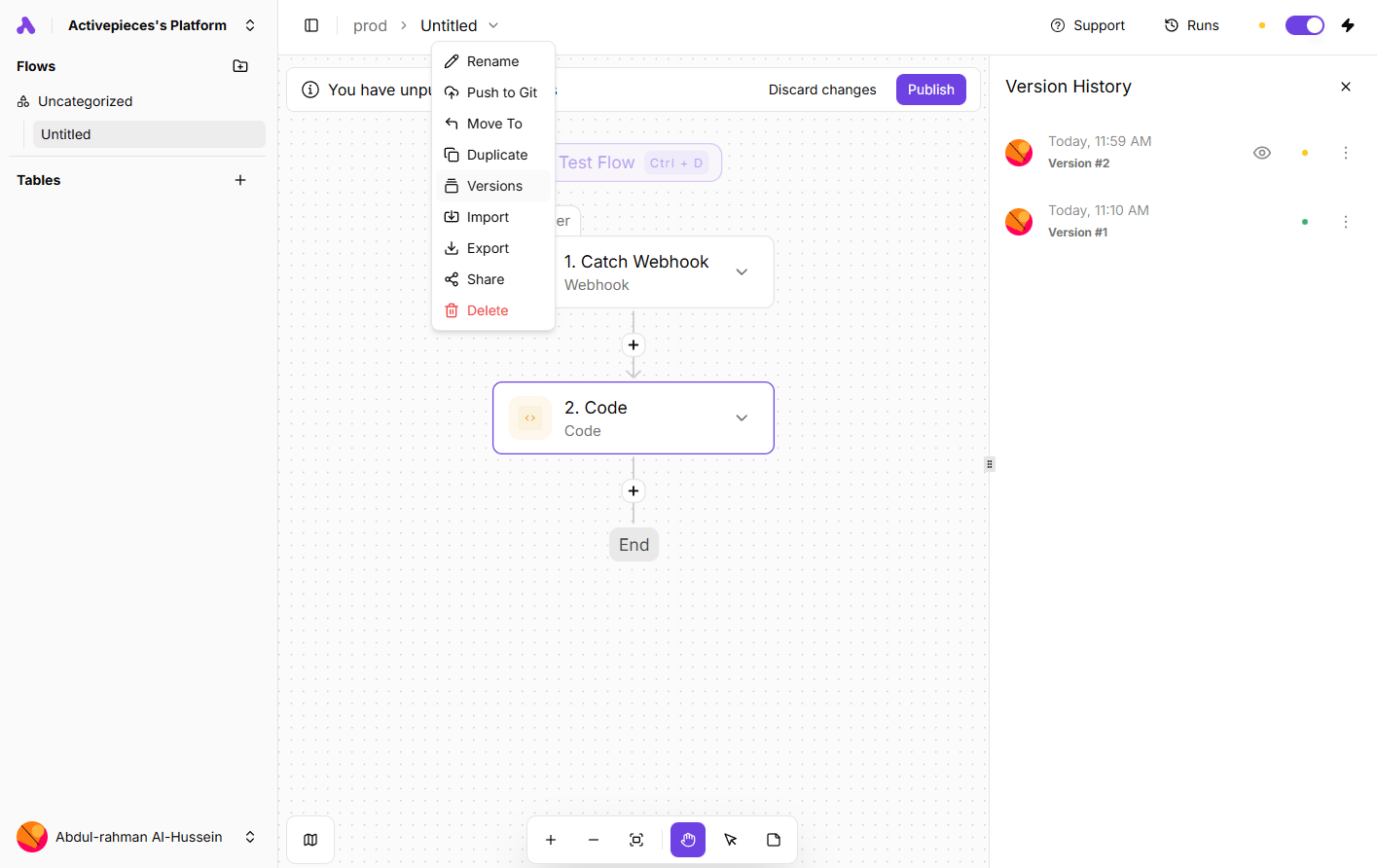
Do not equate an activity feed with a complete security audit. Activepieces' tool documentation explicitly lists audit gaps, including external MCP tools; verify the events you need instead of assuming that every action is recorded under one universal policy.
For either implementation, assign a named owner for source corrections, connection renewal, model changes, failed actions, and customer support. Our agent evaluation guide is useful for preserving a small regression set as those components change.
If self-hosting is mandatory, Activepieces offers a documented path, while Pickaxe's managed service is the wrong assumption for that requirement. The production installation guide brings a database, queue, app, and workers into your operating responsibility.
Pickaxe vs Activepieces pricing: keep the meters separate
All prices below are public USD list prices checked November 10, 2026. Monthly means monthly billing; annual figures are monthly equivalents with annual billing, and these are not tax-inclusive quotes for a particular country.
Plans and separate billing meters
| Public offer | Subscription and allowance | What else to budget |
|---|---|---|
| Pickaxe Gold | $37/month monthly, or $29/month equivalent annually; $15 monthly AI credits | Up to 3 workspaces and 3 Actions/agent; API 1¢/request; consumption and payment fees |
| Pickaxe Pro | $147/month monthly, or $116/month equivalent annually; $50 monthly AI credits | Unlimited workspaces/Actions; included API access; consumption and payment fees |
| Activepieces Plus | $20/month monthly; 10,000 monthly credits; up to 5 users | $0.007 per overage credit; bring-your-own-key tokens billed by provider |
| Activepieces Team | $200/month monthly; 50,000 monthly credits; 25 users | Unlimited projects and standard roles; overage and model charges |
| Activepieces Embed | Starts at $36,000/year | Confirm contract, customer/project allowances, implementation and hosting |
| Self-hosted Activepieces | MIT core; paid feature rights are separate | Infrastructure, backups, upgrades, monitoring, support and any commercial license |
Sources for every price, allowance, and gate in this table: Pickaxe pricing and Activepieces pricing. Confirm checkout, geography, tax, and contract terms before purchase.
Pickaxe's Gold and Pro platform payment fees are 10% and 8%, respectively, according to its monetization documentation. Keep payment-processor charges, refunds, tax, and AI consumption separate rather than treating revenue retention as net profit.
Pickaxe uses count user inputs, while its credit system tracks consumption more closely to AI cost. The usage documentation lets you choose a workspace-wide system; neither unit is equivalent to an Activepieces workflow credit.
Activepieces currently bills an ordinary flow run at one credit, with AI steps adding model-tier charges and agent tool calls adding usage. Bring-your-own-key AI steps still consume platform credits, with tokens billed separately by the model provider; the agent product FAQ describes that distinction.
Two documentation gaps need confirmation. Activepieces' free allowance and reset descriptions conflict within its pricing page, and the API overview's platform/enterprise wording is narrower than the pricing page's broad API/SDK language; I would verify the exact allowance and endpoint access in the intended account.
Three workload scenarios I would put in the quote
These are hypothetical planning examples, not observed customer volumes. Each uses one selected text model, a small knowledge set, and short requests; actual tokens, retrieval, retries, and action behavior must be measured in the pilot.
- Small: one client, one builder, ten customer accounts, 500 messages monthly, ten source documents, and 100 requested action calls.
- Growing: three clients, one builder, 50 customer accounts, 3,000 messages, 30 documents, and 600 action calls.
- Agency portfolio: ten clients, two builders, 200 customer accounts, 20,000 messages, 100 documents, and 4,000 action calls.
Budget an additional 10% of the action workload as attempted retries for planning, without assuming retry attempts are free or safe. Choose separate workspaces or projects where client data requires separation, and confirm collaborator or embedded-user terms rather than equating customer accounts with builder seats.
For a simple Activepieces flow with one run, one bring-your-own-key AI step, and one agent tool call, the documented meter gives a hypothetical three credits per attempt. Applied to those action workloads plus the retry allowance, that is 330, 1,980, or 13,200 credits, excluding other messages and background jobs.
At the published Plus allowance, the final example would leave 3,200 overage credits: $22.40 at $0.007 each, plus the $20 monthly subscription and the separate model-provider bill. This is a workload subtotal, not a complete quote or a claim that Plus supports the portfolio's project, user, or embedding requirements.
For Pickaxe, estimate the selected model's actual consumption from representative conversations, then add the appropriate platform subscription, Actions, API fees where applicable, and payment fees. I would not manufacture a dollar comparison by turning those messages into an undefined credit total.
The final quote needs a second line for implementation and maintenance effort. Specify who owns source updates, authentication repairs, failed writes, usage reviews, and customer questions; see our AI service pricing guide for packaging that work.
Proposed pilot: sell a bounded client knowledge assistant
I would start with a fictional consulting assistant answering questions about an approved onboarding policy and creating a follow-up task. Use synthetic documents and a test destination, with a source owner, a support contact, and an explicit instruction to stop when the required information is missing.
- Configure: create the agent, attach the approved policy, choose a model, and define what it may answer and what needs human review.
- Bound the write: connect the task action to the correct owner or end-user account, restrict the destination, and ask the user to confirm the task before creation.
- Package: place it in a branded Pickaxe portal, connect a member or private client group, set an allowance, and configure the paid access arrangement in a test payment flow.
- Exercise the edges: revise the policy, test an uninvited person, exhaust the allowance, revoke the app connection, and repeat the same task request.
- Accept: save answers, source versions, access outcomes, payment/entitlement outcomes, and external task identifiers or explicit failures.
For Activepieces, build the analogous knowledge-and-task agent with project-scoped connections. If the customer must purchase access through your branded service, separately specify the host interface, verified identity, entitlements, and commercial embed agreement where applicable.
A pass means the intended customer gets the current authorized answer and the promised bounded action through the purchased surface. A convincing agent chat with a manually added project member does not by itself pass the paid-product requirement.
This pilot is where I expect Pickaxe's integrated product packaging to matter. I would make that decision from the completed customer journey, not from an untested claim about faster setup.
Proposed pilot: run a cross-app exception workflow
The second fictional job starts when an approved intake row arrives: classify the request, check a customer record, create a task for eligible cases, and send exceptions to a human. Define the source, destination accounts, expected fields, and duplicate key before building it.
In Activepieces, a trigger starts the flow, predictable validation stays in explicit steps, and a published agent can handle the ambiguous classification. Its structured-output guidance supports returning fields the later steps can branch on.
Pickaxe can supply the customer interaction, classification, or bounded app action, and Personal Agents support scheduled tasks. If the deliverable depends on a detailed visual cross-app procedure, I would keep that procedure in the workflow layer rather than rebuilding it as a long conversational instruction.
Test a malformed row, an unavailable CRM, an expired connection, a duplicate event, and a request that needs human judgment. Check the external systems after each run, because retrying a flow can duplicate a side effect that already succeeded.
The acceptance record needs the input identifier, decision, external record identifier, failure status, and named recovery owner. It should also explain how work is resumed without resending a customer communication.
My verdict for this narrow job: Activepieces deserves the pilot. Its visual flow and run details match the operational deliverable; that does not replace Pickaxe's customer-access and monetization layer.
When using both is sensible
A useful division is Pickaxe as the paid customer experience and Activepieces as an operational backend. Keep the boundary small: a validated request enters the workflow, and a clear result or failure comes back.
This is a proposed architecture, not a verified turnkey connector. Confirm the chosen HTTP or MCP route, authentication, endpoint entitlement, response shape, timeouts, and charges before promising the combined service.
Pickaxe's API/MCP guide warns that a deployment token authenticates the deployment rather than independently proving an end user's identity. A caller-supplied user identifier must not become your only cross-client authorization check.
Give the combined job a request identifier and one owner for recovery. Otherwise a portal can show failure after the backend completed a write, and a well-intentioned second click can create a duplicate.
I would combine the products when the workflow has enough operational complexity to justify the extra subscription and support boundary. For a single straightforward action, keeping the customer product inside Pickaxe may be easier to maintain.
Migration: preserve the customer relationship, rebuild the behavior
Do not promise a one-click migration between these systems. Inventory the instructions, source files, source ownership, tool credentials, customer accounts, paid entitlements, records, and failure procedures before moving anything.
Pickaxe documents exports for activity and users, and Personal Agent template version controls. Activepieces documents table exports and flow versioning; its project release guide also warns that newly created connections are placeholders requiring valid credentials.
An export is not a portable login or subscription. Keep existing billing and customer access working until the replacement's entitlement checks, source freshness, and failure behavior pass; tell customers which URL and support process will change.
If self-hosting motivates the move, separate software rights from operating costs. Activepieces' license documentation distinguishes the MIT core from commercial enterprise/cloud features; do not assume that every hosted feature or branded embed is included in the core license.
My handoff record would name the new owner of each source and connection, the test set, the billing transition, and the rollback decision. Reversing an application version does not reverse messages or records already written to outside systems.
Build the client experience you intend to sell.
Connect your knowledge, define access, and test a bounded assistant.
Buyer FAQ
Can Activepieces build AI agents, or only automations?
It can build agents with instructions, models, knowledge, and tools, and run a published agent inside a flow. My recommendation for Pickaxe concerns the paid customer product around the agent, not an absence of agent capabilities in Activepieces.
Can I sell the assistant without building my own application?
Pickaxe documents a managed portal, access groups, subscriptions, usage packages, and Offers. Confirm the plan and Stripe setup; an Activepieces-based custom product needs its own explicit delivery and commercial design.
Does self-hosted Activepieces include the whole cloud product?
No blanket entitlement follows from self-hosting. The MIT core, commercial features, and Embed arrangement have distinct boundaries, and the hobby embedded-database installation has additional limitations described in the vendor's installation guides.
Which is cheaper?
Price the complete workload and delivery surface. A low workflow subscription does not include a custom customer application, while Pickaxe's subscription does not make unlimited AI usage or external payment processing free.
Which is better for sensitive client data?
Start with the client's actual hosting, permission, retention, and contractual requirements. I would verify the required controls and evidence for the purchased deployment rather than infer a security verdict from “managed” or “open source.”
My recommendation for an agency
Choose Pickaxe when you are turning expertise into a paid AI service. Its verified advantage is the connected delivery workflow: configure the agent, package it in a branded portal, decide who gets access, and charge for a defined allowance or offer.
Choose Activepieces for a visual cross-app operation or a self-hosting requirement, with the correct commercial features and an operating owner. Use both when the paid assistant genuinely needs that separate workflow layer.
The next step I would take is small: build the customer-facing pilot, including the changed source, failed action, and unauthorized-user test. You can start building with Pickaxe and make the decision from the complete journey you intend to sell.