
The best Voiceflow alternatives depend on the part of your agent business you want to change. A client paying for an advisory portal, a customer waiting for a support reply, and a caller trying to reschedule an appointment need different products.
I reviewed the current documentation and pricing for seven alternatives, starting with the delivery problem rather than a feature score. My shortlist is Pickaxe for paid client portals, Botpress for configurable support workflows, Chatbase for content-led support, Dify for application backends, Rasa for engineering-owned conversations, Landbot for lead capture, and Vapi for phone agents.
This is a documentation-based comparison checked on October 27, 2026, published by Pickaxe. I have not run a controlled accuracy or latency benchmark; the migration exercise below is a proposed pilot you can adapt.
Voiceflow alternatives at a glance
Use this table to choose two candidates to investigate. The billing column identifies what to model, because a message credit, a conversation, a workspace, and a phone minute buy different things.
| Alternative | My starting recommendation | Billing checkpoint | Work you still own |
|---|---|---|---|
| Pickaxe | Sell access to branded AI tools | Plan, AI credits, payment fees | Service design and escalation |
| Botpress | Build custom support behavior | Conversations and AI allowance | Workflow and support setup |
| Chatbase | Launch content-grounded support | Model-weighted message credits | Content quality and procedures |
| Dify | Build an app or workflow backend | Cloud workspace or own hosting | App delivery and operations |
| Rasa | Own conversation logic in engineering | License, infrastructure, models | Deployment and maintenance |
| Landbot | Capture and qualify leads | Chats, AI chats, channel add-ons | Funnel and CRM maintenance |
| Vapi | Build a phone-first service | Hosting minutes plus providers | Call behavior and integrations |
On a small screen, scroll the table horizontally to read every column.
These are editorial starting points, not test scores. The current capabilities and pricing sources appear in each section; for a wider shortlist, see our guide to choosing AI chatbot builders by the job.
When I would keep Voiceflow
I would keep Voiceflow on the shortlist when conversation design is central to the service. Its current documentation covers playbooks, visual workflows, API and MCP tools, deployment, testing, evaluations, and transcripts, so describing it as only a prototype canvas understates the product. See the Voiceflow platform documentation.
It also documents live handoff to support platforms, with native connections and a custom connection path. That is different from simply creating a ticket: replies can return to the customer through the conversation, according to its handoff overview.
Before rebuilding anything, name the unresolved requirement. If the actual problem is a missing escalation rule or poor source material, changing builders may leave you with the same failure in a different interface.
Be careful with old price comparisons. Voiceflow's current billing documentation describes plan fees, optional add-ons, and shared credit usage, with current prices available inside Plans and Billing; its public pricing page directs businesses to request pricing.
I would export a representative usage breakdown and request a quote for the actual workload. An old seat price copied into an alternatives article is a weak reason to move a working customer experience.
1. Pickaxe: my pick for selling a client AI product
Pickaxe is where I would start when the deliverable is a branded service that customers log into and pay to use. The buying question is whether the agent needs a product around it: access, billing, a place to return, and a clear allowance.
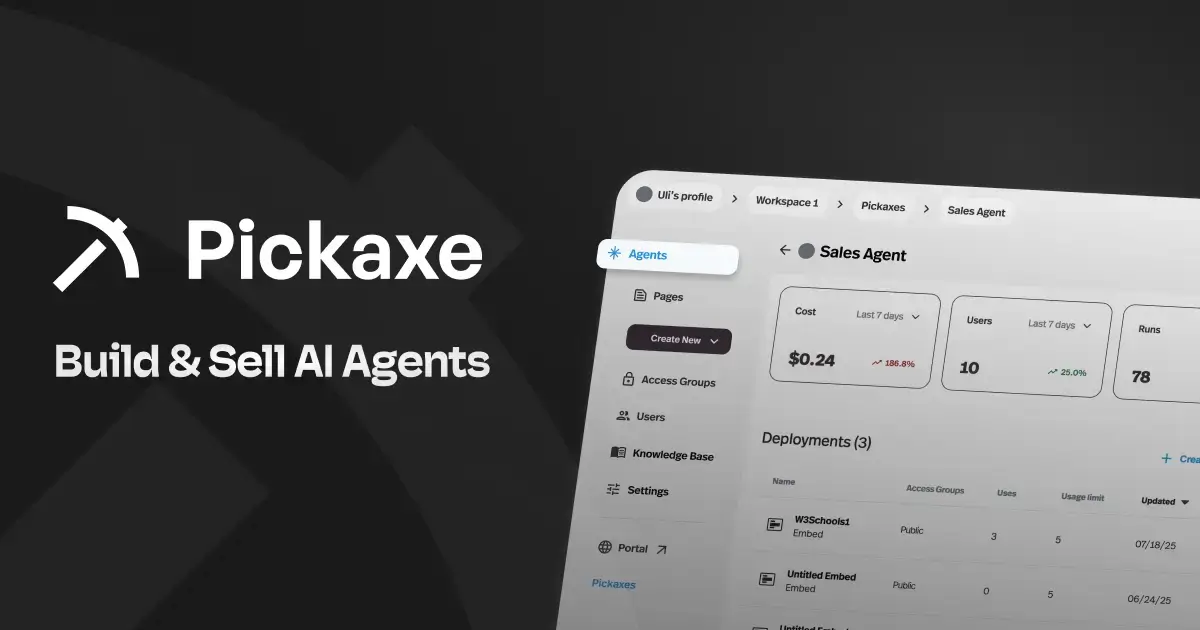
Official product preview, captured October 27, 2026; promotional material rather than evidence of my own deployment.
The portal documentation describes branded hubs containing agents and pages, with content organization, access groups, and custom domains. Its monetization guide covers subscriptions, usage purchases, one-time payments, and Stripe setup.
For a consultant selling an operations advisor, I would package the recurring job explicitly. The portal might contain a policy assistant and a brief generator, while the customer buys access to those tools under an agreed usage limit.
The useful difference is the delivery model. A functioning widget is only one part of that business; you also need the customer to understand what they bought and what happens when their allowance runs out.
There is still implementation work. I would design escalation through instructions and connected Actions, then verify the receiving system actually acknowledges the request; I would not assume a portal supplies a staffed support inbox or a dedicated telephony stack. The Actions guide also distinguishes connections using the owner's account from connections using an end user's account.
Pricing checkpoint: Gold lists $37 month to month or $29 per month billed annually, with $15 in monthly credits; Pro lists $147 or $116 respectively, with $50 in monthly credits. The current plan table also scopes workspace, Action, API, and channel allowances.
Include AI consumption beyond the allowance and payment economics in your margin. The monetization documentation lists platform processing fees of 10% on Gold and 8% on Pro; confirm your payment-provider charges separately before quoting a client.
I would choose it when: the business sells access to expertise through AI tools. For the packaging decisions, our custom client portal guide is a useful next step.
2. Botpress: my pick for configurable support workflows
Botpress is a strong candidate when you want to decide how a support conversation moves between reasoning, explicit workflow steps, tools, and people. I would evaluate it for a team prepared to maintain those decisions as the service changes.
Official product preview, captured October 27, 2026; it does not demonstrate benchmark performance.
Its Autonomous Node documentation explains how an LLM selects tools, accesses configured knowledge, and calls workflows. Standard nodes provide a more prescribed sequence, giving you a useful way to separate open conversation from a tightly controlled task.
My pilot would combine a policy question with an order lookup. The agent could interpret the request, but the lookup and any write would need a deliberate identity check, expected result, and fallback.
Human support deserves its own inspection. The current handoff guide directs new workspaces to Botpress Desk, while retaining a legacy HITL path for existing workspaces; check which experience your workspace actually uses.
Pricing checkpoint: the public page lists Free with 100 conversations and no top-ups, and Plus at $150 per month billed annually with 250 conversations. Additional Plus packs contain 100 conversations for $65, and the included AI allowance has its own recharge behavior, according to Botpress pricing.
I would model repeat contacts and expensive model calls separately. A conversation allowance does not guarantee that every conversation consumes the same amount of AI, and a prototype allowance is a poor proxy for production demand.
I would choose it when: the support workflow itself is a maintained product. If you are also weighing paid delivery, our Pickaxe and Botpress comparison goes deeper into those responsibilities.
3. Chatbase: my pick for content-led customer support
Chatbase is worth a look when the central task is answering customer questions from business content, with procedures and human support alongside it. I would start here for a knowledge-heavy service that needs a practical support destination.
Official product preview, captured October 27, 2026; source content and plan availability require separate checks.
The current introduction describes training on business content, Actions, escalation, and multiple deployment channels. Its helpdesk documentation makes clear that it has moved beyond a simple question-answering widget.
I would judge the fit through a content correction. Change an outdated policy, refresh the relevant source, and ask the same question again; record how you verify the agent has stopped relying on the old answer.
Then ask for a human halfway through a task. Check whether the transcript, customer identity, and unresolved question reach the person who will answer, rather than accepting the agent's reassuring transfer message as proof.
Pricing checkpoint: the live page currently calls its paid plans Hobby, Basic, and Business. Hobby is $40 monthly or $32 per month billed yearly with 700 message credits; Basic is $150 monthly or $120 yearly-equivalent with 4,000 credits, and includes the helpdesk inbox, voice, and API access. See Chatbase's plan comparison.
The same page lists extra credits at $40 per 1,000 and branding removal as an add-on. Check the selected billing period and chosen model's credit consumption; I would not translate a credit allowance directly into an equal number of full customer conversations.
I would choose it when: content-grounded support and its operating inbox are the main requirements. A business selling a member-only advisory service should separately verify the checkout and entitlement experience it needs.
4. Dify: my pick for an application or workflow backend
Dify fits a team that wants to assemble AI application logic and connect it to a product it controls. I would shortlist it when the builder needs to sit behind a custom interface, rather than being the complete customer-facing business.
Official product preview, captured October 27, 2026; cloud and self-hosted responsibilities differ.
Its Workflow Studio overview describes visual application orchestration. The API guide explains that published apps expose REST APIs, with keys intended for your backend rather than browser code.
That division can be useful for an agency with an existing application team. I would define the input, output, identity mapping, and failure response before choosing nodes, so the app and workflow have a clear contract.
Self-hosting adds an operational decision. Someone must own upgrades, backups, secrets, model connections, and incident response; I would put that person and the expected maintenance work in the proposal before calling the deployment inexpensive.
Pricing checkpoint: Dify Cloud currently lists Professional at $590 per workspace per year, with 5,000 monthly message credits and model-dependent consumption. Its pricing page says you can switch to your own provider key after those credits are used; that moves the model bill rather than making usage free.
For client hosting, read the actual Dify license. It adds conditions concerning multi-tenant operation and frontend branding to Apache 2.0; do not assume a downloadable repository authorizes an unrestricted white-label SaaS.
I would choose it when: the team wants a configurable AI backend and can own delivery. I would check hosting and commercial terms against the exact proposed architecture before committing.
5. Rasa: my pick for engineering-owned conversation logic
Rasa is the candidate I would investigate when conversational behavior belongs in an engineering discipline with an explicit deployment owner. The appeal is the ability to describe business steps and maintain them alongside the surrounding service.
Official product preview, captured October 27, 2026; confirm the edition and interface being offered.
The CALM dialogue-management guide describes flows that collect information, call actions, set values, and branch according to business logic. I would use that to inspect what happens when a user corrects a detail halfway through a task.
For example, a customer might change their appointment location after giving a preferred time. The important result is that the assistant revisits the dependent availability check before confirming anything; a friendly answer that preserves an invalid booking is still a failure.
Be precise about the product under evaluation. Rasa's documentation entry page separates the new Mantle-centered platform and early-access agent-building UI from its Rasa Pro and Studio documentation.
Pricing checkpoint: the subscription page lists a free Developer Edition license for one bot per company, with up to 1,000 external conversations per month or 100 internal conversations. Enterprise pricing is by contact; the developer quickstart also shows the runtime, license, and model-provider setup you must supply.
I would budget for the engineering surrounding that license. A free allowance does not operate infrastructure, monitor a failed integration, or train the person who inherits the project.
I would choose it when: the team wants responsibility for conversation logic and operations. For a small agency selling a finished service, that responsibility needs an honest maintenance budget.
6. Landbot: my pick for conversational lead capture
Landbot is a useful shortlist candidate when the job is guiding a visitor through qualification and into a next step. I would evaluate it with the marketing operator who will change the questions after launch.
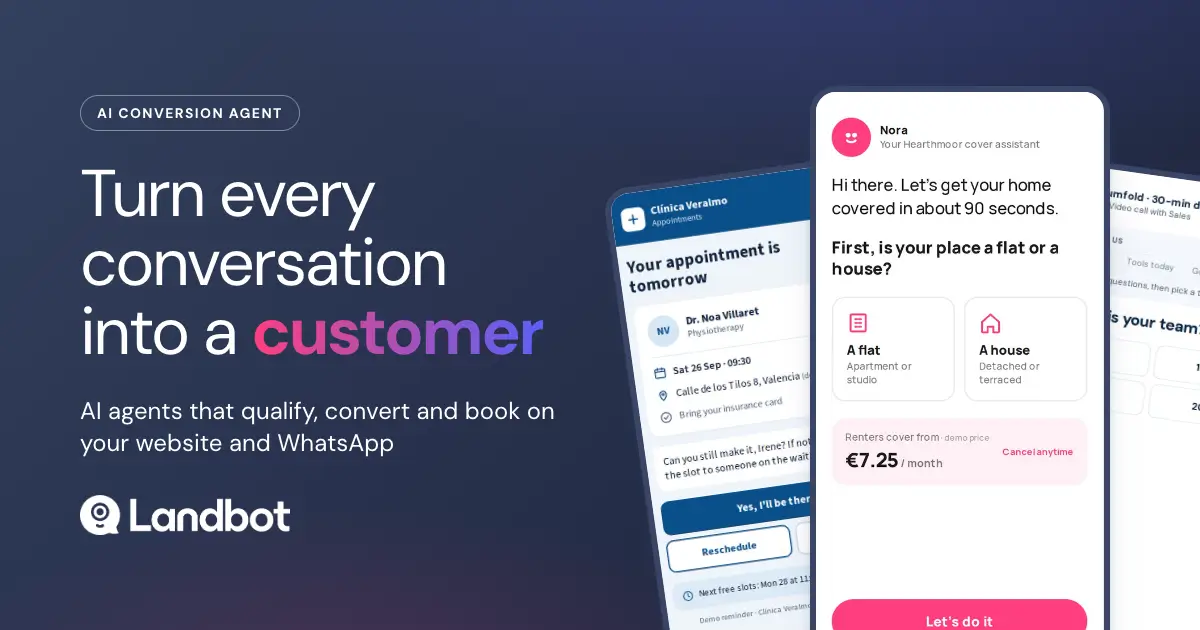
Official product preview, captured October 27, 2026; the channel and allowance matter more than the promotional layout.
The AI agent product page presents web and WhatsApp experiences. I would ask the person responsible for leads to edit a qualification rule and inspect the resulting CRM record, rather than judging the tool only through a developer demo.
My test would include a visitor who changes their company size after starting the flow. The final record should contain the correction, and the next step should reflect it; this exposes whether the implementation treats collected fields as a coherent record.
Pricing checkpoint: the live USD view lists Starter at $36 per month billed annually, including 500 chats and 100 AI chats per month. Professional lists $88 annually-equivalent, with 2,500 chats and 300 AI chats; branding removal and using your own WhatsApp number have higher-plan or add-on requirements, according to Landbot pricing.
The same page exposes EUR offers, so confirm currency and billing period before comparing quotes. It also separates extra chat charges from AI chat charges and WhatsApp expansion; the headline platform price is only the start of a channel budget.
I would choose it when: marketing should own the qualification experience. If the desired deliverable is a broader paid AI workspace or phone service, evaluate that requirement directly rather than stretching a lead funnel to cover it.
7. Vapi: my pick for a phone-first application
Vapi is the specialized option when the thing you are shipping is a conversation on a phone line. I would bring it into the comparison when call behavior, speech providers, and backend tools deserve dedicated engineering attention.
Official product preview, captured October 27, 2026; it is not evidence of measured call quality.
The Vapi introduction describes inbound and outbound calls, selectable speech and language-model components, tools, and specialized assistants. That makes it a different buying decision from a portal builder, even if both use an LLM.
I would start with a bounded inbound appointment task. Interrupt the agent, correct a name, let a tool time out, and request a person; listen to the actual call rather than reviewing only a transcript.
Pricing checkpoint: the public calculator shows $50 in hosting fees for 1,000 minutes, equivalent to $0.05 per minute, with transcription, intelligence, voice, transport, and optional support packages shown separately. Its displayed estimate varies with the selected providers; use Vapi's calculator for your own combination.
I would also model peak simultaneous calls, number costs, retention, and the handoff destination. A monthly volume estimate can look comfortable while a small burst of callers exposes a capacity or staffing problem.
I would choose it when: calls are the core product and someone can own their behavior. Moving an existing chat agent into voice still requires redesigning for interruptions, spoken confirmations, silence, and recovery.
How I would compare Voiceflow alternatives on cost
I would give each shortlisted vendor the same workload description, then let its actual meter produce the estimate. Do not ask a message-credit platform and a per-minute platform to compete on an unexplained “cost per chat.”
My worksheet would include the service location, editors, customer access model, typical task length, model selection, tool calls, voice duration where relevant, handoff rate, and expected burst traffic. I would also record which allowances reset, which purchases expire, and whether automatic recharges are enabled.
A proposed scenario: imagine 800 monthly customer sessions, each containing six customer messages. That implies 4,800 customer messages, not 800 message credits; model weighting, retries, and other billable events could change the actual bill.
For a calling scenario, 200 calls lasting four minutes imply 800 minutes before transfers, retries, and vendor billing rules. These are hypothetical workload counts, not prices or measured customer behavior.
Add the labor to keep the service useful: updating knowledge, investigating bad answers, changing integrations, handling customer questions, and retesting releases. Our AI agent cost guide explains why the subscription is only part of delivery cost.
A migration pilot I would run before switching
I would choose one contained workflow and write down its required behavior before rebuilding it. This is a proposed pilot, not a claim that the seven platforms have already passed it.
Keep approved source content and allowed actions constant across candidates. Where a platform needs an external service, include that service in the scope and price rather than marking the feature complete because an API exists.
- Answer a supported question. Record the source and whether the answer respects the policy's limits.
- Ask an unsupported question. Require a clear boundary and a useful next step.
- Correct a collected detail. Check the downstream record and any dependent decision.
- Fail an external tool. Require an honest status without a fabricated confirmation.
- Request a person. Verify the receiving queue, context, and customer fallback.
- Try the wrong identity. Use synthetic accounts to check that another customer's content remains unavailable.
Repeat those six cases with a paraphrase, giving you a proposed twelve-case starter set. Record expected behavior, observed behavior, supporting trace, cost, and the person responsible for each failure.
For knowledge problems, use our knowledge base guide to separate missing information from retrieval problems. For the broader release process, the agent evaluation guide explains how a small test set becomes a repeatable regression check.
I would move traffic only after the must-pass cases work and a rollback is rehearsed. Preserve the old deployment until someone has verified the new customer's complete path, including login, payment where applicable, the useful task, and escalation.
Prepare the customer handoff before launch
I would deliver a short operating document with the agent. Include its purpose, approved sources, allowed tools, access model, escalation destination, and the person who can pause it.
The customer should be able to answer a practical question: what do I do when this gives a wrong answer? A transcript link, a way to report the issue, and an owner are more useful than a generic promise that the system learns over time.
Keep credentials out of that document. Record which organization owns each connection and how access is revoked, then test the revocation with synthetic data before handing over real accounts.
I would also agree which changes need a new evaluation. A changed source, a different model, a new Action, and an altered pricing entitlement can each change the service the customer receives.
Turn a useful agent into a client service
Explore branded access and billing around a focused workflow.
Choose a rollout you can reverse
I would start with a small, clearly identified audience and one deployment destination. That makes it easier to connect a failure to a specific version and restore the previous experience.
Write the rollback trigger before traffic moves. Examples include a broken login path, an incorrect entitlement, a failed escalation, or an action claiming success when the receiving system has no record.
Assign someone to inspect the first real interactions and compare them with the pilot. Passing a starter set is permission to observe a limited rollout carefully, not proof that every future conversation will work.
If the new tool cannot show a clear improvement on the requirement that motivated the move, I would keep the working deployment and revisit the design. A successful evaluation can end with staying on Voiceflow.
Voiceflow alternatives: buyer questions
Which alternative is best for an AI agency?
I would first ask what the agency sells. Paid advisory tools point me toward Pickaxe; custom support workflows toward Botpress or Chatbase; marketing funnels toward Landbot; engineering-heavy backends toward Dify or Rasa; phone services toward Vapi.
Is switching necessary to get human handoff?
No. Voiceflow documents live handoff, so inspect its current connection and your support-platform requirements first; ticket creation, a connected human conversation, and phone transfer are distinct outcomes.
Can I move an existing Voiceflow project automatically?
I would assume a rebuild until the destination's current importer proves otherwise. Reusable source files and instructions are different from portable variables, tool authentication, channel settings, analytics, or customer entitlements.
Is self-hosting the cheapest option?
It depends on the surrounding work. Price the license terms, model providers, infrastructure, maintenance, and customer delivery, then compare that complete service with the managed quote.
What would I do first?
Write one sentence explaining why the current setup fails the business, shortlist two candidates, and run the same bounded pilot on both. If your next step is selling a branded AI service, start with a focused Pickaxe agent and define the customer experience around it.