
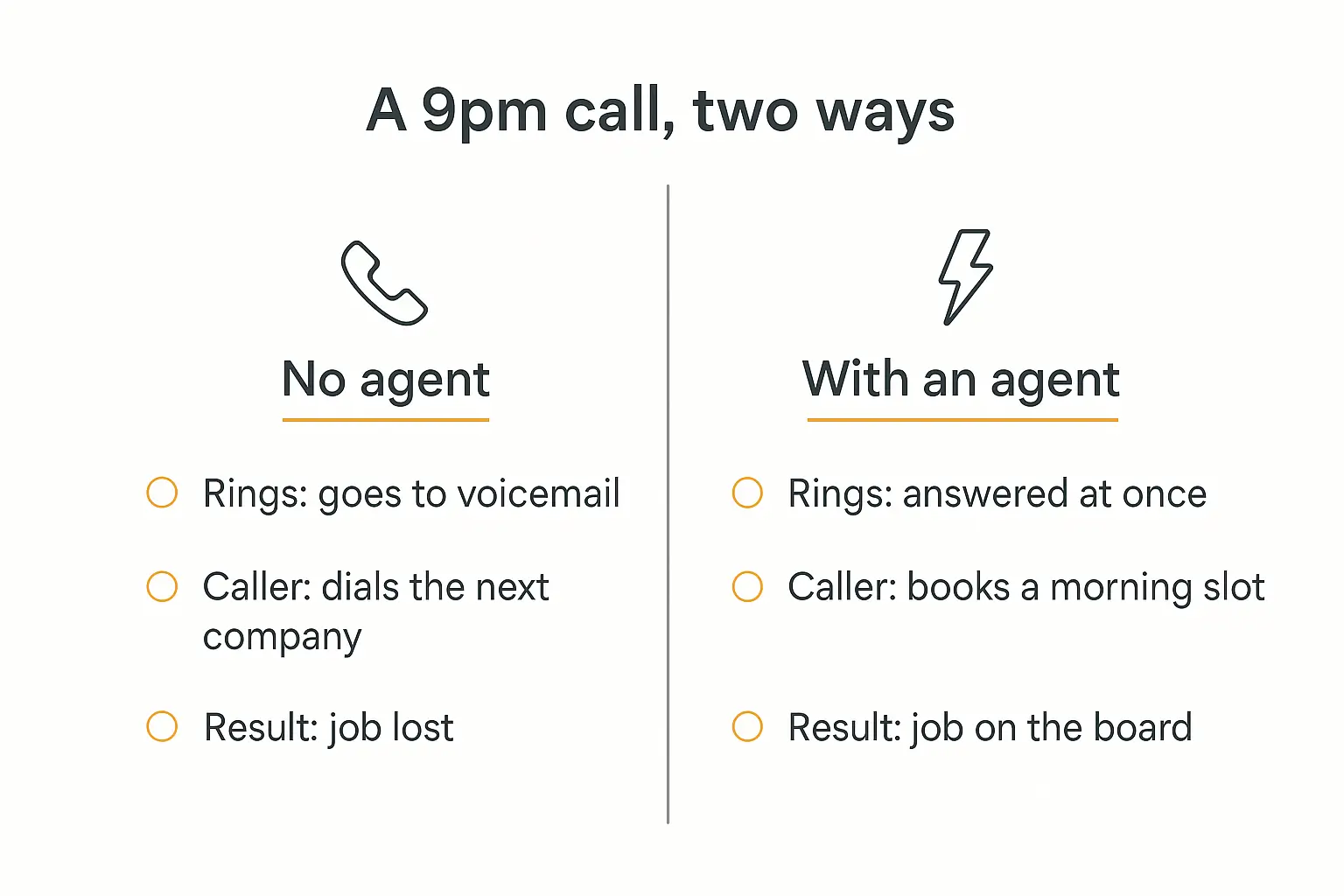
At 9:04pm on a Tuesday, a water heater lets go in someone's basement.
They do what everybody does. They Google "emergency plumber near me," and they start calling down the list.
The first shop rings out to voicemail. The second one has an answering service that takes a message and promises someone will call back in the morning. The third one picks up, asks two questions, and puts a truck on the schedule for 7am.
Shop number three just won a $2,400 job with about ninety seconds of conversation. Shops one and two never even knew the call happened.
That gap is the entire business case for AI agents for home services. Not a futuristic one. A boring, mechanical, revenue-shaped one that shows up on your P&L within about a month.
I've spent a while looking into how HVAC, plumbing, electrical, and roofing companies are actually deploying AI agents in 2026 — what works, what quietly fails, and what should never be handed to a machine. This is what I found.
Why home services is the clearest case for AI agents right now
Most industries have to squint to find an AI use case. Home services doesn't.
The business has a structural problem that's been there for decades: demand arrives outside business hours, and it doesn't wait.
A furnace dies at 11pm in January. A pipe bursts on a Saturday. A panel starts tripping on Sunday morning. Nobody schedules an emergency for Tuesday at 10am, but that's when your office is staffed.
The numbers around this are genuinely rough. Industry call data from Invoca's home services benchmarks and similar call-tracking reports put average missed-call rates for contractors somewhere in the 20–30% range of total inbound volume, with seasonal peaks pushing that far higher. When a heat wave hits, every HVAC phone in the county rings at once.
And the callers do not leave messages and wait patiently. Reporting on home services lead leakage consistently finds that the overwhelming majority of consumers hire whoever gets back to them first.
ServiceTitan's benchmark data has the average home service company taking around 42 minutes to respond to a new lead. In a market where the first responder usually wins, 42 minutes is a rounding error away from not responding at all.
The labor math makes it worse every year
You can't hire your way out of this anymore, and that's new.
JLL's analysis of the skilled trades shortage projects millions of unfilled trade positions by 2030. The Bureau of Labor Statistics has HVAC tech employment growing faster than the average across all occupations, and electrical work faster still.
More demand, fewer people. That's the shape of the next decade.
Meanwhile a full-time CSR costs you $40,000–$55,000 loaded, covers roughly a third of the week's hours, and takes vacations. A 24/7 answering service is cheaper but famously converts poorly — they take messages, they don't book jobs.
So the phone gets answered when it gets answered, and the rest of the calls go to whoever picked up.
Contractors know this — they just haven't moved yet
Here's the part that surprised me.
ServiceTitan surveyed over a thousand residential and commercial contractors for its 2026 State of AI in the Trades report. 74% said they see AI as key to efficiency. But only about a quarter are actually using it.
That's a big gap between "I believe this" and "I did this." HousingWire's write-up of the same data framed contractors as broadly AI-skeptical in practice, and the stated barriers back that up: lack of training (44%), integration complexity (44%), difficulty understanding the tools (38%), and unclear ROI (37%).
None of those are "the technology doesn't work." They're all "I don't know where to start."
Which is genuinely good news if you're a contractor reading this, or an agency selling to one. The window where this is still a competitive advantage rather than table stakes is open, and it won't be for long.
What an AI agent actually does on a service call
Let's get concrete, because "AI agent" is doing a lot of vague work in most articles about this.
An AI agent, in the sense that matters here, is software that can hold a conversation, look things up, make a decision inside rules you set, and then take an action in another system — book the slot, write the record, send the text. If you want the longer version, we wrote a full breakdown of what AI agents are and how they differ from chatbots.
The distinction that matters for a service business: a chatbot answers a question, an agent puts a job on the board.
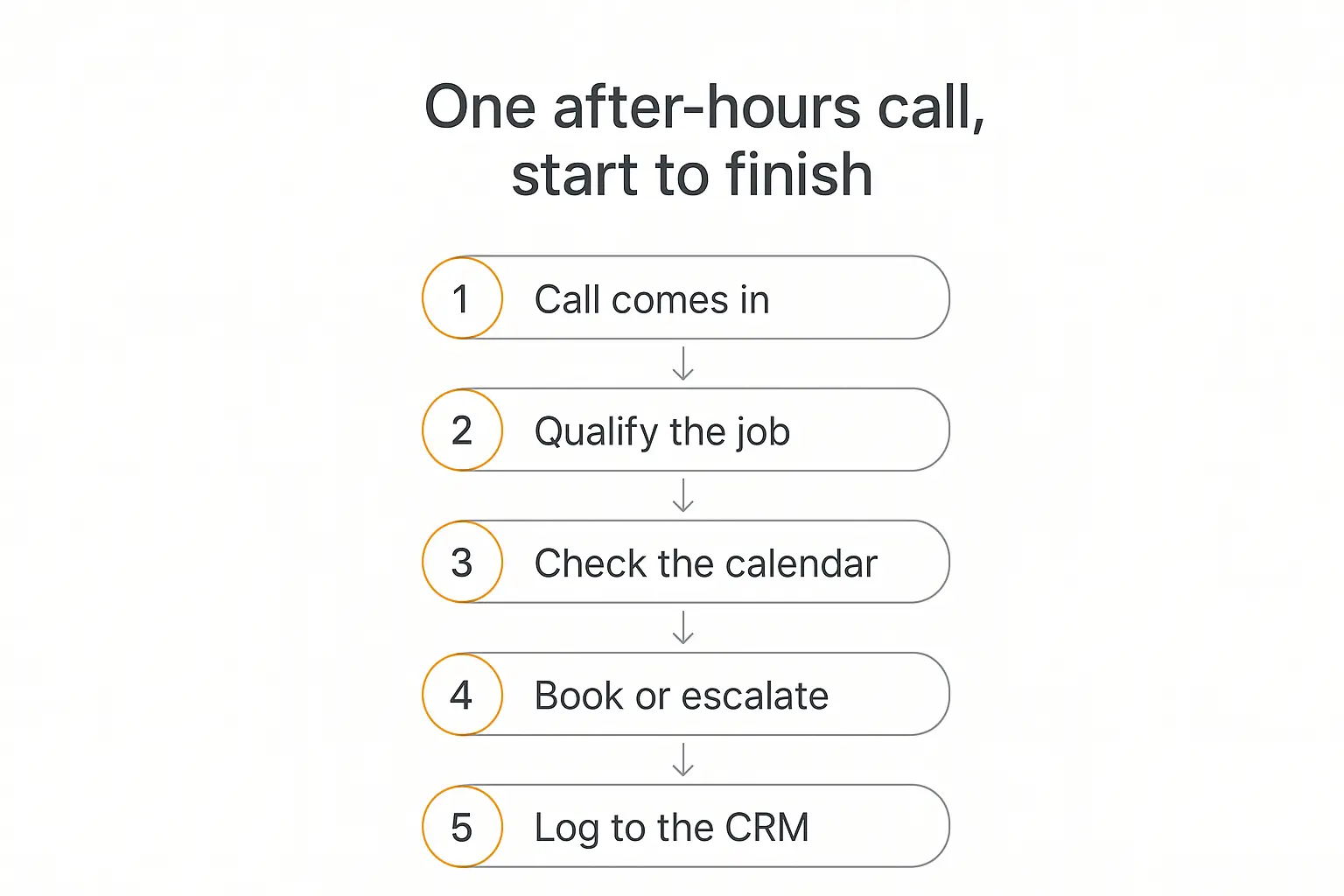
Here's what one after-hours call looks like end to end.
1. The call comes in. Phone, web chat, text, or a form on your site. Same agent, different doorway.
2. It qualifies the job. What's happening, where, how bad. Is this "no heat with an infant in the house" or "my thermostat looks weird"? Are you inside the service area? Are you a residential or commercial account? Is this a warranty call on work we did in April?
3. It checks the calendar. Real availability, not a guess. Which tech is on call, what's already booked tomorrow, whether the truck for that job type is free.
4. It books or escalates. Routine job with an open slot? Book it, confirm by text, done. Genuine emergency? Page the on-call tech. Something ambiguous or high-dollar? Take everything down and flag it for a human in the morning.
5. It logs everything. Customer record, job notes, source of the lead, the transcript. In ServiceTitan, Housecall Pro, Jobber, or whatever you run — not in a notebook by the phone.
Step 5 is the one people skip when they're evaluating these tools, and it's the one that decides whether the thing is useful in six months. An agent that books jobs but doesn't write to your system of record just creates a second pile of data for someone to reconcile.
Build the intake agent before the busy season, not during it
Pickaxe lets you stand one up, connect it to your scheduling tools, and test it against real call transcripts.
The three jobs to hand over first
If you try to automate everything at once you'll get a mess. Start with the three that have the clearest edges.
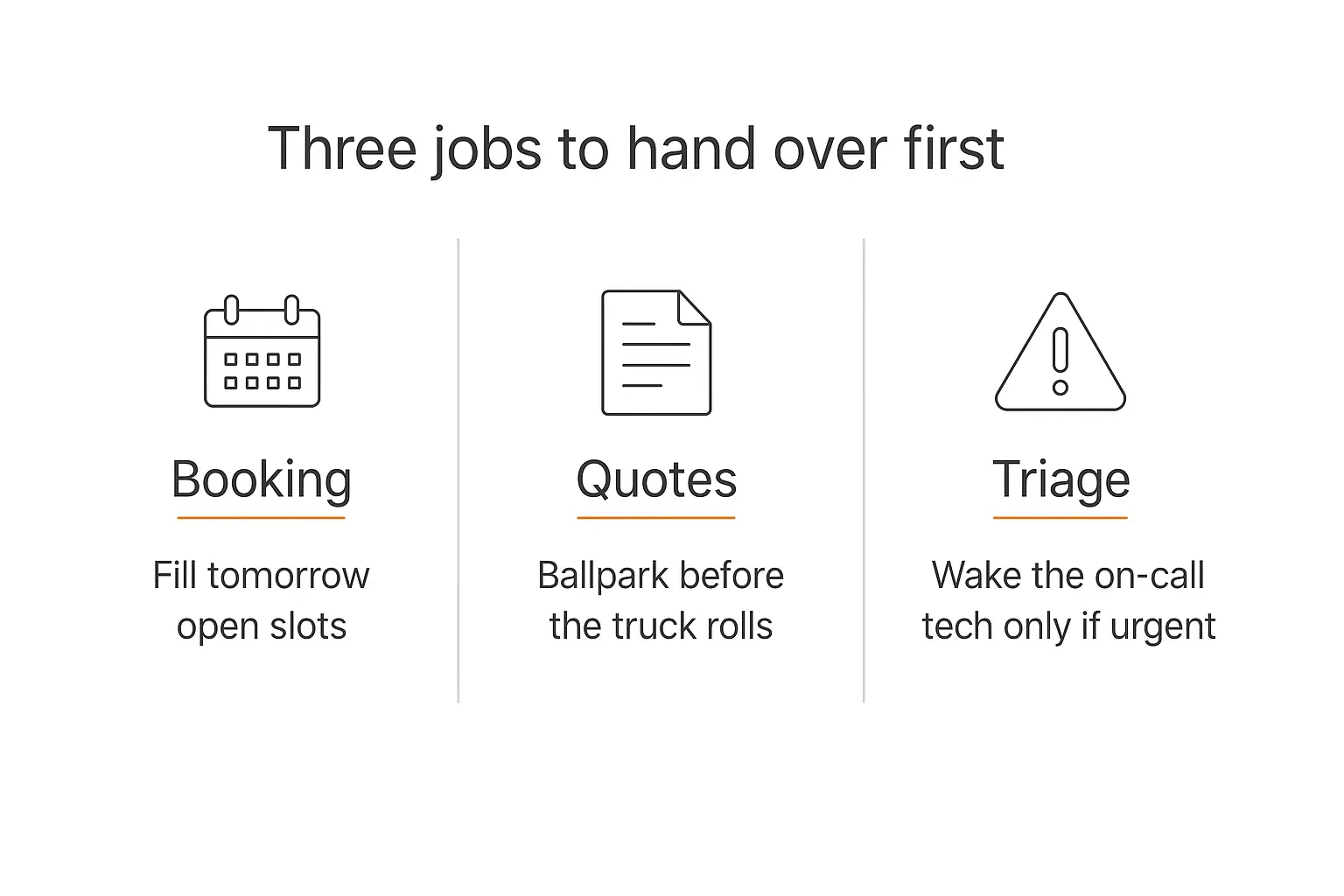
1. Booking
This is the highest-value, lowest-risk place to start.
Appointment booking is a structured conversation. There's a finite set of things you need — name, address, phone, job type, urgency, access notes — and a finite set of outcomes. That structure is exactly what agents are good at.
Industry benchmarks for well-configured voice agents put booking-type interactions among the highest automation rates of any call category, well above open-ended support calls. It's a form with a personality.
The practical wins beyond after-hours coverage:
- Overflow during peak. Your CSR is on line one; lines two through five don't roll to voicemail.
- Filling tomorrow's holes. A cancellation at 2pm leaves a gap. An agent can text the waitlist and fill it before dispatch even notices.
- Reschedules and confirmations. The most thankless calls in the business, and pure pattern-matching.
Start here. Get it right. Then expand.
2. Quotes and ballpark pricing
This one makes owners nervous, and it should — but the nervousness is usually pointed at the wrong thing.
Nobody's suggesting an agent should quote a full system replacement sight unseen. What it can do is handle the enormous volume of calls that are really just price discovery.
"What do you charge for a service call?" "Roughly what does a water heater run?" "Do you charge for the estimate?"
Those calls tie up your office all day, and half of them aren't real leads. An agent with your pricing bands loaded into its knowledge base can give an honest range, explain what moves the number, and then push toward the thing you actually want — a booked diagnostic.
The rules I'd set:
- Give ranges, never commitments. "Most water heater replacements run $1,800 to $3,200 depending on size and venting" is fine. "$2,100" is not.
- Always name the variables. Age, access, code requirements, permits.
- Anything above a dollar threshold you set goes to a human. Full stop.
- Log every quote conversation so you can see what people are actually asking about.
That last one is quietly valuable. After a month you'll have a list of the questions your market keeps asking, which is better market research than most contractors ever get.
3. After-hours triage
The point of after-hours coverage is not to answer everything. It's to correctly separate the three-in-the-morning emergencies from the can-wait-till-Monday calls — so your on-call tech only gets woken up when it's real.
Right now that decision is made by voicemail (badly) or by an answering service reading a script (also badly, and expensively).
An agent can be given genuine triage logic:
- Dispatch now: active water leak, no heat below a temperature threshold with vulnerable occupants, sparking or burning smell, sewage backup.
- Book first thing: intermittent faults, one non-working zone, slow drains, unit running but underperforming.
- Book normally: maintenance, quotes, non-urgent repairs, second opinions.
- Stop and redirect to emergency services: suspected gas leak, carbon monoxide alarm, anything involving smoke or fire.
That last category is not a triage tier. It's a hard stop, and we'll come back to it.
Done well, this replaces a $600–$1,500/month answering service with something that books instead of just taking messages — and it gets your techs a full night of sleep when the call didn't warrant a truck.
Five more jobs worth automating once the first three work
Once intake is stable, the same agent infrastructure covers a lot more ground.
Dispatch prep. The night before, an agent can pull tomorrow's board, check each job against the customer's service history, flag the ones where the same complaint has come up twice, and note which trucks need what parts. Your dispatcher walks in to a briefing instead of a puzzle. This is a natural fit for a scheduled agent that runs on a timer rather than one that waits for a call.
Review requests. Reviews decide who gets called first in local search, and almost every shop is bad at asking. An agent that texts at the right moment — after the job closes, before the invoice is forgotten — with wording tuned to the job type, will out-perform whatever your team remembers to do manually.
Maintenance plan renewals. Recurring revenue is the whole game in HVAC, and renewals leak because nobody has time to chase them. An agent that works the expiring list, explains the value, and books the tune-up is doing pure margin work.
Warranty and permit questions. "Is my compressor still covered?" "Did you pull a permit for that?" These are lookups, not judgment calls. Point the agent at your records and let it answer.
Recruiting intake. Given the labor shortage, the shops that respond to applicants fastest win techs the same way fast responders win jobs. An agent can screen for licenses, experience, and territory, then get a real interview on the calendar the same day. It's the same pattern as lead qualification, pointed at hiring.
What you should never hand to an agent
I'd rather be blunt about this section than sell you something. There are things that do not belong in an automated conversation, and in this industry a couple of them are safety issues.
Gas leaks, CO alarms, smoke, and fire. Not a triage category. If those words come up, the agent's only job is to tell the caller to leave the building and call 911 or the gas utility's emergency line, and then to alert a human on your side immediately. The CPSC's guidance on carbon monoxide is worth reading before you write that instruction, and worth writing into the prompt near-verbatim. This is one place where a scripted, non-negotiable response beats anything clever.
Firm pricing on large jobs. A number said out loud becomes a number the customer expects. Ranges only, thresholds enforced.
Diagnosis over the phone. An agent can gather symptoms. It should not tell someone their heat exchanger is cracked, or that a fix is safe to defer. That's a licensed tech's call and, in some jurisdictions, a legal one.
Liability, insurance, and damage claims. The second a call is about water damage in a finished basement or a claim against your work, a human takes it. Every time.
Anything a genuinely angry customer is saying. Escalate fast and warmly. Nobody has ever been calmed down by a bot, and trying is how you end up quoted in a one-star review.
The general principle is the same one we've written about in the context of human-in-the-loop design: automate the volume, escalate the consequence. If a mistake is expensive, dangerous, or hard to reverse, a person makes the call.
Connecting to ServiceTitan, Housecall Pro, and Jobber
This is where most home services AI projects live or die, so it's worth being specific.
Your field service management platform is the source of truth. If the agent can't read from it and write to it, you've built a very expensive answering machine.
The three major platforms all have paths in, and all three are building their own AI layers on top:
| Platform | Integration path | Typical fit |
|---|---|---|
| ServiceTitan | Public API, plus its own Titan Intelligence layer | Larger shops, multi-trade, heavy dispatch needs |
| Housecall Pro | API and a growing set of native AI features | Small to mid-size residential shops |
| Jobber | GraphQL API and app marketplace | Smaller crews, simpler workflows, tighter budgets |
If your platform's own AI features cover what you need, use them — that's the least work. The reason contractors end up building their own agent anyway usually comes down to one of three things: the native feature only handles one channel, it can't be shaped to how your shop actually triages, or it's locked behind a tier you don't want to buy.
When we've built this kind of thing on Pickaxe, the connection layer is Actions — the agent calls out to your scheduling API, your CRM, your SMS provider. For platforms without a clean direct integration, routing through Zapier, Make, or n8n via MCP covers the gap. We walked through that setup in more detail in our guide to connecting an agent to your existing apps.
One piece of hard-won advice: cap it at about four actions per agent. Past that, agents get unreliable about which tool to reach for. If you need more, split into a router agent that hands off to specialists — one for booking, one for quotes, one for triage.
How to actually build one
Here's the sequence I'd follow. It's about a week of real work, not a quarter.
Step 1 — Pull 50 real calls
Before writing a word of prompt, listen to or read fifty recent intake calls. Sort them into buckets: booking, pricing, emergency, warranty, reschedule, junk.
You'll find that a handful of patterns cover most of your volume. Those patterns are your build spec, and they're specific to your shop in ways no template will guess.
Step 2 — Write the knowledge base, not just the prompt
The agent needs facts, and this is where most builds are thin. Load it with:
- Service area — by ZIP, with the edge cases spelled out
- Trades and job types you take, and the ones you don't
- Pricing bands, diagnostic fees, and after-hours rates
- Hours, on-call rotation, and holiday coverage
- Brands you service and warranty terms
- Membership plan details and pricing
- Your actual triage rules, in your words
Vague knowledge produces vague agents. "We serve the greater metro area" is useless; a ZIP list is not.
Step 3 — Write the role prompt like you'd train a new CSR
Give it an identity ("you're the after-hours coordinator for [Shop], a family-run HVAC and plumbing company"), a tone, a hard scope, and explicit escalation rules.
Put the safety instructions in the model reminder — the instruction that gets prepended to every message — so they can't drift out of context on a long call. The same principles from our prompt engineering guide for agents apply here, with the extra note that in this industry the boundaries matter more than the personality.
Step 4 — Wire up two or three actions
Check availability. Create the job. Send the confirmation text. That's a complete loop, and it's enough to be genuinely useful.
Add the fourth only when the first three are boring.
Step 5 — Test it with your worst calls
Not your easy ones. Run the confused caller, the one who won't give an address, the one who's furious about a previous visit, the one describing a gas smell.
Especially that last one. Test the hard stop until you trust it. Our guide to testing and debugging agents before deployment covers the wider method, but for home services the safety cases come first.
Step 6 — Deploy narrow, then widen
Start with after-hours only. That's the window where the alternative is voicemail, so the bar is low and the upside is immediate.
Run it for two weeks. Read every transcript — yes, every one. Fix what's wrong.
Then add overflow during business hours. Then web chat. Then text. You can deploy the same agent across web, WhatsApp, and Slack without rebuilding it, so the expansion is configuration, not construction.
Selling this to contractors instead of running one?
Build once, white-label it, and deploy a branded version per client from a single workspace.
Voice, chat, or text — which channel first?
Contractors usually assume this has to be voice, because the phone is the business. Worth pausing on that.
| Channel | Strengths | Watch out for |
|---|---|---|
| Voice | Matches how customers already reach you; handles emergencies naturally | Hardest to get right; latency and interruptions break the illusion; highest per-minute cost |
| Text / SMS | Excellent for missed-call-text-back, confirmations, waitlist fills; cheap | Slower for true emergencies; needs opt-in compliance |
| Web chat | Cheapest to run and easiest to iterate; captures the research-phase customer | Lower urgency traffic; only reaches people already on your site |
My honest recommendation: start with text and web chat, add voice once your logic is proven.
The single highest-ROI move for most shops isn't a voice agent at all — it's automatic missed-call-text-back. Somebody calls, you don't pick up, they get a text within seconds that starts a real conversation and can book them. It's cheap, it's simple, and it recovers a meaningful slice of the calls you're currently losing outright.
Your triage logic, your pricing rules, and your escalation paths are the same whichever channel you use. Get them right in text, where mistakes are cheap and reviewable, then port them to voice. If you go the web route first, embedding the agent on your site is a fifteen-minute job.
What it costs and what it returns
Rough but honest math for a mid-size shop.
Costs. A self-built agent on a platform like Pickaxe runs modest monthly platform fees plus usage — plans start at $29/month, and the AI usage itself is measured in credits. Add SMS costs if you're texting, and voice minutes if you go that route. Purpose-built vertical voice tools run higher, often $300–$800/month for a small shop.
Call it $150–$600/month all-in for most setups, against $40,000+ for the CSR headcount it partially offsets and $600–$1,500/month for the answering service it can replace.
Returns. Don't model these as savings. Model them as recovered revenue.
Say you take 400 calls a month and miss 25% — 100 calls. If a third of those were real jobs and your average ticket is $450, that's roughly $15,000 a month walking to a competitor.
Recover even 40% of it and you're at $6,000/month against a few hundred in cost. That's the whole argument, and it's why this pencils out faster in home services than in almost any other vertical.
Track it properly rather than vibes-based, though. The metrics that matter: answer rate, booking rate, escalation rate, and average response time — measured before and after. Our guide to measuring AI agent ROI has the formulas, and the token economics piece covers keeping usage costs predictable as volume grows.
What a good intake conversation actually sounds like
Abstractions are easy to nod along to, so here's a concrete after-hours exchange — the kind that should be your target output.
Caller: "Hi, uh, I've got water coming out from under my water heater."
Agent: "That's not a fun one — let's get someone out to you. Is the water still actively coming out right now, or has it stopped?"
Caller: "Still going. There's a puddle."
Agent: "Okay. Do you know where your shutoff valve is? There's usually one on the cold line at the top of the tank. If you can turn that clockwise it'll slow the leak while we get to you."
Caller: "Yeah, I think I see it. Give me a second."
Agent: "Take your time. While you do — what's the address, and is that the best number to reach you?"
Notice what's happening in that exchange.
It reduces the damage first before it does anything commercial. It asks one question at a time instead of running a form. It uses the dead time productively. And it hasn't diagnosed anything or quoted anything — it's gathering facts and getting a truck moving.
From there it takes the address, checks whether it's in the service area, confirms this is an active leak (dispatch-now tier), pages the on-call tech, tells the caller a realistic window rather than a hopeful one, texts a confirmation, and writes the whole thing into the FSM with the transcript attached.
Total elapsed time: under two minutes. At 11pm. On a Sunday.
Two things in that script are worth stealing regardless of what you build:
- Damage mitigation before data collection. Shutoff valve first, address second. It's the right thing to do and it's the single biggest trust signal in the call.
- Realistic windows, not optimistic ones. An agent that promises "within the hour" because that sounds good is generating a complaint. Have it quote from actual on-call availability, and pad it.
If your agent's transcripts don't read roughly like this after two weeks of tuning, the problem is almost always the knowledge base rather than the prompt.
How this differs by trade
"Home services" gets treated as one thing. It isn't, and the intake logic changes meaningfully depending on what you do.
HVAC
The most seasonal, and the one where overflow handling matters most. Your call volume can triple in a heat wave, which is exactly when your CSRs are least able to answer.
Triage hinges on vulnerability and temperature, not just equipment status. No heat at 20°F with an infant or an elderly resident in the house is a different call from no heat at 55°F. Build that into the rules explicitly.
HVAC also has the richest maintenance-plan business, so renewal chasing and tune-up booking are worth automating early — the recurring revenue tends to fund the whole project.
Plumbing
The most genuinely emergency-driven trade, and the one where mitigation advice matters most. Shutoff valve guidance, as above, should be in the agent's first or second turn on any active-leak call.
Plumbing calls also have the widest price variance — a $180 drain clear and an $8,000 repipe arrive through the same phone number. Your dollar-threshold escalation rule earns its keep here.
Electrical
The trade with the tightest safety boundary. Sparking, burning smells, scorch marks around outlets, and anything involving a panel are hard escalations, not triage tiers.
Electrical also carries the heaviest permit and code load, which makes it a strong fit for the knowledge-base side — "do I need a permit for a panel upgrade in this county" is a lookup an agent handles well and your CSR probably guesses at.
Roofing and exteriors
Different rhythm entirely. Fewer true emergencies outside storm events, much longer sales cycles, much larger tickets.
The agent's job here is less about dispatch and more about speed-to-lead and qualification — capturing storm-season inquiries the instant they arrive, checking whether it's an insurance claim, and getting an inspection on the calendar. Because tickets are large, the escalation threshold should be low: qualify thoroughly, then hand to a human closer.
Mistakes I'd avoid
Pretending it's a person. Give it a name, sure. But if a caller asks, it should say it's an AI assistant. Getting caught lying about it costs more trust than the automation was ever going to earn, and disclosure rules are tightening in several states.
Launching in peak season. Building this in the middle of a July heat wave is how it gets abandoned. Build in the shoulder season, test on low-stakes volume, be ready when it matters.
Skipping transcripts. For the first month, read everything. The gap between what you think customers ask and what they actually ask is always bigger than expected.
Over-automating too early. Nine cleanly booked jobs and one clean escalation beats ten jobs where two are wrong. Escalation is a feature, not a failure — and a shop that escalates too readily is fixable, while one that books ghost appointments is not.
Leaving the data stranded. If it doesn't write to your FSM, it doesn't count.
Frequently asked questions
Will customers accept talking to an AI agent?
Mostly, if it's fast and it solves the problem. What they don't accept is a loop that wastes their time — and the honest comparison point isn't a person, it's voicemail. Nobody prefers voicemail.
Can an AI agent handle emergency dispatch?
It can triage and page the on-call tech, which is the useful part. It should not decide whether something is safe, and it should hard-stop to 911 or the gas utility on any suspected gas, CO, smoke, or fire call.
Do I need to replace ServiceTitan, Housecall Pro, or Jobber?
No, and you shouldn't. The agent is a layer in front of your FSM, reading availability and writing jobs. Your platform stays the source of truth.
How long does it take to build?
A working after-hours booking agent is a few days of focused work on a no-code platform if your service area, pricing bands, and triage rules are already written down. The gathering usually takes longer than the building.
What about multi-location or franchise operations?
Same agent, different knowledge base and routing per location. Running it from one workspace with per-location configuration is far more maintainable than separate builds — which is also how agencies serve several contractor clients at once.
Where to start this week
If you take one thing from this: the phone is your highest-leverage broken system, and it's fixable in about a week.
Pick the narrowest useful slice — after-hours booking. Write down your triage rules and your pricing bands, because you'll need them written down regardless. Build the agent, connect it to your calendar and your FSM, and test it against your ugliest calls before it touches a real customer.
Then read the transcripts and fix what's wrong. That's it. That's the project.
The contractors who move on this in 2026 get a real edge, because three-quarters of the industry believes in it and only a quarter has done anything. That asymmetry doesn't last.
If you want to build one yourself, Pickaxe handles the whole stack — agent, knowledge base, Actions into your scheduling tools, and a branded portal if you're deploying to clients rather than running it in your own shop. You can pick whichever model fits your budget and swap it later. And if you're an agency, the same build resells to local service businesses pretty comfortably.
Either way — go listen to fifty of your own calls first. Everything else follows from that.