
You built an AI agent. It answers questions well, it knows your product, it doesn't hallucinate your refund policy. Now comes the part nobody prepares you for: getting it in front of the people who actually need it.
Because a brilliant agent that lives inside a builder tab is worth nothing. The value shows up the moment it's answering a customer at 11pm on your website, replying to a WhatsApp message while you're asleep, and sitting inside your team's Slack so nobody has to dig through the wiki again.
That's what it means to deploy an AI agent — to take the thing you built and place it wherever your customers and coworkers already are. And the good news is that in 2026 this rarely means writing code. It means flipping on the right channels and wiring each one up once.
This guide walks through the three channels most businesses actually want — your website, WhatsApp, and Slack — plus the stuff that makes or breaks a deployment: keeping it one agent everywhere, controlling who gets access, and testing before you go live. Let's get into it.
What "Deploying an AI Agent" Actually Means
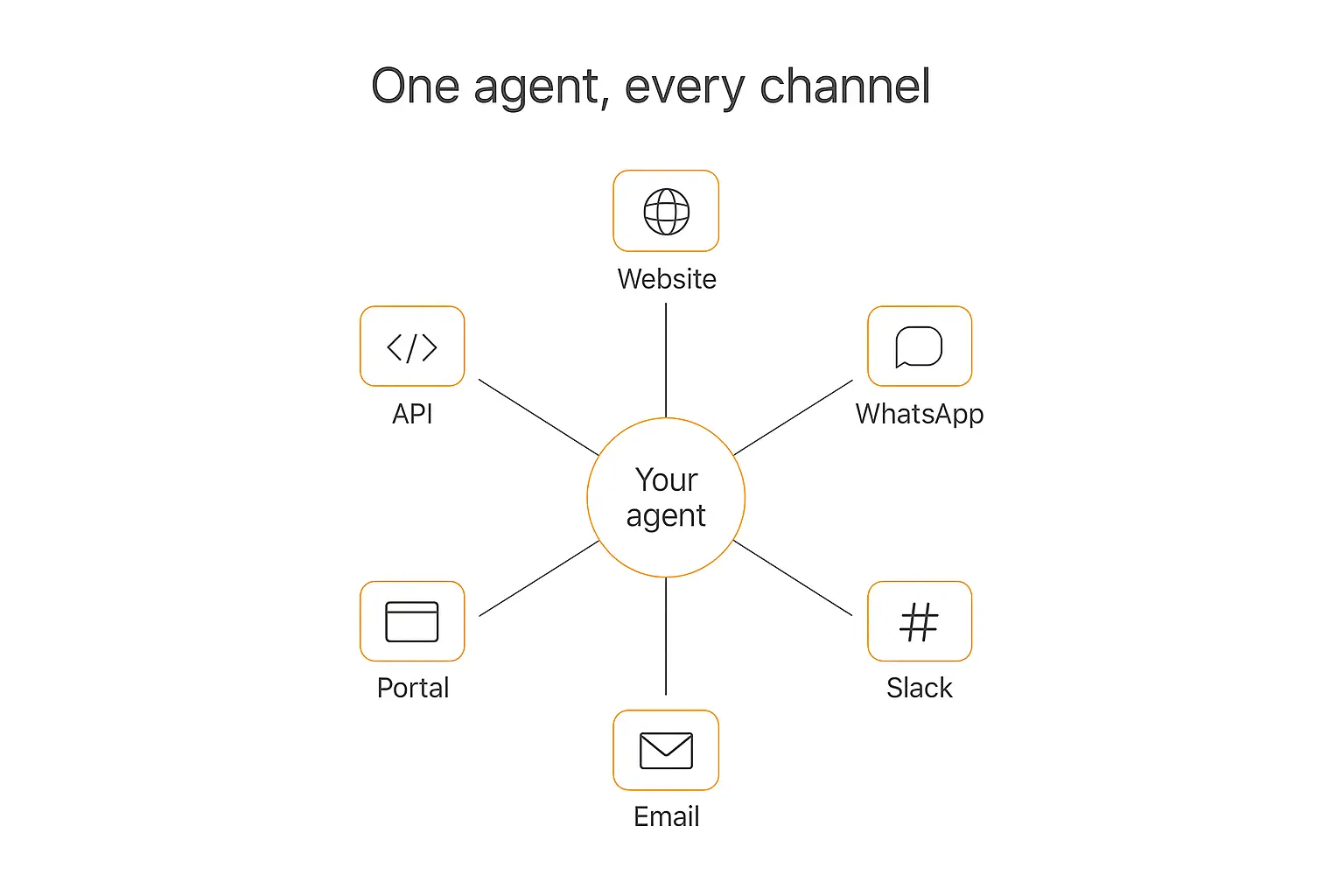
Here's the mental model that makes all of this click: one brain, many doors.
Your agent — its instructions, its knowledge, its personality, its guardrails — is a single brain. A channel is just a door people walk through to reach that brain. The website widget is one door. WhatsApp is another. Slack is a third.
You don't build a separate agent for each channel. You build the agent once, then open the doors you want. Change the brain, and every door reflects it instantly.
This is the difference between multi-channel and omnichannel. Multi-channel means you have a bot on three platforms that were each set up separately and drift apart over time. Omnichannel means one connected system with consistent knowledge, memory, and behavior no matter which door someone uses. You want the second one.
Most modern platforms — including Pickaxe, which is what I use for this — are built around that single-brain idea. You configure the agent, and deployment is a set of toggles: embed here, connect WhatsApp there, add the Slack bot. Same agent, every surface.
Before You Deploy: The 4-Point Pre-Flight Check
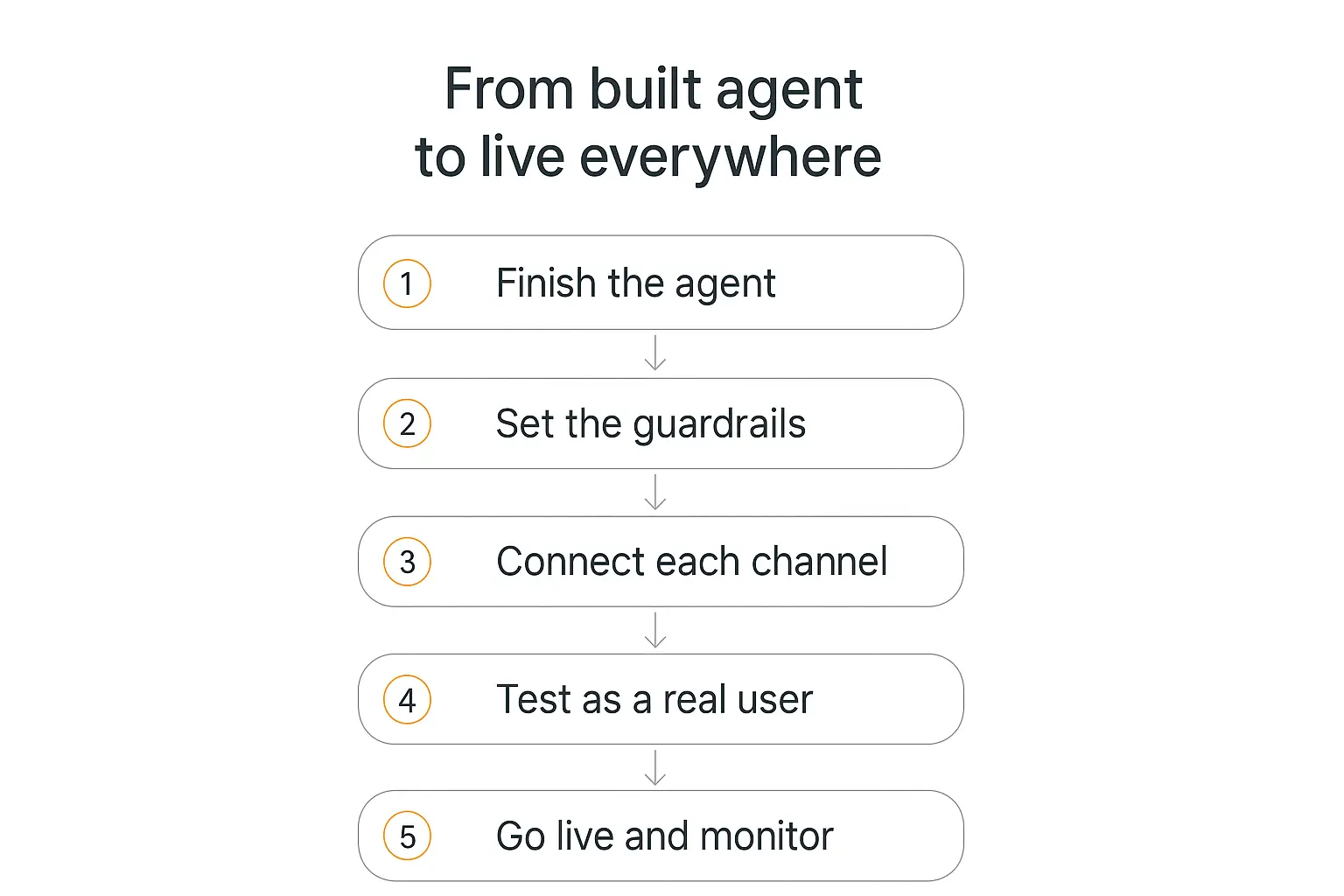
Deployment amplifies whatever you built. A great agent gets great everywhere. A sloppy one embarrasses you on three channels at once instead of one. So run this quick check before you open any doors.
1. The agent does one job well
The agents that survive contact with real users are focused. "Answer product questions and book demos" beats "be a general assistant for everything." Narrow the scope, nail it, then expand. If you're still shaping this, our guide on prompt engineering for AI agents covers how to write instructions that actually hold up.
2. The knowledge base is real and current
Your agent is only as good as what it knows. Upload your docs, help center, product pages, and policies — and make sure they're the current versions. On Pickaxe you can point the Knowledge Base at files, URLs, and connected apps like Notion or Google Drive, and it auto-refreshes daily so answers don't go stale.
3. The guardrails are set
Before an agent talks to the public, it needs boundaries: topics it won't touch, when to hand off to a human, what it should never promise. A Model Reminder — an instruction prepended to every message that only the AI sees — is the cleanest way to enforce the non-negotiable rules on every single reply.
4. There's one source of truth
This is the one people skip. Decide now that the agent config is the single place you edit behavior. When you fix a bad answer, you fix it in the agent — not in a channel-specific override that silently makes WhatsApp behave differently from your website. One brain. Always.
How to Deploy an AI Agent to Your Website
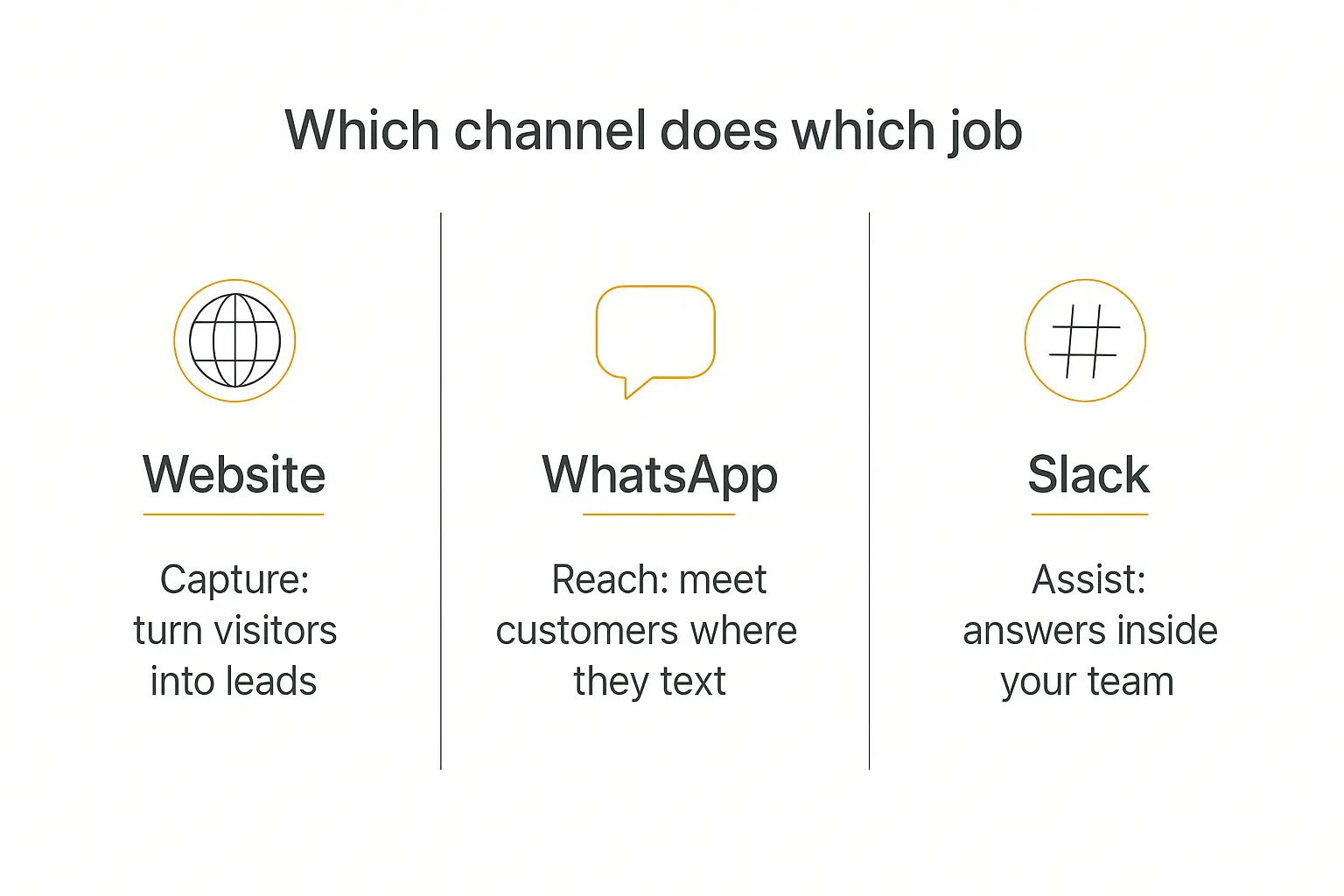
Your website is the highest-intent channel you have. Everyone who lands there already wants something. An agent turns a static page that answers nothing into one that qualifies leads, books calls, and handles support in the moment curiosity strikes.
There are a few ways to put an agent on a site, and they suit different goals.
Option 1: The chat widget (the default)
This is the little bubble in the bottom corner that expands into a chat. It follows the visitor across every page and doesn't take over your layout. For 90% of businesses, this is the right call — it's unobtrusive and it's where users now expect to find help.
On Pickaxe you generate an embed snippet and paste it once into your site. It works on Wix, Squarespace, Webflow, WordPress, Kajabi, Notion, and basically anything that lets you drop in a line of HTML. No developer, no rebuild.
Option 2: The inline embed
Sometimes you want the agent to be the page, not hover over it — a full-width assistant on a dedicated "Ask us anything" page, or embedded inside a specific product section. That's an inline embed: the agent renders directly in the page flow instead of as a floating bubble.
Option 3: A hosted page or direct link
If you don't want to touch your site at all, you can point people to a hosted page for the agent or share a direct link. Great for putting an agent in an email, a link-in-bio, an ad, or a QR code on physical signage. Zero embedding required.
Option 4: A branded portal
When you have more than one agent — or you want a polished, branded home for them with login and billing — you deploy a portal. It's a multi-agent hub on studio.pickaxe.co or your own custom domain, with folders, navigation, and access control built in. This is the move for agencies and anyone selling access rather than giving it away.
Whichever route you pick, the setup is the same shape: choose the deployment type, grab the snippet or link, drop it where you want it. We wrote a full walkthrough of this in how to embed an AI agent on your website if you want the step-by-step.
Build once, deploy to every channel
Pickaxe lets you ship the same agent to your site, WhatsApp, and Slack from one place.
How to Deploy an AI Agent to WhatsApp
WhatsApp is where a huge share of the world already talks to businesses — over two billion people use it, and in many markets it's the default way customers reach a company. Putting your agent there means answering people in the app they check dozens of times a day, not the one they have to remember to open.
A WhatsApp AI agent is your agent connected to a WhatsApp number. Someone texts the number, the message hits your agent, the agent replies — grounded in your knowledge base, on-brand, and instant.
The two ways to connect
There are broadly two paths, and it's worth knowing the difference because the landscape shifted in 2026.
The official WhatsApp Business Platform (Cloud API). This is Meta's sanctioned route. You connect a WhatsApp Business number, verify your business, and route messages through the API. It's the most durable option for a real company — official, stable, and it supports things like templated notifications. The tradeoff is a bit more setup and Meta's review process.
Platform-managed connections. Rather than wrangling Meta's API yourself, a deployment platform handles the plumbing. You connect your number through the platform's WhatsApp integration and it manages the messaging layer. This is the no-code path most Pickaxe users take — you enable the WhatsApp Bot deployment and follow the connection flow instead of touching the raw API.
One important note for 2026: Meta tightened its rules on general-purpose AI chatbots running through the Cloud API. If you're deploying a customer-service or sales agent for your own business, you're fine — that's exactly what the platform is for. Just make sure your use case is a genuine business assistant, not a repackaged general chatbot.
What to get right on WhatsApp specifically
- Keep replies short. WhatsApp is a texting app. Nobody wants a five-paragraph essay in a chat bubble. Tell your agent to answer in a sentence or two and offer to go deeper.
- Set expectations up front. A quick "Hi, I'm the AI assistant for [business] — ask me anything about orders, hours, or booking" tells people what they're talking to.
- Plan the human handoff. Some conversations need a person. Make sure the agent knows when and how to escalate — for many teams that means pinging a human in Slack, which brings us to the next channel.
How to Deploy an AI Agent to Slack
Website and WhatsApp are outward-facing — they're for customers. Slack is the inward one. Deploying your agent to Slack puts it inside the tool your team already lives in, so nobody has to leave their workflow to get an answer.
This is where an agent quietly becomes indispensable. An onboarding assistant new hires can @mention. A support agent that drafts replies. An internal knowledge agent that actually knows your docs so people stop asking the same question in #general. How that compares to a dedicated intranet is the subject of employee portal software.
How the Slack deployment works
Slack deployment installs your agent as a Slack app in your workspace. Once it's in, your team interacts with it two ways:
- Direct message the agent, like you'd DM a coworker, for a private one-on-one conversation.
- @mention it in any channel to pull it into a group thread, where it responds inline.
Slack has invested heavily in native surfaces for AI agents — app threads, message streaming, suggested prompts — so a well-built agent feels like a real member of the workspace rather than a clunky bot.
Setup, step by step
On Pickaxe the flow is: enable the Slack Bot deployment on your agent, authorize the connection to your workspace via Slack's standard OAuth screen, choose which channels it can join, and you're live. The OAuth step is Slack asking your workspace admin to approve the app — nothing you have to configure by hand.
A couple of things that make Slack agents land well:
- Give it a clear name and avatar so people know what it does at a glance.
- Scope its channels. An HR agent belongs in #people, not blasting every channel.
- Format for Slack. Short answers, bullet points, and the occasional link read far better than dense paragraphs in a busy channel.
Beyond the Big Three: Email, API, and Portals
Website, WhatsApp, and Slack cover most businesses, but they're not the only doors. Once you understand the "one brain, many doors" model, adding more surfaces is just flipping more toggles.
Email bot. Some audiences still live in their inbox. An email deployment lets people send a message to an address and get an agent-powered reply — great for support queues and older or less chat-native customers.
API. If you have a developer or a product of your own, the API deployment gives you programmatic access to the same agent. This is how you drop the agent into a mobile app, a custom dashboard, or an automation in Zapier, Make, or n8n.
Portals. When you're running several agents — or selling access — a branded portal bundles them into one hub with login, navigation, and billing. For agencies white-labeling AI for clients, this is usually the main event, not an afterthought. It's also the surface where Pickaxe's monetization tools do the most work.
The point isn't to be everywhere at once. It's that when a new channel makes sense, you're adding a door to the same agent — not rebuilding from scratch.
Keeping It One Agent Across Every Channel
Here's the trap that catches people once they're live on three channels: the agent starts to feel different in each place. On the website it's chatty, on WhatsApp it's terse, in Slack it forgot a policy you updated last week. That's the multi-channel drift we talked about, and it's how a clean deployment turns into three half-broken bots.
Two things keep the brain unified.
Edit in one place. When you change the agent's instructions or refresh its knowledge, that change hits every channel at once because they all point at the same agent. Resist the urge to bolt on channel-specific hacks. If WhatsApp needs shorter answers, teach the agent to detect the channel and adapt — don't fork it.
Let memory follow the user where it can. Good platforms carry context so a returning user isn't starting from zero. On Pickaxe, memory and the agent's memory system keep conversations coherent. A lead who asked about pricing on your site shouldn't have to re-explain themselves if they later message on WhatsApp — within what each channel's identity allows.
The formatting differences are real and worth handling on purpose: a website widget can show rich cards, WhatsApp wants plain short text, Slack loves bullets and mentions. The best setup is one agent that's aware of these differences, not three agents that were each tuned in isolation.
Access Control and Monetization Across Channels
Deploying isn't only about where the agent shows up — it's also about who's allowed to use it, and whether they pay.
If your agent is a free helper on your marketing site, you want it wide open: no login, no friction. That's a public access group. Anyone can use it.
But if you're selling access — a premium research agent, a paid client tool — you want a member access group that requires signup, plus billing attached. On Pickaxe you can charge by subscription, by usage (credits or uses), or one-time, and connect Stripe to actually collect the money.
The important part: these controls travel with the agent across channels. Access rules and usage limits apply no matter which door someone uses — website, portal, or a shared link — and you decide per deployment what's public and what's gated. If monetization is your goal, our playbook on monetizing AI agents goes deep on which pricing model fits which product.
Test Before You Go Live (Every Channel)
The number one deployment mistake is shipping to a channel and assuming it works because it worked in the builder. Channels have quirks. Test each one as a real user before you announce it.
Use the builder's Preview to sanity-check core behavior first — Pickaxe even lets you impersonate specific users to see how the agent responds to different access levels. Then, on each live channel:
- Website: load the page on desktop and mobile, open the widget, ask three real questions, and confirm it doesn't blow up your layout or load slowly.
- WhatsApp: text the number from your own phone. Check reply speed, message length, and that links render properly.
- Slack: DM it and @mention it in a channel. Confirm it only speaks where it should and formats cleanly.
Ask the questions you're afraid of, too — the edge cases, the "can I get a refund," the off-topic curveball. You want to see the guardrails hold before a customer tests them for you. Our guide on how to test and debug your AI agent has a full pre-launch checklist.
Common Deployment Mistakes to Avoid
- Deploying everywhere at once. Launch on one channel, learn from real usage, then expand. Three simultaneous launches means three times the surprises.
- Forgetting mobile. Most website chat happens on phones. If the widget is awkward on mobile, most of your traffic gets the bad version.
- No human escape hatch. Every channel needs a way to reach a person. An agent that traps frustrated users is worse than no agent.
- Set-and-forget. Deployment is the start, not the finish. Watch the transcripts, find the questions it fumbles, and feed those back into the knowledge base. Track it with agent analytics so you're improving on data, not vibes.
- Letting channels drift. We've said it three times because it's the one that quietly ruins deployments. One brain, many doors.
Frequently Asked Questions
Do I need to know how to code to deploy an AI agent?
No. On a no-code platform like Pickaxe, deploying to your website is pasting one snippet, and WhatsApp and Slack are connection flows you click through. The hardest technical step is copying a line of HTML into your site — and even that's optional if you use a hosted page or direct link.
Can I really run the same agent on all three channels?
Yes, and you should. You build the agent once and enable each channel as a deployment. The agent's instructions, knowledge, and guardrails stay identical everywhere; only the surface changes. That's the entire point of the "one brain, many doors" model.
Is deploying to WhatsApp allowed after Meta's 2026 rule changes?
Deploying a genuine business assistant — customer service, sales, bookings for your own company — is exactly what WhatsApp's business tools are for. The rules tightened around general-purpose chatbots repackaged and run through the API, not around businesses using an agent to serve their own customers.
How much does it cost to deploy across channels?
The deployment itself is part of your platform plan — you're not paying per channel to flip a toggle. Your real costs are the platform subscription and the AI usage (the tokens each conversation consumes). We break the usage math down in the real cost of AI agents.
Which channel should I deploy to first?
Start where your audience already is. If most people find you through your site, deploy the website widget first. If your customers text more than they email, WhatsApp. If the agent is for your team, Slack. Nail one, then add the next.
Deploy Once, Show Up Everywhere
Deploying an AI agent used to mean a project. In 2026 it means opening the doors you want and keeping the brain behind them consistent.
Website for the visitors who already want something. WhatsApp for the customers who'd rather text. Slack for the team that shouldn't have to leave their workflow to get an answer. One agent, three doors, same knowledge behind all of them.
Start with the channel closest to your audience, test it like a real user, watch how people actually use it, and expand from there. The agent you already built is ready — it just needs somewhere to show up.
If you want to try it end to end, Pickaxe lets you build an agent and deploy it to your website, WhatsApp, and Slack from one place — with access control and billing already wired in. Build the brain once, then open every door.