
Here are two numbers from the same report that don't sit comfortably together.
In Kaseya's 2026 State of the MSP report, which surveyed over a thousand MSPs, 48% ranked AI and automation as the number one thing their clients want in 2026. In the same survey, only 13% said AI was a meaningful revenue stream for them.
Demand at 48%. Revenue at 13%. That gap is what this article is about.
I looked into the AI tools for MSPs that are genuinely in production right now, what they actually cost, and — the part almost no roundup covers — what MSPs running them say when the vendor isn't in the room.
Two things you should know before the list. First, most articles on this topic are stale on names: they still say "Asio," "Autopilot," and "Roar," all of which are retired branding. Second, they list vendor claims and stop. I've tried to include the criticism as well, because a tool's failure mode is more useful than its feature list.
The two jobs AI does inside an MSP
Sort every tool below by what it does to your P&L and they fall into two piles. This distinction is the most useful thing you can hold in your head while shopping.
Pile one: AI that makes your existing techs faster. Ticket triage, auto-summarization, guided resolution, patch automation. This is margin work. You bill the same and spend less delivering it.
Pile two: AI you can put on an invoice. Client-facing agents, branded self-service, AI readiness and governance engagements. This is revenue work — a new SKU, not a discount on an old one.
That 48%-versus-13% gap is what happens when an industry buys exclusively from pile one. And the GTIA State of the Channel 2026 survey found only about 3 in 10 providers have fully embedded AI into their business model, even though more than three quarters expect AI to be a top revenue growth category.
The demand is real. The productization isn't there yet.
Before the list: what unit are you being billed in?
This is the single most useful frame for this market, and I haven't seen another roundup mention it.
These tools are not priced on a common unit. They're priced on four incompatible ones, and which unit you're buying determines whether a tool gets cheaper or more expensive as your business grows.
| Billing unit | Tools | Gets expensive when… |
|---|---|---|
| Per technician | Atera, Halo, DeskDay | You hire, or use part-time/overflow techs |
| Per endpoint/device | SuperOps, NinjaOne, Huntress | Clients are device-heavy but low-revenue |
| Per managed client | Thread, ScalePad | You have lots of small clients |
| Per end user | CloudRadial, M365 Copilot | Clients have large headcounts |
Per-technician pricing rewards you for improving your tech-to-endpoint ratio — which is exactly what the AI is supposed to do. Per-endpoint pricing takes a cut of that improvement. Work out which side of that trade you're on before you get to a demo.
Quick comparison: 17 AI tools for MSPs
| Tool | Category | Best For | Starting Price |
|---|---|---|---|
| Atera | RMM + PSA | Autonomous ticket remediation | $129/tech/mo |
| NinjaOne | RMM | Endpoint density per tech | $1.50–$3.75/device |
| SuperOps | PSA + RMM | One modern platform | $1.50/endpoint/mo |
| ConnectWise | Platform | Large MSPs already in the stack | Quote only |
| Kaseya 365 | Platform bundle | Consolidating vendor sprawl | $129/user/mo (Ops) |
| Halo | PSA | All-features-included pricing | $99/agent/mo |
| DeskDay | Chat-first PSA | MSPs under ~5 techs | $59/tech/mo |
| Thread | AI service desk | Triage & deflection | $19/client/mo |
| Pia | Service automation | Onboarding/offboarding | Quote only |
| CloudRadial | Client portal + AI | Client-facing self-service | $145/mo |
| Rewst | Orchestration | Cross-tool automation | Quote only |
| Huntress | Managed security | 24/7 SOC without hiring one | $8.99/endpoint/mo |
| Auvik | Network monitoring | Network root-cause analysis | Quote only |
| Liongard | Asset intelligence | Config drift detection | Quote only |
| ScalePad | Client success | QBRs and lifecycle revenue | $250/mo (Lifecycle) |
| Pickaxe | Client-facing agents | Billable white-label AI | $29/mo |
| Microsoft 365 Copilot | Productivity | Reselling into your M365 base | $21/user/mo (SMB) |
Part 1: AI inside the RMM and PSA
The platform layer — where AI ships as part of the thing you already pay for. Zero integration work, but you get whatever the vendor decided to build.
1. Atera — the most aggressive bet on autonomous remediation
Atera has gone furthest on the idea that the agent should just fix the thing.
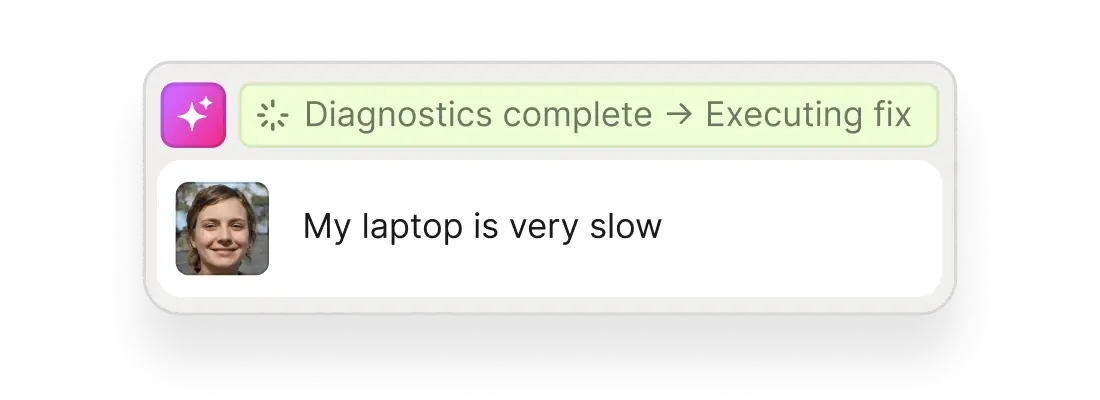
The homepage now leads with "Autonomous IT" rather than RMM. The centrepiece is Robin, an AI agent that takes an end-user complaint, runs diagnostics, and executes the fix. That's a different claim from "AI summarizes your ticket" — summarization saves ninety seconds, autonomous remediation removes the ticket.
MSP pricing is published and per technician: Pro $129/tech/month annually ($139 monthly), Growth $159, Power $209. AI Copilot is included at every tier; Robin is quote-only on top.
Per-technician pricing is unusual here and works strongly in your favour if your tech-to-endpoint ratio is good. Atera's CEO Gil Pekelman has been blunt about the strategy behind it, telling ChannelPro that MSPs clinging to hourly rates "will soon discover the market no longer needs them."
Now the thing you won't find in other roundups. Huntress's 2026 Cyber Threat Report found a 277% year-over-year increase in RMM tooling abuse, and named Atera specifically — reporting that over 50% of cases following suspicious Atera activity were directly linked to ransomware.
That is not a knock on Atera's security engineering. It's a consequence of being easy to deploy — attackers like the same properties you do. But if you run Atera, monitoring for unauthorized instances of your own RMM belongs on your detection list.
What stood out:
- Published per-technician pricing that scales with headcount, not client growth
- Robin targets full resolution, not just triage assistance
- RMM, ticketing, and patching in one genuinely all-in-one console
What could be better:
- Robin is quote-only, so the headline capability isn't in the published price
- The PSA side is thinner than ConnectWise or Halo for complex contracts
- Widely abused by attackers — needs its own detection coverage
2. NinjaOne — density, not dazzle
NinjaOne's AI story is quieter than Atera's, and that's roughly the point.
The flagship is Autonomous Patch Management — patching that runs, verifies, and reports without a human. Unglamorous, and probably the highest-ROI automation an MSP can switch on, because patching is both relentless and completely undifferentiated labour.
Pricing is per device and tiered: from about $1.50/month at 10,000 endpoints up to $3.75 at 50 or fewer. They publish the range but not a rate card, stating they don't want to interfere with how partners price their own services.
The recurring complaint from MSPs is the model rather than the product: per-endpoint licensing means your costs rise in lockstep with device counts even when those devices generate no extra revenue.
What stood out:
- Consistently among the best-reviewed RMMs for reliability and support
- Autonomous patching is mature, not a 2026 press release
- Clean UI that measurably reduces onboarding time for new techs
What could be better:
- No native PSA — you're pairing it with Halo, Autotask, or ConnectWise
- Less agentic than competitors if autonomous resolution is what you want
- Per-endpoint pricing plus minimum endpoint counts frustrate smaller MSPs
3. SuperOps — the modern all-in-one
SuperOps is what you'd design if you started an MSP platform recently instead of inheriting one from 2008.
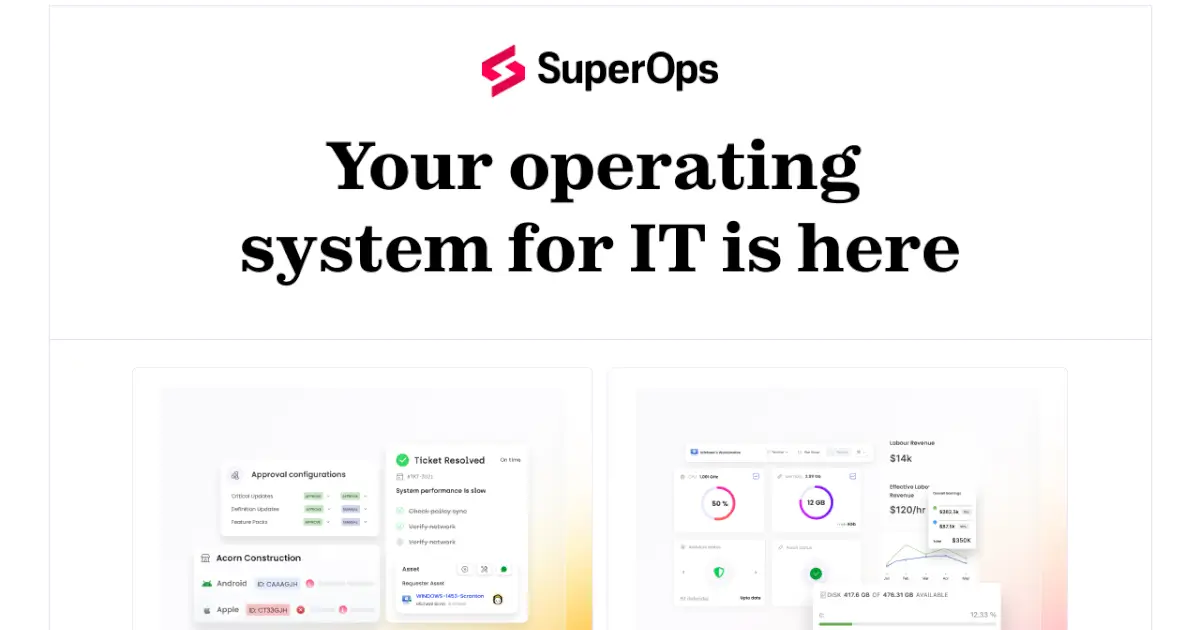
PSA and RMM in one product with Monica AI across ticketing and documentation. Pricing is refreshingly public: Prime from $1.50/endpoint/month dropping to $1.20 above 1,000 endpoints, Prime Plus at $3.00 (currently discounted to $2.50).
Published, tiered, per-endpoint pricing is rare enough in this market to be worth calling out on its own.
The honest caveat from practitioners is consistent: it's fast-moving and occasionally buggy. A common summary is that it looks modern and develops quickly "but with hiccups," and there was a platform outage within the last few months. That's the trade for a younger product.
What stood out:
- Transparent public pricing you can actually model
- One vendor for PSA + RMM without legacy integration seams
- Fast release cadence on AI features
What could be better:
- Stability wobbles and bugs are a recurring theme
- Reporting depth trails ConnectWise above roughly 50 techs
- Smaller integration marketplace than the incumbents
4. ConnectWise — agents everywhere, if you're already here
First, a naming correction, because most articles get this wrong: "Asio" was retired as branding in July 2026. It's now simply the ConnectWise Platform.
The platform ships purpose-built AI agents for SOC, IT support, endpoint management, service delivery, accounting, and compliance. ConnectWise's published partner claim is up to 30% more capacity with escalations down 80%+. Treat that as a vendor number, because it is one.
The engine underneath came from an acquisition: ConnectWise acquired agentic AI startup zofiQ in January 2026, citing 2–3 hours saved per agent per day and 90–97% triage accuracy.
Two honest notes. Partners report genuine confusion over what AI they're entitled to — Sidekick has been variously quoted at $2,500, then $500, then bundled free, while the newer agentic tier has been quoted to some partners in the tens of thousands annually. Get your entitlements in writing.
And migration reality: if you're not already on ConnectWise, this is not the reason to move. Platform migrations eat a year.
What stood out:
- Broadest set of function-specific agents on this list
- Deep PSA logic for complex contracts, agreements, and billing
- Enormous integration ecosystem
What could be better:
- Quote-only pricing, with inconsistent quotes reported for the AI tiers
- Migration cost is brutal if you're coming from elsewhere
- Partners report a rocky early experience on the new platform
5. Kaseya 365 — consolidation as the pitch
Kaseya's angle isn't "our AI is smartest," it's "stop paying nine vendors."
Kaseya 365 comes in Endpoint, User, and Ops editions. Ops is published at $129/user/month with a three-user minimum; Endpoint and User are quote-only. The AI assistant is Cooper Copilot — not "Cooper Insights," which is a separate product-usage telemetry feature, and not Kaseya Assist, which lives in IT Glue. Those three get conflated constantly.
Bundle economics are frequently very good. IT Glue documentation feeding AI context is a real structural advantage — an AI is only as good as the documentation it can read.
Two caveats. Kaseya's contract terms deserve legal review: the notorious three-year auto-renewal trap was fixed back in 2022, but the default 36-month term still means most buyers are committing for three years. And Kaseya's own broader AI roadmap — the agentic "digital specialists" — is early access late 2026 with general availability in 2027. Don't buy on that promise today.
What stood out:
- Bundle pricing genuinely undercuts buying the components separately
- IT Glue documentation as AI context is a structural edge
- One vendor across a very wide surface area
What could be better:
- 36-month default terms mean a three-year commitment in practice
- The most-hyped agentic features aren't generally available until 2027
- Product depth is uneven across the bundle
6. Halo — everything included, one price
Halo has the most straightforward pricing in the category, and its AI ships standard rather than as an upsell.
$99 per agent per month in the US (£66 in the UK), billed annually, with no tiers, no bolt-ons, and no locked features. AI Agents, AI Triaging, Suggested Replies, Sentiment Analysis, and Draft Responses are all in the base price, and end users are free.
In a market where every vendor has discovered that "AI" makes a fine excuse for a new SKU, "it's included" is a genuine differentiator. Note the company is mid-rebrand from HaloPSA to Halo — halopsa.com now redirects to usehalo.com.
What stood out:
- Single transparent per-agent price with every feature included
- Extremely configurable — close to bespoke without development
- Strong pairing with NinjaOne for RMM
What could be better:
- Configurability means a real setup project, and onboarding is mandatory and separately priced
- No native RMM — it's a PSA
- Per-agent pricing is steep if you have many light-touch users
7. DeskDay — chat-first PSA for small shops
DeskDay is the cheapest full PSA here, and the one I'd be most careful about.
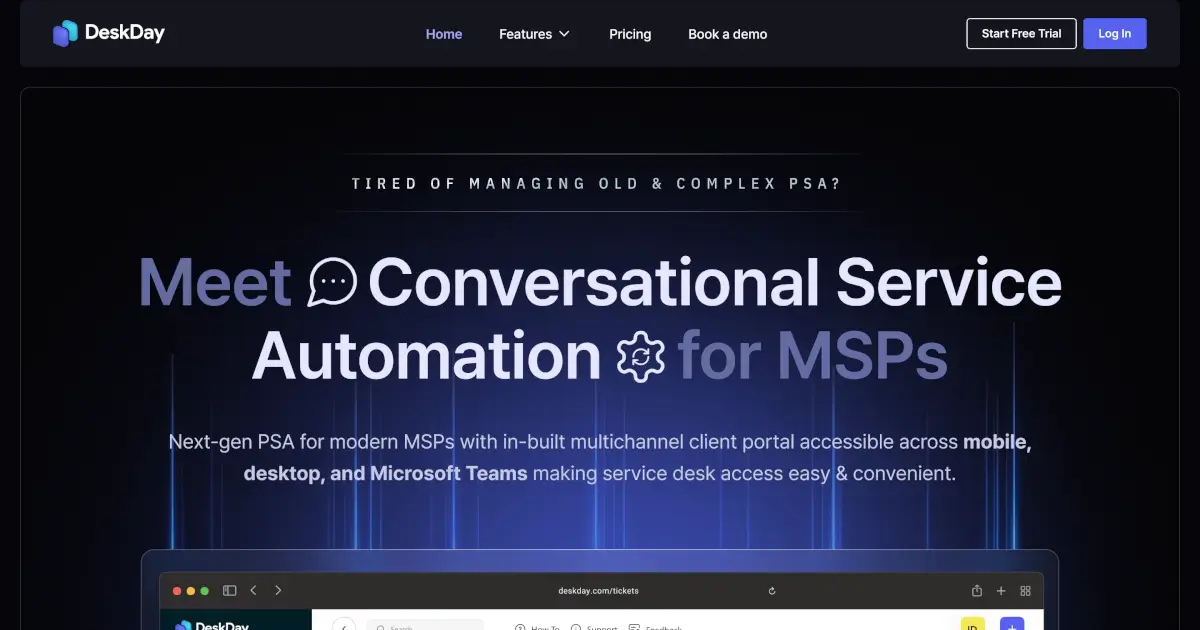
Standard is $59 per tech/month billed annually ($79 monthly), Enterprise $499/month including five seats. AI reply drafting, sentiment analysis, and guided resolutions are included, with a Helena AI copilot and MCP support in early access.
The chat-first design is genuinely native rather than bolted on, and free migration plus a real trial lowers the risk of looking.
But be clear-eyed about scale. The founder has publicly described DeskDay as best suited to MSPs with one to five technicians and still working toward feature parity with established platforms. It's a roughly two-dozen-person company with no disclosed funding, and third-party review sites show essentially zero MSP reviews. The pricing page also notes that AI agents will be charged separately once released — today's included AI is the assistive kind.
Replacing your system of record is the highest-risk migration you can make. That calculus is different with a small unfunded vendor.
What stood out:
- Genuinely chat-native, not email-with-chat-bolted-on
- No seat minimum on annual billing, free migration, 14-day trial
- MCP support in a PSA this small is forward-leaning
What could be better:
- Tiny vendor, no disclosed funding, almost no independent review evidence
- Vendor's own guidance caps it at roughly 1–5 technicians
- AI agents are a future paid add-on, not included
Your RMM's AI can't be sold to a client
Build a branded AI agent your clients log into — and bill for it monthly.
Part 2: AI service desk and ticket deflection
This is where the clearest ROI lives. Every ticket that never reaches a technician is pure margin.
8. Thread — the ticket triage layer
Thread sits on top of your PSA and does the work nobody wants: reading, categorizing, prioritizing, routing.
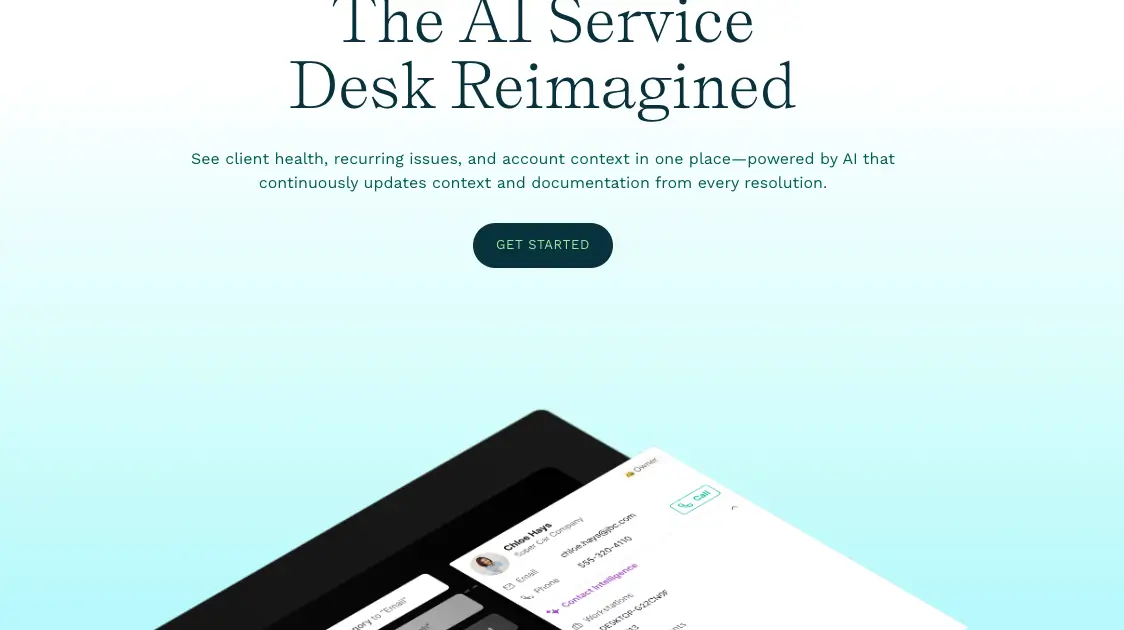
It's the best-funded pure-play here — $8M in August 2025 followed by $18M from Susquehanna Growth Equity in December 2025 — and the pricing is published: AI Essentials at $19 per managed customer/month, AI Pro at $34, with integrated chat at $5 and Voice AI at $15 as add-ons. There's a 60-day money-back ROI guarantee.
The Pro tier is where the actual agents live — Triage Agent, Reminder Agent, Contact Intelligence — alongside auto-prioritization, auto-titling, and automatic time entry.
Practitioner sentiment is the most genuinely split of anything on this list, and it splits on one question: does your PSA already do this?
MSPs where chat adoption landed are emphatic. One reported 30% of tickets arriving through Thread from day one, 15% of engaged users' tickets resolved without an engineer, and phone calls halved. Another, at a large MSP, said they no longer need dispatchers at all.
MSPs already paying for ConnectWise Sidekick are much cooler, because the triage overlaps: "we get sidekick in our current CW license and the ticket triage works the same." One user cancelled twice for exactly that reason. On the Halo side the framing was that the triage piece is nice "but only because Halo doesn't do it natively."
So the buying test is specific: price Thread against what your PSA vendor already gives you, not against doing nothing.
One more thing to pin down in the sales call. The unit is "per managed customer," but Thread's own copy elsewhere says "per license," and nowhere could I find a definition of whether that means a client company or a managed seat. The difference is enormous. Ask, and get the answer in writing.
What stood out:
- Published pricing and a 60-day ROI guarantee, both rare here
- Genuine GA voice agent — few MSP-native vendors have shipped one
- Works alongside ConnectWise, Autotask, and Halo — no migration
What could be better:
- Overlaps heavily with ConnectWise Sidekick, which you may already own
- Real capability is gated behind AI Pro plus add-ons — $49+ before chat
- The "managed customer" billing unit is ambiguous; clarify before signing
9. Pia — automating the runbook, not the reply
Pia targets the repeatable multi-step request rather than the conversation.
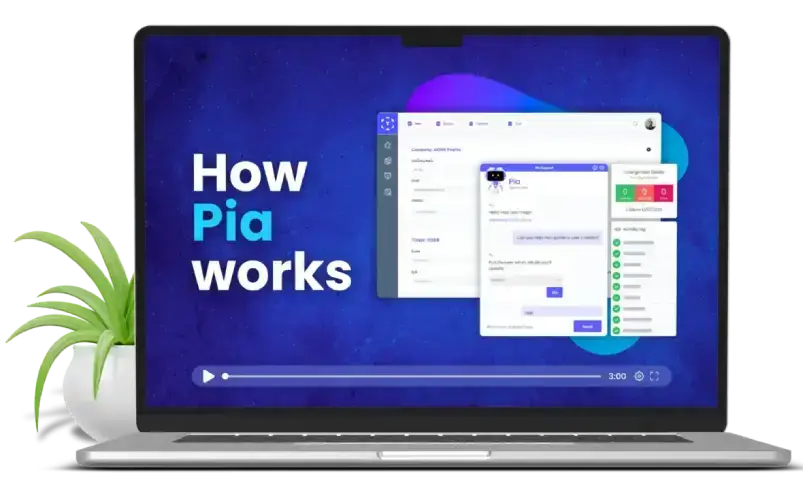
Pia ships pre-built automations for onboarding, offboarding, access requests, and mailbox changes, plus AI Ticket Triage, AutoStart, Auto Time Logging, Auto Close, and SmartForms for client intake. It's now on the Pax8 marketplace, which lowers procurement friction.
Onboarding and offboarding is the right place to start, for a reason that isn't efficiency: they're the workflows where human error creates security incidents. An offboarding that misses one SaaS account is a breach waiting to happen. Auto Time Logging is also a revenue feature rather than a cost feature, which is rarer than it should be.
The criticism is consistent enough across independent accounts that you should plan around it. Several MSPs report that a substantial share of what they were shown in the demo wasn't in the product when implementation started — one said "60% of what they sold us on was a flat out 'no' from their onboarding engineers." Others describe it as strong within its lane and inflexible outside it, with depth concentrated in identity management.
It also is not the low-effort alternative to Rewst. MSPs running it describe needing a dedicated person with PowerShell and YAML skills, with deployments measured in months.
None of that makes it a bad tool — the in-ticket chat integration is widely called best-in-class, and MSPs report meaningful reductions in new-user and termination handling time. It means: scope the demo claims in writing, and pilot before you commit.
What stood out:
- In-PSA chat execution is the slickest implementation of this pattern
- Pre-built runbooks beat building your own from scratch
- Auto Time Logging recovers billable time you're currently losing
What could be better:
- Repeated reports of demo-to-reality gaps — get commitments in writing
- Needs a dedicated technical owner; deployments run into months
- No published pricing, and depth thins outside identity management
10. CloudRadial — the client-facing front door
CloudRadial is the one tool in this section your clients actually see, which makes it the closest thing here to a billable product.
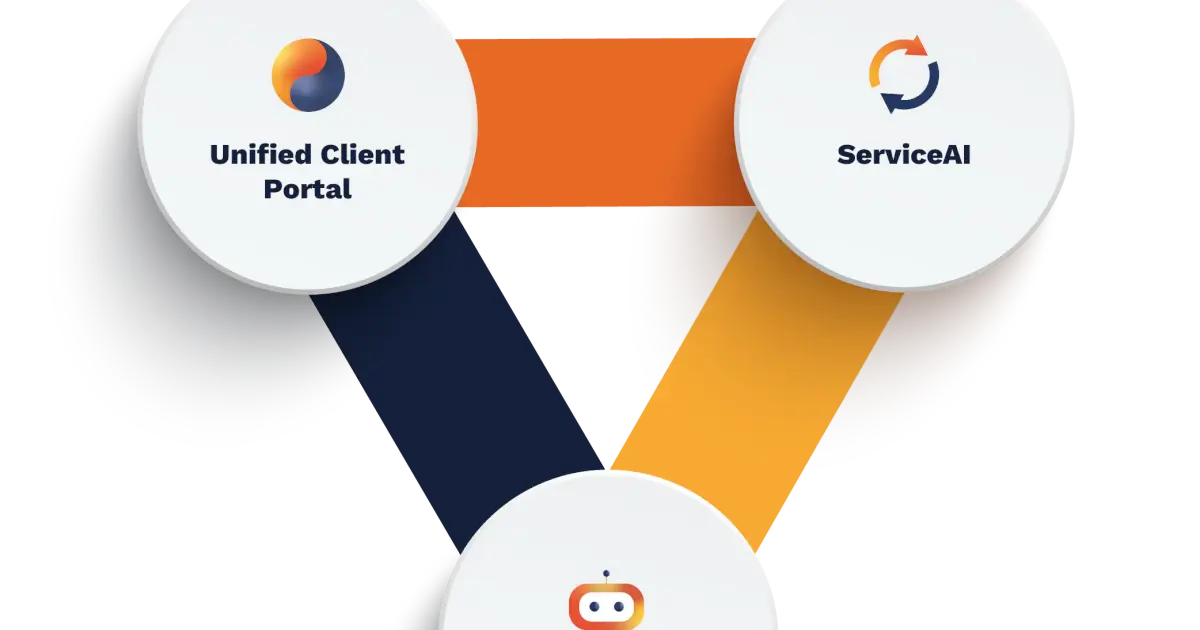
A unified client portal with three AI components: ServiceAI (tuned to your MSP), ChatAI (pre-triage and routing), and AutomationAI (no-code automation). Starter is $145/month, Professional from $795, Enterprise from $1,795.
Two things to note that the pricing table hides. Billing is per portal user — your clients' end users, not your staff — so cost scales with your clients' headcount. And the AI components require Professional, which is a 5.5× jump from Starter. Budget for $795, not $145, if AI is why you're buying.
That said, because it's client-facing and brandable, CloudRadial can anchor a premium support tier rather than just shaving internal cost. That's the pile-two move.
What stood out:
- Branded portal doubles as a retention and QBR tool
- Published pricing with a flat entry point
- Deflects tickets before they're created
What could be better:
- AI features require the $795 Professional tier, not the $145 entry
- Per-end-user billing scales with your clients' headcount, not your revenue
- Adoption is the hard part — clients have to actually use the portal
Part 3: Orchestration across the whole stack
11. Rewst — the connective tissue, with a warning label
Rewst is the tool MSPs get evangelical about, and it's the least "AI" thing on this list — which is exactly why it works.
It wires your PSA, RMM, M365, and distributors together into workflows built from maintained prebuilts called Crates. Pricing is usage-based or flat per managed endpoint, with no published figures. RoboRewsty is the in-platform assistant.
Here's the part worth internalizing: Rewst is where AI decisions become AI actions. An AI that decides a user should be offboarded is a suggestion. Rewst is what actually revokes the sessions, strips the licences, and forwards the mailbox.
Now the warning label, because this is the most consistently reported failure mode in the entire category.
Rewst needs a dedicated person, and MSPs who don't assign one fail with it. One MSP owner's account is representative:
"I went in with VERY clear expectations that I was going to need to dedicate 3-6 months of full time employee time to getting it to work and I was actually convinced by Rewst that's not true… After a year of fumbling around, we cancelled it with almost 0 progress."
Others land in the same place — "they should be honest about needing someone dedicated to it at least 50% of the time." Much of the real logic lives in Jinja templates, which is closer to development than configuration, and people who know it are hard to hire.
To Rewst's credit they've named the problem publicly. Their own 2026 State of MSP Automation report found 97% of MSPs plan to automate more but only 4% have reached top automation maturity, naming the skills shortage as the top barrier. At FLOW 2026 CEO Aharon Chernin put it as roughly 80,000 MSPs worldwide against about 1,000 people with the skills to do this work, and shipped an early-access AI-native workflow builder and MCP server aimed squarely at that gap.
MSPs who commit a person are genuinely evangelical, and the curated multi-tenant and GDAP handling is a real moat over rolling your own with n8n. Just budget the headcount before you sign.
What stood out:
- Connects tools no native integration ever will
- Curated multi-tenant/GDAP handling you'd otherwise maintain yourself
- The ROC and community support apparatus is unusually strong
What could be better:
- Realistically needs ~50–100% of one person; plan for it or don't start
- Jinja templating is a real skill barrier and those hires are scarce
- No published pricing, and poorly scoped workflows can do damage fast
Part 4: Security, network, and asset intelligence
12. Huntress — human SOC with AI underneath
Huntress is here partly as a corrective: their marketing deliberately leads with humans, not AI.
Managed EDR runs $8.99/endpoint/month, ITDR $4.80 per identity, SIEM $4.00 per source, security awareness training $2.08 per learner — with no MSP seat minimums and billing in arrears on deployed usage.
AI does volume triage; a 24/7 human SOC makes the call and stages remediation, included rather than upsold. For a category where a false negative is an incident and a false positive is an all-nighter, "AI-assisted, human-decided" is the right architecture.
Which is exactly why the most instructive Huntress story is a failure. A long-standing partner had their entire estate mass-isolated after the SOC read a scheduled authorized penetration test as a live domain compromise. Hypervisors lost storage connectivity and thousands of machines went down. On the after-action call, the partner reported there was no break-glass account with SSO enforcement on, no SOC phone number to initiate contact, and no way to pre-register authorized pentesting.
Read that as a lesson about autonomous containment generally, not just Huntress. Anything empowered to isolate endpoints needs a tested out-of-band path back in — before you need it.
What stood out:
- Transparent per-unit pricing with no seat minimums for MSPs
- Human SOC included at no extra cost
- ITDR for M365 covers where attacks actually land now
What could be better:
- Costs stack quickly once you add all four products
- Confirm break-glass access and pentest pre-registration during onboarding
- Not a complete security stack on its own
13. Auvik — network visibility and root cause
Auvik maps client networks automatically and increasingly tells you why something broke, not just that it did.
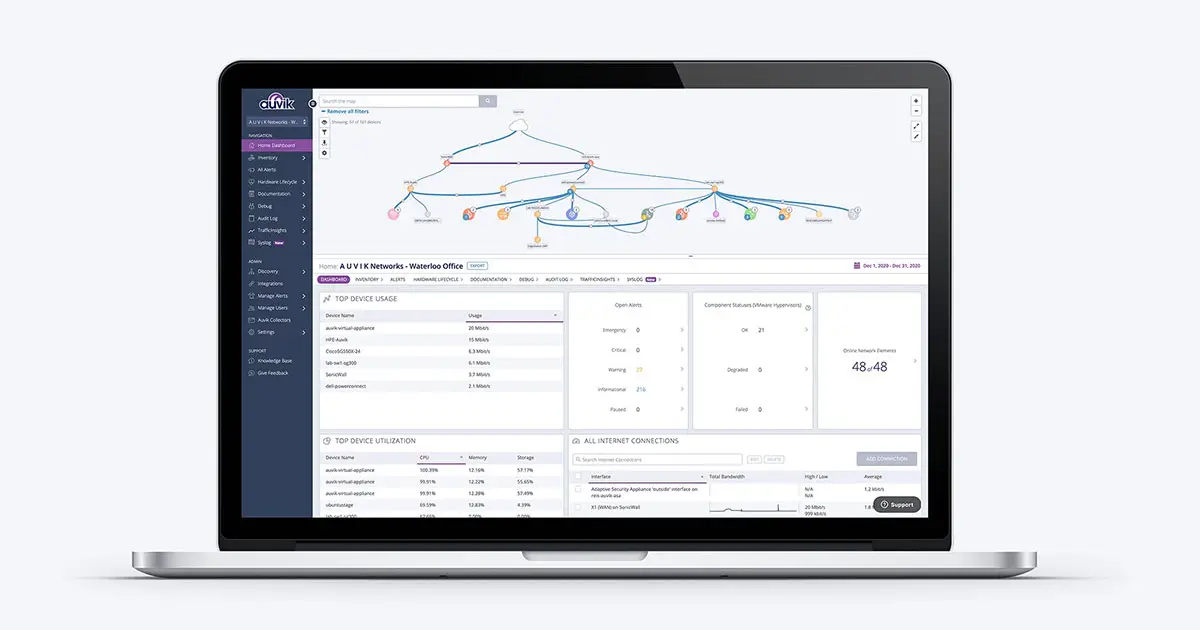
The AI Troubleshooting Agent is the AI headline. Pricing is per managed device and quote-only, though access points, printers, UPS units, and network storage are free.
The underrated part is automatic topology mapping. Network documentation is always stale because nobody updates it; Auvik makes that structurally impossible.
What stood out:
- Automatic, always-current network maps
- Meaningful free device categories reduce effective cost
- Cuts network diagnosis from hours to minutes
What could be better:
- Quote-only pricing, and their own published tier naming is inconsistent
- Overkill for clients with simple flat networks
- AI troubleshooting is newer and less proven than the core monitoring
14. Liongard — change detection, and an MCP server
Liongard watches configurations across cloud, endpoint, and network, and tells you what changed.
The platform is now LiongardIQ — "Roar" survives only as the Roar Assistant. Its Inspectors monitor specific technologies, and ThreatImpactIQ maps threat intelligence onto your actual discovered assets. That's the difference between "there's a critical CVE" and "eleven of your machines have it."
The detail I'd point at, though, is Liongard MCP. They've exposed asset intelligence over the Model Context Protocol, so your own AI agents can query it directly. That's genuinely forward-looking, and it's the pattern I'd expect every MSP vendor to copy within a year.
What stood out:
- Change detection catches drift before it becomes a ticket
- ThreatImpactIQ scopes vulnerabilities to your real environment
- MCP support makes it queryable by your own agents
What could be better:
- No published pricing
- Setup is a project — Inspectors need configuring per technology
- Easy to generate more alerts than anyone acts on
15. ScalePad — the commercial side
ScalePad targets the business of the MSP rather than the service desk.
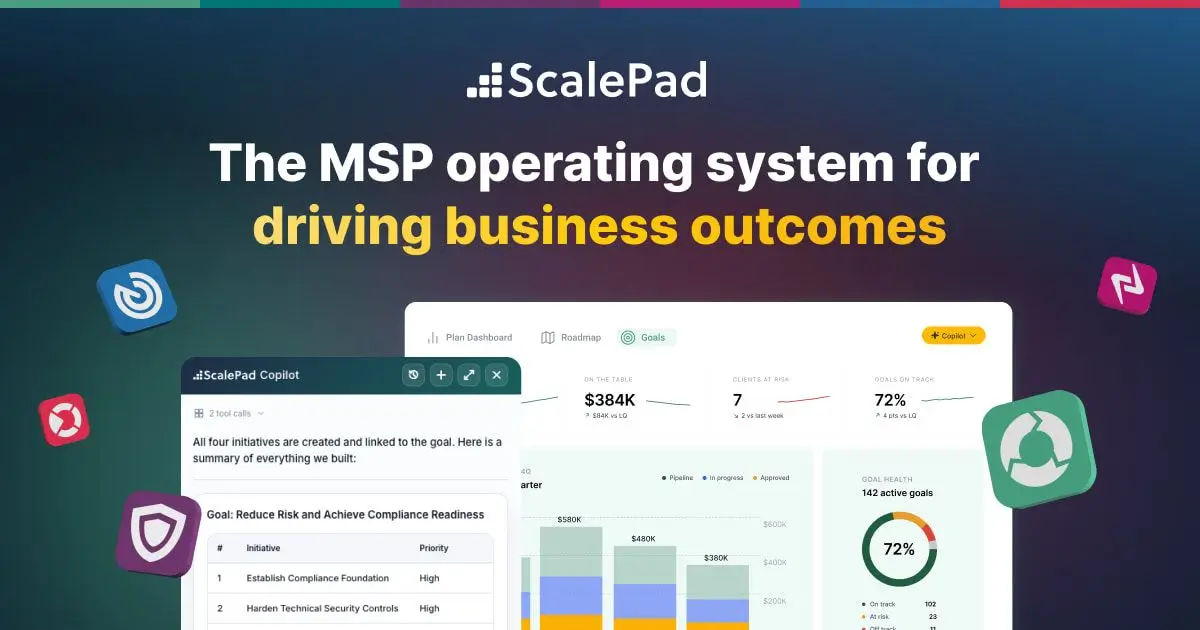
Lifecycle Manager ($250/month) handles hardware and warranty lifecycle, with ControlMap for compliance ($99), Quoter for CPQ ($299), Backup Radar for backup verification ($240), and Cognition360 for ConnectWise BI ($449). The AI Copilot surfaces expansion opportunities and generates QBR decks.
Automated QBR deck generation sounds trivial and isn't. QBRs are where renewals and upsells happen, and they're the first thing that gets skipped when the team is busy.
Note it's five separately priced products — the full suite adds up fast, so buy the one that maps to your actual bottleneck.
What stood out:
- Turns asset data into renewal and refresh revenue
- AI deck generation removes the main reason QBRs get skipped
- ControlMap turns compliance pressure into a billable service
What could be better:
- Five separate SKUs that add up quickly
- Output quality depends entirely on your PSA/RMM data hygiene
- Less relevant if you don't resell hardware
Turn your runbooks into a client-facing agent
Upload your documentation, brand the portal, give each client their own login.
Part 5: AI you can actually bill for
Everything above makes your delivery cheaper. Nothing above appears on a client invoice as its own line item — which is how you end up with 48% of clients asking for AI and 13% of MSPs earning anything from it.
16. Pickaxe — white-label client-facing agents
This is the pile-two tool, and full disclosure: it's ours.
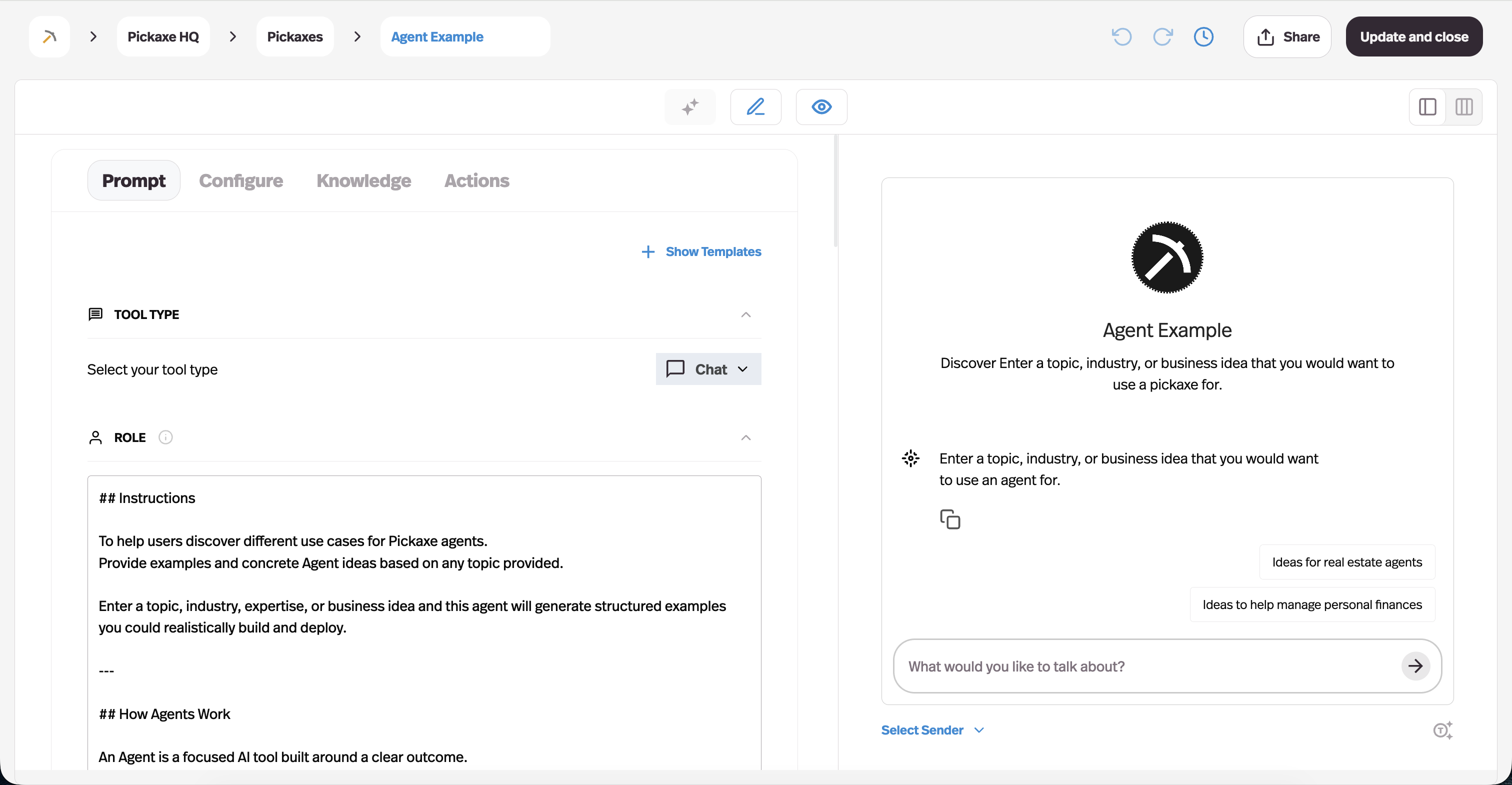
The gap it fills is specific. Your RMM's AI is internal — you can't hand a client a login to Atera's Robin and charge them per seat. Pickaxe exists to build the thing you can hand over.
The pattern that works for MSPs is roughly this. Take knowledge you already have — your standard operating procedures, the client's own policies, their software documentation — and load it into a knowledge base. Build an agent that answers the tier-zero questions your techs field forty times a week. Put the client's logo on it, deploy it to a branded portal on their own domain, and charge per seat.
Because agents use Actions to reach external systems, it doesn't have to stop at answering — an agent can file a ticket, look something up, or trigger a workflow.
Two honest caveats. This is a different sale from your managed services contract and needs its own conversation. And it is not an RMM — no monitoring, no patching, no endpoint management. It's the client-facing layer on top.
Pricing starts at $29/month on Gold (billed annually) with white-labeling and custom domains, and $116/month on Pro for unlimited portals, API access, and unlimited Actions. For packaging, we've written up white-label AI tools for agencies and how to price AI agents separately.
What stood out:
- White-labeling and custom domains at the entry tier
- Built-in billing and access groups — sell it without building billing
- No-code, so it doesn't consume your senior engineers
What could be better:
- Not an MSP tool in the RMM/PSA sense — no monitoring or patching
- You'll need to sell it as a distinct offering, not a bundled freebie
- Agent quality tracks documentation quality, so messy docs show
17. Microsoft 365 Copilot — the one clients ask for by name
You'll get asked about Copilot whether or not you want to sell it.
Most clients already live in Microsoft 365, which makes Copilot the default AI question in every QBR. Pricing for SMB is Copilot Business at $21/user/month for tenants up to 300 seats, against $30 for the enterprise M365 Copilot SKU, with Copilot Chat free.
The money for an MSP usually isn't licence margin. It's the work around it: tenant readiness, data governance, and permissions hygiene. Copilot surfaces whatever a user can technically access — so every over-shared SharePoint site and every "Everyone" permission group becomes visible the day it's switched on.
That's a genuine, billable engagement: a Copilot readiness assessment. It's an easier sale than a licence upsell, because the alternative is an accidental data exposure with your name on it. Our write-up on AI deployment security risks covers the failure modes.
One trap worth knowing: Microsoft's own documentation states there is currently no CSP or reseller multitenant model for Security Copilot. If you were planning to deliver that as a managed service across clients, check the licensing before you build the offering.
What stood out:
- Clients ask for it unprompted — no demand generation needed
- Readiness and governance work is high-margin consulting
- Sits inside tools users already open every day
What could be better:
- Per-user licensing is a hard sell to cost-sensitive SMBs
- Security Copilot has no multitenant reseller model today
- Little room to differentiate — it's Microsoft's product
The accountability problem nobody sells you
There's a structural issue with autonomous AI in managed services that no vendor page addresses, and MSP veteran Karl Palachuk put it better than I could:
"When something goes wrong, you won't point to the agent—you'll answer for the fix. That's how the managed services model works."
Your contract doesn't have an AI clause. Your client doesn't care which system made the decision. Autonomy is a technical property; accountability is a contractual one, and they don't transfer together.
Practically, that means three things. Agentic features need a supervised burn-in period where a human reviews what the agent did before you widen its permissions. Anything with write access to client environments needs an audit trail you can produce months later. And you should be able to explain, in plain language to a non-technical client, what your AI is allowed to do unattended.
The r/msp sentiment on this is blunter than any vendor would like. On giving agents admin access: "I still am unwilling to give any AI agent of any kind administrative access to client data." That's not luddism — it's an accurate read of who carries the liability.
How I'd sequence this
You cannot deploy seventeen tools. Here's the order that makes sense for most MSPs.
Start with patching. Highest-volume, lowest-judgement work you do. Autonomous patch management is the least risky automation available and the easiest to measure.
Then triage — but first check what your PSA already does. If you're paying for ConnectWise Sidekick or Halo's included AI, price a triage layer against that, not against nothing.
Then onboarding and offboarding. Automate these with Pia or Rewst — not primarily for speed, but because manual offboarding is a security incident waiting for a bad week.
Then a client-facing layer. Once internal delivery is tighter, build something clients see and pay for.
Measure against a baseline you took first. If you don't know your current average handle time, you can't prove any of this worked. Our guide to measuring AI agent ROI covers the formulas.
What MSPs get wrong about AI
Five patterns show up repeatedly.
Automating a broken process. If your ticket categories are a mess, AI triage will route things wrong faster than a human did. Fix the process, then automate it.
Buying the platform before the person. This is the Rewst lesson, and it generalizes. Any tool needing a dedicated owner will fail without one, and the vendor is not incentivized to tell you that during the demo.
Paying twice for triage. Overlapping AI across your PSA and a bolt-on layer is the most common wasted spend in this category right now.
Treating AI as internal-only. Efficiency gains get competed away over time; a differentiated client-facing offering doesn't. Amy Babinchak of Third Tier framed the risk well: many MSPs are using AI "to slightly optimize the last ten years of their business rather than to build the next ten."
Ignoring the client's governance. You're deploying AI into someone else's tenant with their data. Get the compliance and data-handling questions answered in writing before you switch anything on.
Frequently asked questions
What are the best AI tools for MSPs in 2026?
For most MSPs the highest-impact combination is an RMM with autonomous patching (NinjaOne or Atera), a triage layer on the service desk if your PSA doesn't already provide one (Thread), an orchestration platform for cross-tool workflows (Rewst, with a dedicated owner), and managed security with a human SOC (Huntress). Add a client-facing layer once internal delivery is tight.
Will AI replace MSP technicians?
Not on current evidence. Kaseya's 2026 survey found 55% of MSPs have automated only about a quarter of their workload, and just 1% are approaching full automation. What AI is replacing is the undifferentiated portion of a technician's day. The MSPs genuinely at risk are those whose entire value proposition was cheap tier-one labour.
How much should an MSP budget for AI tools?
Work it as a percentage of the labour cost you're targeting, not as a line item. A triage layer at $19–$34 per managed client per month is easily justified if it removes even one ticket per client per month. Autonomous remediation is harder to justify until you've measured your baseline handle time.
Can an MSP resell AI services to clients?
Yes, and it's the most underexploited opportunity here — only 13% of MSPs currently earn meaningful revenue from AI. The three that work today are AI readiness and governance assessments, managed Copilot deployment, and branded client-facing agents built on a platform rather than built from scratch. Our guide on selling AI agents to local businesses covers the pitch.
Do I need to replace my PSA to use AI?
No. Thread, Pia, Rewst, and CloudRadial all layer on top of ConnectWise, Autotask, or Halo. Replacing a PSA to get AI features is almost always the wrong trade — migrations cost a year of momentum.
Is it safe to let AI resolve tickets automatically?
With scoping, yes. Start with reversible, low-blast-radius actions — password resets, licence assignment, cache clearing — and require approval for anything that changes permissions or touches production infrastructure. Keep an audit trail, and make sure you have tested out-of-band access before you grant any system the power to isolate endpoints.
The takeaway
The AI tools for MSPs that matter in 2026 aren't the ones with the best demos. They're the ones that remove a specific, measurable category of work.
Patch automation removes patching. Triage removes routing. Offboarding automation removes both the labour and the risk. Those are real and available now.
But the gap between 48% of clients wanting AI and 13% of MSPs earning from it isn't a tooling problem. Every tool on this list is buyable this afternoon. What's scarce is MSPs who've decided what they're actually selling in an AI world — and that decision doesn't come bundled with any RMM.
If you want to build the client-facing side, this is the playbook we'd follow. And if you'd rather just try it, Pickaxe will get a branded agent in front of a client this week.