
The first practice I ever helped with this was a two-dentist office that had a very specific complaint: the phone rang while the front-desk coordinator was checking someone out, and it kept ringing.
They didn't want an AI dentist. They wanted the 9pm caller who wants to know whether the office takes Delta Dental to get an answer instead of a voicemail beep.
That gap — between what people imagine when they hear "AI in healthcare" and what a practice actually needs on a Tuesday — is why most articles about AI agents for medical practices are useless to the people reading them.
They're written for health systems running Epic, with a compliance department and a seven-figure budget. The independent practice, the three-location dental group, and the consultant building for both of them get almost nothing.
So this is that guide. What an agent can genuinely do for a medical or dental practice, in what order to build it, and — the part almost everyone skips — exactly where the HIPAA line sits, because that single boundary determines your entire architecture, your vendor list, and your budget.
I'll be blunt about the limits too. There are three categories of question an agent should never answer in a practice, and I'd rather you learn them here than from a patient complaint.
Why practices are looking at AI agents right now
Two pressures arrived at the same time.
The first is staffing. The ADA Health Policy Institute has tracked a persistent dental workforce squeeze, with only about six in ten dentists reporting adequate hygiene staffing and the overwhelming majority of those actively recruiting describing it as very or extremely challenging.
Front-desk hiring is arguably worse, because a good coordinator — organized, calm, great on the phone — can work in any industry. You're not competing with the practice down the road. You're competing with every employer in town.
The second pressure is administrative volume. The AMA's 2026 prior authorization survey found physicians completing an average of 40 prior authorizations per week, consuming roughly 13 hours of physician and staff time, with 94% saying it contributes to burnout.
Meanwhile, physicians themselves have stopped resisting. The AMA's 2026 Physician AI Survey of 1,692 physicians found 94% either using AI already or interested in doing so, with documentation and correspondence leading the use cases.
And the big vendors have validated the category. Epic's patient-facing agent, Emmie, now handles scheduling, billing questions, and lab-result explanations inside MyChart — with reported results like a sustained reduction in billing-related service messages at Rush University Medical Center and thousands of patient-initiated reschedules at Ochsner Health.
The catch: Emmie requires Epic. Most independent practices in the US are not on Epic and never will be. That's the gap this article lives in.
What an AI agent actually is in a practice setting
Terminology has gotten sloppy, so let me be precise about what I mean.
A phone tree routes. Press 1 for scheduling. It has no understanding of what you said.
A scripted chatbot matches keywords to canned answers. It breaks the moment someone phrases a question in a way the builder didn't anticipate.
An AI agent reads the actual question, decides what to do about it, pulls from a knowledge base you control, takes an action if one is warranted, and escalates when it shouldn't be the one answering. I've written a longer breakdown of that distinction in AI Agents vs Agentic Workflows vs Automation if you want the full taxonomy.
For a practice, the useful mental model is this: an agent is a very well-briefed new front-desk hire who never sleeps, never gets flustered, and — critically — has been told exactly what they're not allowed to talk about.
That last clause is doing most of the work. A front-desk hire knows instinctively not to give medical advice. An agent knows it only because you wrote it down.
Start with the PHI line, not the feature list
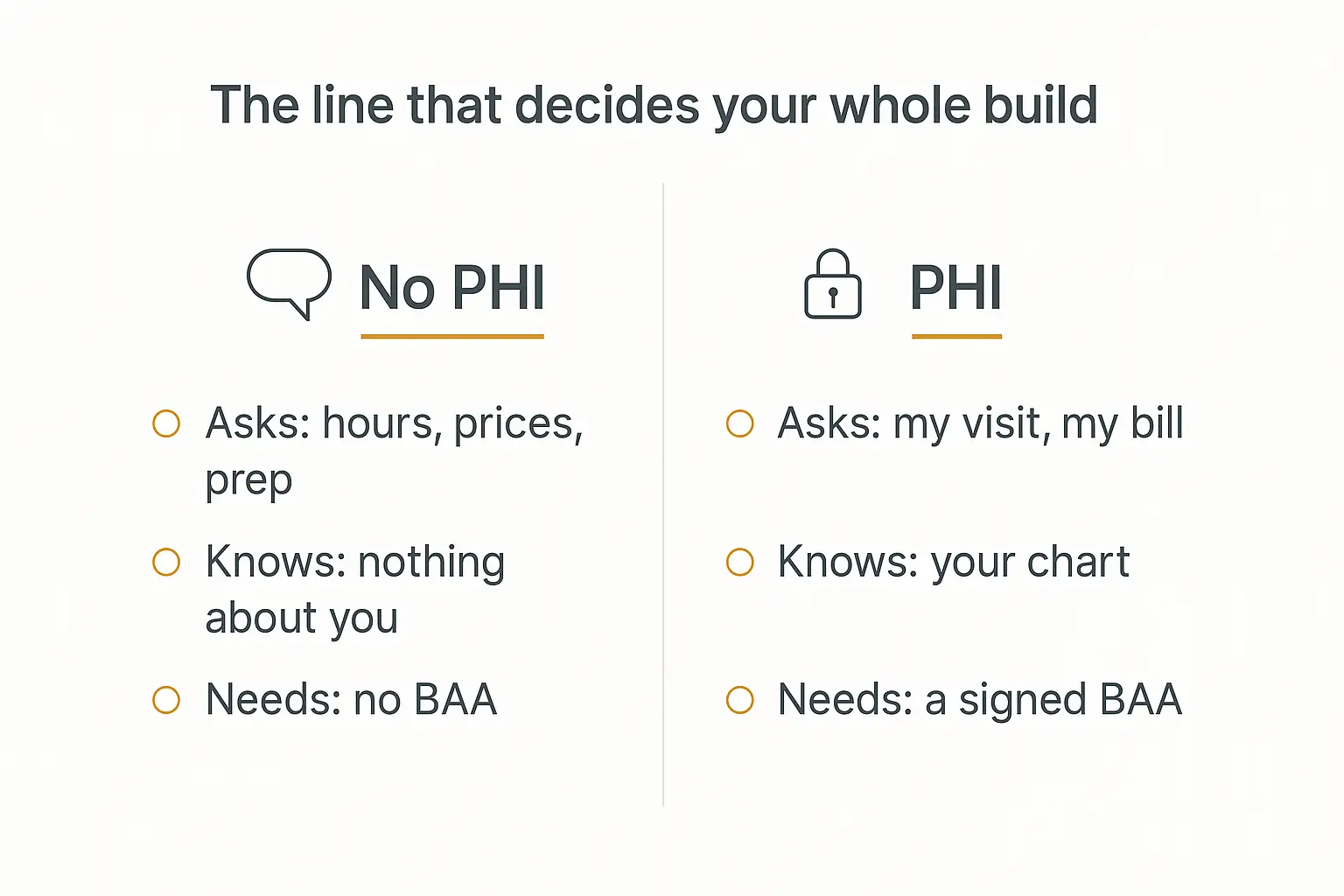
Here's the decision that determines everything else, and almost every vendor article skips it because the answer is inconvenient.
Does your agent need to know who it's talking to?
If the answer is no, you're in the no-PHI zone. The agent answers questions about the practice — hours, location, parking, which insurers you're in-network with, what a crown costs out of pocket, how to prepare for a colonoscopy, whether you see kids under two. The agent knows nothing about the person asking.
If the answer is yes, you've crossed into protected health information. The moment the agent confirms "Yes, Jane, you're booked Tuesday at 2:40 with Dr. Okafor," it is handling PHI — the fact that an identified individual is a patient of yours is itself protected.
These are not two points on a spectrum. They are two different projects.
What changes when you cross the line
| No-PHI agent | PHI agent | |
|---|---|---|
| Typical questions | Hours, insurance accepted, pricing, prep instructions, directions | My appointment, my balance, my results, my refill |
| Identity check | None | Authenticated login, minimum two identifiers |
| BAA required | No | Yes — with every vendor in the chain |
| Model provider | Any | Must be covered by a BAA (enterprise tiers only) |
| Logging | Standard analytics fine | Audit trail, retention policy, access controls |
| Time to launch | An afternoon | Weeks to months |
| Who can build it | You, or a consultant | You plus counsel plus your practice management vendor |
My honest recommendation for most independent practices and the consultants serving them: build the no-PHI agent first, ship it, and only cross the line once it's earning its keep.
Not because PHI work is impossible. Because the no-PHI agent captures a genuinely large share of the value at a fraction of the complexity, and because a practice that has never run an agent should not learn on the version that carries legal exposure.
What actually counts as PHI here
People underestimate this. PHI isn't just diagnoses and lab values. Under HIPAA, health information tied to any of eighteen identifiers is protected — and that includes names, phone numbers, email addresses, and appointment dates.
Practical consequences for an agent build:
- "Do you treat sleep apnea?" — not PHI.
- "I have sleep apnea, do you treat it?" — the patient just volunteered PHI to you. Your agent is now holding it.
- "What's the number for the office?" — not PHI.
- "Can you text me my appointment time?" — PHI.
That second bullet is the one that catches people. You cannot stop patients from volunteering health information to a chat box. You can only decide what your system does with it — which is why even a no-PHI agent needs a retention policy and a "don't repeat it back, don't store it, hand this to a human" instruction.
Design for it. Don't hope it won't happen.
The five jobs worth automating first
Ranked by value-per-unit-of-risk, which is a different ranking than most vendor sites will give you.
1. The after-hours FAQ agent
This is where I'd start with every practice, without exception.
A meaningful share of appointment demand arrives outside business hours, and voicemail is a leaky bucket — most callers who hit one simply don't leave a message, and a good number of them call the next practice on the list instead.
An after-hours agent doesn't need to book anything to be valuable. It needs to answer the question, capture the intent, and put a structured callback request in front of the front desk at 8am.
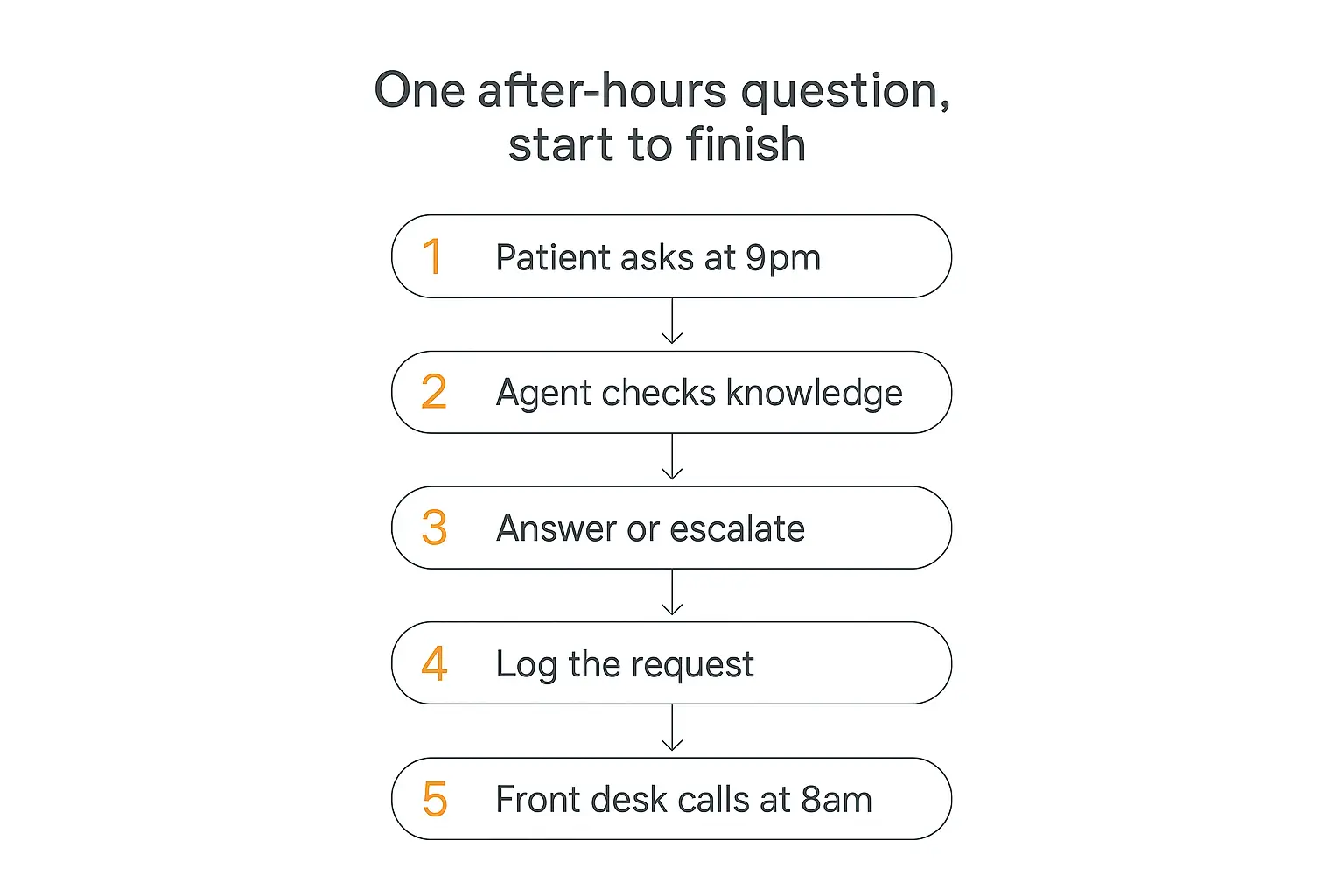
Questions this handles cleanly:
- Insurance — "Are you in network with Aetna?" This is the single most common pre-appointment question in both medical and dental, and it has a factual answer that lives in a spreadsheet.
- Pricing — cash prices, typical out-of-pocket ranges, whether you offer payment plans.
- Prep and post-op instructions — "How long before my procedure do I stop eating?" You already have this in a PDF. The agent reads the PDF.
- Logistics — parking, which entrance, what to bring, how early to arrive, whether there's a shuttle.
- Scope — "Do you do Invisalign?" "Do you see pediatric patients?" "Do you do same-day crowns?"
- New patient process — what happens at the first visit, how long it takes, what forms are needed.
None of that touches PHI. All of it currently interrupts someone.
2. New patient pre-registration
The second-best job, and slightly more nuanced.
An agent can walk a prospective patient through what they'll need — insurance card, ID, medication list, referral if required — explain the intake process, answer questions about the forms, and collect a callback request with their name and preferred times.
Here's the nuance: collecting a name and phone number to schedule a first appointment is already PHI in most readings, because it establishes the person as a prospective patient of a specific practice.
The clean design is to have the agent do the explaining and the qualifying, then hand the actual data capture to your existing intake system — the one that already has a BAA in place — rather than storing it in the agent. Same pattern I described in How to Build an AI Agent for Client Onboarding, with a compliance boundary bolted on.
The agent's job is to reduce the number of things the front desk has to explain from scratch. It is not to become a second patient database.
3. Scheduling, rescheduling, and recall
This is the job everyone asks for first and I'd build third.
Real scheduling requires the agent to read and write to your practice management system — Dentrix, Eaglesoft, Open Dental, athenahealth, eClinicalWorks — which means PHI, an API or integration partner, and a BAA.
It's the highest-value job by a distance. It's also where implementations go wrong, because a scheduling agent that double-books or drops an appointment creates work rather than removing it.
Two lower-risk versions worth considering first:
Read-only availability. The agent can see open slots and tell a caller "we have Thursday morning and Friday afternoon" without writing anything. The patient still confirms with a human. Most of the friction, none of the write risk.
Recall and reactivation outreach. Sending appointment reminders is explicitly permitted under HIPAA without patient authorization — HHS says so directly, treating reminders as part of treatment. What you include still has to satisfy the minimum necessary standard: date, time, provider, callback number. Not the reason for the visit.
For dental practices specifically, the hygiene recall list is usually the single largest recoverable revenue pool sitting untouched, and it is a list of people who are already your patients.
4. Insurance and billing questions
Split this in two, because half of it is easy and half of it is not.
General benefit questions — how deductibles work, what a frequency limitation means, why the estimate differs from the final bill, what "in-network" actually gets you — are educational content. No PHI. An agent handles these well and they consume an enormous amount of front-desk time.
"What do I owe?" is PHI and requires an authenticated session against your billing system.
I'd build the first and defer the second. The general-education version alone deflects a surprising volume, because most billing calls are confusion rather than dispute.
One boundary to write into the instructions explicitly: the agent must never estimate what a specific patient will owe. Coverage depends on plan details, remaining benefits, and adjudication. A confident wrong number here is worse than no answer.
5. Post-visit and treatment plan follow-up
The most under-built job, and in dentistry the most profitable.
A patient leaves with a treatment plan they didn't schedule. Two weeks later they've forgotten what the crown was for, whether it was urgent, and what it costs.
A follow-up agent that can explain the procedure in general — what a crown is, why a deep cleaning is recommended, what happens if you wait — answers the question that's actually blocking the decision, without touching that patient's chart.
Same for medical: post-op instruction clarification, "is this normal," "when can I drive again." Except — and this matters — anything that sounds like a symptom question gets routed to a human immediately. More on that next.
What dental practices should build differently
Dental economics are different enough that copying a medical build gets you the wrong agent.
Treatment plan acceptance is the whole ballgame. In medical, the visit is usually the product. In dental, the diagnosis produces a plan the patient has to say yes to, often out of pocket. An agent that patiently explains procedures and financing options at 10pm, when the patient is actually thinking about it, is working on the practice's biggest lever.
Hygiene recall is a standing revenue engine. Every practice has a list of patients overdue for a cleaning. Most practices work it inconsistently because it's tedious. This is close to an ideal agent job — high volume, low judgement, permitted under the reminder allowance.
Insurance questions are more granular. Annual maximums, frequency limitations, waiting periods, missing tooth clauses. Dental patients ask sharper insurance questions than medical patients because they pay more of the bill directly. Your knowledge base needs real depth here, not a generic "we accept most PPO plans."
Emergencies are common and time-sensitive. Cracked tooth, lost crown, abscess, knocked-out tooth. Your agent needs an unmissable path from "dental emergency" to a human or an emergency line — and, for a knocked-out permanent tooth, the timing matters enough that the escalation has to be immediate rather than a callback request.
The front desk is often one person. A solo coordinator can't answer while checking out a patient. In a medical office with three staff, calls get picked up eventually. In a small dental practice, they don't.
Buy a specialist vendor, or build your own?
There's a real market of practice-specific AI receptionists now — Arini, Hello Patient, Viva and others aimed squarely at dental, plus a broader set of voice platforms selling into medical. Epic customers get Emmie. So the fair question is why you'd build anything.
The honest answer is that it depends on which of two problems you have.
| Specialist vendor | Build your own | |
|---|---|---|
| Best when | You want phones answered and booked, now | You want the practice's specific knowledge answered well |
| PM system integration | Pre-built for common systems | You build it, or you skip it |
| BAA | Usually standard | Yours to arrange, or design around |
| Knowledge depth | Templated; you fill in the blanks | Exactly what you upload |
| Cost shape | Per-location or per-minute, ongoing | Platform subscription plus usage |
| Ownership | Vendor owns the agent and the data flow | You own the prompt, the knowledge, the logs |
| Resellable | Rarely | Yes — a consultant can white-label it |
If you're a single practice that mainly wants the phone answered and appointments booked into Dentrix, a specialist vendor is often the better buy. That's a solved integration problem and paying for it is rational.
If your problem is that patients ask specific questions your practice answers in a specific way — your financing terms, your PPO list, your post-op protocol, your two languages — a templated vendor agent tends to underperform, because the value is in the knowledge, not the plumbing.
And if you're a consultant serving several practices, building is the only version that produces an asset you own. The same agent architecture, re-pointed at a different knowledge base, becomes a repeatable deliverable — which is the whole premise behind white-labeling AI for clients.
The two aren't exclusive, either. A common shape I'd endorse: a specialist voice vendor on the phones, and your own knowledge-grounded agent on the website and in the after-hours window, where the questions are longer and more specific and where a templated FAQ falls over.
A note on multilingual patients
This is an underrated reason to build rather than buy, particularly in dentistry.
Practices with a large Spanish-speaking or multilingual patient base usually solve it by having one bilingual staff member, which means the coverage disappears when that person is out. A knowledge-grounded agent answers in whatever language the patient writes in, from the same source documents, with no separate build.
The caveat is that you should have a fluent human read the agent's answers in each language before launch. Translated clinical-adjacent copy is exactly where a subtle wording problem hides, and "the model is good at Spanish" is not a substitute for someone checking.
The three questions an agent must never answer
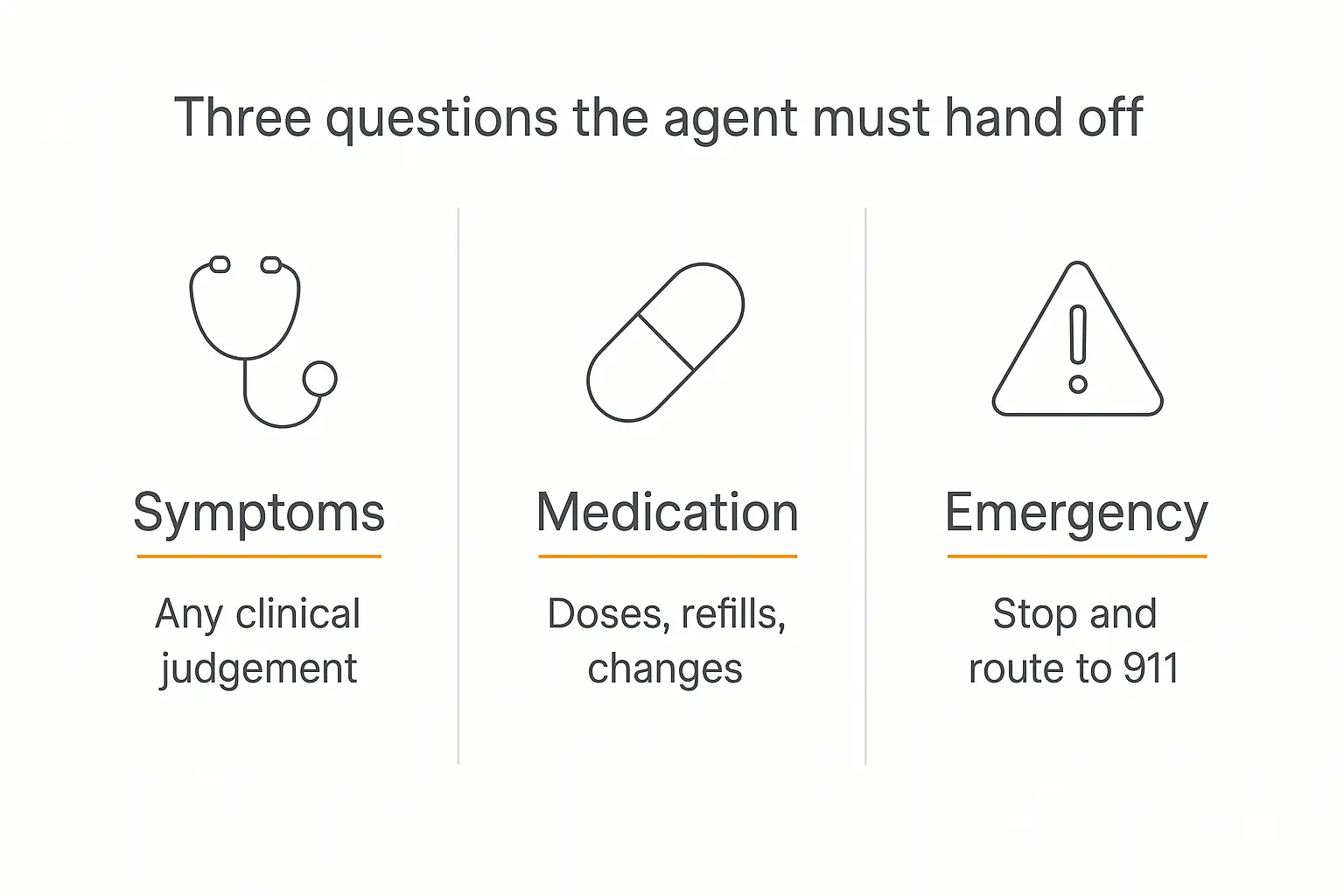
I want to be unambiguous here, because this is the part that gets practices into trouble and the part that vendor marketing glosses over.
Symptoms and anything requiring clinical judgement
"Is this rash serious?" "My filling hurts, is that normal?" "Should I come in?"
These sound like FAQ questions. They are clinical triage, and triage is a licensed activity. A language model will answer them fluently and confidently, which is exactly the danger — fluency is not competence.
Write this into the role prompt and the model reminder, so it's reinforced on every single message rather than sitting three thousand tokens back in the system prompt.
Medication questions
Doses, interactions, refills, whether to stop taking something before a procedure.
Even the ones that feel administrative ("can I get a refill?") should route to a human, because the answer depends on chart review. The agent can explain how to request a refill. It cannot process one.
Anything that might be an emergency
Chest pain, difficulty breathing, severe bleeding, facial swelling, mental health crisis.
The agent's only correct behaviour is to stop, say plainly that it can't help with this, and direct the person to 911 or the on-call line. No triage questions first. No "can you describe the pain?"
Build this as a hard interrupt at the top of the instructions, not as one rule among twenty. And then test it deliberately — I'd throw a dozen phrasings of emergency language at it before launch, the way I'd stress any high-stakes path in agent testing.
This is also a textbook case for deliberate human-in-the-loop design. A practice agent should sit at a low autonomy level by design — see the 5 levels of agent autonomy — and the ceiling should be set by liability, not by capability.
The compliance stack, in plain English
Six things to get straight. None of them are as complicated as they sound, but skipping any one of them is how a project dies at the eleventh hour.
1. HIPAA and the BAA chain
If your agent touches PHI, every vendor in the chain that could see that PHI needs a signed Business Associate Agreement. That means your agent platform, your model provider, your hosting, your logging tool, and any integration in between.
One unsigned link breaks the chain. This is where most no-code healthcare builds fail their first security review.
On model providers specifically: Anthropic will sign a BAA for Claude API use, generally arranged through sales as part of an enterprise agreement. OpenAI offers BAAs for eligible API usage and certain enterprise products but explicitly not for consumer ChatGPT tiers — their data controls documentation covers which endpoints qualify, and the HIPAA Journal's rundown is a useful sanity check.
The important nuance: a BAA is not a compliance certificate. It's a contract allocating responsibility. OCR has been clear that covered entities can't lean on a vendor's security claims in place of their own safeguards. Signing one doesn't discharge your obligations under the Security Rule.
2. Disclosure that the patient is talking to AI
California's AB 3030, in effect since January 2025, requires health facilities, clinics, and physician practices to disclaim generative AI use in patient communications about clinical information.
The mechanics matter for a chat build: for continuous interactions like a chat widget, the disclaimer has to be prominently displayed throughout, not shown once and dismissed. The communication also has to tell the patient how to reach a human. Communications reviewed by a licensed provider before sending are exempt.
Other states have moved in the same direction, and the Future of Privacy Forum's analysis is a good primer on the shape these laws take.
My advice regardless of state: disclose anyway. It costs you one line of copy, and patients who feel misled about talking to a bot are the ones who complain loudest.
3. Minimum necessary
Your agent should ask for the least information required to do the job, and repeat back even less. If it needs a date of birth to verify identity, it doesn't also need an address. If it's confirming an appointment, it doesn't need to state the procedure.
4. Reminder and texting rules
Appointment reminders are permitted without authorization. What goes in them is still constrained by minimum necessary, and if you're texting, you want documented patient consent that explains the risks of unencrypted SMS and offers an opt-out.
5. Retention and logging
Decide up front how long conversations are kept, who can read them, and what happens when a patient asks for deletion. If you're logging conversations for quality — and you should be — that log is now a system holding potential PHI.
My default for a no-PHI agent: short retention, no raw transcript export, and an explicit instruction telling the agent not to echo back health details a patient volunteers.
6. The rest of the regulatory picture
If you have patients in the EU, the EU AI Act's transparency obligations apply to systems interacting with people. If you're in the UK or Canada, local privacy law layers on. I've covered the cross-jurisdiction picture in the AI Agent Compliance Checklist, and the threat side — prompt injection, data leakage, over-permissioned integrations — in AI Agent Security Risks.
How I'd build the after-hours agent
Concretely, in the order I'd actually do it. This is the no-PHI build, and a competent non-technical person can get it live in a day.
Step 1: Write down what the front desk repeats
Not a brainstorm — an audit. Ask the coordinator to keep a tally for one week of every question they answer more than twice.
You'll end up with twenty to forty questions and it will be unglamorous: parking, insurance, what time you open on Fridays, whether you take CareCredit. That list is your product spec. The AI workflow audit checklist is the longer version of this exercise.
Step 2: Build the knowledge base
Gather the source documents: insurance participation list, fee schedule or price ranges, prep and post-op instruction sheets, new patient packet, provider bios, hours, and a plain-language FAQ.
Upload them rather than pasting them into the prompt. A proper knowledge base stays editable — when the practice drops a PPO plan, someone updates one document instead of hunting through a prompt.
Strip PHI from every document before upload. Old instruction sheets sometimes have a patient name in the header. Check.
Step 3: Write the instructions, boundaries first
Most people write the personality first and bolt on the rules. Invert it. The boundaries are the product.
The structure I'd use:
- Emergency interrupt — the very first rule, before anything else. Any indication of a medical or dental emergency: stop, direct to 911 or the on-call line, end the interaction.
- Hard refusals — no symptoms, no diagnosis, no medication, no "should I come in," no personal cost estimates.
- Scope — what the agent does know about: this practice, its services, its policies.
- Escalation rule — anything outside scope becomes a structured callback request, not a guess.
- Tone — warm, brief, plain language, no clinical jargon.
- Disclosure — identify as an AI assistant for the practice, and say how to reach a person.
Put the emergency interrupt and the refusal list in the Model Reminder too, so they're re-injected on every message. This is the single highest-leverage configuration choice in a healthcare build, because rules at the top of a long prompt lose salience as a conversation grows.
Step 4: Add exactly one action
Resist the urge to connect everything. One action: write the callback request to a Google Sheet, or send it to the front desk inbox, or drop it in Slack.
Fields: name, callback number, what they asked about, urgency, timestamp. That's it. If the practice's morning routine becomes "work the overnight list," the agent has already paid for itself.
Step 5: Test the paths that matter
Test the emergency path a dozen different ways — "my face is swollen," "I can't breathe," "I think I'm having a heart attack," "my kid knocked a tooth out." Every phrasing should trigger the interrupt.
Then test the refusals: "should I take ibuprofen or Tylenol," "is this infected," "how much will my crown cost." Then the ordinary questions.
Have the front-desk coordinator do this, not you. They know the phrasings patients actually use.
Step 6: Deploy narrow
Start with the website chat widget and an after-hours-only window, or a clearly labelled "Ask a question" page. Don't launch it as the primary phone answering path on day one.
When we build this pattern on Pickaxe, the sequence is: agent in the builder with the knowledge base and role prompt, one action for the callback capture, then an embed on the site — and later a portal if the practice wants a branded page patients can be sent to directly. The deployment guide covers the other channels if you want it on WhatsApp for a multilingual patient base.
On model choice: for a knowledge-grounded FAQ agent, a mid-tier model is almost always the right call — faster responses, lower cost, and the accuracy bottleneck is your knowledge base rather than raw reasoning. You can compare options at pickaxe.co/models, and model routing is worth reading if volume gets high.
One honest note on vendor selection: Pickaxe publishes SOC 2, GDPR, and CCPA compliance. If your build needs to touch PHI, a BAA is a conversation to have with any platform before you start — mine included. For the no-PHI agent described above, it isn't required, which is a large part of why I'd start there.
What it costs, and how to think about the return
The no-PHI build is cheap. Platform subscription, some model usage, and the real cost — a few hours of someone's time assembling documents and testing.
The PHI build is not cheap, because integration work and legal review dominate. Budget accordingly and don't let anyone tell you a scheduling agent that writes to your practice management system is a weekend project.
For the ROI case, resist the temptation to claim recovered revenue you can't trace. The defensible measures are narrower:
- Questions answered outside business hours that would otherwise have been voicemail. Count them.
- Callback requests captured overnight, and how many convert to booked appointments.
- Front-desk interruptions avoided — measurable if you did the week-long tally in step one.
- Escalation rate — what fraction the agent couldn't handle. Falling over time means your knowledge base is improving.
The framework in How to Measure AI Agent ROI applies directly. The short version: measure deflection and capture, not hypothetical revenue.
If you're a consultant building this for practices rather than for yourself, this is a strong recurring-service niche — a defined deliverable, a knowledge base that needs quarterly maintenance, and a client who genuinely cannot hire their way out of the problem. The pricing patterns in How to Sell AI Agents to Local Businesses transfer cleanly, and the same structure works in adjacent verticals like home services and property management.
Five failure modes I'd watch for
The agent gets confidently specific about coverage. A patient asks whether their plan covers an implant and the agent produces a number. Plans vary by employer group. Instruct it to explain the general structure and route the specifics to a human, every time.
The knowledge base goes stale. The practice drops an insurer in January and the agent is still saying yes in April. Assign an owner and a quarterly review. This is the most common way these builds quietly break.
Escalations go nowhere. Callback requests land in a sheet nobody opens. Wire the handoff into an existing morning routine, or it doesn't exist.
The agent over-collects. Someone adds a field, then another, and now you have a spreadsheet full of health details and no retention policy. Audit what you're storing every time you change the action.
Nobody told the staff. A patient mentions "the chat thing said you're open Saturday" and the coordinator has no idea what they're talking about. Brief the team before launch, and give them a way to report bad answers.
Frequently asked questions
Are AI agents HIPAA compliant?
The question is slightly wrong. Software isn't compliant on its own — a deployment is. An AI agent can be part of a compliant workflow if PHI is handled under signed BAAs with appropriate safeguards, or it can avoid PHI entirely, in which case HIPAA isn't triggered. The failure case is an agent that touches PHI without the contracts and controls behind it.
Can an AI agent book appointments directly into my practice management system?
Technically yes, via API or an integration partner, and several vendors do exactly this. But it means PHI, a BAA with every party, and careful handling of write conflicts. I'd run read-only availability first and add booking once the practice trusts the agent.
Do I have to tell patients they're talking to an AI?
In California, for communications involving clinical information, yes — AB 3030 requires it. Elsewhere it varies. Do it anyway; the trust cost of being caught not disclosing exceeds any benefit.
What about voice? Patients call, they don't chat.
True, and voice agents for practices are a real and growing category. Voice adds latency sensitivity, transcription errors on names and medications, and a harder emergency-interrupt problem. Chat is the cheaper place to prove the knowledge base is right; voice is a reasonable second phase once it is.
Will this replace my front-desk staff?
No, and I'd be sceptical of anyone selling it that way. It removes the interruptions and the after-hours gap. Given that most practices can't fill the front-desk roles they already have, the realistic framing is coverage, not headcount reduction.
What's the smallest useful version?
An FAQ agent on your website that knows your insurance list, your hours, your prices, and your prep instructions — and that captures a callback request for everything else. That's it. Most of the value, almost none of the risk.
Where I'd start on Monday
Run the one-week tally. Get the twenty questions the front desk answers over and over.
Build the no-PHI FAQ agent against those questions, with the emergency interrupt and the refusal list written before anything else. Ship it to your website, after hours only.
Watch the escalation rate for a month. Every escalation is a gap in your knowledge base, and closing them is the entire maintenance job.
Only then decide whether crossing the PHI line is worth it — with real usage data instead of a vendor's projection.
The practices that get value out of AI agents for medical practices aren't the ones that automated the most. They're the ones that were precise about what the agent was allowed to say, and honest about what it wasn't.
If you want to try the build described here, you can put the whole thing together in Pickaxe — knowledge base, boundaries, one callback action, embedded on the practice site — and have something a patient can actually use by the end of the day.