
With Google Gems retiring, the useful question is what happens to the assistant you already built. Your instructions, reference files, examples, and understanding of the job are worth preserving before you decide where that work should live next.
Google is moving Gems into its Skills experience. I looked through the current Google documentation and the practical rebuild options, and my recommendation is to separate two decisions: keeping a workflow inside Gemini and turning an assistant into a product you can deliver to your own audience.
For the second goal, Pickaxe is a useful alternative. You can rebuild the assistant around your instructions and knowledge, then add a branded destination, controlled access, and optional payments.
Checked October 27, 2026. This guide is published by Pickaxe and based on current documentation. The example migration and test plan are proposed workflows, not a claim that I transferred a production Gem or benchmarked the two platforms.
What are Google Gems?
A Gem is a customized version of the Gemini assistant for a particular job. You give it a name and instructions, optionally add knowledge files, and return to that saved setup instead of writing the same long prompt each time. Google's Gems help guide explains that configuration.
Think of a proposal reviewer that follows your firm's style, a tutor that uses your course material, or a content assistant that knows your brand rules. The valuable work is the task definition and supporting material you put around the model.
A Gem can also become part of someone else's routine through sharing. Google's documentation covers sharing Gems and using files from Drive, where changes can be reflected in the Gem.
That makes the transition more consequential than renaming a saved prompt. If people already rely on the assistant, you need to understand its audience, its sources, and the way it is accessed before choosing a replacement.
Google Gems retiring: which dates apply to you?
The dates depend on the account using the Gem. I would check the signed-in account and its current notice before putting a migration date in a client email.
| Account | Published milestone | What to plan around |
|---|---|---|
| Personal, age 18 or over | November 17, 2026: transition and read-only access; December 17, 2026: removal | Preserve authorized instructions and source files before access ends |
| Workspace business and enterprise | No sooner than March 1, 2027 | Coordinate the assistant and any dependent Workspace Studio flow |
| Workspace education | No sooner than June 1, 2027 | Follow the institution's managed transition plan |
Scroll horizontally on a small screen. Personal-account milestones come from Gemini Apps Help; organization milestones come from Workspace admin guidance. Google gives a later, unspecified transition for personal accounts under 18; its general help also lists non-profits in March 2027.
The Workspace documentation describes a separate interim move into Settings while organizational Gems remain usable. I would use the personal-account help for consumer deadlines and the admin guidance for managed accounts, rather than combining their wording into a universal shutdown date.
Older coverage also needs care. Google's October 13 update says Skills started rolling out in the Gemini app while the Workspace apps rollout was delayed until further notice.
That is a reason to check the experience available in your account. An announcement date, a feature rollout, a read-only period, and removal are different milestones with different consequences for your work.
What Google is replacing Gems with
Google's proposed destination is Skills: reusable instructions you can apply during an existing conversation and combine with other instructions. Its September 30 announcement describes using a slash command to call a skill inside Gemini chat.
I can see the appeal for everyday work. You might combine a writing-style skill with a meeting-summary skill, instead of opening a separate assistant for each version of the same task.
The operational question is whether that more flexible interaction still does the job your Gem did. I would inspect the inputs, reference material, output format, and recipient experience before deciding the migration is finished.
Google provides an automatic transition and a manual recreation path. Its current migration guide also warns about a 100 MB file limit and unsupported types, with the largest files removed first when an automatic transition exceeds the limit.
The same transition FAQ currently lists Canvas, Deep Research, and several default tools as unavailable with Skills. If your Gem depends on one of those tools, test that behavior explicitly before treating its replacement as ready.
I would inventory files before relying on that process. An assistant can still appear to work after losing an important source, which is why a successful migration message needs a content check behind it.
For readers who want the broader concept, our guide to AI agent skills explains how reusable instruction packages fit into an agent system. A portable instruction format still leaves account access, tools, and delivery to verify.
Choose the destination before rebuilding
I would begin with the person who uses the assistant. A private helper for your own work and a service customers subscribe to can start with the same prompt, then diverge quickly around access and delivery.
If your main requirement is continuity inside Gemini, evaluate Google's Skills path first. It avoids moving the work into another product simply because the configuration format has changed.
If the assistant is becoming part of your business, define the customer experience separately. Where does someone find it, how do they sign in, what are they allowed to use, and what happens when they need help?
Those questions are where I would evaluate Pickaxe. The product you are selling may need a dedicated home and commercial rules around the assistant, alongside its ability to answer questions.
- Personal productivity: start with the native transition and test whether the workflow still fits.
- Shared internal knowledge: involve the administrator and the owner of the source material.
- Client-facing advice or tools: evaluate branding, member access, usage limits, and ongoing support.
- Paid AI products: evaluate checkout, entitlement, costs, and the complete customer journey.
This is the same destination-first approach I use in our Custom GPT retirement guide. The timelines are separate; the reusable lesson is to preserve the work and choose the experience you want to deliver.
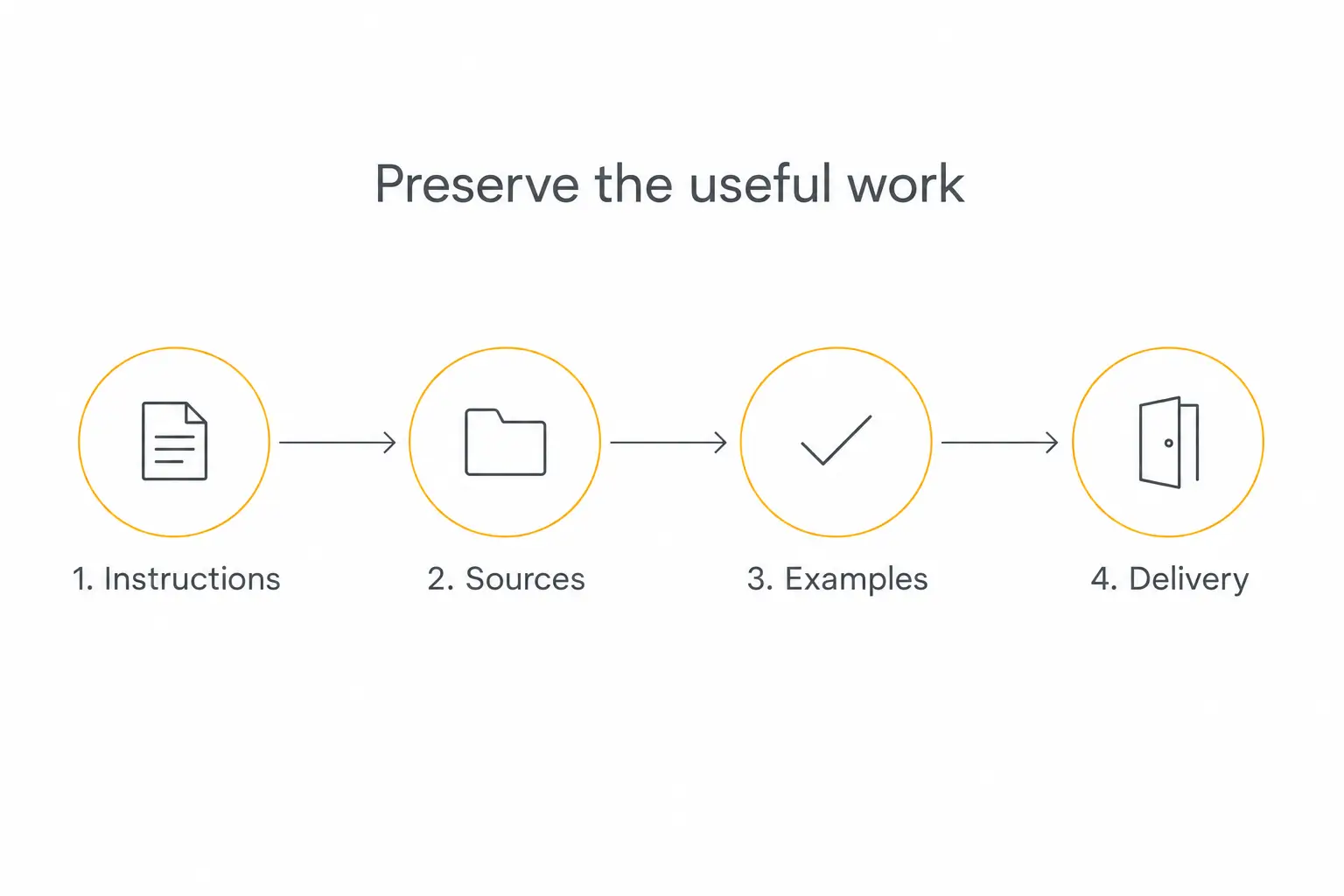
Scroll horizontally on a small screen to read the diagram.
Save the parts of the Gem you are allowed to reuse
Before opening a new builder, I would create a migration folder containing the assistant's working specification. Having that material in one place makes a rebuild easier to review and later maintain.
Start with the name, audience, instructions, and expected output. Then list every source, the person responsible for it, and whether it changes over time.
If someone shared a Gem with you, ask its owner for the configuration and material you are allowed to use. Access to a conversation is not a reliable backup of everything behind it, and it does not settle the right to redistribute its documents.
- Instructions: purpose, tone, required questions, format, boundaries, and escalation behavior.
- Sources: original files or authorized copies, current links, refresh needs, and ownership.
- Examples: representative inputs and the qualities a good answer must have.
- Delivery: current audience, sharing arrangements, connected systems, and support owner.
Keep the original source where practical instead of treating chat answers as a replacement for it. An answer may omit the clause, exception, or revision note that another user later needs.
I would also write down what can remain in the old system. Preserve useful history through an authorized method, while treating the new assistant as a separate deployment; this guide does not promise to transfer Gemini conversation history.
Check dependencies that a copied prompt will miss
A configuration can depend on more than its visible instructions. A document may be selected because of Drive permissions, a workflow may call the assistant, or a team may rely on a particular sharing link.
Google's Workspace transition guidance calls out Ask a Gem steps and explains that Skills in the Gemini app do not currently sync to Workspace apps. An organization should inventory those dependencies as well as individual Gems.
For a rebuild outside Google, I would make the same inventory explicit. Record which system supplies a document, which account can read it, which tool is allowed to change anything, and where a failed request goes.
Check the file types against the destination you actually choose. Google's current Skills upload requirements distinguish supported text, PDFs, and images from unsupported binary formats and restrict external actions in scripts.
I would not assume those limits describe another platform. Equally, I would not assume a file accepted by another platform produces the same retrieval behavior or preserves its original permission rules.
Put an owner beside each dependency. That turns a vague “we moved the chatbot” task into a small set of responsibilities someone can check.
Why I would consider Pickaxe as a Gems alternative
The strongest reason is delivery. If your assistant represents your expertise, I would want the customer to find it in an experience that matches the service, with a clear path from access to useful work.
The Pickaxe portal guide describes branded hubs containing agents and pages, with custom domains and content organization. The access guide explains public, member, and invite-only groups.
For a coach, that could mean a focused preparation assistant inside a member portal. For a consultant, it could mean a private client tool using the agreed methodology and approved reference material.
Those are proposed product shapes, not claims about customers I have migrated. I would validate the audience and the job before adding a catalog of agents.
Pickaxe also lets the assistant be part of a paid service. Its monetization documentation covers subscriptions, usage purchases, one-time payments, and Stripe setup.
The tradeoff is a deliberate rebuild. You configure instructions, sources, access, and integrations in a new platform, then test the result; I am not claiming a one-click Gem importer or an automatic transfer of Google sharing settings.
Rebuild the instructions around a clear job
I would begin with the most useful behavior in the existing Gem. Write a short description of the intended user, the input they bring, and the output they should receive.
Then create the replacement agent and enter your authorized instructions in Pickaxe's builder. Its Agent Builder guide explains the current configuration and preview workflow.
For an illustrative client-brief assistant, I would use an instruction like this:
You help an agency turn a client's notes into a structured project brief. Ask for the audience, goal, constraints, and required deliverable before drafting. Use the approved methodology when relevant. Mark missing information as a question. Never invent a budget, deadline, client approval, or completed external action.
The point is to preserve the service contract, rather than copying every old sentence without review. Remove contradictory instructions and distinguish the assistant's rules from background reference material.
I would define an uncertainty response too. If the agent cannot find a relevant policy, it should say what is missing and tell the user how to get help, instead of filling the gap with a plausible answer.
Our prompt engineering guide goes deeper into writing those boundaries. The visual Custom GPT rebuild guide can also help you recognize the destination's building blocks, while keeping Google's source configuration separate.
Reconnect knowledge and actions deliberately
Add the authorized source material the assistant needs for its job. I would start with a small, coherent set of current documents instead of uploading every file I can find.
The Pickaxe Knowledge Base guide distinguishes workspace content from the sources selected for an agent. Verify which documents the replacement can actually retrieve, especially when several client projects share a workspace.
Then ask a question whose answer depends on a specific exception in the material. Finding a familiar headline proves less than correctly handling the clause that changes the advice.
If the Gem's job depended on a changing Drive file, choose and verify an update method in the new system. A one-time copy can preserve today's answer while quietly becoming wrong next month.
External actions need their own setup. Pickaxe's Actions documentation explains connections and the difference between acting through an owner's account and an end user's account.
I would first test a read-only lookup with synthetic data. Add write permissions only when the workflow needs them and the intended account, confirmation step, and failure response are clear.
A successful tool call should leave an observable result in the receiving system. If an integration fails, require the assistant to report the failure accurately rather than presenting an intention as a completed action.
Build the client-facing experience around the agent
Once the core job works, choose how the intended user will reach it. An internal helper may need a private link, while a paid advisory product may need a branded portal and a member access group.
I would test the whole path with a synthetic customer account: arrive, understand the offer, sign in if required, run the useful task, reach a usage boundary, and find the next step.
Decide what should be public and what belongs behind member access. A free sample and a paid service can be useful together, provided the customer understands which experience they are using.
If the assistant belongs on an existing website, inspect the embed documentation and verify the interaction in that actual page. Browser behavior, login, and the surrounding site can change how a deployment feels.
For a portal, I would add a short introduction explaining the job and its limits. Give the user a useful starting question and a visible route to support instead of expecting them to discover the workflow through trial and error.
Our custom client portal guide covers those product decisions. A dedicated address is useful when it supports a repeated task that makes people want to return.
Check the model and economics before charging
Similar instructions can produce different answers after a model change. I would choose a model available in the destination and test the task, rather than promising that rebuilding preserves Gemini's behavior exactly.
The Pickaxe model guide explains model selection. Keep a copy of the instructions and evaluation examples so you can assess a later switch on the same work.
For pricing, Gold currently lists $37 monthly or $29 per month billed annually, with $15 in monthly credits; Pro lists $147 monthly or $116 annually-equivalent, with $50 in monthly credits. Check the current pricing table for the plan, channels, and allowances you need.
That platform subscription is one part of your delivery budget. Include usage beyond the allowance, connected services, support time, and the cost of maintaining the knowledge.
If you charge through Pickaxe, the monetization guide lists platform processing fees of 10% on Gold and 8% on Pro. Confirm payment-provider charges separately and explain the customer's usage allowance before checkout.
I would avoid pricing a variable-cost assistant as unlimited by default. Start with a clear offer, observe the workload, and adjust the allowance from evidence rather than a guess about average chat length.
Give your assistant a home your customers can use
Rebuild a focused workflow, then add branding, access, and optional billing.
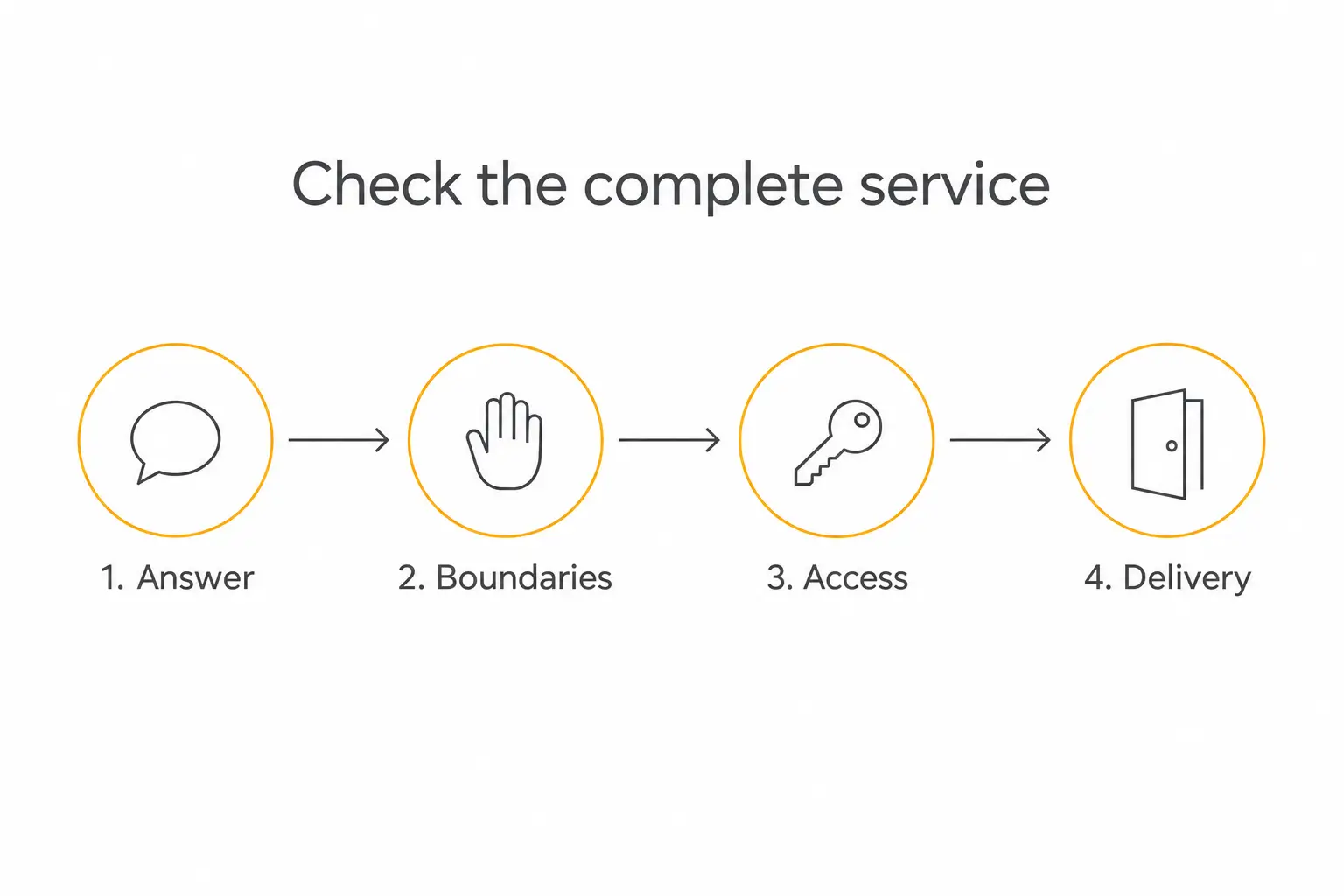
Scroll horizontally on a small screen to read the diagram.
Test the replacement before you move users
I would build a small evaluation set from the assistant's actual job. A good-looking first answer is useful feedback, but it cannot show that the important failure paths work.
Here is a proposed starter set for the client-brief example. Use synthetic client details and record the expected behavior before running it.
- Complete input: produce the required brief structure using the supplied facts.
- Missing input: ask for the absent requirement instead of inventing it.
- Source-dependent exception: follow the current reference material when it changes the recommendation.
- Unsupported request: explain the boundary and the useful next step.
- Wrong audience: keep another client's material unavailable to an unauthorized account.
- Failed connection: report the failure without claiming an external task completed.
Repeat the cases with a paraphrase to create a proposed twelve-case starting set. Record the result, source or trace, reviewer, and the change needed when a case fails.
Use the same examples to compare the old workflow, Google's native replacement where available, and your new agent. The purpose is to establish whether each candidate does your job reliably enough to release.
Our agent evaluation guide explains how to keep that set useful after launch. A source update or new Action should bring you back to the relevant checks.
Google Gems retiring: my practical migration plan
I would inventory the assistant first, preserve the authorized material, and pilot the most important job in the destination that fits its audience. That keeps the retirement deadline from turning into a rushed redesign of everything at once.
For a personal helper, the native Skills transition may be enough. For a client-facing business, I would use this opportunity to define the dedicated product, customer access, support process, and commercial terms around the assistant.
Before inviting users, write a short handoff note naming the new address, what the assistant can do, who can use it, and how to report a problem. Keep the old and new experiences identifiable during the limited rollout.
Assign someone to inspect the first real interactions and handle corrections. A migration is complete when the intended person can use the intended service, including its boundaries and support path.
Questions I would settle before moving a Gem
Do I have to move to another platform?
No. I would evaluate Google's native replacement when the job belongs inside Gemini, and evaluate Pickaxe when a dedicated client experience is the goal. The choice should follow the service you need to deliver.
Will the replacement answer exactly like my Gem?
I would not promise that. The selected model, retrieval, instructions, and surrounding tools can change the result, so compare representative tasks and repair failures before moving users.
Will my old sharing link keep working in Pickaxe?
This is a separate deployment with a new destination and access configuration. Tell users where to go and test their access instead of assuming Google's links or permissions move with the prompt.
What should I preserve first?
Start with the instructions and source material you are authorized to use, plus examples that define a successful result. Record the audience, connected systems, and update owner alongside them.
What is the next step if I want to sell access?
Rebuild one useful assistant and verify its core task before designing the paid offer. Then create your Pickaxe agent and connect the customer experience around it, with a clear allowance and support path.