
Most client portals are empty.
Not broken. Not badly designed. Just empty — a login screen the client used twice in month one, then never again, because everything they actually needed kept arriving in email anyway.
I've looked at a lot of these over the past year, and the pattern is depressingly consistent. The agency builds a custom client portal, uploads some files, sends the invite, and within six weeks the client is back to "hey, can you just send me that as an attachment?"
The portal wasn't the problem. The contents were.
A folder of PDFs is not a reason to log in. Nobody has ever opened a browser tab because they were excited to see an invoice. If the only thing behind the login is stuff you could have emailed, you built a filing cabinet with extra steps.
The portals that get used are the ones that do something the client can't do in their inbox. That's the whole thesis of this guide.
So this is a practical walkthrough: what a custom client portal is, the two very different kinds, how to build one without a development team, how to handle access and branding and billing, and — the part most guides skip — what to actually put inside it so people come back.
What a custom client portal actually is
A client portal is a private, branded place where one specific client (or one group of clients) logs in and gets what they need from you.
That's the whole definition. Everything else is implementation detail.
The word "custom" is doing real work in that phrase, though, and it usually means one of three things:
- Custom branding — your logo, your colors, your domain, no vendor's name anywhere.
- Custom contents — what's inside is specific to your service, not a generic file-sharing template.
- Custom access — each client sees their stuff and only their stuff.
A portal that nails all three feels like software you built. A portal that nails one feels like a Dropbox folder with a paint job.
Client portal vs. customer portal vs. member area
These get used interchangeably and they really aren't the same thing.
A customer portal is usually one-to-many and self-serve: a help center, an account page, a place to check an order. Scale is the point.
A client portal is one-to-few and relational: it belongs to a named account you have a contract with. Depth is the point.
A member area is one-to-many but gated by payment: a course, a community, a paid resource library.
This guide is about the middle one, though most of the mechanics transfer cleanly to the other two.
The two kinds of custom client portal (and why one keeps dying)
Here's the split that predicts whether your portal survives contact with a real client.
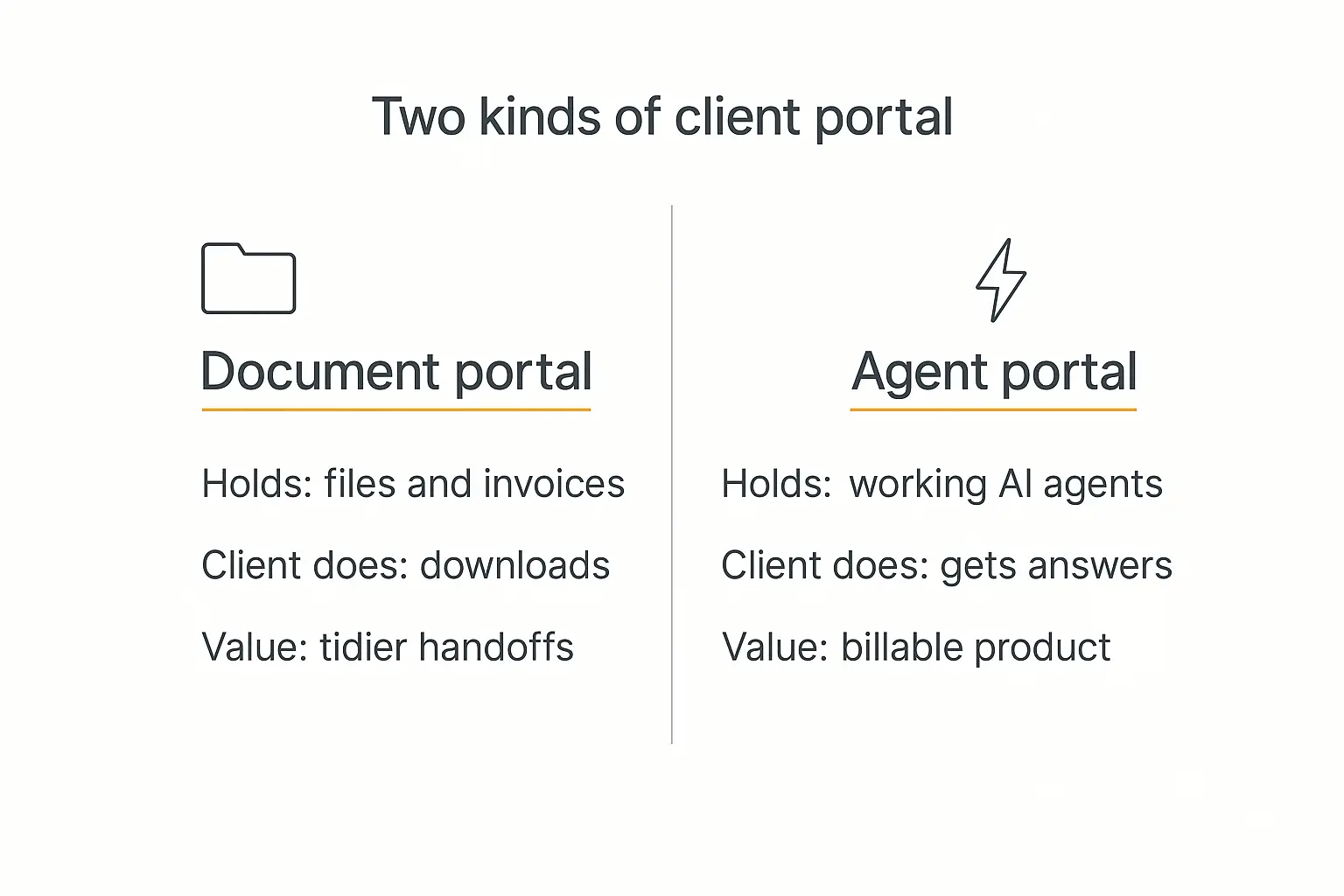
Kind one: the document portal. Files, invoices, contracts, a project status board, maybe a chat thread. It's a container for things you've already produced.
Document portals are genuinely useful for compliance, version control, and not having a 40-message email thread about which deck is final. They are also, almost always, low-frequency. The client visits when something changes, which is rarely.
Kind two: the agent portal. The client logs in and there's a set of working AI agents built specifically for their business — a research assistant trained on their category, an assistant that drafts in their brand voice, a tool that turns their raw call notes into a formatted summary, a bot that answers questions from their own documentation. For a Microsoft-centered shortlist, compare our Copilot Studio alternatives for client work against these portal requirements.
This one is high-frequency, because the client isn't collecting an artifact. They're getting work done.
The difference in behavior is not subtle. A document portal is a place you go when you need something from your agency. An agent portal is a place you go when you need something done — and that happens several times a week.
The best portals do both. The documents give it legitimacy and the agents give it a heartbeat.
Why 2026 changed the math on this
Two things happened at roughly the same time.
The first is that buyers stopped wanting to talk to you. Gartner's 2026 sales survey found 67% of B2B buyers prefer a rep-free buying experience. That instinct doesn't switch off after the contract is signed — the same people who wanted to buy without a call want to get answers without one too.
The nuance matters, though. Gartner also found that 69% of B2B buyers turn to a human to validate AI-generated insights. So the winning setup isn't "replace yourself with a portal." It's "let the portal handle the 80% that's lookup and drafting, so your time goes to the 20% that's judgment."
The second thing is that building the agents got cheap. Three years ago, putting a genuinely useful AI tool in front of a client meant a developer, an API integration, and a hosting bill. Now it's an afternoon of configuration.
That's the shift. The portal used to be the hard part and the contents were easy. Now the contents are easy and the portal is easy, which means the only remaining hard part is deciding what's worth building.
The time you're actually trying to buy back
There's a reason this keeps landing on agency roadmaps.
Status communication is a genuine tax. One analysis of agency workflows found that an agency with 15 active clients spends five to seven and a half hours a week just producing weekly status emails — before counting the reply threads each one spawns.
And onboarding is where accounts quietly die. Industry onboarding research consistently shows most cancellations cluster in the first 90 days, and that clients who disengage during onboarding rarely come back. A portal that's genuinely alive in week one is a retention play, not a convenience.
The five jobs a client portal has to do
Before you look at a single platform, it's worth being clear about what you're asking the thing to do. Almost every portal decision comes back to one of these five.
1. Be a front door. One URL, on your domain, that a client can bookmark. If your client has to search their inbox for a link, you don't have a portal — you have a page.
2. Know who's knocking. Identity and permissions. The portal has to distinguish between this client, that client, and a stranger, and it has to do it without you manually managing anything.
3. Hold the useful stuff. Documents, yes, but more importantly the tools. This is the job most portals fail at, and it's the only one the client actually cares about.
4. Look like you. Branding isn't decoration here. It's the difference between "our agency's platform" and "some software our agency uses," and clients price those two things very differently.
5. Take money, or at least track it. Either the portal bills directly, or it reports usage you bill against. If neither is true, your portal is a cost center forever.
Rank these for your situation before you shortlist tools. If jobs 1–3 matter and 4–5 don't, a shared drive with a nice landing page might genuinely be enough. If 4 and 5 matter, you need a real platform, and you should stop evaluating file-sharing products.
Build vs. buy: three honest paths
There are three ways to end up with a custom client portal, and the right one depends almost entirely on how much of the portal is the product versus the wrapper.
| Path | What you get | Time to live | Best when |
|---|---|---|---|
| All-in-one client suite (SuiteDash, Clinked, Moxo, Copilot/Assembly) | Portal plus CRM, invoicing, contracts, file sharing | Days | The portal is admin: documents, billing, project status |
| Database-first no-code builder (Softr, Noloco, Stacker, Glide) | A branded front end over your spreadsheet or database | Days to a week | You already have structured data clients need to see |
| Agent platform (Pickaxe and similar) | Branded portal whose contents are working AI agents, with access control and billing | An afternoon | The portal is the deliverable — you're selling capability, not access to files |
| Fully custom development | Exactly what you specified | Months | You have unusual compliance, data residency, or workflow requirements and a budget to match |
A quick word on that last row, because it's the one people over-choose.
Custom development is the right call when your portal has genuine structural requirements — deep integration with a legacy system, a regulator who wants to see your architecture, data that legally cannot leave a specific jurisdiction. It is the wrong call when what you actually want is "the same thing but with our logo." That's a configuration problem, and paying six figures to solve a configuration problem is how agencies end up with a beautiful portal and no margin.
Most people reading this want a mix: a no-code base, real branding, and something valuable inside. That's the path the rest of this guide follows.
Want the portal and the tools inside it in one place?
Build the agents, bundle them into a branded portal, set who gets in — no developer required.
How to build a custom client portal, step by step
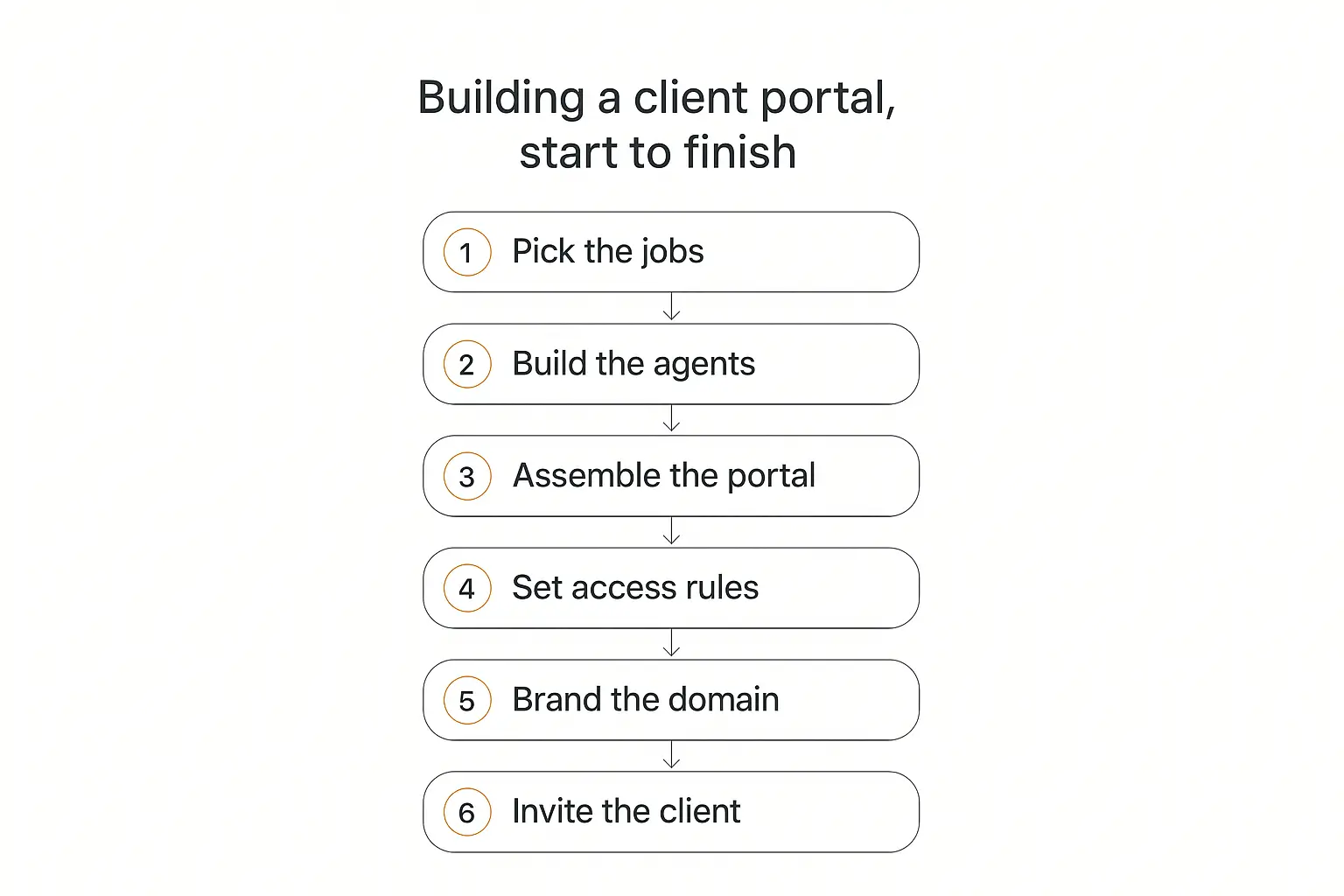
This is the sequence I'd follow. It's deliberately ordered so the expensive decisions happen after the cheap ones.
Step 1: Pick the jobs, not the features
Do not start by listing what the portal should have. Start by listing what the client keeps asking you for.
Go back through the last two months of email and Slack with your best account. Write down every request. Then sort them into three piles:
- Lookup — "what's our current spend on X?", "which version was approved?", "what did we agree in the kickoff?"
- Drafting — "can you write a first pass at this?", "turn these notes into something I can send"
- Judgment — "should we do this?", "is this a good deal?"
The first two piles are your portal. The third pile is your job, and always will be.
You are looking for the request that shows up weekly and takes you fifteen boring minutes. That's the highest-value thing you can put behind a login, and it's almost never the thing you'd have guessed.
Step 2: Build the agents before you build the portal
This is the step people skip, and it's the one that determines whether anyone logs in twice.
Take the top two or three items from your Lookup and Drafting piles and build an agent for each. Each agent needs three things:
- Clear instructions. Who it is, what it does, what it refuses to do, what tone it uses. Vague instructions produce vague agents — our guide to prompt engineering for AI agents covers the patterns that hold up under real use.
- The client's own knowledge. Upload their brand guide, their past deliverables, their product docs, their meeting notes. This is what makes it their tool instead of a chat window. If retrieval is new to you, this walkthrough of knowledge base setup is the plain-English version.
- One or two actions, maximum. Connecting to their CRM, their sheet, their calendar. Resist the urge to wire up eight integrations — agents get unreliable fast as you pile on tools. Two focused actions beat six half-working ones.
Build these one at a time and test each properly before moving on. Three agents that work are worth more than nine that mostly work, and a client who hits a broken tool on day two stops trusting the whole portal.
Step 3: Assemble the portal
Now you have contents, so the container has something to hold.
On a platform like Pickaxe, a portal is a hub that bundles multiple agents and pages behind one branded front door. You drop the agents in, organize them into folders, and add any static pages the client needs — a welcome note, the scope of work, a "how to use this" explainer.
Structure it around the client's mental model, not yours. Agencies love organizing by internal department. Clients think in terms of what they're trying to do right now.
Good top-level sections look like Content, Research, Reporting, Documents. Bad ones look like Phase 2 Deliverables.
Keep the first screen to five things or fewer. A portal with nineteen tiles reads as a menu nobody wants to parse, and the tool you most want them to use is now competing with eighteen others.
Step 4: Set access rules
Access control is where a "custom client portal" stops being a website and starts being software. It's also where most DIY builds get uncomfortable.
You have two basic modes:
- Open access — anyone with the link gets in. Fine for a lead magnet or a public demo, wrong for anything client-specific.
- Member access — people sign up or get invited, and you control who's on the list.
For client work you want member access, essentially always. The rule that matters: each client's group should see only their own portal, and the way most platforms model this is one access group per client, connected to that client's portal.
The failure mode to design against is the one where Client A can guess a URL and land in Client B's workspace. Before you invite anyone, log in as a test user with no permissions and try to reach the things they shouldn't see. It takes ten minutes and it's the single highest-value test in this whole process.
Also decide now — not later — what happens when the relationship ends. Does their login die? Do they keep read access to their documents? Put the answer in the contract, because you will eventually need it.
Step 5: Brand it and put it on your domain
This is the step that changes what you can charge.
A portal at yourvendor.com/clients/acme reads as a tool you bought. A portal at portal.youragency.com reads as a product you built. Same software, wildly different perceived value.
Minimum viable branding:
- Your logo in the header, and the client's logo if you're going a step further
- Your brand colors on buttons and accents
- A custom domain or subdomain with a valid certificate
- No vendor branding anywhere the client can see
Custom domains and white-labeling are typically a paid-plan feature on every platform in this category, Pickaxe included — check the pricing page for where that line sits. It's worth it. This is the cheapest perceived-value upgrade available to you.
We wrote a deeper piece on this if you're weighing options: white-label AI tools for agencies.
Step 6: Invite the client — properly
Do not send a bare invite link. That's how you get an empty portal.
Run a fifteen-minute live walkthrough. Open the portal on a call, use one agent in front of them with a real input from their business, and watch their face when it produces something useful.
Then send three things: the link, a two-line "start here" instruction, and one concrete task to try this week.
The first week is the whole ballgame. A client who gets one genuinely useful output in week one will keep the tab open for a year. A client who logs in, sees a grid of tiles, and doesn't know which to click will not come back — and won't tell you why.
What to actually put in the portal
The hardest question isn't technical. It's "what goes in here?"
Here's what's worked, by service type. Treat these as prompts for your own thinking rather than a menu.
| Your service | Agent worth building | Why they'll come back |
|---|---|---|
| Marketing agency | Brand-voice draft writer trained on their approved copy | Their team stops sending you one-off copy requests |
| Management consulting | Research assistant scoped to their industry and past deliverables | Answers questions between engagements |
| Recruiting | Job description builder and candidate screening summarizer | Used on every new req |
| Accounting / bookkeeping | Policy Q&A over their own chart of accounts and past filings | Kills the "quick question" email |
| Legal | Contract clause explainer over their template library | Non-lawyers self-serve the easy questions |
| Web / design studio | Site copy generator matched to the design system you shipped | Extends the life of the project |
| Coaching | Session-prep assistant grounded in their notes and goals | Used between sessions, not just during |
Notice the pattern. Every one of these is a task the client currently does badly, slowly, or by asking you. None of them are "a chatbot."
A few more that transfer across almost any service:
- The onboarding agent. Answers "how does this work with you", collects the intake information you always chase, and hands you a clean brief. We covered the build in detail in how to build an AI agent for client onboarding.
- The reporting agent. Turns the numbers you already pull into a plain-English summary the client can forward to their boss. This is the one that quietly makes you unfireable.
- The "what did we agree" agent. Grounded in the SOW, kickoff notes, and change orders. Ends more scope arguments than any process document ever has.
- The intake and qualification agent, if your client sells to their own customers — see building a lead qualification agent.
How to charge for a client portal
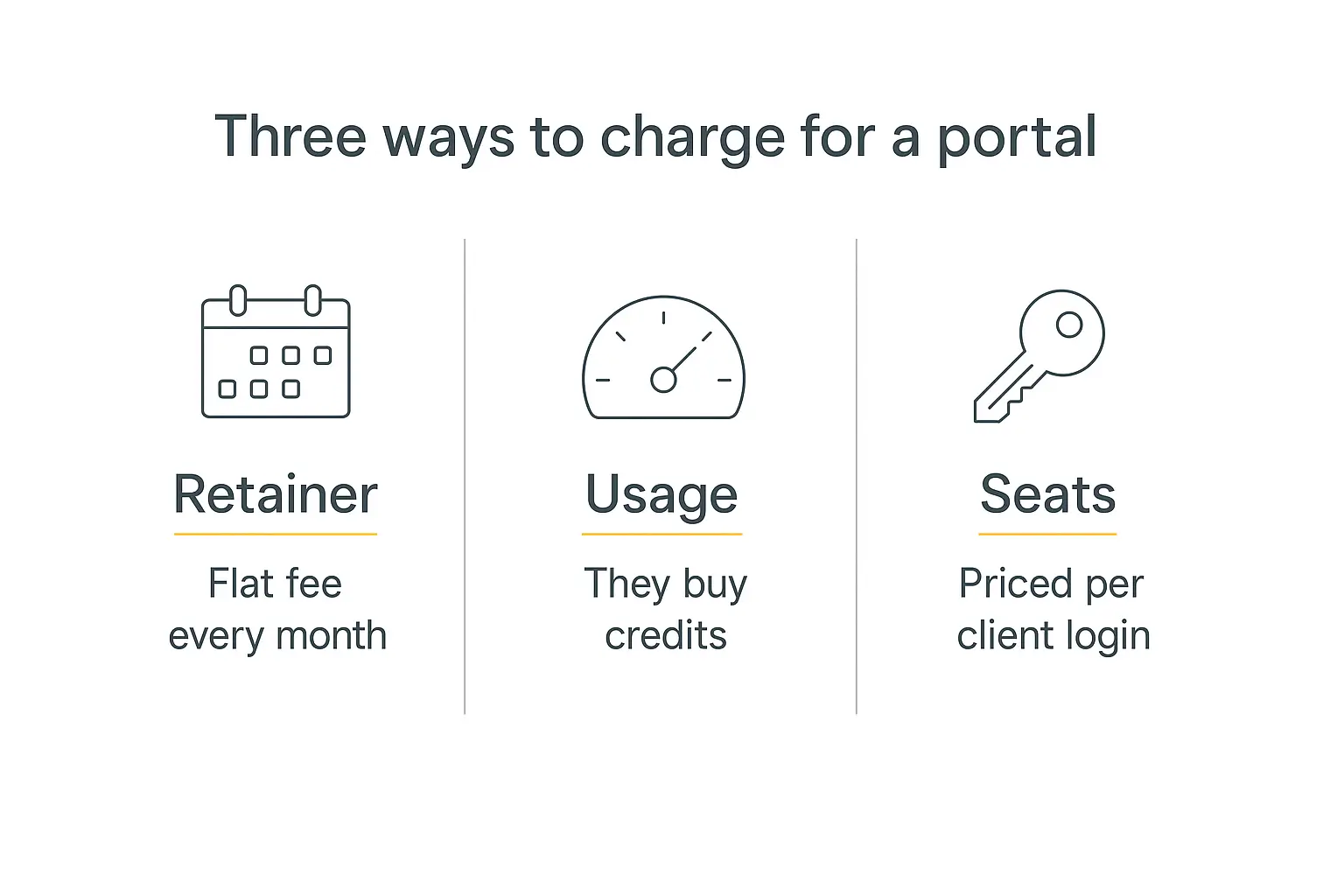
You have three real options, and the wrong instinct is to give it away as a bonus.
Bundled into the retainer. The portal is part of the service, folded into the monthly fee. Easiest sell, no new contract conversation, and it makes your retainer stickier because cancelling now means losing a tool their team uses. The downside: you carry the usage cost, and it's invisible on the invoice so it doesn't defend your price.
Fix the second problem by putting a line item on the invoice at $0 — "Client portal & AI tools — included." Costed and free reads very differently from absent.
A separate portal fee. A flat monthly charge on top, typically a few hundred dollars for a small portal. Works best when the portal contains tools their whole team uses, not just their main contact. Sell it per-team, not per-person.
Usage-based. They buy credits and spend them as they use the agents. This is the honest model when usage is genuinely variable, and it scales without you renegotiating. Platforms that support it let you set your own cost per credit, so there's margin between what the AI costs you and what the client pays.
Which to pick? If the portal supports work you're already doing, bundle it. If the portal is the work, charge separately. Our breakdown of AI agent pricing models goes deeper on the trade-offs, and how to price AI services covers the conversation itself.
One thing I'd push back on: don't price a portal at cost-plus. You're not selling compute. You're selling the fact that a thing which used to take a week now takes a minute, and the client has no idea what the tokens cost.
What a portal is worth to the client
If you're going to charge separately, you need a number you can defend, and "it's really useful" isn't one.
The arithmetic that works is time saved on their side, not cost incurred on yours. Take one task the portal absorbs, multiply by frequency, multiply by the loaded hourly cost of whoever used to do it.
A marketing coordinator on roughly $70,000 a year costs about $50 an hour loaded. If the draft writer saves them four hours a month, that's $200 a month of recovered time from one agent, for one person. Add two more agents and two more users and you're comfortably past what you'd charge for the portal.
Frame it that way in the conversation and the price stops being a negotiation about software and starts being a comparison against their own payroll. That's a much easier room to be in.
Two caveats, because overclaiming here will cost you the account. Time saved is not money saved unless that person genuinely reallocates the hours — say "recovered capacity," not "cost reduction." And don't build the estimate on a task they only do occasionally; the maths looks great and the client will notice it isn't real.
Making the money side work
If you're charging through the portal rather than invoicing separately, you need three pieces wired together: access control, a member group, and a payment processor.
The order matters — you gate access first, then attach a price to the gate. Platforms in this space generally connect to Stripe for the billing itself, which means subscriptions, one-time payments, and usage top-ups all behave the way your accountant expects.
Worth knowing before you model your margin: platforms take a processing cut on portal revenue, and the percentage usually drops as you move up plans. Factor that in before you quote.
A worked example: one agency, one portal
Abstract advice is easy to nod at and hard to act on, so here's a concrete shape. This is a composite of setups I've looked at rather than a single named client, but every piece of it is something people are actually running.
A six-person content marketing agency, eleven retainer clients, average retainer around $6,000 a month. Their problem wasn't delivery — it was the constant low-grade interruption. Roughly forty inbound "quick questions" a week across all accounts, each one costing ten to twenty minutes of somebody's focus.
They audited a month of those requests and found three clusters:
- "Can you write a quick version of X in our voice?" — about 40% of requests
- "What did we agree about Y?" — about 25%
- "How did last month perform?" — about 20%
The remaining 15% was genuine strategy, which is the part they wanted to be interrupted for.
What they built. Three agents, one per cluster.
The draft writer was loaded with each client's approved copy, brand guidelines, and a list of banned phrases. Not a general writing assistant — a client-specific one, retrained per account by swapping the knowledge base.
The account historian held the SOW, kickoff deck, meeting notes, and every change order. It answered scope questions with citations, which turned out to matter more than the answers: being able to say "here's where that's written down" ended arguments that used to take a call.
The reporting assistant pulled from a monthly performance sheet and produced a plain-English summary the client's marketing lead could forward to their CFO without editing.
How they packaged it. One portal per client, each on a subdomain of the agency's own site, each with its own access group holding two to four named users from the client's team. The portal opened on four tiles: the three agents plus a documents section with the current contract and deliverables.
Clone-and-swap took about ninety minutes per new client, most of it spent loading that client's documents.
What happened. Inbound quick questions dropped by roughly half within two months. That's not the interesting number, though.
The interesting number is that two clients asked whether their other teams could get access — which turned into a paid expansion on both accounts. The portal stopped being a service perk and started being a product with its own pricing conversation.
The failure worth reporting: their first attempt included a fourth agent, a general "ask us anything" bot, which nobody used and which occasionally produced confidently wrong answers about scope. They removed it after five weeks. Broad agents lose to narrow ones in a client portal, every time.
Security and compliance: the boring section that closes deals
Skip this and you'll lose your first enterprise client at procurement.
SOC 2 Type II has become the default expectation for vendors handling client data, and a large majority of enterprise buyers now require it from service providers. You don't need your agency to be SOC 2 certified to run a portal — but the platform underneath it should be, and you should be able to say so in one sentence when asked.
The checklist a procurement team will actually run through:
- Encryption in transit and at rest
- Role-based access control with least privilege — each client sees only their data
- Audit logging — who did what, when
- SSO / MFA support for larger clients
- A DPA and a published sub-processor list if you're touching EU data under GDPR
- Data residency options where the client's regulator requires them
- A documented offboarding path — what happens to their data when the contract ends
Pickaxe is SOC 2, GDPR, and CCPA compliant, which covers the platform layer. The parts that stay yours: what you upload, who you invite, and how fast you revoke access when someone leaves the client's team.
That last one is the actual risk. In practice, portals leak because a departed employee's login was never removed, not because someone broke the encryption. We went through the realistic threat model in AI agent security risks.
One rule worth adopting from day one: never put anything in a shared workspace-level knowledge base that's specific to one client. Client-specific documents belong on client-specific agents inside that client's portal. This is the mistake that turns into an awkward phone call.
One portal per client, on your own domain
Access groups, white-label branding, and Stripe billing are built in — so is the compliance paperwork.
Seven mistakes that kill client portals
Every one of these is something I've watched happen.
1. Launching with an empty portal. "We'll fill it as we go." You won't, and the client's first impression is a room with no furniture. Ship with three things that work.
2. Building for your workflow instead of theirs. Your internal phases are not a navigation structure. Organize by what the client is trying to accomplish.
3. Too many tiles. Nineteen agents is not nineteen times more useful than three. Choice paralysis is real and it presents as "the client never logged in."
4. No onboarding moment. A link in an email is not a launch. Fifteen minutes live, one real task, done.
5. Silent failures. An agent that returns something wrong is worse than one that isn't there. Test each agent with the client's actual inputs before launch — this guide on testing agents has the process.
6. Leaving vendor branding visible. The moment a client sees another company's logo, your portal becomes a tool you resell rather than a product you built.
7. No usage review. Look at what's actually being used every month. Kill the dead tiles, double down on the one they love. A portal you never prune becomes a portal nobody navigates.
Rolling it out across every client
The first portal is a project. The tenth should be a template.
Once you've built one that works, most of it is reusable: the same three or four core agents, the same structure, the same welcome page, with only the knowledge base and branding swapped per client.
Practically, that means keeping a "master" portal you clone, and a short intake checklist of what changes each time — logo, colors, domain, client documents, access group, price.
At that point the economics get interesting, because the marginal cost of client eleven is close to zero while the perceived value is identical to client one. That's the model behind most of the agencies we've written about in how to start an AI agent agency, and the monetization side is covered in how to monetize AI agents.
If some clients would rather have the tool live inside their own site than behind a portal login, that's a deployment choice, not a rebuild — the same agents can be embedded on their website or pushed into Slack or WhatsApp instead.
Frequently asked questions
How long does it take to build a custom client portal?
The portal itself — branding, structure, access rules — is genuinely an afternoon on a no-code platform. The agents inside it are where the real time goes, and I'd budget half a day per agent for the first few, dropping sharply once you've built a pattern you trust.
Custom development is a different universe: months, and a five-to-six-figure budget. Only worth it for genuinely unusual requirements.
Do I need a developer?
No, not for the version described in this guide. You'll need someone comfortable pointing a subdomain at a platform (a DNS record, roughly ten minutes) and someone who can write clear instructions. Neither is a programming job.
Can each client have their own branded portal?
Yes. The standard model is one portal per client, each with its own access group so people only ever see their own. Whether you can run many portals at once, and how many custom domains you get, varies by plan on every platform — check before you promise a client their own domain.
What's the difference between a client portal and just sharing a Google Drive folder?
For files alone, honestly, not much — and if files are all you need, a shared folder is a perfectly respectable answer.
The difference shows up when the portal contains tools rather than documents. You cannot put a working AI agent in a Drive folder, and that's the thing clients log in for.
How do I stop one client from seeing another client's data?
Separate access groups, separate portals, and client-specific documents attached to client-specific agents rather than a shared workspace library. Then test it: create a dummy user in Client A's group and try to reach Client B's portal. Do this before launch, not after.
Should I charge for the portal or include it?
Include it if it supports work you're already billing for. Charge separately if it's doing work the client would otherwise pay someone for. If you include it, still put it on the invoice at $0 so it's visible.
What if the client stops using it?
Look at what they used before they stopped, and ask directly. Almost always the answer is one of three things: it didn't do the thing they actually needed, an output was wrong once and they lost trust, or they forgot it existed. All three are fixable, and all three are invisible unless you check your agent analytics.
Where I'd start
If you take one thing from this: build the contents before you build the container.
Pick your best client. Find the request they send you most often that takes fifteen boring minutes. Build one agent that handles it, grounded in their own documents. Put it behind a login on your domain. Walk them through it live.
That's a custom client portal. Everything after that is addition.
The version of this that fails is the one that starts with the platform comparison spreadsheet and never gets to the part where a client gets something useful. The version that works starts with one annoying task and one client who's glad it's gone.
If you want to try the whole thing end to end — agents, portal, access groups, custom domain, billing — you can build the first one on Pickaxe and see how far you get before lunch.