Every course creator I talk to has the same unglamorous bottleneck, and it isn't traffic.
It's the inbox.
Someone buys the course at 11pm, can't find the login link, and DMs you. Someone else is stuck on module three and asks a question you have answered forty times. A third person hasn't logged in since the day they paid, and you won't notice until they request a refund.
None of that is teaching. All of it is the job.
AI agents for course creators are interesting precisely because that pile is so repetitive. Not because an agent can teach your material better than you can — it can't — but because most of the work sitting between you and your students is retrieval, reminders, and noticing.
I looked into what creators are actually deploying in 2026, what the platforms have shipped natively, and where the whole idea quietly falls apart. Here's the honest version.
The three jobs AI agents for course creators actually do
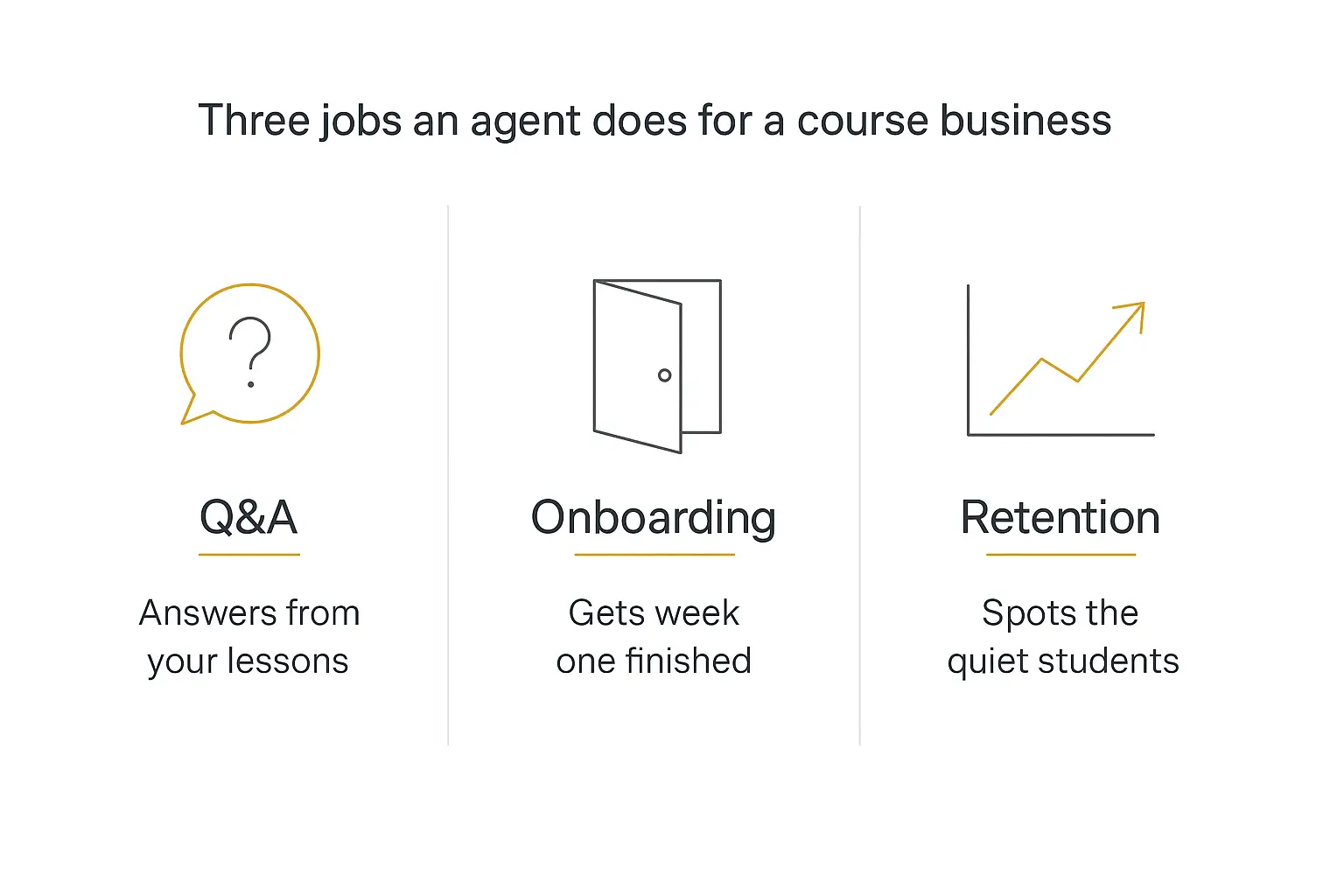
There are exactly three places an agent earns its keep in a course or membership business, and they pay back at wildly different speeds.
Student Q&A pays back this week. It is bounded, your answers already exist somewhere, and every question the agent handles is a notification you don't get.
Onboarding pays back this month. Week one decides whether someone finishes, and almost nobody runs a real week-one sequence because it's fiddly and personal.
Retention pays back this quarter, if it pays back at all. This is the one people want first and should build last, for reasons I'll get to.
Everything else — writing your sales page, generating quizzes, repurposing a lesson into social posts — is content work. Useful, but that's an AI writing tool, not an agent. If that's what you're after, our roundup of AI tools for coaches covers more of that ground.
This post is about the agent that runs while you're asleep.
Why the numbers make this worth doing
The completion problem in online education is not a rumour, it's one of the best-documented findings in the field.
When MIT and Harvard researchers looked at six years of edX data in "The MOOC Pivot" in Science, they found completion had fallen to 3.13% of participants in 2017–18, and that roughly half of everyone who registered never started the course at all.
Free MOOCs are the worst case, obviously. Paid courses do far better — benchmark roundups put paid self-paced courses around 60% and cohort-based courses above 70%, with self-paced marketplace courses like Udemy sitting below 15%.
But the gap that matters most for this post is the one attributed to contact. The same benchmark data has courses with community features completing at 65.5% against 42.6% without.
Memberships have their own version of the number. Membership communities churn at roughly 5.8% a month — call it half your roster a year — and the most-cited reason for cancelling isn't price. It's low engagement.
Put those together and the thesis writes itself: people don't quit because the material is bad. They quit because they went quiet and nobody noticed.
An agent is very good at noticing.
There's also evidence the teaching side works
I want to be careful here, because "AI tutor" claims are usually vapour. But there is one genuinely well-designed study worth citing.
Harvard ran a randomised controlled trial in its Physical Sciences 2 course, published in Scientific Reports in June 2025. Around 194 students alternated between an active-learning classroom and a purpose-built AI tutor, on matched material.
Students in the AI tutor condition learned more than twice as much, in less time, and reported higher engagement.
The design detail is the part creators should steal. The tutor, nicknamed PS2 Pal, was explicitly instructed to give away only one step at a time and to make the student attempt it before revealing anything.
A generic chatbot bolted onto a course does the opposite — it hands over the answer, and your students learn nothing while feeling productive.
So the lesson isn't "add AI." It's that the constraints you write into the agent are the product. More on that below.
Job one: student Q&A
Start here. Always start here.
Pull up your DMs, your community's questions channel, and your support inbox, and read the last hundred messages. What you'll find, almost universally, is that 70–80% of them are answerable from material you have already written.
Login and access problems. "Which module covers X." "Is this course right for someone who already does Y." "Where's the workbook." "What's the difference between tier one and tier two." "Can I get the recording."
That's a retrieval problem, and retrieval is the thing agents are genuinely good at.
Where the answers come from
The agent needs a knowledge base, and the quality of the knowledge base is 90% of the outcome. Feed it:
- Lesson transcripts, with module and lesson names intact so it can cite where to go.
- Your workbooks, templates, and PDFs — the things students lose track of.
- Your existing FAQ and refund policy, verbatim.
- Your best community answers — the long replies you already wrote at 1am and will never write again.
- The sales page, so pre-sale questions get a straight answer.
The transcripts are the unlock. Most creators already have them sitting in their video host, and they turn a vague "how do I price this" into "Module 4, lesson 2 covers exactly this — here's the short version."
If you want the mechanics of chunking, refresh cadence, and why a badly structured knowledge base produces confident nonsense, we wrote that up separately in adding a knowledge base to your AI agent.
The one rule that makes it safe
Write this into the instructions, more or less verbatim:
"Answer only from the course material provided. Always name the module and lesson your answer comes from. If the material doesn't cover it, say you don't know and offer to pass the question to the instructor. Never invent a policy, a price, a date, or a promise about results."
That single paragraph is the difference between an agent that saves you time and one that creates a support incident.
The citation requirement does double duty, too. It sends students back into the course instead of letting the chat replace it — which matters, because a student who gets every answer from the bot never watches lesson four and never finishes.
Our guide to prompt engineering for AI agents goes deeper on writing instructions that hold up under pressure.
What it must refuse
Some questions look like Q&A and are actually liability. Hard-code refusals for these:
| Question type | Why the agent shouldn't answer | What it should do |
|---|---|---|
| Refunds, cancellations, billing disputes | Money decisions bind you contractually | State the policy, hand to a human |
| "Will this course get me a job / clients / results?" | Outcome promises are an advertising risk | Describe what the course covers, nothing more |
| Personal medical, legal, or financial advice | Regulated, and your course isn't a licence | Refuse and point to the relevant disclaimer |
| Grading, certification, "did I pass" | Requires judgement you're accountable for | Route to you |
| Anything emotionally escalated | A frustrated student needs a person | Escalate immediately with the transcript |
Circle built this exact idea into their AI Agents feature as pause keywords — words like "refund," "complaint," or "lawsuit" stop the agent mid-conversation and hand off to a human with a prewritten message.
Steal that pattern regardless of what you build on. A keyword tripwire is crude and it works.
For the wider design question of where a human belongs in the loop, we covered it in human-in-the-loop AI agents.
What a good answer actually looks like
Abstractions are easy to agree with, so here's the concrete version. Same student question, three different agents.
The question: "I'm a freelance designer with about six clients. Should I be charging hourly or project-based? I'm halfway through the course and still not sure."
A generic chatbot with no knowledge base gives four paragraphs of reasonable-sounding pricing advice that has nothing to do with your framework. It's fine. It's also exactly what ChatGPT would have said for free, and it quietly teaches the student that your course is optional.
An agent with your transcripts but no pedagogy rule gives the right answer, from your material, in full. "Module 4 recommends value-based pricing for service businesses with under ten clients, calculated as follows…" — and then does the calculation for them. The student nods, closes the tab, and hasn't learned to do it for the next client.
An agent built properly does something closer to this:
"Module 4, Lesson 2 covers this exactly — and the short version is that with six clients you're at the size where the course argues for moving off hourly. Before I walk you through it, one question from the lesson's worksheet: for your last project, roughly what did the client gain from it in money or time saved? Ballpark is fine. That number is the input the whole pricing method runs on."
Three things happened there. It cited a lesson, so the student knows where to go. It gave the direction but not the arithmetic. And it asked the question the worksheet asks, which means the student is now doing the exercise.
That's the difference between a chatbot in your course and a teaching assistant. It's about six lines of instructions.
Job two: onboarding, because week one decides everything
Here's the pattern nobody wants to hear: the students who don't log in during week one mostly never finish, and a meaningful share of them will ask for their money back.
You already know this intuitively. The people who show up in the community on day two are the ones who finish. The silent ones are the churn.
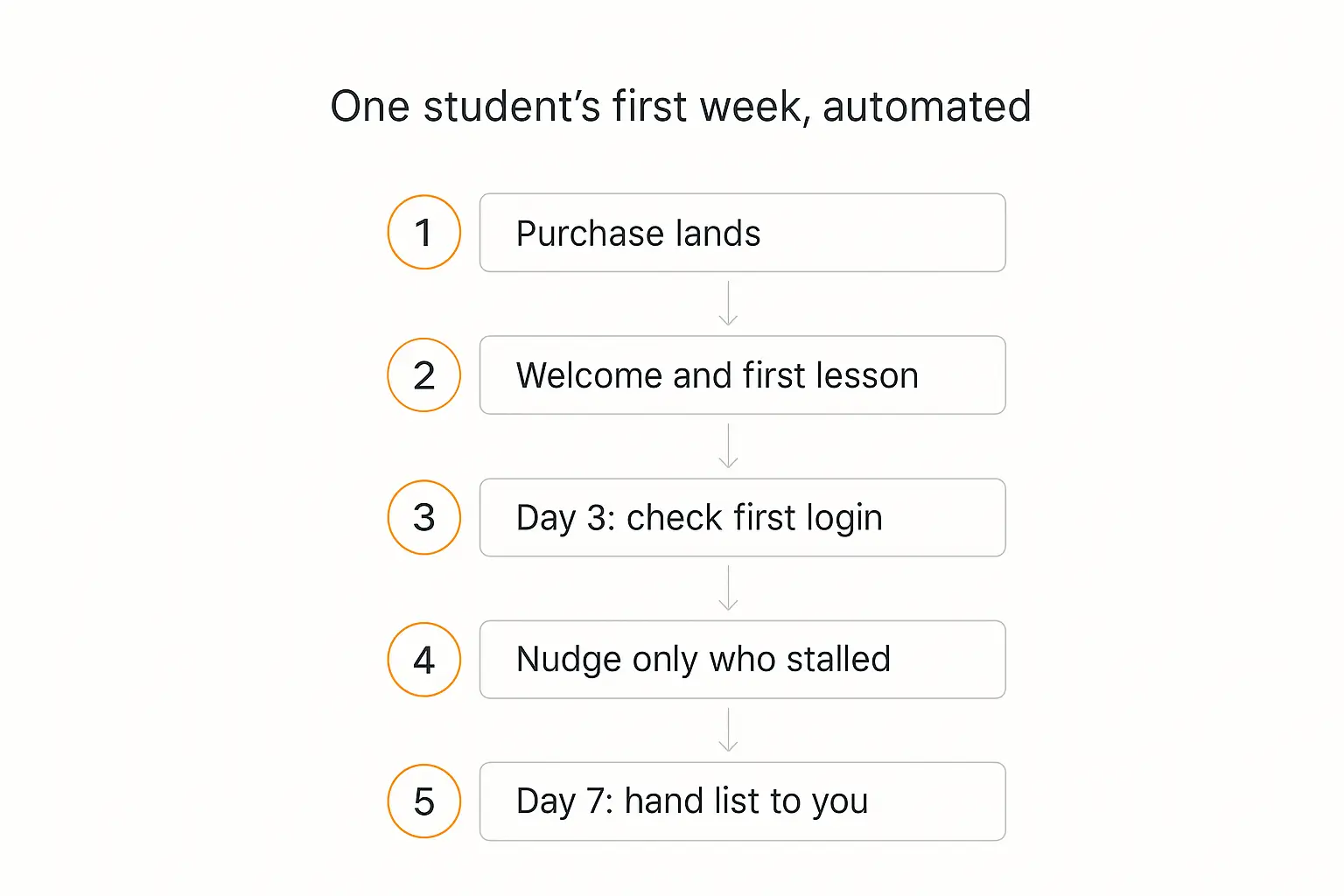
So the onboarding agent has one job — get the student to complete one meaningful thing in the first seven days — and it does that with a handful of moves.
What the first week actually looks like
- On purchase: a welcome that is specific, not generic. Ask one question — what they want out of this — and store the answer. That single line becomes context for every later message.
- Day one: point at exactly one lesson. Not the curriculum. One lesson, with a reason it's the right first one given what they told you.
- Day three: check whether they've logged in and watched anything. This is a data lookup, not a message.
- Day three, branch: if they've started, nudge toward the first real milestone. If they haven't, send one short, low-pressure message that asks whether something got in the way — and offer to answer it right there.
- Day seven: hand you a list. Not a report you have to read — a list of the three or four names still at zero, with what each one said they wanted.
That last step is the whole point. The agent isn't replacing your personal outreach, it's telling you where to spend it.
Running this on a timer is a solved problem — see how to build an AI agent that runs on a schedule for the mechanics of daily and weekly runs. And if you're building the client-side version of this, our client onboarding agent walkthrough is the same architecture with different fields.
Why this beats a drip sequence
Every course platform already has drip emails. Most creators already have a welcome sequence. So why bother?
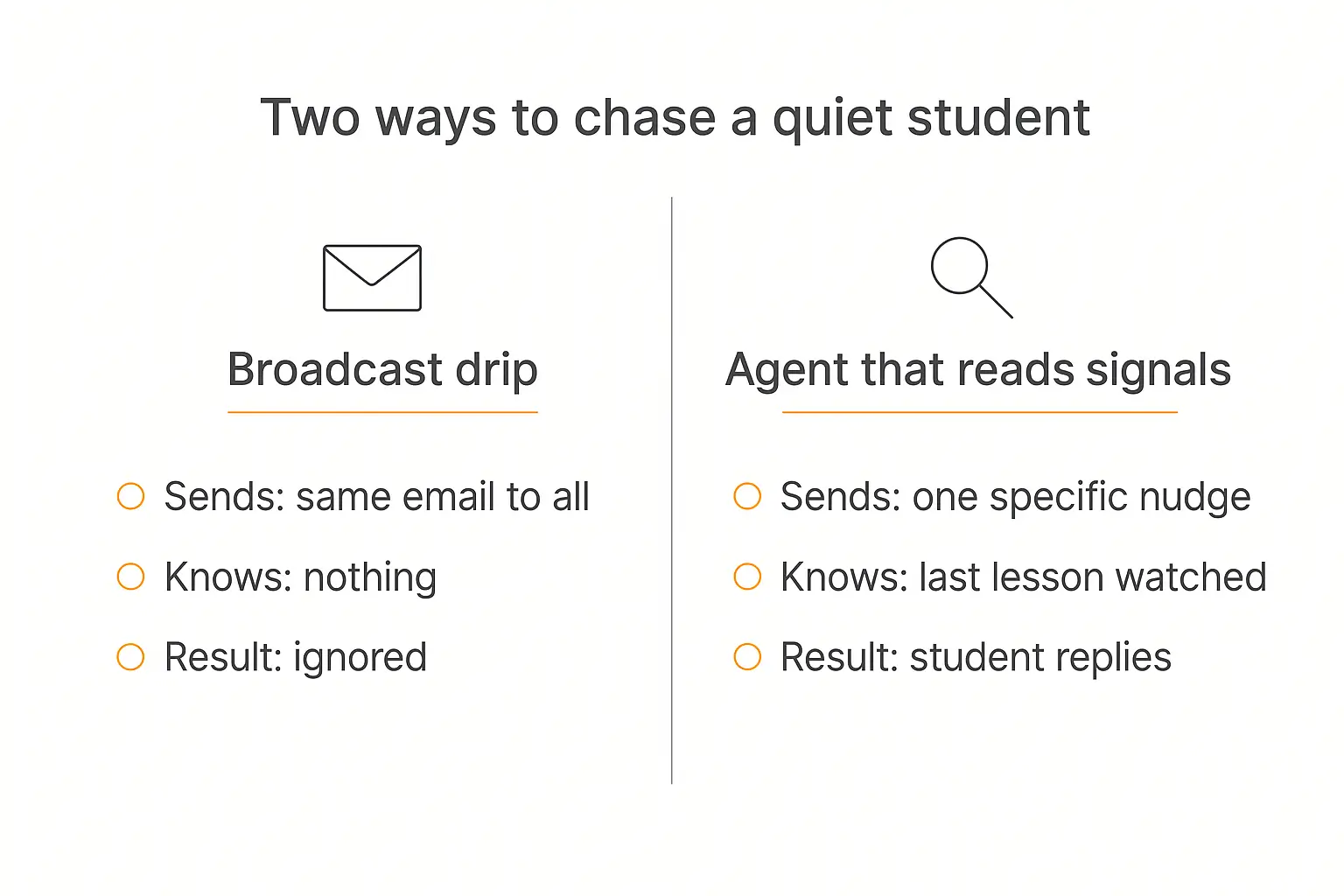
Because a drip sequence sends the same thing to everyone regardless of what they did, and students know it. A day-three email that says "hope you're loving module one" when you haven't opened module one reads as automated, which is precisely when people stop reading.
An agent branches on actual state — what they bought, what they said they wanted, what they've watched — and it can answer a reply. That's the real difference. A drip email is a dead end; a nudge from an agent is the start of a conversation that might rescue the sale.
Job three: retention, and the honest part
Retention is the reason most people land on this topic, and it's the job I'd build last.
Here's why: an agent cannot make a mediocre course worth staying in. If your membership churns because the monthly call is thin and the content stopped in March, a friendly nudge is just a more annoying way to lose the customer.
What an agent genuinely does is close the detection gap. Most creators find out someone disengaged when the cancellation email arrives — 30 to 60 days after the actual moment they drifted. That delay is the problem, not the drifting.
The signals worth watching
You don't need a machine learning model. Four signals get you most of the way:
- Days since last login. The single best predictor. A member at 21 days silent is a different person from one at 3.
- Progress stall. Started module two, hasn't moved in a fortnight — that's a specific, addressable problem, and it usually has a specific cause.
- Community silence after prior activity. Someone who posted weekly and stopped is a much louder signal than someone who never posted.
- The unanswered question. Someone asked, nobody replied, they left. This one is entirely self-inflicted and entirely fixable — which is exactly why job one comes first.
The agent's move on each is the same shape: one specific message that references the real thing they were doing, with an easy way to reply. Not a campaign. One message.
Where I'd draw the line
Some honest boundaries, learned the hard way by people who over-automated:
Don't let the agent handle cancellations. A retention agent that argues with someone trying to leave is the fastest way to earn a chargeback and a screenshot on social. Acknowledge, offer a pause option if you have one, and get out of the way.
Don't send more than one nudge per person per week. The whole advantage of targeting is restraint. If the agent messages everyone constantly, you have rebuilt the broadcast drip with extra steps.
Be visibly an agent. Name it, say it's an AI assistant, make the handoff to you obvious. Creators who pass a bot off as themselves get caught, and the trust cost dwarfs the time saved.
That last one isn't just etiquette. Transparency obligations for AI systems that talk directly to people — including the EU AI Act's Article 50, applicable from August 2026 — start from the principle that people should be told. "My students didn't realise" is not a defence you want to test.
What your course platform already gives you (and what it doesn't)
Before you build anything, check what's already in the box. Some of it is genuinely good.
| Platform | What's native in 2026 | The catch |
|---|---|---|
| Circle | Full AI Agents with a configurable Knowledge Engine, tone control, an AI inbox, pause keywords, and up to 10 agents | Plan-gated to the higher tiers — the real agent functionality sits on Plus/Enterprise, which is custom-priced |
| Kajabi | Cofounder, a business-context AI partner, plus Creator Studio for repurposing content | Aimed at you, not at your students — it helps build offers and copy, it isn't a student-facing support agent |
| Thinkific | AI quiz generation and curriculum assistance | Authoring help, not a live answering layer |
| Teachable | AI curriculum builder, fast and opinionated | Same — creation-side |
| Skool | Effectively nothing native; you bolt on your own | Which is fine, as long as you know that going in |
Notice the pattern. The platforms have mostly shipped AI that helps you make the course, not AI that looks after the people in it. Circle is the clear exception, and it's the one hiding behind an enterprise price tag.
So for most creators the practical question is: build the student-facing agent yourself, and point it at whatever platform you already sell on.
Where AI agents for course creators should live
This decides whether it gets used. An agent nobody can find answers nothing.
| Surface | Best for | Notes |
|---|---|---|
| Embedded beside the lesson player | Q&A while studying | Highest usage by a wide margin — the question happens during the lesson |
| A branded portal your students log into | Memberships, multi-course businesses | Lets you gate access per tier and run several agents in one place |
| Inside the community | Cohorts and active communities | Answers publicly, so the answer helps everyone who scrolls past |
| Onboarding nudges and re-engagement | Meets lapsed students where they still are | |
| Non-desktop audiences, international cohorts | Underrated for accountability check-ins |
Most creators end up with two: an embed next to the content for Q&A, and email for the nudges. If you sell more than one course, a portal is worth the extra setup — we walked through that build in building custom client portals, and the deployment mechanics across surfaces are covered in deploying an AI agent to your website, WhatsApp, and Slack.
One thing worth checking early: the embed has to survive inside your course platform's page. Most of them allow a script or iframe on a lesson page or a custom block, but a few lock it down on lower plans.
Building the student Q&A agent, step by step
This is the version I'd build first, and it's an afternoon of work rather than a project. I'll describe it on Pickaxe because that's what we make, but the shape is the same anywhere.
1. Get your transcripts out
Export the transcript for every lesson. Name each file Module 2 — Lesson 3 — Pricing your offer.txt or similar, because the agent will use those filenames when it cites a source, and "Untitled_video_final_v2" helps nobody.
Add the workbooks, the FAQ, the refund policy, and your sales page while you're there.
2. Load the knowledge base
Upload the lot. Pickaxe takes PDFs, docs, text, audio and video files, and URLs, and chunks them for retrieval; you can also point it at a Notion or Google Drive folder and let it refresh daily so a new lesson shows up without you re-uploading anything.
Keep the workspace-level library for things every agent should know (policies, tone, the offer) and put course-specific material at the agent level.
3. Write the instructions
Four blocks, in this order:
- Role. "You are the teaching assistant for [course]. Your students are [who they are, what they already know]."
- Sourcing rule. Answer only from the material, always name the module and lesson, say you don't know when you don't.
- Pedagogy rule. This is the PS2 Pal lesson: for anything that's an exercise or a "how would I do X for my situation," give one step and ask them to try it before continuing. Don't hand over finished work.
- Refusals and escalation. The table above, written out as rules, plus the keyword tripwire.
Put the two rules you care most about — cite the lesson, never invent a policy — in the Model Reminder as well, so they get reinforced on every single message rather than drifting out of context in a long conversation.
4. Add the two Actions that matter
Keep it to a small number of Actions; agents get unreliable when you give them a dozen tools and a vague brief.
The two that carry their weight here:
- Escalate to instructor — sends you the question, the student, and the transcript, into email or Slack.
- Log the question — appends every question to a sheet. This becomes your content roadmap; the questions that repeat are the lessons you haven't made yet.
If you want to trigger these from your existing stack, the integrations roundup covers connecting through Zapier, Make and n8n.
5. Test it like a student trying to break it
Ask it the twenty questions you get most. Then ask it five it shouldn't answer: a refund demand, a "will this work for me" outcome question, something completely off-topic, an emotional complaint, and a request to just write the assignment.
You are checking two things: does it cite real lessons, and does it refuse cleanly without being weird about it.
Our guide to testing and debugging an AI agent before you deploy it has a fuller checklist, including how to build a small regression set so a prompt tweak doesn't silently break something that worked last week.
6. Deploy narrow, then widen
Put it in front of one cohort, or one course, for two weeks. Read every conversation. You will find three prompt bugs and one missing document, guaranteed.
Then widen it.
What to measure
Most creators deploy an agent and then have no idea whether it worked. Four numbers settle it.
| Metric | How to read it |
|---|---|
| Deflection rate — questions answered without you | The direct time saving. Expect 60–80% once the knowledge base is good; below 40% means the material is missing, not the model |
| "I don't know" rate | Should be non-zero. Zero means it's inventing answers — go and read the transcripts |
| Week-one activation — % who complete a first lesson in seven days | The number the onboarding agent exists to move. Measure it before you build |
| Days-to-detection — how long from a student going quiet to you knowing | The retention agent's real KPI, and usually the most dramatic improvement |
Track the last two before you launch anything, or you'll have no baseline and a lot of vibes. We go deeper on instrumenting this in AI agent analytics and on the payback maths in how to measure AI agent ROI.
Can you charge for it?
Sometimes, and it's worth thinking about before you give it away.
Three patterns I see working:
Bundled as a retention feature. The agent is included and its job is to make the membership stickier. Easiest to justify, hardest to attribute.
A paid tier. The course is the course; unlimited access to the AI teaching assistant is the upgrade. This works when your material is genuinely reference-heavy — frameworks, templates, regulations — and students keep coming back to look things up.
The agent as its own product. If you've built a good one on your niche, it can be sold separately to people who don't want the whole course. This is where access groups and per-seat or usage-based billing start to matter — monetizing AI agents covers the pricing models in detail.
One caution on the paid-tier route: if the agent answers well enough, some students will stop watching the lessons. That's fine if you sell outcomes and bad if you sell completion certificates. Decide which you are.
Five ways this goes wrong
Worth reading before you build, because every one of these is common and every one is avoidable.
1. The knowledge base is your marketing, not your teaching. Creators upload the sales page and the FAQ, skip the transcripts because exporting them is boring, and then wonder why the agent can't answer anything substantive. The transcripts are the product. Do the boring part.
2. It becomes the course. If students can get every answer without watching anything, some of them will — and completion, the number you were trying to fix, goes down. The citation rule and the one-step-at-a-time rule exist to push people back into the material, not to be polite.
3. Nobody reads the transcripts. Conversations are the single richest dataset a course business has ever had access to, and most creators never open them. Read a sample every week. The questions that repeat are your next module, and the ones the agent fumbles are your next document.
4. It's deployed where nobody is. An agent on a support page nobody visits gets four conversations a month. The same agent beside the lesson player gets four hundred. Placement beats prompt quality more often than anyone admits.
5. It never gets updated. You re-record module three, the agent keeps citing the old version, and a student catches it. Either automate the refresh from wherever your source material lives, or put a recurring reminder in your calendar. Stale is worse than absent.
Common questions
Will an AI agent replace the community manager or the coaching call?
No, and creators who try it lose members. The agent handles retrieval and reminders. The call is where people feel accountable to a human, and that feeling is most of what they're paying for.
What if it gives a student the wrong answer?
It will, occasionally. That's why the citation rule matters — a student who can see the answer came from Module 3 can check it, and a wrong citation is obvious in a way a confident paragraph isn't. Log every conversation, read a sample weekly, and treat corrections as knowledge base gaps rather than model failures.
Do I need to tell students it's an AI?
Yes. Beyond being the decent thing to do, transparency obligations for AI systems that interact directly with people — including the EU AI Act's Article 50, which applies from August 2026 — start from the principle that people should know they're talking to a machine. Name the agent, label it, and make the route to a human obvious.
How much content do I need before this is worth it?
One course with transcripts is enough for the Q&A agent. The onboarding and retention agents need enough students that you can't personally track them — realistically 50+ active, or a rolling enrolment you can't keep in your head.
What about students who try to get the agent to do their assignments?
They will try on day one. This is a prompt problem, not a technology problem: instruct the agent to give one step at a time, to ask the student what they've tried, and to refuse to produce finished deliverables. The Harvard tutor design is the template.
Does it need memory between sessions?
For Q&A, not really. For onboarding and retention it matters a lot — the whole value is referencing what this specific person said they wanted three weeks ago. AI agent memory explained covers the difference between session context and persistent memory.
The short version
If you run a course or a membership, build these in order:
- The Q&A agent, on your transcripts, with a hard rule to cite the lesson and refuse anything about money or outcomes. This week.
- The onboarding agent, which gets one meaningful thing done in week one and hands you a short list of names on day seven. This month.
- The retention agent, which watches four signals and sends one specific message — and only after you're confident the course itself is worth staying in.
None of that replaces you. It removes the layer of repetitive contact that currently stands between you and the students who actually need you — which, if the completion data is any guide, is most of them.
If you want to build the first one, Pickaxe is designed for exactly this shape of thing: upload your lessons as a knowledge base, write the instructions, set the refusal rules, and embed the agent next to your content or inside a branded portal your students log into. No code required, and it works alongside whatever you already sell on.
Start with the questions you've answered forty times. That's the fastest hour you'll get back.