
I spent an embarrassing amount of time this year trying to get my AI tools to talk to each other. You'd think that would be a solved problem by now — it's 2026, after all. But the reality is that most businesses are still duct-taping their AI stack together with a mix of Zapier Zaps, custom scripts, and pure hope.
I'm not alone. Deloitte's State of AI report found that nearly 70% of companies met or exceeded their AI ROI targets — but only 29% could fully scale their AI proofs of concept. The bottleneck isn't the AI itself. It's the integrations.
And the stakes are massive. Gartner forecasts worldwide AI spending at $2.52 trillion in 2026, up 44% from last year. The data integration market alone is projected to hit $15.24 billion this year. Clearly, connecting AI to the rest of your tech stack isn't optional anymore — it's the whole game.
So I looked into 15 platforms that claim to solve this problem. Some are no-code workflow builders. Some are developer-first infrastructure. A few are enterprise juggernauts that cost more than my rent. Here's what I found.
Quick Comparison: Top AI Integration Platforms at a Glance
Before we go deep, here's the bird's-eye view.
| Platform | Best For | Starting Price | AI Approach | Integrations |
|---|---|---|---|---|
| Zapier | No-code teams | Free / $19.99/mo | AI Copilot + Agents | 8,000+ |
| Make | Visual workflow builders | Free / $9/mo | Native AI modules | 2,000+ |
| n8n | Self-hosters & developers | Free (self-hosted) / €24/mo | 70+ AI nodes, LangChain | 400+ |
| Workato | Enterprise automation | ~$25K/yr | Agentic Orchestration | 1,200+ |
| Microsoft Power Automate | Microsoft shops | $15/user/mo | AI Builder + Copilot | 1,000+ |
| Composio | AI agent developers | Free tier | Function calling infra | 500+ |
| Pipedream | Developer workflows | Free / $29/mo | NL-to-agent | 3,000+ |
| Tray.ai | Enterprise ops teams | Custom pricing | Merlin Agent Builder | 600+ |
| Activepieces | Budget-conscious teams | Free / $25/mo | AI Agents + Tables | 200+ |
| Nango | AI product engineers | Free tier | RAG syncs + tool calling | 700+ |
| Paragon | SaaS companies | Custom (~$10K+/yr) | Embedded iPaaS | 130+ |
| Arcade | MCP-first builders | Free tier | MCP runtime | 23+ |
| HubSpot | Marketing & sales teams | Free / $20/mo | Breeze AI + Copilot | 1,800+ |
| Salesforce | Large enterprises | $25/user/mo | Einstein AI + Agentforce | 3,000+ |
| Pickaxe | Selling AI agents | $19/mo | No-code agent builder | Actions API |
Now let's break each one down.
1. Zapier
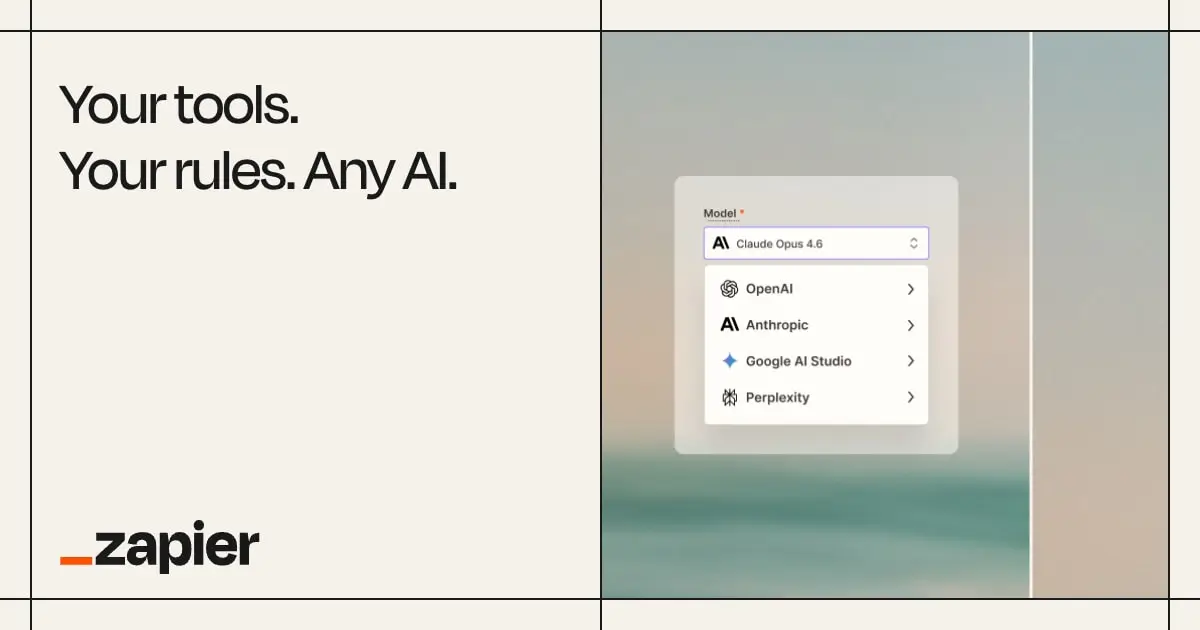
If you've ever automated anything, you've probably used Zapier. And in 2026, it's still the default for a reason — 8,000+ app connections and an interface that non-technical people can actually use.
What's changed is the AI layer. Zapier now offers Copilot (which builds Zaps from natural language), AI Agents (conversational assistants that handle multi-turn interactions), AI Chatbots (custom bots powered by your automations), and MCP support (so your AI apps can securely interact with Zapier's entire ecosystem).
The catch? AI Agents are priced separately from standard Zaps. Organizations running both traditional automations and AI agents need to budget for two subscription types, which can push costs significantly higher than you'd expect from the headline pricing. That split is part of the broader move from scripted bots to reasoning systems covered in agentic process automation vs RPA.
Pricing: Free (100 tasks/month), Professional ($19.99/mo for 750 tasks), Team ($69/mo for 2,000 tasks), Enterprise (custom). AI Agents have separate pricing.
Best for: Non-technical teams that want the largest app ecosystem and don't mind paying for the convenience. If you need something working in 15 minutes, Zapier is still hard to beat.
Limitations: Gets expensive fast at scale. The separate AI Agent pricing feels like a cash grab. Complex multi-step workflows can feel clunky compared to visual builders like Make.
2. Make (formerly Integromat)

Make is what Zapier would look like if an engineer designed it. The visual canvas approach — where you literally drag connections between modules — makes complex workflows much easier to reason about than Zapier's linear Zap structure.
In 2026, Make has leaned hard into AI. They have native modules for OpenAI, Claude, Gemini, and Stability AI built right into the workflow canvas. Their new Maia AI assistant builds automation scenarios from natural language descriptions. And Make AI Agents can now act as autonomous digital colleagues that make decisions and use tools independently.
The big change in 2025 was switching from "operations" to a credit-based billing system. This matters because AI-powered workflows consume credits at accelerated rates — 3-5x more than traditional workflows due to token usage. A workflow that costs 1 credit without AI might cost 5-10 credits with GPT-4 content generation.
Pricing: Free (1,000 credits/month), Core ($9/mo), Pro ($16/mo), Teams ($29/mo), Enterprise (custom).
Best for: Teams that need complex branching logic in their automations — "if this, then that, but only if this other condition is also met" workflows. The visual canvas makes these much easier to build and debug than linear builders.
Limitations: The credit system can be confusing, especially when AI modules consume credits at unpredictable rates. Fewer integrations than Zapier (2,000+ vs 8,000+), though the popular ones are all covered.
3. n8n

n8n is the dark horse of AI integrations — and honestly, it might be the most interesting platform on this list for technical teams.
It's open-source and self-hostable, which alone makes it unique among the major automation platforms. But the real story is n8n 2.0, which launched in early 2026 with a massive AI overhaul: 70+ AI nodes, native LangChain integration, persistent agent memory across executions, vector database support for RAG workflows, and sandboxed code execution.
The pricing model is refreshingly straightforward. There's no separate AI pricing tier. An AI agent workflow run counts as one execution — the same as a simple Slack notification. That's a huge deal compared to Zapier's dual-subscription model or Make's credit multipliers.
As of April 2026, n8n also removed all active workflow limits across every plan. You only pay based on executions.
Pricing: Community Edition (free, unlimited, self-hosted), Starter (€24/mo for 2,500 executions), Pro (€60/mo for 10,000), Business (€800/mo).
Best for: Technical teams that want full control over their AI automation infrastructure. If data sovereignty, self-hosting, or running local LLMs matters to you, n8n is the only serious option.
Limitations: Steeper learning curve than Zapier or Make. Fewer pre-built integrations (400+ vs thousands). Self-hosting means you're responsible for uptime, updates, and security.
4. Workato
Workato is the enterprise heavyweight in this space. If you're a Fortune 500 company with complex compliance requirements, legacy systems, and a security team that reviews every vendor, Workato is probably already on your shortlist.
Their 2026 standout feature is Workato One with Agentic Orchestration — AI-powered automations that reason, adapt, and learn from execution patterns. Combined with 1,200+ pre-built connectors and deep API management capabilities, it's the most complete enterprise solution on this list.
But let's talk about the elephant in the room: pricing. Annual contracts typically start at $25,000 and can reach $500,000+ for large-scale deployments. There are no public list prices. Premium connectors for SAP and Oracle require additional fees. Onboarding packages with consultants are common add-ons. Activepieces' analysis found that many companies face unexpected costs that push their total spend well beyond initial quotes.
Pricing: Custom, starting ~$25K/yr. SMB deployments typically $30K-$80K/yr, enterprise $150K-$500K+/yr.
Best for: Large enterprises with complex integration needs, strict compliance requirements (SOC 2, HIPAA, GDPR), and the budget to match. If you need SAP talking to Salesforce talking to a custom ML model with full audit logging, Workato can do it.
Limitations: The pricing is genuinely opaque. Way overkill for SMBs. The learning curve is significant even for technical teams.
5. Microsoft Power Automate
If your company runs on Microsoft 365, Power Automate is the path of least resistance for AI integrations. It's deeply embedded in the Microsoft ecosystem — Teams, SharePoint, Outlook, Dynamics 365, Azure — and the AI Builder module lets you add document processing, prediction models, and content generation directly into your workflows.
The Copilot integration is the 2026 headline: describe what you want in natural language, and Power Automate generates the flow. It works surprisingly well for standard Microsoft-to-Microsoft automations.
There's a pricing wrinkle to watch, though. Starting November 2026, new customers will need to purchase Copilot Credits to run AI Builder features. The seeded credits that used to come with Power Platform licenses are being removed. Given that AI Builder is one of the main reasons to choose Power Automate over simpler tools, this feels like a bait-and-switch.
Pricing: Free (limited), Premium ($15/user/mo), Process ($150/user/mo for RPA), Hosted Process ($215/user/mo). AI Builder credits extra.
Best for: Organizations already invested in Microsoft 365 and Azure. The integration with Teams, SharePoint, and Dynamics is seamless in a way third-party tools can't match.
Limitations: Outside the Microsoft ecosystem, integrations feel like an afterthought. Per-user pricing gets expensive with large teams. The upcoming AI Builder credit changes add unpredictability.
6. Composio
Composio occupies a different niche than the workflow builders above. It's purpose-built for AI agent function calling — the infrastructure that lets your AI agent actually do things in the real world, like create a Jira ticket, send a Slack message, or update a CRM record.
With 500+ pre-built, LLM-optimized toolkits, Composio claims up to 30% better accuracy on function calling compared to building integrations yourself. The authentication layer is fully managed — your end users get a smooth OAuth flow without your team building and maintaining auth for each provider.
The event-driven trigger system is particularly useful for agent-based workflows: agents can automatically respond to events like a new message in Slack, a new ticket in Jira, or a deal stage change in HubSpot.
Pricing: Free tier available, paid tiers based on usage.
Best for: Developers building AI agents that need to interact with third-party services. If you're writing code that calls OpenAI or Claude and needs those models to take real-world actions, Composio handles the messy parts.
Limitations: Closed-source tools — you can't inspect or modify the pre-built integrations. Nango's comparison notes limited debugging capabilities and no deep bidirectional data syncs. Not suitable for non-developers.
7. Pipedream (Now Part of Workday)
Pipedream has always been the developer's automation tool — you write real Node.js or Python code in your workflows, not just click through a UI. That changed in a big way when Workday acquired Pipedream in late 2025.
The acquisition brought Pipedream's 3,000+ connectors and 10,000+ pre-built tools into Workday's enterprise ecosystem. The natural language-to-agent interface lets you describe what you want and Pipedream generates the workflow code, which you can then inspect and modify — the best of both worlds for developers who want AI assistance but don't want a black box.
The open question is what Workday does with Pipedream's pricing and independent platform going forward. For now, it's still available as a standalone product.
Pricing: Free (limited), paid plans starting at $29/mo.
Best for: Developers who want to write code inside their automations. The ability to mix visual workflows with custom Node.js and Python makes it uniquely flexible for complex integrations.
Limitations: Nango notes that Pipedream lacks data syncing capabilities for RAG use cases. The Workday acquisition adds uncertainty. Not great for non-technical users.
8. Tray.ai
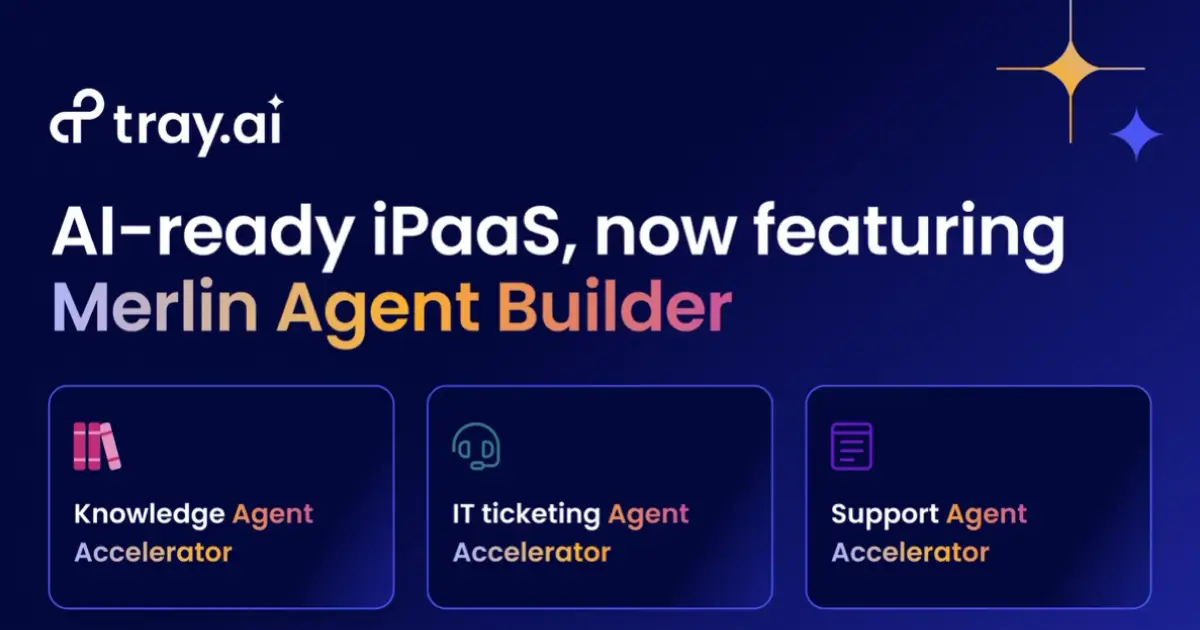
Tray.ai positions itself between the self-serve tools (Zapier, Make) and the full enterprise suite (Workato). Their 2026 standout is the Merlin Agent Builder — a tool for creating autonomous AI agents that execute multi-step business processes with built-in guardrails, audit logs, and human-in-the-loop controls.
The practical pitch is appealing: instead of building a 50-step automation that breaks when anything deviates from the expected path, you build an agent that can reason about edge cases and route problems to humans when it's unsure. Their ITSM accelerator — a ready-to-use IT support agent with Slack and Teams integration — is a good example of what this looks like in practice. If IT services is your whole business rather than one integration, we compared 17 AI tools built for MSPs.
Pricing: Custom, sales-led. Tiers include Pro, Team, and Enterprise. Billing is task-based (each workflow step = one task).
Best for: Mid-market operations teams that need enterprise-grade automation without enterprise-grade complexity. The Merlin Agent Builder is genuinely innovative for IT service management and internal ops workflows.
Limitations: Completely opaque pricing. Smaller connector library than the top-tier platforms. The agent builder is still relatively new and evolving.
Build AI agents that integrate with your stack
Pickaxe agents connect to your CRM, email, calendar, and more through built-in Actions.
9. Activepieces

Activepieces is the scrappy open-source alternative that's been quietly gaining traction. Think of it as "what if Zapier were open-source, affordable, and had AI agents built in?"
The proposition is simple: self-host for free with unlimited tasks, or use cloud at a fraction of Zapier's price. The Plus plan at $25/month gets you unlimited tasks, AI Agents, and unlimited Tables — capabilities that would cost 5-10x more on competing platforms.
With 400+ MCP servers and growing, Activepieces is also leaning into the MCP protocol as a way to connect AI agents to external tools. The open-source community contributes new integrations regularly.
Pricing: Free (self-hosted, unlimited), cloud Free (1,000 tasks), Plus ($25/mo, unlimited tasks), Business ($150/mo).
Best for: Budget-conscious teams, privacy-focused organizations, and anyone who wants full control without Zapier prices. The self-hosted option is genuinely unlimited.
Limitations: Smaller integration library (200+ vs thousands). Younger platform, so documentation and community support aren't as robust. Some enterprise features are still maturing.
10. Nango
Nango is built specifically for engineering teams building AI products. While most platforms on this list focus on automating workflows, Nango focuses on the infrastructure that AI applications need: data syncs for RAG, real-time triggers, and deterministic tool calling.
This matters if you're building an AI product (not just automating internal processes). Keeping your AI's context window fresh with current data from SaaS tools requires continuous, bidirectional syncing — not just one-off triggers. Nango's approach handles this with 700+ pre-built integrations, SOC 2 Type II / GDPR / HIPAA compliance, and AI-accelerated building.
Pricing: Free tier available, scaling based on connected users and sync frequency.
Best for: Product engineering teams building AI-powered SaaS applications that need to ingest and act on customer data from multiple third-party sources. If you're building the next AI CRM or AI customer support tool, Nango is your integration layer.
Limitations: Not a workflow automation tool — won't replace Zapier for business process automation. Requires development resources. Focused specifically on product integrations, not internal ops.
11. Paragon
Paragon solves a very specific problem: building customer-facing integrations into your SaaS product. If your customers expect to connect their Salesforce, Slack, or HubSpot accounts to your product, Paragon provides the infrastructure so your engineering team doesn't have to build and maintain each integration from scratch.
Over 100 B2B SaaS companies rely on Paragon for this. Their three products — Managed Sync (data ingestion), ActionKit (real-time actions), and Workflows (event-driven automations) — cover the full spectrum of embedded integration needs.
The downside is accessibility. Nango's pricing analysis reports that annual agreements often start at five figures, even for early-stage startups. There's a 14-day free trial, but no free tier. For an early-stage company exploring integrations, that's a steep commitment.
Pricing: Custom. Pro and Enterprise tiers, with reports suggesting $10K+/yr starting costs. 14-day free trial.
Best for: B2B SaaS companies that need to ship product integrations fast without building auth, syncing, and webhook infrastructure from scratch.
Limitations: Expensive for startups. Not suitable for internal workflow automation. Smaller connector library (130+) compared to horizontal platforms.
12. Arcade

Arcade is betting on MCP (Model Context Protocol) as the future of AI integrations. If you believe that AI agents will increasingly use standardized protocols to interact with tools — rather than custom API wrappers — Arcade's approach makes a lot of sense.
The platform offers just-in-time permissions (tools only get the access they need, when they need it), an MCP runtime for standardized tool calling, and community-built tools that other developers can use. It's early, but the direction is compelling.
The reality check: Arcade currently supports around 23 integrations with variable quality from community servers. That's a fraction of what established platforms offer. For production use cases, you'd need to verify each integration's reliability yourself.
Pricing: Free tier available, paid plans for production use.
Best for: Developers building MCP-first AI agents who want standardized tool calling with fine-grained permission controls. Early adopters who believe MCP is the future standard.
Limitations: Very limited integration catalog. Community-built tools have variable quality. Still early — not production-ready for most teams.
13. HubSpot

HubSpot isn't an integration platform in the traditional sense, but it deserves a spot here because of how deeply AI is now woven into its CRM ecosystem. With 1,800+ app integrations in the HubSpot Marketplace and the new Breeze AI suite, it functions as the central nervous system for many marketing and sales teams.
Breeze includes Copilot (an AI assistant for HubSpot tasks), Agents (autonomous AI for content creation, social media, and prospecting), and Intelligence (data enrichment and buyer intent signals). The AI doesn't just sit on top — it's integrated into every hub: Marketing, Sales, Service, Content, Commerce, and Operations.
For teams already on HubSpot, the AI integrations are essentially free with your existing subscription. That's a meaningful advantage over bolting Zapier or Make onto a separate CRM.
Pricing: Free CRM, Starter ($20/mo), Professional ($890/mo), Enterprise ($3,600/mo). AI features included across tiers.
Best for: Marketing and sales teams that want AI deeply embedded in their CRM workflows, not as a separate tool they need to connect. If you're already on HubSpot, the AI integrations are the easiest path to automation.
Limitations: Only makes sense if HubSpot is your CRM. Professional and Enterprise tiers are expensive. The integration marketplace is broad but shallow — many third-party connectors handle basic syncing only.
14. Salesforce (Einstein AI + Agentforce)
Salesforce has been shouting about AI for years, and in 2026, Agentforce is the result. It's their platform for building autonomous AI agents that operate across the entire Salesforce ecosystem — sales, service, marketing, commerce — with the full trust and security layer that enterprise customers demand.
With the AppExchange marketplace offering 3,000+ integrations and MuleSoft (Salesforce's integration platform) handling the heavy lifting for complex enterprise data flows, the Salesforce ecosystem is probably the most comprehensive on this list for large organizations.
But you already know the catch with Salesforce: it's complex, expensive, and requires specialist knowledge to administer. Einstein AI features are add-ons to already pricey licenses. Implementation timelines are measured in months, not days.
Pricing: Starter ($25/user/mo), Professional ($80/user/mo), Enterprise ($165/user/mo). Einstein and Agentforce are add-ons.
Best for: Large enterprises already invested in the Salesforce ecosystem. The combination of Agentforce + MuleSoft + AppExchange is unmatched for complex, multi-system enterprise integrations.
Limitations: The total cost of ownership is staggering. Implementation complexity is legendary. Overkill for anything smaller than a mid-market company. You'll probably need a Salesforce admin (or consultant) on staff.
15. Pickaxe
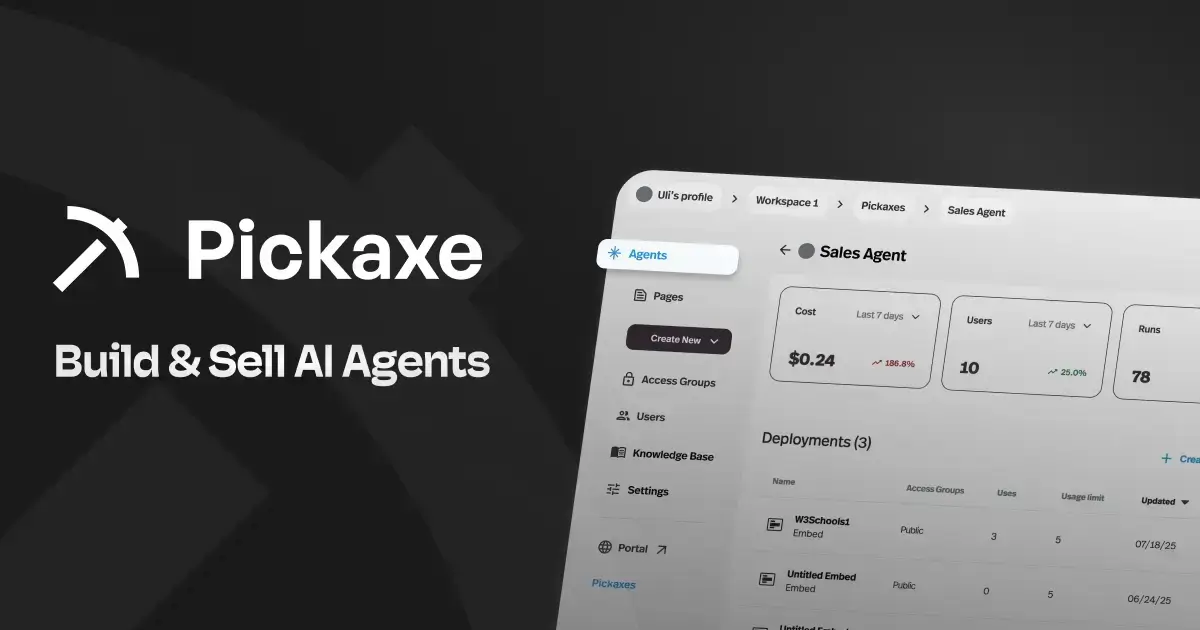
I want to include Pickaxe here because it approaches AI integrations from a completely different angle. Instead of connecting existing tools together, Pickaxe lets you build AI agents that have integrations built right in — through what they call Actions.
Actions let your AI agents connect to external APIs, pull data from Google Sheets, send emails through Gmail, create records in Notion, and more — all configured through a no-code interface. The agent handles the intelligence (when to call which integration, how to use the results), and the Actions handle the plumbing.
What makes this interesting for our topic is the deployment model. You can build an agent with integrations and then white-label it for clients, embed it on a website, or sell access through built-in monetization. That's a fundamentally different use case than automating your own internal workflows — it's about building integrated AI products you can sell.
Pricing: Plans start at $19/mo. Built-in monetization means you can charge end users for access.
Best for: Consultants, agencies, and entrepreneurs who want to build AI agents with integrations and sell them as a service. If your goal is to monetize AI rather than just automate internal processes, Pickaxe is built for that.
Limitations: Not a workflow automation tool — you're building AI agents, not Zapier-style automations. The integration library is growing but smaller than dedicated platforms. Best suited for the "sell AI" use case rather than internal ops.
How to Choose the Right AI Integration Platform
After looking at all 15 of these platforms, here's the framework I'd use to narrow down your choice.
If you want the easiest on-ramp...
Go with Zapier. The 8,000+ integrations, no-code interface, and AI Copilot make it the fastest way to connect anything to anything. You'll pay more at scale, but the time savings early on are real.
If you need visual, complex workflows...
Go with Make. The canvas-based builder handles conditional branching and complex logic far better than Zapier's linear approach. Just watch the credit consumption on AI-heavy workflows.
If you want full control and self-hosting...
Go with n8n. Open-source, self-hostable, no separate AI pricing, unlimited workflows. It's the best platform for technical teams that want ownership of their automation infrastructure.
If you're building an AI product...
Go with Nango or Composio. These are purpose-built for the infrastructure that AI applications need — data syncs, auth management, and tool calling. Not workflow builders, but essential plumbing for AI products.
If you're enterprise-scale...
Go with Workato or Salesforce + MuleSoft. You'll pay enterprise prices, but you'll get enterprise security, compliance, and scale. Microsoft Power Automate is the right call if you're already a Microsoft shop.
If you want to build and sell AI agents...
Go with Pickaxe. Built-in monetization, white-labeling, and no-code agent building with integrated Actions. It's the only platform on this list designed specifically for selling AI.
If budget is your primary constraint...
Go with Activepieces or n8n Community. Both are open-source and free to self-host with unlimited tasks. Activepieces Cloud at $25/mo is the cheapest paid option with AI agent support.
The State of AI Integrations in 2026
Looking at this landscape, a few trends stand out.
Every platform is adding AI agents. Zapier, Make, Activepieces, Workato, Tray.ai — they've all introduced autonomous agent capabilities in the past year. The shift from "if-this-then-that" triggers to "figure it out" agents is the defining trend of 2026.
MCP is becoming a real standard. Arcade, Activepieces, Zapier, and Composio all support the Model Context Protocol. It's still early, but the fragmented world of custom API integrations is slowly converging on a common protocol for AI tool use.
Pricing is getting creative (and confusing). Credits, tasks, operations, AI Builder credits, separate agent subscriptions — every platform seems to have a different billing unit. The lack of standardization makes comparison shopping genuinely difficult, which probably isn't an accident.
The build vs. buy decision is shifting. Composio's analysis of the build vs. buy question is worth reading. As AI agents become more common, the cost of building custom integrations for each one is becoming prohibitive. Platforms that handle auth, rate limiting, error handling, and schema normalization across hundreds of services are increasingly hard to justify rebuilding in-house.
And McKinsey reports that 78% of organizations now use AI in at least one function. The question isn't whether to integrate AI anymore — it's how to do it without losing your mind (or your budget) in the process.
Frequently Asked Questions
What is an AI integration platform?
An AI integration platform connects your AI tools and models to the rest of your tech stack — CRMs, communication tools, databases, project management apps, and more. Some platforms (like Zapier and Make) focus on workflow automation, while others (like Composio and Nango) focus on the infrastructure AI agents need to take actions in external services.
What's the difference between a workflow automation tool and an AI integration platform?
Traditional workflow automation (Zapier, Make) follows rigid "if-this-then-that" logic. AI integration platforms add intelligence — agents that can reason about what action to take, handle edge cases, and adapt to unexpected inputs. In 2026, the line is blurring as every workflow tool adds AI agent capabilities.
Do I need a dedicated AI integration platform if I already use Zapier?
Maybe. Zapier handles most common integration scenarios well. But if you're building AI products (not just automating processes), you might need specialized infrastructure like Nango or Composio for data syncing and function calling. If you need self-hosting or enterprise compliance, you might outgrow Zapier's capabilities.
What is MCP and why does it matter for AI integrations?
MCP (Model Context Protocol) is an open standard for connecting AI models to external tools and data sources. Think of it as USB-C for AI integrations — a universal connector that replaces custom API wrappers. Several platforms on this list (Arcade, Activepieces, Zapier, Composio) already support it, and adoption is growing fast.
How much should I budget for AI integrations?
It depends on your scale and needs. Self-hosted open-source options (n8n, Activepieces) are free beyond hosting costs. SMB-friendly cloud tools (Zapier, Make) run $20-$100/month. Enterprise platforms (Workato, Tray.ai, Salesforce) start at $25,000/year and scale into six figures. The hidden cost is always time — cheaper tools often require more setup and maintenance effort.
Can I build AI agents that integrate with my existing tools without coding?
Yes. Zapier, Make, and Pickaxe all offer no-code ways to build AI agents with integrations. Zapier's AI Agents handle multi-turn conversations across 8,000+ apps. Make's AI Agents act as autonomous digital colleagues. Pickaxe lets you build agents with integrated Actions and then deploy them as embeddable, monetizable products — which is unique if you want to sell AI agent services rather than just automate internally.