
Here's a stat that stopped me in my tracks: 73% of professionals say they're open to AI-powered coaching, but only about 6% of coaches are actually using AI tools in their practice. That's according to the 2025 ICF Global Coaching Study. If you're a coach reading this, that gap is your opportunity.
The coaching industry — and the closely related education sector — is now worth $5.34 billion globally and it's still growing fast. Clients expect more personalized experiences, faster responses, and on-demand access to support between sessions. The coaches who figure out how to use AI now aren't just saving time -- they're building a competitive moat.
I looked into every major AI tool that's relevant for coaches right now -- scheduling, content creation, client engagement, session management, CRM, and monetization. Some of these are coaching-specific platforms. Others are general-purpose AI tools that happen to work extremely well for coaching businesses.
This is my breakdown of the top AI tools for coaches in 2026, organized by what they actually do for your business. I'm not ranking them by hype. I'm ranking them by what moves the needle.
Quick Comparison: Top 15 AI Tools for Coaches
Before we go deep on each one, here's the overview so you can jump to what matters most for your practice.
| Tool | Category | Best For | Starting Price |
|---|---|---|---|
| Pickaxe | AI Agent Builder | Building & monetizing client-facing AI | Free / $16/mo |
| Coachvox AI | AI Clone | Creating an AI version of yourself | $99/mo |
| Carly | AI Assistant | Calendar & client communication | $20/mo |
| Reclaim.ai | Smart Scheduling | AI calendar management | Free / $8/mo |
| Paperbell | Coaching Platform | All-in-one coaching business management | Free / $47/mo |
| Fathom | AI Notetaker | Session recording & summaries | Free / $15/mo |
| Otter.ai | Transcription | Real-time transcription & collaboration | Free / $8.33/mo |
| Descript | Video Editing | Repurposing coaching content (see top AI video generators) | Free / $12/mo |
| Jasper AI | Content Creation | Marketing content at scale | $39/mo |
| ChatGPT | General AI | Everything from proposals to frameworks | Free / $20/mo |
| GoHighLevel | CRM & Marketing | Full marketing automation | $97/mo |
| Systeme.io | Business Platform | Budget-friendly all-in-one | Free / $17/mo |
| HubSpot | CRM | Contact management & email marketing | Free / $15/mo |
| Cloverleaf | Team Coaching | Assessment-based AI coaching | Custom pricing |
| Delenta | Coaching Management | Coaching-specific platform with AI | $29/mo |
Now let's get into the details.
1. Pickaxe -- The Best AI Tool for Coaches Who Want to Build and Monetize
Pickaxe is the tool I'd recommend first to any coach who wants to do more than just use AI -- they want to turn their expertise into an AI-powered product they can sell. Most of the tools on this list help you run your business more efficiently. Pickaxe helps you create a new revenue stream entirely.
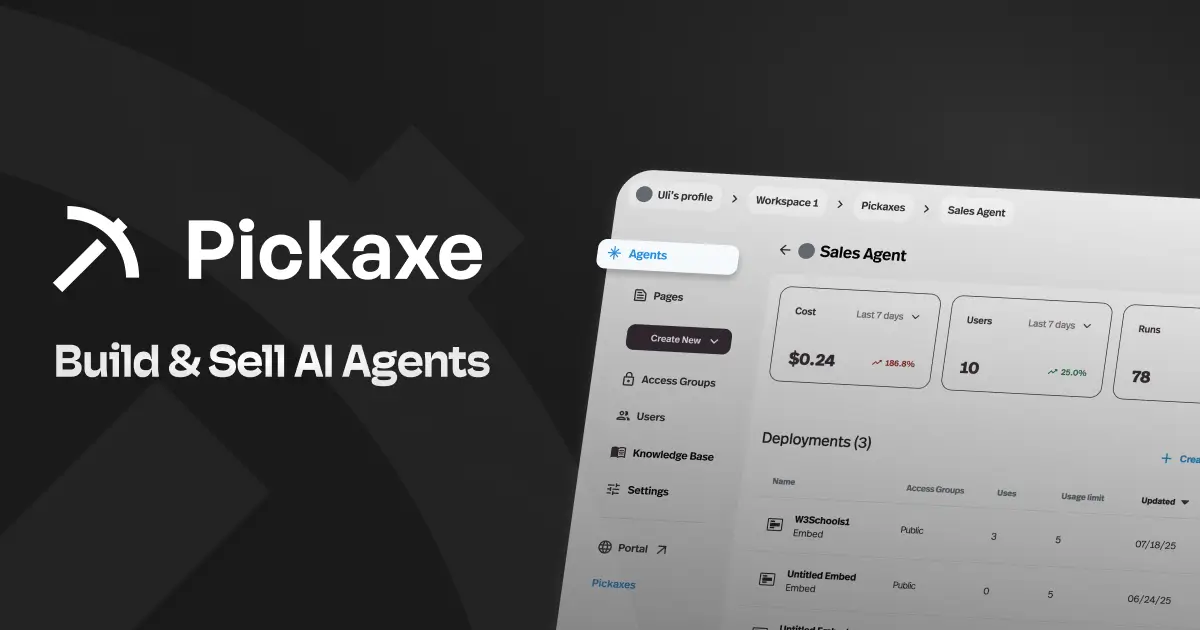
Here's the idea: you take your coaching frameworks, worksheets, session guides, video transcripts, and methodology -- everything you've built over years of practice -- and you use Pickaxe to train a custom AI agent on that content. Then you deploy it to your clients as an always-available coaching assistant that sounds like you and thinks like you.
The thing that sets Pickaxe apart from everything else on this list is built-in Stripe monetization. You can charge clients a monthly subscription fee for access to your AI agent. Think of it as the "Shopify for AI agents" -- it combines the building and selling into one platform.
I've seen coaches use Pickaxe to create onboarding bots that walk new clients through intake assessments, accountability check-in tools that clients use between sessions, and even standalone AI coaching products that run 24/7 without the coach needing to be present. If you're interested in the broader opportunity here, check out this guide on how to start an AI agent agency.
Key features:
- No-code drag-and-drop agent builder -- no technical skills needed
- Train your AI on your own coaching content (videos, PDFs, worksheets, guides)
- Deploy agents anywhere: your website, Slack, WhatsApp, email, or a shareable link
- Built-in Stripe integration to charge clients subscription fees for AI access
- Conversation analytics so you can see what clients are asking and how the AI responds
- Multiple LLM options -- choose the best LLM model for your use case
- White-label options so the AI agent matches your brand, not Pickaxe's (great for white-labeling AI for clients)
Pricing: Free plan available to get started. Gold plan at $16/mo, Pro plan at $72/mo. Full details on the pricing page.
Who it's best for: Coaches who want to productize their knowledge and create a scalable revenue stream beyond one-on-one sessions. Also great for coaches who want to offer clients 24/7 AI-powered support between live calls.
What I like: The monetization angle is genuinely unique. Every other AI tool on this list is an expense. Pickaxe is the only one that can pay for itself -- and then some. The no-code builder means you don't need to hire a developer, and the deployment options are flexible enough to meet your clients wherever they already are.
Where it gets even more useful: If you're running a group coaching program or course, you can set up an AI agent that handles the repetitive questions your clients ask over and over. That alone frees up hours each week. For a deeper look at this use case, see the guide on building AI agents for client onboarding. And if you want to learn the platform inside and out, the Pickaxe Learn resources are solid. For the full operating model, see how AI agents support course creators from onboarding through retention.
Limitations: If all you need is a simple chatbot that answers FAQs, Pickaxe might be more than you need. It's built for coaches who want to create something substantial -- not just bolt on a chat widget.
2. Coachvox AI -- Create an AI Clone of Yourself
Coachvox AI takes a different approach to AI coaching tools. Instead of building a general-purpose agent, it creates a conversational AI that mimics your coaching style. You train it on your content -- blog posts, podcasts, books, social media -- and it generates responses that sound like you.
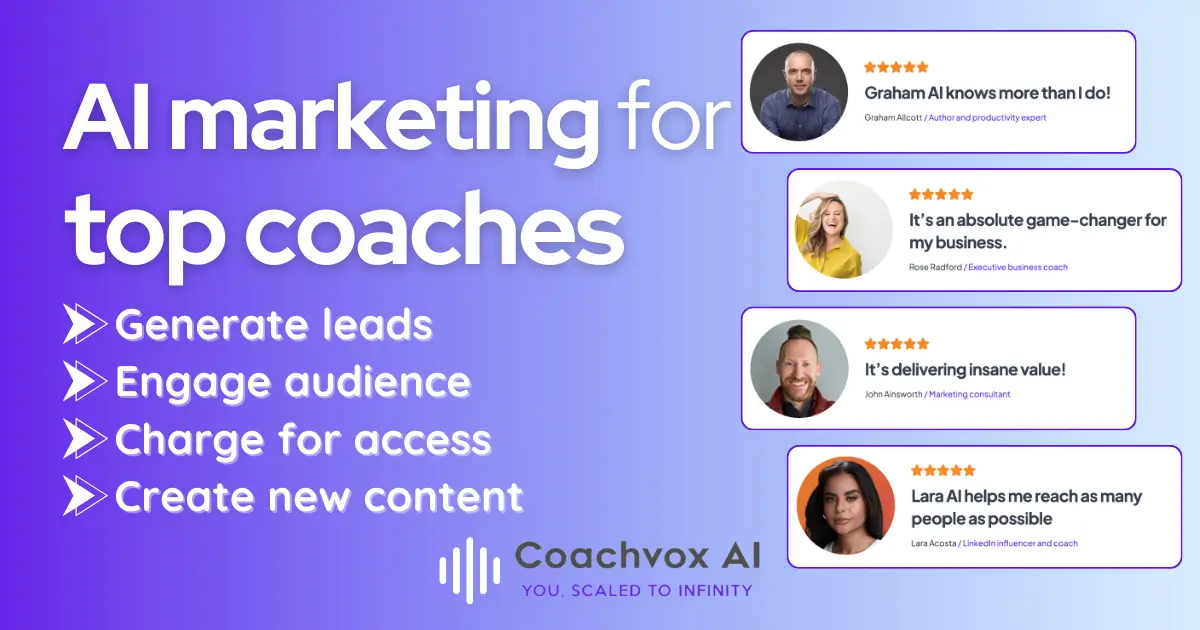
The pitch is simple: your potential clients can "talk" to your AI version before they ever book a session. It acts as a lead generation tool that demonstrates your coaching style in real time.
Key features:
- AI trained on your specific content and communication style
- Embeddable chat widget for your website
- Lead capture -- collects visitor emails during conversations
- Customizable personality and tone settings
- Dashboard to review conversations and identify warm leads
- Integration with email marketing tools
Pricing: Starts at $99/mo. No free plan. They offer a setup service to help train the AI on your content.
Who it's best for: Established coaches with a substantial body of content (books, podcasts, courses) who want a lead generation tool that's more engaging than a static landing page.
What I like: The concept is genuinely clever. Letting prospects experience your coaching style before booking is a powerful sales tool. The lead capture functionality turns casual website visitors into actionable contacts.
Limitations: At $99/mo with no free tier, it's a real investment. The AI is only as good as the content you feed it, so coaches who are just starting out and don't have much published material won't get great results. It's also primarily a lead gen tool -- it doesn't have the monetization capabilities that something like Pickaxe offers, so you can't directly charge clients for access to the AI.
3. Carly -- Your AI-Powered Coaching Assistant
Carly is built specifically for coaches and consultants who are drowning in administrative work. It handles the stuff that eats up your day -- scheduling, follow-up emails, client communication, and session prep -- so you can focus on actual coaching.

What stood out to me about Carly is that it understands coaching-specific workflows. It's not a generic virtual assistant that you have to train from scratch. It knows what a coaching session looks like, what kind of follow-ups matter, and how to keep clients engaged between calls.
Key features:
- AI-powered scheduling that syncs with your calendar and client preferences
- Automated pre-session and post-session emails
- Client communication drafting based on session context
- Follow-up reminders and accountability nudges for clients
- Integration with popular calendar and email tools
- Session preparation summaries pulled from past conversations
Pricing: $20/mo. Straightforward pricing without complicated tiers.
Who it's best for: Solo coaches who are handling everything themselves and losing too much time to admin. If you find yourself spending more time on emails and scheduling than on coaching, Carly is worth looking at.
What I like: It's laser-focused on what coaches actually need from an assistant. The pre-session summaries are genuinely useful -- they pull context from previous conversations so you walk into every session prepared.
Limitations: It's a newer tool, so the integrations aren't as deep as something like Reclaim.ai or Calendly. It does one thing well (coaching admin), but if you need broader automation, you'll still need additional tools.
4. Reclaim.ai -- Smart Scheduling That Actually Works
Reclaim.ai is an AI-powered calendar management tool that goes way beyond simple booking links. It learns your scheduling preferences and automatically blocks time for different types of work -- client sessions, content creation, breaks, admin tasks -- and dynamically adjusts when things change.
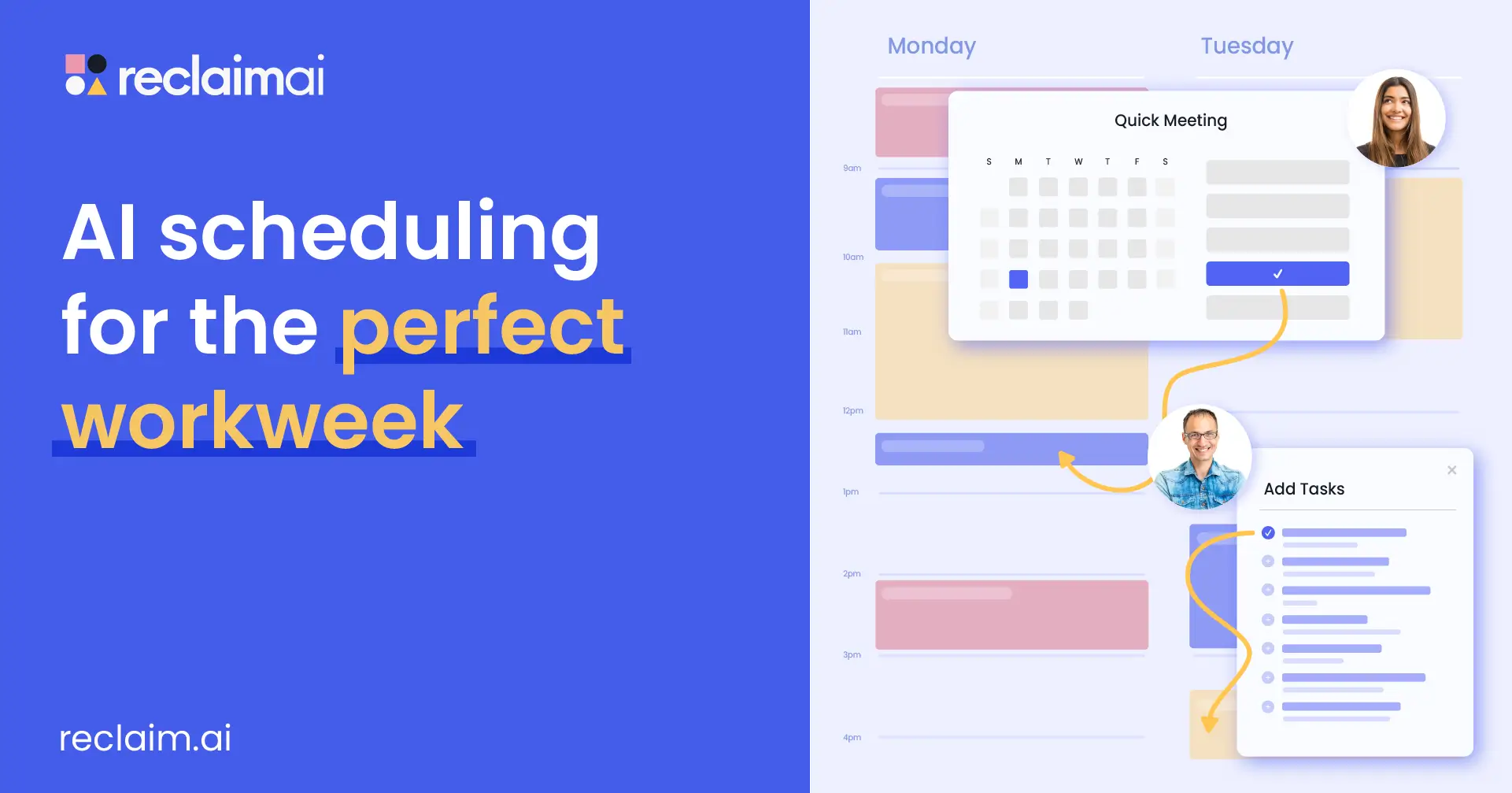
For coaches juggling a full client roster, this is a game changer. Instead of playing calendar Tetris every week, Reclaim handles the puzzle for you.
Key features:
- AI-driven calendar blocking that learns your preferences over time
- Smart scheduling links that auto-find the best times for both parties
- Habit stacking -- automatically schedules recurring routines (content time, breaks, exercise)
- Task integration with project management tools like Asana, Todoist, and ClickUp
- Buffer time settings between meetings so you're not back-to-back all day
- Team scheduling features for coaches with support staff
Pricing: Free plan for basic features. Paid plans start at $8/mo per user.
Who it's best for: Coaches who book 15+ sessions per week and feel like their calendar controls them instead of the other way around. Also great for coaches who want to protect time for content creation and business development.
What I like: The habit-stacking feature is something I haven't seen in other scheduling tools. You can tell it "I need 2 hours of content creation every morning" and it will defend that time block while still accommodating client bookings. The free plan is genuinely usable, not just a teaser.
Limitations: It's a scheduling tool, not a coaching platform. You'll still need other tools for session management, payments, and client communication. The AI learning curve takes about 2-3 weeks before it really understands your preferences.
5. Paperbell -- All-in-One Coaching Business Management
Paperbell was built from the ground up for coaches. It handles scheduling, payments, contracts, client portals, and package management in one place. It's not an AI tool in the flashy sense, but it uses smart automation to eliminate the busywork that eats into your coaching time.

If you're currently stitching together Calendly, Stripe, Google Docs, and a spreadsheet to run your coaching business, Paperbell replaces all of that.
Key features:
- Automated scheduling with built-in payment processing
- Client portal where clients can access their sessions, notes, and homework
- Package and subscription management for recurring coaching engagements
- Digital contract signing built into the booking flow
- Automated follow-ups and session reminders
- Landing pages for selling coaching packages directly
- Group coaching session management
Pricing: Free plan with limited features. Paid plan at $47/mo (billed annually) or $57/mo (billed monthly).
Who it's best for: Coaches who want one platform to handle the business side of coaching. Especially good for coaches who are tired of paying for 5+ separate tools and dealing with integrations.
What I like: The booking-to-payment flow is seamless. A client clicks your link, picks a time, signs the contract, and pays -- all in one step. That eliminates so much back-and-forth. The client portal is clean and professional.
Limitations: The AI features are more "smart automation" than "artificial intelligence." Don't expect it to write your session notes or generate coaching frameworks. It's an operational tool, not a creative one. At $47/mo, it's pricier than some alternatives if you only need scheduling.
Build AI tools your coaching clients will love
Pickaxe lets coaches create custom AI agents — intake bots, session prep tools, accountability trackers — all branded to you.
6. Fathom -- AI-Powered Session Notes Without the Effort
Fathom is an AI notetaker that joins your video calls, records them, and generates summaries automatically. For coaches, this is massive. Instead of scribbling notes during sessions (or worse, trying to remember everything afterward), Fathom captures the entire conversation and pulls out the key points.
I see this as one of the highest-ROI AI tools for coaches because it solves a real pain point: session documentation.
Key features:
- Automatic recording and transcription for Zoom, Google Meet, and Microsoft Teams
- AI-generated meeting summaries with key takeaways and action items
- Highlight and clip important moments during or after the session
- Searchable transcript archive -- find any conversation topic across all sessions
- CRM integrations to automatically log session notes
- One-click sharing of summaries with clients
Pricing: Free plan with generous limits. Premium at $15/mo for advanced features.
Who it's best for: Any coach who conducts sessions over video calls. Especially valuable for coaches who need to maintain detailed client records or share session recaps with clients.
What I like: The free plan is genuinely excellent -- you don't hit a paywall after 3 meetings like some alternatives. The summaries are surprisingly accurate, and the ability to search across all your sessions is incredibly useful when you need to reference something a client said months ago.
Limitations: It only works with video calls, so if you do in-person coaching, you'll need a different solution. The AI summaries occasionally miss nuance in coaching conversations -- they're better at capturing action items than emotional undertones. Always review the summaries before sharing with clients.
7. Otter.ai -- Real-Time Transcription and Collaboration
Otter.ai is a real-time transcription tool that's been around longer than most AI tools on this list. It transcribes conversations as they happen and generates summaries, action items, and highlights. For coaches, it's a reliable way to keep records of every session without taking manual notes.

Where Otter differs from Fathom is its collaboration features. You can share transcripts with clients, add comments, and even assign action items directly within the transcript.
Key features:
- Real-time transcription with speaker identification
- AI-generated summaries and action items
- Collaborative workspace where you and clients can annotate transcripts
- Mobile app for recording in-person sessions
- Integration with Zoom, Google Meet, Microsoft Teams, and Slack
- Custom vocabulary training to improve accuracy for coaching-specific terms
Pricing: Free plan with 300 monthly transcription minutes. Pro at $8.33/mo (billed annually).
Who it's best for: Coaches who want transcription that works both online and in-person. The mobile recording feature makes it especially useful for coaches who meet clients face-to-face or run workshops.
What I like: The collaborative annotation feature is unique and genuinely useful for coaching. You can highlight a section of the transcript, add a comment, and share it with your client as a discussion point for the next session. The speaker identification is accurate and makes transcripts easy to follow.
Limitations: The free plan's 300-minute limit goes fast if you're running multiple sessions per week. The transcription accuracy dips with accents, fast speakers, or cross-talk. It's more of a transcription tool than a coaching tool -- you'll need to do the synthesis yourself.
8. Descript -- Repurpose Your Coaching Content Like a Pro
Descript is a video and audio editing tool that treats media like a text document. You edit the transcript, and it edits the video. For coaches who want to turn session recordings, workshops, or webinars into social media content, course material, or podcast episodes, Descript makes the process shockingly easy.
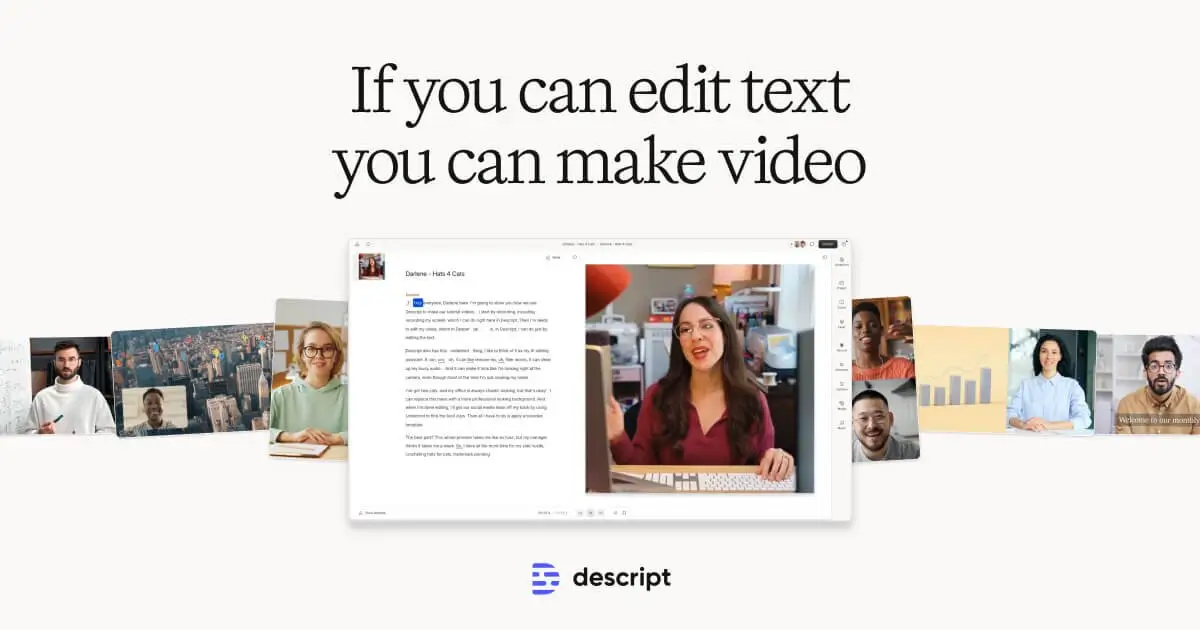
The AI features here are what make it relevant for this list. It can remove filler words automatically, generate social clips, and even clone your voice for corrections.
Key features:
- Text-based video and audio editing -- edit the transcript to edit the media
- Automatic filler word removal (um, uh, like, you know)
- AI-powered social clip generation from longer recordings
- Screen recording with webcam overlay for creating coaching content
- Overdub -- AI voice cloning for correcting mistakes without re-recording
- Template library for common content formats
- Direct publishing to YouTube, social platforms, and podcast hosts
Pricing: Free plan with limited export minutes. Hobbyist at $12/mo. Creator at $22/mo.
Who it's best for: Coaches who create video or audio content and want to repurpose it across multiple channels. If you're recording workshops, webinars, or coaching sessions and want to turn them into social content, Descript is the fastest path.
What I like: The text-based editing paradigm is brilliant for non-editors. If you can edit a Google Doc, you can edit a video in Descript. The automatic filler word removal alone is worth the price if you produce any kind of speaking content. The social clip AI is surprisingly good at identifying the most shareable moments.
Limitations: The learning curve is steeper than you'd expect for something marketed as "easy." Give yourself a weekend to get comfortable. The free plan is very limited -- you'll almost certainly need a paid tier. The AI voice clone feature (Overdub) is interesting but a bit uncanny for longer segments.
9. Jasper AI -- Marketing Content at Scale
Jasper AI is a content creation platform built for marketers. For coaches who need to produce a steady stream of blog posts, email sequences, social media content, and landing page copy, Jasper can cut the time from hours to minutes.

Where Jasper shines compared to generic AI writing tools is its marketing focus. It has templates designed for specific use cases -- email subject lines, Facebook ads, LinkedIn posts, website headlines -- and it can learn your brand voice.
Key features:
- 50+ marketing-specific content templates
- Brand voice training -- teach it your tone, style, and terminology
- Long-form content creation with SEO optimization
- Campaign workflow for creating multi-channel content from a single brief
- Team collaboration features for coaches with marketing support
- Chrome extension for writing anywhere on the web
- Art generation for social media graphics and blog images
Pricing: Creator plan at $39/mo per seat. Pro plan at $59/mo per seat. Business plans available.
Who it's best for: Coaches who take marketing seriously and need to produce content consistently. If you're publishing weekly blog posts, daily social content, and regular email newsletters, Jasper will save you significant time.
What I like: The brand voice feature is genuinely useful. Once you train it on your existing content, the output sounds like you, not like a generic AI. The campaign workflow -- where you create one piece of content and Jasper generates versions for email, social, and blog -- is a huge time saver.
Limitations: At $39/mo with no free plan, it's a meaningful expense for solo coaches. ChatGPT can do most of what Jasper does for $20/mo if you're willing to write your own prompts. Jasper's advantage is in the templates and workflows, so if you're comfortable prompting AI yourself, you might not need it. The output still requires editing -- don't publish anything without reviewing it first.
10. ChatGPT -- The Swiss Army Knife for AI Coaching Tools
You already know ChatGPT. But what a lot of coaches don't realize is how deep it goes when you use it intentionally. It's not just for answering questions. With the right approach, ChatGPT can help you build coaching frameworks, write proposals, create assessments, design workshop agendas, and develop entire course curricula.

The key is moving beyond surface-level "write me a blog post" prompts and using it as a thinking partner for your coaching business.
Key features:
- Custom GPTs -- build specialized assistants for specific coaching tasks
- Advanced data analysis for processing client surveys and assessments
- Image generation for coaching materials and social content
- Voice mode for brainstorming sessions
- Web browsing for research on coaching topics and industry trends
- File upload for analyzing documents, spreadsheets, and presentations
- Memory feature that retains context across conversations
Pricing: Free plan with GPT-4o mini. ChatGPT Plus at $20/mo for GPT-4o and advanced features.
Who it's best for: Literally every coach. This should be in your toolkit regardless of what other tools you use. The free plan is enough for most coaching use cases. The paid plan is worth it if you use it daily.
What I like: The Custom GPTs feature is underrated for coaches. You can build a GPT that knows your coaching methodology, your client intake process, or your content strategy -- and it stays consistent every time you use it. It's the most versatile AI tool on this list by far.
Limitations: It's a blank canvas, which means you need to know how to use it effectively. Most coaches underutilize ChatGPT because they don't invest time in learning prompting techniques. It also doesn't have coaching-specific features built in -- you're essentially building everything from scratch. And unlike Pickaxe, you can't easily share your custom GPTs with clients and charge for access in a polished, branded way.
11. GoHighLevel -- Full Marketing Automation for Scaling Coaches
GoHighLevel (often called GHL) is a marketing automation and CRM platform that packs an absurd amount of functionality into one tool. It was originally built for agencies, but it's become popular with coaches who want serious marketing infrastructure -- funnels, email sequences, SMS campaigns, appointment booking, reputation management, and more.
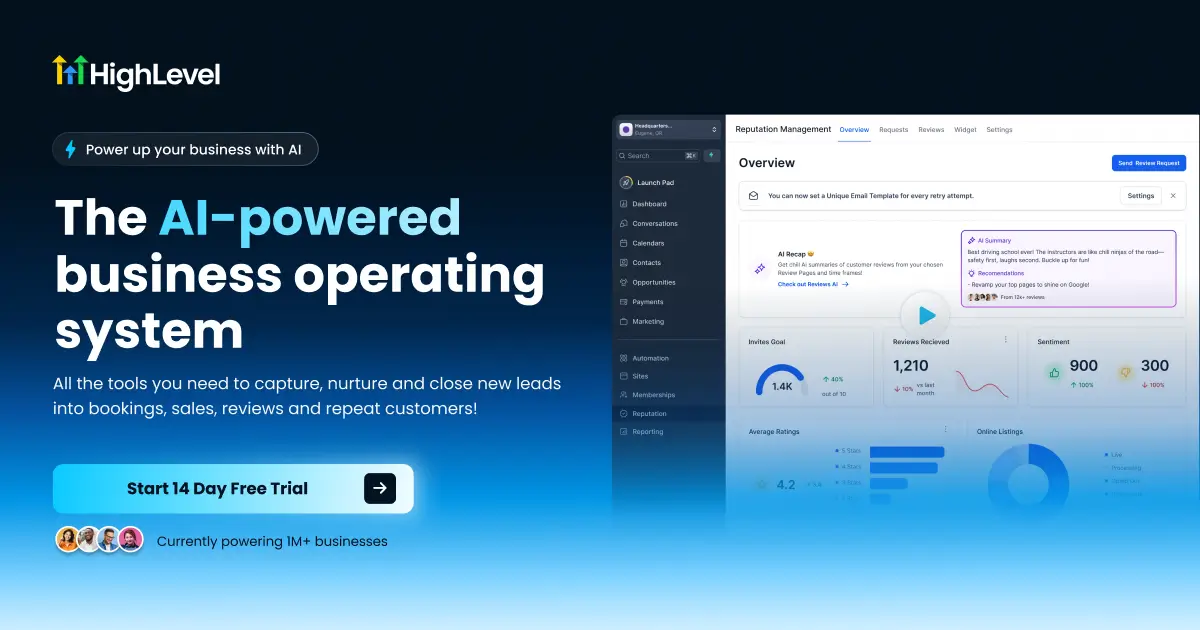
The AI features have gotten substantially better over the past year, with conversational AI for lead follow-up and AI-powered content creation built into the platform.
Key features:
- Full CRM with pipeline management for tracking coaching leads
- AI-powered conversational follow-up via SMS and email
- Funnel and landing page builder with A/B testing
- Appointment scheduling with automated reminders
- Email and SMS marketing campaigns
- Reputation management -- automated review requests and monitoring
- Membership sites and course hosting
Pricing: Starter at $97/mo. Unlimited at $297/mo. SaaS Pro at $497/mo.
Who it's best for: Coaches running a real business with a marketing budget. If you're spending $200+ a month on separate tools for CRM, email marketing, funnel building, and scheduling, GoHighLevel consolidates all of that. Also excellent for coaches who run agencies or serve other coaches.
What I like: The all-in-one nature of it is genuinely impressive. The AI conversational follow-up is useful for re-engaging leads who went cold. The funnel builder is on par with dedicated tools like ClickFunnels. For coaches who take marketing seriously, it's hard to beat the value proposition.
Limitations: The learning curve is steep. I mean really steep. Plan to spend a few weeks just getting set up. At $97/mo minimum, it's the most expensive tool on this list. It's also overkill if you're a solo coach with a small client base. The interface can feel overwhelming -- there are so many features that it's easy to get lost.
12. Systeme.io -- The Budget-Friendly All-in-One
Systeme.io is what you get when you want GoHighLevel's functionality at a fraction of the price. It's an all-in-one business platform that handles funnels, email marketing, course hosting, automation, and even blogging. The AI features are lighter, but the value for money is hard to argue with.

For coaches who are just starting to build their online presence, Systeme.io provides a solid foundation without the financial commitment of larger platforms.
Key features:
- Funnel and landing page builder with drag-and-drop editor
- Email marketing with automation workflows
- Online course hosting and membership sites
- Blog hosting with basic SEO tools
- Affiliate program management
- Deadline funnels for urgency-based marketing
- Payment processing with one-click upsells
Pricing: Free plan with up to 2,000 contacts. Startup at $17/mo. Webinar at $37/mo. Unlimited at $67/mo.
Who it's best for: Budget-conscious coaches who need a business platform but aren't ready for GoHighLevel's price tag. The free plan is genuinely functional for coaches just getting started with online marketing.
What I like: The free plan includes 2,000 contacts, 3 funnels, 1 course, and unlimited emails. That's remarkable for a free tool. The interface is much simpler than GoHighLevel, so you can get up and running in a weekend instead of a month.
Limitations: The AI features are minimal compared to dedicated AI tools. The templates aren't as polished as competitors. The platform is functional but not fancy -- your pages and emails will look decent but not stunning without customization. If your coaching business is already generating significant revenue, you'll likely outgrow it.
Create AI coaching tools without code
Design AI agents trained on your methodology, then share them with clients through a branded portal.
13. HubSpot -- Enterprise-Grade CRM for Growing Coaches
HubSpot is the gold standard for CRM, and its free tier is one of the best in the business. For coaches, it provides contact management, email marketing, deal tracking, and meeting scheduling -- all with AI features sprinkled throughout.

The recent AI additions include email writing assistants, chatbot builders, and predictive lead scoring. For coaches managing a pipeline of prospects and clients, HubSpot brings structure to the chaos.
Key features:
- Free CRM with unlimited contacts and deal tracking
- AI-powered email writing and optimization
- Meeting scheduling with calendar integration
- Email marketing with templates and analytics
- Chatbot builder for website lead capture
- Reporting dashboards for pipeline visibility
- Integrations with 1,000+ tools
Pricing: Free CRM with robust features. Starter at $15/mo. Professional at $800/mo.
Who it's best for: Coaches who are scaling beyond solo practice and need a professional CRM. The free plan is excellent for coaches with up to a few hundred contacts. If you're running a coaching firm with multiple coaches, HubSpot scales with you.
What I like: The free CRM is genuinely powerful -- not a stripped-down teaser. You get contact management, deal pipelines, email tracking, and meeting scheduling at no cost. The AI email assistant helps you write better outreach, and the chatbot builder is easy to set up.
Limitations: The jump from free to Professional ($800/mo) is massive. The Starter plan ($15/mo) adds useful features but you'll feel the limitations quickly. HubSpot is also designed for traditional sales processes, not coaching-specific workflows, so you'll need to adapt the platform to fit your practice. It can feel like using a sledgehammer to hang a picture if you're a solo coach with 20 clients.
14. Cloverleaf -- Assessment-Based Team Coaching with AI
Cloverleaf occupies a unique space among AI coaching tools. It combines personality and behavioral assessments (DISC, Enneagram, 16 Types, StrengthsFinder, and more) with AI-generated coaching insights. It's designed primarily for team coaching and organizational development.
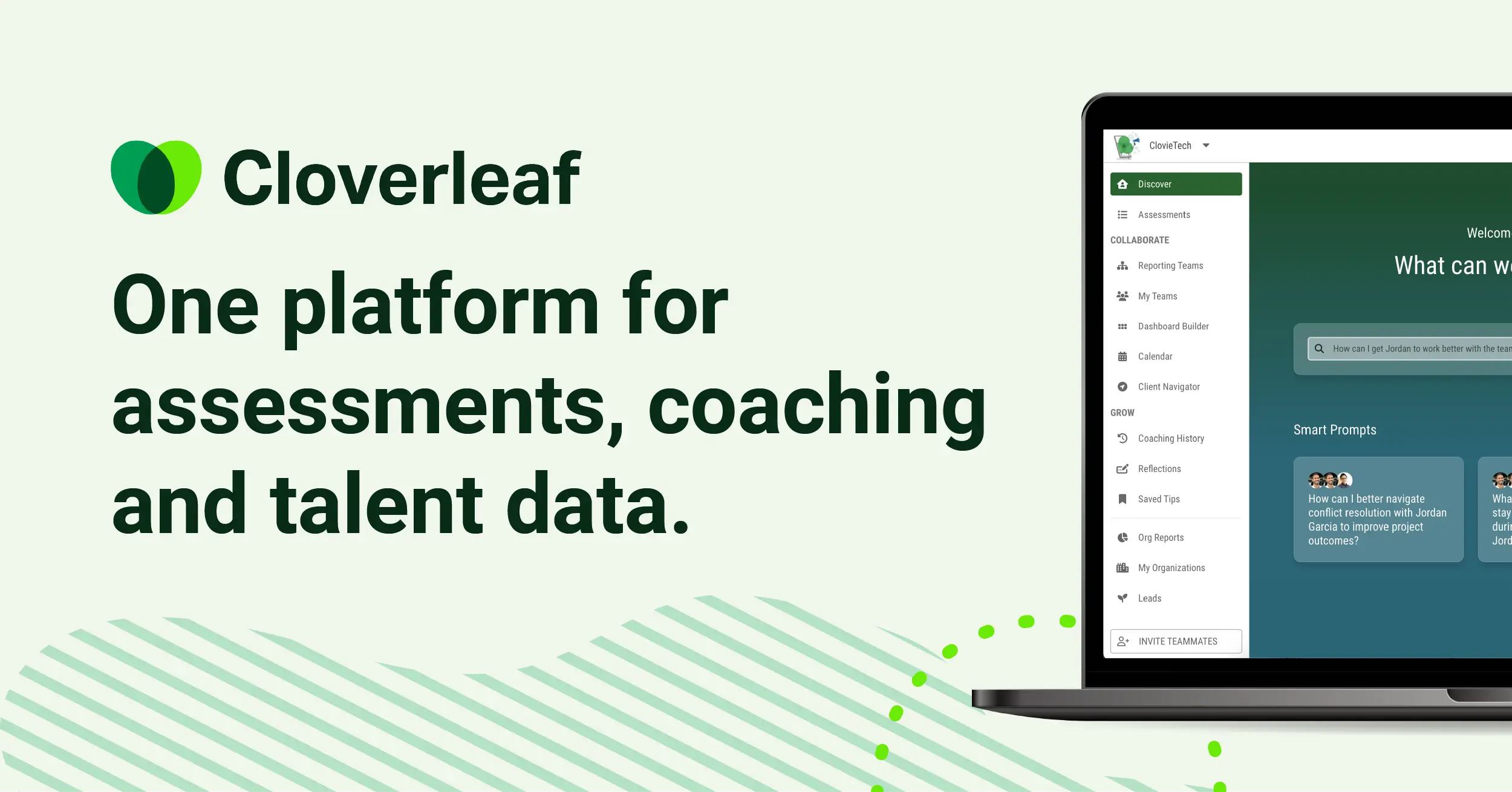
Research from the Conference Board suggests that AI can provide effective career coaching nudges, and Cloverleaf is one of the tools putting that research into practice.
Key features:
- Integration of multiple assessment frameworks in one platform
- AI-generated daily coaching tips based on individual assessment results
- Team dashboard showing how individual styles interact and where conflicts may arise
- Automated coaching nudges delivered via email or Slack
- Manager coaching tools for facilitating better 1-on-1 conversations
- API access for integrating assessment data into other coaching workflows
Pricing: Custom pricing based on team and organization size. No public pricing tiers -- you need to book a demo.
Who it's best for: Executive coaches and organizational development consultants who work with teams. If you're coaching individuals on career development, this isn't the right tool. If you're helping teams collaborate better, it's excellent.
What I like: The multi-assessment integration is the standout feature. Instead of running separate DISC, Enneagram, and StrengthsFinder processes, Cloverleaf combines them into a unified profile. The AI coaching nudges give team members daily, personalized development tips without requiring the coach to be involved.
Limitations: The custom pricing makes it hard to evaluate without a sales conversation. It's exclusively focused on team dynamics -- solo coaches working with individual clients won't get much value. The AI coaching tips are helpful but generic; they won't replace the nuanced guidance of a skilled coach. And the reliance on assessments means the AI's insights are only as valid as the assessment frameworks themselves.
15. Delenta -- Coaching-Specific Platform with AI Features
Delenta is a coaching management platform built specifically for professional coaches. It handles scheduling, billing, session management, and client communications, with AI features layered on top to help with session summaries, goal tracking, and client insights.

Think of it as Paperbell's more coaching-focused cousin, with deeper tools for managing the coaching relationship itself, not just the business transactions.
Key features:
- Session scheduling with automatic time zone detection
- Client goal tracking and progress monitoring
- AI-powered session notes and summaries
- Invoicing and payment processing
- Video conferencing built into the platform
- Coaching agreement and contract management
- Client portal with session history and resource sharing
Pricing: Starter at $29/mo. Professional at $49/mo. Enterprise plans available.
Who it's best for: Coaches who want a dedicated coaching platform that goes deeper than general business tools. If you're ICF-credentialed and want a platform that reflects professional coaching standards, Delenta is a strong choice.
What I like: The goal tracking integration is well done. You and your client set goals during sessions, and the platform tracks progress over time with visual dashboards. The built-in video conferencing eliminates the need for a separate Zoom subscription. The coaching-specific design means you're not adapting a generic tool to fit your workflow.
Limitations: The platform is less well-known than Paperbell, which means a smaller user community and fewer third-party integrations. The AI features, while useful, are more supplementary than transformative -- they assist your workflow but don't create new capabilities. The interface could use a design refresh. At $29/mo for the starter plan, you're paying more than Paperbell's free tier but getting different strengths.
Recommended AI Tool Stacks by Business Stage
Not every coach needs all 15 of these tools. Here's what I'd recommend based on where you are in your coaching business.
Just Starting Out (Budget: $0/mo)
ChatGPT (free) + Paperbell (free) + Fathom (free)
This combo gives you everything you need to launch and run a coaching practice without spending a dime. ChatGPT handles content creation, proposal writing, and framework development. Paperbell manages your scheduling, payments, and client portal. Fathom records your sessions and generates summaries. You can run a fully professional coaching business on these three tools alone.
Growing Practice (Budget: $50-100/mo)
Pickaxe + Reclaim.ai + Fathom + Descript
Now you're ready to scale. Pickaxe lets you build AI agents that serve clients between sessions and create a new revenue stream. Reclaim.ai optimizes your increasingly complex schedule. Fathom keeps handling your session documentation. Descript helps you turn your coaching content into marketing assets. This is the stack for coaches who are booking consistently and ready to grow beyond trading time for money.
Established Brand (Budget: $200+/mo)
Pickaxe + GoHighLevel + Fathom + Jasper + Cloverleaf
This is the enterprise coaching stack. Pickaxe powers your AI-driven coaching products and generates passive revenue. GoHighLevel runs your entire marketing and sales machine. Fathom handles session intelligence. Jasper produces marketing content at scale. Cloverleaf adds assessment-based team coaching capabilities if you work with organizations. This stack is for coaches who are building a coaching business, not just a coaching practice.
For a broader look at the platforms powering these kinds of stacks, take a look at our roundup of the top AI platforms available right now.
How AI Is Changing the Coaching Industry (And What the Data Says)
This isn't just speculation. The numbers tell a clear story.
According to Gitnux's AI coaching statistics, the AI coaching market is projected to grow at over 20% annually through the end of the decade. The coaching platform market is expanding alongside it as more coaches adopt digital tools.
Gartner predicts that 40% of enterprise applications will integrate task-specific AI agents by the end of 2026, up from less than 5% in 2025. That includes coaching, performance feedback, and employee development applications. The adoption curve isn't gradual -- it's a cliff.
The enterprise world is already on board. Kelly Jones, Chief People Officer at Cisco, has described AI coaching as a way to deepen human conversations, not replace them. Stanford's James Landay, co-director of the Stanford Institute for Human-Centered AI, frames it as a democratization play -- AI makes personalized coaching accessible to people who could never afford it otherwise.
A 2025 peer-reviewed study published in the International Coaching Psychology Review found that AI coaching agents demonstrated behaviors consistent with ICF ACC-level competency benchmarks. That's not marketing fluff -- that's trained ICF assessors evaluating real AI coaching sessions with real managers.
And according to Delenta's research, 75% of high-performing coaching businesses now regularly use AI co-pilots. PricewaterhouseCoopers data shows coaching already delivers an average ROI of 7x the cost. Combine that with AI's ability to reduce per-session costs, and the business case writes itself.
But here's the important nuance: AI isn't replacing coaches. It's replacing the coaches who refuse to adapt. The ICF study makes it clear that clients still want human connection. They just also want the convenience, speed, and accessibility that AI enables.
Coaches who use AI tools effectively can serve more clients, deliver better outcomes, and build more sustainable businesses. That's not a threat to the profession -- it's an evolution.
FAQ: AI Tools for Coaches
Can AI replace human coaches?
No, and I don't think it will anytime soon. Coaching is fundamentally about the human relationship -- the trust, the accountability, the ability to read between the lines of what a client is saying. AI is excellent at pattern recognition, information delivery, and workflow automation. It's terrible at empathy, intuition, and holding space for someone going through a difficult transition.
What AI does is extend a coach's reach. It can handle the between-session work, the intake process, the administrative overhead, and the content creation. That means the coach can spend more time doing what only a human can do: coaching.
What's the best free AI tool for coaches?
ChatGPT's free plan is the most versatile free AI tool for coaches. You can use it for content creation, session prep, framework development, client communication drafting, and more. For a more specialized option, Fathom's free plan is the best free AI notetaker for recording and summarizing coaching sessions.
If you want to start building AI agents, Pickaxe has a free tier that lets you experiment with creating client-facing AI tools.
How do I create an AI version of myself as a coach?
There are two main approaches. Coachvox AI creates a conversational clone trained on your content -- it mimics your style and acts as a lead generation tool on your website. Pickaxe lets you build AI agents trained on your coaching methodology that you can deploy to clients and charge for access.
The key difference: Coachvox creates an AI that sounds like you for marketing purposes. Pickaxe creates an AI that coaches like you for revenue purposes. Both require you to have existing content (books, frameworks, recorded sessions, worksheets) to train the AI on. The more content you provide, the better the AI performs.
Is it ethical to use AI in coaching?
Yes, with important caveats. Transparency is non-negotiable -- your clients should always know when they're interacting with AI versus you personally. The ICF's ethical guidelines emphasize client autonomy and informed consent, which extends to AI use.
Using AI to handle admin, create content, or provide between-session support is widely considered ethical and even beneficial. Using AI to pretend to be you in live coaching sessions without the client knowing -- that crosses a line. The rule of thumb: use AI to augment your coaching, not to deceive your clients.
How much should I budget for AI tools?
You can start with $0/mo using free tiers of ChatGPT, Fathom, and Paperbell. That's not a compromise -- those free plans are genuinely useful.
A reasonable budget for a growing coaching practice is $50-150/mo for AI tools. That gets you premium tiers of 3-4 tools that cover scheduling, content, session management, and client engagement.
Established coaching businesses typically spend $200-500/mo on their AI and marketing tool stack. The key question isn't "how much does it cost?" but "how much time or revenue does it generate?" A $72/mo Pickaxe subscription that helps you sell a $50/mo AI coaching product to 10 clients generates $428/mo in net revenue. Think about ROI, not just expense.
Can I monetize my coaching knowledge with AI?
Absolutely. This is one of the most exciting opportunities for coaches right now. Pickaxe is specifically built for this -- you train an AI on your coaching content and sell access to clients via subscription.
Here's what that looks like in practice: You take your signature framework, your best worksheets, your most common session Q&A patterns, and your methodology guides. You upload them to Pickaxe and build an AI agent. You set a price -- say $29/mo or $49/mo -- and offer it to clients as a "24/7 coaching assistant" that supplements their live sessions with you. Or you sell it as a standalone product to people who can't afford your one-on-one rates.
Some coaches are building entire libraries of specialized AI agents -- one for mindset coaching, one for business strategy, one for leadership development -- and selling them as a bundle. It's a genuine passive revenue stream that didn't exist two years ago.
The Bottom Line on AI Tools for Coaches in 2026
The coaching industry is at an inflection point. The tools are here, they're accessible, and most of them have free tiers to get you started. The coaches who adopt AI now -- not just to save time, but to create new ways to deliver value -- will have a significant advantage over those who wait.
Every tool on this list solves a real problem. Fathom eliminates note-taking. Reclaim fixes your calendar. Jasper handles your marketing content. GoHighLevel runs your entire sales operation.
But if you're a coach looking to get started with AI, I'd say Pickaxe is the most interesting option because it doesn't just help you work faster -- it helps you build something you can sell. There's a free tier, so you can try it without committing.
The gap between the 73% of people who want AI coaching and the 6% of coaches who offer it? That's your opportunity. The question is just whether you'll take it.