
The best AI chatbot builders are not interchangeable. A tool for Instagram DMs, a visual lead funnel, a support helpdesk, and a white-labeled client product may all call themselves chatbot builders, but they solve different jobs.
I reviewed the current product documentation, pricing pages, and deployment options for seven leading platforms. I did not run a controlled accuracy benchmark, so this is a documentation-based comparison rather than a claim that one model answered my private test set better.
My short answer is simple: choose the destination and the failure path before you choose the builder. Where will the conversation happen? What should the bot do beyond answering? When it is uncertain, where does the person go next?
Those questions are more useful than a flat feature count. They also keep you from comparing contacts, conversations, credits, seats, and AI usage as if they were the same price.
Best AI chatbot builders at a glance
These seven picks cover the main shapes I would actually shortlist. The prices below were checked on September 23, 2026, and use the billing interval and unit shown by each vendor.
| Builder | Best for | Where it lives | Failure path | Starting point | Main billing unit |
|---|---|---|---|---|---|
| Pickaxe | Branded client chatbots and sellable AI products | Website, portal, link, messaging channels, API | Prompted escalation, actions, or a controlled next step | Free; Gold $29/month annually | Platform plan plus AI credits |
| Chatbase | Content-grounded website support agents | Widget, helpdesk, email, messaging, voice | Helpdesk or connected support system | Free; Hobby $32/month annually | Message credits with model-specific use |
| Voiceflow | Collaborative design of complex chat and voice experiences | Chat and voice channels | Designed workflow and handoff tools | Free trial; business pricing by request | Usage-based billing |
| Botpress | Extensible support agents with technical control | Webchat, WhatsApp, help center, helpdesk | Botpress Desk, routing, or external integration | Free; Plus $150/month annually | Conversations plus included AI allowance |
| Landbot | Designed lead capture and deterministic funnels | Web and WhatsApp | Live chat, routing, or an explicit flow branch | Free; Starter €40/month | Chats, plan, and WhatsApp requirements |
| Manychat | Instagram and social-DM automation | Instagram, Messenger, TikTok, WhatsApp, Telegram, SMS, email | Inbox workflow or a flow branch | Free; Essential from $14/month annually | Active Contacts and plan |
| Tidio | Ecommerce support with AI and human chat together | Website, email, social, support integrations | Live operator or ticket | Lyro from $32.50/month for 50 AI conversations | AI conversations, human conversations, and flow reach |
Do not read the last column as a normalized price. An Active Contact is not a conversation. A message credit is not a resolution. A platform credit is not a support seat. The right forecast starts with your own traffic and handoff rate.
What counts as an AI chatbot builder?
An AI chatbot builder gives you a way to define conversational behavior, connect approved knowledge, publish the experience, and inspect what happened. Some also add actions, visual workflows, human inboxes, billing, access control, or voice.
That is narrower than the broader agent-builder category. Our guide to no-code AI agent builders covers platforms that may orchestrate internal work, tools, and multi-step processes without centering a public chat experience.
It is also different from buying a full customer service suite. If you need ticket routing, workforce management, SLAs, and a mature support inbox before you need a builder, start with the broader AI customer service tools comparison.
I separate the current market into four useful shapes:
- Knowledge-first bots answer from websites, documents, and help content.
- Flow-first builders guide people through controlled branches, forms, and handoffs.
- Channel-first automation starts where customers already message a brand.
- Product-first platforms package the bot with branding, access, billing, or client delivery.
A modern product can span more than one shape. The point is to identify which shape carries your business risk.
How I compared these AI chatbot builders
I used seven criteria that show up after the demo, when somebody has to own the bot in production.
- Destination: website widget, dedicated page, social inbox, WhatsApp, voice, portal, or API.
- Build model: plain-language setup, visual canvas, deterministic flow, or developer extension.
- Grounding: what sources the bot can use and how a team can debug retrieval.
- Actions: whether the bot can look up data or change something with clear limits.
- Escape route: the handoff, ticket, refusal, or next step when confidence runs out.
- Ownership: who controls branding, client access, ongoing updates, and customer billing.
- Meter: the unit that makes the monthly bill move.
The last two criteria are often missing from roundup posts. They matter to agencies and small teams because a bot is not finished when it answers once. It is finished when the owner can operate it, improve it, and pay for it predictably.
1. Pickaxe: best for branded client chatbots and sellable AI products
Pickaxe is my first choice when the chatbot is part of a client deliverable or a paid product, not merely a support bubble on one site.
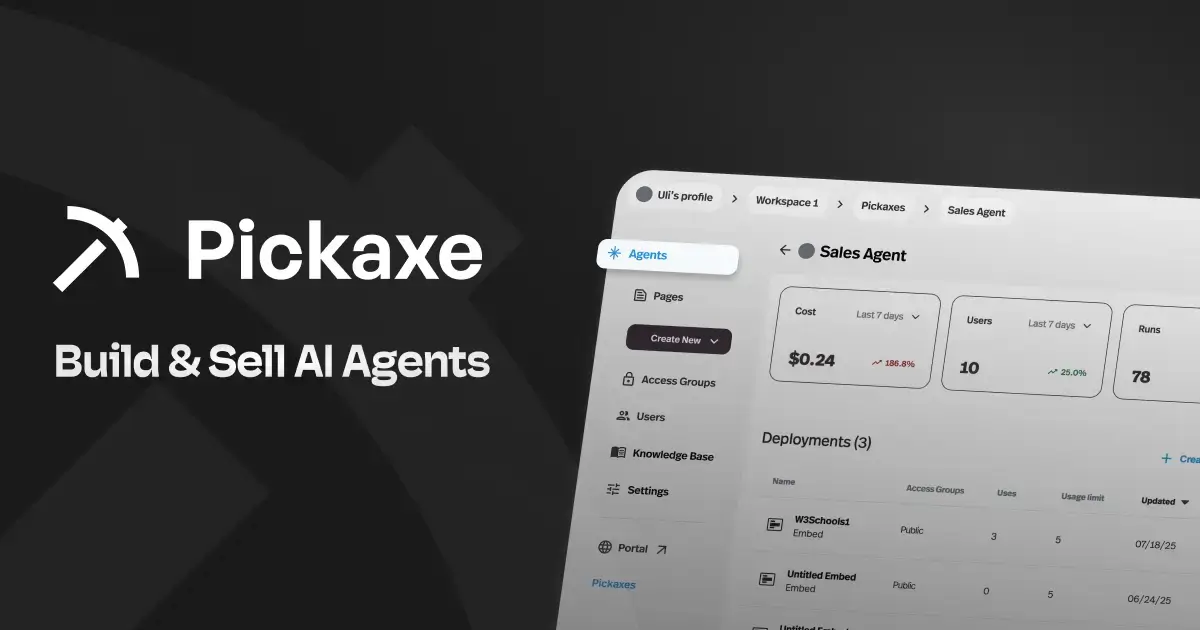
The builder combines instructions, model choice, a knowledge base, and Actions with several ways to publish. The current Pickaxe embed documentation lists five website formats: Inline Flex, floating action button, popup from a button, standalone chat input, and iframe.
That range matters because the interface should match the job. A floating widget suits site-wide questions. An inline agent can anchor a product configurator or intake page. A separate branded portal can hold several tools behind one login.
What stands out: the deployment layer is connected to access and monetization. The deployment overview covers portals, pages, direct links, website embeds, email, WhatsApp, Slack, Telegram, Discord, meeting bots, and API/MCP access. Access controls and monetization follow the agent across those deployments.
The Knowledge Explorer is another practical feature. It lets a builder inspect chunks and test what a real query retrieves, which is more useful than guessing why an answer missed a policy.
What to watch: Pickaxe is broader than a traditional chatbot widget. If you only need a fixed FAQ bubble with a built-in staffed inbox, that extra product layer may be unnecessary. Human escalation also needs to be designed through the prompt, an Action, a contact route, or an appropriate deployment rather than assumed.
The maintained Pickaxe pricing page lists Free at $0, Gold at $29 per month billed annually, and Pro at $116 per month billed annually. Plans include monthly AI credits, so model and usage choices still affect cost.
Choose Pickaxe when: you want to white-label the experience, give clients or members controlled access, deploy the same agent in several places, or charge for access. The white-label AI tools guide goes deeper on that agency model.
2. Chatbase: best for a fast, content-grounded support agent
Chatbase is the focused pick when the primary job is turning help content into a customer-facing support or sales agent.
The current product overview goes well beyond uploading a PDF. It includes data sources, instructions, model choice, procedures, actions, widgets, helpdesk features, simulations, regression tests, traces, conversation analysis, and escalation.
What stands out: the product is organized around customer-facing improvement. You can test routine and edge cases, inspect what the agent retrieved and which procedure it followed, then use conversation themes and escalations to decide what to change.
Chatbase also fits an existing support stack. Its product material describes handoff to its own helpdesk or connected tools, while procedures and actions can handle jobs such as looking up an order or finding a scheduling slot.
What to watch: fast setup does not remove knowledge maintenance. A bot trained on contradictory help pages will still face contradictory evidence. You also need to model the credit meter against the model you plan to use.
Chatbase's current annual figures are Free with 50 credits per month, Hobby at $32 per month, Standard at $120, and Pro at $400. Its own September 2026 pricing explanation notes that different models consume credits at different rates. Those credits are not directly comparable with Botpress conversations or Tidio's Lyro conversations.
Choose Chatbase when: a support or sales team wants a strong website agent, testing tools, and handoff without designing every branch from scratch. If you are already evaluating it, our Chatbase alternatives comparison covers the closest substitutes in more depth.
3. Voiceflow: best for collaborative chat and voice design
Voiceflow is the strongest fit here for teams that want a shared canvas for complex conversational logic across both chat and voice.
Its current pricing and product page emphasizes scripted workflows alongside agentic playbooks, APIs and integrations, model choice, observability, collaboration, roles, and production environments.
What stands out: conversation design is treated as a team artifact. That is useful when a product designer, conversation designer, support lead, and engineer all need to understand why the bot took a path.
Voiceflow also separates development, staging, and production concepts more clearly than many quick website-bot tools. For a high-volume experience, that discipline can be worth more than a five-minute setup.
What to watch: the flexibility creates a larger system to operate. A simple document Q&A widget may not need a collaborative canvas, environment promotion, and custom integration layer.
Voiceflow no longer publishes one universal self-serve plan table on its main pricing page. It offers a free trial, describes agency billing as transparent and usage-based, and asks businesses to request pricing. Treat old per-editor prices in roundup posts as stale until a current contract or checkout confirms them.
Choose Voiceflow when: the conversation itself is a designed product, multiple roles collaborate on it, or chat and voice must share controlled business logic.
4. Botpress: best for technical control and extensible support
Botpress is the technical-team pick when the agent needs custom logic, structured data, developer extension, and a path into a full support operation.
The live Botpress pricing page now applies the same plans across Studio, Desk, Viber, and its agent development kit. Paid plans include unlimited AI agents, while storage, collaboration, routing, and support grow by tier.
What stands out: Botpress combines a builder and a helpdesk direction. A team can build an agent with custom behavior, deploy webchat or WhatsApp, and either connect to an existing support tool or use Botpress Desk.
Its pricing is unusually explicit about the conversation definition. A billable conversation needs at least two end-user messages. A conversation spanning two months counts in both, and three minutes of voice counts as one conversation.
What to watch: the entry from free experimentation to a white-labeled production plan is substantial. Free currently includes 25 conversations. Plus is $150 per month billed annually with 250 conversations and $25 of AI usage included.
On Plus, extra packs cost $65 per 100 conversations, and the pricing FAQ says automatic conversation-pack recharge cannot be disabled. Botpress's May 2026 announcement originally listed 100 free conversations, but the live pricing page now says 25, so I use the live figure.
Choose Botpress when: an engineer or technical operator will own the build and the agent must connect deeply to support data or custom systems.
5. Landbot: best for designed lead funnels and controlled flows
Landbot is the clearest choice when you want to design the conversation step by step, especially for qualification, forms, lead routing, and WhatsApp.
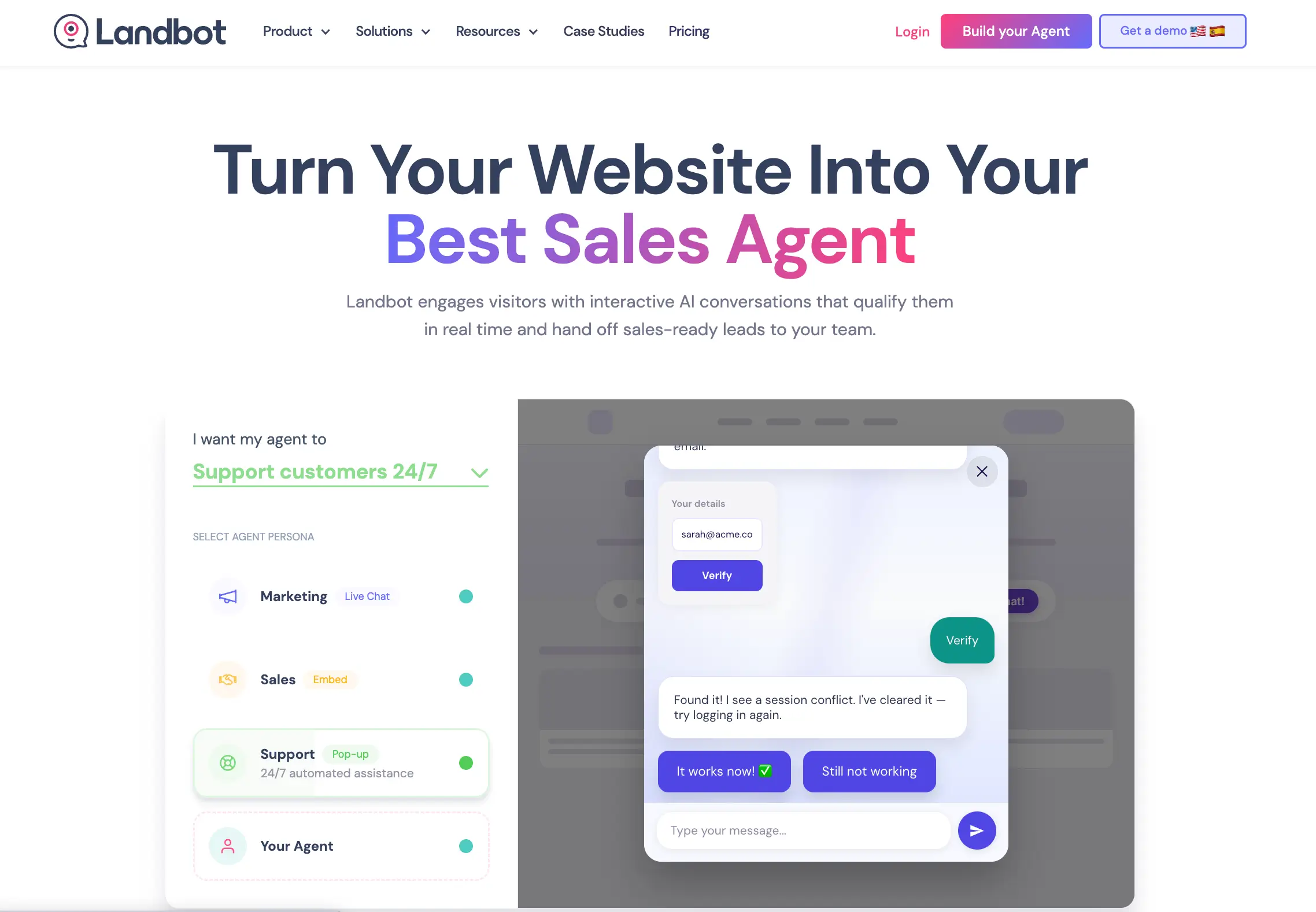
The visual canvas makes branching behavior legible. That is valuable when the correct next question depends on a prior answer, a required field must be collected, or a compliance-sensitive flow should not improvise.
What stands out: Landbot can mix structured flows with AI rather than forcing every exchange into one model. A lead funnel can keep eligibility and routing deterministic while allowing an AI step to interpret free text.
That hybrid is often safer than asking a generative model to own the whole journey. Use AI where language varies, and use explicit branches where policy or data collection should not.
What to watch: web chat and WhatsApp are different operational commitments. WhatsApp setup, templates, consent rules, and channel pricing deserve their own pilot. Do not assume a web flow can be copied into WhatsApp without changes.
Landbot's June 2026 pricing guide lists Sandbox at free with 100 web chats per month and no Landbot AI. Monthly prices are Starter €40, Pro €100, WhatsApp Pro €200, and Business from €400. Annual billing is 20% lower.
Choose Landbot when: you can draw the ideal conversation as a flowchart and want operators to understand or edit that flow without reading code.
6. Manychat: best for Instagram and social-DM automation
Manychat is the specialist pick when the conversation begins with a comment, story reply, follow, or direct message rather than a website help widget.
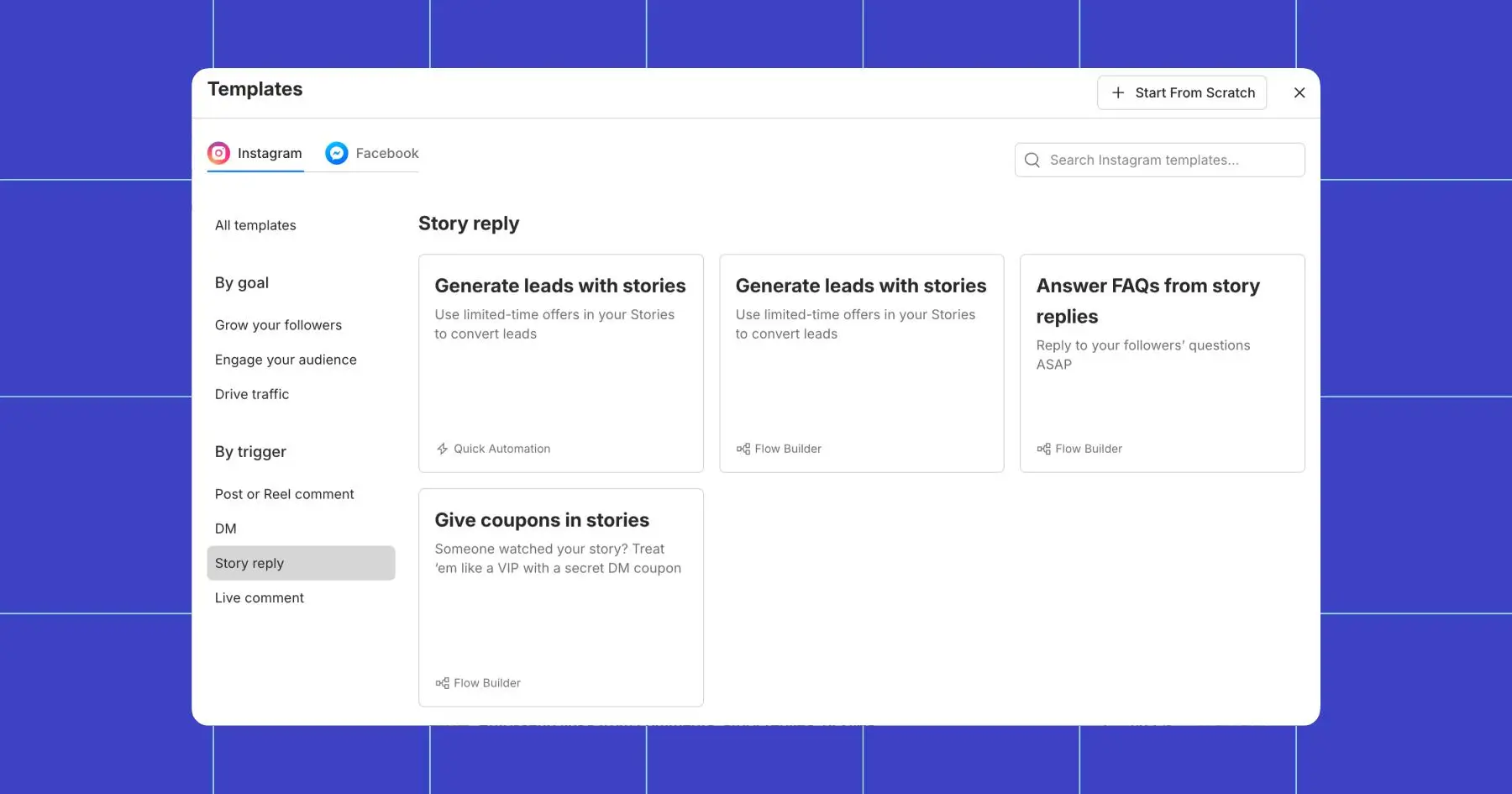
Its strength is not generic document Q&A. It is turning social engagement into an automated sequence: send the promised resource, collect a contact detail, qualify interest, route a lead, or hand the conversation to an inbox workflow.
What stands out: triggers are native to the channel. Manychat supports Instagram, Facebook Messenger, TikTok, Telegram, WhatsApp, SMS, and email depending on the plan. Its own DM automation guide documents Follow to DM, Comment to DM, story replies, and conversation starters.
What to watch: social platform rules are part of your product. Messaging windows, permissions, account type, consent, and channel eligibility can constrain a flow even when Manychat itself supports the logic.
Pricing also follows the audience, not only message volume. The annual pricing view starts Essential at $14 per month, Pro at $29, Business at $69, and Advanced at $139. The official plan guide says the new model began March 2, 2026 and may vary by region and account eligibility.
An Active Contact is a person who interacts with the connected account. It is not equivalent to one bot conversation, so forecast list growth as well as message traffic.
Choose Manychat when: your customers already raise their hands in social channels and the job is to respond, segment, and move them into a next step quickly.
7. Tidio: best for ecommerce support with a human escape route
Tidio is the balanced ecommerce choice when AI answers, rule-based conversion flows, live chat, and tickets need to sit together.
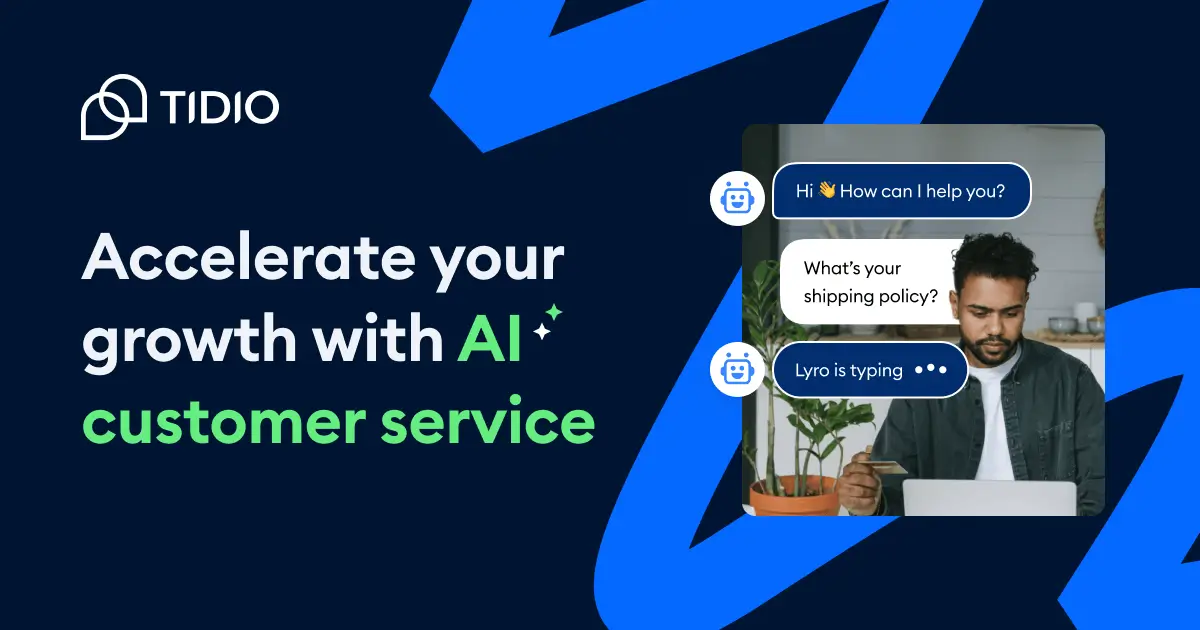
Tidio separates three products that lists often blur together. Lyro is its knowledge-grounded AI agent. Flows are manually designed conversion paths. Customer Service covers human conversations, live chat, ticketing, and email.
What stands out: the escape route is built into the operating model. Tidio's official FAQ says Lyro can transfer to a live operator or create a ticket, with different behavior when operators are online or offline.
For commerce, Lyro can also use synced product data. The Shopify product recommendation guide describes automatic catalog updates and product, variant, and complementary-item suggestions.
What to watch: the bill has separate axes. On the current pricing page, Lyro starts at $32.50 per month for 50 Lyro conversations. The first 50 free Lyro conversations are a lifetime allowance, not a monthly reset.
Human-support plans separately count billable conversations, and Flows separately count visitors reached. Tidio says a Lyro conversation can contain many AI replies while still counting once, but it should not be compared directly with an Active Contact or a Chatbase credit.
Choose Tidio when: you want an ecommerce-friendly support layer where AI, scripted conversion flows, and humans can share one customer journey.
Run a 30-conversation pilot before choosing
A polished demo usually shows the happy path. Your pilot should spend most of its time on the return path: what happens when the source is missing, the user is vague, an integration fails, or a person asks for a human.
I would build one illustrative 30-conversation set:
- 8 common questions with one approved answer source each
- 5 ambiguous requests that should trigger a clarifying question
- 5 unsupported questions that should produce a bounded refusal
- 4 action cases, such as a lead capture, order lookup, or appointment request
- 4 requests for a human, split between open and closed support hours
- 4 adversarial cases with stale, conflicting, or sensitive information
Run the same set through two finalists. Score the result on answer support, required fields, correct action choice, handoff context, and recovery from a failed tool call. Do not use one vague “quality” score.
Then measure the operator work. How long did it take to update a source, fix one flow, inspect a failure, change a handoff rule, and publish the revision? The best builder is the one your actual owner can improve next month.
If knowledge retrieval is central, use the method in our AI agent knowledge base guide. If you need a website rollout, the embedding guide covers the implementation details.
Model the bill with your own traffic
Suppose your site receives 1,000 chatbot sessions in a month. Six hundred end after one visitor message, 250 become two-message conversations, 100 reach a human, and 50 call an action. That hypothetical workload can land very differently across the seven pricing systems.
Botpress defines a conversation around at least two end-user messages. Tidio's AI and human conversations have separate rules. Chatbase models consume credits at different rates. Manychat cares about Active Contacts. Pickaxe combines a platform plan with AI credits. Voiceflow describes usage billing, while Landbot separates plan and channel needs.
Make a small worksheet with these rows:
- Monthly unique people or contacts
- Total sessions and sessions that reach the vendor's conversation threshold
- Average AI replies and model choice
- Action or integration calls
- Human handoffs and staffed seats
- Required bots, workspaces, clients, or channels
- Brand removal, custom domain, API, and compliance tier
- Overage behavior, auto-recharge, and hard spending controls
Put each vendor's native meter in its own column. Do not force everything into price per message unless the contract genuinely bills that way.
Build the chatbot around the business model
Use Pickaxe to create, brand, deploy, and optionally sell a focused AI agent.
Questions to ask before signing
Can the bot show where an answer came from?
Ask whether the operator can inspect retrieved sources, not only whether the bot can ingest a URL. A grounded answer can still cite the wrong version or retrieve a weak chunk.
What happens when the bot is uncertain?
Require a visible failure policy. It may ask a clarifying question, refuse, create a ticket, route to a person, or offer a verified contact path. Silence and confident invention are not acceptable defaults.
Can the bot act, and how are actions limited?
A chatbot becomes more agent-like when it can look up or change data. Our chatbot versus AI agent guide explains that boundary. For any action, check authentication, allowed inputs, confirmation before irreversible work, logging, and recovery after failure.
Who owns the client relationship?
For agency work, ask who receives the login, invoice, support request, and analytics. Removing a vendor logo is not the same as providing a branded client portal, native billing, or a handoff process.
Can I export the configuration and conversation data?
Check prompts, sources, flows, contacts, transcripts, analytics, and action definitions separately. “Export available” may cover only a CSV of conversations rather than the bot itself.
What changes at the next tier?
Build the forecast around the first production tier that includes your required branding, channel, API, handoff, compliance, and team permissions. A free plan is useful for testing but can hide the real production floor.
Which AI chatbot builder should you choose?
Choose Pickaxe for branded client delivery, paid access, and multiple deployments around one agent. Choose Chatbase for a focused, content-grounded customer agent with support-oriented testing and handoff.
Choose Voiceflow when several roles need to design complex chat and voice behavior together. Choose Botpress when technical control and extensibility matter more than a low production entry price.
Choose Landbot for explicit lead and intake flows. Choose Manychat when social engagement is the trigger. Choose Tidio when ecommerce AI, scripted flows, live chat, and tickets should share one system.
My strongest recommendation is to start with the failure path. A chatbot earns trust when it knows how to recover, not when its demo answers the easy question fastest.
If you want to build a customer-facing agent and keep control of the brand, access, deployment, and business model, Pickaxe has a free tier. Start with one narrow job, run the 30-conversation pilot, and expand only after the return path works.