
I went looking for a web scraping tool a few months ago and realized halfway through that I was asking the wrong question.
The old question was "how do I get the HTML off this page?" That problem is basically solved. The new question — the one almost nobody's list answers — is "how do I get clean, structured data into an AI agent, on a web that is actively closing its doors?"
Because that's the real story of 2026. Two things happened at once.
First, scraping stopped being a data-engineering task and became an agent task. Most people pulling pages today aren't building a price-comparison database. They're feeding a knowledge base, powering a research agent, or letting an agent look something up mid-conversation. That changes what "good output" means: markdown beats raw HTML, and structured JSON beats both.
Second, the web started charging admission. Cloudflare now blocks AI crawlers by default on a large slice of the internet, and as of its 2026 policy update, "mixed-use" crawlers that don't let publishers opt out of AI training get blocked by default on any page carrying ads starting September 15, 2026.
So the tool you pick now has to answer both: can it produce agent-ready output, and can it actually reach the page?
I looked into 15 web scraping tools across every tier — LLM-first APIs, proxy-heavy unblockers, no-code point-and-click builders, and the open-source libraries that still run most of this stuff under the hood. Below is what each one is genuinely good at, what it costs, and where I'd stop recommending it.
Fair warning on one thing: I have not run a million-page benchmark on all fifteen. What I've done is use several of these in real projects, read the docs and pricing pages closely, and check the claims that vendors make against each other. Where I'm going on documentation rather than experience, I say so.
The 15 Best Web Scraping Tools in 2026 at a Glance
Prices below are entry paid tiers as published at time of writing. Scraping pricing changes constantly — treat these as the shape of the pricing, not a quote.
| Tool | Type | Best for | Output | Starting price |
|---|---|---|---|---|
| Firecrawl | LLM-first API | Feeding agents and RAG pipelines | Markdown / JSON | Free tier; $16/mo |
| Jina Reader | LLM-first API | Cheapest URL → markdown | Markdown / JSON | ~$0.02 per 1M tokens |
| Exa | Neural search API | Finding pages, not just fetching them | Text + snippets | Usage-based |
| ScrapingBee | Unblocking API | One-call scraping with proxies handled | HTML / JSON / MD | $99/mo |
| ScraperAPI | Unblocking API | Mid-volume general scraping | HTML / JSON | $49/mo |
| Zyte | Unblocking API | Cheapest per-request at volume | HTML / JSON | $0.13 / 1K requests |
| Bright Data | Proxy + data platform | Hard targets and huge scale | HTML / structured | $1.50 / 1K records |
| Apify | Marketplace + platform | Not writing the scraper at all | Dataset / JSON | $29/mo |
| Browserbase | Browser infrastructure | Agents that click, log in, and navigate | Whatever you script | Free; $20/mo |
| Octoparse | No-code desktop | Non-developers, recurring extracts | CSV / Excel / API | Free tier; ~$69/mo |
| Browse AI | No-code cloud | Monitoring pages for changes | Table / webhook | Free tier; paid from ~$19/mo |
| Thunderbit | No-code extension | Fast one-off extracts in the browser | CSV / Sheets | Free tier; paid tiers |
| Crawl4AI | Open source | Self-hosted LLM-ready crawling | Markdown / JSON | Free (Apache-2.0) |
| Scrapy | Open source | Large structured crawls | Whatever you parse | Free (BSD) |
| Playwright | Open source | Logins and full browser control | Whatever you script | Free (Apache-2.0) |
How I Grouped These Web Scraping Tools
Most roundups rank scrapers on a single axis, which is why they're useless. A Chrome extension and a residential proxy network are not competing for the same job.
There are really five different jobs hiding under the phrase "web scraping tools," and picking well means knowing which one you have.
- Turn a URL into text an LLM can read. You know the page. You want clean markdown, not a DOM. This is Firecrawl, Jina Reader, Crawl4AI.
- Get past the bouncer. The page is fine, but the site blocks you. This is ScrapingBee, ScraperAPI, Zyte, Bright Data.
- Drive a real browser. There's a login, a multi-step form, or an infinite scroll. This is Playwright, Browserbase, Stagehand.
- Don't write code at all. Somebody non-technical needs a spreadsheet updated weekly. This is Octoparse, Browse AI, Thunderbit.
- Skip the build entirely. Someone already wrote a scraper for this exact site. This is Apify.
Almost every bad tooling decision I've seen comes from buying for job 2 when you actually had job 1, and paying proxy prices for pages that were never blocked in the first place.
LLM-First Scraping APIs: Built for Agents, Not Databases
This category barely existed three years ago and now it's where most new projects start. The premise is simple: your consumer is a language model, so skip the HTML and hand over markdown.
1. Firecrawl — the default for AI agent projects
Firecrawl is the one I reach for first when the destination is an agent, and it's earned that by being unusually complete.
You get five endpoints that cover most of what people actually need. Scrape pulls one page. Crawl walks a whole site. Map returns every URL on a domain fast. Search queries the web and returns page contents. Extract takes a schema and gives you structured JSON back. For workflows that start with files rather than web pages, compare the leading AI document extraction tools.
That Map endpoint is more useful than it sounds. Before you spend credits crawling 4,000 pages, you can see the shape of the site and crawl only the 200 that matter.
Pricing: a free tier at 1,000 credits a month, then Hobby at $16/mo (annual) for 5,000 credits, Standard at $83/mo for 100,000, Growth at $333/mo for 500,000, and Scale at $599/mo for 1,000,000. Core endpoints — Scrape, Crawl, Map, Monitor — cost 1 credit per page.
Read the credit multipliers before you commit. Search costs 2 credits per 10 results, Interact costs 2 per browser-minute, and Stealth Mode costs 5 credits per page. A crawl you budgeted at 1 credit a page becomes a crawl at 5 the moment a site starts blocking you and you flip stealth on.
At Standard volume that works out to roughly $0.0008 per page, which is genuinely cheap. Just don't model your costs on the headline rate alone.
One change worth knowing: as of mid-2026 Firecrawl is subscription-only, so the old pay-as-you-go top-up path is gone. If your usage is spiky and rare, that's a real downside.
The adoption numbers back up the impression. The project has climbed past 160,000 GitHub stars into the top 50 repositories of all time, and the team has since shipped an open framework for building web agents on the same architecture as its /agent endpoint. That's a strong signal about where this category is heading: not "fetch page," but "go find out."
What I'd use it for: building a knowledge base from a documentation site, powering a research agent, or any project where "clean markdown, no post-processing" saves you a week.
Where it struggles: heavily defended social platforms. Firecrawl is excellent on ordinary sites and gets stopped by serious anti-bot systems like anything else that identifies itself honestly.
2. Jina Reader — absurdly cheap, absurdly simple
Jina Reader has the lowest friction of anything on this list. You prepend r.jina.ai/ to a URL and you get markdown back. That's the whole interface.
It costs about $0.02 per 1 million output tokens, and every new API key ships with 10 million free tokens shared across Jina's endpoints. For a lot of real workloads that's effectively free.
What surprised me is how configurable it is under that one-line surface. You can pick the browser engine to trade quality against speed, set a timeout up to 180 seconds, specify locale and referer, cap spend per call with a token budget, restrict output to a CSS selector, or ask for JSON instead of markdown. For pages with genuinely messy structure there's ReaderLM-v2, at roughly three times the token cost.
What I'd use it for: the "fetch this URL" tool inside an agent. When a user pastes a link and your agent needs to read it, this is the cheapest correct answer.
Where it struggles: it's a reader, not a crawler. There's no site-wide crawl orchestration, no scheduling, no dataset storage. And it's honest about who it is, so hard targets will block it.
3. Exa — for when you don't know the URL yet
Exa is the odd one out here, and it's on the list because it solves a problem the others don't.
Every tool above assumes you already have a URL. Exa is a neural search API — you describe the kind of page you want in natural language, and it returns matching pages plus their contents in one call.
That difference matters enormously for research agents. "Find me recent posts by founders about pricing AI products" is a query Exa handles and a query a scraper cannot even parse.
Pricing is usage-based per search and per page of contents retrieved.
What I'd use it for: the discovery half of a research agent. Pair it with Jina or Firecrawl for the deep read, which is roughly the architecture I described in our guide to building an AI research agent that cites its sources.
Where it struggles: it's not the tool for "scrape all 12,000 product pages on this store." Wrong shape of problem entirely.
Unblocking APIs: When the Site Is Fighting Back
Everything above assumes the page will load. Increasingly it won't.
Between 2022 and 2026 the number of commercial bot-management and anti-scraping services tracked by Wappalyzer rose from 36 to 60. Meanwhile, per Imperva's 2026 Bad Bot Report, automated traffic now makes up more than 53% of all web traffic. Sites have noticed, and they've armed up.
These four tools sell you a way through: rotating proxies, browser fingerprinting, CAPTCHA handling, retries. You pay per request and stop thinking about it.
4. ScrapingBee — the cleanest API in the category
ScrapingBee hides proxies, headless browsers, and CAPTCHA solving behind a single HTTP call, and returns HTML, JSON, or markdown.
It's usually the first serious option people land on, partly because the documentation is excellent and partly because the API genuinely is one call.
Pricing starts at $99/mo on the Startup plan, and the important detail is the credit multiplier. A plain request is 1 credit. JavaScript rendering is 5 credits. Stealth proxies are 75.
That 75× is not a typo, and it's the single most common way people blow through a scraping budget. If a third of your targets need stealth, your effective cost per page is nowhere near what the plan page implies. Do that arithmetic before you sign up, not after.
What I'd use it for: mid-volume scraping where you want good docs, predictable behavior, and no infrastructure.
Where it struggles: the entry price. $99/mo is steep if you're scraping a few thousand pages a month, and at that volume Jina or Firecrawl will cost you a rounding error by comparison.
5. ScraperAPI — the value pick under 500K pages
ScraperAPI plays the same game as ScrapingBee with a friendlier on-ramp: Hobby at $49/mo, Startup at $149/mo, roughly 10% off for annual billing.
Like everyone in this category it charges extra credits for JS rendering and geotargeting, so read the multiplier table.
The useful rule of thumb I keep seeing repeated across comparisons — and it matches the pricing math — is that ScraperAPI is cheaper below roughly 500,000 pages a month, and Bright Data gets cheaper above about a million, because per-GB pricing compresses at scale.
Most people reading this are permanently on the cheap side of that line.
What I'd use it for: the default unblocking API for an agency or a small product. It's the least likely to be a mistake.
Where it struggles: the hardest targets. It's good, not magic, and the very well-defended sites will still beat it.
6. Zyte — the cheapest entry per request
Zyte comes out of Scrapinghub, the company behind Scrapy, and it shows — this is a tool built by people who have scraped at genuinely uncomfortable scale.
Zyte API is priced from $0.13 per 1,000 simple HTTP requests pay-as-you-go, which is the cheapest entry point in this whole category. Costs climb per request as you add capability, from roughly $0.001 for a basic fetch to $0.008 or more with browser rendering, with volume discounts in the 25–52% range.
The smart part of the design is automatic escalation: it starts with the cheapest method that works and only reaches for a full browser when the page demands one. You aren't paying browser prices for static HTML.
What I'd use it for: high-volume crawls where per-request cost is the binding constraint, especially if you're already writing Scrapy spiders.
Where it struggles: it's developer-first. There's no gentle no-code entrance here.
7. Bright Data — the heavyweight, with the legal scars to prove it
Bright Data is the largest proxy network in the business and, correspondingly, the one that gets past things nothing else does.
It's also priced like an enterprise product. There's a free tier at 5,000 records a month, pay-as-you-go from $1.50 per 1,000 records, and plans that start at $499/mo. Billing is per product rather than per account, so if you combine proxies, an unlocker, and a dataset you're stacking meters.
Bright Data is also the company that beat Meta in court. In January 2024 a court dismissed Meta's claim, finding that scraping publicly viewable Facebook and Instagram pages while logged out was not unauthorized access under the CFAA — because Meta's own terms only prohibited logged-in scraping. That ruling is now load-bearing for a lot of the industry, and I'll come back to it below.
What I'd use it for: targets that genuinely nothing else can reach, at volumes where the cost is justified.
Where it struggles: forecasting. The multi-SKU billing model makes it hard to know what a month will cost until you've had a few of them.
Platforms and Marketplaces: Don't Write the Scraper
8. Apify — someone probably already built it
Apify is the one on this list that most often makes the whole problem disappear.
Instead of a generic scraping API, Apify is a marketplace of thousands of pre-built scrapers — they call them Actors — each maintained for a specific site or job. Google Maps, LinkedIn profiles, Amazon listings, Instagram, TripAdvisor: someone has already built and maintained the scraper, including the anti-bot handling.
That maintenance point is the real value. Site layouts change constantly, and a scraper you wrote yourself breaks silently. An Actor with hundreds of paying users gets fixed by its author.
Pricing is by compute consumption — one Compute Unit is 1 GB of RAM running for one hour — on prepaid credits. Starter is $29/mo; Scale is $199/mo and adds residential proxies, scheduling, and dataset storage.
That compute-based model is easier to forecast than Bright Data's stack of meters, but it's harder to reason about than a flat per-page rate. An inefficient Actor costs you more than an efficient one scraping the same pages.
Apify also exposes Actors over MCP, which means an agent can call one directly as a tool rather than you writing glue code.
What I'd use it for: any well-known site. Check the store before you write a line of code — genuinely, every time.
Where it struggles: obscure targets with no Actor, and quality variance between community-built Actors. Check the run history and review count before you depend on one.
Browser Infrastructure: For Agents That Actually Click Things
9. Browserbase and Stagehand — headless browsers as a service
Some things can't be scraped. They have to be operated — log in, click through three screens, wait for a table to load, then read it.
Browserbase is essentially AWS for headless browsers: managed, cloud-hosted browser instances tuned for AI agents, so you don't run a fleet of Chrome processes yourself.
Plans run free, Developer at $20/mo, Startup at $99/mo, and custom Scale, billed on browser-hours, Search/Fetch calls, and model tokens. Its Fetch API is priced at $1 per 1,000 for HTML, $4 per 1,000 for markdown, and $7 per 1,000 for JSON extraction with proxies. Residential proxy traffic runs $8/GB.
Stagehand is Browserbase's open-source companion, and it's the more interesting half. It layers natural-language control on top of Playwright, so instead of brittle CSS selectors you write instructions like "click the pricing link" and let a model resolve it against the live DOM.
That's the part that survives a redesign. A selector-based scraper breaks the day the site ships new markup; an instruction-based one usually doesn't.
What I'd use it for: authenticated dashboards, multi-step flows, and anything where the agent needs to act rather than read. This is the layer that sits closest to the true agentic end of the automation spectrum.
Where it struggles: cost per page. Running a real browser is orders of magnitude more expensive than fetching HTML. Use it where you need it and nowhere else.
No-Code Web Scraping Tools: Point, Click, Export
Not every scraping job belongs to a developer. Plenty of the most valuable ones — competitor price checks, lead lists, directory extracts — are owned by someone in marketing or ops who needs a spreadsheet on Monday.
10. Octoparse — the veteran no-code scraper
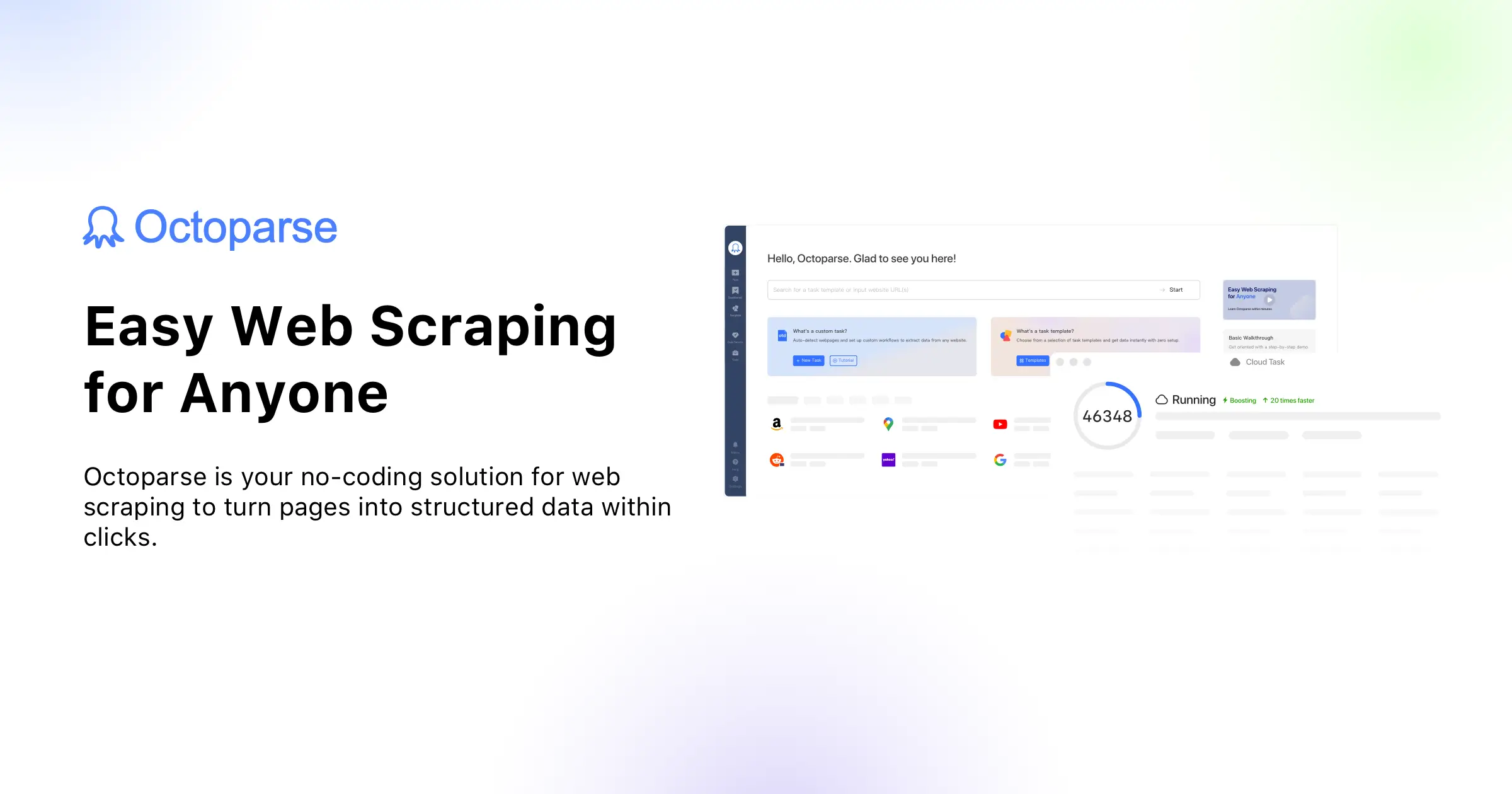
Octoparse has been doing point-and-click scraping longer than most of this list has existed, and that maturity shows in the edge cases it handles: pagination, infinite scroll, dropdowns, login flows, AJAX-loaded tables.
You build a task by clicking the elements you want in a built-in browser. Octoparse works out the pattern and turns it into a repeatable job, run locally or in its cloud with IP rotation, scheduling, and CAPTCHA handling.
Pricing: a free plan covering 10 tasks, one device, local extraction, and 50,000 exported rows a month — which is a genuinely usable free tier, not a demo. Paid plans start around $69/mo for Standard (annual) and $249/mo for Professional.
What I'd use it for: a non-technical team member who needs a recurring extract from a site that fights back a little.
Where it struggles: the learning curve is real. "No-code" doesn't mean "no concepts" — you'll still be reasoning about loops and pagination, just with a mouse.
11. Browse AI — scraping plus change monitoring
Browse AI takes a lighter approach: you install a Chrome extension, record yourself clicking through a page, and it converts that recording into a cloud robot.
Its genuinely differentiated feature is monitoring. A Browse AI robot can watch a page on a schedule and fire a webhook when something changes — a price, a job posting, a competitor's feature list.
That reframes scraping as a trigger rather than a batch job, which is exactly the shape you want when the output feeds an agent. Instead of "scrape nightly and hope someone reads it," you get "tell my agent the moment this changes."
The free plan covers 50 credits a month across up to five robots. Paid plans start at $19/mo (annual) for Starter and climb to $99/mo for Professional, with every extraction and every monitor run drawing down credits — so a page you check hourly costs meaningfully more than one you check weekly.
What I'd use it for: competitor monitoring, price tracking, and any workflow where the alert matters more than the archive.
Where it struggles: complex multi-page extraction. It's built around "watch this page," and pushing it toward "crawl this site" gets awkward fast.
12. Thunderbit — AI field detection in the browser
Thunderbit is the newest of the no-code three and the fastest for a genuine one-off.
Its pitch is AI field suggestion: you open a page, click a button, and it proposes the columns — name, price, rating, URL — rather than making you select each element by hand. When it guesses right, a job that would have taken ten minutes takes about fifteen seconds.
It exports straight to Sheets, Airtable, Notion, or CSV, and has a free tier.
What I'd use it for: "I need this table in a spreadsheet right now." That's a bigger share of real scraping requests than anyone admits.
Where it struggles: scale and reliability guarantees. It's a browser extension — treat it as an accelerator for manual work, not production infrastructure.
Open Source: Free, Powerful, and Yours to Maintain
Every managed tool above is, underneath, some combination of the next three. If your volume is high or your budget is zero, going direct is completely reasonable — as long as you're honest that you've swapped a subscription for a maintenance job.
13. Crawl4AI — the open-source answer to Firecrawl
Crawl4AI is the strongest open-source choice for LLM and RAG pipelines right now, and it's not close.
It's Apache-2.0, Python, built on Playwright for browser automation and asyncio for concurrency, and designed from the start to output clean, LLM-ready markdown rather than raw HTML. It prunes boilerplate — nav bars, cookie banners, footers — before you ever see the text.
The feature set is closer to a commercial product than a weekend project: BFS deep-crawl strategies, Docker deployment with a monitoring dashboard, and local LLM extraction through LiteLLM if you'd rather not send page contents to a hosted model.
That last point matters for regulated client work. You can run the whole pipeline on infrastructure you control.
Cost: zero. No API key, no payment, commercial use permitted.
It isn't a fringe project either. Crawl4AI hit number one on GitHub Trending, picked up backing from Peak XV, and now runs well past a million downloads a month. When developers on X trade lists of scrapers that don't get blocked in the first hundred requests, Crawl4AI is usually at the top of them.
What I'd use it for: self-hosted knowledge base ingestion at volume, or any project where per-page API costs would eventually eat the margin.
Where it struggles: you own the proxies, the retries, the blocks, and the 2 a.m. breakage. That's the trade.
14. Scrapy — still the best large-crawl framework
Scrapy is fifteen-plus years old and still the right answer for a specific shape of problem: crawling a lot of structured pages, politely, with proper queueing and retry semantics.
Its architecture — spiders, item pipelines, middlewares — is genuinely well designed, and it handles concurrency, throttling, and deduplication in ways a hand-rolled script will not.
What it doesn't do out of the box is render JavaScript, which in 2026 is a serious limitation. You'll pair it with a headless browser or a rendering service, which is exactly why Zyte exists.
What I'd use it for: big crawls of server-rendered sites where you want fine control and no per-page bill.
Where it struggles: modern SPA-heavy sites, and the fact that it hands you raw HTML to parse yourself. Crawl4AI gives you cleaned output; Scrapy gives you markup and a job.
15. Playwright — the escape hatch that always works
Playwright isn't a scraping tool. It's browser automation — and that's precisely why it's the thing you fall back to when nothing else fits.
Because you're driving a real browser, anything a person can do in a browser is available: log in, fill forms, wait for network requests, intercept API responses, handle multi-factor prompts, scroll until the list stops growing.
That last one is underrated. On many modern sites the smartest move isn't parsing the HTML at all — it's intercepting the internal JSON API the page itself calls, which Playwright lets you read directly. You get clean structured data and skip the markup entirely.
(Puppeteer does much the same for Chrome-only Node projects. Playwright's cross-browser support and better waiting primitives make it the default now.)
Cost: free. But a browser per page is heavy, and running a fleet of them reliably is its own engineering project — which is the gap Browserbase sells into.
What I'd use it for: anything behind a login, and anything where you need to see what the page's own API returns.
Where it struggles: volume. It's the most capable and the least efficient option here.
How to Actually Choose a Web Scraping Tool
Here's the decision path I'd follow, in order. It takes about two minutes and saves most of the money people waste in this category.
1. Check Apify first. If an Actor exists for your target, use it. You're buying someone else's maintenance burden for $29/mo, and that's the best deal on this page.
2. Try fetching the page with no tooling at all. A plain HTTP request works more often than people expect. If it works, Jina Reader at $0.02 per million tokens is your entire scraping stack.
3. If it needs JavaScript but isn't blocked, go LLM-first. Firecrawl or self-hosted Crawl4AI. Both render pages and both hand you markdown.
4. Only if you're actually blocked, buy unblocking. ScraperAPI under ~500K pages a month, Zyte if per-request cost dominates, Bright Data if nothing else gets through.
5. If there's a login or a multi-step flow, you need a browser. Playwright if you'll run it, Browserbase if you won't.
6. If the person who needs the data doesn't write code, stop optimizing. Octoparse, Browse AI, or Thunderbit will be done before you've finished choosing an API.
The failure mode I see most often is skipping straight to step 4. Proxy pricing is built for people scraping defended targets at scale, and most projects are neither.
Wiring a Scraper Into an AI Agent
Getting the data is half the job. The half that determines whether any of this is useful is what happens next.
There are three patterns worth knowing, and they're not interchangeable.
Pattern 1: Scrape once, load into a knowledge base
Best when the content is stable — documentation, policies, a product catalog, a body of research.
You crawl the source, convert to markdown, and load it into the agent's knowledge base so it's retrievable at answer time. This is standard RAG, and we walked through the mechanics in adding a knowledge base to your AI agent.
One shortcut worth knowing: if the source is a public URL, you may not need a scraper at all. Pickaxe's knowledge base ingests URLs, RSS feeds, and connected apps like Notion and Google Drive directly, and refreshes them daily — so "keep this documentation site current in my agent" is a settings change rather than a pipeline.
Pattern 2: Scrape on demand, mid-conversation
Best when the data is fresh or unpredictable — a link the user just pasted, today's pricing, a competitor's current page.
Here the scraper is a tool the agent calls. In Pickaxe that's an Action pointing at your scraping API, with a trigger prompt that tells the model when to reach for it. Jina Reader is close to ideal for this because it's one URL, one call, and costs almost nothing per invocation.
Keep the action count low. The platform guidance — no more than four actions per agent, with a router agent handing off to specialists for anything more complex — exists because models get worse at tool selection as the tool list grows.
If you're already running Make, Zapier, or n8n, you can also reach scrapers through those over MCP rather than building a direct integration, which is covered in our roundup of AI integration platforms.
Pattern 3: Monitor, then trigger
Best when the value is in the change, not the data.
Browse AI watches a page, fires a webhook on change, and your agent drafts the response — a competitive alert, a Slack message, a note to the account owner. Nobody schedules anything and nobody reads a dump.
Whichever pattern you pick, budget for tokens as well as requests. A 40,000-word documentation site is a real cost every time it lands in a context window, and scraping bills are usually the smaller half of the total. Our breakdown of AI agent token economics gets into how quickly that adds up.
Is Web Scraping Legal in 2026?
I'm not a lawyer and this isn't legal advice. But the case law has settled into a shape that's worth understanding, because it's more permissive than people fear and narrower than people hope.
hiQ Labs v. LinkedIn is the foundational case. The Ninth Circuit held that scraping publicly accessible LinkedIn profiles did not violate the Computer Fraud and Abuse Act. That's the headline everyone quotes.
The part they skip: in November 2022 the court found hiQ had breached LinkedIn's User Agreement, and the case ended in a consent judgment — a $500,000 judgment, a permanent injunction barring hiQ from scraping LinkedIn, and destruction of the scraped corpus. Farella Braun + Martel's summary is a good plain-English read on how those two holdings fit together.
"Not a federal computer crime" and "no legal exposure" are very different statements.
Meta v. Bright Data (January 2024) sharpened the line further. The court dismissed Meta's CFAA claim, holding that scraping publicly viewable Facebook and Instagram pages wasn't unauthorized access — specifically because Meta's terms only prohibited logged-in scraping.
Put those together and you get the working rule the industry now operates on:
- Logged-out scraping of genuinely public pages is defensible. This is the safest ground available.
- Logged-in scraping against terms you accepted is not. Creating an account means agreeing to the contract, and breach of contract doesn't care what the CFAA says.
- Personal data brings its own regime. GDPR and CCPA apply to scraped personal information regardless of whether the page was public. "It was on the open web" is not a lawful basis.
- Copyrighted content is still copyrighted. Scraping articles to republish them is a different problem from scraping them to analyze them.
Practical guardrails I'd apply to any client project: read robots.txt and honor it, rate-limit so you're not degrading the site, don't scrape behind logins you agreed not to scrape behind, don't collect personal data you don't have a basis to hold, and keep a record of what you pulled and when.
That last one has become more important since the EU AI Act's provisions landed — provenance questions are now routine in enterprise procurement. Our AI agent compliance checklist covers what buyers are actually asking for.
The Closing Web: What Changed in 2026
This is the section most scraping roundups don't have, and it's the one that will affect your project most.
In 2025 Cloudflare flipped the default: AI crawlers are blocked unless a site opts them in, and publishers can charge for access. Given how much of the web sits behind Cloudflare, that single default change re-shaped the crawlable internet overnight.
In 2026 it tightened again. AI companies have until September 15, 2026 to separate crawlers used for search from those used for AI training and agents. "Mixed-use" crawlers that don't give site owners that choice get blocked by default on any page carrying ads — and the new defaults apply to new customers, new sites, and all existing free customers.
Cloudflare has also replaced Pay Per Crawl with Pay Per Use, which pays publishers when their content is actually used in an AI answer rather than merely fetched, launching with Ceramic.ai and You.com as first partners.
The structural result is that the web is sorting itself into three buckets: open pages, blocked pages, and — new this year — paid pages.
Three consequences worth planning around:
Honest crawlers get hit hardest. Blocking is largely User-Agent based, so the tools that identify themselves — Firecrawl, Jina, most open-source crawlers — are the easiest to stop. Tools that look like ordinary browser traffic aren't affected the same way. That's an uncomfortable dynamic, and it's the main reason "stealth" line items keep showing up on pricing pages.
Costs are drifting upward. Every escalation from plain fetch to rendered browser to stealth proxy multiplies your per-page price. Budget for a mix, not for the cheapest tier.
Licensed access is becoming a real option. For serious commercial use, an official API or a data licensing deal is increasingly cheaper and safer than an arms race. Check whether your target has an API before you buy proxies to defeat it.
The counter-trend worth watching is llms.txt and the broader move toward sites publishing machine-readable versions of themselves. A growing number of documentation sites now ship clean markdown at predictable URLs specifically so agents don't have to scrape. When that exists, use it — it's faster, cheaper, and explicitly permitted.
Five Mistakes That Cost People Money
1. Buying proxies for pages that aren't blocked. Try the cheap path first. Most sites are not defended.
2. Ignoring credit multipliers. ScrapingBee's stealth proxy is 75 credits against a baseline of 1. Firecrawl's stealth mode is 5× its base rate. Your real cost is the weighted average across your actual traffic mix, not the headline number.
3. Scraping more than the agent can use. Crawling 5,000 pages into a knowledge base when 40 answer 95% of questions makes retrieval worse, not better. More context is not better context.
4. Building on selectors that will break. A CSS-selector scraper has a shelf life measured in redesigns. Prefer an Apify Actor someone else maintains, an instruction-driven approach like Stagehand, or an internal JSON API that changes far less often than markup does.
5. No monitoring. Scrapers fail silently and return empty results, and an agent will happily answer from an empty knowledge base. Alert on volume drops, not just on errors — the same discipline we cover in AI agent analytics.
Frequently Asked Questions
What is the best web scraping tool for AI agents?
Firecrawl for most projects — it returns clean markdown, handles JavaScript, and covers scraping, crawling, mapping, and structured extraction in one API. Jina Reader if you mainly need "read this one URL" and want it to cost nearly nothing. Crawl4AI if you'd rather self-host and keep the data on your own infrastructure.
What's the cheapest way to scrape the web?
Open source is free if you don't count your time: Crawl4AI, Scrapy, or Playwright cost nothing but you own the proxies and the maintenance. On the paid side, Jina Reader at roughly $0.02 per million output tokens and Zyte at $0.13 per 1,000 simple requests are the lowest entry points.
Do I need a proxy service to scrape?
Usually not. Proxies matter when a site is actively blocking you — high-value targets like large e-commerce sites, social platforms, and travel aggregators. For documentation, blogs, small business sites, and most B2B content, a plain request works fine. Test before you buy.
Can no-code tools handle JavaScript-heavy sites?
Yes. Octoparse, Browse AI, and Thunderbit all run real browsers, so React and Vue sites render properly. The limitation isn't rendering, it's scale and error handling — no-code tools are built for hundreds or thousands of pages, not millions.
How do I keep a scraper from breaking?
Reduce your dependence on markup. Use maintained scrapers where they exist (Apify Actors), prefer a site's internal JSON API over its HTML where you can read it, use instruction-based extraction like Stagehand instead of hardcoded selectors, and monitor output volume so you find out about breakage before your client does.
Is it legal to scrape a site that blocks bots in robots.txt?
robots.txt isn't legally binding on its own in the US, but ignoring it is evidence of intent and it strengthens a site's position in any dispute. For client work, treat it as a rule. The reputational cost of being the agency that got a cease-and-desist is higher than the value of most datasets.
What's the difference between web scraping and web crawling?
Crawling is discovery — walking links to find pages. Scraping is extraction — pulling specific data off a page you already have. Most tools here do both; Firecrawl's Map/Crawl endpoints are the crawling half and Scrape is the extraction half.
My Picks
If you want one recommendation per situation, here's where I land.
- Best overall for AI agents: Firecrawl. The output format alone saves days of post-processing.
- Best value: Jina Reader. Nothing else comes close on cost per page for simple reads.
- Best free option: Crawl4AI. It's what a commercial product would look like if it were Apache-2.0.
- Best for hard targets: Bright Data, with ScraperAPI as the cheaper first attempt.
- Best if you don't code: Octoparse for recurring extracts, Browse AI for monitoring, Thunderbit for one-offs.
- Best shortcut: Apify. Check the store before you build anything.
- Best for logins and clicking: Playwright, or Browserbase if you'd rather not run browsers.
The bigger point is that the scraper is rarely the hard part anymore. Fifteen credible tools will get you the data. What separates a useful project from a pile of markdown is what you do with it — how it's chunked, how it's retrieved, when the agent decides to fetch fresh instead of answering from memory, and whether anyone finds out when it silently stops working.
That's the layer we spend our time on. Pickaxe is a no-code platform for building, deploying, and monetizing AI agents — you can point a knowledge base at URLs and let it refresh daily, wire a scraping API in as an Action the agent calls mid-conversation, and ship the whole thing as a branded portal your clients log into.
If you're still working out what belongs in that stack, The AI Agent Tech Stack is the map, and the knowledge base tools roundup covers where scraped data goes next. Either way, start with the cheapest tool that works and only pay for the escalation you actually need.