
The AI assistant landscape in 2026 is genuinely overwhelming.
Every major tech company has one. Half of them are rebranding or merging with something else. And the gap between "helpful chatbot" and "autonomous agent that runs your entire workday" is getting wider by the month.
According to IDC research , 85% of enterprises are now combining human expertise with AI assistants to boost productivity — and early adopters are reporting 25% or greater productivity gains . Meanwhile, Gartner predicts that by 2028, at least 15% of day-to-day work decisions will be made autonomously through agentic AI.
So the question isn't whether you should be using an AI assistant. It's which one .
I spent the last few weeks digging into the top AI assistants across every category — general-purpose chatbots, voice assistants, coding copilots, productivity agents, and everything in between — to figure out which ones actually deliver and which ones are riding last year's hype.
Here's the full breakdown: 15 AI assistants, honestly compared, with real pricing and clear recommendations for who should use each one.
Quick Comparison: Top AI Assistants at a Glance
Before diving into the details, here's a snapshot of every AI assistant I looked into, what it's best at, and what it'll cost you.
| AI Assistant | Best For | Starting Price | Key Strength |
|---|---|---|---|
| ChatGPT | Overall versatility | Free / $20/mo | Most well-rounded conversational AI |
| Claude | Writing, coding, deep analysis | Free / $20/mo | Best reasoning and long-document handling |
| Google Gemini | Google Workspace users | Free / $20/mo | Deep integration with Gmail, Docs, Drive |
| Microsoft Copilot | Microsoft 365 users | Free / $20/mo | Native integration with Word, Excel, Teams |
| Perplexity | Research with citations | Free / $20/mo | Real-time sourced answers |
| Grok | Real-time info & X integration | Free / $10/mo | Access to live X/Twitter data |
| GitHub Copilot | Software developers | Free / $10/mo | AI-powered code completion and generation |
| Notion AI | Knowledge management | $10/user/mo | AI baked into your workspace |
| Lindy | Autonomous workflows | Free / $49.99/mo | 5,000+ integrations, runs tasks 24/7 |
| Jasper | Marketing teams | $39/mo | Brand voice consistency at scale |
| Motion | Calendar & task management | $12.73/mo (annual) | AI auto-schedules your entire day |
| Otter.ai | Meetings & transcription | Free / $8.33/mo | Live transcription with AI summaries |
| Amazon Alexa+ | Smart home | Free with Prime | 100,000+ compatible devices |
| Apple Intelligence (Siri) | Apple ecosystem | Free (built-in) | On-device privacy, cross-app actions |
| Google Assistant | Android & smart home | Free (built-in) | Best voice recognition, Gemini-powered |
Now let's break each one down.
1. ChatGPT — Best Overall AI Assistant
ChatGPT is still the default recommendation for most people, and for good reason.
OpenAI's flagship assistant handles everything from brainstorming and drafting to coding, image generation, and data analysis. The free tier gives you access to GPT-4o, which is genuinely capable for everyday tasks. And the $20/month Plus plan unlocks GPT-5.4, higher usage limits, and features like voice mode and the ability to create custom GPTs.
What stood out to me is how versatile ChatGPT remains. It's not the absolute best at any single category — Claude writes better long-form, Perplexity researches better, GitHub Copilot codes better — but it's consistently good at everything . That matters when you want one tool that does 80% of the work.
The plugin ecosystem is massive. You can connect it to your calendar, have it browse the web, generate images with DALL-E, analyze spreadsheets, and build custom workflows. The custom GPTs feature lets you create specialized assistants for specific tasks — something platforms like Pickaxe have been doing for a while, but OpenAI bringing it mainstream made the concept click for a lot of people.
Pricing: Free (GPT-4o with limits) | Plus: $20/month | Team: $25/user/month | Enterprise: custom
Best for: People who want one AI assistant that handles everything reasonably well.
The catch: Context retention across conversations is still imperfect, and it can hallucinate confidently. Always verify important facts.
If you want to go deeper on what you can build with ChatGPT's platform, check out OpenAI's developer documentation — the custom GPT and API capabilities keep expanding.
2. Claude — Best for Writing, Coding, and Deep Analysis
Claude by Anthropic has become my go-to for anything that requires careful thinking .
Where ChatGPT excels at breadth, Claude excels at depth. Hand it a 50-page contract and ask for a summary — it'll catch nuances that other assistants gloss over. Ask it to write a detailed technical guide, and the output reads like it was written by someone who actually understands the subject, not someone who scraped Wikipedia.
The latest models — Claude Opus 4.7 for heavy reasoning and Claude Sonnet 4.6 for everyday tasks — are legitimately impressive. Opus consistently outperforms competitors on coding benchmarks, and Sonnet strikes a great balance between speed and intelligence for daily use.
Claude also introduced computer use capabilities, where the AI can literally operate your computer — clicking buttons, navigating apps, filling out forms. It's not perfect yet, but it's a preview of where AI assistants are heading. And Claude Code , Anthropic's coding agent, has become a serious tool for developers who want an AI that can autonomously write, test, and debug code.
If you're building AI-powered tools or doing knowledge work that requires precision, Claude is hard to beat right now.
Pricing: Free (limited) | Pro: $20/month | Team: $25/user/month | Enterprise: custom
Best for: Writers, developers, analysts, and anyone who values accuracy over speed.
The catch: The free tier is more limited than ChatGPT's, and the ecosystem of integrations is smaller (though growing fast).
For a deeper dive into how different AI models compare for professional work, our breakdown of the best LLM models covers the technical differences.
3. Google Gemini — Best for Google Workspace Users
If your work lives in Gmail, Google Docs, Sheets, and Drive, Gemini is the most natural choice.
Google's AI assistant is deeply woven into the entire Workspace suite. It can summarize email threads in Gmail, draft documents in Docs, generate formulas in Sheets, and search across your Drive. The integration is seamless — no copy-pasting between apps, no context switching.
At Google I/O 2026, they announced some big upgrades. Gemini 3.5 Flash reportedly outperforms the previous 3.1 Pro on coding and multimodal tasks while being 4x faster. Gemini Spark is their new personal agent that works 24/7 on dedicated cloud infrastructure, handling tasks across your digital life. And Daily Brief pulls together your inbox, calendar, and tasks into a personalized morning digest.
Gemini also holds the record for the largest context window among major AI assistants at 1 million tokens standard. That means it can process massive documents, codebases, and datasets in a single conversation.
The biggest shift: Gemini is replacing Google Assistant across Android phones and smart devices throughout 2026, as Google announced at I/O 2026. If you're an Android user, this is becoming your default voice assistant whether you choose it or not.
Pricing: Free tier | Google One AI Premium: $20/month | Workspace add-on: $20-30/user/month
Best for: Teams and individuals deeply embedded in the Google ecosystem.
The catch: Third-party integrations outside Google's ecosystem are limited compared to ChatGPT. And some features are still maturing.
4. Microsoft Copilot — Best for Microsoft 365 Users
Microsoft Copilot is the enterprise AI assistant that nobody's excited about but everybody's using.
That's not a dig — it's actually its superpower. Copilot works inside the apps hundreds of millions of people already use daily : Word, Excel, PowerPoint, Outlook, and Teams. It can draft emails, summarize meetings, generate presentations from a prompt, create formulas in Excel, and pull insights from across your Microsoft 365 data.
The free web version is decent for basic chat and search, powered by GPT-4o. But the real value is in the Microsoft 365 Copilot plan at $30/user/month, which bakes AI directly into every Office app. Ask it to turn a Word doc into a PowerPoint deck, and it actually does a respectable job.
For enterprise teams , Copilot's advantage is clear: it already has access to your organization's documents, emails, and data through Microsoft Graph. No setup, no API wrangling. It just knows your company's context.
If you're evaluating AI productivity tools for a team that runs on Microsoft, this is the path of least resistance.
Pricing: Free (web) | Copilot Pro: $20/month | Microsoft 365 Copilot: $30/user/month
Best for: Organizations already invested in the Microsoft ecosystem.
The catch: Expensive at scale, and the quality of outputs varies significantly by app. Excel Copilot is impressive; PowerPoint Copilot still needs work.
5. Perplexity — Best AI Research Assistant
Perplexity has carved out a unique niche: it's the AI assistant you reach for when you need facts, not vibes .
Unlike ChatGPT or Claude, Perplexity is built around real-time web search. Every answer comes with inline citations — clickable links to the exact sources it pulled from. You can actually verify what it tells you, which is refreshing in a world where most AI assistants confidently make things up.
The Pro plan ($20/month) lets you choose your underlying model — GPT-5.4, Claude Sonnet 4.6, Claude Opus 4.6, Gemini 3.1 Pro , or Perplexity's own Sonar models. That flexibility is huge. Depending on the question, you might want Claude's reasoning or Gemini's context window.
Perplexity also added file uploads (PDFs, images, audio, video up to 40MB), API access for developers, and a "Deep Research" mode that goes several layers deep on complex topics — synthesizing multiple sources into a structured report.
I use Perplexity regularly for fact-checking and initial research. It's not a replacement for ChatGPT or Claude for creative or analytical work, but as a research starting point , nothing else comes close.
The company has been growing fast — Perplexity's blog shows they're shipping new features almost weekly. The Enterprise tier at $40/user/month includes shared knowledge bases and team collaboration, making it viable for research-heavy organizations.
Pricing: Free (basic) | Pro: $20/month ($200/year) | Max: $200/month | Enterprise: from $40/user/month
Best for: Researchers, journalists, analysts, and anyone who needs sourced, verifiable answers.
The catch: Limited creative capabilities. It's a research tool, not a general-purpose assistant.
6. Grok — Best for Real-Time Information
Grok , built by Elon Musk's xAI, started as the contrarian AI assistant — less guardrailed, more willing to engage with edgy topics. But in 2026, it's become a legitimately competitive product in its own right.

Grok's biggest advantage is its real-time access to X (formerly Twitter) data . If something is happening right now — breaking news, market movements, public sentiment — Grok surfaces it faster than any other assistant because it's pulling directly from the live X firehose.
The model lineup has expanded dramatically. Grok 4.3 launched in April 2026 with a 1 million token context window, putting it on par with Gemini. The free tier gives access to Grok 4 and 4.1 with basic web search and image generation. SuperGrok ($30/month) adds the full model suite and AI agents.
One thing that caught my attention: xAI gives developers up to $175/month in free API credits through their data-sharing program — the most generous free tier among major AI providers. If you're building AI tools or AI integrations , that's worth knowing.
Pricing: Free (basic) | SuperGrok Lite: $10/month | SuperGrok: $30/month | Heavy: $300/month
Best for: People who need real-time information and are active on X/Twitter.
The catch: Smaller ecosystem than ChatGPT or Gemini. The quality gap with leading models has narrowed but still exists for complex reasoning tasks.
7. GitHub Copilot — Best AI Assistant for Developers
If you write code for a living, GitHub Copilot is probably already part of your workflow — and if it isn't, it should be.
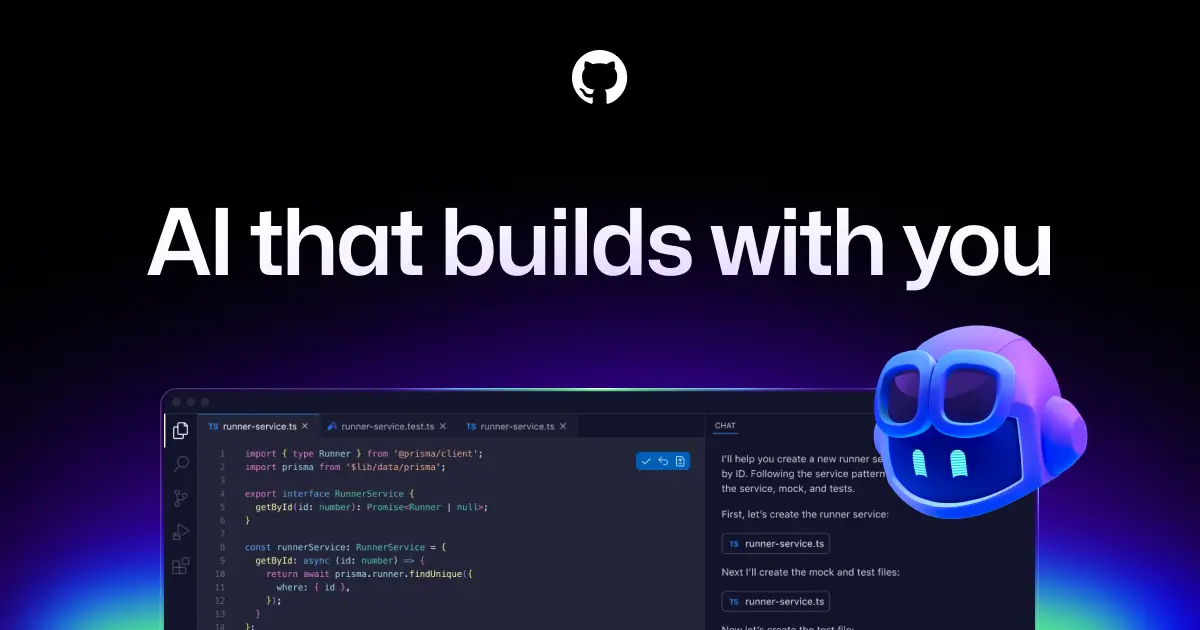
Copilot integrates directly into your IDE (VS Code, JetBrains, Neovim) and provides real-time code completions, chat-based coding help, and multi-file editing capabilities. It understands your project context, your coding style, and can generate entire functions from a comment.
The free tier now includes 2,000 code completions and 50 chat requests per month — enough to get a taste. The Pro plan at $10/month unlocks unlimited completions and premium models. And Pro+ at $39/month adds access to advanced models like Claude Opus and GPT-5.4 for complex coding tasks.
A major change coming June 2026: GitHub is moving to usage-based billing . Your monthly subscription becomes AI credits ($0.01 per credit), and costs vary by model. Simpler queries with fast models stay cheap; heavy reasoning with frontier models costs more. It's more fair but requires paying attention to usage.
For developers building AI-powered applications, GitHub Copilot pairs well with platforms like AI app builders for prototyping and deployment.
Pricing: Free (limited) | Pro: $10/month | Pro+: $39/month | Business: $19/user/month | Enterprise: $39/user/month
Best for: Software developers who want AI-powered coding assistance in their IDE.
The catch: Only useful for coding. And the usage-based billing shift could increase costs for heavy users of premium models.
8. Notion AI — Best for Knowledge Management
Notion AI turns your workspace into an intelligent knowledge base.
Rather than being a standalone assistant you chat with, Notion AI lives inside the tool where your notes, docs, wikis, and databases already exist. It can answer questions about your content, generate summaries, draft documents in context, and autofill database properties.
The biggest 2026 update is Custom Agents . These are AI assistants you build inside Notion that can access specific pages and databases, follow custom instructions, and handle specialized tasks. Think of them like department-specific AI experts — one for your product roadmap, another for HR policies, another for client records.
Pricing changed in 2026: Notion AI is now bundled into Business plans ($20/user/month) rather than being a separate add-on. Custom Agents use a credit system at $10 per 1,000 credits. Standard AI features (the built-in assistant, writing tools, search) don't consume credits.
If your team already lives in Notion, adding AI is a no-brainer. If you don't use Notion, this isn't the AI assistant that'll convince you to switch.
Pricing: Free (very limited AI) | Plus: $10/user/month | Business: $20/user/month (full AI included) | Enterprise: custom
Best for: Teams that use Notion as their primary workspace and want AI baked into their existing docs.
The catch: Only works within Notion. If your data lives elsewhere, Notion AI can't help much.
9. Lindy — Best Autonomous AI Assistant
Lindy is different from most assistants on this list because it doesn't just answer questions — it does the work .
Lindy is an autonomous AI agent platform with 5,000+ app integrations . You can build agents that triage your email, schedule meetings across time zones, qualify sales leads, draft responses in your writing style, and even make phone calls. Once set up, these agents run 24/7 without you lifting a finger.
The platform includes 50+ pre-built templates covering common use cases: email management, meeting scheduling, CRM updates, lead qualification, customer support. And if the app you need doesn't have an API, Lindy's "Computer Use" feature lets agents interact with websites directly.
Lindy also has Gaia , their voice AI for phone calls. Agents can autonomously make and receive calls for things like appointment scheduling and lead qualification.
The credit-based pricing can be tricky. Simple tasks use 1 credit; AI-intensive operations like email parsing or web research may use 5-10 credits per action. Phone calls are billed separately at $0.19/minute. You need to estimate your volume carefully.
If you're interested in automation platforms , Lindy is one of the more AI-native options available.
Pricing: Free (400 credits/month) | Plus: $49.99/month | Pro: $99.99/month | Max: $199.99/month
Best for: Professionals who want AI to handle repetitive workflows autonomously.
The catch: Credit-based pricing means costs can be unpredictable. And building complex automations takes time to configure.
10. Jasper — Best AI Assistant for Marketing Teams
Jasper has repositioned itself from "AI writing tool" to a full marketing agent workspace .

The platform now includes 100+ specialized AI agents and connected content pipelines — structured workflows that turn campaign plans into live marketing assets. You set brand voice guidelines, upload knowledge assets (style guides, product docs, audience data), and Jasper generates content that stays on-brand across channels.
What makes Jasper stand out for marketers specifically: brand voice consistency . You train it on your brand's tone, terminology, and style, and it maintains that voice whether it's writing a blog post, social caption, ad copy, or email sequence. That's harder to achieve with general-purpose assistants like ChatGPT. Jasper is one of six jobs in our breakdown of AI writing tools sorted by what they actually do.
The Business plan adds Jasper Agents for research and personalization, a no-code AI App Builder (Studio), and API access. For agencies managing multiple brands, you can switch between brand profiles on the fly.
For marketing teams evaluating AI tools, Jasper sits alongside options covered in our top AI tools for marketers guide.
Pricing: Creator: $39/month | Pro: $59/month | Business: custom
Best for: Marketing teams that need consistent, on-brand content at scale.
The catch: Expensive compared to general-purpose AI assistants. And the content still needs human review — AI-generated marketing copy that sounds generic can hurt your brand more than help it.
11. Motion — Best for Calendar and Task Management
Motion takes a radically different approach to AI assistance: instead of waiting for you to ask it something, it automatically organizes your entire day .
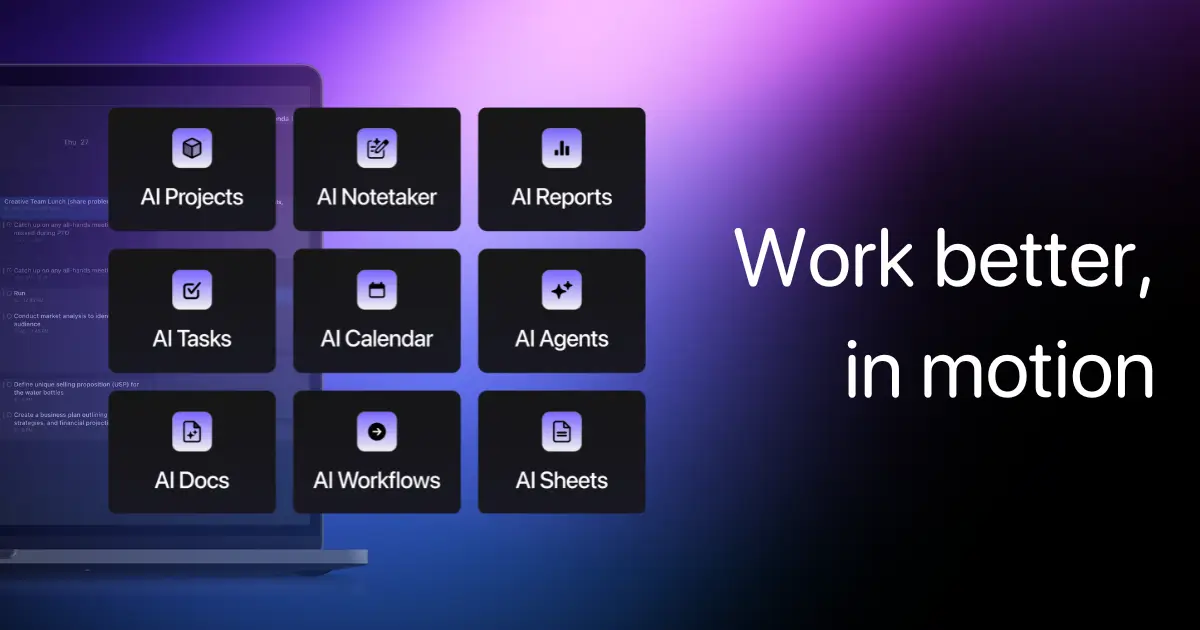
You add your tasks, set priorities and deadlines, and Motion's AI schedules everything into your calendar — protecting focus time, accounting for meeting gaps, and dynamically reschuffling when plans change. Higher-priority tasks get earlier time slots. If a meeting runs long, your afternoon reorganizes automatically.
The result feels almost magical when it works. Instead of spending 20 minutes every morning deciding what to work on, you open Motion and your day is already planned.
In 2026, Motion added an AI note-taker , AI Docs , and improved project management with team workload views. The Business plan ($29/seat/month) includes 15,000 AI credits per seat and shared projects.
It's not for everyone — some people hate having their schedule dictated by an algorithm. But for those who struggle with time management or context switching, Motion is transformative.
Pricing: Pro: $19/month ($12.73 annual) | Business: $29/seat/month ($19.43 annual) | 7-day free trial
Best for: Individuals and teams who struggle with prioritization and want AI to manage their calendar.
The catch: No free plan. Requires committing to the "AI plans your day" philosophy. If you like control, this might feel frustrating.
12. Otter.ai — Best for Meetings and Transcription
Otter.ai is the AI assistant that joins your meetings so you can actually pay attention.
It integrates with Zoom, Microsoft Teams, and Google Meet to automatically record, transcribe, and summarize every meeting in real time. After the meeting, you get a searchable transcript with AI-generated summaries, key decisions, and action items. It supports English, French, and Spanish.
The free tier is surprisingly generous: 300 minutes/month of transcription. That's roughly 5-10 meetings depending on length. The Pro plan ($16.99/month, or $8.33 annual) bumps that to 1,200 minutes.
For sales teams, the Enterprise plan adds Otter Sales Notetaker with CRM integrations (Salesforce, HubSpot), custom AI workflows, and HIPAA compliance. It can automatically log call summaries and action items to your CRM.
The biggest value Otter provides is making meetings searchable . Instead of asking "what did we decide about X in last week's standup?" you just search for it. That institutional knowledge compounds over time.
Pricing: Free (300 min/month) | Pro: $16.99/month ($8.33 annual) | Business: $30/user/month ($19.99 annual) | Enterprise: custom
Best for: Teams with lots of meetings who need searchable transcripts and automated summaries.
The catch: Only useful if you have regular meetings. The AI summaries are good but not perfect — important nuances can get lost.
13. Amazon Alexa+ — Best for Smart Home
Alexa+ is Amazon's generative AI upgrade that turned a smart speaker into something closer to a real assistant.
The 2026 update brought conversational AI to every Echo device. You can have natural, multi-turn conversations — not just barking commands. Ask Alexa to plan a dinner party and it'll suggest recipes based on dietary preferences, add ingredients to your shopping list, set cooking timers, and even make restaurant reservations as a backup.
Smart home control remains Alexa's strongest suit. With over 100,000 compatible devices , it controls more gadgets than any other voice assistant. The new conversational troubleshooting is genuinely useful — ask "why isn't the kitchen light working?" and it'll diagnose the specific problem (device offline, Wi-Fi lost, firmware update pending).
Alexa+ is now free for Prime members and available to anyone through the Alexa website and mobile app, as TechCrunch reported . The Alexa+ Greetings feature combines conversational AI with Ring's video descriptions to intelligently handle doorbell interactions when you're away.
It's come a long way from "Alexa, set a timer." But for knowledge work or productivity, it's still behind ChatGPT, Claude, and Gemini.
Pricing: Free for Prime members | Available via web/app for non-Prime users
Best for: Smart home enthusiasts and Amazon Prime members who want a capable voice assistant.
The catch: Not a serious productivity tool. Limited compared to phone-based assistants for on-the-go tasks.
14. Apple Intelligence (Siri) — Best for Apple Ecosystem
Apple Intelligence represents Apple's bet that AI assistants should be private by default .
The 2026 Siri overhaul is significant. Powered by Google's Gemini models and Apple's own on-device AI, the new Siri can understand on-screen activity, take actions across apps, and maintain conversation context. According to 9to5Mac , a new standalone Siri app is launching with chat history, file uploads, and voice conversations — essentially Apple's answer to ChatGPT.
What sets Apple Intelligence apart is on-device processing . Many AI tasks run locally on your iPhone, iPad, or Mac without sending data to the cloud. For privacy-conscious users, that's a meaningful advantage.
The new Siri can also replace Spotlight search as your primary way to find things on your device. And with iOS 27, Apple Intelligence is being integrated into more apps including Camera (with a dedicated Siri mode).
Apple's approach is slower and more cautious than competitors. But if you're in the Apple ecosystem, you don't have to choose or pay for a separate assistant — it's built into every device you own.
Pricing: Free (built into Apple devices)
Best for: Apple users who want a private, on-device AI assistant integrated across all their devices.
The catch: Still playing catch-up on raw capability compared to ChatGPT and Claude. Requires newer Apple hardware. And Apple's cautious approach means features arrive slower.
15. Google Assistant — Best Voice Assistant for Android
Google Assistant is in a fascinating transition period.
It remains the best voice assistant for Android users , with superior voice recognition, smart home control, and integration with Google services. But Google is gradually replacing it with Gemini as the default assistant across phones, tablets, and smart displays throughout 2026.
The classic Google Assistant is still available and still excellent at quick voice commands: setting reminders, controlling smart home devices, making calls, sending texts, and getting directions. It understands natural language better than Alexa or Siri in most head-to-head comparisons.
The Gemini-powered replacement adds conversational AI capabilities — you can have multi-turn discussions, ask for analysis, and get creative help. But it's still finding its footing as a voice-first assistant. Some users report that basic commands (like "turn off the lights") work less reliably in Gemini mode than in classic Google Assistant.
If you use Android, this is your default assistant regardless. The question is whether to stick with classic Google Assistant for reliability or switch to Gemini mode for smarter conversations.
Pricing: Free (built into Android devices)
Best for: Android users who want a reliable voice assistant with smart home integration.
The catch: The transition to Gemini is creating some growing pains. Basic voice commands can be less reliable in Gemini mode.
Building AI assistants for clients?
Pickaxe lets you create branded AI agents with custom knowledge bases — then deploy them as chat widgets, standalone pages, or API endpoints.
How to Choose the Right AI Assistant
With 15 options on this list, here's how I'd narrow it down based on your situation.
If You Want One General-Purpose Assistant
Go with ChatGPT for versatility or Claude for quality. Both have free tiers. Try each for a week and see which output style you prefer. Most people end up using both depending on the task.
If You're Locked Into an Ecosystem
Google Workspace → Gemini. Microsoft 365 → Copilot. Apple → Siri/Apple Intelligence. The ecosystem-native assistants will always have tighter integration than third-party options.
If You Need a Specific Tool
Research: Perplexity. Coding: GitHub Copilot or Claude. Meetings: Otter.ai. Marketing: Jasper. Calendar: Motion. Smart home: Alexa+.
If You Want to Build Your Own AI Assistant
This is where it gets interesting. Platforms like Pickaxe let you create custom AI agents with your own knowledge base, instructions, and branding — then deploy them as chat widgets, API endpoints, or standalone pages. If none of the assistants above fit your specific workflow, building your own is increasingly viable. Check out our guide on no-code AI agent builders for more options.
If You're Evaluating for a Team
Consider the "stack of two" approach that most professionals are settling on: one general-purpose AI (ChatGPT or Claude) for ad-hoc thinking, plus one specialized tool for your team's specific workflow (Notion AI for knowledge management, Otter for meetings, Lindy for automation).
For more on building an AI strategy for your business, check out our breakdown of AI tools for building a business .
The Bottom Line: AI Assistants Are Splitting Into Two Tiers
The biggest trend I noticed while researching this piece: the AI assistant market is splitting into two distinct tiers .
Tier 1 is conversational AI — ChatGPT, Claude, Gemini, Copilot, Perplexity, Grok. These are tools you talk to. You ask a question, you get an answer. They're getting better at reasoning, better at writing, better at coding. But they still fundamentally wait for you to prompt them.
Tier 2 is autonomous agents — Lindy, Motion, custom-built agents on platforms like Pickaxe. These don't wait for prompts. They run in the background, monitor your inbox, schedule your meetings, qualify your leads, update your CRM. They're proactive, not reactive.
According to Forbes' 2026 AI predictions , 40% of enterprise apps will embed task-specific agents by the end of the year. And 78% of companies worldwide already report using AI in at least one business function.
The assistants winning in 2026 aren't just smarter — they're more integrated . The ones that live inside the tools you already use (Copilot in Office, Gemini in Workspace, Notion AI in Notion) are getting adopted faster than standalone chatbots, no matter how capable those chatbots are.
The companies that figure out how to build a unified context layer — where your AI assistant understands your emails, calendar, documents, and tools all at once — will have a massive productivity edge. That's why Copilot, Gemini, and Notion AI are gaining ground despite ChatGPT and Claude being "smarter" in raw benchmarks.
My prediction: by this time next year, the idea of switching to a separate app to ask your AI assistant a question will feel as quaint as alt-tabbing to a calculator. The assistant will just be there , wherever you're working.
For businesses looking to get ahead of this curve, building custom AI assistants trained on your own data is becoming the real competitive advantage. Our guides on starting an AI agent agency and selling AI agents to local businesses cover how this is already playing out in practice.
Frequently Asked Questions
What is the best free AI assistant in 2026?
ChatGPT's free tier is the most capable free AI assistant available right now. It gives you access to GPT-4o with image generation, web browsing, and basic custom GPTs. Claude's free tier is also excellent for writing and analysis. For research, Perplexity's free tier provides sourced answers. And if you're in the Apple or Google ecosystems, Siri and Google Assistant are free built-in options.
Is ChatGPT better than Claude?
It depends on the task. ChatGPT is more versatile — it handles a wider range of tasks and has a larger plugin ecosystem. Claude is better at precision work — long-form writing, code review, document analysis, and tasks requiring careful reasoning. Many professionals use both: ChatGPT for quick, varied tasks and Claude for deep work. Check out our guide to the best LLM models for a more detailed breakdown.
What AI assistant is best for business?
For businesses on Microsoft 365 , Copilot is the obvious choice. For Google Workspace teams, Gemini. For knowledge-heavy businesses, Notion AI can be valuable. And for teams wanting to build custom AI assistants for clients or internal use, Pickaxe or similar AI app builders let you create tailored solutions.
Are AI assistants safe to use for work?
Generally yes, but with caveats. Don't paste sensitive data (passwords, financial info, proprietary code) into free tiers — that data may be used for training. Enterprise plans from ChatGPT, Claude, Gemini, and Copilot offer data privacy guarantees. Apple Intelligence processes much of its AI on-device, making it the most privacy-focused option. Always check your company's AI usage policy before adopting any tool.
Can AI assistants replace human assistants?
For many tasks, yes. AI assistants can handle scheduling, email management, research, content drafting, data analysis, and meeting transcription. But they can't replicate judgment, relationship management, emotional intelligence , or tasks that require physical presence. The most effective approach is using AI assistants to handle routine tasks so human assistants (and you) can focus on higher-value work.
How much do AI assistants cost?
Most top AI assistants offer a free tier with limited usage. Paid plans typically cluster around $20/month for individual use (ChatGPT Plus, Claude Pro, Gemini Advanced, Perplexity Pro). Enterprise plans range from $20-40/user/month. Specialized tools like Jasper ($39-59/month) and Lindy ($49.99-199.99/month) cost more because they're targeting specific professional use cases. Voice assistants (Alexa, Siri, Google Assistant) are free.
What's the difference between an AI assistant and an AI agent?
An AI assistant responds when you ask it something — you prompt, it answers. An AI agent can work autonomously, taking multiple steps to complete a task without you guiding each one. Many tools are blurring this line: ChatGPT and Claude can now browse the web and use tools, while platforms like Lindy and Motion operate fully autonomously on schedules. The trend is moving from reactive assistants to proactive agents. For a deeper look at this space, check out our guide to AI agent frameworks .
Should I use multiple AI assistants?
Yes — and most people already do. The most common pattern I see is a "stack of two" approach: one general-purpose AI (usually ChatGPT or Claude) for thinking and writing, paired with one or two specialized tools (Otter for meetings, GitHub Copilot for coding, Motion for scheduling). Trying to use a single AI assistant for everything usually means mediocre results across the board. Play to each tool's strengths.