
I went looking for the best AI tools for ecommerce and found the usual problem: most lists rank a product-photo editor against a helpdesk against an analytics platform, then call the first one “best overall.”
That is not how an online store works. A store has separate bottlenecks in merchandising, creative production, retention, support, conversion, measurement, and inventory. The right tool is the one that removes the bottleneck you can already see.
I compared current product documentation, pricing pages, billing rules, and Shopify integrations across the stack. I did not run a controlled benchmark on one store, so I will not pretend these seven products have directly comparable scores.
My recommendation is deliberately conservative: start with the AI already included in Shopify, measure the manual work or missed opportunity, and add one specialist at a time. A smaller stack with clear owners usually beats twelve clever apps nobody fully configures.
The 7 best AI tools for ecommerce at a glance
| Tool | Best job | Good fit when | Pricing meter | Starting point |
|---|---|---|---|---|
| Shopify Magic + Sidekick | Native store work | You already run Shopify | Shopify plan and feature limits | Included with Shopify |
| Photoroom | Product imagery | Editing delays listings | Processed images | API from $20/month |
| Klaviyo | Email, SMS, retention | Customer data can drive lifecycle flows | Profiles, sends, add-ons | Free to 250 active profiles |
| Gorgias | Customer support | Repetitive tickets consume the team | Tickets plus AI resolutions | Usage-based plans |
| Rebuy | Upsells and personalization | Traffic exists but basket growth is weak | Orders and packages | From $25/month |
| Triple Whale | Analytics and attribution | Channel data disagrees | Plan, GMV, Moby usage | Free package available |
| Prediko | Inventory planning | Stockouts or overbuying tie up cash | Trailing GMV | $49/month below $100K GMV |
These are starting points checked on September 22, 2026, not permanent quotes. Region, billing interval, order volume, profiles, messages, images, GMV, and optional modules can all change the bill.
How I chose these AI tools for ecommerce
I used five filters. A tool had to solve a repeated ecommerce job, work with store data rather than generic prompts alone, disclose enough pricing to model the meter, offer a bounded pilot, and leave consequential decisions reviewable.
I also looked for operational leverage rather than an AI label. Generating a paragraph is easy. Keeping product data current, resolving an order question, deciding which customer gets which message, or forecasting a purchase order is where software earns its subscription.
The seven tools are not substitutes. Shopify and Photoroom can both create images, for example, but one is an included store assistant and the other can process a catalog through an image API. Klaviyo reports campaign revenue, while Triple Whale tries to reconcile a broader mix of paid, owned, subscription, and store data.
That distinction matters when you compare price. A profile, support ticket, automated resolution, order, model credit, processed image, and dollar of GMV are different units. I keep each meter visible instead of flattening them into a misleading “monthly price” column.
1. Shopify Magic and Sidekick: the best place to start
Shopify Magic and Sidekick are my first recommendation for a Shopify seller because you already pay for the context.
Sidekick works inside the Shopify admin. According to the current Shopify Sidekick documentation, it can analyze store data, help manage products and orders, generate content and images, create reports, work with some third-party apps, and continue longer tasks in the background.
Shopify Magic covers more focused generation across product descriptions, email, media, and the store editor. Shopify says generally available Magic features are free across plans, although feature access and limits can vary.
That native context is the advantage. You can ask for a segment based on actual customers, a report from store data, or a discount tied to a product. You do not have to export a CSV, explain the schema to a generic model, and then copy the answer back.
There is also a useful safety boundary. Sidekick presents changes for review. Shopify’s AI best-practices guide tells merchants to name the data, constraints, expected output, and scope, then review changes before applying them.
Buy when: you need Shopify itself. Treat the AI as included leverage, not a reason to choose the commerce platform in isolation.
Skip or supplement when: the bottleneck needs a specialist workflow such as support across channels, large-catalog image processing, deep lifecycle messaging, or inventory planning.
30-day pilot: pick three weekly tasks, such as a sales report, a customer segment, and ten product-description updates. Track minutes saved, corrections required, and whether the final change was accepted without rework.
One current vendor signal is worth noting narrowly. Shopify announced on X that Sidekick could surface advice before a merchant asks. That is Shopify describing its own product direction, not independent proof that every recommendation will be useful.
2. Photoroom: best for repeatable product-image production
Photoroom becomes interesting when image cleanup is not a creative experiment but a production queue.
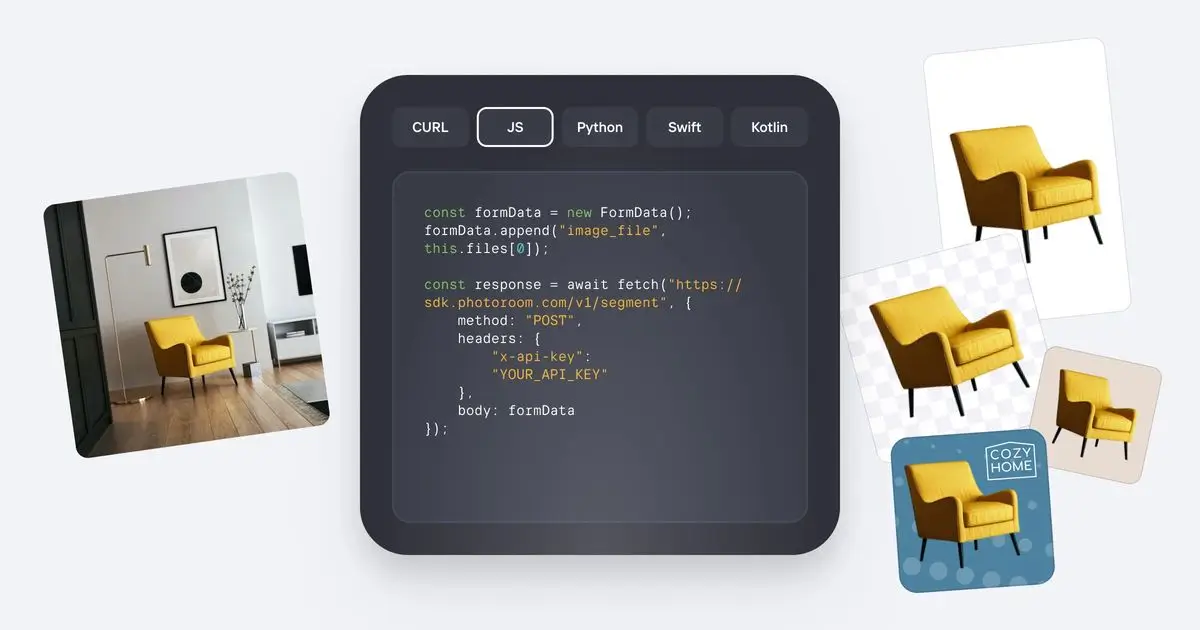
The product can remove and replace backgrounds, generate shadows, stage products, resize assets, create virtual-model imagery, and process images through an API. Its API documentation positions those tools as a catalog workflow, not just a mobile editor.
The meter is processed images. The vendor’s API pricing explainer lists Basic background removal from $20 per month at $0.02 per image and Plus editing from $100 per month at $0.10 per image. The live pricing page adds an important qualification: unused images do not roll over, and enterprise pricing begins at 200,000 images a year.
That makes the decision easier than a vague creative-tools comparison. Count new and refreshed product images per month, multiply by the actual edit type, then compare the bill with the time and inconsistency in your current workflow.
Buy when: products are waiting on background cleanup, channel-specific crops, shadows, or consistent staging, especially across hundreds of SKUs.
Skip when: you launch a few products a quarter and Shopify Magic or a general image editor already handles the work. The API only pays when repetition is real.
30-day pilot: process one product category with fixed brand rules. Measure minutes per approved image, rejection rate, listing lead time, and how often a human needs to repair the product edge or color.
3. Klaviyo: best for lifecycle marketing and retention
Klaviyo is the strongest fit here when the store already has enough customer behavior to make segmentation useful.
K:AI can help create campaigns and flows, generate content, recommend products, build audiences, analyze performance, and optimize send decisions. The useful part is not an AI subject line. It is the connection among product events, customer profiles, consent, purchases, and lifecycle messages.
Klaviyo’s current pricing page lists a free tier for up to 250 active profiles and 500 email sends per month, plus $5 each of mobile-message and Composer usage. Paid marketing cost scales with profiles and sends.
Do not assume every analytics or service feature is included in that base. Klaviyo’s billing documentation says Composer is its AI marketing agent and that Marketing Analytics requires a separate subscription.
Buy when: manual campaigns are crowding out lifecycle work, or you have enough browsing and purchase data to build meaningful welcome, browse-abandonment, post-purchase, replenishment, and win-back flows.
Skip when: the list is tiny, acquisition is the real problem, or nobody owns deliverability and consent. More generated messages will not fix a weak offer or an unhealthy list.
30-day pilot: improve one existing flow instead of launching ten. Measure placed-order rate, unsubscribe rate, revenue per recipient, time spent producing the flow, and performance against the previous version. Keep the original as the control where the platform supports it.
4. Gorgias: best for high-volume ecommerce support
Gorgias is built for the moment when “where is my order?” and return-policy questions are consuming the support team.
It combines store, order, policy, and conversation context across a helpdesk and AI Agent. Useful automation can answer product questions, retrieve order status, apply approved Actions, or hand a customer to a person with the history attached.
The pricing needs careful reading. Gorgias bills the helpdesk by tickets and AI Agent by fully automated resolutions. Voice and SMS are separate add-ons. Sending at least one helpdesk message makes a ticket billable, while a separate automation fee applies when the AI resolves the conversation without a human handoff.
The vendor’s May 2026 AI Agent pricing guide says most plans work out to $0.90 per resolved interaction on annual billing or about $1 on monthly billing, with allowances and overages that vary by tier.
Buy when: support volume is large enough that repetitive requests create wait time, and your order, shipping, return, and product policies are clear enough for automation.
Skip when: ticket volume is low or every case needs judgment. A thin knowledge base will turn an AI agent into a fast escalation layer, not a resolution engine.
30-day pilot: start with two safe intents such as order status and policy questions. Track fully resolved conversations, incorrect resolutions, human handoff rate, customer recontact within seven days, and cost per verified resolution.
5. Rebuy: best for Shopify upsells and personalization
Rebuy is for a different problem: you already have traffic and orders, but the store is leaving relevant add-ons, bundles, or repeat purchases unexplored.
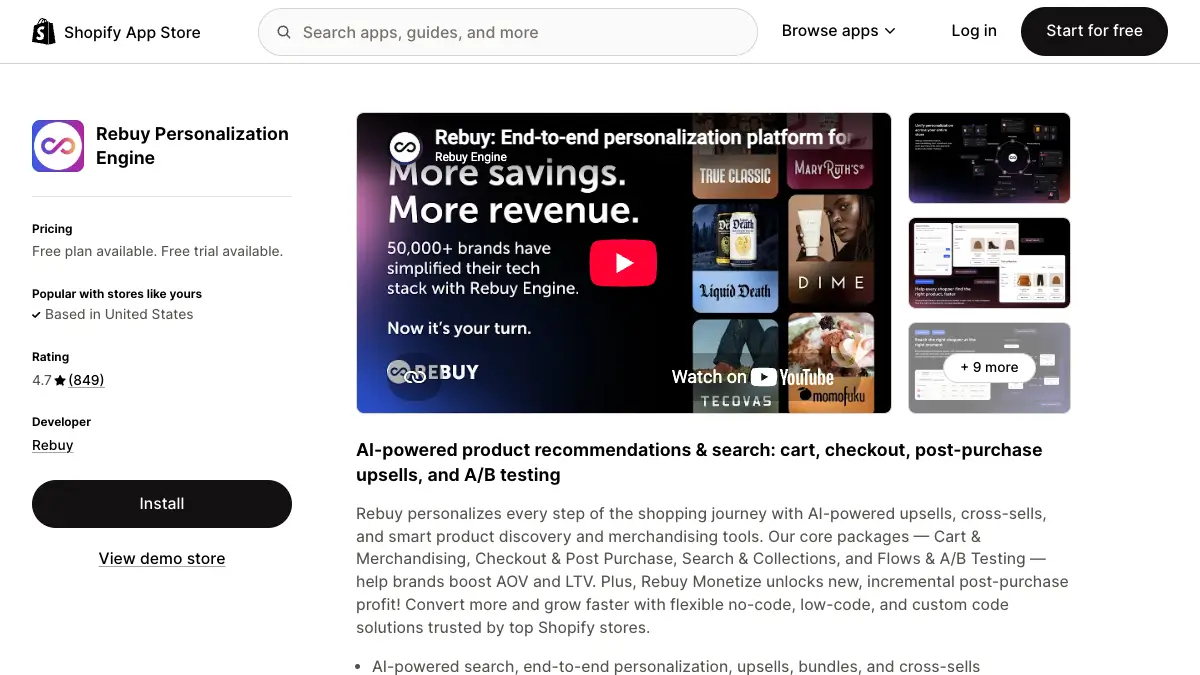
The Shopify app covers recommendations, search and collections, cart offers, checkout and post-purchase offers, bundles, cross-sells, and A/B testing. It can personalize several surfaces, which is useful, but it also means implementation deserves more care than installing a single widget.
The official Shopify App Store listing says paid packages start at $25 per month and scale with orders. Stores choose among Cart & Merchandising, Checkout & Post-Purchase, Search & Collections, and Flows & A/B Testing, with bundle discounts available.
The “free plan” label needs qualification. The listing describes free development-store access and Rebuy Monetize, while the configurable personalization packages are paid. It also lists broad access to customer, product, order, discount, theme, and related store data, so permissions deserve review.
Buy when: the store has stable traffic, a coherent catalog, and a specific conversion surface to improve. A recommendation engine cannot learn much from almost no transactions.
Skip when: conversion tracking is unreliable, product margins are unknown, or the store cannot produce a sensible complementary offer by hand.
30-day pilot: test one placement, such as cart add-ons, on an eligible traffic slice. Measure conversion rate, average order value, gross margin per visitor, acceptance rate, and refund rate. Do not call a higher average order value a win if discounting or returns erase the margin.
6. Triple Whale: best for cross-channel analysis
Triple Whale is the choice when the store, Meta, Google, TikTok, subscriptions, and email platform each tell a different revenue story.

Its pitch combines a unified ecommerce data view, attribution, tracking, reporting, and Moby AI. Moby can answer questions, build reports, run specialized analyses and automations, forecast, generate creative, and in some cases publish to ad platforms.
Triple Whale’s pricing page offers a free package with a business view, basic tracking, AI-search visibility, and Moby access. Paid packages add multi-touch attribution and more advanced analysis, but the site routes buyers to a walkthrough instead of publishing one universal monthly number.
Moby is not unlimited magic inside that plan. Triple Whale measures Moby usage when it answers questions, runs reports, Specialists or Automations, generates creative, or publishes. Paid plans include usage, and further work consumes the allowance.
Buy when: material ad spend crosses several channels and disagreement among dashboards is slowing decisions. The value comes from a shared decision layer, not another chart.
Skip when: one channel drives nearly all sales, tracking is still broken at the source, or the team will not change spend based on the result.
30-day pilot: choose three recurring decisions, such as budget pacing, creative fatigue, and new-customer profitability. Record the old data-gathering time, the decision made, the source data used, and whether finance and marketing agree with the definition.
7. Prediko: best for inventory planning
Prediko tackles the least glamorous and most cash-sensitive problem on this list: deciding what to reorder and when.
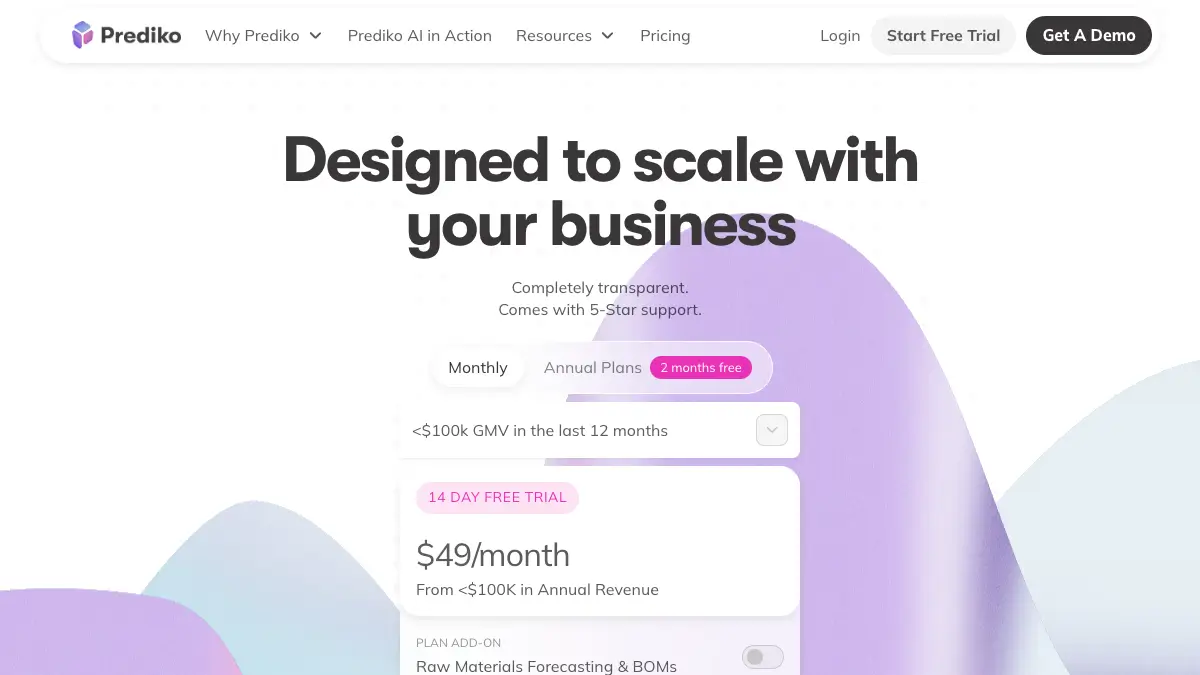
The platform connects sales and inventory data to demand forecasts, purchase orders, reorder suggestions, stock health, and supplier workflows. This is more specialized than asking a general model to extrapolate a spreadsheet because the product maintains the operational state around SKUs and orders.
Prediko’s public pricing starts at $49 per month for stores below $100,000 in trailing-12-month GMV. Tiers scale with GMV, while the displayed entry plan includes unlimited users, SKUs, and purchase orders. Raw-material and bill-of-materials forecasting is shown as a $20 add-on.
Buy when: stockouts, excess inventory, spreadsheet handoffs, or delayed purchase orders are tying up meaningful cash and staff time.
Skip when: the catalog is tiny, lead times are stable, and a basic reorder-point sheet already works. Forecasting software cannot repair inaccurate inventory counts or chaotic supplier data.
30-day pilot: shadow-plan one category without changing live orders at first. Compare suggested and actual demand, stockout days, forecast error by SKU, planner time, and the dollar value of proposed inventory. Review outliers before allowing purchase-order automation.
How to build an ecommerce AI stack without wasting money
The wrong sequence is “install the seven best tools.” The better sequence is baseline, bottleneck, pilot, owner, review.
- Baseline the included layer. Use Shopify Magic, Sidekick, Flow, native reporting, and the basic features already in your plan before buying a specialist.
- Name one bottleneck in numbers. Examples include 400 repetitive tickets a month, two days of image cleanup per launch, a 12% stockout rate, or six hours a week reconciling channel reports.
- Choose the tool whose billing meter follows that bottleneck. Profiles fit messaging. Resolved interactions fit support. Orders fit personalization. Images fit production. GMV can fit planning scale, though it is still a proxy.
- Run one bounded pilot. Limit the category, channel, workflow, or traffic slice. Keep a comparison and define failure before the demo excitement arrives.
- Assign an owner and a kill rule. Someone must monitor cost, quality, permissions, and exceptions. Cancel when the agreed metric does not improve after the learning period.
For a hypothetical store, a $49 inventory plan, a $25 personalization package, and 300 AI-resolved support interactions at roughly $0.90 each would be separate line items of $49, $25, and $270 before the helpdesk base plan, overages, taxes, or other modules. That arithmetic is illustrative, not a quote or ROI claim.
The point is not the total. The point is that each dollar buys a different unit. Model the units you expect, including seasonal peaks, before you approve the stack.
A 30-day rollout plan for AI tools for ecommerce
Week 1: measure the current job
Capture volume, time, error rate, and business outcome without changing the workflow. If the baseline is missing, every result will feel better because the demo is new.
Week 2: configure data and boundaries
Connect the minimum data needed. Review permissions, retention terms, user roles, and customer-facing disclosures. Write the cases that must go to a person, especially refunds, safety claims, pricing changes, and unusual inventory commitments.
Week 3: run in shadow or limited mode
Let the tool recommend before it acts. Compare its outputs with the current process. For customer-facing work, start with a narrow intent, audience, or traffic slice.
Week 4: decide with a scorecard
Score the pilot on outcome, quality, time, cost, exception rate, and operator confidence. Keep it only if the improvement survives all six. Fast output that creates cleanup elsewhere is not automation.
Where a custom ecommerce agent fits
The products above are strongest inside their own lanes. A custom agent becomes useful when the job crosses lanes, such as answering a wholesale buyer from approved catalog data, preparing a merchandising brief from support and sales signals, or routing a damaged-delivery case into the right internal workflow.
In Pickaxe, I would build that as a narrow agent with a maintained knowledge base, approved Actions, explicit refusal rules, and a human handoff. It can be deployed on a page, in a Portal, as a site embed, or through Slack, WhatsApp, email, or an API.
The same discipline applies. Do not give one agent access to every system because the diagram looks elegant. Start with read access, one useful action, and a clear log. Our guides to AI integration platforms and AI agent analytics go deeper on connecting the stack and measuring what the agent actually does.
For stores that need customer-facing visuals or broader business tooling, the comparisons of AI image generators, AI tools for marketers, and AI tools for building a business cover the horizontal options that did not belong in this ecommerce-specific shortlist.
Frequently asked questions
What is the best AI tool for ecommerce?
For a Shopify seller, start with Shopify Magic and Sidekick because they are included and already have store context. The best paid specialist depends on the bottleneck: Photoroom for image production, Klaviyo for lifecycle marketing, Gorgias for support, Rebuy for personalization, Triple Whale for cross-channel analytics, or Prediko for inventory planning.
What is the best free AI tool for Shopify?
Shopify Magic and generally available Sidekick features are the practical baseline because they are included with Shopify plans. Klaviyo supports up to 250 active profiles on its free tier, and Triple Whale offers a free package, but their paid limits and separate products still matter.
Can AI run a Shopify store by itself?
No. AI can draft, analyze, recommend, and automate bounded tasks, but Shopify itself tells merchants to review outputs and changes. Payments, taxes, unusual refunds, safety claims, inventory commitments, and exceptions still need accountable human ownership.
How many ecommerce AI tools should a small store use?
Usually fewer than a roundup suggests. Start with the platform’s included tools, then add one specialist for the largest measured bottleneck. Add a second only after the first has an owner, a stable workflow, and a result you can verify.
Are AI ecommerce tools safe with customer data?
Safety depends on permissions, contracts, configuration, and operations. Review exactly what customer, order, product, theme, and marketing data an app can read or edit. Shopify warns that data shared with a third-party AI provider is then governed by that provider’s terms and privacy policy.
Build the workflow your store is missing
Start with one grounded agent, one approved action, and one measurable job.
The right AI stack is smaller than the best-tools list
My practical order is Shopify first, then the specialist tied to the clearest bottleneck. Use Photoroom when images block listings, Klaviyo when lifecycle messaging has data but no system, Gorgias when repetitive tickets create a queue, Rebuy when established traffic needs better merchandising, Triple Whale when channel disagreement blocks decisions, and Prediko when inventory mistakes tie up cash.
Do not buy an AI tool because another store calls it essential. Measure the job, model the vendor’s actual billing unit, run a bounded pilot, and keep a person responsible for the outcome.
If the workflow crosses products and no specialist owns it, that is where a focused custom agent can help. Build the smallest useful version, keep irreversible actions behind approval, and expand only after the evidence is better than the demo.