
I've spent the last few months watching people build businesses almost entirely with AI tools. Not hypothetically — real businesses with real revenue, launched by founders who would've needed a five-person team and six months of runway just two years ago.
The landscape has shifted dramatically. According to the U.S. Chamber of Commerce, AI-mature firms are growing revenue at roughly 2.5x the rate of their less-automated competitors. And the SBE Council's 2026 survey found that 82% of small business employers have invested in AI tools, with the average small business using a median of five.
But here's what most "best AI tools" lists get wrong: they organize by category instead of by what you actually need at each stage of building a business. You don't wake up thinking "I need a CRM." You wake up thinking "I need to turn this idea into something real, and I have no idea where to start."
So this guide follows the natural arc of building a business — from the first spark of an idea through scaling operations. Every tool earned its spot by being genuinely useful at a specific stage, not by having the best marketing page.
Quick Comparison: Top AI Tools for Building a Business
| Tool | Best For | Business Stage | Starting Price |
|---|---|---|---|
| ChatGPT | General-purpose AI assistant | Ideation & Planning | Free / $20/mo |
| Perplexity AI | Market research & competitive analysis | Ideation & Planning | Free / $20/mo |
| PrometAI | AI business plan generator | Ideation & Planning | Free / $19/mo |
| Pickaxe | Building & selling AI agents | Product Development | $19/mo |
| Lovable | Full-stack web apps from prompts | Product Development | Free / $25/mo |
| Bolt.new | Rapid prototyping | Product Development | Free / $25/mo |
| Shopify | AI-powered ecommerce | Product Development | $39/mo |
| Canva | Design & visual content | Branding & Design | Free / $15/mo |
| Midjourney | AI image generation | Branding & Design | $10/mo |
| Looka | AI logo & brand kit design | Branding & Design | $20 one-time |
| Wix | AI website builder | Online Presence | Free / $17/mo |
| Framer | Designer-quality AI websites | Online Presence | Free / $15/mo |
| Jasper | Marketing copy & campaigns | Marketing & Content | $49/mo |
| Buffer | Social media management | Marketing & Content | Free / $6/mo |
| Gamma | AI presentations & pitch decks | Marketing & Content | Free / $10/mo |
| HubSpot | CRM with AI sales tools | Sales & CRM | Free / $20/mo |
| Reply.io | AI-powered outreach | Sales & CRM | $59/mo |
| Zapier | Workflow automation | Operations & Automation | Free / $29.99/mo |
| Notion AI | Docs, wikis & project management | Operations & Automation | Free / $12/mo |
| Otter.ai | Meeting transcription & notes | Operations & Automation | Free / $16.99/mo |
| Intercom | AI customer support | Customer Support | $39/mo |
| Tidio | Budget-friendly AI chatbot | Customer Support | Free / $29/mo |
| QuickBooks | AI-powered accounting | Finance | $35/mo |
Now let's dig into each one — organized by the stage of business-building where they'll make the biggest difference.
Phase 1: Ideation and Business Planning
Every business starts with an idea. The difference in 2026 is that you can validate, research, and plan that idea in hours instead of weeks.
1. ChatGPT — The Swiss Army Knife
ChatGPT is the starting point for most business builders in 2026, and for good reason. It's the most versatile general-purpose AI on the market.
For early-stage business building, I use ChatGPT as a thinking partner. Brainstorm business models, poke holes in revenue assumptions, draft value propositions, write customer personas — it handles all of it competently. It won't replace a co-founder, but it'll do a solid impression of one at 2am when you're staring at a blank document.
The Canvas feature is particularly useful for business planning. You can iterate on a document — a business plan, a pitch, a competitive analysis — in a side panel while chatting about it in the main window. It feels less like prompting an AI and more like collaborating with an analyst.
With the newer models, ChatGPT also handles data analysis, code generation, image creation, and deep research all in one interface. You can upload a spreadsheet of market data, ask it to identify trends, and have it generate a summary deck — without leaving the conversation.
Pricing: Free tier available. Plus at $20/month. Pro at $200/month for heavy users and advanced reasoning.
Best for: Everything from brainstorming to writing business plans, analyzing competitors, drafting emails, and generating first versions of almost any document your business needs.
Where it falls short: ChatGPT's information can be outdated for rapidly changing markets. For current data, you'll want Perplexity (next on this list). And while it's great at first drafts, the output tends to sound generic unless you invest time in prompting.
2. Perplexity AI — Market Research on Autopilot
Perplexity AI does something ChatGPT doesn't do well: give you cited, current information.
When you're building a business, you need real market data — industry size, competitor pricing, regulatory requirements, recent funding rounds, customer sentiment. Perplexity searches the live web, synthesizes what it finds, and gives you clean answers with sources you can actually click and verify.
The Spaces feature is a standout. You can create dedicated research workspaces — one for competitive analysis, one for market sizing, one for regulatory compliance — with custom instructions and source preferences. Each Space remembers your context, so your second question builds on the first.
For competitive intelligence specifically, Perplexity is unmatched. Ask it "what are the top complaints about [competitor] on Reddit and G2 in the last 3 months" and you'll get a usable answer in seconds. That kind of research used to take a VA half a day.
Pricing: Free tier with limited searches. Pro at $20/month with Claude and GPT-4 model access, higher limits, and file upload.
Best for: Market research, competitive analysis, finding industry statistics, and any question where you need current, sourced information.
Where it falls short: It's a research tool, not a writing or creation tool. Once you have your insights, you'll move to other tools to act on them.
3. PrometAI — From Idea to Business Plan in Minutes
PrometAI solves a specific problem that most founders struggle with: turning a rough idea into a structured business plan.
You describe your business concept — industry, target market, revenue model, competitive advantages — and PrometAI generates a professional-grade business plan with financial projections, market analysis, and strategic recommendations. The output is tailored to your specific industry and goals, not a generic template with blanks to fill in.
What makes it genuinely useful is the financial modeling. PrometAI generates realistic revenue projections, expense forecasts, and cash flow statements based on your inputs and industry benchmarks. For founders who aren't finance people (most of us), this alone is worth the subscription.
The plans are also formatted for investor presentations, which matters if you're raising capital. You get something you can actually hand to a potential investor, not something you have to rewrite from scratch.
Pricing: Free tier with basic plans. Starter at $19/month. Professional at $49/month with advanced financial modeling.
Best for: First-time founders who need a structured business plan, anyone pitching investors, and entrepreneurs validating new business ideas quickly.
Where it falls short: The financial projections are only as good as your inputs. Garbage in, garbage out. And while it produces a solid foundation, you'll still want someone who knows your market to review the strategic sections.
Phase 2: Building Your Product
This is where things get exciting in 2026. The tools available for building actual products — without a development team — are legitimately game-changing.
4. Pickaxe — Build and Sell AI Agents Without Code
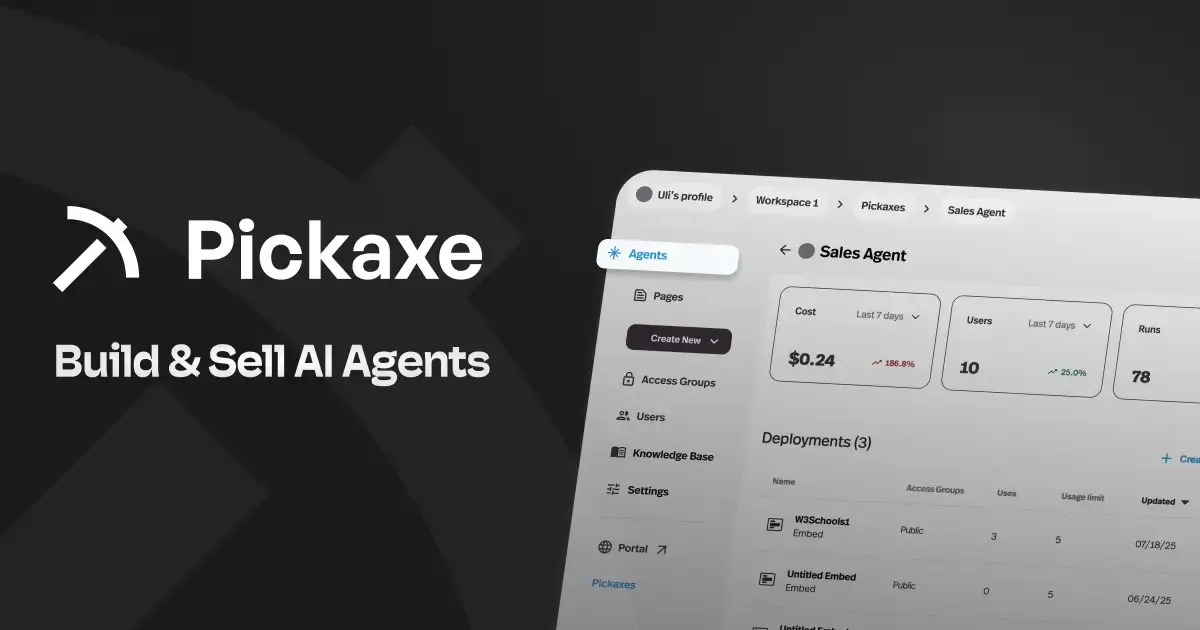
Pickaxe is purpose-built for one of the most lucrative opportunities in 2026: building AI-powered tools and agents that you can deploy, white-label, and sell.
Here's why this matters for business builders. The AI agent market is exploding — consultants, agencies, and entrepreneurs are building AI tools for specific niches and charging $300-$1,500/month per client. Pickaxe is the platform that handles the entire lifecycle: build the agent, train it on your data, deploy it to clients, and collect payments.
The builder is intuitive. You choose your AI model (GPT-4o, Claude, Gemini, and others), upload documents to the Knowledge Base to give your agent specialized expertise, connect external tools via Actions, and design the conversation flow. No code required at any step.
What really sets Pickaxe apart is the monetization infrastructure. You can package agents into branded Portals — essentially a storefront for your AI tools — with built-in Stripe payments for subscriptions, pay-per-use credits, or one-time purchases. White-labeling is built right in, so your clients see your brand, not Pickaxe's.
Deployment options cover every channel: embedded widgets on websites, standalone pages, WhatsApp bots, Slack bots, email bots, and API access. Plus integrations with automation platforms like Zapier, Make, and n8n for building more complex workflows.
The newer OpenClaw engine adds sandboxed environments with web browsing, code execution, and file creation — turning simple chatbots into genuinely capable AI agents.
Pricing: Gold at $19/month (annual). Pro at $49/month (annual) with API access, unlimited studios, and advanced features. SOC2, GDPR, and CCPA compliant.
Best for: Consultants and agencies building AI agent businesses, entrepreneurs creating AI-powered SaaS products, and anyone who wants to monetize AI expertise without writing code. Also excellent for building client onboarding agents and coaching tools.
Where it falls short: Pickaxe is specifically for AI-powered applications. If you need a traditional web app, ecommerce store, or mobile app, you'll want one of the other tools on this list.
5. Lovable — Full-Stack Web Apps From a Prompt
Lovable has quickly become the go-to for non-technical founders who need a working web application, not just a landing page.
Describe what you want — "a project management tool with client login, task boards, and invoice generation" — and Lovable generates the entire application. Frontend, backend, database, authentication. The Supabase integration means you get real data persistence, not just a pretty mock-up.
The GitHub sync is quietly one of the most important features. Every change gets committed to a repository you own, so you're never locked into the platform. If you later hire developers to take over, they have a real codebase to work with.
For business builders, Lovable is the fastest path from "I have an idea for a SaaS product" to "people can sign up and use it." I've seen founders go from concept to paid users in a single weekend. For a deeper look at how it compares to other options, check out our comparison of the top AI app builders.
Pricing: Free tier available. Pro starts at $25/month.
Best for: Non-technical founders building SaaS products, internal tools, or web applications that need real backend functionality.
Where it falls short: Complex custom logic requires extensive back-and-forth prompting. And output quality depends heavily on how clearly you describe what you want.
6. Bolt.new — Rapid Prototyping at Lightning Speed
Bolt.new by StackBlitz is the tool I'd recommend when you need to validate an idea as fast as possible.
Everything runs in your browser — no setup, no installs, no environment configuration. Type a prompt, and Bolt generates, runs, and previews the app right there. The Figma import feature is particularly useful: drop a design into chat and Bolt builds it out.
For business validation, speed is everything. Can you show a potential customer a working prototype tomorrow? With Bolt, yes. It's not going to generate a production-ready enterprise application, but it will get you a convincing demo in an afternoon.
Pricing: Free tier with 1M tokens/month. Pro at $25/month with 10M tokens.
Best for: Rapid prototyping, customer demos, and frontend-heavy projects where speed matters more than backend complexity.
Where it falls short: Token-based pricing means larger projects get expensive fast. Better as a prototyping tool than a production platform.
7. Shopify — AI-Powered Ecommerce
If your business involves selling physical or digital products, Shopify has gone all-in on AI — and it shows.
Shopify Magic generates product descriptions, email campaigns, and store copy that actually sounds like your brand. The AI-powered product photography feature lets you swap backgrounds and create professional product shots without a photo studio. And Sidekick, Shopify's AI assistant, can help with everything from store setup to analytics interpretation.
What makes Shopify relevant for business builders specifically is the reduced time-to-launch. Store setup that used to take weeks — product listings, shipping configuration, payment processing, marketing automation — can now be compressed into days with AI assistance.
The app ecosystem is also massive. Over 8,000 apps cover every possible ecommerce need, and many now have their own AI features layered on top.
Pricing: Basic at $39/month. Shopify at $105/month. Advanced at $399/month. Plus starts at $2,300/month.
Best for: Anyone building a product-based business — physical goods, digital products, subscriptions, or dropshipping.
Where it falls short: Overkill if you're not selling products. And the monthly costs add up quickly once you factor in apps, themes, and transaction fees.
Phase 3: Branding and Design
Your brand is what people remember. AI has made professional-quality design accessible to everyone — you no longer need to hire a designer to look legitimate.
8. Canva — Design Everything, Design It Fast
Canva has evolved far beyond simple graphic design. With Magic Design, you describe what you need — a social media post, a pitch deck, a product brochure — and Canva generates a polished design you can customize.
As Runable noted on X, Canva has transformed from a simple design tool into an AI-powered creative platform that handles presentations, social media graphics, videos, and even basic websites.
Magic Write generates copy for your designs, Magic Eraser removes backgrounds and objects from photos, and Magic Expand extends images beyond their original borders. The Brand Kit feature ensures everything stays consistent with your colors, fonts, and logos.
For business builders, the time savings are enormous. A social media calendar that used to require a graphic designer can now be produced in-house. Investor decks, one-pagers, business cards, trade show banners — Canva handles all of it.
Pricing: Free tier with surprising depth. Pro at $15/month. Teams at $10/person/month.
Best for: All-purpose business design — social media, presentations, marketing materials, print collateral, and brand assets.
Where it falls short: For truly custom or complex design work (app UI, detailed illustrations, motion graphics), you'll eventually need dedicated tools or a professional designer.
9. Midjourney — AI Image Generation That Doesn't Look AI-Generated
Midjourney produces the highest-quality AI-generated images available, and for business builders, that quality matters.
Need hero images for your website? Product concept art for investor decks? Visual content for social media that actually stops the scroll? Midjourney handles all of it at a level that's genuinely hard to distinguish from professional photography or illustration. When the generating is done by an agent instead of by hand, cost and first-try usability start to outrank aesthetics — that is the lens we used in this image model comparison.
The recently launched web interface makes it much more accessible than the old Discord-based workflow. You can now generate, edit, and organize images through a clean web app — a massive improvement for business users who found Discord confusing.
For a deeper comparison of image generation options, our review of the top AI image generators covers the full landscape.
Pricing: Basic at $10/month (200 generations). Standard at $30/month (unlimited relaxed). Pro at $60/month with concurrent generation.
Best for: Marketing imagery, website visuals, social media content, product concept art, and any situation where image quality matters more than speed.
Where it falls short: You don't own the copyright on free-tier images (paid plans grant commercial usage). And getting exactly what you envision requires learning the prompting style.
10. Looka — Your Logo and Brand Kit in One Session
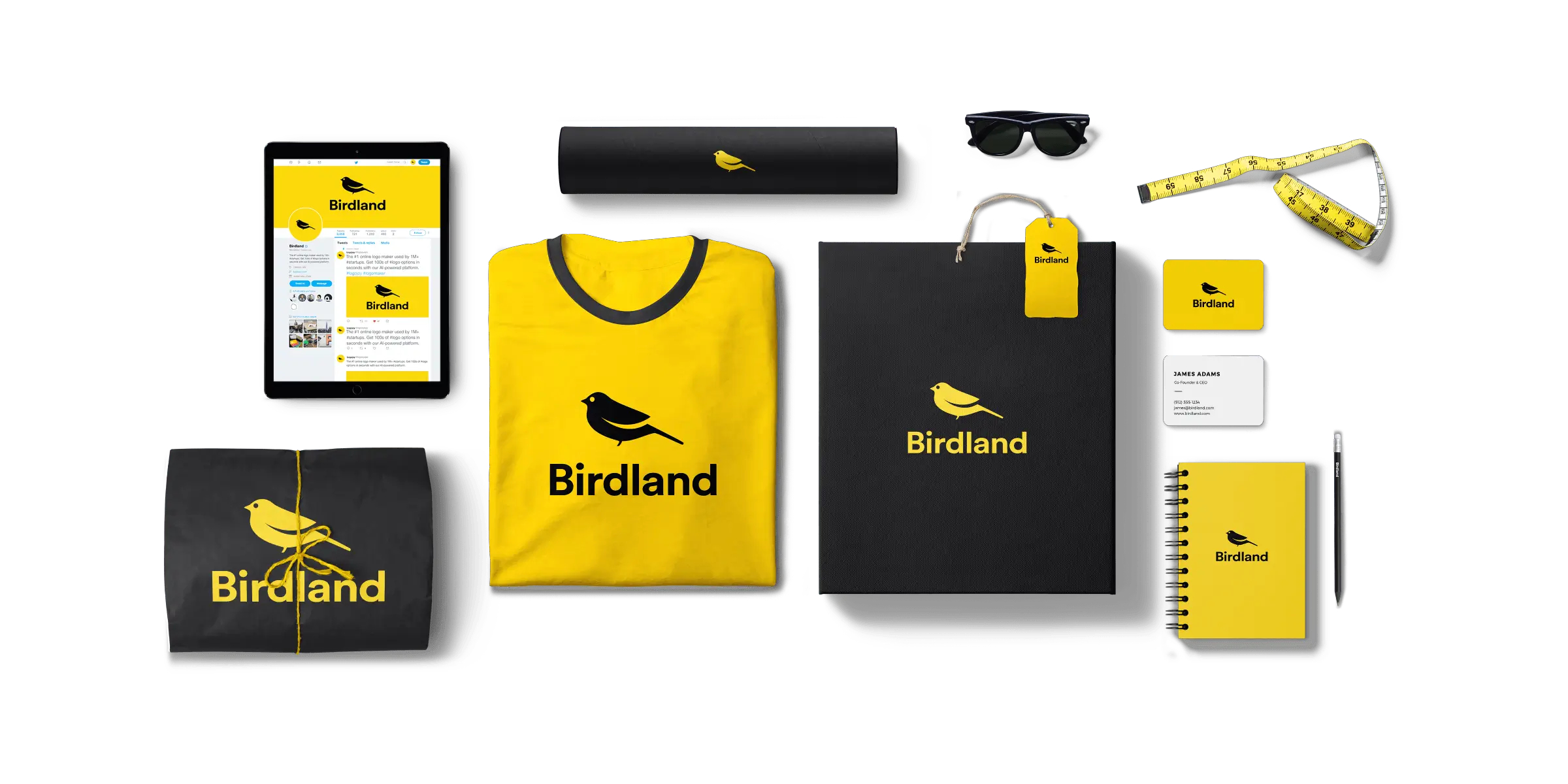
Looka is laser-focused on one thing: getting your brand identity done. Logo, color palette, typography, business cards, social media kits, brand guidelines — all generated from your preferences in one sitting.
You start by picking logo styles, colors, and symbols you like. Looka's AI generates hundreds of logo variations, and you refine from there. Once you pick a logo, it generates an entire brand kit — consistent designs across every touchpoint your business needs.
The output quality is surprisingly good for an AI tool. I wouldn't mistake it for a $10,000 agency rebrand, but it's more than adequate for a startup that needs to look professional from day one without spending a week on Fiverr.
Pricing: Free to design. Basic logo package at $20 one-time. Brand Kit at $96 one-time (or $8/month subscription). Premium at $192 one-time.
Best for: New businesses that need a complete brand identity quickly and affordably. Particularly useful for solo founders who don't have design skills.
Where it falls short: The logos are AI-generated and can sometimes feel templated. If brand identity is core to your competitive advantage (fashion, luxury, creative agencies), invest in a human designer.
Phase 4: Establishing Your Online Presence
You need a website. In 2026, AI website builders can get you from zero to launched in an afternoon.
11. Wix — The Most Complete AI Website Builder
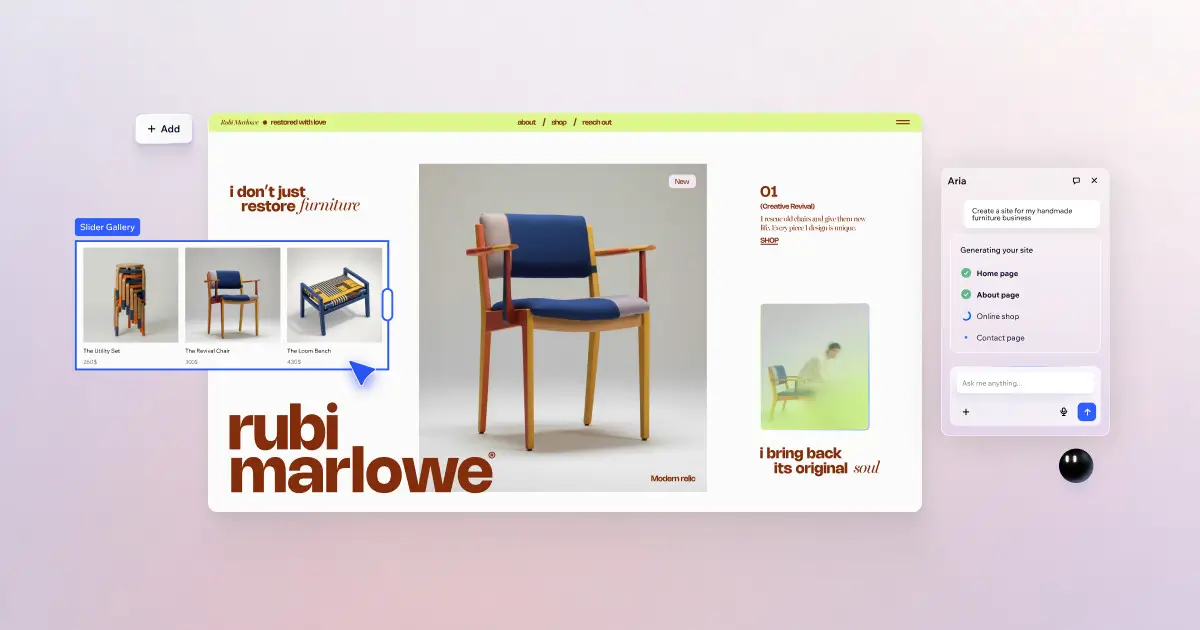
Wix has been building websites for years, and their AI integration makes the process almost absurdly easy. Describe your business, choose some style preferences, and Wix generates a complete website — layout, copy, images, and even a logo.
The AI Site Generator is where it gets interesting. Tell it "I'm starting a consulting firm specializing in AI implementation for mid-size companies" and it'll create a multi-page site with the right sections — services, about, contact, testimonials — pre-populated with relevant copy you can customize.
For business builders, the built-in ecommerce, booking, and CRM features mean you might not need separate tools for those functions. Wix can handle appointment scheduling, payment processing, email marketing, and basic customer management all in one platform.
If you want to embed AI agents on your website, Wix makes that straightforward too — useful if you've built tools on Pickaxe and want them accessible on your site.
Pricing: Free tier. Light at $17/month. Core at $29/month. Business at $36/month.
Best for: Small to medium businesses that need a professional website fast, especially service businesses, consultants, and local businesses.
Where it falls short: Design flexibility has limits compared to custom development. And the free tier includes Wix branding, which doesn't look professional for a business.
12. Framer — When Design Quality Matters
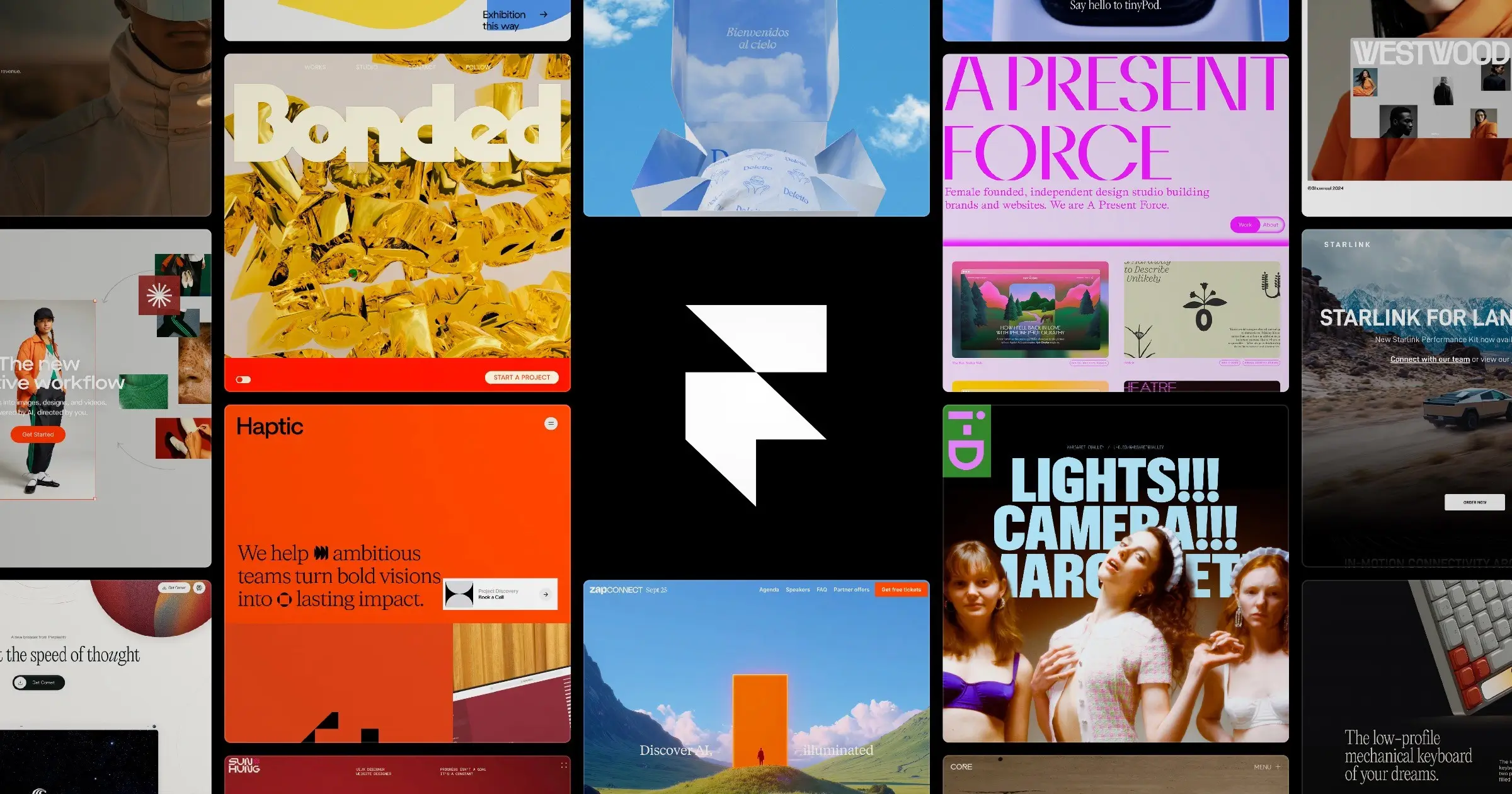
Framer sits in an interesting space — it's a design-first website builder with AI generation capabilities. If Wix is the practical choice, Framer is the "I want my website to look like it cost $15,000" choice.
The AI features generate full pages from text prompts, but what sets Framer apart is the quality of the output. The designs are modern, responsive, and genuinely impressive. The animation and interaction capabilities go well beyond what typical website builders offer.
Framer is particularly strong for landing pages and marketing sites. If you're launching a SaaS product, an AI tool, or a consulting practice where first impressions matter, Framer delivers a level of polish that Wix and Squarespace can't match.
Pricing: Free tier. Mini at $15/month. Basic at $25/month. Pro at $45/month.
Best for: Startups, SaaS companies, and agencies that need a visually stunning marketing site. Especially good for tech companies where design credibility matters.
Where it falls short: It's primarily a marketing site builder, not a web app builder. No built-in ecommerce, booking, or CRM. For full business functionality, you'll need to combine Framer with other tools.
Build AI tools tailored to your business
Pickaxe lets you create custom AI agents with your own data, branding, and integrations — no code required.
Phase 5: Marketing and Content
You've built the product and the website. Now people need to know you exist. This is where AI tools have arguably had the biggest impact on business building.
13. Jasper — Your Marketing Team's AI Backbone

Jasper is built specifically for marketing content at scale. Where ChatGPT is a generalist, Jasper is a specialist — trained on marketing best practices and designed to maintain your brand voice across everything it produces.
The Brand Voice feature learns your company's tone, terminology, and style guidelines. Once configured, every piece of content — blog posts, ad copy, email sequences, social media posts — sounds like it came from the same person. This consistency is hard to maintain manually, especially as you scale.
Jasper's campaign workflow is where it really shines for business builders. Feed it a product launch brief and it generates the entire campaign: landing page copy, email sequence, social posts, ad variations, and blog content. You review and tweak rather than create from scratch.
The platform also includes SEO optimization tools, competitive content analysis, and performance tracking — making it more of a marketing command center than just a writing tool.
Pricing: Creator at $49/month. Pro at $69/month. Business pricing is custom.
Best for: Businesses producing regular marketing content who need brand consistency. Particularly valuable for teams where multiple people create content.
Where it falls short: Expensive compared to using ChatGPT for the same tasks. The brand voice training takes time to get right. And for non-marketing writing (technical docs, internal communications), it's overkill.
14. Buffer — Social Media Without the Chaos
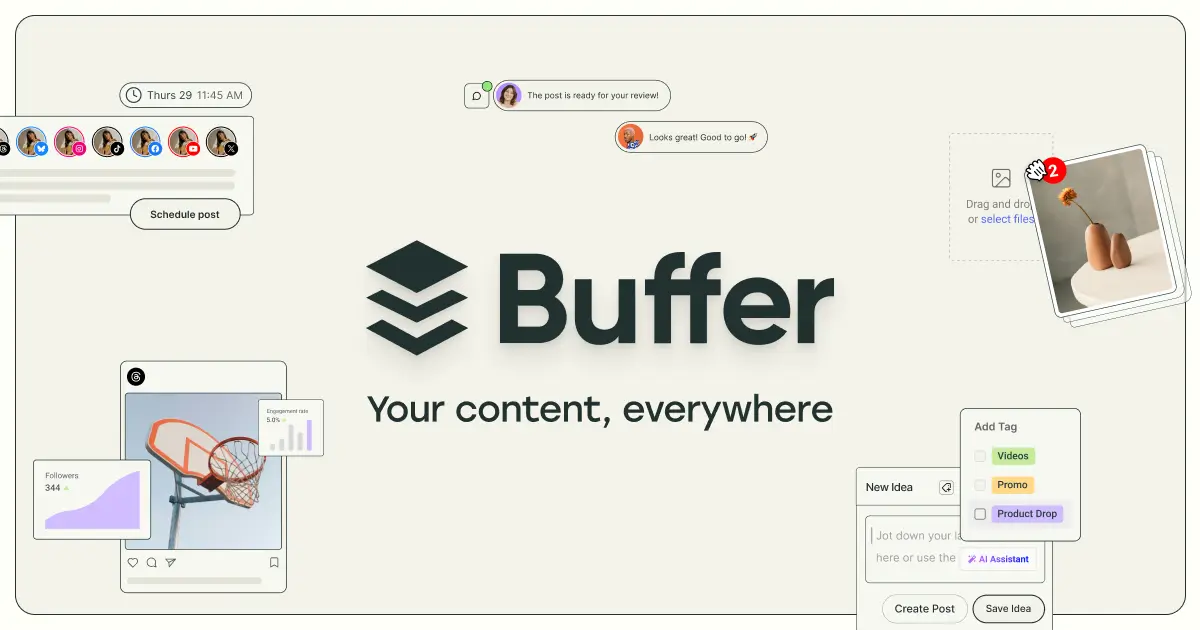
Buffer has been a social media management staple for years, and the AI features have made it genuinely useful for solo founders and small teams who can't afford a dedicated social media manager.
The AI Assistant generates post ideas, repurposes content across platforms, and suggests optimal posting times. Feed it a blog post URL and it'll generate a week's worth of social media content pulling from different angles of the article.
What I appreciate about Buffer is the simplicity. It does scheduling, analytics, and AI content generation without trying to be an all-in-one marketing suite. For a business builder who just needs to stay consistently present on social media, that focus is a feature.
Pricing: Free tier for 3 channels. Essentials at $6/month per channel. Team at $12/month per channel.
Best for: Solo founders and small teams who need consistent social media presence without spending hours on it. The per-channel pricing keeps costs manageable.
Where it falls short: Limited analytics compared to enterprise tools. No built-in social listening or influencer management. For larger operations, you'll outgrow it.
15. Gamma — Presentations and Pitch Decks in Minutes
Gamma is the fastest way to go from ideas to a polished presentation. Describe your topic, audience, and key points, and Gamma generates a complete deck with professional layouts, relevant imagery, and clean typography.
For business builders, presentations are everywhere — investor pitches, client proposals, team updates, conference talks, sales decks. Gamma eliminates the hours you'd spend in PowerPoint fiddling with alignment and choosing fonts.
The presentations are also web-native, which means they work as interactive web pages — not just static slides. You can embed videos, add interactive elements, and share them as links rather than attachments. It's a subtle but meaningful upgrade over traditional slide decks.
Pricing: Free tier with 400 AI credits. Plus at $10/month. Pro at $20/month.
Best for: Investor pitches, client proposals, sales decks, and any presentation where you need to look professional without spending hours on design.
Where it falls short: Less control over pixel-perfect design than PowerPoint or Keynote. And for highly branded, custom-designed presentations, you'll still want a designer.
Phase 6: Sales and Customer Relationships
Building is one thing. Selling is another. AI is transforming sales from a manual grind into a data-driven system.
16. HubSpot — The CRM That Tells You What to Do Next

HubSpot has become the default CRM for businesses of almost every size, and the AI features in 2026 are what make it genuinely indispensable.
Breeze AI is HubSpot's AI layer, and it touches everything. Predictive lead scoring tells you which prospects are most likely to convert. AI-powered email drafting generates personalized outreach based on contact history. Meeting scheduling, call summarization, deal forecasting — all enhanced with AI that learns from your data.
For early-stage businesses, HubSpot's free CRM is remarkably generous. You get contact management, deal tracking, email integration, and basic reporting at no cost. As you grow, paid tiers unlock the more sophisticated AI features.
The real value is the flywheel effect. The more you use HubSpot, the smarter it gets about your business. After a few months of data, the AI recommendations become genuinely useful — not just "follow up with this lead" but "this lead matches the profile of your best customers and typically converts after the third touchpoint."
Pricing: Free CRM available. Starter at $20/month. Professional at $890/month. Enterprise at $3,600/month.
Best for: Businesses that need a CRM with AI-powered sales intelligence. The free tier makes it accessible for startups; the paid tiers scale with your team.
Where it falls short: The jump from Starter to Professional is steep ($20 to $890/month). And the full AI features require the more expensive plans. For very early-stage businesses, the free tier plus manual processes might be all you need.
17. Reply.io — AI-Powered Outreach That Doesn't Sound Robotic
Reply.io is a sales engagement platform that uses AI to automate outreach across email, LinkedIn, calls, and SMS — while keeping it personalized enough that recipients don't immediately hit delete.
The Jason AI assistant generates personalized outreach sequences based on your ideal customer profile, prospect data, and campaign goals. It analyzes prospect responses and suggests next actions — whether to follow up, change angle, or move on.
For B2B business builders doing outbound sales, Reply.io is a significant time-saver. Instead of manually crafting individual emails and tracking follow-ups in a spreadsheet, you set up sequences and let the AI handle personalization and timing.
Pricing: Starts at $59/month for email automation. Business at $99/month with multichannel. Agency plans available.
Best for: B2B businesses doing outbound sales, agencies managing outreach for multiple clients, and founders who need to generate leads without hiring a sales team.
Where it falls short: Requires good prospect data to be effective — garbage lists produce garbage results. And aggressive automation can damage your sender reputation if not configured carefully.
Phase 7: Operations and Automation
Once the business is running, the operational overhead starts eating your time. These tools buy it back.
18. Zapier — The Glue That Connects Everything
Zapier connects over 7,000 apps and automates workflows between them. New lead in your CRM? Automatically send a welcome email, create a project in your PM tool, and notify the team on Slack. New order on Shopify? Auto-update inventory, send a confirmation, and log it in your accounting software.
Salesforce's 2026 AI tools guide specifically calls out Zapier as the automation platform most small businesses start with — and for good reason. It connects popular apps faster than any alternative.
The AI features have gotten significantly better. AI-powered workflow suggestions analyze your connected apps and recommend automations you haven't set up yet. The natural language builder lets you describe what you want — "when someone fills out my contact form, email me and add them to my newsletter" — and Zapier builds the automation.
For business builders, Zapier is often the difference between spending 10 hours a week on repetitive tasks and spending zero. The ROI is immediate and measurable.
Pricing: Free tier with 100 tasks/month. Starter at $29.99/month. Professional at $73.50/month. Team at $103.50/month.
Best for: Any business using multiple tools that need to talk to each other. Particularly valuable for solo founders who can't afford to do things manually.
Where it falls short: Complex multi-step workflows can get expensive on the task-based pricing model. And for very sophisticated automation, Make.com offers more flexibility (though with a steeper learning curve).
19. Notion AI — Your Business Operating System
Notion is already where many businesses keep their docs, wikis, project boards, and meeting notes. Notion AI adds an intelligence layer on top of all that knowledge.
Ask Notion AI to summarize last quarter's meeting notes, draft a project brief based on your existing documentation, or find all action items across a month's worth of meeting transcripts. It has context on your entire workspace — which makes it dramatically more useful than a standalone AI tool that doesn't know anything about your business.
The AI writing assistant works inline — highlight text and ask it to rewrite, expand, summarize, or translate. For business builders who spend a lot of time writing (proposals, SOPs, internal docs), this saves meaningful hours each week.
Notion's flexibility is both its strength and weakness. You can build almost anything — CRMs, project trackers, content calendars, employee directories — but you have to build it yourself (or use a template).
Pricing: Free tier for personal use. Plus at $12/month. Business at $18/month. AI add-on included in all paid plans.
Best for: Teams that need a central hub for documentation, project management, and knowledge management with AI that understands their specific business context.
Where it falls short: The learning curve is real. Notion's flexibility means there's no single "right way" to use it, which overwhelms some users. And the AI features, while useful, are more about enhancing existing workflows than creating new ones.
20. Otter.ai — Never Lose a Meeting Insight Again

Otter.ai joins your meetings, records, transcribes, and summarizes everything — then makes it searchable.
For business builders, meetings are where decisions happen, commitments are made, and ideas are born. But without notes, half of it evaporates within 24 hours. Otter solves this by automatically capturing every conversation and extracting action items, key decisions, and follow-up tasks.
The OtterPilot feature automatically joins scheduled meetings on Zoom, Google Meet, and Microsoft Teams. It generates real-time transcripts with speaker identification, and after the meeting, produces a structured summary with action items and key highlights.
The search functionality is underrated. "What did we decide about pricing in last Tuesday's meeting?" — Otter can answer that instantly, pulling up the exact moment in the transcript.
Pricing: Free tier with 300 minutes/month. Pro at $16.99/month. Business at $30/user/month.
Best for: Any business where meetings are a core part of operations. Particularly valuable for consultants, agencies, and founders juggling multiple client relationships.
Where it falls short: Transcription accuracy drops in noisy environments or with heavy accents. And some meeting participants feel uncomfortable being recorded — always get consent.
Phase 8: Customer Support
The moment you have customers, you have support requests. AI support tools let you scale this without scaling your team.
21. Intercom — AI-First Customer Support
Intercom has bet its entire product on AI, and the Fin AI Agent is the result. Fin resolves customer conversations autonomously — not just answering FAQs, but handling nuanced multi-step issues with genuine contextual understanding.
The outcome-based pricing at $0.99 per resolution is brilliant for growing businesses. You only pay when Fin actually resolves a conversation. If it can't handle something, it routes to your human team with full context — so nobody starts from scratch.
For a detailed look at how Intercom stacks up against other support tools, see our comparison of the top AI customer service tools.
Pricing: Essential at $39/seat/month. Advanced at $99/seat/month. Fin AI Agent at $0.99 per resolution (additional).
Best for: SaaS companies and online businesses that need scalable customer support. The AI-first approach means you can handle support volume that would typically require a dedicated team.
Where it falls short: The per-seat pricing plus Fin resolution fees can add up for larger teams. And for businesses with very simple support needs, it's more powerful (and expensive) than necessary.
22. Tidio — Budget-Friendly AI Chatbot
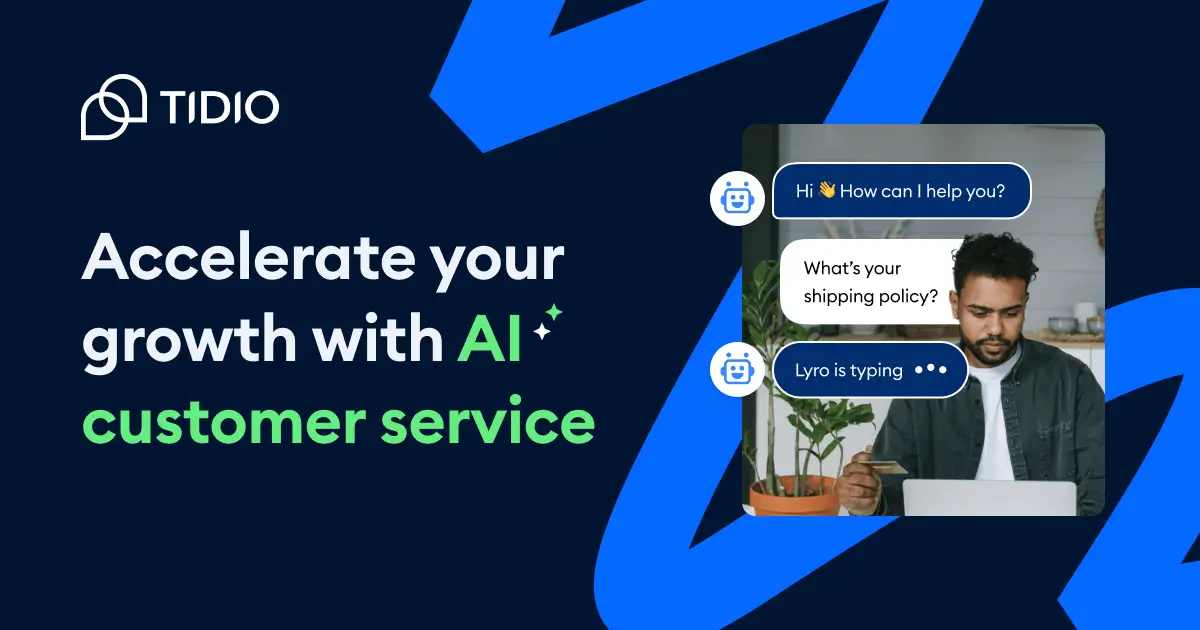
Tidio combines live chat with Lyro, an AI chatbot that learns from your support content. It's designed specifically for small businesses that need automated support without enterprise pricing.
Lyro reads your help docs, FAQs, and knowledge base, then answers customer questions in natural conversation. For common queries — "what's your return policy," "how do I reset my password," "do you ship internationally" — it handles the load without human intervention.
The setup is notably easier than most AI support tools. Point Lyro at your existing support content, and it's ready to go. No complex training workflows, no prompt engineering — just connect your knowledge base and let it learn.
Pricing: Free tier available. Starter at $29/month. Growth at $59/month. Lyro AI add-on from $39/month for 50 conversations.
Best for: Small businesses, ecommerce stores, and early-stage startups that need AI customer support on a budget.
Where it falls short: The conversation-based pricing for Lyro means costs scale with volume. And for complex support workflows that require integrations with internal systems, Intercom is the better choice.
Phase 9: Finance and Accounting
The least exciting but most essential part of building a business. AI doesn't make accounting fun, but it makes it much less painful.
23. QuickBooks — AI-Powered Accounting That Actually Helps
QuickBooks has been the default small business accounting software for decades, and the AI features in 2026 make it more like having a part-time bookkeeper than just software.
Intuit Assist, the AI assistant, handles transaction categorization, receipt scanning, anomaly detection, and even helps with tax preparation. It learns from your corrections — categorize a few transactions manually, and it starts getting the rest right automatically.
The cash flow forecasting is particularly useful for business builders. QuickBooks analyzes your revenue patterns, upcoming bills, and seasonal trends to predict when you might hit cash crunches — giving you time to prepare instead of scramble.
For businesses selling AI tools or services, QuickBooks integrates with Stripe, PayPal, and most payment processors to automatically track revenue, fees, and net income without manual data entry.
Pricing: Simple Start at $35/month. Essentials at $65/month. Plus at $99/month. Advanced at $235/month.
Best for: Any business that needs to track income, expenses, invoices, and taxes. The AI features reduce the bookkeeping burden enough that many founders can handle their own accounting until they're ready for a proper accountant. Once the books outgrow that, our guide to AI agents for finance teams picks up at reconciliation and forecasting.
Where it falls short: The pricing has crept up significantly over the years. And for very simple businesses (freelancers with a few clients), it might be more than you need — Wave or FreshBooks could be simpler alternatives.
Turn AI into a competitive advantage
Create AI-powered tools that automate your workflows, serve your customers, and scale with your business.
How to Build Your AI Tool Stack Without Going Broke
Here's the reality: you don't need all 23 of these tools. Most successful business builders start with 3-5 and add more as they grow. Here's how I'd approach it at different stages.
Just Starting Out ($0-50/month)
- ChatGPT (Free or $20/month) — your general-purpose AI for everything
- Canva (Free) — design everything you need
- Notion (Free) — run your entire operation
- HubSpot CRM (Free) — track customers and deals
- Buffer (Free) — stay present on social media
Total: $0-20/month. This stack covers ideation, design, operations, sales, and marketing at essentially no cost.
Building & Launching ($100-200/month)
Add to the above:
- Pickaxe ($19/month) — if building AI-powered products or services
- Lovable ($25/month) — if building a web app or SaaS product
- Wix ($29/month) — professional website
- Zapier ($29.99/month) — automate repetitive tasks
- QuickBooks ($35/month) — proper accounting from the start
Total: ~$140-165/month. You now have a complete business infrastructure that would've cost thousands per month in staffing just a few years ago.
Scaling ($300-500/month)
Add as needed:
- Jasper ($49/month) — scale content production
- Reply.io ($59/month) — automate outbound sales
- Intercom ($39/month) — AI customer support
- Otter.ai ($16.99/month) — capture every meeting
- Midjourney ($30/month) — professional imagery
The Critical Decision: Build vs. Buy
One decision every business builder faces is whether to use off-the-shelf AI tools or build custom AI solutions. The answer isn't either/or — it's both, strategically.
Use off-the-shelf tools (Zapier, HubSpot, QuickBooks) for commodity functions — things every business needs that aren't competitive advantages. Build custom AI tools (using Pickaxe or similar platforms) for your core value proposition — the thing that makes your business different.
A consultant who builds a custom AI agent for client onboarding isn't just saving time — they're creating a product. Price it right, and that agent becomes a revenue stream rather than an expense.
What the Data Says About AI Adoption in Small Business
The numbers tell a compelling story about where business AI is heading.
According to the SBE Council's 2026 survey, the most common AI use cases for small businesses — outside of general research — are content creation, marketing and sales support, and workflow automation. These three categories are delivering immediate ROI in time savings and customer reach.
Activepieces reports that startups using AI tools strategically save an average of 13 hours per week — the equivalent of hiring a part-time employee, except the tools work 24/7.
And Salesforce found that 93% of small businesses using AI plan to continue investing in it, with 62% planning to increase their AI spending in the next year.
The trend is clear: AI tools aren't optional for competitive businesses anymore. They're table stakes.
Common Mistakes to Avoid
1. Subscribing to everything at once
Tool fatigue is real. Start with the free tiers, upgrade only when you hit genuine limits, and add new tools one at a time. Most businesses only need 5-8 AI tools to run effectively.
2. Using AI tools without strategy
An AI tool without a clear use case is just a subscription fee. Before adding any tool, answer: "What specific task will this replace or accelerate, and how much time/money will that save?"
3. Ignoring the integration layer
Tools that don't talk to each other create data silos and manual work. Before committing to a tool, check that it integrates with your existing stack — either natively or through Zapier/Make.
4. Over-automating too early
Automate a process you understand, not one you're still figuring out. Do things manually first, identify the repetitive parts, then automate those. Automating a broken process just means you break things faster.
5. Not reading the pricing carefully
Token-based, credit-based, and usage-based pricing can lead to surprise bills. Understand the pricing model before you commit, and set up usage alerts where possible.
Frequently Asked Questions
What AI tool should I start with if I'm building a business from scratch?
ChatGPT (free tier) is the most versatile starting point. Use it for brainstorming, writing, research, planning, and problem-solving. Once you've validated your idea, add specialized tools for the specific stages you're in.
Can I really build a business with just AI tools and no employees?
Yes, and it's increasingly common. Entrepreneur reports on founders running one-person businesses powered entirely by AI tools — handling marketing, sales, support, and operations that would've required a team of 5-10 people. The tools on this list make solo operation viable for businesses that would've been impossible without staff just two years ago.
How much should I budget for AI tools when starting a business?
Start at $0-50/month using free tiers. Most of the tools on this list have generous free plans that cover early-stage needs. Budget $100-200/month once you're generating revenue and need to scale operations. You'll likely top out at $300-500/month for a comprehensive AI tool stack — still dramatically less than even one part-time hire.
What's the difference between using ChatGPT and a specialized tool like Jasper or Pickaxe?
ChatGPT is a generalist — good at everything, great at nothing specific. Specialized tools like Jasper (marketing), Pickaxe (AI agents), or HubSpot (CRM) are purpose-built for their domains with features, integrations, and workflows that ChatGPT can't replicate. Start with ChatGPT, graduate to specialized tools when the generalist approach becomes a bottleneck.
Should I build custom AI tools for my business or use off-the-shelf solutions?
Both. Use off-the-shelf tools for commodity functions (accounting, email, scheduling) and build custom AI tools for your competitive advantage. If your business involves serving clients with AI-powered solutions, platforms like Pickaxe let you build and white-label custom agents without code — turning your expertise into a product.
How do I know if an AI tool is actually saving me time or just creating new work?
Track two things: time spent using the tool and time saved on the task it replaces. If you're spending 3 hours configuring an automation that saves 30 minutes a week, the ROI is clear within 6 weeks. If you're spending 3 hours and it's saving 10 minutes, reconsider. Good AI tools should feel like they're multiplying your effort, not adding to it.
Which AI tools integrate best with each other?
The most integration-friendly tools on this list are Zapier (connects 7,000+ apps), HubSpot (native integrations with most business tools), and Notion (API plus Zapier/Make connections). Pickaxe integrates with Zapier, Make, and n8n for workflow automation. Building your stack around well-connected tools prevents the data silo problem that kills productivity.
Start Building
The barrier to building a business has never been lower. Not in terms of competition — that's fierce. But in terms of what one person can accomplish with the right tools.
Two years ago, launching a product meant hiring developers, designers, marketers, and support staff. Today, a solo founder with the right AI stack can handle product development, branding, marketing, sales, and customer support — and do it at a quality level that competes with funded teams.
The tools on this list aren't hypothetical. They're being used right now by real businesses generating real revenue. The question isn't whether AI tools can help you build a business — it's which ones match the specific business you're building.
If you're building AI-powered products or services specifically — tools, agents, assistants for your clients — Pickaxe handles the entire lifecycle from building to billing. It's the fastest path from "I have an idea for an AI tool" to "people are paying me for it."
For everything else, start with the free tiers, validate your idea, and invest in paid tools only when you've proven the business model. The best time to start building was yesterday. The second best time is right now.