
The best AI process mining tools do something less glamorous, and more useful, than drawing a beautiful workflow. They show where the process data is credible, where it is incomplete, and which detour is expensive enough to fix.
I compared seven current platforms by the evidence they can observe, the systems they fit, the work required to prepare that evidence, and what happens after a bottleneck appears. This is a documentation-based comparison checked September 28, 2026, not a controlled product benchmark.
My main conclusion is simple: choose the tool that can reconstruct one ugly real process before you choose the platform with the most impressive demo. A clean purchase-order showcase tells you very little about your duplicate case IDs, manual email approvals, or three systems that disagree about when work finished.
AI process mining tools: the quick comparison
The category now spans three different shapes: enterprise process-intelligence platforms, automation suites with mining built in, and observation tools that capture work between systems. They overlap, but they do not see the same evidence.
| Tool | Best fit | Evidence source | Commercial entry | Validate first |
|---|---|---|---|---|
| Celonis | Cross-system enterprise transformation | Events and objects across business systems | Free trial; enterprise quote | Whether the team can maintain the data model after the pilot |
| SAP Signavio | SAP-centered transformation and governance | SAP content plus custom event pipelines | Workspace license; quote | Which base and premium AI features the package includes |
| UiPath | Mining that should feed automation | System events plus desktop task observation | Platform plan plus row-based units | Development and production data capacity together |
| Microsoft Power Automate | Microsoft and Power Platform estates | Uploaded or connected process data plus task mining | User license; tenant capacity add-on | Whether 50 MB per user is enough for the pilot |
| Apromore | Deep analysis, conformance, and simulation | Event logs plus task mining | Research/education entry; commercial quote | Connector and Copilot entitlements |
| ARIS | Modeling-led process governance | Event data tied to managed process models | Free Basic entry; paid editions | Edition limits and AI-provider requirements |
| Skan AI | Manual work hidden between applications | Observed screen and application activity | Enterprise quote | Privacy design and whether observation captures the target work |
Do not compare those entry points as one price list. A user license, tenant storage, visible event-log row, platform unit, workspace entitlement, and custom enterprise contract are different meters.
What AI process mining tools need before they can help
Traditional process mining starts with an event log. The Process Mining project at RWTH Aachen describes the conventional minimum as a case, an activity, and a timestamp.
A case might be an invoice, order, support ticket, claim, or loan application. Activities are the recorded state changes, and timestamps put those changes in sequence.
That sounds easy until one order contains five items, three shipments, two invoices, and one return. A single case ID can flatten a network of related objects into a misleading path.
Object-centric process mining addresses that problem by allowing one event to relate to multiple objects. The same source also documents XES, the IEEE-standard interchange format, and OCEL for object-centric logs. The standard matters because portability is more useful than a screenshot when a pilot ends.
The harder problem is usually preparation. The project’s event-data guidance says operational evidence is often scattered across tables, files, messages, and systems, and recommends extracting data around a question instead of importing everything available.
That is the first buying test. Ask every vendor to build the pilot from your data, with your missing values and naming conflicts. If the business cannot agree on what a completed case means, an AI summary will make the disagreement easier to read, not make it disappear.
How I ranked these AI process mining tools
I did not award points for the longest connector page or the most forceful AI language. I used six questions that determine whether a process-mining pilot can survive after the sales engineer leaves.
- Evidence fit: does the product see back-end system events, desktop work, or both?
- Case modeling: can it represent the actual process without forcing every event into one convenient case?
- Data preparation: who builds and maintains extraction, transformation, and quality rules?
- Analysis depth: can the team move from variants to conformance, root causes, and a defensible change?
- Action path: can a finding become a redesigned process, automation backlog, control, or monitored intervention?
- Cost legibility: can the buyer forecast users, storage, rows, AI use, and implementation separately?
I also looked for honest limits. A conversational copilot is helpful when it shortens the path to a known calculation. It is not a substitute for knowing what the event log excludes.
1. Celonis: best for cross-system process intelligence
Celonis is the shortlist default when the goal is a broad, continuously maintained view across ERP, CRM, service, and other operating systems.

The current Celonis Platform page describes a Data Core, a Context Model, and a build experience for analyzing, designing, and operating processes. It supports process simulations, predictions, what-if scenarios, continuous monitoring, and orchestration around people, systems, and AI agents.
What stands out: the Context Model is built around objects, events, and business knowledge rather than one isolated flowchart. That is valuable when the target problem crosses orders, deliveries, invoices, customers, and suppliers.
The current product documentation separates data integration, object-and-event modeling, Studio applications, and PQL queries. Its developer center also exposes ingestion, event-subscription, usage, process-intelligence, and MCP interfaces.
What to watch: platform depth creates operating work. A useful pilot needs data owners, transformation logic, access rules, and people who can explain why a variant is harmful. A consultant-built analysis can become an expensive artifact if nobody owns refreshes after handoff.
The vendor offers a free trial, but it does not publish one enterprise list price. Treat extraction, implementation, data-model maintenance, training, and the platform contract as separate budget lines.
Choose Celonis when: the organization wants process intelligence as a cross-system capability, has the data maturity to maintain it, and expects several teams to act on the same operating model.
2. SAP Signavio: best for SAP transformation programs
SAP Signavio is the natural first evaluation when the process question is attached to an SAP migration, standardization program, or governed target operating model.
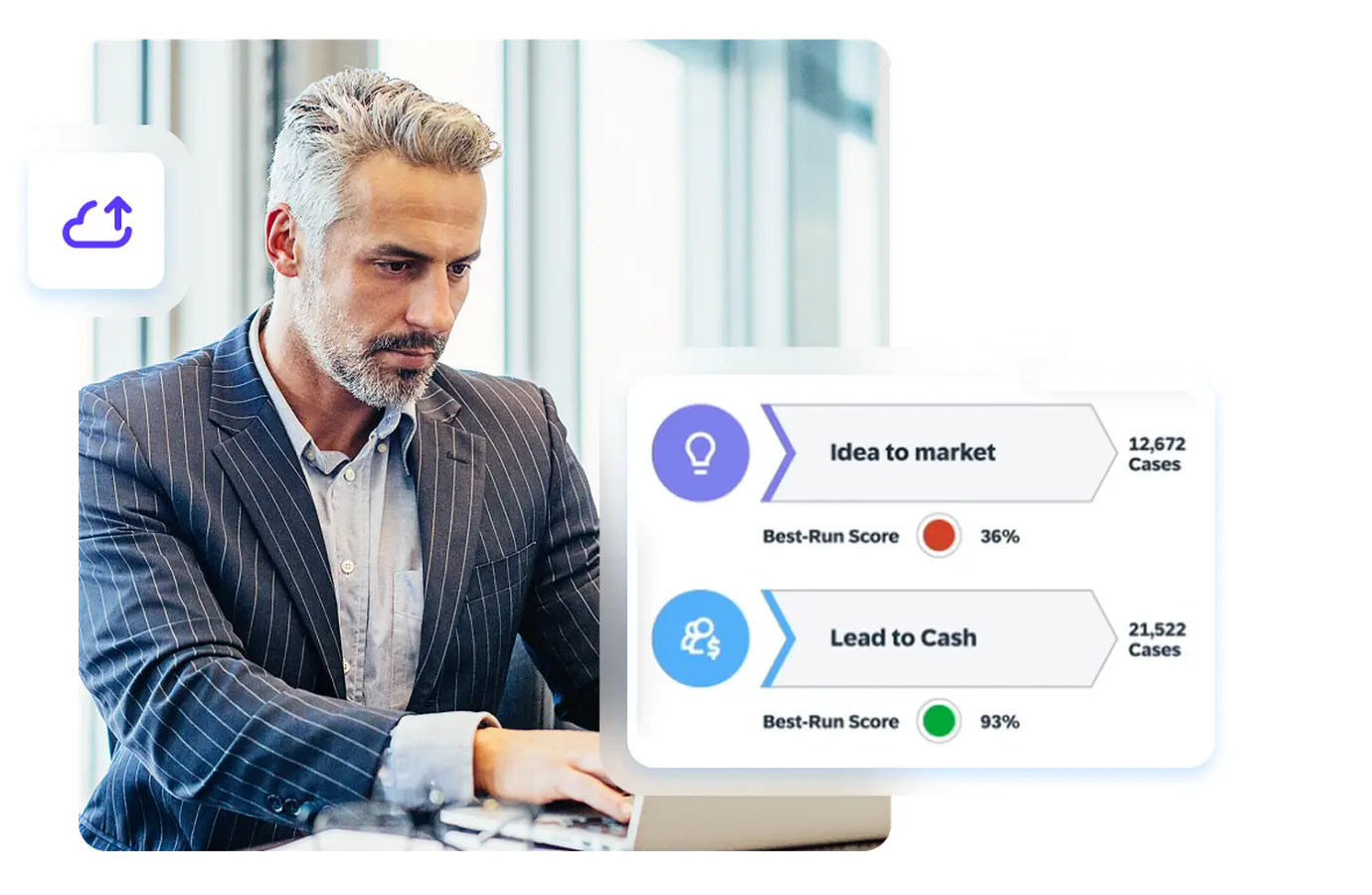
The current SAP process-mining page combines out-of-the-box SAP content with custom analysis, value accelerators, process comparison, and continuous improvement. The larger suite connects execution evidence with process modeling and collaboration.
What stands out: mining and the intended process can live in the same transformation environment. That helps a team compare how work runs today with the model it plans to standardize during an S/4HANA program.
SAP’s current AI capability catalog lists text-to-insights, text-to-widget, root-cause assistance, simulation insights, and a Process Consulting Agent. The base Process Consulting Agent allowance is 300 actions per tenant workspace each month; usage beyond that limit consumes premium AI units when premium access is enabled.
What to watch: “SAP Signavio” is a suite name, not a guarantee that every AI, modeling, mining, and simulation capability appears in one contract. The same catalog distinguishes base and premium AI.
The official license documentation says Process Intelligence is assigned to a workspace rather than each individual user. Public dollar pricing is not listed, so validate the workspace, environment, AI-unit, data, and service terms in the quote.
Choose SAP Signavio when: SAP process content, modeling governance, and the target-state transformation are as important as discovering the current variants.
3. UiPath Process Intelligence: best for discovery-to-automation
UiPath is strongest when process discovery is meant to feed an existing automation program rather than remain a separate analytics practice.
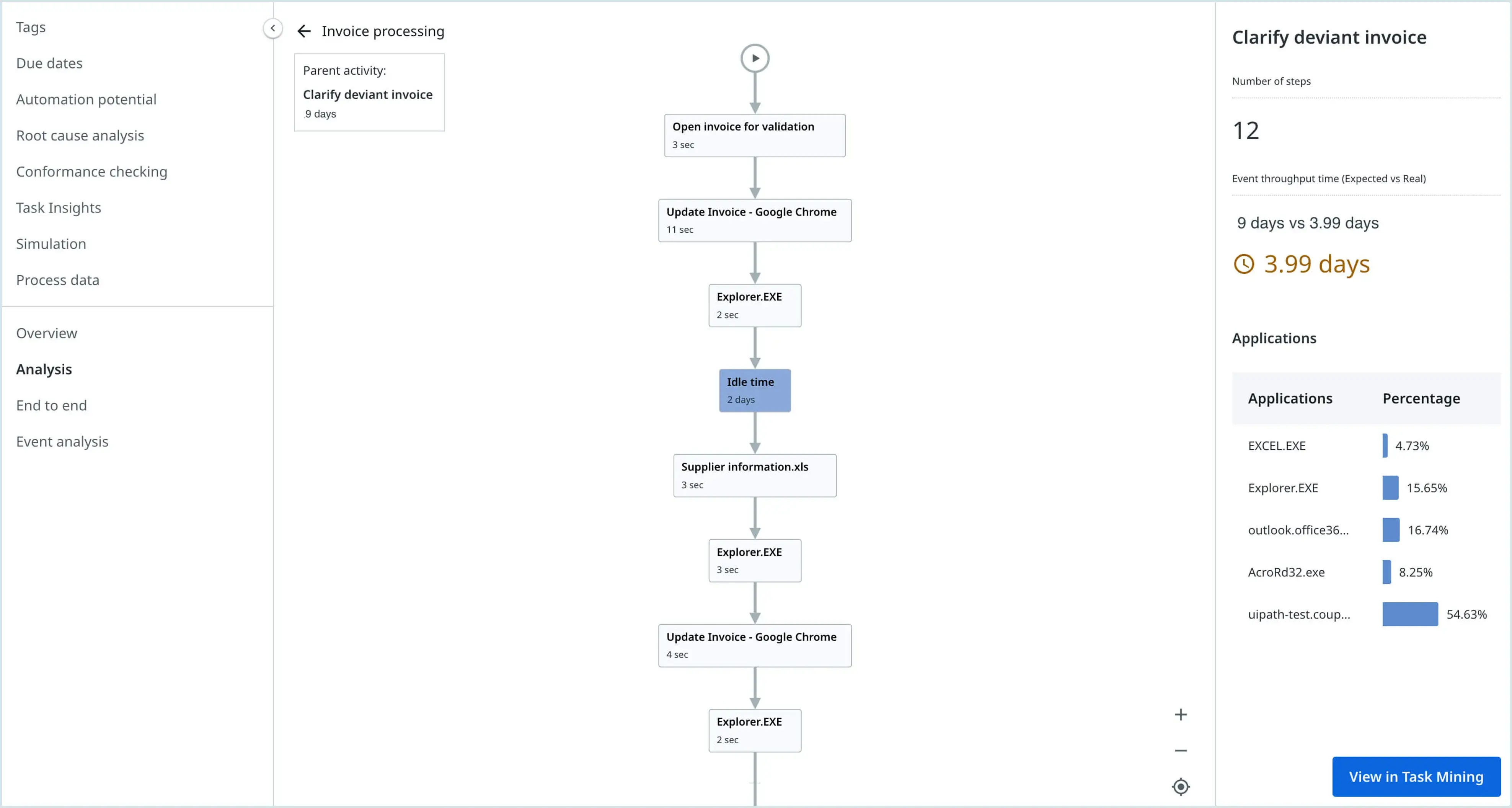
The current UiPath Process Intelligence page combines Process Mining and Task Mining. It supports native extraction from systems including SAP, Oracle, Salesforce, ServiceNow, and Workday, then connects findings with UiPath orchestration and automation.
What stands out: system events and desktop steps can share one discovery program. That matters when a claim moves cleanly through the core system but spends hours in copy-and-paste work, email, or an old desktop client between recorded states.
The handoff is also direct. A candidate can move from variant analysis into a UiPath robot, workflow, or long-running orchestration without exporting the discovery into a separate vendor’s backlog.
What to watch: automation proximity can create a false finish line. The most frequent manual path is not automatically the best bot candidate. Check exception frequency, input quality, control risk, and whether the underlying process should be removed before it is automated.
UiPath’s current Unified Pricing documentation requires a Standard or Enterprise platform plan plus Platform Units. It meters Process Mining at one Platform Unit per 625 visible event-log rows, starts with capacity for one million rows over 12 months, and counts both development and production data.
Choose UiPath when: the organization already runs UiPath or wants one governed path from system and desktop evidence into automation delivery.
4. Microsoft Power Automate Process Mining: best for Power Platform teams
Microsoft is the most practical starting point when the analysts, data, identity, and automation backlog already live inside Power Platform.

The product brings process and task mining into Power Automate, so a team can explore variants and bottlenecks near the flows it may later build. The attraction is organizational fit as much as analytical depth.
What stands out: the public entry point is unusually legible. On September 28, 2026, the U.S. Power Automate pricing page listed Premium at $15 per user per month, paid yearly, with 50 MB of process and task mining storage per user.
That user allowance is not the enterprise add-on. The same page listed the Process Mining add-on at $5,000 per tenant per month, paid yearly, with 100 GB of process-mining storage, and required Power Automate Premium. Taxes and regional availability vary.
What to watch: a low per-user headline can hide the capacity decision. Microsoft’s licensing documentation confirms that the add-on is tenant-wide and adds separate process-mining, Dataverse database, and file capacity.
The right pilot question is not “Can an analyst open it?” It is “How much clean event data does the real process need, how often must it refresh, and what capacity does that create at peak?”
Choose Microsoft when: the first process fits the included capacity, the team already governs Power Platform, and Power Automate is a credible destination for the improvements.
5. Apromore: best for conformance and simulation depth
Apromore is the product I would shortlist when rigorous discovery, conformance, simulation, and monitoring matter more than buying the broadest automation suite.
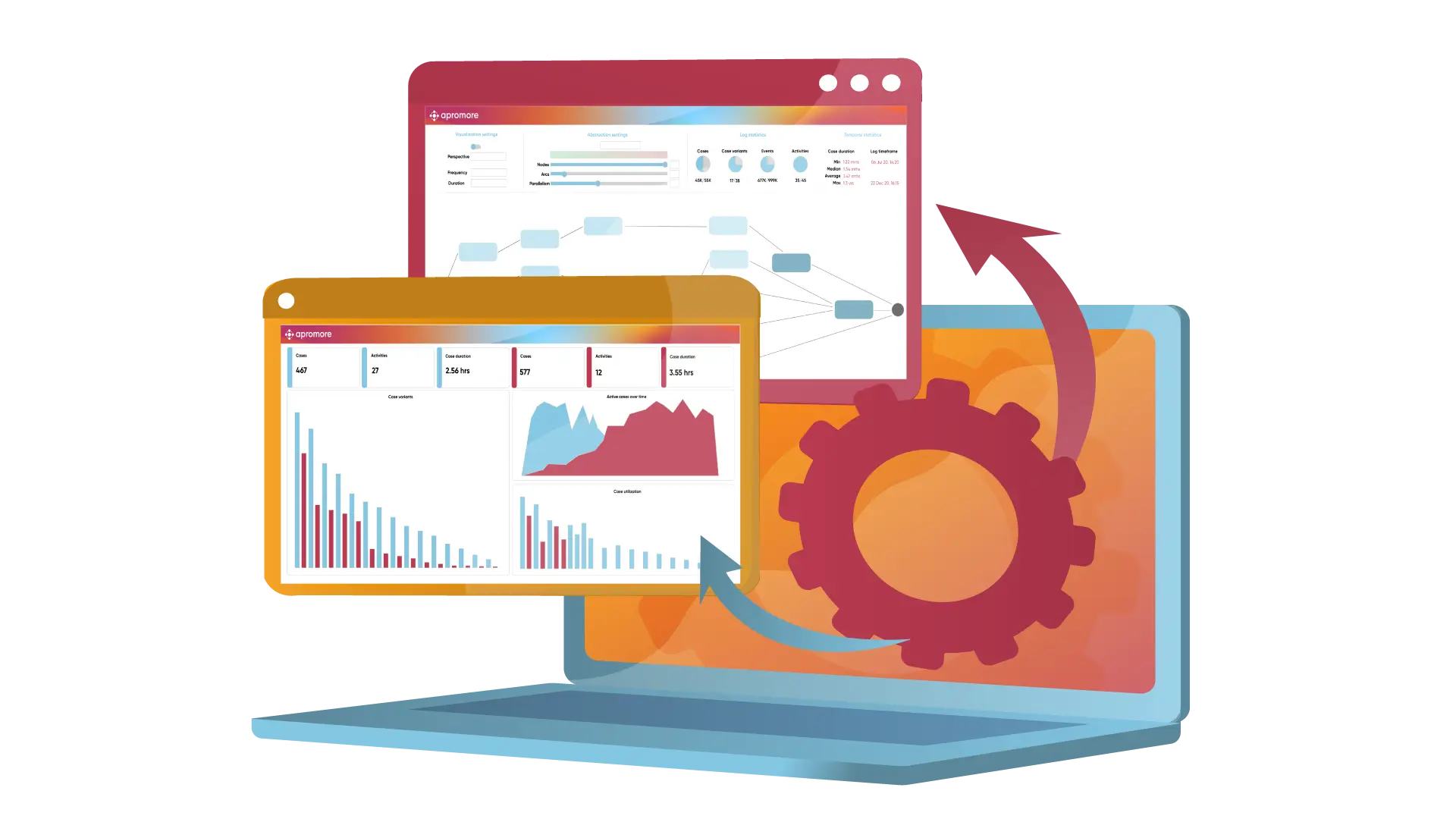
The current Apromore product page describes process mining, task mining, native BPMN support, no-code visual filtering, predictive monitoring, simulation, and data pipelines. It offers a free edition for research or education, while commercial pricing requires a conversation.
What stands out: simulation stays close to the discovered process. A team can test a proposed staffing, routing, or automation intervention before presenting it as a savings plan.
Apromore’s current Copilot documentation says the assistant answers questions against the process map and currently filtered log. It is disabled by default and has a default limit of 20 prompts per day after it is enabled.
The separate simulation Copilot guide shows bounded what-if questions, such as adding resources or automating a specific activity, against a baseline model.
What to watch: a simulated improvement is a model result, not an operational guarantee. Validate resource assumptions, arrival rates, exception behavior, and the action that will actually change in production.
Ownership also changed recently. The company’s official history says Salesforce acquired Apromore in November 2025. Buyers should verify current roadmap, packaging, deployment, and integration terms rather than relying on older open-source comparisons.
Choose Apromore when: the team needs analysis and simulation depth, wants a vendor rooted in process-mining research, and is willing to validate the current post-acquisition packaging.
6. ARIS Process Mining: best for modeling-led governance
ARIS makes the most sense when the organization already treats managed process models, roles, controls, and architecture as a long-lived operating system.

The platform ties discovered execution back to governed process design. That is useful for organizations that need to show not only where a process deviated, but which control, owner, policy, or target model should change.
What stands out: the vendor is unusually direct about what generative AI does not replace. Its current ARIS AI Companion page says generative AI should complement process discovery and compliance checking and that human oversight remains important.
The AI Companion works in the Process Explorer context and offers suggested or custom questions. This can help a business user reach a specific performance view without learning every analysis control.
What to watch: product editions and external AI requirements matter. ARIS has documented Basic, Advanced, and Enterprise product shapes, while feature availability depends on role and deployment. Do not accept a suite diagram as an entitlement list.
The current free-trial page offers a Process Mining Basic entry point. Paid dollar pricing is not public, so the pilot should inventory case volume, data-set size, analyst concurrency, connectors, AI access, and model-governance needs.
Choose ARIS when: process mining must connect to a mature process repository, enterprise architecture, controls, and collaborative governance rather than operate as a standalone discovery project.
7. Skan AI: best for work hidden between systems
Skan AI belongs on the shortlist when the real process lives in desktop behavior, context switching, and manual workarounds that back-end logs do not record.
The current Skan process-intelligence page says the product observes work across applications and builds end-to-end maps, variant analysis, exception paths, time allocation, workload distributions, and context-switching measures.
What stands out: observation answers a different question from event-log mining. An ERP may show that a claim entered review at 9:00 and left at 11:00. Desktop observation can reveal whether those two hours contained a legacy lookup, a spreadsheet reconciliation, three copy operations, and a policy search.
That makes Skan particularly relevant for contact centers, shared services, claims, and other work where the activity between system milestones is the automation opportunity.
What to watch: observation changes the privacy and adoption conversation. Before installing anything, define whose activity is captured, which applications and fields are excluded, how raw screens are processed, how long evidence is retained, and whether workers can inspect or challenge the resulting classification.
The current platform page says raw screens and records can remain inside the customer environment, but pricing is quote-based. Treat privacy architecture and worker communication as pilot requirements, not paperwork after selection.
Choose Skan when: system logs provide milestones but the expensive work, exceptions, and handoffs happen on screens between them.
How to choose AI process mining tools by the evidence you have
Start with the blind spot, not the logo.
- Cross-system events with multiple business objects: begin with Celonis and verify object-centric modeling on the real process.
- SAP transformation: begin with SAP Signavio and verify the exact source-system content and package.
- Existing UiPath automation program: begin with UiPath and test whether the discovery can become a governed delivery backlog.
- Power Platform team with a bounded first data set: begin with Microsoft and model the storage step-up before production.
- Analysis and simulation program: begin with Apromore and test whether operators accept the baseline and scenario assumptions.
- Managed process repository and control architecture: begin with ARIS and connect deviations to owners and controls.
- Manual work between system events: begin with Skan and put privacy design before capture.
If two products remain, give both the same extraction brief. Require the same source tables, date range, case definitions, known exception, and output questions. Otherwise, you are comparing two demos rather than two tools.
A 14-day process-mining pilot that produces a decision
A good pilot is small enough to finish and ugly enough to be honest. Pick one process with a named owner, measurable pain, accessible evidence, and a decision that could change.
Days 1 to 3: write the evidence contract
Define the case or objects, included activities, time boundary, completion state, and known missing steps. List the source tables and the person who can explain each field.
Days 4 to 7: build and challenge the first log
Load a bounded sample. Reconcile case counts with the source system. Check duplicate events, impossible timestamp order, timezone changes, missing completion states, and records that changed outside the extracted system.
Days 8 to 10: review variants with operators
Ask the people doing the work whether the top variants are recognizable. Investigate one known exception and one unexpected detour. If neither can be explained, do not expand the data set yet.
Days 11 to 14: produce one change decision
Estimate the affected case volume, wait time, rework, control exposure, and cost of intervention. Decide whether to remove a step, change policy, improve data capture, rebalance work, automate a bounded action, or leave the process alone.
For a hypothetical pilot with 10,000 cases, finding a detour in 18 percent of cases does not prove an automation will save money. The team still needs to verify the 1,800 affected cases, the time actually caused by the detour, the implementation cost, and the exceptions the proposed fix creates.
Turn one verified bottleneck into a focused agent
Build the smallest useful workflow, keep risky actions behind approval, and measure the result.
Where a custom AI agent fits after process mining
Process mining finds patterns in recorded work. It does not decide that every frequent path should become an agent.
I would use the discovered evidence to split the target process into interpretation, decision, execution, and verification. Our guide to agentic process automation versus RPA explains why deterministic software should keep the exact steps while an agent handles the bounded context that really requires judgment.
A custom Pickaxe agent can then handle a narrow job such as classifying an exception, collecting missing information, drafting a case summary from an approved Knowledge Base, or routing work through an Action. Keep the first version small and attach an accountable owner.
The AI workflow audit checklist is the useful step before a mining purchase when the organization has not yet named a process. The agents, workflows, and automation guide helps choose the system shape after discovery.
If the improvement becomes a multi-step build, use the multi-step AI workflow guide to design branches and recovery. Put consequential actions behind the approval rules in the human-in-the-loop guide.
The sequence matters: observe, verify, redesign, then automate. Automating the process everyone remembers is faster only until the first real exception arrives.
Frequently asked questions
What is the best AI process mining tool?
Celonis is the broadest default for cross-system enterprise process intelligence. SAP Signavio is the stronger first look for SAP transformation, UiPath for an automation-led estate, Microsoft for Power Platform, Apromore for analysis and simulation, ARIS for modeling-led governance, and Skan AI for manual work hidden between system events.
What data do process mining tools need?
A traditional event log needs a case identifier, activity, and timestamp. Useful analysis often adds resource, amount, region, system, status, or outcome attributes. Object-centric analysis can connect events to multiple objects instead of forcing one case definition.
What is the difference between process mining and task mining?
Process mining reconstructs work from system events, such as order or ticket status changes. Task mining observes user activity across desktop applications. Use task mining when the important steps occur between system milestones and do not create reliable back-end events.
Can AI clean the event log automatically?
AI can suggest mappings, group labels, and explain anomalies, but the process owner still has to validate what a case means, which timestamps are authoritative, and whether a missing event means the work did not happen or the system failed to record it.
Should a small business buy enterprise process mining software?
Usually not first. Start with a workflow audit and a bounded CSV-based pilot. If one process has enough volume and measurable pain, use a trial or scoped vendor proof of value. Enterprise software makes sense when continuous refresh, governance, cross-system modeling, and repeated improvements justify the operating cost.
Does process mining prove ROI?
No. It can quantify variants, waiting, rework, and affected cases from the available evidence. ROI still depends on whether a change is implemented, what it costs, which exceptions it creates, and whether the measured outcome improves afterward.
Find the workflow before you automate it
My shortlist starts with evidence fit. Celonis for cross-system depth, SAP Signavio for SAP transformation, UiPath for discovery-to-automation, Microsoft for Power Platform, Apromore for conformance and simulation, ARIS for governed models, and Skan for desktop work the logs miss.
The winner is not the tool that discovers the most spaghetti. It is the one that helps your operators recognize the real process, exposes a change worth making, and leaves you with evidence you can refresh after the consultants go home.
Start with one process, one uncomfortable sample, and one decision. If the map survives that test, then expand it. If it does not, you have learned something valuable before you automated the wrong workflow.