

The best AI social media tools can turn a campaign brief into a week of drafts. The harder test is what happens when the client edits the offer, the usual reviewer is on vacation, and the scheduled Instagram post needs to move.
I read the current plan pages and approval guides for five tools. My shortlist is Buffer for a simple publishing queue, Planable for required sign-off, Metricool for reporting across brands, Later for visual planning, and Sprout Social for teams that also handle customer care.
Here’s how I’d choose between them using the same proposed client pilot. I’d test exactly what each reviewer can see, what happens when approval is late, and how much work remains after the first AI draft.
AI social media tools at a glance
Start with the event that would cause the most trouble in your agency. For one team it’s an incorrect discount going live. For another it’s a customer complaint with no owner, or a monthly report that takes a full afternoon to assemble.
| Tool | I’d start here for | Approval path to inspect | Billing unit |
|---|---|---|---|
| Buffer | Lightweight publishing and caption variants | Team draft approval with channel permissions | Connected channel |
| Planable | Client sign-off on the final post | Required on Pro, multi-level on Enterprise | Workspace |
| Metricool | Publishing and recurring reports across brands | Advanced or Custom, with an external reviewer portal | Brand capacity by tier |
| Later | Planning a visual campaign | Growth or Scale, with internal approvals and external feedback | Plan with Social Sets, seats and credits |
| Sprout Social | Publishing plus an assigned customer care inbox | Advanced for login-free external approvers | Seat |
Every tool here can help with some part of content creation. I would shortlist two once I know whether the expensive part is rewriting, getting sign-off, or operating the accounts after a post goes live.
1. Buffer for a small publishing team
I’d start with Buffer if one person owns the calendar and occasionally needs a teammate to draft or approve. Its AI Assistant can generate ideas, revise a caption and adapt copy for another channel, so keeping a small queue moving is a natural fit.
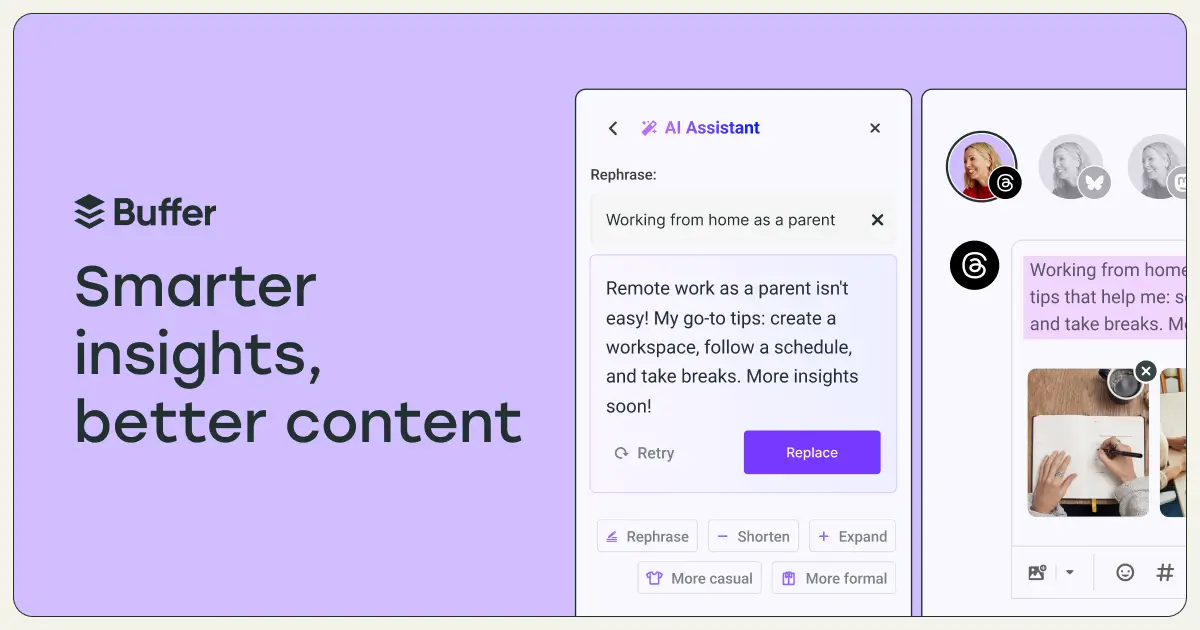
What I’d try first. Paste an approved announcement and ask for a LinkedIn version that explains the audience benefit and an Instagram version that matches the accompanying image. Compare both drafts against the same source before accepting either one.
Where the workflow changes. On Team, Buffer documents channel permissions and a draft approval flow. A teammate with the Collaborator role can submit drafts for an Admin or Creator to approve. Test with those roles on the assigned channel.
What I’d budget. The USD pricing page shows AI Assistant on Free, Essentials and Team. At the one-channel annual setting, Essentials is $60 per year and Team is $120 per year. Pricing can change with channel volume, so use Buffer’s channel selector for a portfolio quote.
I’d count each connected presence, including the second social profile a client adds mid-quarter. And I’d have someone outside the account team click through the review flow before choosing it as the client-facing system.
2. Planable for formal client approval
I’d shortlist Planable when the buyer says “everything needs approval” and actually means it. Its Required and Multi-level workflows cover different needs. One named approver may be enough for an owner-led company, while a legal review followed by brand review calls for separate approval steps.
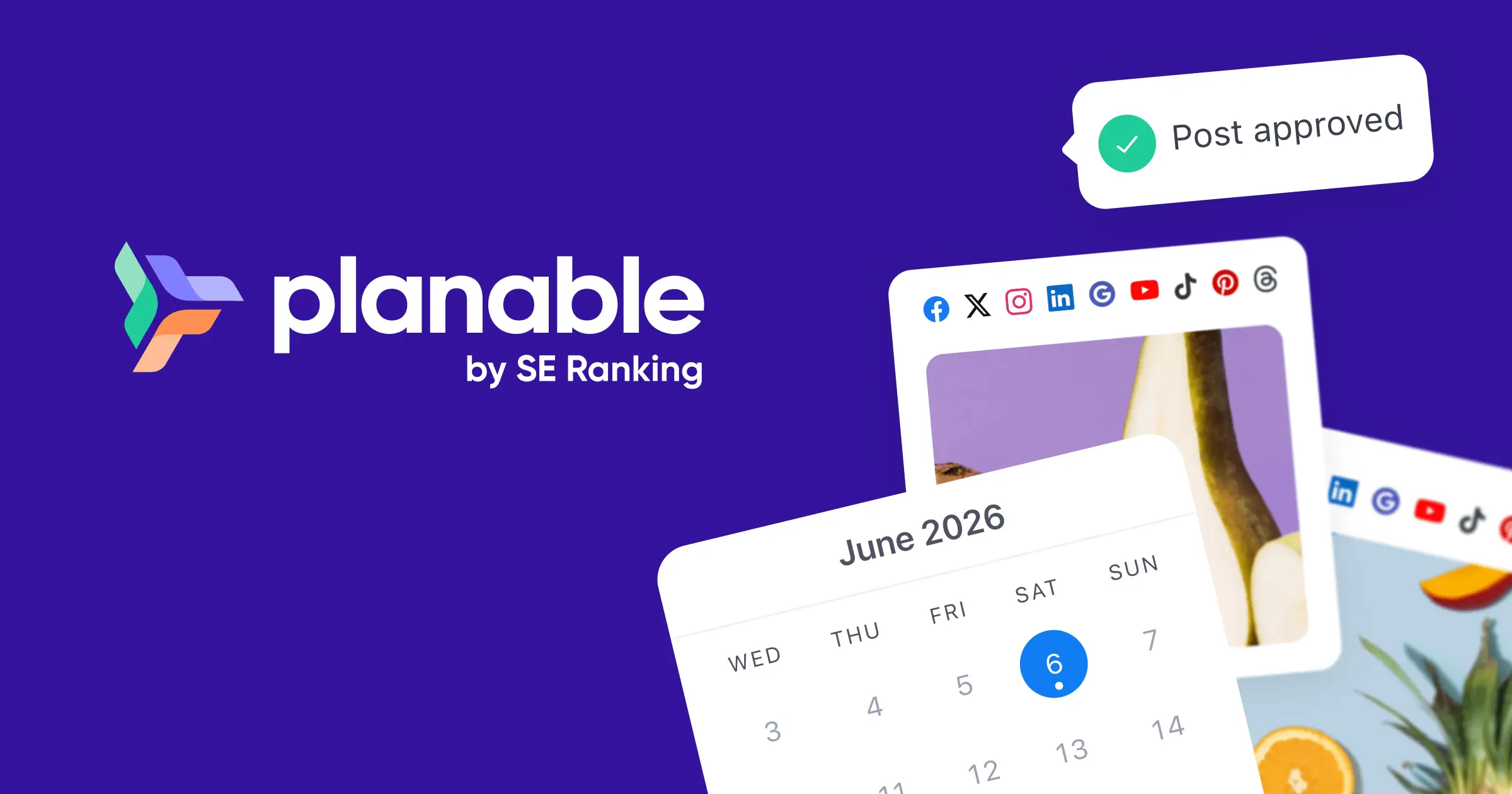
What I’d try first. Create a draft with the final media and caption, keep it internal while editing, then submit it to the client. The client approval guide explains how to invite a client as an approver and send work to their approval queue.
Planable also offers sign-in-free sharing for gathering feedback. I’d keep the public share link separate from the formal approval flow when the client agreement calls for a specific named signer.
Where AI helps. The caption generator can use uploaded media and brand context. I would test one image containing an offer and another with only a visual concept to see when the draft still needs facts from the brief.
What I’d budget. Planable’s USD pricing guide lists Pro at $59 per workspace on monthly billing or $590 per workspace annually, with 10 pages and 150 created posts per workspace per month. Multi-level approval is Enterprise, and Analytics is a paid add-on, listed at $14 per workspace on monthly billing or $140 annually.
I’d also edit the asset after approval in a test workspace. Planable documents a lock setting. How you configure that setting should reflect what the client expects their approval to cover.
3. Metricool for reporting across client brands
Metricool makes the most sense to me when a team publishes for several clients and also owes them the monthly report. Its plan page groups accounts by brand capacity, with PDF and PPT reports on Starter and post approvals and customizable report templates on Advanced.
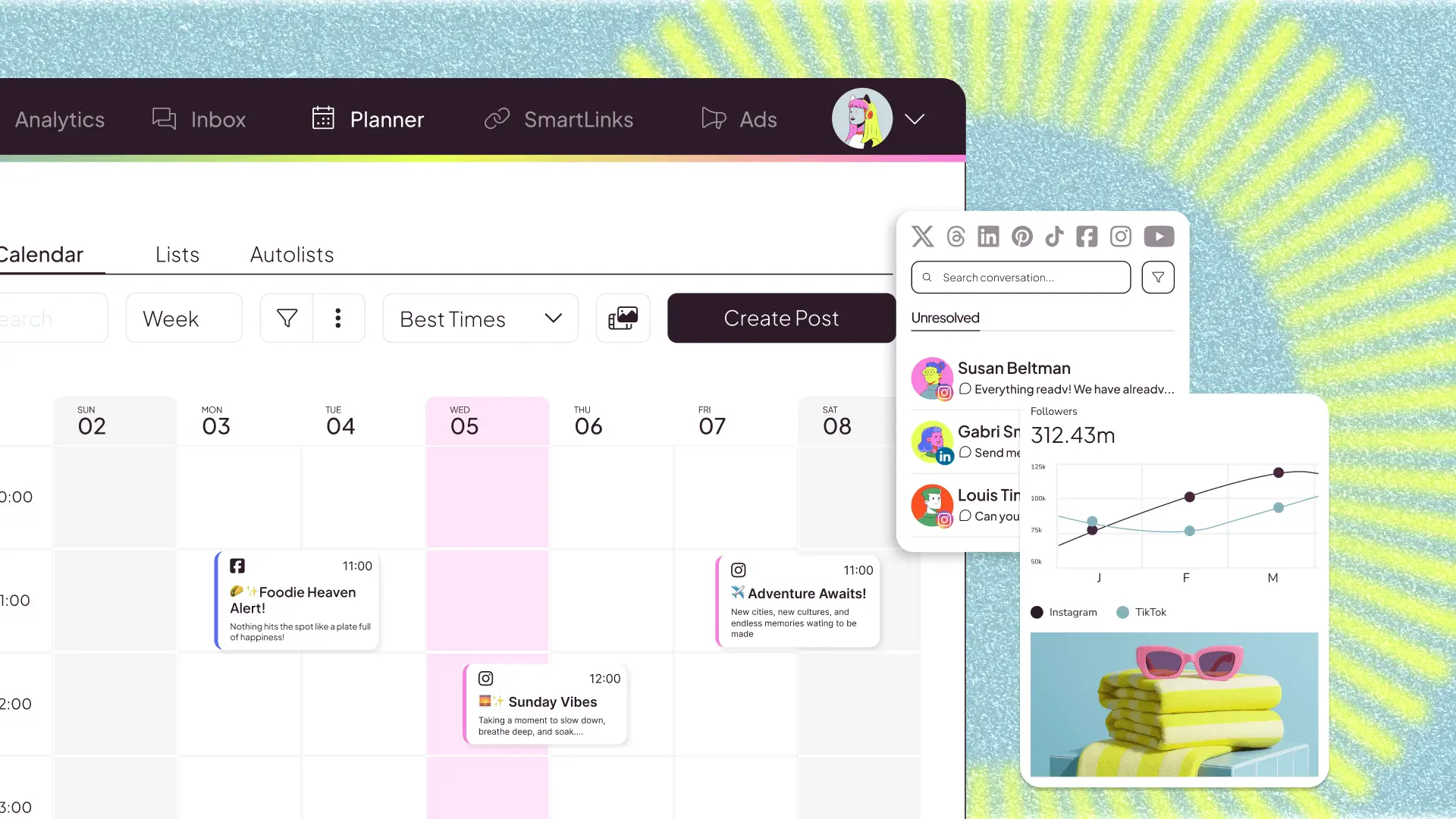
What I’d try first. Set up a single test brand with one reviewer outside the agency. Send a draft for approval, then change a caption after sending it so the client can see how a new review request works.
One detail I’d rehearse. The approval guide describes an email link for external reviewers and a three-hour grace period when approval is pending at the scheduled time. If the post has hard embargo or deadline rules, I’d choose a fresh time explicitly when approval misses the agreed window.
Where AI helps. Use the AI text generator to suggest caption variants and then check them against the campaign’s terms. The plan comparison lists five monthly text-generation credits on Free, so a free experiment is a small sample of the drafting workflow.
What I’d budget. Quote the brand band on the pricing page in the currency and billing period you’ll actually use. Include the X add-on if the plan and channel need it, and check which reporting features sit behind Advanced Analytics. The free allowance excludes LinkedIn and X connections, so my LinkedIn pilot would require a paid tier.
Before moving a client, export a sample report and ask them what they’d make a decision from. A report that keeps the team discussing the same old reach chart every month may need a better measurement plan even if the export got faster.
4. Later for planning a visual campaign
I’d choose Later when the creative team needs to see a campaign take shape on a calendar before settling its captions. Caption Writer uses a prompt to generate draft copy, so the producer can keep the visual plan and caption revisions close together.

What I’d try first. Use the Visual Instagram Planner to check the grid, then plan a Reel, a carousel, and an Instagram Story for the same launch. Assign an agency reviewer, then send the supported formats to an external reviewer and see which work still needs a separate approval record.
Read the approval rules closely. Later’s collaboration guide explains that external links collect feedback, Stories are outside this workflow, and already scheduled posts can publish regardless of approval status. Keep review work in draft and restrict who can schedule without approval wherever the role settings allow it.
What I’d budget. The USD pricing page lists Growth at $37.50 per month billed yearly, with two Social Sets, two users and 50 AI credits per month. It lists extra Social Sets, seats and AI credits separately. Check the cost of adding the freelancer who edits captions and make sure the client’s account mix fits the slots in each set.
I’d also test the account boundary. Later’s Access Groups separate profiles, media libraries and user access. Verify permissions from a temporary reviewer account before inviting a contractor who should see just one client.
5. Sprout Social for publishing and customer care
I’d consider Sprout Social when people need to own the conversations a campaign generates. The plan comparison lists Enhance Post by AI Assist on Professional and adds Enhance Reply, sentiment in Smart Inbox, and customer care reporting on Advanced.

What I’d try first. Give the team a synthetic product question, a delivery complaint, and a message that needs private follow-up. See whether the right person gets the thread, whether a colleague can pick up the context, and whether the reply uses the policy the customer was actually promised.
How I’d bring in a client. The External Approvers guide describes an emailed approval stream. The features matrix places that login-free workflow on Advanced, so ask the client to use it before deciding how many paid operator seats you need.
What I’d budget. The USD annual pricing displays Professional at $299 per seat per month and Advanced at $399 per seat per month. The pricing page also lists monthly Trellis AI agent credits per seat. Check the AI feature your team will use in the trial and ask how it’s metered separately from campaign reporting or listening add-ons.
For a team that sends occasional announcements, the shared queue alone may do the job. I’d pay for the broader setup when the client also expects an accountable handoff from marketing to the people who can resolve customer problems.
How I would test AI social media tools
I’d run the same campaign through the two finalists with the same assets, copy requirements, and reviewer. Keep the offer familiar, so disagreements about the campaign itself don’t get mistaken for differences between tools.
Use a fictional commercial bakery with a wholesale tasting event. The brief includes a confirmed time, a booking URL, three approved photos and a line about capacity. A separate draft note mentions a discount that the owner hasn’t confirmed.
Ask both tools for one LinkedIn post and two Instagram drafts, then replace the booking link after the first pass. Finish with a synthetic customer question about allergens that the brief leaves unanswered. I’d look for a draft that leaves the answer open and sends the question to a person who has the right information.
I’d decide what counts as a pass before anyone opens the editor. My example requirements would be that an unconfirmed discount stays out of the caption, a changed link needs a fresh review, and an overdue review leaves the operator a clear decision about rescheduling. I’d ask the client to make those calls using the permissions they would have after launch.
Also record where the team had to leave the tool. A short trip to the native app to confirm a crop may be fine. Reconstructing which version the client approved from email and chat is a different level of work, especially when somebody is covering another account on short notice.
If you already have a repeatable test set for an AI agent, borrow the same idea here. Keep the original brief, the expected answer to each edge case, the actual draft, and a note on which edits the reviewer had to make.
Give every post a brief the reviewer can audit
Put confirmed facts in a compact brief and name the source for each movable detail. A file called “November campaign” is easy to find. A source line with the offer owner, date, and destination URL is easier to verify when a revision comes in just before publishing.
I’d give every AI draft the same instructions. Carry facts across channels, keep the draft within the requested format, mark unknowns for the editor, and flag any asset that lacks approved usage rights.
- Inputs include the campaign ID, intended audience, channel, media, approved facts, source URL, owner and expiry date.
- Draft fields include a suggested caption, proposed alt text, destination, open questions, and the facts the editor should verify.
- The review record includes the name of the approver, version reviewed, timestamp, destination account, and publishing window.
The same brief can feed a writing tool, a scheduler, or an operations checklist. Our guide to building an AI content workflow goes deeper on giving separate steps clear inputs and outputs.
Check what approval actually controls
A conversation about a proposed post and permission to publish it are two separate decisions. Ask the reviewer to approve the real combination of image, caption and link, then try publishing a changed draft from an ordinary contributor account.
I’d test a missing reviewer, an approved post whose image was replaced, and a post that crosses its scheduled time still marked as waiting. Write down who can override the restriction, how the client can tell it happened, and who moves the post to a new slot when the original timing expires.
If the tool is flexible by design, use a draft-only role wherever possible and put the publishing decision with the named operator. Our human approval guide explains how to put a person at the step where an action becomes public.
Test publication in the format you actually sell
Take each promised format to a test account, even if its network appears on the pricing page. A customer sees an Instagram Story, Instagram carousel, or Reel. A checklist that just says “Instagram” hides the details that create Friday afternoon work.
Verify the final crop on a phone, open the destination link, and confirm the time zone before scheduling. When the tool hands off to a mobile notification, assign a person with access to the account and put that handoff on the calendar.
Decide what the operator should do if the scheduler shows a failure but the network already shows the post. I’d check the native feed before retrying, capture the actual post URL after publication, and record the recovery owner in the client handoff checklist.
Turn a client brief into a reviewable draft
Give an agent the approved facts, assets and voice guide before the team schedules anything.
Quote the real cost of a client portfolio
Imagine three clients: a boutique with three connected profiles, a wholesaler with two, and a restaurant with two. Two people do the work and each client has a reviewer. That’s seven connected profiles, three brands and five people who touch the workflow, with different people operating and approving it.
In a per-channel tool, start with seven channels and look for volume bands. In a workspace tool, assume three workspaces if each client needs their own sign-off history. In a seat-priced tool, start with two operators and confirm how the reviewer access works before adding seats.
For a Social Set, check both the number of sets and whether each brand needs multiple profiles on the same network. A pricing calculator that treats those slots as interchangeable could undercount the subscription your team actually needs.
Then include explicit add-ons and estimate operator time. If preparing and reviewing a report takes one extra hour a month for each of the three clients, and you value that time at $50 an hour, that’s an illustrative $150 monthly difference before subscription changes. Use your own payroll or contractor rate and time the same report on both tools.
Measure the handoff and the outcome
For each candidate, record minutes from usable brief to first acceptable draft, review rounds, confirmed publications, and time spent recovering from errors. I’d also track how many approved drafts had to be reopened when the source facts changed.
The client report should answer a different question. Separate the reach of the campaign from the actions you can observe, such as visits to the booking page and completed booking forms. Google’s campaign URL guide covers tagging links so you can see which campaigns referred traffic.
Pick one example report and check how the platform defines its metrics before pooling them. If a platform supplies impressions and another supplies reach, report them separately and write a short note on the source, date range, and what each number counts.
When I’d add a separate drafting agent
Once the scheduler is doing its job, I’d consider a separate drafting agent only if teams repeatedly have to hunt for the same approved facts. A typical input is a voice guide, an event brief, and an approved product sheet. The output could be three channel drafts plus a list of claims requiring sign-off.
In Pickaxe, I’d connect only that client’s approved sources using the Knowledge Base. In the Agent Builder I’d ask the draft agent to identify which source supports a claim and to surface conflicts for review. I’d copy the reviewed draft into the scheduling tool and keep publication permission with the people who already own the accounts.
The guide to adding a knowledge base walks through source preparation and retrieval checks. This is where I’d start when old PDFs or competing versions of the same offer create more rework than writing the caption.
What should stay with the client?
I’d settle account ownership before the first synchronization. The client should know who can connect a profile, who can disconnect it, and how to remove the outgoing agency’s access while keeping control of their native accounts.
Also agree on what gets exported at handoff. I’d include the latest media and caption library, the next scheduled posts, the approval history the contract requires, and a report with definitions. Check what the product can export while you still have trial access.
For the pilot, use fictional data or approved public material. Give staff a separate place to handle sensitive customer issues and note which messages must move out of the public reply queue.
Questions I’d settle before buying
Can AI social media tools publish automatically?
Some support direct publishing for specific networks, accounts and formats. Test the exact combination you sell and record the cases that require a person to finish in a native app. A scheduled entry is only confirmed once you can open the actual post.
Does a client reviewer need a paid seat?
It depends on the product and role. Metricool documents an external reviewer portal on Advanced and Custom. Later documents an external feedback link, while Planable documents a named client approver workflow. Decide whether an external comment, a formal approval, or account access matches the client agreement before pricing the seat.
Can I start free?
Yes, if the free limits fit your test. Buffer offers a free plan with AI Assistant, and Metricool lists a limited free brand setup. If the decisive feature is a client’s required approval or a network excluded from Free, plan the trial around the paid tier that actually supports it.
Choose the tool for the next difficult handoff
My first trial would be Buffer for a small publisher, Planable when a specific person must approve, Metricool for a multi-brand reporting desk, Later for a visual calendar, or Sprout Social when campaigns feed a customer care team.
I’d run the test until one real reviewer has asked for a change and the agency can show the final version, the approval and the published URL in order. If gathering the approved facts is what slows that down, a small Pickaxe drafting agent is an extra piece I’d try while keeping the scheduler the team already knows.