
Trying to reduce AI model costs can sound like a model-shopping exercise. Pick a cheaper model, watch the token price fall, and call it done.
That works until the cheaper model needs three attempts, calls the wrong tool, or produces an answer someone has to repair by hand.
The better question is: what does a successful task cost from start to finish? Once you measure that, the useful savings become clearer. You can move repeatable work to GPT-6 Sol or Luna, ask a stronger model to design a workflow once, reuse that plan many times, and remove the waste around every request.
I would start with three changes this week: compare a sample of real tasks on your current model and GPT-6 Sol or Luna, shorten the context each task receives, and set a maximum number of steps for any agent run. This guide explains the math, the tradeoffs, and the less obvious ideas that tend to survive a quality check.
To reduce AI model costs, measure the finished task
API prices are usually quoted per million input and output tokens. Those numbers matter, but a model can use more tokens, make more calls, or create more rework than another model. The useful unit is cost per accepted result.
For an agent, count the entire path: initial prompt, retrieved documents, reasoning and output tokens, tool calls, retries, human review, and any failed run you have to repeat. OpenAI's token counting guide notes that reported output usage includes tokens generated by the model beyond the text a user sees. That is one reason a short visible answer can still cost more than expected.
A simple formula is:
Cost per accepted result = (model charges + tool charges + retry charges + review cost) / accepted results.
If one model costs $0.02 per attempt and succeeds 95% of the time, its model cost is about $0.021 per accepted result before review. A cheaper model at $0.01 per attempt with only a 40% success rate costs $0.025 per accepted result before review. The nominally cheaper request loses.
Start a small spreadsheet with five columns: task type, model, total cost, accepted or rejected, and reason for rejection. Add latency if users wait for the answer. You do not need a full observability platform to spot the first expensive pattern.
If you are building agents, our guide to AI agent analytics explains how to track resolution, quality, and cost together. The earlier token economics guide explains why agent loops can amplify a small per-call price into a large bill. This article focuses on what to change after you can see the bill.
Move the right work to GPT-6 Sol or Luna
GPT-6 Sol and GPT-6 Luna are a timely place to start. OpenAI describes Sol as an everyday model for writing, coding, and judgment, and Luna as its efficient choice for scoped tasks, triage, and frequent automations. Astra remains the model to try when the problem is ambiguous or unusually demanding. See OpenAI's model selection guide and GPT-6 guidance for the current distinction.
The temptation is to migrate every workflow at once. I would migrate by task type. A routine support answer and an unusual policy dispute may pass through the same agent, but they do not deserve the same model budget.
| Task | Start with | Promote when |
|---|---|---|
| Classification, tagging, simple extraction | Luna | Ambiguity or missing fields causes errors |
| Clear writing brief, routine code edit, normal support reply | Sol | Nuance or multi-step judgment is consistently weak |
| Architecture, complex diagnosis, difficult research | Astra or another frontier model | Keep here when failure is costly |
| Final review of a high-impact action | Strong model or human reviewer | Set by risk, not by average task volume |
As of September 23, 2026, OpenAI's published Standard API rates for short-context text are $10 input and $50 output per million tokens for Astra, $2 and $10 for Sol, and $0.10 and $0.50 for Luna. Those are API list prices, not a promise about the bill inside every product. Long-context requests, tools, processing tier, and platform pricing can change the total. Check the live table before making a purchasing decision.
To see the scale, imagine 1,000 independent, short-context tasks that each use 6,000 input tokens and 1,000 output tokens. At those Standard rates, the model-only total would be about $110 on Astra, $22 on Sol, or $1.10 on Luna. This is arithmetic, not a quality benchmark. If Luna cannot complete the task reliably, the apparent savings vanish into retries and review.
OpenAI's Sol and Luna announcement says their API prices are lower than the GPT-5.6 promotional prices. Still, a newer model is not automatically cheaper per successful task for your workload. Test the same inputs, measure all usage, and include correction time.
For a Pickaxe agent, check the live model catalog and cost comparison before choosing. Model availability may differ from OpenAI's direct API, and the catalog is the reliable place to see what your workspace can actually select.
A sensible migration test
Take 30 to 50 real requests from one workflow. Include easy cases, edge cases, long inputs, and examples that previously failed. Run them on the current model and the candidate model with the same instructions and tools.
Score each output against a written checklist: correct answer, required fields, source use, tool behavior, policy compliance, and whether a person had to fix it. Then compare cost per accepted answer, not just tokens per request. Our guide to testing AI agents provides a fuller evaluation workflow.
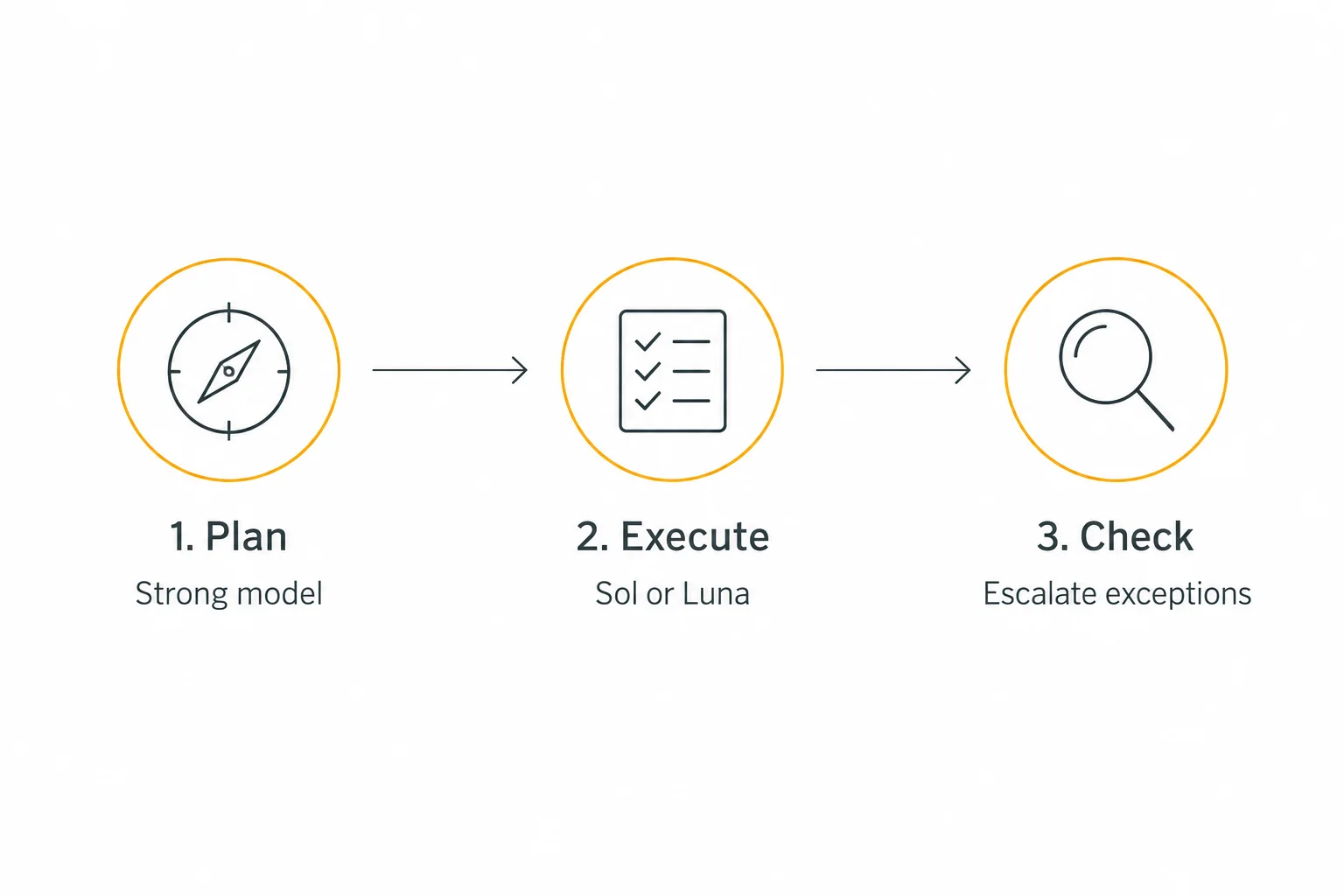
Use a stronger model to design the system, then a cheaper model to execute
This is the highest-leverage idea for repeated work. A strong model can spend time on the part that genuinely requires judgment: deciding the workflow, writing the rubric, anticipating exceptions, and creating examples. A cheaper model can then execute the same clear procedure hundreds or thousands of times.
Think of a support agent for a course business. The design task is hard: identify the question categories, define which policies may be quoted, decide when to escalate, and specify the exact data to collect. Once that design exists, many daily requests are simply classification, retrieval, and drafting inside known boundaries.
- Design once. Ask a frontier model to produce a concise operating guide, decision tree, failure cases, and ten representative examples.
- Review the plan. A human checks the policy and escalation rules. A beautiful plan with one wrong rule is still a bad plan.
- Execute cheaply. Give Sol or Luna the approved guide, the current user request, and only the source material it needs.
- Escalate selectively. Route low-confidence or high-impact cases back to a stronger model or a person.
- Improve the guide. Turn recurring failures into new examples and clearer rules.
For a hypothetical API workload, suppose a single Astra planning pass uses 10,000 input and 2,000 output tokens. At the Standard short-context rates above, that is about $0.20. If a clear execution task uses 2,000 input and 500 output tokens, 1,000 such tasks would cost about $9 on Sol, plus the plan, versus about $45 if Astra handled every task. Tool charges and the actual quality of both routes would still need measurement.
This works best when the task repeats and the rules are stable. It works poorly when every request is a new research problem or when the cheap model must infer missing policy. The goal is to move expensive thinking out of the hot path, while preserving a route back when judgment is needed.
The same pattern helps with software work. Use a strong model to inspect the system, choose an architecture, define interfaces and acceptance tests, then let Sol or Luna handle bounded edits. Run the tests and use the stronger model again for tricky failures or final review. It also helps with content production, data cleanup, lead qualification, and document intake.
For the broader architecture behind this approach, see our guide to multi-model AI agents. For the instructions that make a scoped executor reliable, see prompt engineering for agents.
Route by difficulty, confidence, and consequence
A single agent can contain several different jobs. Opening a ticket, checking an order number, deciding whether a refund exception applies, and sending a final response are not equally hard. Treating them as one undifferentiated model call wastes money on easy steps and increases risk on hard ones.
A practical router can begin with deterministic rules. Our AI model routing guide goes deeper on designing and testing those routes. Send short, structured inputs to Luna. Send ordinary writing and tool use to Sol. Escalate to Astra when a request has several conflicting constraints, unfamiliar source material, or a high cost of being wrong. You can add a classifier later, but a small rule table is easier to audit.
Do not let the same model declare itself successful with no independent check. Use required fields, validation rules, a source citation check, unit tests, or a human reviewer depending on the job. For a code edit, a failing test is a concrete reason to escalate. For an intake form, a missing required field is enough to retry once or ask the user.
Set an escalation budget. For example: one Luna attempt, one Sol recovery, then a human or frontier model. Without a ceiling, a cascade can spend more than simply starting with Sol. Measure the percentage of tasks that travel each path. If most tasks escalate, the first tier is a false economy.
Cut repeated input before shopping for another model
Many teams feed a model everything they have because assembling a smaller prompt takes work. Then they pay to resend the same policy manual, entire chat history, and irrelevant tool outputs on every turn.
Start with retrieval that returns only the relevant passages. A support answer may need two product paragraphs and one policy clause, not a 40-page handbook. Keep the title, date, and source link with each passage so the model can cite it. Our knowledge base guide covers the setup.
Then remove duplicate examples and stale conversation turns. Keep the user's goal, constraints, decisions already made, and unresolved questions. Drop transient chatter and verbose tool logs when they no longer affect the next action. OpenAI's compaction guide describes how to preserve useful state in long-running workflows.
Be careful with aggressive trimming. One omitted exception can cost more than thousands of saved tokens. Test changes against the same evaluation set you use for model switches.
Make prompts cheaper to read and easier to follow
Short prompts are not always better. A five-line prompt that causes a model to guess and retry can be more expensive than a clear 30-line prompt that succeeds once. The aim is a compact specification with no repeated or conflicting instructions.
Put stable rules first, task-specific data later, and give exact output requirements. Replace a long paragraph such as “please be concise and do not say too much” with a concrete rule like “answer in three bullets, each under 25 words.” Include only examples that teach a failure mode your model actually has.
OpenAI's prompting guide recommends clear instructions and reusable examples. The result should be easier for a cheaper model to execute and easier for a reviewer to score.
Cache stable context, but account for cache writes
If many requests use the same instructions and reference material, prompt caching can reduce the price of those repeated input tokens. OpenAI's prompt caching guide explains that reuse depends on a matching prefix and an eligible cache entry.
Put stable instructions and tool definitions at the beginning. Append user-specific information and fresh retrieved passages later. Avoid inserting timestamps or request IDs into the shared prefix. That way, separate requests can reuse the same opening context.
For GPT-5.6 and later, OpenAI currently charges for cache writes at 1.25 times normal input and cache reads at 0.1 times normal input. A one-off prompt may gain nothing. A repeated prefix can save a great deal, especially in a busy agent. Check the current rates and monitor cache-write and cached-input usage before crediting the savings.
Do not stretch a tiny prompt with irrelevant text just to reach a cache threshold. OpenAI documents minimum cacheable lengths and advises measuring whether reuse offsets any added tokens. The goal is useful shared context, not a larger prompt for its own sake.
Reuse complete answers when the question is truly repeatable
Prompt caching reuses the work of reading a shared prefix, but the model still generates a new answer. A separate answer cache can skip the model call entirely when you already have an approved answer for the same stable request.
This is useful for product FAQs, fixed definitions, and standardized onboarding questions. Store the approved response under a key that includes the question type, source version, language, and audience. When the policy or product changes, expire the old answer. A cache without versioning can make yesterday's answer look authoritative today.
Keep personal, account-specific, or time-sensitive answers out of a shared cache. A billing question that depends on a user's account is not a generic FAQ, even if it uses the same words. Likewise, “What is the current price?” needs a fresh source check or a very short cache lifetime.
Measure hit rate and quality. If 20% of requests are exact repeats with stable answers, eliminating those model calls may save more than a minor prompt edit. If the hit rate is tiny or the content changes daily, spend your effort elsewhere.
Limit output to what the next step uses
Output tokens are often more expensive than input tokens. A classifier that writes two paragraphs of justification for every label can waste more than the classification itself. Ask for the smallest answer the workflow can use.
For example, a triage step may need {"category":"billing","confidence":"high","escalate":false}. It does not need an essay explaining the history of billing support. A user-facing answer may need a direct response and one source link. It does not need to repeat the entire policy document.
Be specific about the output contract: fields, maximum length, allowed categories, and what to do when evidence is missing. OpenAI's latency guide also points out that fewer generated tokens usually reduce response time, so this can improve both cost and experience.
Do not truncate reasoning or final answers blindly. An answer that loses a critical caveat is expensive to repair. Evaluate the shorter format on real cases.
Reduce tool calls and agent loops
Agents can spend more on the steps around a model call than on the initial answer. Every search, file read, code execution, and follow-up inference may add tokens or a separate tool fee. A model that keeps asking a tool for nearly the same information can turn a cheap task into an expensive run.
Give each tool a clear purpose and a stopping condition. If an agent is researching a current price, tell it which primary source to check and when it has enough evidence. If it is updating a CRM record, validate the required fields before it calls the CRM. A missing field should trigger one question, not a chain of speculative lookups.
Set a per-run budget: maximum model calls, maximum tool calls, maximum tokens, and maximum wall time. Log the reason a run hit the cap. Most workflows improve quickly when you inspect the few runs that consume far more than the median.
Where steps are deterministic, use code or ordinary application logic. Parsing a known ID, deduplicating records, or calculating a price from a fixed formula does not need a language model. OpenAI's cost optimization guide discusses choosing the right amount of model work for a task.
Batch work that does not need an immediate answer
Some work belongs in a queue: overnight content tagging, backfilling a knowledge base, classifying old support tickets, or evaluating prompt changes. Running these synchronously pays for urgency nobody needs.
OpenAI's Batch API currently offers a 50% discount with a 24-hour completion window for supported workloads. Its Flex processing offers lower cost in exchange for slower responses and possible resource unavailability. Check support for your model and endpoint, and design retries before moving a production queue.
There is a useful operational split: live conversations stay on a responsive tier, while analytics, enrichment, evaluations, and maintenance jobs use lower-cost asynchronous processing. If a user is waiting for a reply, the saved API fee may not justify the delay.
Keep expensive capabilities off until they are needed
A text answer does not always need a web search, image understanding, code interpreter, or another agent. Those capabilities can be valuable, but turning all of them on for every request creates both tool charges and extra context.
Use a gate before an expensive capability. Search the web when the question depends on current facts. Open a document when a local source is actually needed. Invoke code only when the answer requires computation or verification. If the request is a simple greeting or known FAQ, answer directly.
In a Pickaxe agent, review the model choice, Knowledge Base, and Actions together. The right model with an overbroad Action chain can still be expensive. Our guide to the AI agent tech stack explains the surrounding pieces, while AI agent memory covers what context to retain between interactions.
Use smaller drafts and targeted reviews
Another reliable pattern is draft, then inspect only the risky part. A cheaper model writes a first pass. A stronger model or a person checks the claims, edge cases, or final decision. That can cost less than using the strongest model for every word of a long draft.
The review has to be specific. “Check if this is good” tends to invite a full rewrite. “Verify the three cited prices against the linked source and flag unsupported claims” is bounded. In code, “review the changed function and failing test” is similarly cheaper than rereading the whole repository.
Measure this pattern carefully. Two model calls are not automatically cheaper than one. It earns its place when the first pass is inexpensive, the review is short, and the accepted-result rate improves. For high-impact external actions, keep human approval where your process requires it.
Set budgets around outcomes, not just tokens
A monthly spend cap protects the account, but it does not tell you which workflow is wasting money. Give each workflow an owner and a target such as “under $0.20 per resolved support conversation” or “under $3 per reviewed research brief.” The target depends on the value of the result.
Set alerts for unusual per-run cost, rising retry rate, and a sudden drop in completion quality. Those signals can identify a broken prompt or tool loop before the monthly bill does. OpenAI provides production guidance on usage monitoring; your own application should log enough detail to trace the expensive runs.
For client-facing agents, decide how model cost maps to your offer. A flat price can work for predictable usage. A credit or usage allowance can protect margins when one customer asks much more than another. Pickaxe's AI agent pricing models guide explains the commercial choices, and the cost controls chapter discusses budgets and caps for portals.
A worked example: a cheaper support workflow
Imagine a product support agent handling 10,000 conversations a month. Before changing anything, it uses one premium model for every message, injects a full policy manual, searches the web even for account questions, and writes long explanations. A quarter of conversations are straightforward FAQs.
Here is a more disciplined design:
- Classify first. Luna labels the request as FAQ, account, policy exception, or unknown.
- Retrieve narrowly. The system supplies the top relevant help passages, not the entire manual.
- Choose the executor. Luna handles known FAQs; Sol handles normal multi-step support; exceptions go to a stronger model or human.
- Constrain the answer. The response includes the answer, one source link, and a clear next step.
- Stop loops. Allow one search retry; then escalate with the conversation context.
- Review outcomes. Audit resolution, user satisfaction, escalation rate, and cost per resolved conversation weekly.
Notice how many savings do not depend on a new model. Narrow retrieval reduces input. A stop rule limits run length. A small output contract cuts generation. Routing stops the premium model from reading every FAQ. The strong model still sees the cases where its judgment has value.
If the FAQ route starts producing wrong answers, promote that route to Sol or improve its approved examples. Do not declare the cheaper design a win based on the first week's token bill alone. Measure customer outcomes and correction work too.
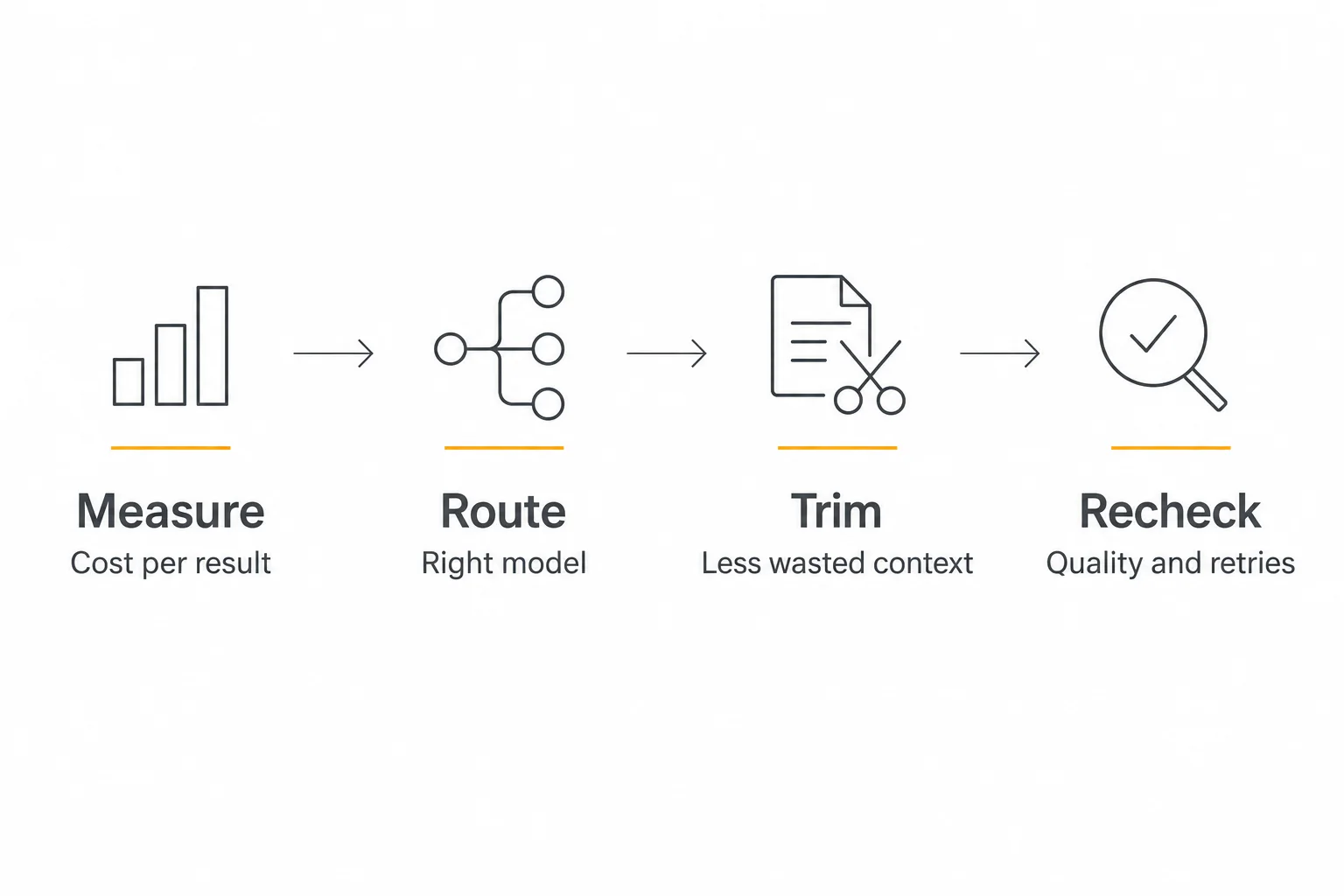
A practical 30-day plan to reduce AI model costs
Week 1: establish the baseline
Export or log a representative sample of tasks. Group them into three to five types. Record model, input and output usage, tools, retries, latency, and whether the result was accepted. Identify the top 10% most expensive runs and read their traces. That is usually where the first avoidable loop appears.
Week 2: test model substitutions
Run the same examples on Sol and Luna. Write down where each succeeds and fails. Move one low-risk task type at a time. Keep a rollback path, because model behavior can change at the edges even when average quality looks good.
Week 3: repair the workflow
Shorten retrieved context, remove redundant instructions, cap tool calls, and specify output formats. Put stable prompt material first to improve cache reuse. Re-run the evaluation set after each meaningful change so you know which edit helped.
Week 4: add routing and alerts
Route routine work to the cheapest model that meets the quality threshold. Reserve the stronger model for planning, exceptions, and review. Add alerts for per-run outliers and rising failure rate. Compare cost per accepted result with the Week 1 baseline, including human correction time.
OpenAI's model optimization guidance recommends a cycle of evaluation, prompt refinement, and measurement. That cycle matters more than finding a single “best” model and forgetting about it.
Common mistakes that erase the savings
- Comparing list prices alone. A low rate says little about retries, tool use, and review effort.
- Using Luna for every job. Complex judgment and high-impact decisions deserve a different quality bar.
- Sending every task to a frontier model. Routine classification and extraction rarely need the same budget as system design.
- Summarizing away necessary context. Saving tokens by dropping a key constraint can create an expensive failure.
- Building an elaborate router too early. Start with a few auditable rules and real task data.
- Letting agents run without a stop rule. One looping workflow can dominate a month's spend.
- Ignoring tool fees and platform pricing. API token rates are only one line of the bill.
Frequently asked questions about reducing AI model costs
Is GPT-6 Luna always the cheapest choice?
It has the lowest listed token price in the GPT-6 family for the Standard short-context API tier as of this article's publication date. It is not always the cheapest way to get an accepted result. If it fails often, needs more context, or triggers human review, Sol can be more economical.
When should I use GPT-6 Sol instead of Luna?
Start with Sol when the task needs writing quality, coding judgment, multi-step tool use, or handling of nuanced instructions. Try Luna on well-scoped work with a clear rubric and objective checks. Use your own evaluation set to choose.
Does a smarter model ever save money?
Yes. A stronger model can finish a difficult task in fewer attempts or design a reusable workflow that many cheaper calls can execute. Measure the entire task, not the price of one call.
Should I cache every prompt?
No. Caching helps when an eligible prefix is reused. Cache writes and added context have costs, and a unique prompt may never produce a useful hit. Keep shared context stable and monitor actual read and write usage.
What should I optimize first?
Find the most expensive repeated task, then test a cheaper model on real examples. Next, inspect its input context and agent loops. Those three steps usually reveal more savings than fine-tuning a tiny prompt that runs only a few times a month.
The goal is a cheaper successful outcome
There is no permanent cheapest model. Prices change, models improve, and your workload changes with them. The durable strategy is to measure the cost of a completed task, give each step the least expensive model that can do it reliably, and stop paying for unnecessary context, output, tools, and retries.
GPT-6 Sol and Luna make that strategy more attractive today. Use a stronger model where it creates the plan or handles a genuinely hard exception. Let a cheaper model carry out the repeatable work. Keep checking quality, because the best cost reduction is the one users never have to notice.
If you build agents with Pickaxe, start by comparing the models currently available in the model cost tool, then run your own test prompts in Preview. A one-week baseline and a small evaluation set will tell you more than a price table alone.