
Here's the reality of consulting in 2026: 62% of consulting firms globally have adopted AI, according to recent industry data. In the UK, that number is even higher — 77% of firms have integrated AI into their systems, with 76% using it specifically for research tasks and 63% reporting faster deliverable speeds.
If you're a consultant and you're not actively using AI tools, you're competing with one hand tied behind your back.
But "using AI" isn't the same as using it well. I've talked to dozens of consultants who signed up for ChatGPT Plus, used it twice to draft an email, and then forgot about it. That's not a strategy. That's a subscription you're paying to ignore.
The consultants who are actually pulling ahead right now aren't using one tool — they're running a connected stack where each piece hands off to the next. Research flows into meeting notes, meeting notes flow into proposals, proposals flow into deliverables. For the meeting-notes layer specifically, we compared the top AI meeting assistants and notetakers.
I looked into the tools that are actually making a difference for consulting workflows in 2026. Not every shiny AI product on Product Hunt — just the ones that solve real problems consultants face every week: deep research, client communication, proposals, presentations, and scaling your expertise.
Here are the 15 best AI tools for consultants right now, organized by what they actually do for your practice.
Quick Comparison: Top 15 AI Tools for Consultants
| Tool | Category | Best For | Starting Price |
|---|---|---|---|
| ChatGPT | General AI Assistant | Brainstorming, drafting, analysis | Free / $20/mo |
| Claude | Deep Reasoning | Long documents, complex analysis, strategy work | Free / $20/mo |
| Perplexity | Research | Cited research, market analysis, due diligence | Free / $20/mo |
| NotebookLM | Research Synthesis | Synthesizing long documents, source-grounded Q&A | Free |
| AlphaSense | Market Intelligence | Earnings calls, SEC filings, M&A research | ~$10,000/yr |
| Pickaxe | AI Agent Builder | Building & monetizing client-facing AI agents | $29/mo |
| Microsoft 365 Copilot | Suite Productivity | Drafting, spreadsheets, presentations in Office apps | $18/user/mo |
| Notion AI | Project Management | Client wikis, project tracking, AI-powered docs | Free / $10/user/mo |
| Granola | Meeting Notes | Invisible meeting transcription with AI summaries | Free / $14/user/mo |
| Fathom | Meeting Intelligence | Recording, transcription, action items from calls | Free / $16/mo |
| Otter.ai | Transcription | Real-time meeting transcription across platforms | Free / $8.33/mo |
| Gamma | AI Presentations | Polished slide decks from prompts or documents | Free / $8/mo |
| Canva AI | Design | Visual content, proposals, social graphics | Free / $15/mo |
| Zapier | Automation | Connecting apps, automating repetitive workflows | Free / $20/mo |
| Loom AI | Async Video | Client walkthroughs, async updates with AI summaries | Free / $12.50/mo |
Research & Strategy Tools
Research is where most consulting engagements start — and where AI can save you the most time. These five tools cover everything from quick market scans to deep financial analysis.
1. ChatGPT — The Swiss Army Knife
You probably already have a ChatGPT account. The question is whether you're using it beyond "write me an email."
For consulting work specifically, ChatGPT shines as a brainstorming partner and first-draft machine. Need to sketch out a project scope? Map out stakeholder concerns? Draft a 10-page strategy document? ChatGPT can get you to 70% in minutes instead of hours.
The real unlock for consultants is Custom GPTs. You can build specialized assistants trained on your frameworks, your templates, and your methodology. I've seen consultants create GPTs for everything from client intake questionnaires to competitive analysis frameworks.
ChatGPT also recently added Deep Research, which autonomously browses the web and compiles multi-source research reports. For consultants doing market scans or competitive landscapes, this is a genuine time-saver — though you'll want to verify the key claims before putting them in a client deliverable. A dedicated AI market research agent can turn that workflow into a repeatable client service.
Pricing
- Free: Limited access to GPT-4o
- Plus ($20/mo): Full GPT-4o access, Deep Research (10/month), Custom GPTs, image generation
- Pro ($200/mo): 20x Plus usage limits, 1M token context, exclusive models
- Business ($20/seat/mo annual): Team workspaces, SSO, admin controls, SOC 2
Best for: Consultants who need a versatile thinking partner for drafting, brainstorming, and general analysis. The Business plan makes sense for firms with 5+ people.
2. Claude — The Deep Thinker
Claude has quietly become the favorite AI of consultants who work with long, complex material.
Where ChatGPT is the Swiss Army knife, Claude is the specialist for dense work. Upload a 200-page RFP, a set of contract terms, or a stack of financial reports — Claude can handle context that would make other models lose the thread. Its extended context window means you can feed it entire document sets and get coherent analysis back.
I particularly like Claude for strategy work. Ask it to evaluate a business model, poke holes in a proposal, or identify risks in a project plan, and it gives you the kind of nuanced, multi-angle response that actually moves your thinking forward. It doesn't just summarize — it reasons.
Claude also has a feature called Projects that lets you set up persistent workspaces with custom instructions and uploaded documents. For consultants managing multiple clients, this means you can have a dedicated Claude workspace for each engagement, pre-loaded with the client's background materials.
Pricing
- Free: Limited daily access
- Pro ($20/mo): 5x more usage, Claude Projects, priority access
- Max ($100/mo): Significantly higher limits for heavy users
- Team ($30/user/mo): Shared workspaces, admin controls
Best for: Consultants who regularly work with long documents, contracts, or complex strategy work. If your engagements involve digesting hundreds of pages of material, Claude is worth the Pro subscription on day one.
3. Perplexity — Research That Actually Cites Its Sources
Perplexity has replaced the "open 15 browser tabs" workflow for a lot of consultants, and I get why.
What makes it different from ChatGPT for research is simple: every response comes with citations. When you're building a client presentation or a due diligence report, having sources linked to every claim is the difference between "here's what I think" and "here's what the data shows."
The Pro Search feature is where the real value lives. It asks clarifying questions to narrow your research, then delivers a structured report with sources from across the web, academic papers, and news archives. For consultants doing market sizing, competitive analysis, or industry trend reports, it can compress hours of desk research into minutes.
Perplexity also now offers a Deep Research mode that autonomously explores a topic, checks multiple angles, and produces comprehensive reports — closer to what a junior analyst would produce after a day of research.
Pricing
- Free: ~5 Pro Search queries/day with citations
- Pro ($20/mo): Unlimited Pro Search, 20 Deep Research queries/day
- Enterprise Pro ($40/seat/mo): Team features, SSO, admin controls
Best for: Consultants who do frequent market research, competitive analysis, or any work where you need to cite your sources. The Pro plan pays for itself the first time you skip a 3-hour research session.
4. NotebookLM — Your Personal Research Analyst
NotebookLM is Google's quietly brilliant research tool, and it's completely free.
The concept is simple: upload your source documents — reports, articles, transcripts, PDFs — and NotebookLM becomes an AI that only answers from those sources. No hallucinations about things it read on the internet. Every response is grounded in the material you gave it, with inline citations pointing back to the exact passage.
For consultants, this is incredibly useful for synthesizing large document sets. Upload a client's last three annual reports, their competitor filings, and a few industry analyses. Then ask questions like "What are the three biggest risks mentioned across these documents?" or "How does Company A's growth strategy differ from Company B's?"
The Audio Overview feature is a nice bonus — it generates a podcast-style discussion of your sources that you can listen to while commuting or exercising. Surprisingly useful for absorbing material when you're preparing for a client meeting.
Pricing
- Free: Full access with generous limits
- NotebookLM Plus ($19.99/mo): Higher source limits, team sharing, enhanced features
Best for: Any consultant who regularly needs to synthesize information from multiple documents. The fact that it's free with no real catches makes it a no-brainer addition to your stack.
5. AlphaSense — Enterprise-Grade Market Intelligence
AlphaSense is in a different league from the tools above — and so is its price tag.
This is the platform that top consulting firms and investment banks use for deep market research. It searches across earnings call transcripts, SEC filings, broker research, trade publications, and news sources — all with AI-powered analysis that can surface trends, sentiment shifts, and competitive intelligence that would take an analyst days to compile manually.
The Smart Summaries feature can take an earnings call transcript and pull out the key themes, management sentiment, and forward-looking statements in seconds. For M&A due diligence or competitive positioning work, this is legitimately transformative.
The catch? It starts at roughly $10,000 per year per seat. This isn't a tool for solo consultants just starting out. But for established consulting firms handling enterprise clients, the time savings on research-heavy engagements can justify the cost within a single project.
Pricing
- Standard: ~$10,000–$15,000/year per seat (annual contract)
- Premium: Higher pricing for broker research and expanded content libraries
- Enterprise: Custom pricing for large teams (volume discounts available)
Best for: Established consulting firms serving financial services (see our AI tools for financial advisors guide), corporate strategy, or M&A clients. If you're regularly doing competitive intelligence or industry analysis at the enterprise level, AlphaSense is the gold standard.
Client Delivery & Productization
Most tools on this list help you do consulting work faster. This next one is different — it helps you turn your expertise into products.
6. Pickaxe — Turn Your Consulting Expertise Into AI Agents
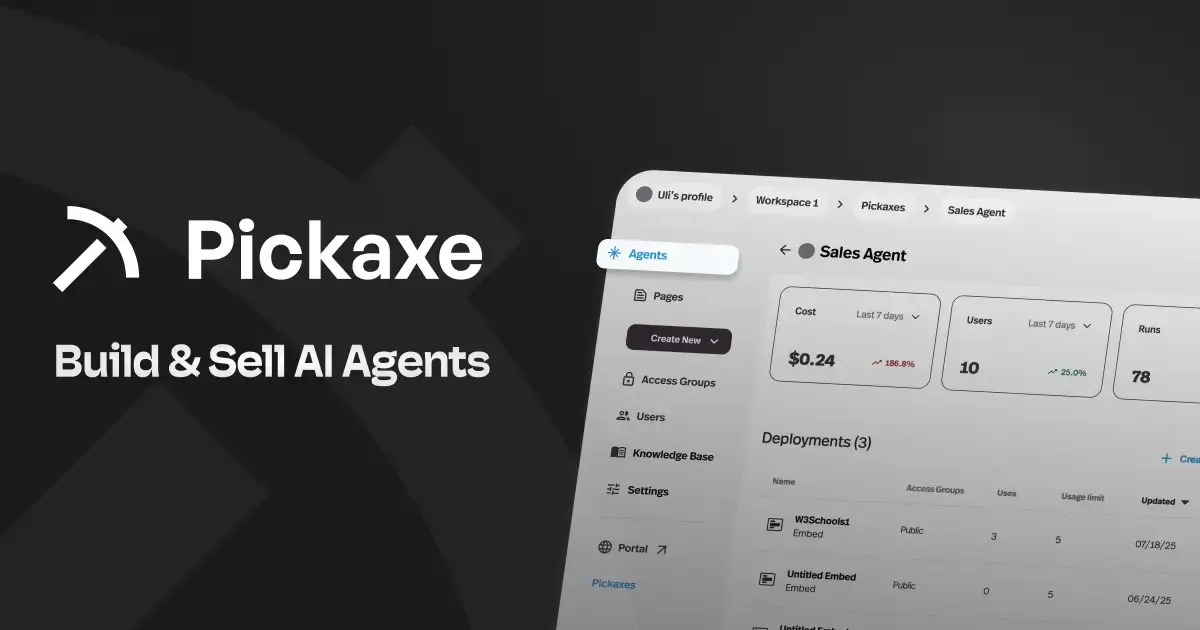
Full disclosure: this is our platform. But it's on this list because it solves a problem that no other tool here addresses — helping consultants package their expertise into AI-powered products they can sell.
Here's the concept. Most consultants have frameworks, processes, and knowledge that they deliver manually to each client. Pickaxe lets you build AI agents that embed that expertise into tools your clients can use on their own — with your knowledge base, your methodology, and your brand.
Think of it as "Shopify for agent-powered businesses." You build the agents, deploy them through branded portals, and charge clients through built-in subscription billing, pay-per-use credits, or one-time payments. Stripe integration handles everything.
What makes this relevant for consultants specifically:
- Client onboarding agents that walk new clients through your intake process
- Knowledge base assistants trained on your frameworks that clients can query anytime
- Proposal generators that use your templates and methodology to produce first drafts
- Industry-specific advisors trained on your domain expertise
The platform is completely no-code — you configure everything through the Agent Builder, upload your documents to the knowledge base, connect external tools through Actions (like sending emails, updating CRMs, or triggering Zapier workflows), and deploy. You can even chain agents together in a waterfall setup for complex workflows.
Pickaxe is also SOC 2, GDPR, and CCPA compliant — which matters when you're handling client data.
If you're interested in the business model side, we wrote a detailed guide on selling AI agents to local businesses at $300–$1,500/month per client, and another on starting an AI agent agency.
Pricing
- Gold ($29/mo): White-labeling, custom domains, up to 3 Actions per agent, $15/mo in free credits
- Pro ($116/mo): Unlimited studios, unlimited Actions, webhook integration, $50/mo in free credits
- Enterprise: Custom pricing with unlimited credits and dedicated support
Best for: Consultants who want to productize their expertise — turn what you know into AI-powered tools you can sell to clients. Especially valuable if you're exploring recurring revenue models beyond hourly billing. Check out our comparison of no-code AI agent builders if you want to see how Pickaxe stacks up.
Productivity & Workflow Tools
These tools integrate AI directly into the systems you already use for project management, communication, and automation.
7. Microsoft 365 Copilot — AI Inside Your Existing Workflow
If your consulting firm runs on Microsoft 365 (and statistically, most do), Copilot is the most natural AI integration you can add.
It works inside the tools you already use — Word, Excel, PowerPoint, Outlook, Teams. No tab-switching, no copy-pasting between apps. Ask Copilot to draft a client memo in Word, it pulls from your recent emails and meetings for context. Ask it to analyze a dataset in Excel, it writes the formulas and creates the charts. Need a presentation deck? It generates slides from a Word document or meeting transcript. If slides are a recurring deliverable, our guide to AI presentation makers compares the strongest options by workflow.
The Teams integration is where a lot of consultants see the biggest ROI. Copilot can summarize meetings you missed, pull action items from long discussion threads, and draft follow-up emails — all without leaving the app.
The limitation is that it requires a qualifying Microsoft 365 subscription as a base. It's an add-on, not a standalone product. So if your firm isn't already in the Microsoft ecosystem, it's a harder sell.
Pricing
- Business ($18/user/mo): Full Copilot across M365 apps (promotional pricing through June 2026, rising to $21/user/mo after)
- Enterprise ($30/user/mo): Advanced security, compliance, and customization
- Copilot Chat: Free with any M365 business subscription (web data only, no org file access)
Best for: Consulting firms already using Microsoft 365 who want AI woven into their daily workflow without adding new tools to the stack. The ROI calculation is straightforward — if Copilot saves each consultant even 2–3 hours a week, the $18/user cost pays for itself many times over.
8. Notion AI — The All-in-One Client Hub
Notion has evolved from a note-taking app into a legitimate consulting operations platform — especially with AI baked in.
For consultants, the value is in using Notion as your client knowledge base and project tracker. Each client gets a workspace with meeting notes, project timelines, deliverable tracking, and reference documents. Notion AI lets you query across all of it: "What were the key decisions from our last three strategy sessions with Client X?" or "Summarize the open action items across all active engagements."
The new AI Agents feature (launched in 2026) takes this further. You can build custom agents within Notion that automate specific workflows — updating project status based on activity, drafting weekly client updates from your notes, or pulling relevant context when you start a new task.
Notion also works well as a client-facing deliverable. Some consultants use shared Notion pages as living strategy documents that clients can access and comment on — more collaborative than sending static PDFs back and forth.
Pricing
- Free: Basic features, limited AI
- Plus ($10/user/mo): Unlimited content, file uploads, 30-day history
- Business ($20/user/mo): Full AI access including AI Agents, Ask Notion, advanced analytics
Best for: Solo consultants or small firms who want a single platform for project management, documentation, and client collaboration. The Business plan is where the real AI features unlock.
Build AI agents your consulting clients will pay for
Pickaxe lets consultants create custom AI tools with their own branding, knowledge, and integrations.
9. Zapier — Automation Without the Engineering Team
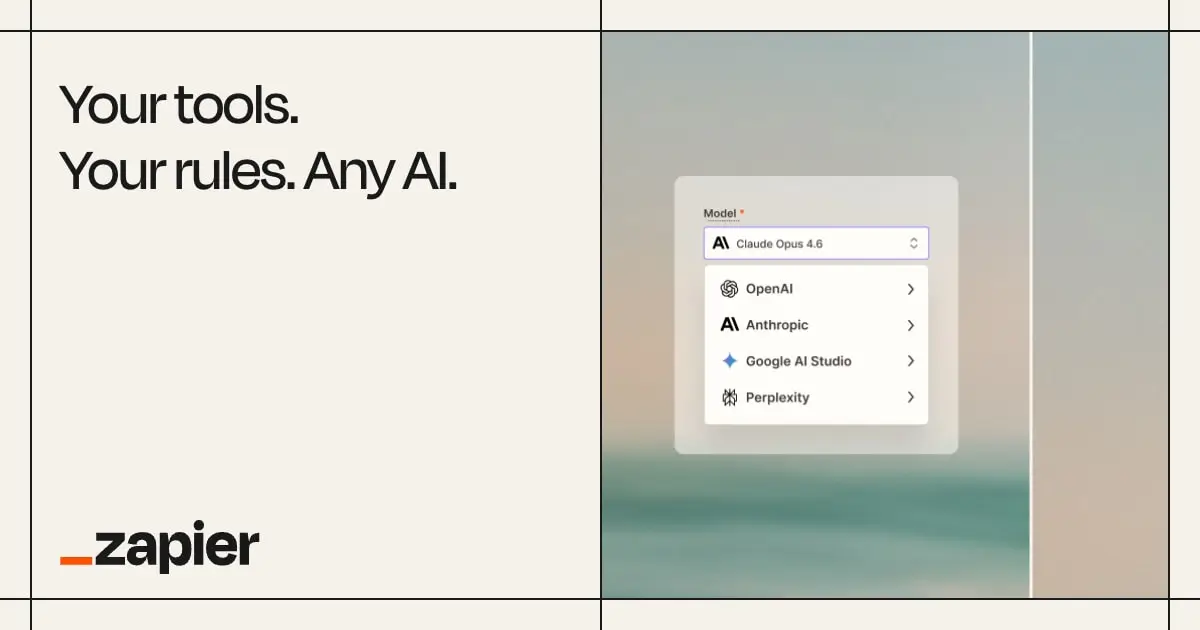
Zapier is the glue that holds a lot of consulting tech stacks together.
On its own, Zapier connects 7,000+ apps and lets you automate repetitive workflows — when a client fills out an intake form, automatically create a project in Notion, send a welcome email, and add them to your CRM. No code needed.
But for consultants, Zapier's real value in 2026 is as an AI workflow engine. The platform now bundles AI actions directly into automations — you can have a Zap that takes meeting notes from your transcription tool, runs them through an AI model to extract action items and key decisions, and posts a formatted summary to Slack or email.
Zapier also integrates with most of the major AI platforms on this list, so it becomes the automation layer that connects your research tools to your delivery tools to your client communication. If you're building AI agents on a platform like Pickaxe, you can use Zapier (or its MCP integration) to connect those agents to external systems.
Pricing
- Free: 100 tasks/month, 2-step Zaps
- Professional ($20/mo annual): 750 tasks/month, multi-step Zaps, premium apps
- Team ($69/mo annual): 2,000 tasks/month, shared workspaces
Best for: Any consultant who does the same admin tasks repeatedly. If you're manually copying data between apps, sending the same follow-up emails, or updating spreadsheets by hand — Zapier will save you hours every week.
Meeting & Communication Tools
Consultants who've switched to AI meeting tools consistently report saving 45 to 90 minutes per client per week just on note-taking and follow-up drafting. These four tools cover different approaches to the same problem.
10. Granola — The Meeting Tool That Doesn't Creep Out Your Clients
Granola's key differentiator is simple: no visible bot joins your meeting.
Most AI meeting tools work by having a bot participant join your Zoom or Teams call, which can make clients uncomfortable — especially in sensitive consulting conversations. Granola runs locally on your machine and transcribes through your device's audio, so there's no "Otter Bot" or "Fathom Notetaker" popping up in the participant list.
During the meeting, you take rough notes as usual. After the meeting, Granola's AI combines your notes with the full transcript to produce polished meeting summaries, action items, and follow-up drafts. It's not just raw transcription — it understands context from your notes to produce something genuinely useful.
The Business plan adds integrations with Slack, Notion, HubSpot, and Zapier, so your meeting outputs can automatically flow into your project management and CRM systems.
Pricing
- Basic (Free): AI-enhanced notes, custom templates, 30-day history
- Business ($14/user/mo): Unlimited history, advanced AI models, CRM and Slack integrations
- Enterprise ($35/user/mo): SSO, admin governance, org-wide compliance
Best for: Consultants who have sensitive client conversations and don't want a visible bot in their meetings. The "invisible" transcription approach makes it ideal for executive coaching, strategy sessions, and confidential discussions.
11. Fathom — The Free Meeting Recorder That Actually Delivers
Fathom is the meeting intelligence tool I'd recommend if you want solid AI features without paying a premium.
The free plan includes unlimited recording and transcription across Zoom, Google Meet, and Microsoft Teams. AI summaries are capped at 5 calls/month on free, but the raw transcription is unlimited — which is already more than what most tools offer at their paid tiers.
What sets Fathom apart is the quality of its AI summaries. It doesn't just transcribe — it identifies key moments, extracts action items, and creates structured summaries that you can share directly with clients or your team. You can also clip specific moments from meetings and share them as short video segments.
For consultants running multiple discovery calls or workshops each week, Fathom keeps a searchable archive of every conversation. Need to find what a client said about their budget three meetings ago? Just search for it.
Pricing
- Free: Unlimited recording and transcription, 5 AI summaries/month
- Premium ($16/mo annual): Unlimited AI summaries, advanced features
- Team ($19/user/mo annual): Admin controls, shared workspace
- Business ($25/user/mo): CRM sync, advanced integrations
Best for: Consultants who want meeting intelligence on a budget. The free plan is genuinely useful, and the Premium plan is competitively priced for unlimited AI features.
12. Otter.ai — Real-Time Transcription for Live Meetings

Otter.ai has been in the transcription game longer than most of the tools on this list, and it shows in the quality of its real-time transcription.
The standout feature for consultants is OtterPilot — the AI assistant that joins your meetings, transcribes in real-time, and auto-generates meeting notes with action items. Unlike Granola, Otter does join as a visible participant, but some consultants actually prefer this because it signals to everyone that the meeting is being documented.
Otter is particularly strong for collaborative note-taking. Multiple people can view and add to the live transcript during a meeting, highlight key moments, and add comments. For consulting workshops with multiple facilitators, this is genuinely useful.
The Otter Chat feature lets you ask questions about your past meetings — "What action items did we assign to the client last Tuesday?" — which is a nice productivity boost when you're preparing for follow-up sessions.
Pricing
- Basic (Free): 300 min/month transcription, 30 min per conversation
- Pro ($8.33/mo annual): 1,200 min/month, 90 min per conversation, file import
- Business ($20/user/mo annual): Unlimited transcription, 4-hour meetings, advanced admin
Best for: Consultants who want real-time collaborative transcription and don't mind a visible meeting bot. The Pro plan is one of the most affordable options for individual consultants.
13. Loom AI — Async Communication That Scales
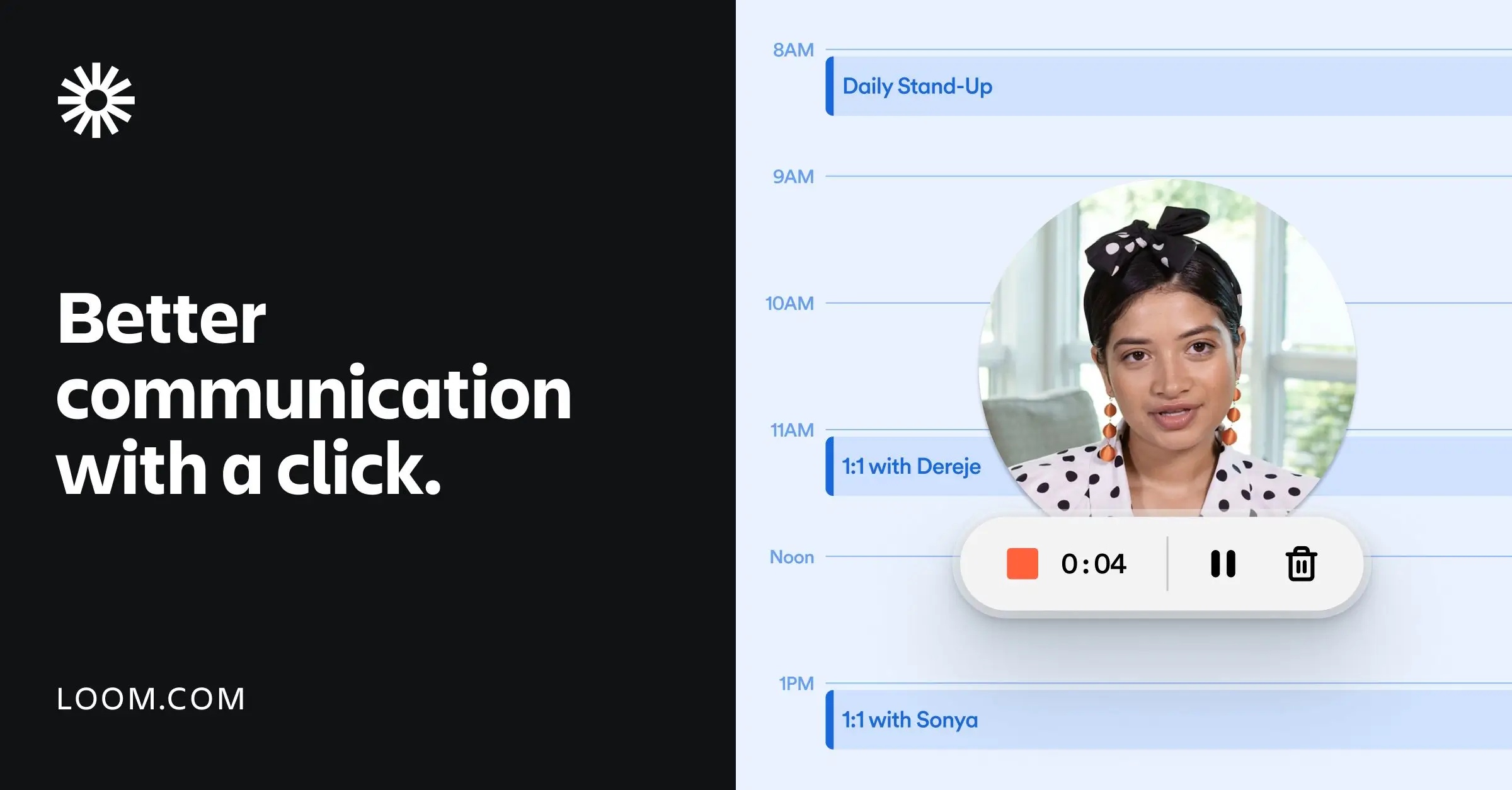
Not everything needs to be a meeting. Loom is the tool for consultants who've figured that out.
Record a quick screen + camera video walking a client through a deliverable, explaining a recommendation, or providing feedback — and send the link instead of booking a 30-minute call. Clients watch on their own time. You skip the scheduling dance.
The AI features (in the Business + AI plan) are what make Loom worth including on this list in 2026. Auto-generated titles, summaries, and chapters mean your clients get a TL;DR of every video without you writing one. Filler word removal cleans up your recording automatically. And transcript-based editing lets you cut sections by editing text instead of scrubbing through video.
For consultants delivering ongoing advisory services, Loom creates a searchable library of video updates that both you and your client can reference later. It's documentation that doesn't feel like documentation.
Pricing
- Starter (Free): 25 videos, 5-min recording limit
- Business ($12.50/creator/mo annual): Unlimited recording, custom branding, integrations
- Business + AI ($20/creator/mo): AI summaries, auto-chapters, transcript editing, filler word removal
Best for: Consultants who want to replace some meetings with async video updates. Especially valuable for retainer clients where you're providing ongoing guidance — a 3-minute Loom is often better than a 30-minute status call.
Presentations & Design
Client-facing deliverables still matter. These tools make you look polished without spending hours in PowerPoint.
14. Gamma — AI Presentations in Minutes
Gamma has become the go-to AI presentation tool for consultants who need polished decks fast.
The core workflow is dead simple: give Gamma a topic, an outline, or paste in a document — and it generates a complete, professionally designed presentation in minutes. Not a bare-bones outline with placeholder text, but actual slides with visuals, data layouts, and a coherent narrative flow.
What I like about Gamma for consulting work is that it creates web-first presentations — interactive, shareable via link, with built-in analytics showing who viewed what. For client proposals or strategy presentations, this is a more modern approach than emailing PowerPoint files back and forth.
You can also export to PPTX, PDF, or Google Slides if your clients prefer traditional formats. And the collaborative editing features mean your team can work on a deck together in real-time.
Pricing
- Free: 400 AI credits (~10 presentations), basic templates
- Plus ($8/mo annual): Unlimited AI, no Gamma branding, advanced image models
- Pro ($15/mo annual): Premium AI models, custom branding, analytics, 10 custom domains
Best for: Consultants who create a lot of presentations and want to dramatically speed up the first-draft process. Gamma won't replace a carefully crafted board presentation, but it's excellent for internal proposals, workshop materials, and client kickoff decks.
15. Canva AI — Design Without a Designer
Canva's AI features — branded under Magic Studio — have turned it from a basic design tool into a legitimate consulting asset.
Magic Write generates copy for your designs. Magic Design creates full layouts from a text prompt. Magic Resize adapts your deliverables to different formats instantly. And the Brand Kit (Pro plan and up) ensures everything stays on-brand for your firm.
For consultants, the most practical use is creating professional-looking deliverables without a design background. Client reports, one-pagers, social media graphics for your practice, presentation slide templates — Canva handles all of it.
The Whiteboards feature is also worth mentioning for consultants who facilitate workshops. You can create collaborative visual boards with AI-assisted content, which is a step up from basic whiteboard tools.
Pricing
- Free: 250K+ templates, basic AI (50 uses/month), 5 GB storage
- Pro ($15/mo or $120/yr): 1 TB storage, premium assets, Brand Kit, 500 AI credits/month
- Teams ($10/user/mo, 3-user min): Everything in Pro plus team features
Best for: Solo consultants who need professional-looking deliverables and marketing materials without a designer on retainer. The Pro plan covers most needs.
How to Build Your Consulting AI Stack
You don't need all 15 of these tools. That would be expensive and overwhelming. Here's how I'd approach building your stack based on where you are.
The Solo Consultant Starter Stack (Under $60/month)
- Claude Pro ($20/mo) — Your deep thinking and analysis partner
- Perplexity Pro ($20/mo) — Research with citations
- Granola Free — Meeting notes without the bot
- Gamma Plus ($8/mo) — Quick, polished presentations
- Canva Free — Design basics
- NotebookLM Free — Document synthesis
- Zapier Free — Basic automation
Total: $48/month. This covers research, analysis, meetings, presentations, and design — the five core consulting workflow areas.
The Growing Firm Stack ($150–$300/month)
- Everything in the starter stack, plus:
- ChatGPT Plus ($20/mo) — Second AI for brainstorming and drafting
- Fathom Premium ($16/mo) — Full meeting intelligence
- Notion Business ($20/user/mo) — Client project hub with AI
- Pickaxe Gold ($29/mo) — Start productizing your expertise into AI agents
- Loom Business ($12.50/mo) — Async client communication
- Zapier Professional ($20/mo) — Serious automation
At this level, you're not just working faster — you're starting to scale your expertise through AI agents and automated workflows. If you're thinking about white-labeling AI for your clients, this is the stack to start with.
The Enterprise Consulting Firm Stack
- Microsoft 365 Copilot ($18–$30/user/mo) — AI embedded in your existing Office suite
- AlphaSense ($10K+/yr) — Enterprise-grade market intelligence
- Pickaxe Pro or Enterprise — Full client-facing AI agent deployment with flexible pricing models
- Notion or internal tools — Project management at scale
- Granola Enterprise — Meeting intelligence with compliance controls
At this level, the AI investment is significant — but so are the returns. PwC's 2026 AI Performance Study found that early AI adopters report $3.70 in value for every $1 invested, with top performers achieving $10.30 per dollar. The Deloitte State of AI in the Enterprise report confirms that two-thirds of organizations report productivity gains from AI adoption. Those returns only land for clients who actually put the tools to work, which is why closing the AI adoption gap is itself a billable engagement.
The Bigger Picture: AI as a Consulting Revenue Stream
There's a meta-trend worth noting here.
The Thomson Reuters 2026 AI in Professional Services Report found that the portion of professional service organizations using advanced AI tools almost doubled this year. That means your clients are increasingly expecting AI-literate consultants.
But it also means there's a massive opportunity to offer AI services to clients — not just use AI for your own efficiency.
As one consultant put it on X: the easiest entry point into AI consulting is AI audits — map every repeatable process in a client's business, identify the ones costing the most time or money, and recommend AI tools and workflows to fix them. You can charge $1,000+ per audit, and it naturally leads to implementation engagements.
If you're interested in going deeper on this, our guide to starting an AI agent agency covers the full playbook — from positioning and pricing to landing your first clients.
Frequently Asked Questions
Do I really need multiple AI tools, or is ChatGPT enough?
ChatGPT is a great starting point, but it has limitations for consulting work. It doesn't cite sources (Perplexity does), it struggles with very long documents (Claude is better), and it can't build client-facing AI products (Pickaxe handles that). Think of it like asking "do I need more than a hammer?" — sure, a hammer does a lot, but you'll also want a screwdriver and a measuring tape.
How much should a solo consultant budget for AI tools?
Start with $40–$60/month. That gets you Claude or ChatGPT Plus, Perplexity Pro, and one or two specialized tools. Scale up as you see ROI. Most consultants report saving 5–10 hours per week with the right AI stack — if your hourly rate is $150+, even $100/month in tools pays for itself within the first day of time saved.
Will AI replace consultants?
No, but consultants who use AI will replace consultants who don't. AI handles the commodity parts of consulting — data gathering, document synthesis, slide formatting, meeting summaries. The premium work — strategic judgment, relationship management, change leadership, stakeholder navigation — still requires a human. AI makes the human parts more valuable by freeing up time for them.
Which tools integrate best with each other?
The strongest integration chains for consultants: Perplexity → NotebookLM (research into synthesis), Granola/Fathom → Notion (meeting notes into project management), ChatGPT/Claude → Gamma (analysis into presentations), and Zapier connects almost everything to everything. If you're building AI agents with Pickaxe, it integrates with Zapier, Make, and n8n for workflow automation.
What about data security when using AI tools with client information?
This matters a lot for consultants. Look for tools with SOC 2 compliance (ChatGPT Business, Pickaxe, Notion Business), data processing agreements, and opt-out options for model training. Never paste confidential client data into free-tier AI tools without checking their data policies first. When in doubt, use enterprise or business plans that guarantee your data isn't used for training.
The Bottom Line
The consulting landscape is shifting fast. 62% of firms have already adopted AI, and the ones who've done it well are reporting faster delivery, higher client satisfaction, and new revenue streams from AI-powered services.
You don't need to adopt all 15 tools at once. Start with the starter stack — Claude or ChatGPT for thinking, Perplexity for research, and a meeting tool. Get comfortable. Then layer in presentation tools, automation, and eventually agent-building platforms as your AI maturity grows.
The consultants who win in 2026 aren't the ones with the most tools. They're the ones who've built a connected workflow where AI amplifies every stage — from research to delivery to client experience.
And if you want to go beyond just using AI to building AI-powered products for your clients, Pickaxe is a good place to start. Build your first agent in an afternoon and see what's possible.