
The best AI translation tools do not solve one universal language problem. A client call, a product launch, a support ticket, and a voice feature inside your own app each need a different kind of translation.
I reviewed current product documentation, help centers, language lists, limitations, and pricing for seven options. I did not run a controlled accuracy or latency benchmark, so this is a documentation-based workflow comparison, not a claim that one model won a private test.
My main conclusion is simple: pick the conversation surface first, then match the translation layer to the cost of getting it wrong. Language count matters, but guest access, one-way versus two-way speech, terminology control, retained records, and a human fallback usually decide whether a tool survives contact with customers.
Best AI translation tools at a glance
These picks cover the main customer-facing jobs I would shortlist. Prices and limits were checked on September 24, 2026, and each product keeps its own billing meter.
| Tool | Best for | Output | Customer access | Starting point | Main catch |
|---|---|---|---|---|---|
| Microsoft Teams Interpreter | Licensed Microsoft organizations | Two-way translated speech | Verified, licensed Microsoft 365 users | Copilot license plus eligible Microsoft and Teams licenses | Guests and anonymous users cannot use it |
| Google Meet Speech Translation | Routine bilingual Meet calls | Two-way translated speech | Meet participants who opt in | Workspace Business Standard from $14/user/month annually | One language pair and 90 minutes per meeting |
| DeepL Voice for Meetings | Cross-platform client meetings | Captions, with spoken output on eligible plans | Join link from a meeting bot | Voice plan or eligible license | Bot, chat, desktop app, and plan requirements differ |
| Wordly | Multilingual meetings and events | Audio, captions, transcripts, summaries | Browser or meeting integration | About $1,500 for 10 hours over 12 months | Hour package is a different buy from per-seat software |
| KUDO | Events that may need AI or human interpreters | One-way AI audio/captions or multi-way human interpretation | Web, mobile, QR code, integrations | Pay as you go or quote; annual from 50 hours | AI and human modes solve different jobs |
| Language IO | Enterprise customer-support queues | Translated chat, email, tickets, knowledge, and voice workflows | Inside the support platform | From $10,000/year plus volume | Platform, per-word usage, and services all affect cost |
| Palabra | Embedding translation in a product | Streaming speech-to-speech, captions, API | Your own app or hosted meeting workflow | API speech-to-speech at $0.04/minute | You own integration, QA, and the customer experience |
Do not normalize that pricing into one winner. A licensed user, an event hour, a translated word, and an API audio minute are different units. Start with your channel and expected volume, then price the meter that applies.
What “real-time translation” actually means
The label covers at least four different outputs. If you do not separate them, a polished demo can lead you into the wrong category.
- Translated captions turn speech into readable text in another language.
- Speech-to-speech translation produces translated audio, sometimes in a synthetic version of the speaker's voice.
- Simultaneous interpretation can be delivered by AI or a professional interpreter while the speaker continues.
- Support translation translates live chat, tickets, email, knowledge content, or calls inside a service workflow.
The same vendor may offer several modes, but availability can differ by language, device, plan, and meeting type. If the job also includes answering or acting over a phone call, compare the separate AI voice agent platform layer before treating translation as the whole system. Google Meet, for example, supports a much broader list for translated captions than for speech translation. Its current speech translation documentation covers English paired with six other languages.
I also separate one-way delivery from two-way conversation. A keynote can tolerate the speaker broadcasting translated audio to listeners. A negotiation, support escalation, or patient conversation needs both sides to speak, interrupt, clarify, and recover.
How I compared these AI translation tools
I used seven criteria that show up after the first impressive translated sentence.
- Conversation surface: meeting, event, support queue, in-person interaction, or embedded product.
- Output mode: captions, translated speech, human interpretation, or a mix.
- Access: what the customer must install, license, authenticate, or consent to.
- Interaction shape: one-way broadcast, turn-taking, or natural multi-speaker conversation.
- Terminology control: glossaries, product names, numbers, acronyms, and regulated language.
- Failure path: captions, rephrasing, transcript review, agent handoff, or professional interpreter.
- Meter: users, hours, minutes, words, platform fees, or interpreter time.
I did not award points for a vendor's unverified accuracy percentage. Real performance depends on the language pair, domain terms, audio quality, speaking style, accents, overlap, and network. A 20-conversation pilot with your own material is more useful than a universal winner badge.
1. Microsoft Teams Interpreter: best for licensed Microsoft organizations
Microsoft Teams Interpreter is the cleanest fit when both your employees and customers already use verified Microsoft 365 accounts with the right licenses.
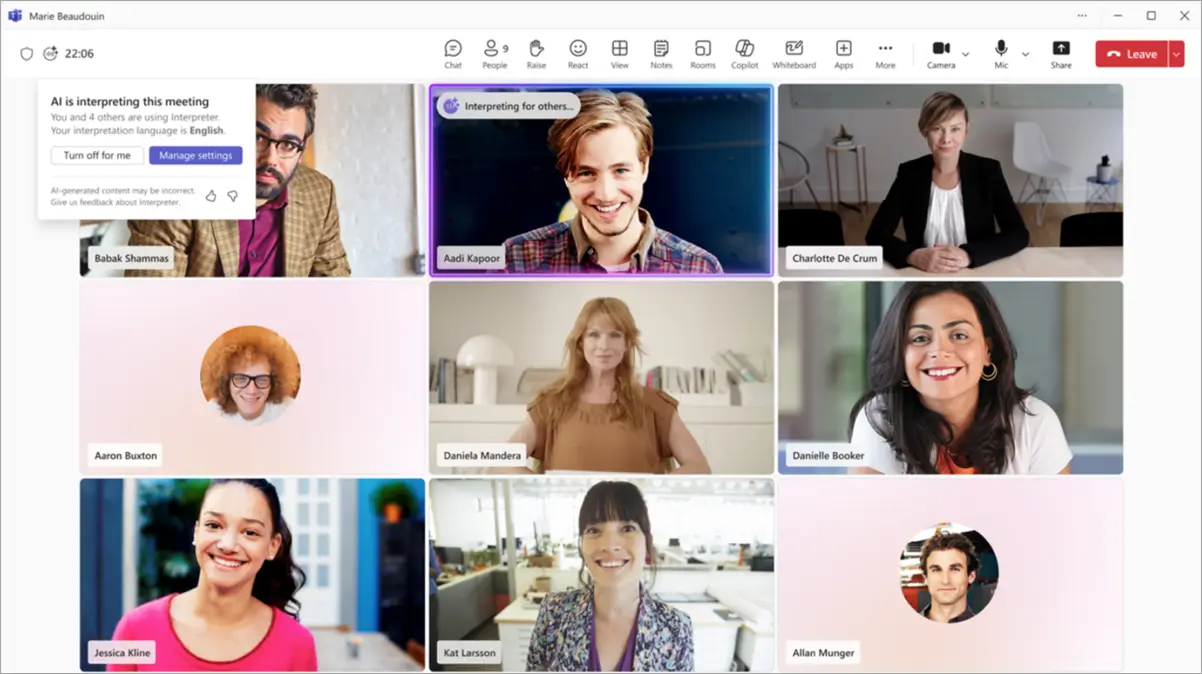
The agent provides speech-to-speech translation and can use a simulated version of the speaker's voice or a preset voice. Microsoft's current administrator documentation lists Mandarin Chinese, English, French, German, Italian, Japanese, Korean, Portuguese, and Spanish for speaking and listening.
What stands out: the feature sits inside the meeting surface your organization already governs. Administrators can control availability and voice simulation through Teams policies, and Microsoft says voice samples and biometric data are not stored.
The licensing boundary is the real buying question. Users need an eligible Microsoft 365 base license, an eligible Teams license, and Microsoft Copilot. Microsoft's license requirements include 20 interpretation hours per person per month, with access beyond that subject to available capacity.
What to watch: anonymous participants and guests cannot use Interpreter. People from another organization need verified Microsoft 365 identities and valid Copilot licenses. That makes it awkward for open webinars, sales calls with prospects, or customer sessions where you do not control the other side's tenant.
Microsoft's participant guidance also documents meaningful limitations. Interpreter is not optimized for rapid exchanges, interruptions, or overlapping dialogue. Names, technical terms, and gender can be wrong. Meeting recordings keep the original audio, and translated transcripts are available only live in the meeting.
Microsoft 365 Copilot Business pricing currently lists $21 per user per month on annual billing before a displayed promotional price, and it requires a qualifying Microsoft 365 plan. That is a per-user software commitment, not a per-meeting fee.
Choose Teams Interpreter when: licensed employees and partners meet in Teams, IT wants policy control, and the supported languages cover your actual pairs. Test guest access before promising it to customers.
2. Google Meet Speech Translation: best for routine bilingual Meet calls
Google Meet Speech Translation is the native choice when your team already hosts client calls in Meet and needs one bilingual conversation at a time.
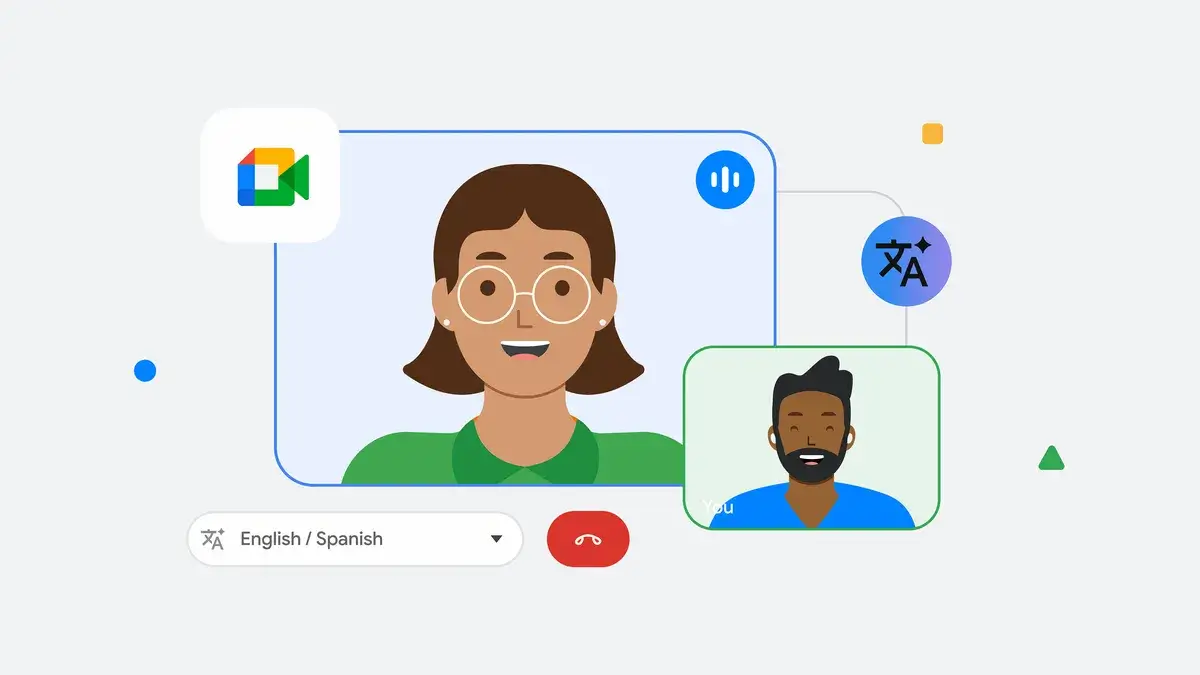
The feature translates speech in near real time using a voice like the speaker's. The official Google Meet help page currently supports English paired with French, German, Hindi, Italian, Portuguese, or Spanish.
What stands out: there is no separate meeting bot or translation window. An eligible host enables the pair for everyone, then each participant opts in and chooses what they speak and hear.
The same Google Meet help page sets firm boundaries. Only one language pair can be active for the whole meeting. Speech translation is limited to 90 minutes, is unavailable in live streams and recordings, and meeting-room devices can listen but cannot have their own speech translated.
Google is unusually direct about error modes. Its speech translation documentation warns about grammatical and translation errors, unintelligible words, unexpected accents, incorrect noun gender, shifting voice style, and quality changes caused by network performance. It even tells participants to wait for the translation symbol to disappear before replying.
Pricing: eligible plans include Workspace Business Standard and Plus, specified Enterprise and Frontline plans, Google AI Pro and Ultra, and certain education add-ons. In the US, Business Standard pricing is $14 per user per month on a one-year commitment or $16.80 on the flexible monthly plan.
Choose Google Meet when: the call is routine, under 90 minutes, centered on one English language pair, and everyone is comfortable opting in. Use captions and a written recap as a second channel when precise numbers or commitments matter.
3. DeepL Voice for Meetings: best for cross-platform client meetings
DeepL Voice for Meetings is the flexible option when client calls move among Microsoft Teams, Google Meet, and Zoom but you want one translation layer.
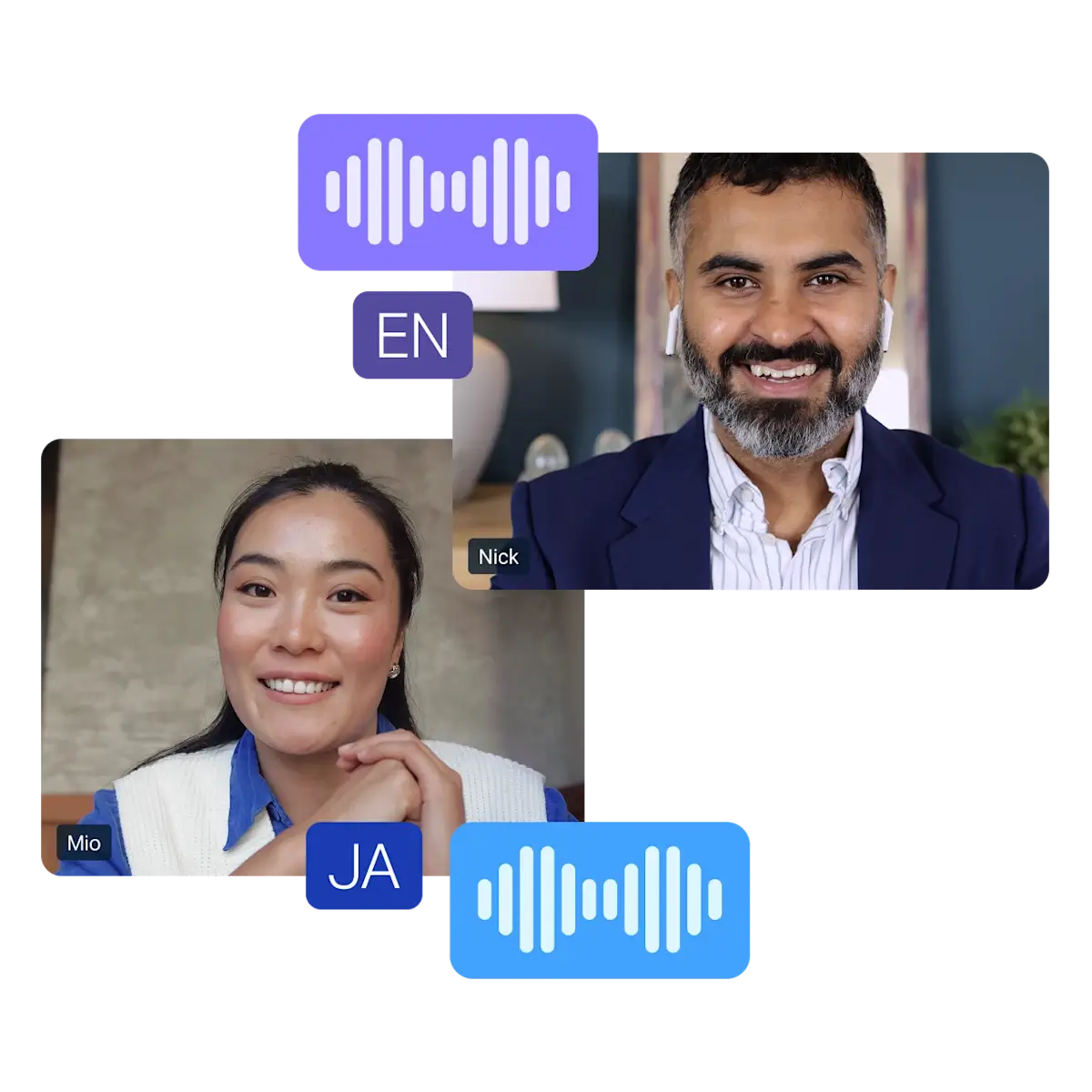
A licensed host enters the meeting URL, admits the DeepL bot, and lets the bot post a participant link in chat. Up to 300 participants can read translated captions on web or mobile, according to the current DeepL Voice documentation.
What stands out: the participant caption experience does not depend on moving the meeting to a new venue. DeepL also offers glossary and spoken-term controls on eligible plans, which is useful for product names, acronyms, and specialized client vocabulary.
There are several layers to verify in a pilot. DeepL's Voice requirements say spoken translated audio requires an eligible Voice plan and the DeepL Voice desktop app. The organization must allow an external meeting bot and enable chat. Breakout rooms are not supported, and some features such as glossaries, spoken terms, and transcript downloads are excluded from Core.
DeepL's meeting data guidance says it does not use customer meeting data to train its language models. Server-side message memory is deleted at the end of the call, while translations accessed on a participant's device can persist for an administrator-controlled period of up to 30 days.
Pricing: DeepL's current Translator plans include 30 Voice minutes per user per month, but that allowance is not the same thing as a production Voice for Meetings license. Voice plan names and features vary, so confirm the license, spoken-output access, and included minutes for your region and team rather than quoting the base Translator price as the meeting cost.
Choose DeepL Voice when: customers use different meeting platforms, translated captions need easy guest access, and terminology controls matter more than staying completely native to one suite.
4. Wordly: best for multilingual meetings and events
Wordly is the straightforward event pick when many attendees need audio or captions in their own languages without hiring a separate interpreter for every channel.
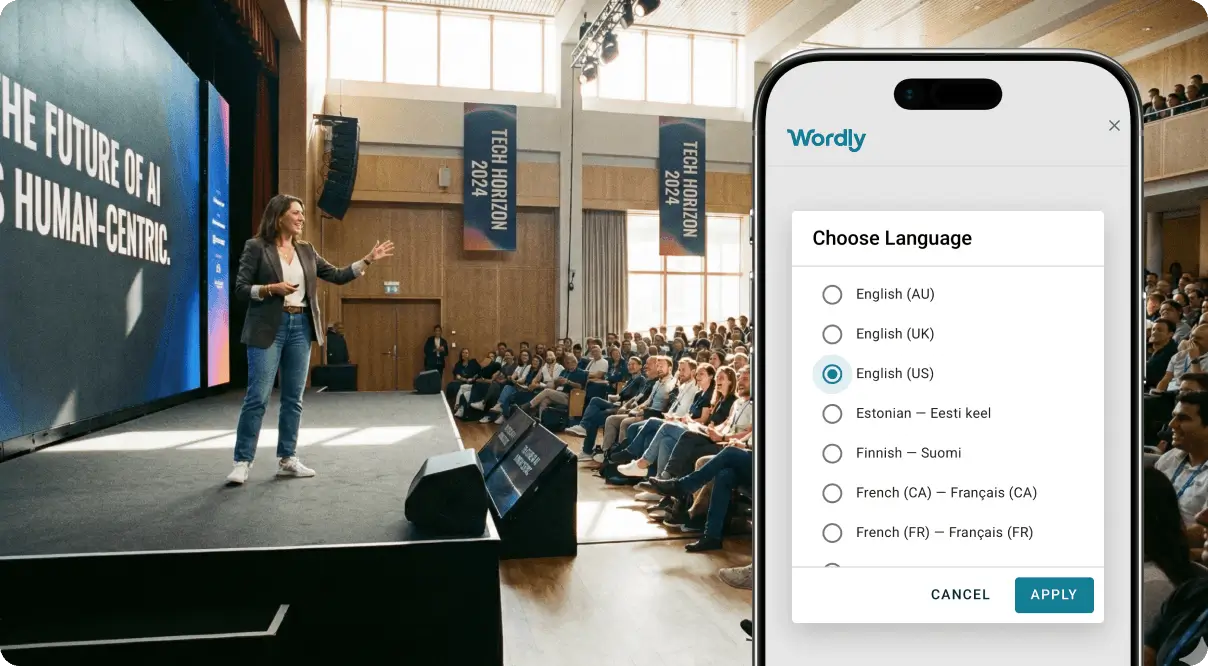
Its package combines translation, captions, transcripts, and summaries. Participants can use a browser or supported meeting integration, while organizers can prepare a glossary and run the same purchased hours across multiple sessions.
What stands out: pricing follows event time rather than attendee seats or individual languages. The current Wordly pricing page starts around $1,500 for a 10-hour package that can be used in any increment for up to 12 months.
The same Wordly pricing page says sessions are charged for the time used without rounding up. Packages include all supported languages at one fixed price, and larger volume, multi-year, education, and nonprofit discounts are available.
What to watch: a one-to-many event is different from a messy customer conversation. Before buying an event package, test audience onboarding, headphones, QR-code access, room audio, terminology, and what happens when someone asks a question from the floor.
The vendor promotes substantial savings compared with human interpreters. I would treat that as vendor positioning, not a universal ROI result. For a routine product webinar, AI may scale economically across languages. For a consequential negotiation, the cheaper mode is not automatically the right mode.
Choose Wordly when: you run recurring webinars, town halls, training, or conferences and want one pool of hours for audio, captions, transcripts, and summaries.
5. KUDO: best when you may need AI or human interpreters
KUDO is the strongest fit when the same events program needs low-friction AI on some sessions and professional human interpretation on others.

KUDO keeps the two modes visibly separate. Its plan comparison describes one-way AI translated audio and captions in 70+ languages, plus multi-way human interpretation across 200 spoken and sign languages.
What stands out: the fallback is part of the platform. The KUDO interpreter marketplace lists 12,000 interpreters, subject-matter matching, a 12-hour lead time, and support for up to 32 languages in one meeting.
That does not mean every session needs a person. AI can be appropriate for a one-way keynote, internal training, or a routine event where comprehension is the goal and a glossary can tame recurring terms. Human interpreters make more sense when the audience must negotiate, ask sensitive questions, rely on nuance, or act on the output.
Pricing: KUDO's plan page offers pay as you go with no annual subscription and annual plans starting at 50 hours. Dollar rates are quote-based. Online, in-person, and hybrid workflows are available, with integrations and technical support options.
What to watch: do not describe KUDO AI's one-way translated event audio as a replacement for multi-way human interpretation. They have different interaction models and different risk tolerances.
Choose KUDO when: your organization needs one vendor for routine AI translation and high-stakes interpreted sessions, with a deliberate rule for when to switch modes.
6. Language IO: best for enterprise customer-support queues
Language IO is the specialist here for support teams that need translation inside the system where agents already handle customer work.
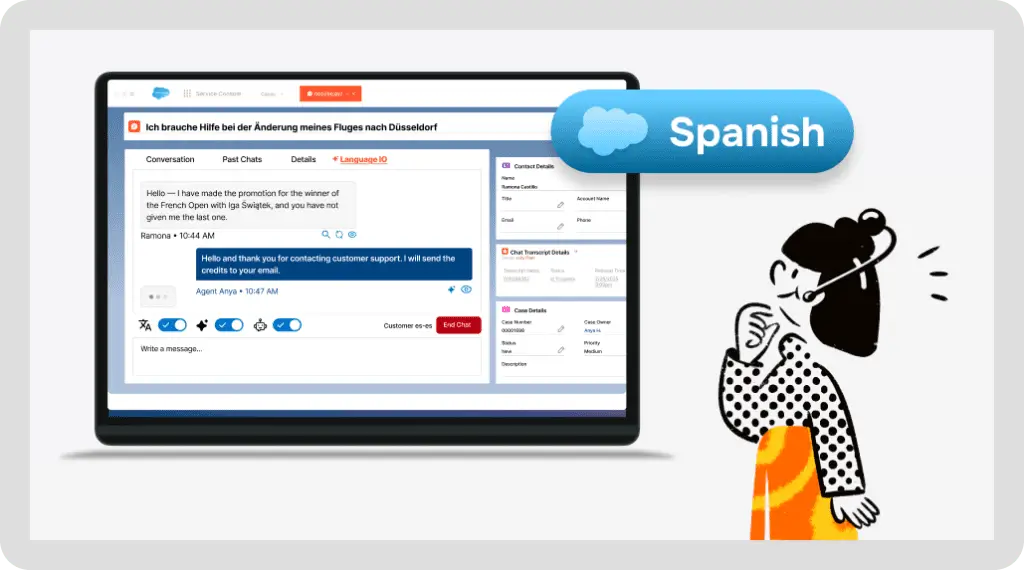
It covers live chat, tickets, email, messaging, knowledge articles, browser workflows, APIs, and emerging voice workflows. The current product overview lists native integrations with Salesforce, Zendesk, ServiceNow, and Oracle Service Cloud.
What stands out: translation is attached to support operations, not just a meeting. Agents stay in the helpdesk, terminology can follow a brand glossary, and translated knowledge or reusable replies can reduce repeated work.
The vendor's product overview says its model-selection layer chooses among translation engines and supports more than 150 languages. It also promotes zero data retention and controls for regulated industries. Those are important claims to verify in security review and a data-processing agreement rather than accepting from a feature matrix.
Pricing: Language IO uses three components: a platform package, per-word usage, and implementation or services. Its current pricing examples start at $10,000 per year plus volume, rise to $25,000 per year plus volume for a scaling package, and show $75,000 per year plus volume for enterprise.
This is not a lightweight meeting subscription. It belongs on a shortlist when multilingual support is a recurring operating system and the team can measure language demand, resolution quality, escalation, and translated-word volume. Our broader AI customer service tools comparison covers the helpdesk and automation layer around it.
Choose Language IO when: customer service leaders need translation inside a mature CRM or helpdesk, brand terminology matters, and support volume can justify an enterprise platform.
7. Palabra: best for embedding live translation in a product
Palabra is the builder pick when translation should be a feature of your app, voice agent, call center, event stream, or custom customer experience.
The Palabra Voice API page describes streaming speech-to-speech translation through WebSocket and WebRTC workflows, plus captions, voice output, automatic language detection, custom glossaries, and 60+ languages.
What stands out: you control the front end and can place translation where the customer already works. That is useful when a separate meeting bot or browser tab would break the experience.
The current Palabra API pricing lists speech-to-speech at $0.04 per audio minute, $50 in signup credits, and up to 10 concurrent sessions per account. Its hosted Starter meeting plan shows $60 monthly for three hours, or $45 per month on the displayed annual rate.
What to watch: an inexpensive API minute is not a finished customer product. You still own audio capture, consent, retry behavior, glossary management, observability, user controls, concurrency, support, and a human escalation path.
This is where a no-code agent platform can reduce the rest of the build. For example, a Pickaxe agent can use an Action to call an approved API, answer from a controlled knowledge base, and route uncertain cases to a human workflow. The multi-channel agent deployment guide explains why each customer channel still needs its own preflight check. The live audio interface still needs to be designed and tested for the selected channel.
Choose Palabra when: translation belongs inside a product you control and your team is prepared to own integration and quality assurance.
How to choose a real-time AI translation tool
I would choose in this order, not by sorting a table from most languages to fewest.
1. Name the exact conversation
Write one sentence: “A Spanish-speaking prospect joins a 45-minute Google Meet sales call with two English-speaking employees,” or “Conference attendees listen to a keynote in six languages on their phones.”
That sentence reveals the venue, direction, number of languages, audience shape, and whether the buyer controls participant accounts.
2. Decide what the customer must receive
Captions are often enough for comprehension and create a visible recovery channel. Translated speech feels more natural but adds latency, audio mixing, consent, and voice-quality decisions. Human interpretation adds cost and planning but remains the safer path when nuance and accountability dominate.
3. Test the access boundary
Invite a real external account. Use the customer's normal device and network. Confirm whether they need an app, verified identity, paid license, headset, browser tab, chat permission, or consent step.
A feature that works only for your employees is not a customer-facing solution.
4. Forecast the actual meter
Model one busy month using the vendor's unit. For example, 40 one-hour events fit an hour package; 60 support agents fit a platform plus per-word forecast; 10 simultaneous translated calls require API concurrency planning.
Do not compare that arithmetic until every tool is expressed against the same workload.
A 20-conversation pilot before you commit
A practical pilot needs more than one polished product demo. I would build a fixed set of 20 recordings or live scenarios from the actual job.
- Five ordinary conversations at normal pace with clean audio.
- Three noisy or low-bandwidth cases using realistic customer devices.
- Three terminology cases with product names, acronyms, and industry language.
- Three precision cases with dates, currency, addresses, account numbers, or quantities.
- Two code-switching cases where the speaker changes languages naturally.
- Two interruption cases with overlap or quick back-and-forth.
- Two recovery cases where someone asks for clarification or requests a human.
Have a fluent reviewer score meaning, terminology, omissions, numbers, latency, and recovery. Track task success separately from sentence elegance. A slightly awkward sentence that preserves the refund amount is better than fluent audio that changes it.
Run the same set through both finalists. Then repeat the weakest five cases after adding a glossary or changing audio setup. The goal is not a perfect average. It is knowing which failures your team can detect and recover from.
Build the workflow around the translation
Use Pickaxe to connect approved knowledge, actions, access, and a clear human fallback.
When AI translation is not enough
Use the cost of misunderstanding as the routing rule.
- Low risk: translated captions for a webinar, training session, or routine internal update.
- Moderate risk: AI speech for a customer call, paired with captions, written confirmation, and an easy rephrase step.
- High risk: professional interpretation for legal commitments, clinical decisions, safety instructions, formal proceedings, sensitive employee matters, or negotiations where nuance changes the outcome.
Human review is also useful after the call. If the conversation creates a contract term, order change, medical instruction, or financial commitment, confirm the critical facts in writing in the customer's language.
Our guide to human-in-the-loop AI agents gives a broader framework for placing approval gates around consequential work. The same principle applies here: automate the reversible part, and make the risky handoff obvious.
Frequently asked questions about AI translation tools
What is the best AI translation tool for live meetings?
For licensed Microsoft organizations, Teams Interpreter is the most native. For one bilingual Google Meet call, Meet Speech Translation is simple. For meetings that move across Teams, Meet, and Zoom, DeepL Voice is the more portable layer. The best choice depends on guest access and your language pair.
Can AI replace a human interpreter?
AI can be useful for routine comprehension, captions, training, and lower-risk conversations. It should not be treated as a universal replacement when legal, medical, safety, employment, or financial consequences depend on nuance and accountability.
How should I test real-time translation accuracy?
Use a fixed set from your actual work. Include names, numbers, terminology, accents, interruptions, code-switching, weak networks, and a human-escalation case. Have fluent reviewers score meaning and task success, not only grammar.
Are translated captions and speech translation the same?
No. Captions produce translated text. Speech translation produces translated audio. A product can support many caption languages but only a small set of speech pairs, so verify the exact mode you need.
Can I build translation into my own AI agent?
Yes. A streaming API such as Palabra can provide the speech layer, while an agent platform such as Pickaxe can manage instructions, approved knowledge, Actions, access, and monetization. You still need consent, audio controls, monitoring, and a failure path for the final channel.
The bottom line
The most useful shortlist is organized by job. Choose Teams or Meet when native licensing and language limits fit. Choose DeepL for cross-platform meetings, Wordly for recurring multilingual events, KUDO when human interpretation must remain available, Language IO for enterprise support queues, and Palabra when translation belongs inside your own product.
Then pilot the exact language pairs, terms, devices, and failure cases your customers will bring. The winner is not the tool with the largest number on its language page. It is the one whose access, recovery, and billing model fit the conversation you actually need to run.