The best AI video generators depend on whether I need a cinematic clip, an edited scene, or a presenter explaining a script. I would compare Veo, Runway, Luma, and Pika for generated scenes, then evaluate Synthesia or HeyGen separately for presenter-led work.
Mixing those categories produces misleading rankings. A five-second scene generator and a training-video platform solve different problems and bill for different work.
I reviewed official product and plan information for this guide on October 7, 2026. The recommendations concern workflow fit. They are not results from a controlled clip benchmark; the shared test briefs below are a way to run that comparison honestly.
Best AI video generators: pricing and workflow comparison
| Tool | I would shortlist it for | Pricing or access | What to compare |
|---|---|---|---|
| Google Veo / Flow | Generated scenes and audio | Product, plan, and region dependent | Clip controls, audio, resolution, and allowances |
| Runway | A creative workflow around generated video | Standard $15/month monthly, or $12/month billed annually | Model-specific credits and editing tools |
| Luma Dream Machine | Iterating on a generated scene | Credit-based plans; web and app pricing differ | Generation settings and commercial-use eligibility |
| Pika | Short clips and creative effects | Free and paid credit plans | Effect, model, duration, and resolution |
| Synthesia | Scripted training and explainer presenters | Basic free; Starter $29/month billed monthly | Credits, download rights, and team workflow |
| HeyGen | Presenter videos and localization | Free; Creator $29/month billed monthly | Credits, avatars, translation, and export quality |
Dollar prices are USD before taxes. Annual billing is a commitment, not a month-to-month price. Regional offers, app-store billing, API access, and model-specific features may have different terms.
1. Veo and Flow: compare the model and the product
I would shortlist Veo when the brief needs generated footage with controlled motion or audio. Flow is one product for working with Google's video models; Veo names the model family.
Google DeepMind's current Veo page describes Veo 3.1, audio generation, and creative controls. The supported resolution and features need to be checked for the specific product and setting used.
What I would test: one camera movement, one moving subject, and one audio instruction in a short scene. I would watch the whole clip and check whether the sound and visible action agree.
I would check the Google AI plan page for the allowance available to my account. A consumer subscription and developer API usage are separate routes with different billing details.
For a longer story, I would plan individual shots and edit them together. A strong single clip does not establish character continuity across an entire sequence.
2. Runway: useful when generation is part of an editing workflow
I would shortlist Runway when I need a workspace for generating, revising, and organizing creative assets. I would compare the available model and editing controls as well as the resulting clip.
The official plans list Standard at $15 on monthly billing or $12 per month billed annually, with 625 monthly credits. They also describe higher-volume plans and model-specific consumption.
A credit count is not a clip count. The pricing page currently shows Gen-4.5 at 12 credits per generated second. Duration, model choice, and failed attempts all affect the usable footage I get.
I would record native output and any upscaling separately. “4K export” and “the model generated this scene natively at 4K” are different claims.
My test would include a revision, not just a first draft: keep the subject and framing, change the background, and check what else changed. That is often where the workflow becomes useful or frustrating.
3. Luma Dream Machine: iterate, then check the license
I would include Luma when I want to develop a scene through several attempts and edits. I would use the same brief and source image as the other scene generators, with the exact selected model recorded.
Luma's subscription guide explains the difference between web and iOS plans. Its credit guide explains consumption and top-ups.
Commercial use is a plan decision. The licensing guide says Free and Lite content is for personal, non-commercial use. I would verify the applicable terms before delivering a clip to a client.
I would test continuity through motion: the same object should keep its shape as the camera moves. A good opening frame can hide a failure later in the clip.
4. Pika: short clips and effects with specific limits
I would shortlist Pika for a brief built around a short visual effect or a social clip. The effect itself matters, so I would compare the same creative operation rather than rank it against a presenter reading a script.
Pika's pricing page separates plans and credit costs by model, duration, resolution, and feature. I would check the exact option I intend to use before estimating a batch.
What I would test: animate a supplied still with one restrained movement. Then I would inspect whether the product, face, or other protected detail changed as part of the effect.
A clip can be visually interesting and still fail the brief. I would separate novelty from usefulness, especially when the output needs to represent a real product accurately.
5. Synthesia: compare it as a presenter platform
I would look at Synthesia for training, onboarding, and explainers where the main job is delivering a script. That is a different evaluation from generating cinematic action.
The official plan page lists a free Basic option and Starter at $29 per month on monthly billing. It describes credits, downloads, avatars, and collaboration features by plan.
What I would test: a short script containing the actual product names and terms the audience needs. I would listen for pronunciation and check pacing, captions, and how easy it is to revise one sentence.
I would measure the time to an approved lesson, including script review. A generated presenter does not replace the need to check the underlying instructions.
6. HeyGen: presenter video and localization
I would shortlist HeyGen when the brief involves a presenter, translated video, or a reusable spokesperson format. I would evaluate it on the target language and audience rather than assume all languages perform the same way.
The current pricing page lists a free plan and Creator at $29 per month on monthly billing, or $24 per month billed annually. Its plans use credits, with features and output options varying by tier.
What I would test: the same script and proper names used for Synthesia, followed by a revision and one target-language version. A fluent speaker should review that version before publication.
For a real person's avatar or voice, I would use the appropriate permissions and provider workflow. I would also make clear to viewers when a presenter is generated.
Other AI video tools for ads, editing, and presenters
These products answer different production needs. I would add them to the trial only when their workflow matches the brief, and keep the source footage, script, and scorecard consistent.
InVideo AI: assemble a complete video workflow
InVideo's plan guide separates credits for generation from other editing and export activity. I would compare it for a project that needs a script, footage, voice, and a finished edit. I would check which parts are generated and which use stock assets, then compare the total cost of the accepted video.
CapCut: bring the trial through the social edit
CapCut offers an AI video workflow alongside its editing tools. I would evaluate it when captions, timing, aspect ratios, and social export are part of the job. The trial should include those steps, since a generated clip alone is not the finished social post.
MiniMax Hailuo: compare the specific generation model
MiniMax's Hailuo documentation describes its video generation work, including Hailuo 2.3. The model selected in the application can change, so I would record its name, the input type, and generation settings for each trial. I would compare subject consistency and movement on the shared brief, then check current pricing in the product before budgeting a project.
Creatify: test the actual advertising deliverable
Creatify focuses on advertising workflows and credit-based plans. I would compare it when I need variants of a product ad rather than a standalone cinematic shot. My trial would use the same product facts and script, and check factual accuracy, brand fit, export requirements, and the review work needed before publishing.
D-ID: distinguish a video from an interactive presenter
D-ID's API plans cover avatar video and interactive capabilities. I would evaluate the intended mode, commercial-use terms, and usage units before comparing prices with a clip generator. For an interactive application, I would also test response delay and the handoff to the surrounding application.
Kling: verify access and terms before a trial
Kling remains another candidate to check in the product. I could not verify its current official plan details for this review, so I have left out a price, model-version claim, and output-limit recommendation. I would confirm those details before putting it into a budget or ranking it against tools whose current documentation I could review.
What happened to Sora?
OpenAI's discontinuation notice says the Sora web and app experiences ended on April 26, 2026, and lists September 24, 2026 for the API shutdown. I would not use older Sora subscription comparisons to choose a new video workflow. Anyone who needs previous creations should follow the current export instructions in that notice.
Example video briefs for a fair comparison
The following prompts are reproducible briefs, not examples of results I have generated across every tool. A published quality comparison should include the resulting clips, exact model and settings, failed attempts, and total cost.
Brief 1: camera motion and a product
A five-second landscape shot of one matte blue reusable bottle on a stone table. The camera moves slowly from left to right. The bottle stays stationary and keeps the same shape and color. Soft daylight. No text, no extra objects, no cuts.I would check the bottle frame by frame for shape changes, count objects, and inspect whether the requested camera movement occurred. I would compare the entire clip rather than choose a flattering thumbnail.
Brief 2: motion with a reference image
Use the supplied product photo as the visual reference. Create a five-second shot with a gentle push-in. Preserve the product outline, visible label, colors, and proportions. Keep the background still. No hands, no added text, and no scene transition.I would use the same source image and duration wherever supported. If one model needs different settings, I would record that difference rather than call the runs identical.
Brief 3: a presenter reading a script
Welcome to your client portal. First, upload the approved project brief. Next, review the checklist. If anything is missing, contact your project lead before submitting. Your kickoff meeting is confirmed only after the team approves the intake.I would compare pronunciation, captions, pacing, and the effort to revise the script. I would run this only on presenter tools, keeping it separate from the cinematic category.
How I would score an AI video generator
| Criterion | What I inspect |
|---|---|
| Brief adherence | Subject, action, framing, duration, and unwanted additions |
| Temporal consistency | Whether objects and people retain their identity through motion |
| Audio or speech | Pronunciation, synchronization, intelligibility, and captions |
| Revision control | Whether one edit preserves everything I asked to keep |
| Delivery | Resolution, watermark, aspect ratio, license, and export |
| Cost per approved clip | All attempts, credits, subscription allocation, and editing work |
I would save every attempt and run each scene more than once. Generative output varies, and one lucky clip is a weak basis for a purchasing decision.
I would decide the pass criteria before viewing results. If the product label changes, that can be a failure regardless of how cinematic the lighting looks.
Pricing AI video: budget for usable footage
Cost per approved clip = attributable generation spend divided by approved clips. I would include discarded drafts, edits, and any paid upscaling in generation spend.
As a hypothetical example, spending $12 on eight drafts that produce two approved clips means $6 per approved clip, before human editing. It does not mean the provider charges $6 for every clip.
I would also budget the script, source-image preparation, review, and final edit. For some projects those steps take more time than generation.
Before committing annually, I would run the actual intended workflow under a small allowance. An annual discount is only valuable if the tool continues to fit the work.
Using video tools with an AI agent
I would use an agent to gather a brief, turn it into structured shot instructions, and route the result for review. I would keep generation and publication as explicit steps with a known budget.
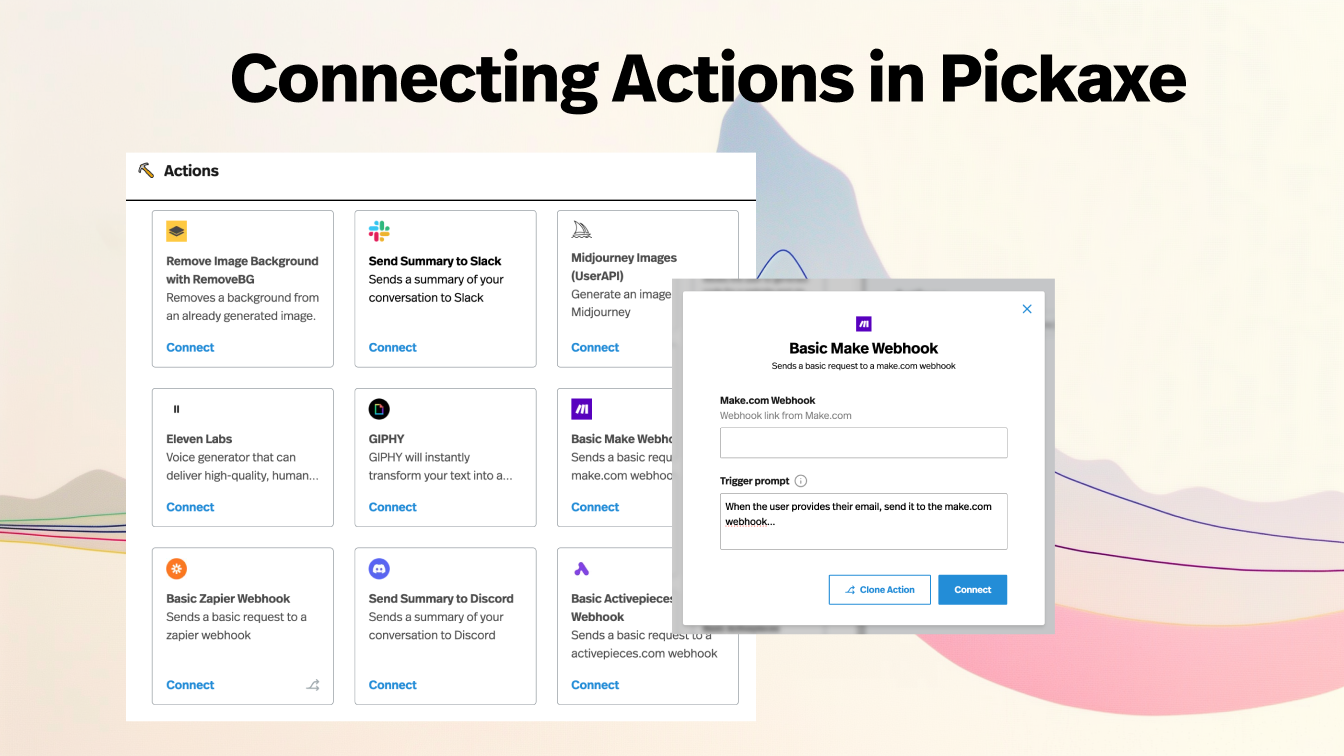
In Pickaxe, Actions can connect an agent to an external service where the service has a suitable API. That requires checking the service's API access, authentication, and pricing separately from its website subscription.
Our Actions walkthrough, image generator comparison, and client onboarding guide cover adjacent parts of that workflow. I would use a portal to collect client inputs and keep a review step before delivery.
Frequently asked questions
What is the best AI video generator?
I would choose the category first. Veo, Runway, Luma, and Pika belong in a generated-scene comparison. Synthesia and HeyGen belong in a presenter and localization comparison.
Which tool is cheapest?
I would compare cost per approved clip, including attempts and plan restrictions. A free or inexpensive plan may limit export, commercial use, resolution, or the model needed for the brief.
Can these tools make a whole film?
I would treat them as parts of a production workflow. Planning shots, maintaining continuity, editing, checking audio, and reviewing rights remain separate jobs.
Does 4K mean native 4K generation?
Not necessarily. I would record the native generation resolution and whether the export was upscaled. Those describe different properties of the clip.
Can I automate client video production?
Some providers have APIs, but a website plan does not automatically include API usage. I would start with a small approved brief, a spend limit, and a human review before publication.
Where I would start
I would choose two tools in the appropriate category and compare the same brief, settings, and final delivery requirements. I would pick the workflow that produces approved footage with the least total cost and correction.