I spent the better part of two weeks looking into every AI tool that claims to be "built for teachers." There are a lot of them. Most are fine. Some are genuinely impressive. A few are just ChatGPT wrappers with a school bus on the landing page.
Here's the thing: teachers are already adopting AI at a pace that would make most industries jealous. Roughly 60% of teachers now use AI tools in some capacity, and the ones who do report saving an average of 5.9 hours per week. That's almost a full workday back. Every week.
But the sheer number of options makes it hard to know where to start. So I narrowed it down to 15 tools that are actually worth your time in 2026 -- the ones that solve real problems, not the ones that just sound good in a pitch deck. Let's get into it.
Quick Comparison: All 15 AI Tools for Teachers
Before we dive into each tool, here's the bird's-eye view. Bookmark this table -- it's the fastest way to compare what matters.
| Tool | Best For | Price | Free Plan? |
|---|---|---|---|
| MagicSchool AI | All-in-one educator platform | Plus $11.99/mo or $99.96/yr | Yes |
| Khanmigo | AI tutoring for students | Free for teachers / $4/mo learners | Yes |
| Brisk Teaching | Chrome extension for grading & planning | Pro $99.99/yr | Yes |
| Diffit | Differentiated reading materials | Premium $14.99/mo | Yes |
| Curipod | Student engagement & interactive slides | Free with unlimited students | Yes |
| Eduaide.AI | Research-backed lesson planning | Free (~15 generations/mo) | Yes |
| ChatGPT | General-purpose brainstorming | Free / Plus $20/mo / Pro $200/mo | Yes |
| Canva for Education | Visual content creation | 100% free for K-12 | Yes (full) |
| Grammarly for Education | Writing feedback & plagiarism detection | Premium $30/mo | Yes |
| Kahoot | Gamified quizzes & assessment | Plus $6/mo / Pro $9/mo | Yes |
| ClassDojo | Classroom management & parent communication | Free for teachers | Yes |
| Google NotebookLM | Research & study companion | Free with Google Workspace for Education | Yes |
| Quizlet | Flashcards & spaced repetition | Plus $35.99/yr for teachers | Yes |
| Gradescope | AI-assisted grading | Free individual / $3/student/yr institutional | Yes |
| Pickaxe | Building custom AI tutoring agents | Gold $19/mo / Pro $49/mo | No |
Now let's break each one down.
1. MagicSchool AI -- Best All-in-One Platform for Educators
MagicSchool AI is probably the closest thing teachers have to a Swiss army knife right now. It bundles over 80 AI-powered tools into a single platform, covering everything from lesson planning and rubric generation to IEP drafting and parent email writing.
What stood out to me is how specifically these tools are designed for education workflows. This isn't a generic AI chatbot with a "for teachers" label slapped on. Each tool has a focused input form -- you tell it the grade level, subject, standard, and learning objective, and it generates exactly what you need.
Teachers using MagicSchool report saving 7+ hours per week. That's not a marketing claim I'm taking at face value -- it lines up with what I've seen from educators who actually use it daily. The time savings come from automating the repetitive stuff: generating quiz questions, writing accommodation plans, creating vocabulary lists.
The platform also includes MagicStudent, a student-facing tool with built-in guardrails that keeps kids from using it to cheat. It guides them through the thinking process instead of handing over answers.
Pricing: Free plan available with limited access. Plus is $11.99/month or $99.96/year. School and district plans available.
Best for: Teachers who want one platform to handle lesson planning, assessment creation, IEP writing, and student-facing AI -- without juggling five different tools.
Where it falls short: The sheer number of tools can feel overwhelming at first. Some of the 80+ tools overlap in functionality, and newer teachers might not know which ones to start with. The free tier is fairly limited.
2. Khanmigo (Khan Academy) -- Best AI Tutor
Khanmigo takes a fundamentally different approach from most AI tools. Instead of generating content for teachers, it sits next to students and tutors them through problems without giving away the answers. Course businesses can apply a similar pattern with AI agents for student support and retention.
That distinction matters more than it sounds. Most AI chatbots, when asked "What's the answer to problem 5?", will just tell you. Khanmigo asks, "What have you tried so far?" and "What do you think the next step might be?" It's built on GPT-4 and trained specifically on Khan Academy's pedagogical approach -- Socratic questioning, scaffolded hints, and guided discovery.
For teachers, Khanmigo is free. It helps with lesson planning, generating practice problems, and getting class insights. For students and parents, it's $4/month (or free through school district partnerships).
What I'd recommend paying attention to is the classroom integration. Teachers can see what students are asking, where they're getting stuck, and how the AI is responding. That visibility is something most AI tutoring tools completely miss.
Pricing: Free for teachers. $4/month for learners (with district-level free access available).
Best for: Math and science teachers who want an AI tutor that actually teaches rather than just answers. Also strong for self-paced learning environments and homework support.
Where it falls short: Subject coverage is still weighted toward STEM. Humanities and creative subjects get less depth. And because it's so focused on not giving answers, some students find it frustrating when they just need a quick explanation.
3. Brisk Teaching -- Best Chrome Extension
Brisk Teaching is clever in a way most AI tools aren't: it meets teachers where they already work. Instead of being another platform you have to log into, it's a Chrome extension that embeds AI tools directly inside Google Docs, Google Classroom, YouTube, and other sites teachers already use daily.
Over 300,000 teachers use Brisk, and the appeal is obvious. You're grading a student essay in Google Docs? Brisk can generate feedback comments right there. Watching a YouTube video for a lesson? Brisk can create comprehension questions from the transcript. Planning in Google Classroom? Brisk can draft the assignment description and rubric without leaving the page.
The free plan includes 20+ tools and honestly covers most of what a typical teacher would need. Teachers report saving 30 to 60 minutes per class set of assignments on grading alone.
Pricing: Free (20+ tools included). Pro is $99.99/year.
Best for: Teachers who live in the Google ecosystem and don't want to learn a new platform. The "AI that comes to you" approach is genuinely less friction than anything else on this list.
Where it falls short: It's a Chrome extension, so if your school uses Microsoft 365 instead of Google Workspace, you're mostly out of luck. The AI quality varies by tool -- some are excellent, others feel like templates with variables swapped in.
4. Diffit -- Best for Differentiation
Diffit solves one of the most persistent headaches in teaching: getting every student reading material at their level. You give it any text -- an article, a chapter, a primary source -- and it adapts that content to different reading levels, complete with vocabulary support and comprehension questions.
This is the kind of work that used to take hours of manual rewriting. Diffit does it in seconds. And the output is genuinely good -- it's not just simplifying vocabulary. It restructures sentences, adjusts complexity, and maintains the core content at every level.
96% of teachers who use Diffit say it saves them significant time. That's a remarkably high satisfaction number for any software product, let alone an AI tool.
What I appreciate about Diffit is how narrow its focus is. It doesn't try to be an all-in-one platform. It does differentiation, it does it well, and it gets out of the way.
Pricing: Free for educators. Premium is $14.99/month with additional features.
Best for: ELA teachers, special education teachers, ESL/ELL instructors, and anyone in an inclusion classroom where students read at wildly different levels.
Where it falls short: It's primarily a reading and text tool. If you need differentiation for math problems or science labs, you'll need to look elsewhere. The free version covers most use cases, but heavy users will eventually bump into limits.
5. Curipod -- Best for Student Engagement
Curipod attacks a problem that's less about teacher productivity and more about what's actually happening in the classroom. It generates interactive slide presentations with built-in polls, quizzes, word clouds, open-ended questions, and drawing activities.
Think of it as the lovechild of Google Slides and Kahoot, with AI generating the content. You type in a topic and grade level, and Curipod builds a full interactive lesson with engagement checkpoints baked in.
The AI-powered writing practice feature is worth calling out separately. Students respond to prompts, and the AI provides immediate, personalized feedback on their writing. For teachers managing 30+ students, that kind of instant feedback loop is impossible to replicate manually.
Pricing: Free with unlimited students. Premium plans available for additional features.
Best for: Teachers who struggle with engagement and participation, especially in larger classes. Also strong for substitute teachers who need a ready-to-go interactive lesson on short notice.
Where it falls short: The AI-generated slides sometimes need editing for accuracy, especially in specialized subjects. And the interactive format works better for younger students -- high schoolers can find the poll-and-word-cloud format a bit juvenile.
Build custom AI tools for your classroom
Teachers use Pickaxe to create AI tutors, quiz generators, and writing assistants tailored to their curriculum.
6. Eduaide.AI -- Best for Research-Backed Lesson Planning
Eduaide.AI takes lesson planning more seriously than most tools on this list. What sets it apart is an internal knowledge graph built on over 1,000 peer-reviewed educational research articles. When it generates a lesson plan, it's not just pulling from generic AI training data -- it's drawing on actual pedagogy.
The framework support is impressive. Eduaide supports 5E Inquiry, Universal Design for Learning (UDL), Backward Design, Gagne's Nine Events of Instruction, and Montessori approaches. You pick your framework, and the AI structures the lesson accordingly.
For teachers who've been through education programs and actually care about instructional design theory, this is the tool that won't make them cringe. The outputs feel like they were written by someone who's read Wiggins and McTighe, not just scraped Wikipedia.
Pricing: Free with approximately 15 generations per month. Paid plans available for heavier usage.
Best for: Curriculum designers, instructional coaches, and teachers who want their AI-generated content grounded in research-backed pedagogical frameworks rather than generic templates.
Where it falls short: The free tier is quite limited at roughly 15 generations per month. The interface is more utilitarian than polished. And because it leans heavily on established pedagogical frameworks, it's less useful for teachers who prefer a more freeform approach to lesson design.
7. ChatGPT -- Best General-Purpose AI for Teachers
ChatGPT isn't built specifically for teachers, but it's still the most versatile AI tool in any educator's toolkit. There's a reason it shows up in every "AI for teachers" list: it genuinely does a lot of things well.
I'd recommend ChatGPT for the tasks that don't fit neatly into a specialized tool. Brainstorming creative project ideas. Drafting parent communication emails. Writing recommendation letters. Generating discussion questions for a novel your class is reading. Creating rubric descriptors. Translating a handout into Spanish.
The custom GPTs feature is particularly useful for teachers. You can create a purpose-built version of ChatGPT with specific instructions, tone, and knowledge -- essentially building your own subject-specific assistant without any coding.
Pricing: Free tier available. Plus is $20/month. Pro is $200/month (overkill for most teachers).
Best for: Teachers who need a general-purpose AI assistant for the hundred small tasks that don't justify a specialized tool. Also great for tech-savvy teachers who want to build custom GPTs for their specific courses.
Where it falls short: It doesn't have built-in education guardrails. Students can (and do) use it to cheat. The free tier has usage limits during peak hours. And because it's a general tool, you'll spend more time prompting it correctly compared to education-specific platforms that already know what a "5th grade reading level" means.
8. Canva for Education -- Best for Visual Content
Canva for Education is one of those rare cases where "free" actually means free. Every premium Canva feature is available at no cost to K-12 teachers and students. That includes premium templates, stock photos, Magic Write (AI text generation), Magic Activities, and brand kit tools.

The AI features are where Canva has gotten genuinely interesting for education. Magic Write generates text content. Magic Activities turns any Canva design into an interactive student activity. The AI image generator lets students create visuals for projects without spending hours drawing.
What makes Canva practical for schools is the LMS integration. It connects directly with Google Classroom, Schoology, Canvas, Microsoft Teams, and Blackboard. Students can submit Canva projects as assignments without downloading and re-uploading files.
Pricing: 100% free for K-12 educators and students. All premium features included.
Best for: Any teacher who creates visual materials -- presentations, worksheets, infographics, posters, social media for school events. Also excellent for student projects where visual communication matters.
Where it falls short: Canva is a design tool with AI features, not an AI tool with design features. The AI capabilities are useful but secondary. And while the templates are plentiful, they can lead to a "Canva look" where every school presentation starts looking the same.
9. Grammarly for Education -- Best for Writing Feedback
Grammarly for Education takes what's already the most popular writing assistant and adds features specifically designed for academic settings. Real-time grammar and style suggestions, plagiarism detection, tone analysis, and citation assistance -- all in a tool students can use as they write.
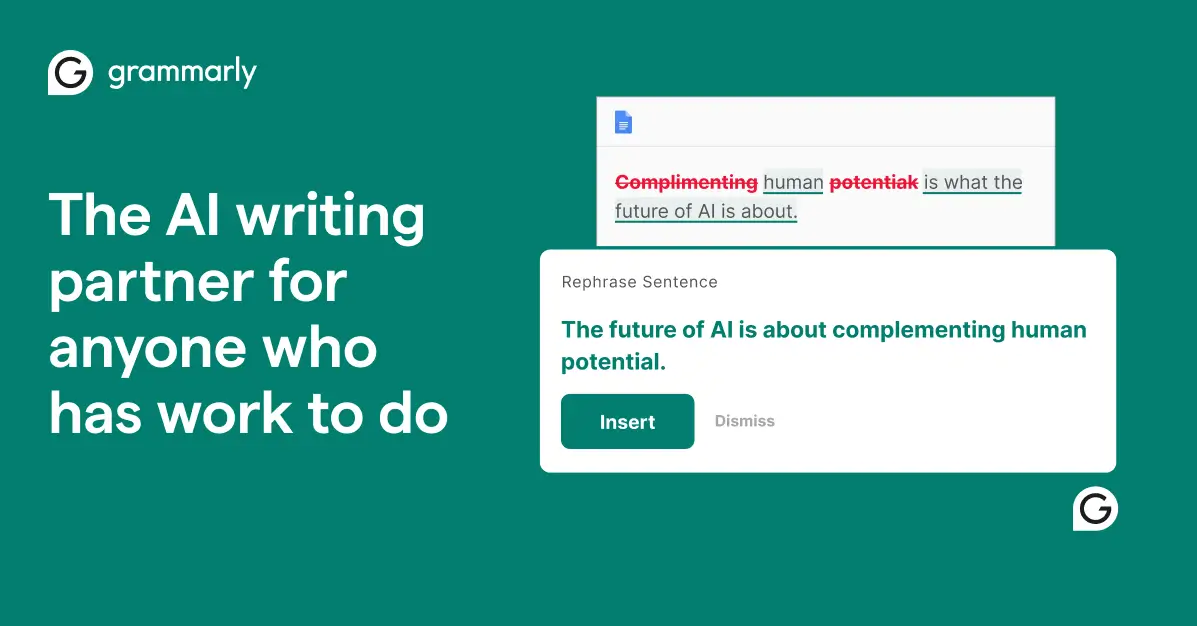
For teachers, the value isn't in the grammar corrections themselves. It's in the fact that students get instant feedback while drafting, which means the essays that land on your desk are already cleaner. Less time circling comma splices means more time giving substantive feedback on argument and analysis.
The plagiarism detection is solid and integrates with most LMS platforms. The newer AI features also help students understand why a suggestion is being made, turning corrections into learning moments rather than just red squiggles.
Pricing: Free basic version. Premium is $30/month. Institutional licensing available at reduced rates.
Best for: ELA teachers, writing-intensive courses, ESL programs, and any classroom where writing quality matters. Also useful for teachers who write a lot themselves -- reports, feedback comments, parent emails.
Where it falls short: The free version is fairly basic. Premium pricing at $30/month per user gets expensive for a full classroom unless your school has an institutional license. And there's a real pedagogical debate about whether real-time grammar correction helps students learn rules or just teaches them to depend on the tool.
10. Kahoot -- Best for Gamified Assessment
Kahoot has been a classroom staple for years, but the AI-powered quiz generation makes it worth reconsidering if you haven't used it lately. You can now feed it a topic, a set of notes, or even a document, and Kahoot will generate a full quiz with multiple question types.
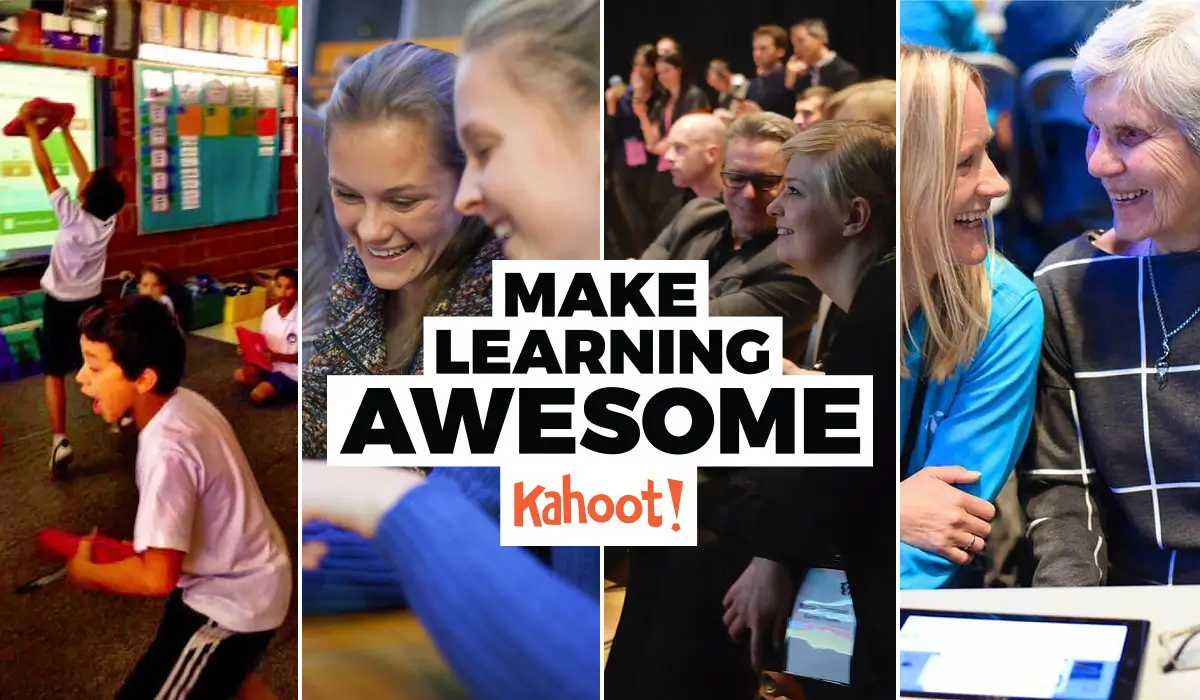
The gamification is still Kahoot's real superpower. Students genuinely enjoy it. The competitive leaderboard, the countdown music, the collective groans when someone picks the wrong answer -- it creates an energy in the classroom that's hard to replicate with a paper worksheet.
The newer adaptive learning features are worth noting. Kahoot can now adjust question difficulty based on student performance, giving struggling students easier questions and challenging advanced students with harder ones. The LMS integrations with Google Classroom, Canvas, and Microsoft Teams make it easy to assign Kahoot quizzes as homework too.
Pricing: Free basic plan. Plus is $6/month. Pro is $9/month.
Best for: Formative assessment, review sessions, and any time you want to check understanding in a way that doesn't feel like a test. Elementary and middle school teachers especially.
Where it falls short: The game format can prioritize speed over thinking. Some students rush to answer first rather than reasoning through the question. And Kahoot fatigue is real -- if you use it every day, the novelty wears off fast. The AI-generated questions occasionally need manual review for accuracy.
11. ClassDojo -- Best for Classroom Management
ClassDojo is used in 95% of U.S. schools, which is a staggering adoption number. It started as a behavior tracking tool and has evolved into a full classroom management and parent communication platform with AI features layered on top.
The AI behavior tracking gives teachers data on classroom dynamics over time -- not just who got a point for participation, but patterns in engagement, trends in behavior, and insights that help with intervention planning. The parent communication feature is where ClassDojo really shines: instant messaging, photo sharing, and automatic translation for multilingual families.
What I'd highlight for teachers considering ClassDojo is the engagement analytics. Being able to see which students are consistently disengaged (and when) gives you actionable information that's hard to get from gut feeling alone.
Pricing: Free for teachers. Premium features available through ClassDojo Plus for families.
Best for: Elementary teachers managing behavior systems, teachers in schools with diverse parent populations who need multilingual communication, and any teacher who wants data-driven insights into classroom dynamics.
Where it falls short: The behavior point system has critics who argue it's too focused on extrinsic motivation. Some teachers feel it gamifies behavior in ways that aren't developmentally appropriate. And the AI features, while useful, are still relatively new compared to the core product. Privacy concerns have been raised about tracking student behavior data.
Create AI learning tools your students will actually use
Design AI agents with your own materials, rubrics, and teaching style — then share them with a link.
12. Google NotebookLM -- Best for Research and Study
Google NotebookLM is Google's AI notebook tool, and it's become quietly essential for educators who deal with large volumes of source material. Upload PDFs, Google Docs, websites, YouTube videos, or EPUB files, and NotebookLM creates an AI that's grounded specifically in those sources.
The Audio Overviews feature is worth special attention. NotebookLM can take your source materials and generate a podcast-style audio discussion about them. For students who learn better by listening, or for teachers who want to create study materials without recording themselves, it's remarkably useful.
The new Interactive Mode lets users join the Audio Overview conversation and ask questions in real-time, turning a passive listening experience into an active dialogue. And because it integrates with Google Classroom, teachers can share NotebookLM notebooks directly as student resources.
It's FERPA and COPPA compliant, which matters a lot for schools worried about student data privacy. Being part of the Google Workspace for Education ecosystem means it inherits the compliance infrastructure schools already trust.
Pricing: Free with Google Workspace for Education.
Best for: Teachers preparing lessons from complex source materials, students doing research projects, and anyone who wants to create study guides grounded in specific texts rather than general AI knowledge.
Where it falls short: It's only as good as the sources you upload. If you feed it a mediocre textbook, you get mediocre outputs. The Audio Overviews sometimes oversimplify complex topics. And while EPUB support is great, the tool still struggles with heavily formatted or image-heavy documents.
13. Quizlet -- Best for Flashcards and Study
Quizlet has been around since 2005, but the AI upgrades have turned it into something much more powerful than a flashcard app. Over 500 million study sets and an AI tutor called Q-Chat make it one of the most widely used study tools in education.
Q-Chat is the standout feature. It's an AI tutor that quizzes students through conversation, adapting its questions based on what the student knows and doesn't know. Think of it as Socratic tutoring applied to any subject, powered by the massive library of existing Quizlet content.
Magic Notes lets students upload their class notes and automatically generates flashcard sets, practice tests, and study outlines. For teachers, Quizlet Live turns study into a collaborative classroom game where students work in teams to match terms and definitions.
Pricing: Free basic plan. Teacher Plus is $35.99/year.
Best for: Any class with vocabulary, terminology, or factual recall. Foreign language teachers, science teachers, history teachers -- anyone whose students need to memorize and retain information.
Where it falls short: Quizlet is fundamentally a recall and recognition tool. It doesn't help much with higher-order thinking, analysis, or application. The user-generated content library is massive but uneven in quality -- some study sets have errors. And the free tier has become more limited as Quizlet pushes toward paid subscriptions.
14. Gradescope -- Best for AI Grading
Gradescope is the tool I'd recommend for anyone who spends their weekends buried under a stack of papers. It uses AI to cut grading time by up to 80%, and that number doesn't feel exaggerated based on what I've seen.
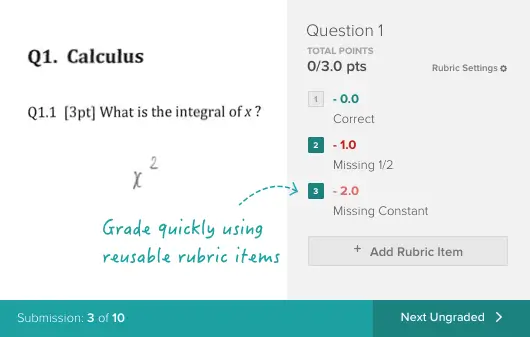
Here's how it works: students submit assignments (handwritten or typed), and Gradescope's AI groups similar answers together. You grade one answer in a group, and it applies that grade and feedback to all similar submissions. Dynamic rubrics let you adjust grading criteria as you go and retroactively apply changes to previously graded work.
The batch grading feature is where the real time savings live. Instead of grading 150 responses to question 3 individually, you grade a handful of answer categories and the AI handles the rest. For STEM courses with problem sets, the efficiency gain is massive.
Pricing: Free for individual instructors. Institutional plans are $3/student/year.
Best for: College and university instructors, especially in STEM fields. Also strong for high school AP courses and any environment with high-volume grading. If you grade more than 50 assignments per week, Gradescope will pay for itself in time saved.
Where it falls short: The AI grouping works best for structured responses (math problems, short answers). Open-ended essays and creative assignments don't benefit as much. The learning curve is steeper than most tools on this list -- it takes a few assignment cycles to really optimize your workflow. And handwriting recognition, while improved, still stumbles on messy student handwriting.
15. Pickaxe -- Best for Building Custom AI Tutoring Agents
Pickaxe is different from everything else on this list. Instead of giving you a pre-built AI tool, it lets you build your own AI agents tailored to your specific curriculum, teaching style, and student needs. No coding required.
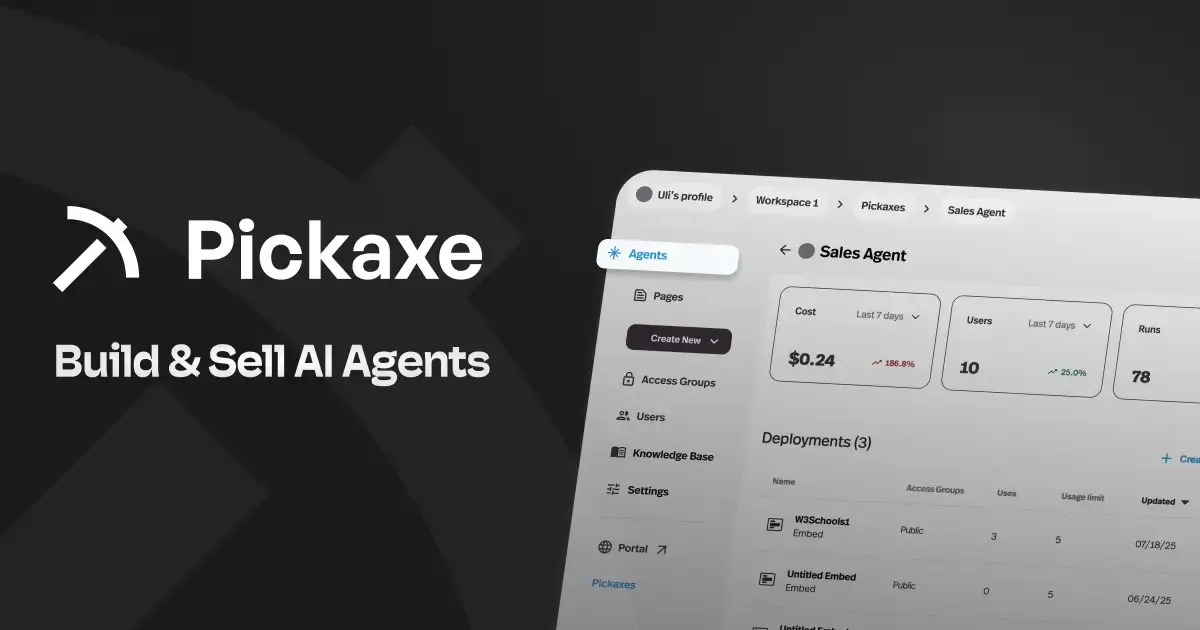
Here's where this gets interesting for educators. You can upload your entire curriculum -- textbooks, lesson plans, study guides, rubrics -- to Pickaxe's Knowledge Base. Then build an AI agent that answers student questions grounded specifically in your materials. Not generic internet knowledge. Your materials.
A biology teacher could build a tutoring agent that knows their specific course content, uses their terminology, and follows their grading rubric. A history teacher could create an agent that guides students through primary source analysis using the frameworks they've taught in class. A coach or instructor could scale their one-on-one guidance to hundreds of students simultaneously.
Deployment options are genuinely flexible. Embed agents directly on your course website, deploy them via WhatsApp for students who prefer mobile, add them to Slack for group study channels, or package them into branded Portals. The white-labeling capability means you can make it look like your own tool, not Pickaxe's.
Pickaxe is also SOC2, GDPR, and CCPA compliant, which matters when you're handling student data. The OpenClaw engine adds advanced capabilities like web browsing and code execution for agents that need to do more than chat.
Pricing: Gold plan at $19/month. Pro plan at $49/month. See full pricing details here.
Best for: Teachers and instructional designers who want AI tutoring agents built specifically around their curriculum. Also ideal for educators who want to package and share their AI tools with other teachers or even monetize them.
Where it falls short: Pickaxe requires more upfront setup than grab-and-go tools like MagicSchool or Kahoot. You're building something custom, which means investing time in uploading materials and configuring the agent. There's no free plan, so there's a financial commitment from day one. And while the no-code builder is accessible, teachers with no experience in AI tool design may face a learning curve.
How to Build Your AI Teaching Stack
You don't need all 15 of these tools. You need the right 2-4 for where you are right now. Here's how I'd think about it.
Starter Stack (Free, Get Your Feet Wet)
If you've never used AI in your classroom, start here:
- ChatGPT (free tier) -- for brainstorming, drafting, and general-purpose tasks
- Canva for Education (free) -- for creating visual materials and student projects
- Curipod (free) -- for interactive lessons that boost engagement
- Google NotebookLM (free) -- for research and study guide creation
Total cost: $0. Total time investment: an afternoon of experimenting.
Intermediate Stack (Some Budget, Ready to Commit)
You've tried AI and want tools built specifically for education workflows:
- MagicSchool AI (Plus $11.99/mo) -- your daily driver for lesson planning and content creation
- Brisk Teaching (free) -- AI embedded directly in Google Docs and Classroom
- Diffit (free) -- for differentiating materials across reading levels
- Kahoot (Plus $6/mo) -- for formative assessment that students actually enjoy
Total cost: under $18/month. This stack covers planning, grading, differentiation, and assessment.
Advanced Stack (Building Something Custom)
You want AI that's deeply personalized to your curriculum, or you want to build tools other teachers can use:
- Everything from the intermediate stack, plus:
- Gradescope (free for individuals) -- for AI-powered grading at scale
- Pickaxe (Gold $19/mo) -- for building custom AI tutoring agents grounded in your specific curriculum. Upload your materials to the Knowledge Base, deploy agents to students via embed or WhatsApp, and create something you can share with your department or district
- Khanmigo (free for teachers) -- as a student-facing AI tutor alongside your custom agents
Total cost: under $37/month. This stack lets you automate the repetitive work and build personalized AI experiences for your students.
Frequently Asked Questions
Are AI tools safe to use in K-12 classrooms?
It depends on the tool. Look for FERPA, COPPA, SOC2, GDPR, and CCPA compliance before introducing any AI tool to students. Tools like Google NotebookLM (built into Google Workspace for Education), Canva for Education, and Pickaxe (SOC2/GDPR/CCPA compliant) have strong compliance credentials. Always check your district's approved tool list and data privacy policies first.
Will AI replace teachers?
No. And I don't think that's a particularly close call. AI is replacing administrative tasks, not teaching. The tools on this list automate lesson planning, grading, differentiation, and content creation -- the work that happens outside of actual instruction. The relationship-building, mentoring, classroom management, and responsive teaching that make great teachers great? AI isn't close to replicating that.
What's the best free AI tool for teachers?
For sheer value at zero cost, Canva for Education is hard to beat -- you get every premium feature for free. For AI tutoring, Khanmigo is free for teachers. For general-purpose AI, ChatGPT's free tier covers a lot of ground. And Google NotebookLM is completely free if your school uses Google Workspace. Your best starting point depends on your biggest pain point.
How much time can AI tools actually save teachers?
The data is consistent across multiple studies: teachers save an average of 5.9 hours per week when using AI tools regularly. MagicSchool reports 7+ hours per week for active users. Brisk Teaching claims 30-60 minutes saved per class set of assignments. Gradescope cuts grading time by up to 80%. The savings are real, but they compound over time as you get better at using the tools.
Can students use these tools to cheat?
Some of them, yes. ChatGPT is the obvious concern -- students can use it to generate essays, solve homework problems, and write code. The education-specific tools on this list generally have better guardrails. Khanmigo guides students toward answers without giving them. MagicStudent has built-in academic integrity features. The bigger takeaway: design assignments that AI can't easily fake, and teach students to use AI as a learning tool rather than a shortcut.
How do I get my school to approve AI tools?
Start with tools that are already in your school's ecosystem -- Google NotebookLM if you use Google Workspace, Canva for Education which most districts already approve, or Brisk Teaching which works inside Google tools you're already authorized to use. For tools that require separate approval, prepare a brief showing the specific time savings and student outcomes. Compliance documentation (FERPA, SOC2) makes the conversation with your IT department much smoother.
The Bottom Line
The AI in education market is projected to reach $10.4 billion, and for good reason. These tools solve real problems that teachers deal with every single day.
But here's what I keep coming back to: the best AI tool for teachers is the one that gives you time back for the work that actually matters -- connecting with students, refining your craft, and doing the irreplaceable human parts of teaching.
Start with one tool. Give it two weeks. If it saves you real time, add another. If it doesn't, move on. The 15 tools above have earned their spots because teachers are actually using them, not because they have the flashiest demos.
And if you reach the point where you want AI that's built around your specific curriculum -- not a generic tool, but something that knows your materials, follows your frameworks, and tutors your students the way you would -- that's exactly what Pickaxe is built for. Upload your content, build an agent without writing code, and deploy it wherever your students are.
The tools are here. The question is just which ones you'll pick up first.