
The best AI tools for architects earn their place when a client changes the brief. A beautiful image is useful, but I also want to know what stays editable, which assumptions survive the revision, and what another person can actually take over.
I compared seven tools across project intake, site studies, residential layouts, visualization, and interior presentations. My shortlist includes Pickaxe for the information around a design project, alongside specialist tools that work on its spaces and images.
This is a review of current product documentation and pricing, checked October 26, 2026. The exercises below are proposed buying tests, not results from a live architecture commission.
AI tools for architects: a quick comparison
Start with the deliverable you need next. These tools occupy different parts of a practice, so the order below follows the work from client brief to presentation rather than claiming an overall quality ranking.
| Tool | Best fit | Useful handoff | What I would check |
|---|---|---|---|
| Pickaxe | Client intake and project knowledge | Structured brief and source-backed answers | Missing facts and client access |
| Autodesk Forma Site Design | Early site and massing decisions | Site proposal and Revit connection | Context data and model transfer |
| TestFit | Development feasibility | Layout options with explicit assumptions | Solver tier and input constraints |
| Maket | Residential layout exploration | Paid PDF and DXF exports | Dimensions after reopening |
| Chaos Veras | Visual iterations from design inputs | Concept images and supported model outputs | Geometry changes and credit use |
| Foyr Neo | Interior planning and presentations | Room model, renders, plan-dependent exports | Catalog fidelity and export tier |
| Photoshop with Firefly | Finishing selected presentation images | Editable image composition | Unwanted edits and model terms |
Each product section links its primary sources and explains the price's scope. A render credit, an AI credit, a software seat, and an annual feasibility license buy different things.
How I compared these tools
I looked for a clear input, a useful output, a way to revise it, and an understandable purchasing unit. I gave more weight to those details than to galleries of attractive rooms.
My original buying test is the revision handoff: introduce one client change, carry it through the relevant tool, and ask a second person to continue from the exported work. This exposes problems a first-generation demo can hide.
For an interior project, that change might be keeping an existing window and substituting a particular chair. For a development study, it might be a revised parking assumption that must remain visible in the next option.
These are deliberately different tests. Comparing a room image with a feasibility model on the same score would reward the wrong behavior.
I also separated vendor capabilities from my recommendations. A documented export format establishes that a handoff exists; it does not prove that your team's templates, coordinates, or object semantics will survive it.
Before evaluating an assistant, I would write down the task, inputs, permitted actions, and acceptance examples. Our guide to writing an agent behavior spec provides a useful structure for that agreement.
1. Pickaxe: client briefs and project knowledge
Pickaxe is my choice when the bottleneck is gathering a usable brief or helping clients find approved project information. It belongs around the design workflow, with a clearly defined job and access boundaries.
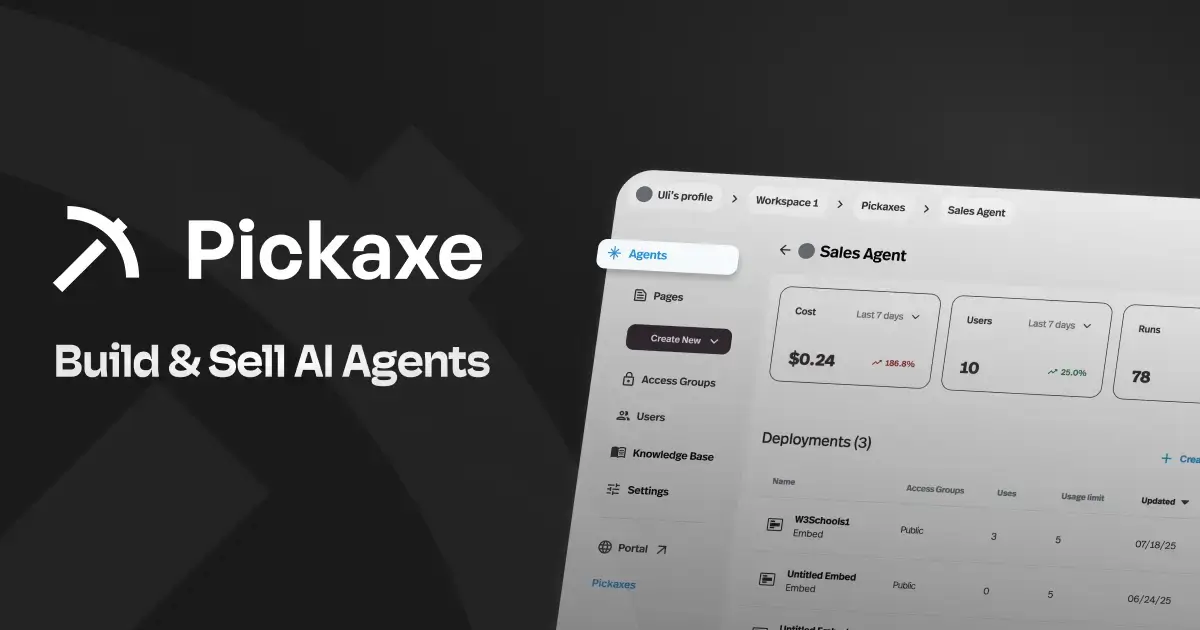
The current Agent Builder documentation describes Build, Auto, Settings, and Preview, including form inputs and a prompt frame. That gives a practice a way to collect requirements and turn them into a consistent first draft.
For example, I would propose an intake form asking about the spaces involved, existing conditions, priorities, budget assumptions, and decision makers. Its output would separate confirmed requirements, open questions, and conflicts for the designer to review.
“Keep the existing layout” and “move the kitchen to the opposite wall” should appear as a conflict. The assistant should ask for clarification instead of quietly choosing whichever request sounds more recent.
For document questions, the Knowledge Base can supply project context, while Portals provide a branded place to access agents. I would test document selection and client access with separate sample projects before inviting real clients.
The limitation: this use case produces information and answers. It does not establish measured geometry, validate a structural decision, or turn a client preference into an approved construction instruction.
On the current pricing page, Gold is $29 per month billed annually, with $15 in monthly AI credits; additional usage and commercial terms need their own allowance. I would budget the assistant separately from CAD and rendering software.
My acceptance check would be simple: can it identify the current document, admit a missing answer, and keep one project's information out of another project's response? Our knowledge base design guide explains the retrieval decisions behind that test.
2. Autodesk Forma Site Design: early site decisions
Forma Site Design is worth examining when a practice needs to explore site context, massing, and environmental consequences before committing to detailed design. I would begin here when the site itself drives the decision.
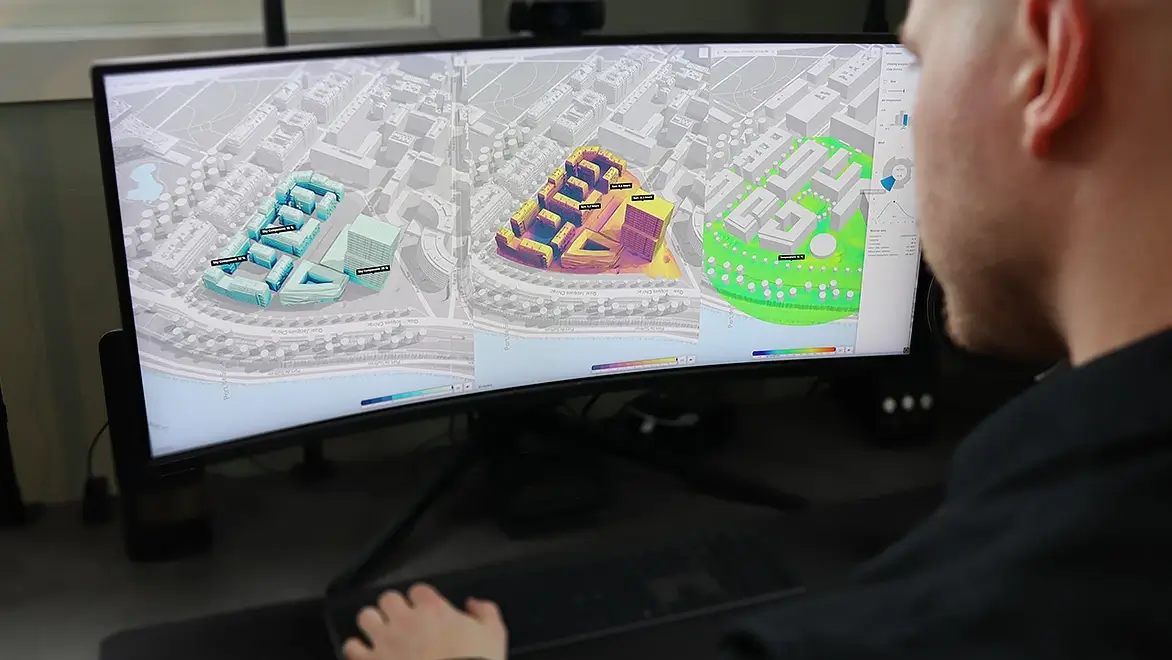
Autodesk's current product page describes AI-powered analyses, conceptual modeling, and connections to Revit and other tools. It also identifies Forma Site Design as part of the AEC Collection.
For a proposed pilot, take a previously understood site and compare alternatives while keeping the underlying assumptions visible. Ask what changed in the building mass, what changed in the contextual data, and which difference explains the result.
A compelling analysis view is easier to interpret when the reviewer knows the site's input quality. I would check the location, surrounding context, and any imported geometry before using an option to steer a client conversation.
The handoff matters as much as the study. Have the person responsible for the next modeling stage open the proposal through the intended connection and identify what remains editable and what needs rebuilding.
The US product FAQ lists $85 for a monthly subscription or $700 annually. Its headline also displays a rounded annual-equivalent starting price, so I would compare the actual annual commitment and check existing AEC Collection entitlement first.
I would choose Forma for early site exploration in a compatible modeling workflow. I would keep detailed coordination, consultant review, and the project's authoritative documentation in the systems assigned to those responsibilities.
3. TestFit: feasibility with explicit constraints
TestFit is the specialist I would shortlist when a development decision depends on fitting a program onto a site. Its value is in examining constrained options and their assumptions before the team spends heavily on detail.
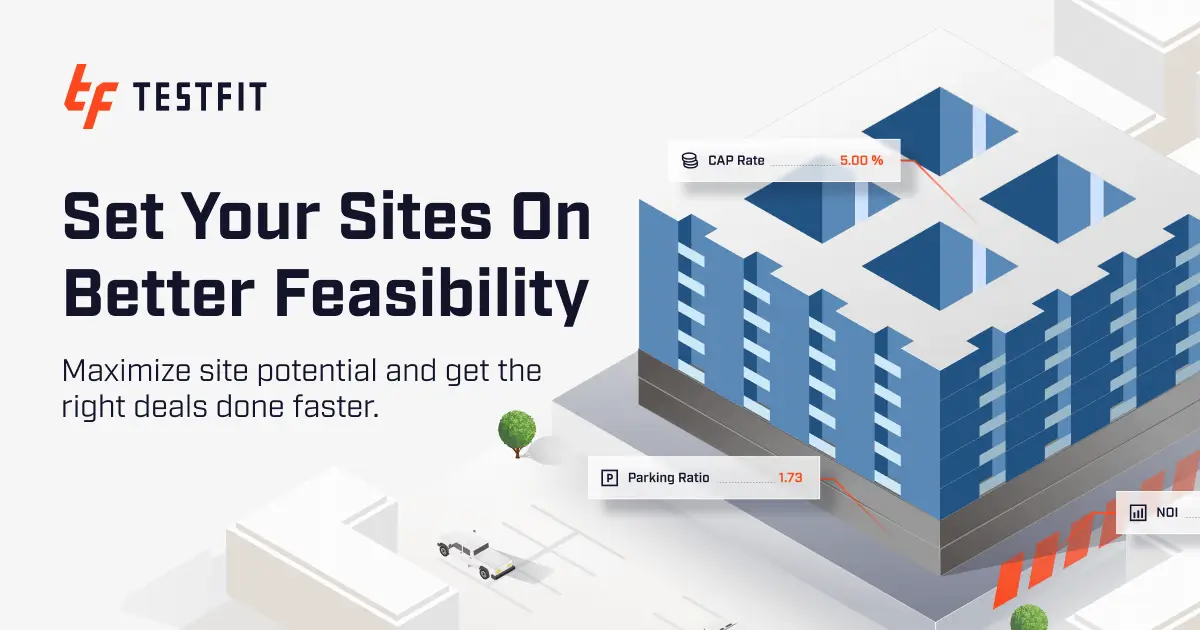
The official plan comparison separates Parking Solver from Site Solver. Parking Solver includes parking automation and low-detail massing; generative design and detailed building presets sit in Site Solver.
That distinction makes a large difference to the buying conversation. Parking Solver is $195 per month billed monthly, while Site Solver starts at $15,000 per year billed annually.
The same page lists optional Parking Solver add-ons of $150 per month for Site Intelligence, $170 for Pro Forma, and $100 for MCP Connection. I would ask for the complete configuration needed for the intended study.
My pilot would change a single constraint, such as the parking assumption, and have the reviewer explain the resulting tradeoff. Save both the input set and the output so the next person can reproduce the discussion.
The trap is buying a low entry price for a different job. A parking study and a detailed multifamily feasibility exercise should have separate acceptance criteria and separate quotations.
TestFit says some geographic data layers vary internationally, and its support and training operate in English during US business hours. Teams working elsewhere should confirm coverage for their actual sites before purchase.
I would also ask the person doing the next design stage to inspect the exported or connected work. A feasibility option is useful when the design team can understand its assumptions and develop it further without losing the reason it was chosen.
4. Maket: residential floor plan exploration
Maket is a practical candidate for exploring residential layouts from requirements or an existing plan. I would use it to compare arrangements while keeping a measured reference close at hand.
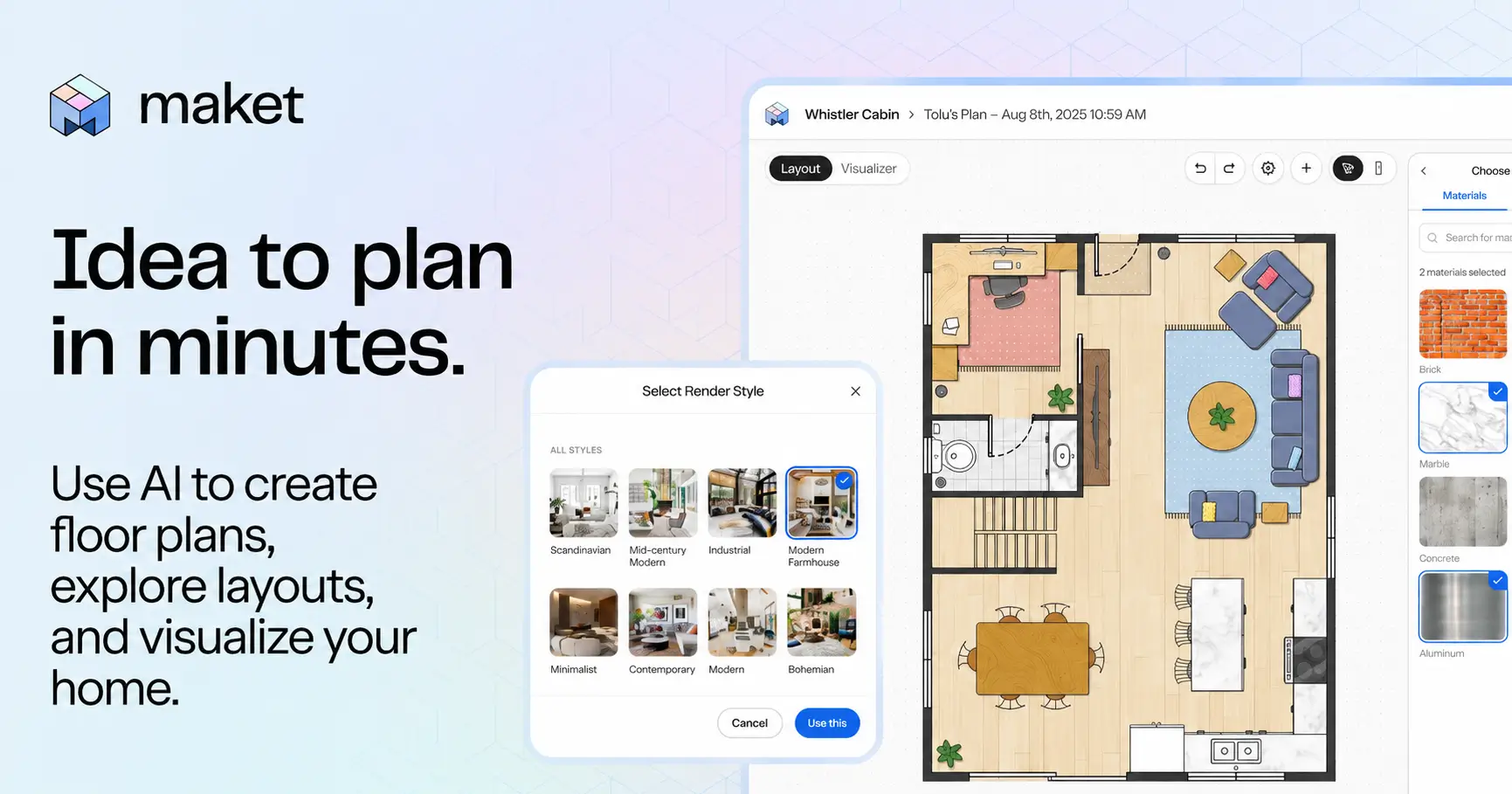
Its current pricing and credit rules list a free plan with 30 one-time credits. Homeowner is $20 per month with 300 monthly credits, while Pro is $100 per month with 3,000 monthly credits.
Downloadable PDF, DXF, and render exports require a paid plan. The Homeowner plan includes an AI-assisted plan upload, while Pro includes a limited monthly allowance of human-validated uploads.
That upload distinction deserves attention. Maket's FAQ treats an AI-assisted upload as a starting point; I would still check dimensions, openings, and room placement against the supplied drawing.
For a proposed test, use a small residential brief with fixed exterior dimensions and a clearly marked window. Request a revision that changes the room arrangement while retaining those constraints.
Then reopen the DXF in the software the practice actually uses. Check its units, the retained opening, and whether the person receiving it can make the next change without tracing the entire layout again.
Credits measure attempts, not approved plans. Maket lists 20 credits per generated or uploaded floor, 10 per render, and 5 per optimization; included paid credits refresh monthly and expire at the cycle's end.
I would choose it for bounded residential exploration when the export test works. I would keep the professional review of circulation, construction, and project requirements as explicit steps after generation.
5. Chaos Veras: visual revisions from design inputs
Veras is the candidate I would explore when a team already has design inputs and wants to communicate alternative materials, atmosphere, or visual directions. Its appeal is carrying those iterations closer to the existing workflow.
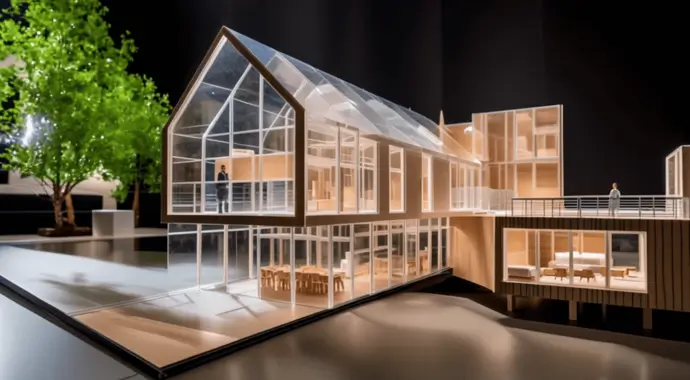
The current Veras page describes image-based iteration, integrations, and higher-tier 3D model generation. I would check the exact host application and output route needed for a project rather than treating every advertised capability as a BIM handoff.
For an image pilot, start with a view containing recognizable openings, columns, and built-in elements. Request a material change, then compare the result with the source view at those fixed locations.
A convincing result can still suggest a different junction or shift a door. My review would explicitly record which differences are intentional design options and which are generation artifacts.
The current annual plan card lists Veras Starter at $16.90 per month, billed $202.80 annually, with 500 monthly Chaos AI credits. Pro is shown at $29 per month billed annually, with a larger allowance and model-generation capabilities.
Those credits cover different activities, so the allowance does not establish a universal number of deliverable images. I would cost the specific model, resolution, and revision pattern I planned to use.
Chaos also documents Veras in supported V-Ray workflows and across Enscape plans. Check an existing subscription before buying a second route to the same feature.
My decision would rest on how many useful revisions survive review, how easy it is to retain the source, and whether the next designer understands the output's status.
6. Foyr Neo: interior planning and presentation
Foyr Neo fits the interior designer who wants room planning, a product catalog, and presentation work in a connected environment. I would investigate it when assembling a coherent room matters more than generating another isolated style image.
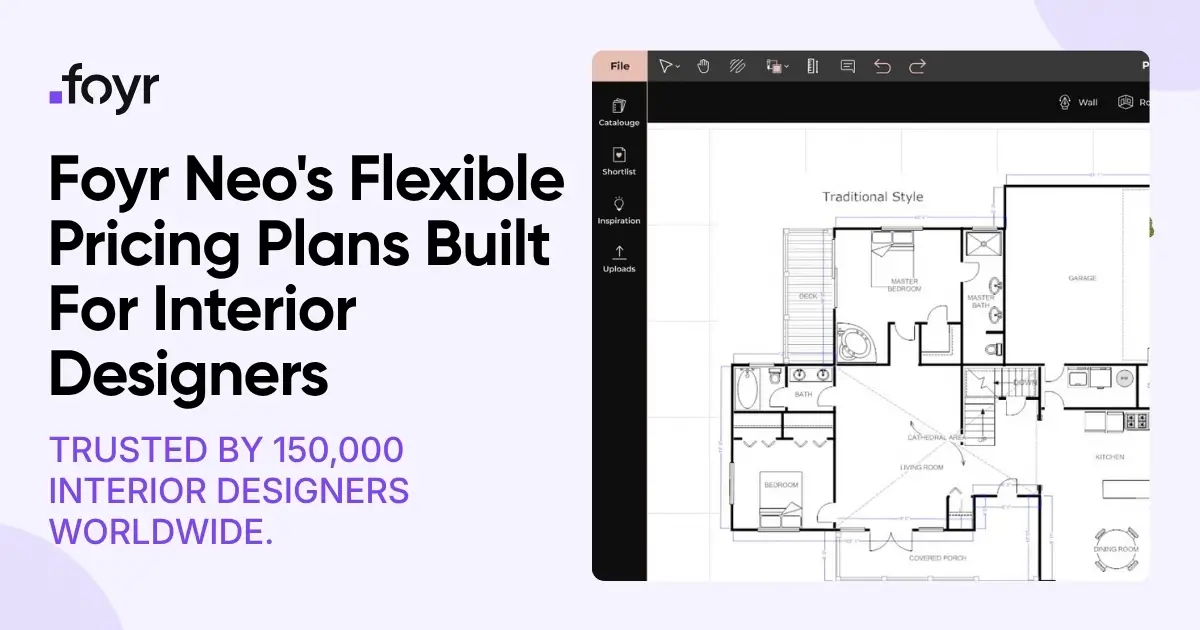
The official pricing page lists a catalog with AI search, design tools, and cloud renders. Its Standard tier adds floor plan export, walkthroughs, and broader editing features.
I checked the live monthly selector because the initial page exposes multiple price sets. In that view, Basic showed $39 per month with 30 render credits, and Standard showed $89 per month with 90 render credits.
The annual view shows different prices and allowances. I would confirm the selected term and credit allowance in checkout instead of combining a monthly price with the annual card's render count.
My room test would use known dimensions, one fixed opening, and one specified furniture item. After revising the layout, ask a colleague to verify that the visible item corresponds to the intended selection and actually fits the working model.
A plausible sofa is not a sourcing decision. Keep a separate schedule for the selected product, dimensions, finish, supplier, and approval status, even when the catalog image makes a presentation feel complete.
I would also try the required plan export before committing the team. Confirm that the chosen tier supports the deliverable and that another person can use it without recreating the room.
For a small interior practice, the useful comparison is total effort from revised brief to reviewable presentation. Record the time spent correcting assets and preparing the handoff alongside the rendering time.
7. Photoshop with Firefly: controlled presentation finishing
Photoshop remains a useful finishing environment when a selected image needs a specific edit, a cleaner composition, or room for a presentation layout. I would use AI features within an image workflow that retains the source and revision history.

Adobe documents Generative Fill, Expand, and related image editing features. These can help explore changes in a selected region, but every changed element still needs visual review.
My test would remove a temporary object from a presentation image while keeping a nearby window unchanged. Compare the result at full size, including edges, reflections, repeated patterns, and any structural-looking detail.
Save the untouched source and a clearly identified presentation version. The next person should be able to tell which elements came from the model and which were added during image editing.
I would check the exact plan and selected AI model before quoting a cost. Adobe's plan comparison varies by region, tax display, commitment, application access, and AI allowance; a web-only entitlement may differ from the desktop workflow you expect.
I have deliberately left out a universal dollar price because the fetched plan page served a localized euro offer. Check the local checkout, applicable usage allowance, and the current terms for the model you select.
For a client presentation, I would identify generated or materially altered imagery in the project's agreed review process. That keeps a visual exploration from silently becoming evidence of a finished design decision.
The revision brief I would use across the shortlist
Use a small, synthetic project packet that your team can inspect completely. For example, a residential kitchen renovation can include a measured base drawing, a client brief, a shortlist of materials, and a dated decision record.
This is an illustrative exercise. It does not assume that a kitchen project needs every product on the list or that a residential task can evaluate a site feasibility solver.
- Fixed facts: label the exterior dimensions, existing openings, and reference drawing revision.
- Requested change: identify one alteration, such as a material substitution or revised room arrangement.
- Unknowns: leave one deliberate gap that the assistant should ask about.
- Handoff: name the receiving person, file format, software, and next edit.
- Approval: identify who can accept the changed design or presentation.
For a site tool, replace the room packet with an appropriate site and program brief. Keep the same discipline: fixed facts, one changed constraint, visible assumptions, and a receiving reviewer.
I would retain an input snapshot, the chosen output, rejected versions, and the reason for the decision. A clean export without its assumptions can be surprisingly hard to use a week later.
When a client says “I like that one,” ask which version and which features they are accepting. A concept image, a material choice, a layout, and an authorization to proceed deserve separate records.
Compare the cost of accepted work
I would put subscriptions, usage, correction time, and handoff time on separate lines. That makes the economics understandable even when vendors charge for different units.
Here is hypothetical arithmetic using Maket's documented credit rates: four generated floors use 80 credits, six renders use 60, and eight optimizations use 40. That totals 180 credits, before other activity, from a 300-credit monthly Homeowner allowance.
The calculation describes consumption, not quality or production throughput. If every output needs substantial rebuilding, the unused credits do not make the work inexpensive.
For an internal pilot, track cost per accepted deliverable as the allocated software and usage cost plus reviewed labor, divided by the number of accepted deliverables. Define “accepted” before starting so an attractive draft cannot quietly count as finished work.
Keep annual commitments visible as annual commitments. Comparing TestFit Site Solver's starting annual license with a single month of image editing would disguise both purchasing scope and financial exposure.
If you package an assistant as a client service, include maintenance, document refresh, and support in the price. Our AI service pricing guide explains how to separate delivery cost from the value of the service.
A small pilot before buying seats
I would propose twelve cases for the workflow under consideration: four ordinary requests, four revisions, and four failures or ambiguities. This is a suggested test design, not a vendor benchmark or a claim that twelve cases establish production reliability.
Ordinary cases establish whether the tool can do the intended job at all. Revisions establish whether it preserves fixed facts, and failure cases establish whether a person can recover the work without guessing.
For an assistant, include a missing document, an obsolete revision, an unanswered question, and an attempt to retrieve another sample project's information. For an image tool, use missing inputs, changed openings, inconsistent materials, and a deliberately awkward edit.
Assign a reviewer to each case. Record pass or fail, the evidence, corrective work, usage consumed, and whether the next person could continue from the handoff.
Our guide to agent evals explains how to retain these examples as a regression set. Repeat relevant cases after changing the model, project documents, permissions, or integration.
For shared client access, our client portal guide is useful for deciding what clients need to return to. A focused brief assistant and a clear decision record can be more useful than an unexplained collection of generated files.
Start with a clearer client brief.
Build a focused intake assistant and review its output before sharing.
AI tools for architects: buyer FAQ
Which tool should a small practice try first?
I would start with the repeated bottleneck. Try an intake assistant if briefs arrive incomplete, a geometry workflow if layouts need constant rebuilding, or a visual tool if the existing model is sound but presentation revisions take too long.
Can AI-generated floor plans go straight to construction?
I would treat them as inputs to professional design and review. A generated layout or exported drawing still needs its dimensions, project requirements, coordination, and approval status checked through the practice's normal process.
Does geometry-aware rendering guarantee an unchanged design?
I would verify the output against the source at fixed reference points. A tool's control features can help direct an edit, but the acceptance test is whether the particular result preserves the features your project requires.
Are free plans enough for a professional pilot?
Sometimes they help evaluate the interface, but export restrictions and one-time allowances can prevent a meaningful handoff test. Check that your pilot tier includes the exact output and usage needed before judging the workflow.
Where does Pickaxe fit if I already use design software?
I would give it a defined information job: collecting project requirements, answering questions from selected documents, or organizing a designer-reviewed brief. Keep the authoritative design model and approval process attached to their existing owners.
What I would choose for the next project
I would choose one bottleneck, one specialist, and one receiving reviewer. A useful pilot ends with an accepted deliverable and a repeatable handoff that another person understands.
For client intake and project questions, I would start with a small Pickaxe agent and carefully selected sample documents. For geometry, site analysis, and visuals, I would use the specialist whose output survives the next revision.
You can start building a Pickaxe agent and use the revision brief above to define its first job. Keep that job narrow enough that you can inspect every answer before a client depends on it.