
The best AI presentation maker is not necessarily the one that produces the prettiest first draft. It is the one that leaves your deck in the right place, with the right people able to edit it, check the claims, apply the brand, and present it without a rescue mission.
I compared seven current options by that practical handoff. Gamma is my fastest starting point for a standalone AI-native deck. Plus AI makes more sense when the file must remain native to PowerPoint or Google Slides. Canva is strongest when the deck is one piece of a larger visual campaign, while Beautiful.ai and Pitch solve different kinds of team consistency.
This is a documentation and workflow comparison checked September 17, 2026. I did not run a controlled output benchmark, so the recommendations below are based on current product capabilities, pricing, export paths, and a proposed evaluation method rather than invented test scores.
Best AI presentation makers: the quick comparison
The ranking is really a routing table. Choose the destination first, then judge how well the AI gets you there.
| Tool | Best starting point | Where the deck lives | Current pricing signal | Watch first |
|---|---|---|---|---|
| Gamma | Fast AI-native first draft | Gamma, with PPTX and Slides export | Free plan; paid credit plans | Post-export cleanup |
| Plus AI | Existing PowerPoint or Slides workflow | Native PowerPoint or Google Slides | $10/user/month annually | Credit use per task |
| Canva | Campaign assets beyond slides | Canva design workspace | Free; Pro $180/year | AI usage limits |
| Beautiful.ai | Strong layout guardrails | Beautiful.ai, with PPTX export | Pro $12/month annually | Rigidity on unusual slides |
| Pitch | Collaborative sales decks | Pitch workspace and pitch rooms | Free; Plus shown at €10/month annually | Regional pricing and credits |
| PowerPoint Copilot | Microsoft-first organizations | Native PowerPoint | Requires an eligible Microsoft 365 plan | License combination |
| Gemini in Google Slides | Google Workspace teams | Native Google Slides | Workspace Standard $14/user/month annually | Plan and language availability |
These prices use different meters and billing terms. A credit, an AI use, and a per-seat suite license are not equivalent, so I would never turn this table into a fake cheapest-to-most-expensive leaderboard.
How to choose an AI presentation maker before comparing outputs
Start with the file your audience expects after the AI is finished. If a client will redline a PPTX, a beautiful web deck is not automatically a win. If a sales team needs viewer analytics and reusable deal rooms, a plain PPTX export may throw away the most valuable part of the workflow.
I would score five things: source fidelity, narrative control, native editability, brand control, and handoff friction. Visual polish matters, but it comes after the numbers, claims, and ownership of the final file.
- Source fidelity: can every factual slide be traced to an approved document or URL?
- Narrative control: can you change the outline before the tool decorates it?
- Native editability: do charts, text boxes, notes, and images remain useful in the destination app?
- Brand control: can non-designers stay within the approved type, color, and layout system?
- Handoff friction: what must a teammate fix before they can present, share, or localize the deck?
This is where many roundups stop too early. Search results repeatedly praise fast generation, but the unanswered question is what happens on revision six when a client changes one chart, legal removes a claim, and three people need to work at once.
For teams sharing an existing deck asynchronously, Flipsnack's online presentation maker can turn PPTX, ODP or PDF files into an interactive web publication, with videos, forms and viewer analytics. Check the relevant plan limits before choosing this handoff format.
1. Gamma: best AI presentation maker for a fast standalone draft
Gamma is where I would start when the blank page is the main problem and the team is open to an AI-native workspace. It can turn a prompt or imported material into a structured presentation quickly, then let you regenerate individual cards without rebuilding the whole deck.

The current Gamma plan page says the Free tier can create up to 10 slides per prompt, import PDF and PPTX, and export to PDF, PPTX, PNG, and Google Slides. Plus increases the per-prompt slide allowance and removes Gamma branding; Pro adds custom branding, detailed analytics, advanced sharing, and API access.
Gamma now meters AI actions with credits. Its credit documentation says Free users receive 400 non-renewing credits, while paid allocations refresh monthly and can roll over up to twice the plan size. Additional credits currently cost $6 per 1,500 according to Gamma's purchase guide.
What stands out: the product is optimized around generating and reshaping the story, not just adding an AI button to an old editor. Web sharing, analytics, and interactive cards can be more useful than recreating a conventional slide deck.
What to test: export your hardest deck to PPTX and ask the real downstream editor to change it. Gamma itself notes that PowerPoint exports may need minor adjustments depending on complexity. That is not a deal-breaker, but it belongs in the buying decision.
Choose Gamma when: speed to a persuasive, shareable first draft matters more than living inside a legacy slide file from the first minute.
2. Plus AI: best for native PowerPoint and Google Slides
Plus AI takes the opposite approach: it works inside PowerPoint and Google Slides. I would shortlist it when the final file must stay native because colleagues, clients, or procurement already standardized on those apps.

The official Plus AI pricing page lists Basic at $10 per user per month billed annually or $15 monthly. It includes both PowerPoint and Google Slides, 1,500 AI credits each month, full-presentation generation, single-slide insertion, rewriting, and layout remixing.
Plus says tasks generally consume 40 to 170 credits depending on complexity. That range is more useful than a vague unlimited label because it gives you something to observe during a seven-day trial with 1,000 credits.
What stands out: native editing changes the economics of revision. A teammate can use the same slide master, add a finance chart, or hand the file to a client without explaining a new web editor.
What to test: give Plus your ugliest existing corporate deck, not a blank canvas. Ask it to add three slides that use the actual master, then inspect fonts, spacing, charts, speaker notes, accessibility, and whether a colleague can keep editing without the extension.
The tradeoff is that staying native also inherits the limitations and clutter of the native file. You may get a better handoff but a less magical first reveal than a product built around generated web layouts.
Choose Plus AI when: compatibility is a requirement, not a nice-to-have. It is the cleanest answer here for agencies delivering editable files to clients.
3. Canva: best when the presentation is part of a campaign
Canva makes sense when the deck is one output among social graphics, one-pagers, video, and event materials. Its advantage is less about being the purest slide generator and more about keeping the whole visual campaign in one familiar system.
Canva's AI presentation maker uses Magic Design to generate presentation directions from a text prompt. Canva Code can also add interactive elements such as calculators or mini experiences to a presentation.
The current US pricing page lists Free at $0 with up to 20 Standard or Premium AI uses, Pro at $180 per year for one person, and Business at $250 per person per year. Canva describes Pro as offering ten times the Free AI allowance and Business as twenty times, with top-ups or an AI Pass available separately.
What stands out: the asset library and multi-format workflow. If the same visual story must become a proposal, LinkedIn carousel, webinar deck, and handout, Canva can eliminate repeated setup.
What to test: do not only ask Magic Design for a generic topic. Upload your real brand, provide a source document, and create three connected outputs. Check whether the deck stays consistent after a non-designer edits it and whether the exported file remains usable in the destination your client expects.
The weakness is focus. A broad design suite offers more controls and more asset types, but a specialist can feel faster when all you need is a coherent ten-slide narrative.
Choose Canva when: presentations are part of a repeatable content system and your team already knows the editor.
4. Beautiful.ai: best for layout guardrails
Beautiful.ai is the one I would test for teams that want slides to keep reorganizing themselves as content changes. Its Smart Slides are designed to constrain layout decisions so a non-designer can add information without slowly breaking the visual system.
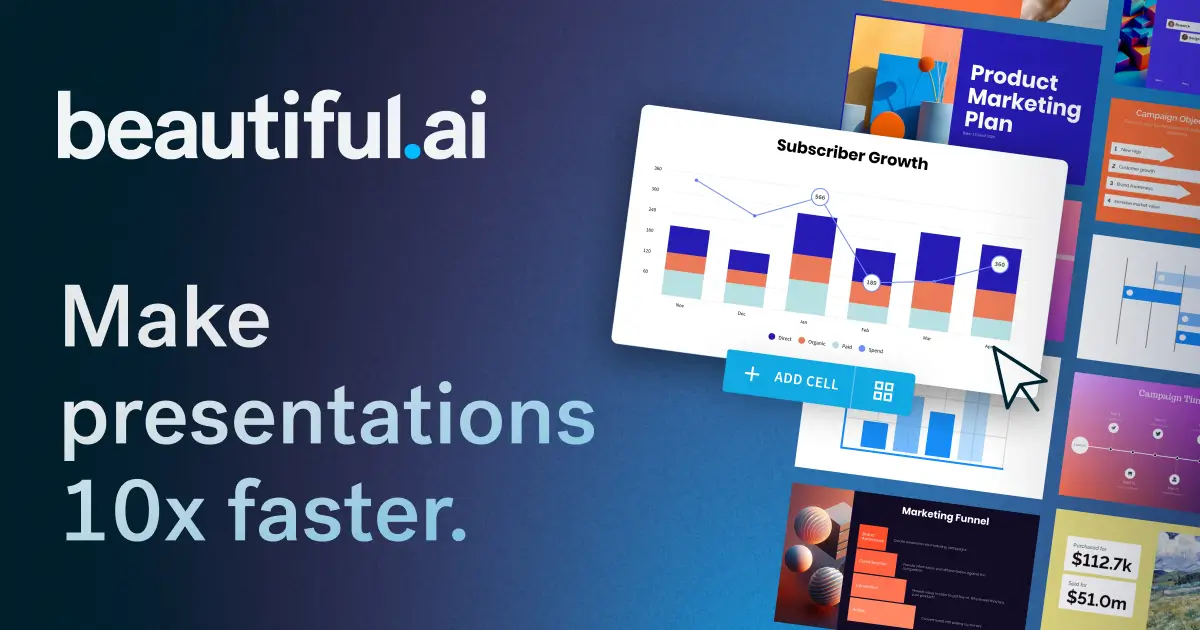
The official plan page lists Pro at $12 per month billed annually or $25 monthly. It includes unlimited AI content generation, more than 300 Smart Slide layouts, auto-formatting, custom branding, PowerPoint import and export, and viewer analytics.
Team is listed at $40 per user per month annually or $50 monthly for two to 20 seats. It adds collaborative editing, shared libraries, locked slides, version control, and live data linking. The 14-day trial requires a card, and the page also offers a one-off presentation for $45.
What stands out: enforced tidiness. That can be a major advantage for distributed teams producing recurring board updates, client reviews, or training decks.
What to test: include one slide that does not fit a standard template, such as a dense operating model or an annotated screenshot. Guardrails save time until the story needs to break the grid. Measure how gracefully the editor handles that exception.
A recent practitioner discussion on Reddit described the same tension: Beautiful.ai keeps work aligned but can feel rigid when a slide needs to escape the layout. That is anecdotal experience, not independent proof, but it points to the right pilot question.
Choose Beautiful.ai when: consistency across many non-designers matters more than total freedom on every slide.
Turn the deck into a useful agent
Build a Pickaxe agent that answers follow-up questions from the same approved sources.
5. Pitch: best for collaborative sales presentations
Pitch becomes interesting when the work begins after the deck is shared. It combines AI generation and a familiar slide editor with branded templates, visitor analytics, and pitch rooms for sales collateral.
The current product page says teams can generate with Pitch Agent, import PPTX, use more than 150 templates, collaborate in the cloud, and track viewers. Pitch rooms can bundle a deck with supporting resources under one shared link.
Pricing is region-dependent. The page served during this review showed Free at €0 with 100 lifetime AI credits, Plus at €10 per month on annual billing with 500 monthly credits, and Business at €20 with 750 monthly credits. Pitch's credit guide says extra usage is $0.004 per credit, with a workspace budget you can control.
What stands out: creation, distribution, and feedback stay connected. That matters when the real outcome is not a finished deck but a sales conversation.
What to test: build one reusable proposal, personalize it for three prospects, and share each version. Confirm what analytics are visible, what consent or privacy expectations apply, and whether the team can trace which version each prospect received.
The tradeoff is ecosystem commitment. Pitch is most valuable when your team uses the sharing and collaboration layer, not when everyone immediately exports and returns to another editor.
Choose Pitch when: a deck is a living sales asset and viewer behavior matters to the next action.
6. PowerPoint Copilot: best for Microsoft-first organizations
Copilot in PowerPoint is the default shortlist for organizations already governed around Microsoft 365. It can create a presentation from a prompt or file, add and restructure slides, rewrite content, generate or replace images, and work with enterprise brand kits.

Microsoft's AI PowerPoint guide confirms that Copilot can start from a prompt or Word document and that it is available only on eligible Microsoft 365 subscriptions, not the free PowerPoint web app.
The newer PowerPoint editing documentation covers multi-step edits, presentation understanding, image work, brand kits, and skills that review a deck, visualize a slide, or prepare likely questions. Microsoft says Copilot can use different models, including Anthropic and OpenAI options, inside the editing experience.
Licensing needs careful arithmetic. The current business pricing page lists Microsoft 365 Copilot Business from $18 per user per month on an annual promotional price and says a separate qualifying Microsoft 365 plan is required. Monthly commitment is listed at $25.20.
What stands out: native files, existing identity controls, and fewer workflow changes for a Microsoft shop. Enterprise teams may value those boring advantages more than a dramatic first draft.
What to test: use the organization's actual template and data classification rules. Ask Copilot to build from a source file, then verify every number, citation, note, and branded layout. Confirm exactly which content the tenant permits Copilot to access.
Choose PowerPoint Copilot when: the organization already lives in Microsoft 365 and the deck must remain a governed PowerPoint artifact.
7. Gemini in Google Slides: best for Google Workspace teams
Gemini in Slides is now much closer to a complete presentation generator than the old one-slide-at-a-time helper. For an eligible plan, it can create a fully editable presentation after a short planning conversation, use Drive files as sources, and match an existing presentation style.
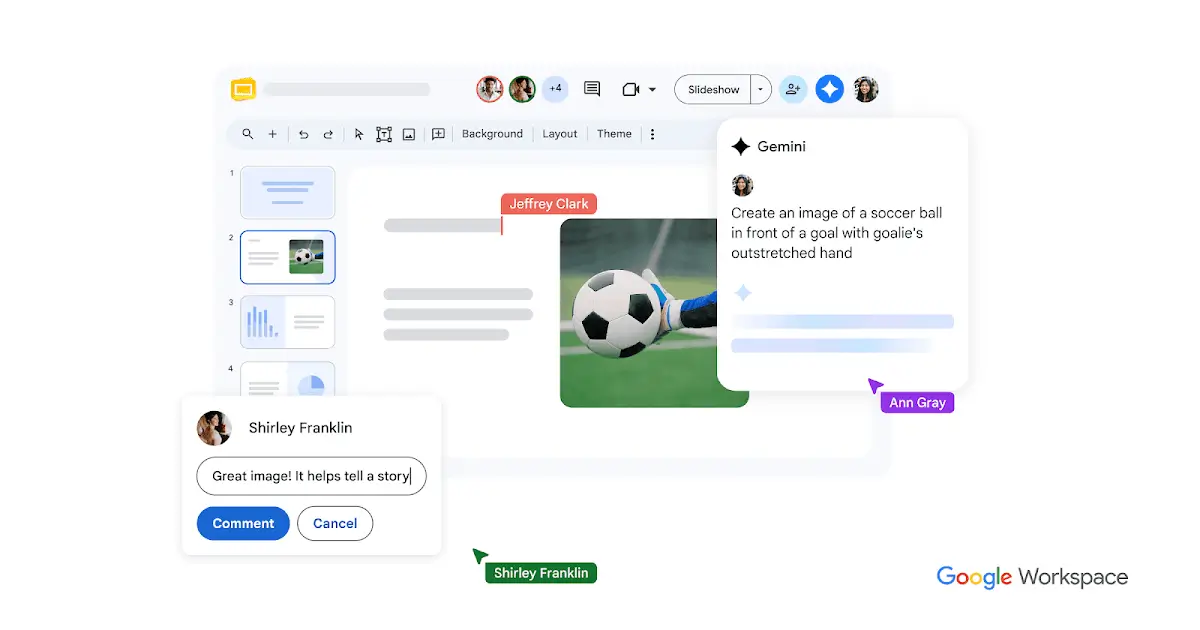
Google's official generation guide says the workflow produces an outline with sources and slide steps before generation. You can edit that plan, add or remove sections, and approve it before Gemini builds the deck.
That planning gate is valuable. It gives a reviewer a chance to correct the story before the model spends time making the wrong structure look polished.
There are real qualifications: Google currently says full-presentation generation is desktop-only, English-only, and requires an eligible Workspace or Google AI plan. The US Workspace page lists Business Standard at $14 per user per month on annual commitment or $16.80 on flexible billing, with Gemini in Docs and other Workspace apps.
What stands out: sources and collaboration already live where many teams work. A deck based on Drive files can remain editable without an export step.
What to test: compare a source-grounded deck with and without approved Drive references. Inspect whether claims point back to the right file, whether style matching survives manual edits, and whether people outside the organization can collaborate under the intended access policy.
Choose Gemini in Slides when: your team already works in Google Workspace and wants AI to join that process rather than replace it.
A practical AI presentation maker pilot
I would not test seven tools with seven different prompts. Use one representative brief, one approved source pack, and one destination requirement so that the differences remain visible.
A useful fictional pilot is a 12-slide client quarterly review. Give each tool the same six inputs: a one-page narrative brief, a spreadsheet with five metrics, two approved customer quotes, brand guidelines, an old deck, and a short list of prohibited claims.
Score the results in two passes. The first pass measures the generated draft. The second measures what happens after a reviewer requests six changes.
- Factual accuracy: every metric and quote matches the approved source.
- Story structure: the deck states the decision, not just the topic.
- Visual hierarchy: a viewer can find the main point of each slide quickly.
- Revision cost: six realistic edits do not break layouts or create duplicated facts.
- Destination quality: the native or exported file works for the actual presenter.
- Governance: permissions, brand controls, and source handling meet the client's rules.
Time each stage separately. A tool that creates a draft in two minutes but requires an hour of export repair is not faster for your workflow.
Also test a deliberate contradiction. Put one outdated metric in the old deck and the corrected value in the spreadsheet. The right behavior is not confident decoration; it is preserving the approved source hierarchy or making the conflict obvious.
What AI presentation makers still do not solve
These tools reduce blank-page and formatting work. They do not decide whether the recommendation is sound, whether the evidence is current, or whether the audience will believe the claim.
That distinction appears in expert workflows too. In an April 1 post on X, Tomasz Tunguz described separate agents collecting repository history, querying error logs, checking research citations, building a presentation, and critiquing its flow. His example supports a narrow lesson: slide rendering is one stage of a larger evidence and review process, not proof that the final story is correct.
For repeatable client work, I would separate the system into three layers: approved evidence, narrative assembly, and presentation rendering. Pickaxe can help with the first two by giving an agent a controlled knowledge base, explicit instructions, and an evaluation set. The presentation maker then becomes the output layer rather than the source of truth.
That approach also makes model changes less disruptive. Our guide to AI agent evals shows how to preserve a reusable test set, while the prompt engineering guide explains how to define role, boundaries, and output format.
If the deck is customer-facing, keep a person at the approval point. The human-in-the-loop guide covers why irreversible or reputational actions need a named reviewer rather than a vague promise that someone will check later.
My recommendation
For most people starting from a blank page, I would try Gamma first. It offers the fastest path to understanding what an AI-native presentation workflow feels like, and its free tier is enough to expose whether that shape fits.
If your client requires a native editable file, I would move Plus AI to the top of the shortlist. If the organization is already deeply invested in Microsoft or Google, test PowerPoint Copilot or Gemini in Slides before adding another workspace.
Choose Canva when the deck belongs to a broader content campaign, Beautiful.ai when layout discipline is the main pain, and Pitch when sharing, personalization, and viewer analytics drive the next step.
The simple rule is this: buy for revision six, not generation one. A credible deck is an evidence system and a collaboration artifact long before it is a collection of attractive slides.
If you want to build the source-grounded agent behind that deck, Pickaxe lets you connect approved knowledge, define reusable instructions, test the output, and deploy the result without coding. Start small with one deck workflow, keep a human approval gate, and measure the time from source update to approved presentation.