
Automation software has gone from a nice-to-have to the backbone of how modern businesses actually run. And in 2026, the options have exploded.
I started looking into automation tools because I was spending half my week on tasks that felt like they should run themselves — syncing data between apps, following up on leads, moving information from one system to another. Sound familiar?
The numbers tell the story. The workflow automation market hit $26 billion in 2026 and is growing at nearly 10% annually. Meanwhile, robotic process automation alone is a $14.5 billion industry. Businesses aren't just experimenting with automation anymore — they're betting on it.
But here's the problem: not all automation tools solve the same problem. Some connect apps with no-code workflows. Others use AI agents to handle flexible, judgment-based tasks. A few focus on enterprise-scale RPA. And some let you build and sell automated AI products to your own customers. Before choosing one, AI process mining tools can show you which workflow is actually worth automating.
I looked into 14 automation platforms across every category — from beginner-friendly workflow builders to enterprise RPA suites to AI-native agent platforms — to figure out which ones are actually worth your time.
Quick Comparison: Top Automation Software at a Glance
Here's the overview so you can find the right fit fast.
| Platform | Best For | Starting Price | Key Strength | Integrations |
|---|---|---|---|---|
| Zapier | Non-technical teams | Free / $29.99/mo | 8,000+ app connections | 8,000+ |
| Make | Visual workflow design | Free / $10.59/mo | Drag-and-drop scenario builder | 1,500+ |
| n8n | Developers & self-hosting | Free (self-hosted) / $24/mo | Open-source, full code control | 1,000+ |
| Power Automate | Microsoft 365 orgs | $15/user/mo | Native Microsoft integration + desktop RPA | 1,000+ |
| Pickaxe | Building & selling AI agents | $19/mo | Monetize AI agents with billing built in | Actions + MCP |
| Lindy | AI-native task automation | Free / $49.99/mo | AI agents that learn and adapt | 2,500+ |
| Pabbly Connect | High-volume, budget-conscious | $20/mo (or $249 lifetime) | Unlimited operations on paid plans | 1,000+ |
| Automation Anywhere | Enterprise RPA | Custom pricing | Agentic Process Automation | Enterprise |
| UiPath | Scaling enterprise automation | Free / $420/mo | Automation Hub + AI integration | Enterprise |
| Workato | Cross-team orchestration | Custom pricing | ITGenie AI + Agent Studio | 1,200+ |
| Relay.app | Human-in-the-loop workflows | Free / $9.99/mo | Built-in human approval steps | 100+ |
| ActivePieces | Free open-source option | Free / $25/mo | Self-host with Docker, unlimited tasks | 200+ |
| Bardeen | Browser-based automation | Free / $10/mo | Scrape, click, and automate in-browser | 100+ |
| Gumloop | AI workflow canvas | Free / $37/mo | Visual multi-agent orchestration | API-based |
Now let's dig into what each platform does well — and where it falls short.
1. Zapier — Best Integration Ecosystem
Zapier is the automation tool most people think of first. It's been around since 2011, serves over 2 million businesses, and connects more than 8,000 apps — more than any other platform on this list.
The setup couldn't be simpler. Pick a trigger app, pick an action app, map the fields, and you're done. A new form submission in Typeform automatically creates a row in Google Sheets, sends a Slack notification, and adds the contact to HubSpot. Five minutes, no code.
In 2026, Zapier added Zapier Agents — autonomous AI that can execute tasks across your connected apps without step-by-step instructions. It's Zapier's answer to the AI agent wave, and it works well for straightforward use cases like email triage and lead routing.
Zapier also introduced Zapier Tables (a built-in database), Zapier Interfaces (custom forms and dashboards), and Zapier Canvas (visual workflow diagramming). They're clearly trying to become more than just the glue between apps.
Pricing: Free tier with 100 tasks/month. Professional starts at $29.99/month for 750 tasks. Teams at $103.50/month.
Best for: Non-technical teams that need the widest possible app coverage and the gentlest learning curve.
The catch: Costs scale quickly. If you're running thousands of tasks per month, Zapier's usage-based pricing can get expensive fast. And the linear "trigger → action" model can feel limiting for complex, branching workflows.
2. Make — Best Visual Workflow Builder

Make (formerly Integromat) is what I'd recommend to anyone who's outgrown Zapier's simplicity but doesn't want to write code.
The visual scenario builder is genuinely impressive. You drag modules onto a canvas, connect them with lines, add routers for branching logic, and build workflows that look like flowcharts. It's significantly more powerful than Zapier's linear approach while staying visual and approachable.
Make supports loops, error handling, conditional paths, aggregation, and iteration natively. You can build a workflow that checks inventory across three suppliers, picks the cheapest option, creates a purchase order, and notifies your team — all in one scenario.
The AI integration is solid too. Maia, Make's AI assistant, can generate entire scenarios from natural language descriptions. Tell it what you want to automate in plain English, and it'll draft the workflow for you.
Pricing: Free tier with 1,000 operations/month. Core starts at $10.59/month for 10,000 operations. Pro at $18.82/month.
Best for: Small and mid-sized businesses that need complex, multi-step workflows at a fraction of Zapier's cost.
The catch: The learning curve is steeper than Zapier. The visual canvas is powerful but can feel overwhelming when you're building your first scenario. And while Make has 1,500+ integrations, it's still a fraction of Zapier's library.
3. n8n — Best for Developers and Self-Hosting

n8n is the automation platform that developers actually get excited about. It's open-source, self-hostable, and gives you the kind of control that commercial platforms deliberately lock away.
The n8n 2.0 release in January 2026 was a major upgrade. It introduced native LangChain integration, 70+ AI nodes, persistent agent memory, sandboxed code execution, and full data sovereignty. If you want to build AI agent workflows with complete control over your data, n8n is currently the strongest option.
Self-hosting means your data never touches a third-party server. For companies in regulated industries — healthcare, finance, government — this isn't a nice-to-have. It's a requirement. And the cost difference is dramatic: running n8n on a $5/month VPS gives you unlimited executions, while the equivalent volume on Zapier could cost thousands.
The trade-off is clear: n8n assumes you're comfortable with APIs, JSON, and basic infrastructure management. The community is active and the documentation is solid, but this isn't a tool you'll master in an afternoon.
Pricing: Free and open-source (self-hosted). Cloud plans start at $24/month (Starter) and $60/month (Pro).
Best for: Development teams, technical founders, and any organization where data privacy and cost control are top priorities.
The catch: Self-hosting means you're responsible for uptime, backups, and security. The cloud plans remove that burden but also remove the cost advantage. And with ~1,000 native integrations, you'll occasionally need to build custom connections via HTTP nodes.
4. Microsoft Power Automate — Best for Microsoft Ecosystem

Power Automate is the obvious choice if your organization already lives in Microsoft 365. Nothing else integrates as deeply with Outlook, Teams, SharePoint, Excel, and Dynamics 365.
What makes Power Automate unique is the desktop RPA capability. Beyond connecting cloud apps, it can automate actions on your Windows desktop — clicking buttons, filling forms, moving files, extracting data from legacy applications that don't have APIs. This is a killer feature for organizations stuck with old software they can't replace. The practical dividing line between those bots and reasoning systems is clearer in agentic process automation vs RPA.
The Copilot integration lets you describe automations in natural language and have Power Automate build the flow. Microsoft's AI investment is showing up across the whole platform.
Pricing: Premium at $15/user/month. Process plan at $150/month for unattended bots. Hosted Process at $215/month.
Best for: Microsoft 365 organizations that want deep Office integration, desktop automation, and AI-powered document processing in a single platform.
The catch: The interface is functional but clunky compared to Make's visual elegance. The pricing is per-user, which adds up in larger teams. And if you're not already in the Microsoft ecosystem, the value proposition drops significantly.
5. Pickaxe — Best for Building and Selling AI Agents
Pickaxe comes at automation from a different angle than the other tools on this list. Instead of connecting apps with if-then workflows, Pickaxe lets you build custom AI agents that handle conversations, make decisions, and trigger actions — and then deploy and sell them to your own customers.
Think of it as the difference between an automated assembly line and a trained employee. Traditional automation tools are great at moving data between point A and point B. Pickaxe agents can understand context, ask clarifying questions, look up information, and take action based on judgment — not just rules.
The Actions system connects your agents to external tools like Google Sheets, HubSpot, Slack, and more. Your agent can qualify a lead, log the conversation to your CRM, schedule a follow-up, and send a summary to Slack — all within a single conversation. And because Pickaxe integrates with automation platforms like Make, Zapier, and n8n via MCP, you can chain your agents into larger workflows.
What really sets Pickaxe apart is the monetization layer. You can deploy agents through branded portals, embed them on websites, connect them to WhatsApp or Slack, and white-label them for clients — with subscriptions, pay-per-use, or one-time payments built right in. For consultants and agencies building AI agent businesses, this is the whole stack in one platform.
Pricing: Plans start at $19/month (Gold) with white-labeling, custom domains, and multiple agent models. Pro at $116/month adds API access, unlimited portals, and unlimited Actions.
Best for: Consultants, agencies, and creators who want to build AI-powered products they can actually sell — not just internal automations.
The catch: Pickaxe isn't a general-purpose app connector like Zapier or Make. If you just need to sync your CRM with your email tool, a traditional workflow platform is the better fit. Pickaxe shines when the automation requires conversational intelligence, client-facing deployment, or monetization.
6. Lindy — Best AI-Native Automation
Lindy takes a fundamentally different approach to automation. Instead of connecting triggers and actions with visual workflows, you build AI agents that handle entire task categories.
Create a "Lindy" agent for email management, another for meeting scheduling, another for CRM updates. Each agent understands natural language, learns from your patterns, and handles the nuances that rule-based automation can't. Your email agent doesn't just forward messages — it reads them, understands priority, drafts responses, and flags what actually needs your attention.
The Agent Swarms feature lets multiple agents collaborate on complex tasks. One agent researches a prospect, passes findings to another that drafts a personalized outreach email, which then gets reviewed by a third agent for tone and compliance. It's automation that thinks, not just automation that executes.
Pricing: Free tier with 400 credits. Pro at $49.99/month. Business at $299.99/month.
Best for: Knowledge workers who want AI that handles flexible, judgment-based tasks — email triage, meeting prep, research summaries, CRM hygiene — without building explicit workflows.
The catch: Lindy is powerful but less predictable than rule-based tools. AI agents sometimes make mistakes, and debugging an AI's reasoning is harder than debugging a flowchart. For highly structured, repeatable processes, traditional automation may still be more reliable.
7. Pabbly Connect — Best Budget Automation
Pabbly Connect is the automation tool I'd recommend to anyone who's tired of watching their automation bill climb every month.
The value proposition is dead simple: unlimited operations on every paid plan. While Zapier and Make charge per task or operation, Pabbly charges a flat monthly fee regardless of volume. If you're running 50,000 automations a month, you pay the same as someone running 500.
They also offer lifetime deals — one-time payments starting at $249 for permanent access. For bootstrapped businesses and solopreneurs, the math is compelling. A single lifetime payment versus years of monthly subscriptions adds up to massive savings.
The platform itself is straightforward. It handles multi-step workflows, conditional logic, data formatting, and scheduling. The integration library isn't as large as Zapier's (about 1,000+ apps), but it covers the essentials — Google Workspace, Slack, Mailchimp, Shopify, Stripe, and most CRMs.
Pricing: Standard at $20/month (or $249 one-time). Pro at $41/month (or $499 one-time). Ultimate at $83/month (or $699 one-time).
Best for: Small businesses and solopreneurs running high-volume automations who want predictable costs. If you're spending $200+/month on Zapier or Make, Pabbly might cut that to a fraction.
The catch: The UI feels dated compared to Make's slick visual builder. Some integrations are shallower than what you'd get on Zapier. And "unlimited" comes with reasonable-use policies — you won't hit them in normal use, but they exist.
8. Automation Anywhere — Best Enterprise RPA
Automation Anywhere operates in a different league than the workflow tools above. This is enterprise-grade robotic process automation (RPA) — software bots that mimic human actions on computer screens to automate complex business processes.
The big 2026 story is Agentic Process Automation (APA). It goes beyond traditional RPA's rigid, rule-based bots by adding AI agents that can make decisions based on real-time context. An APA bot doesn't just follow a script — it adapts when it encounters unexpected data, escalates edge cases, and learns from corrections.
The Automation Co-Pilot sits alongside employees as an AI assistant, handling the repetitive parts of their workflows while they focus on judgment calls. For finance teams processing invoices, HR teams onboarding employees, or operations teams managing supply chains, this kind of augmented automation is transformative.
Pricing: Custom enterprise pricing (requires a demo). Expect five-figure annual contracts for meaningful deployments.
Best for: Large enterprises automating complex, multi-system business processes — especially in finance, HR, supply chain, and operations where legacy systems are involved.
The catch: This isn't a tool for small teams. The implementation timeline, cost, and complexity are significant. You'll likely need dedicated automation engineers and possibly a consulting partner to get real value.
Build custom automations with AI agents
Pickaxe lets you create AI-powered automation agents with your own knowledge base and actions — no code required.
9. UiPath — Best for Scaling Automation Programs
UiPath is Automation Anywhere's biggest competitor in the enterprise RPA space, and in many ways it's the more accessible of the two.
The Automation Hub is what makes UiPath stand out for large organizations. It's a centralized platform where teams across the company can submit automation ideas, track ROI, and prioritize which processes to automate next. This governance layer is critical when you're scaling from 10 bots to 1,000.
UiPath also offers a free Community Edition — a rarity in enterprise software. Individual developers and small teams can build and run automations at no cost, which makes it a great entry point for exploring RPA without a budget commitment.
The 2026 platform includes strong AI integration, with support for document understanding (extracting data from invoices, contracts, and forms), computer vision (automating interactions with applications that don't expose APIs), and generative AI for building automation workflows from natural language descriptions.
Pricing: Free Community Edition. Pro licenses start at approximately $420/month per developer.
Best for: Organizations building formal automation programs with governance, ROI tracking, and citizen developer enablement.
The catch: Like Automation Anywhere, the full value of UiPath requires organizational commitment. A single developer can do a lot with the free tier, but scaling requires significant investment in licenses, infrastructure, and training.
10. Workato — Best Enterprise iPaaS
Workato sits at the intersection of integration and automation. It's an Integration Platform as a Service (iPaaS) that connects enterprise applications and automates workflows across them.
What distinguishes Workato from general-purpose tools like Zapier is the enterprise focus. Role-based access controls, audit logs, compliance features, and SOC 2 certification are built in. IT teams can govern who builds what while still empowering business users to create their own automations.
The ITGenie AI assistant and Agent Studio bring AI-powered automation to the platform. ITGenie can troubleshoot integration issues, suggest optimizations, and help build recipes from natural language. Agent Studio lets teams build AI agents that handle complex, multi-step processes across connected systems.
Pricing: Volume-based custom pricing. Business plans start with 1 million tasks. Expect enterprise-level investment.
Best for: Mid-to-large enterprises that need a single platform for both application integration and process automation, with governance controls that satisfy IT and compliance teams.
The catch: Workato is priced for enterprise budgets. Small teams and startups will find better value in Make, n8n, or Zapier. The platform is powerful but complex — plan for a learning curve.
11. Relay.app — Best Human-in-the-Loop Automation

Relay.app solves a problem that most automation tools ignore: what happens when a workflow needs a human decision before it can continue?
Every plan includes human-in-the-loop approval steps. Your automation pauses, sends a notification to the right person, waits for their input or approval, and then continues. Approve a refund before it processes. Review an AI-generated email before it sends. Verify data before it syncs to your CRM.
This matters more than you'd think. As AI-powered automation gets more capable, the need for human oversight actually increases. Relay.app makes that oversight seamless rather than bolted on.
The AI integration is thoughtful too. You can add AI steps to generate content, classify inputs, or extract data — but every AI output can route through a human review step before it goes anywhere. It's automation with guardrails.
Pricing: Free plan with 100 runs/month. Pro at $9.99/month for 2,500 runs. Growth at $29.99/month for 10,000 runs.
Best for: Teams that need automation but can't afford mistakes — legal, finance, customer support, or any workflow where a wrong output has real consequences.
The catch: The integration library is smaller than the major platforms (~100+ apps). And the human-in-the-loop feature, while valuable, can become a bottleneck if the approver is slow to respond.
12. ActivePieces — Best Free Open-Source Alternative

ActivePieces is what happens when someone looks at the automation market and says "this should be free." And they mostly deliver on that promise.
The Community Edition is fully open-source and self-hostable via Docker. You get a visual workflow builder, 200+ integrations, webhooks, code steps, and scheduling — all without paying a cent. For developers who are comfortable with Docker and want automation without a monthly bill, ActivePieces is genuinely compelling.
The cloud plans are affordable too. Starting at $25/month with "unlimited tasks" (subject to fair-use policies defined by the number of active flows), it significantly undercuts Zapier and Make for most use cases.
The interface is clean and modern — closer to Make's visual approach than Zapier's linear one. Building multi-step workflows with branching and error handling feels natural. The design patterns behind those branches are worth knowing before you build one — start with chains, branching, and conditional logic.
Pricing: Free and open-source (self-hosted). Cloud Plus at $25/month for 10 active flows with unlimited tasks. Pro at $69/month for 50 active flows.
Best for: Budget-conscious teams and developers who want a modern, open-source automation platform. It's especially appealing if you're already running Docker infrastructure.
The catch: The integration library (200+ apps) is a fraction of what Zapier or Make offer. Community support is growing but can't match the enterprise-grade support of established platforms. And self-hosting means you're responsible for maintenance.
13. Bardeen — Best Browser Automation
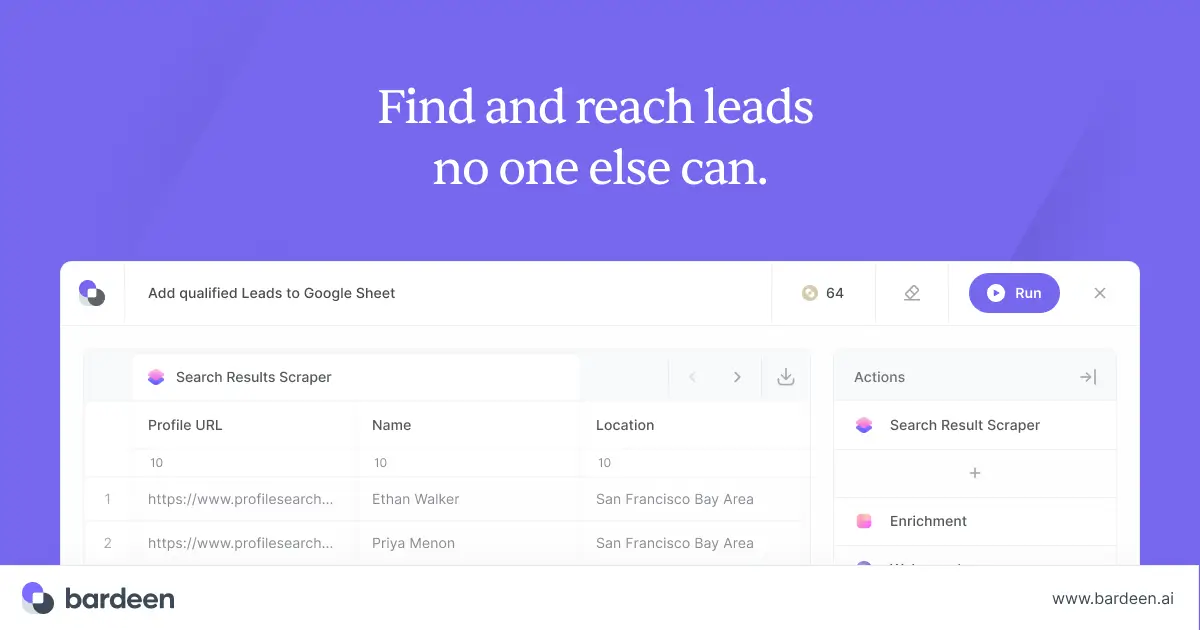
Bardeen automates what you do inside your browser — and it does it without requiring you to write scripts or manage servers.
Install the Chrome extension, and Bardeen can scrape data from web pages, fill forms, click buttons, navigate between tabs, and chain these actions into multi-step workflows. It turns your browser into an automation platform.
The AI integration is smart. Bardeen's "Magic Box" lets you describe what you want to automate in plain English, and it suggests or builds the appropriate workflow. "Every time I visit a LinkedIn profile, save the person's name, title, and company to my Google Sheet" — Bardeen handles that.
For sales teams, recruiters, and researchers who live in the browser, Bardeen eliminates hours of manual data entry and repetitive clicking. It's particularly strong for web scraping, lead generation, and CRM enrichment workflows. If scraping is the main job rather than a side effect, we compared 15 dedicated web scraping tools.
Pricing: Free tier with 100 credits. Pro starts at $10/month for additional credits and premium integrations.
Best for: Sales reps, recruiters, and researchers who need to automate repetitive browser-based tasks — especially web scraping and data entry.
The catch: Bardeen is limited to what happens in the browser. It can't automate desktop applications, server-side processes, or backend workflows. And because it depends on web page structure, automations can break when websites change their layout.
14. Gumloop — Best AI Workflow Canvas
Gumloop is one of the newer entrants on this list, and it's going all-in on AI-native workflow automation with a visual canvas approach.
You build workflows by dragging modular nodes onto a canvas — AI nodes, data processing nodes, input/output nodes — and connecting them. It feels more like building an AI pipeline than a traditional automation. Each node can call a different AI model, process data, or interact with external services.
The platform is designed for teams building multi-agent workflows where different AI agents handle different parts of a process. A sales workflow might have one agent researching prospects, another drafting emails, a third scoring leads, and a fourth scheduling follow-ups — all coordinated on the Gumloop canvas.
Pricing: Free tier with 5,000 credits and 1 seat. Pro at $37/month with 20,000+ credits and unlimited seats.
Best for: Teams building AI-first automation workflows — especially those involving multiple AI models, data enrichment, or content generation pipelines.
The catch: Gumloop is early-stage compared to Zapier or Make. The integration library is smaller and API-dependent. And if your automation needs are straightforward (connect App A to App B), a traditional platform will be simpler and faster to set up.
How I Evaluated These Tools
A few factors guided how I looked at each platform:
- Ease of setup: How quickly can a new user build their first useful automation?
- Integration depth: Not just the number of apps, but how deeply each integration works.
- Pricing fairness: Does the pricing model punish growth? Some tools get expensive fast as your volume increases.
- AI capabilities: In 2026, AI integration isn't a bonus feature — it's table stakes. How well does the platform use AI?
- Scalability: Can the tool grow with your needs, or will you outgrow it in six months?
- Data control: Where does your data live? Can you self-host? How is security handled?
No single platform wins on every criterion. The right choice depends on your specific situation — which is why this list covers such different approaches to automation.
Frequently Asked Questions
What is automation software?
Automation software is any tool that handles repetitive tasks or processes with minimal human input. It ranges from simple app connectors (like Zapier linking your email to a spreadsheet) to enterprise RPA bots (like UiPath automating invoice processing across legacy systems) to AI agents (like Pickaxe or Lindy that use artificial intelligence to handle flexible, judgment-based tasks).
What's the difference between workflow automation and RPA?
Workflow automation (Zapier, Make, n8n) connects cloud applications through APIs. It moves data between apps and triggers actions based on events. RPA (UiPath, Automation Anywhere) mimics human actions on a computer screen — clicking buttons, typing into forms, navigating menus. RPA is typically used when applications don't have APIs or when you need to automate desktop software.
Which automation tool is best for beginners?
Zapier remains the most beginner-friendly option thanks to its massive template library, simple trigger-action model, and plain-English interface. Make is a close second if you're comfortable with a slightly steeper learning curve in exchange for more power. For AI-native automation without traditional workflow building, Lindy is surprisingly approachable.
Can I use multiple automation tools together?
Absolutely — and many teams do. A common setup is using Zapier or Make for straightforward app-to-app connections, n8n for complex workflows that need custom code, and a tool like Pickaxe for client-facing AI agents that feed into your automation stack. Most of these platforms can trigger each other via webhooks.
What's the cheapest automation tool that still works well?
For self-hosted: n8n (free, open-source) or ActivePieces (free, open-source). For hosted: Pabbly Connect ($249 one-time lifetime deal) or Relay.app ($9.99/month). Make also offers strong value at $10.59/month for 10,000 operations.
Is AI replacing traditional automation tools?
Not replacing — augmenting. Traditional workflow automation handles structured, predictable processes brilliantly. AI adds a layer for tasks that require understanding context, making judgment calls, or processing unstructured data (like reading emails or summarizing documents). The most effective automation strategies in 2026 combine both approaches.
The Bottom Line
The automation market in 2026 is mature enough to have a tool for every situation — but fragmented enough that no single platform does everything well.
Here's how I'd break it down:
- Just starting out? Go with Zapier for the easiest ramp-up, or Make for more power at a better price.
- Technical team? n8n gives you complete control with zero execution costs when self-hosted.
- Building AI products for clients? Pickaxe is the only platform that combines agent building, deployment, and monetization in one stack.
- Enterprise needs? Automation Anywhere or UiPath for RPA. Workato for iPaaS.
- Budget-conscious? Pabbly Connect for unlimited operations, or ActivePieces for self-hosted open source.
- Need human oversight? Relay.app builds approval steps right into the workflow.
The best advice I can give: start with the simplest tool that solves your actual problem. You can always add complexity later. The worst outcome is spending weeks setting up an enterprise RPA platform when a five-minute Zapier workflow would have done the job.
If you're looking to go beyond connecting apps and want to build AI agents that actually interact with your customers, Pickaxe is worth checking out. You can build, deploy, and monetize your first agent in about 15 minutes.