Every time someone asks me for the best LLM model, I end up giving the same annoying answer: it depends on what you are actually trying to do.
That answer is still true, but it is not very helpful, so I wanted to write the version I actually use when I am choosing models for real work. This ranking is based on the model catalog and comparison tools we already expose on Pickaxe, not on abstract benchmark screenshots floating around X.
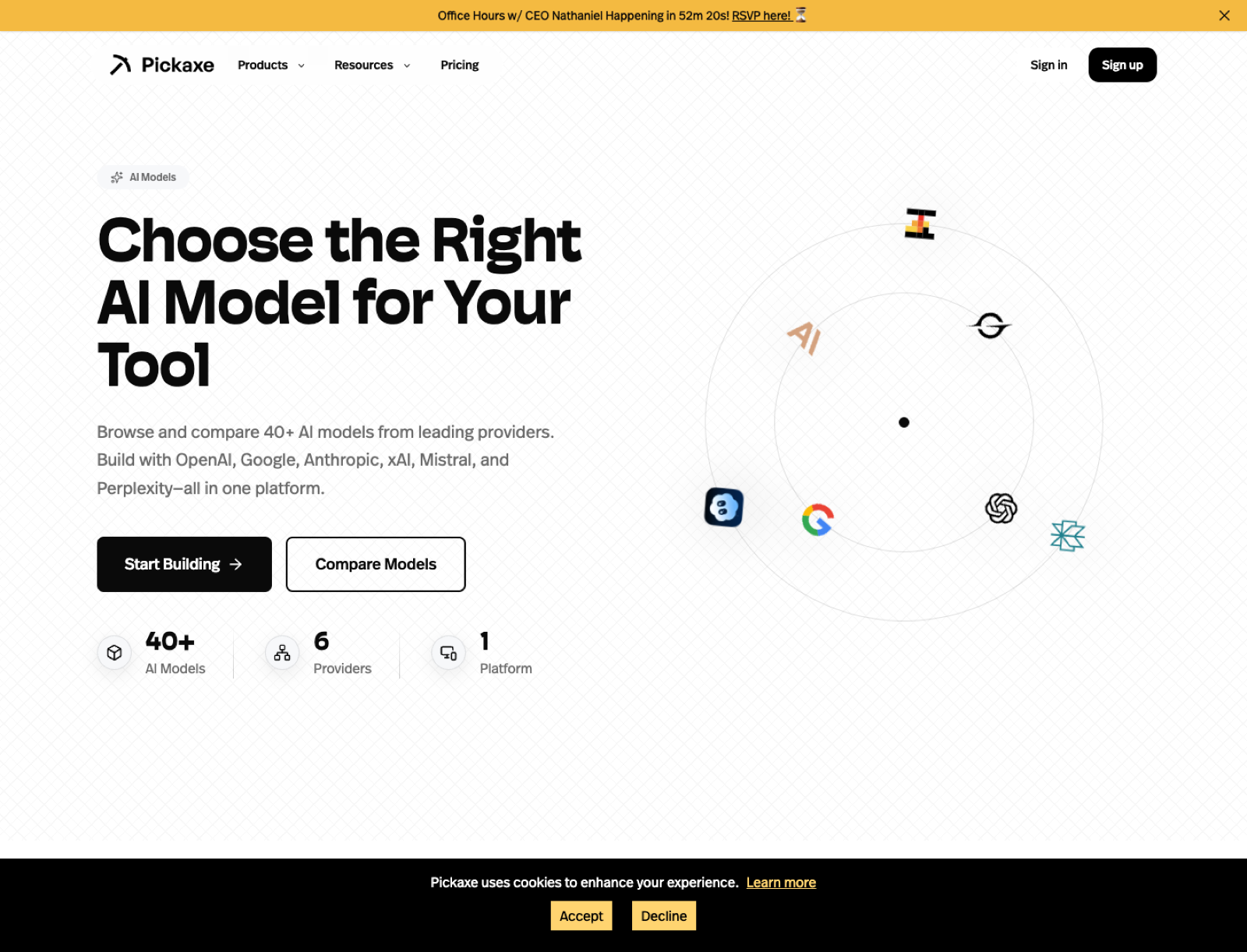
As of March 10, 2026, the pages I keep coming back to are our model directory, our cost comparison page, our time-to-first-token page, and our provider comparison pages like OpenAI vs Claude, OpenAI vs Gemini, and Claude vs Gemini.
I also recommend reading our older post, Choosing Your AI Brain: A Guide to Pickaxe Models, if you want the shorter provider-level view before you dive into individual model picks.
The short answer
If I had to give you the fastest possible answer, I would say ChatGPT 5.4 Pro is the model I trust most overall right now, Claude 4.6 Opus is the model I still trust most for nuanced expert writing and reasoning, ChatGPT 5.4 is the cleanest new OpenAI default for broad product work, and ChatGPT 5.3 Codex is the first model I would benchmark for serious coding agents.
But that is still too compressed, so below I ranked the models I think matter most right now and explained exactly why I would pick each one.
How I ranked these models
I did not rank these by benchmark vanity alone. I ranked them the way I actually choose models when I am building something that real users will touch.
My criteria were simple: quality, reliability, context size, output room, action support, flexibility, speed, and how easy the model is to justify in a real product. I also leaned on the specs we already surface on Pickaxe model pages, including max context, max output, modality support, release timing, and whether the model supports actions.
That matters because the "best" model for a thought-heavy research assistant is often different from the best model for a customer-facing embedded chatbot. A model that looks amazing in a benchmark chart can still be the wrong choice if it is too slow, too expensive, too rigid, or too hard to operationalize.
My ranking of the best LLM models in 2026
| Rank | Model | What I would use it for | Why it stands out |
|---|---|---|---|
| 1 | ChatGPT 5.4 Pro | Best overall premium model for demanding production work | 1,000,000 context, 128,000 output, multimodal, action support |
| 2 | Claude 4.6 Opus | Deep reasoning, premium writing, hard conversations | 999k context, 128k output, image input, action support |
| 3 | ChatGPT 5.4 | Best broad OpenAI default for general AI products | 1,000,000 context, 128,000 output, multimodal, action support |
| 4 | ChatGPT 5.3 Codex | Best coding-first LLM on this list | 1,000,000 context, 128,000 output, tuned for agentic software tasks |
| 5 | GPT-5.2 Pro | Production agents, polished business workflows | 399k context, 128k output, multimodal, strong action fit |
| 6 | Gemini 3 Pro | Huge-context projects and multimodal workflows | 1,048,576 context, 65,536 output, action support |
| 7 | Claude 4.6 Sonnet | Best default for many teams | Quality, speed, and cost balance with 999k context |
| 8 | GPT-5.2 | Stable general-purpose app logic | Strong all-arounder with large output room |
| 9 | OpenAI o3 | Hard analytical work and deliberate reasoning | Strong reasoning profile with 100k output room |
| 10 | Grok 4.1 Fast Reasoning | Very large-context reasoning with a different voice | 1,999,000 context, image input, action support |
| 11 | Gemini 2.5 Flash | Speed-sensitive products at scale | Big context and better economics than many premium models |
| 12 | GPT-5 mini | Cheap OpenAI coverage for everyday flows | 399k context with a lighter cost profile |
| 13 | Claude 4.5 Haiku | Fast support bots and high-throughput writing | Good speed with Claude-style output quality |
| 14 | Sonar Deep Research | Research-heavy assistants that benefit from search DNA | 127k context, 127k output, research-oriented positioning |
| 15 | Mistral Medium 3.1 | Cost-aware experimentation and open-ish diversification | 130k context, 130k output, action support |
1. ChatGPT 5.4 Pro
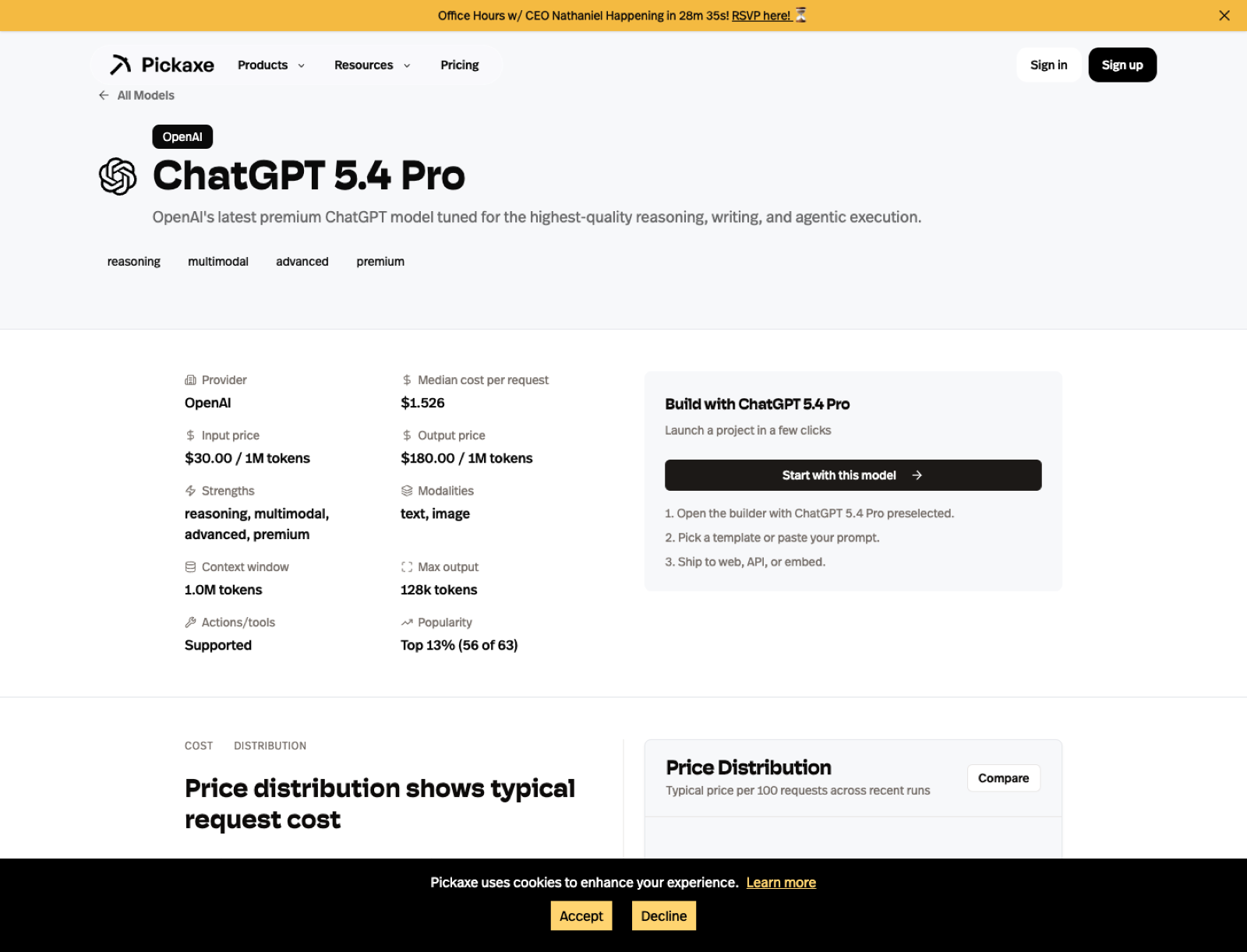
ChatGPT 5.4 Pro is the new model that most obviously changes my ranking. OpenAI released GPT-5.4 Pro on March 3, 2026, and on Pickaxe I can now treat it as the highest-end OpenAI default for users who want the best version of the stack rather than the safest budget compromise.
The key reason I moved it to number one is not hype. It is the spec profile plus the deployment fit. It gives me a 1,000,000-token context window, a 128,000-token output ceiling, multimodal input, and action support, which is exactly the combination I want when I am building something serious that needs both thought and execution.
If I were building a premium internal copilot, a top-tier analyst assistant, or a client-facing agent where I wanted the strongest current OpenAI answer quality without hedging, this is where I would start. It is the first model on this list that I would describe as "best overall" rather than merely "best within OpenAI."
I would still compare it against Claude 4.6 Opus because Claude remains stronger for some writing-heavy and judgment-heavy tasks. But ChatGPT 5.4 Pro is now the model I would most confidently test first for demanding product work that needs to hold up in production.
For the provider side, I would start with OpenAI's API page. For the Pickaxe side, I would go straight to the ChatGPT 5.4 Pro model page.
2. Claude 4.6 Opus
If I only got one premium model slot for serious work, Claude 4.6 Opus would be the one I would fight hardest to keep. On Pickaxe, its model page shows a 999,000-token context window, a 128,000-token output ceiling, image support, and action support, which is exactly the spec shape I want for big, difficult jobs.
What I like most about Opus-tier Claude models is that they usually feel less mechanical when the work requires judgment. I trust them more for nuanced writing, synthesis, strategy documents, expert assistants, and hard conversations where tone matters almost as much as correctness.
This is the model I would use for executive research copilots, regulated-domain assistants with careful prompts, and premium client-facing tools where the response cannot feel cheap. When I want a model to read a lot, reason carefully, and still sound like it understands what a human is trying to do, Claude 4.6 Opus is my first stop.
The tradeoff is obvious: premium models need to earn their keep. That is why I would not choose it blindly for every workflow. I would compare it against Claude 4.6 Sonnet and GPT-5.2 Pro, then check the provider-level framing on OpenAI vs Claude before locking it into production.
If you want to inspect the official provider positioning, start with Anthropic's Claude overview. If you want the Pickaxe lens, go straight to the Claude 4.6 Opus model page.
3. ChatGPT 5.4
ChatGPT 5.4 is the model I would recommend to more teams than ChatGPT 5.4 Pro, even though I rank Pro higher overall. It has the same top-level context and output profile on Pickaxe, and it inherits the same multimodal and action-friendly posture, but it is easier to justify as the default model for a broader set of products.
This is the page I would open when I want the newest OpenAI flagship behavior without assuming I need the absolute premium tier every time. In practice that means agencies, internal copilots, client deliverables, support tools, and AI products where I want strong general performance and a very modern OpenAI stack.
The reason I rank it above GPT-5.2 Pro is simple: once the newer generation exists with meaningfully larger context and the same 128,000-token output ceiling, I would rather start with the newer flagship unless cost or stability data tells me otherwise. The older GPT-5.2 family is still good, but it is no longer the first OpenAI tier I would reach for.
If you want the exact Pickaxe view, use the ChatGPT 5.4 model page and compare it directly against GPT-5.2 Pro and Claude 4.6 Sonnet.
4. ChatGPT 5.3 Codex
ChatGPT 5.3 Codex is not the fourth-best general model in a vacuum. It is fourth on my list because coding and agentic software work are such important production categories now, and this is the first model on the board that I would treat as explicitly code-first rather than code-capable.
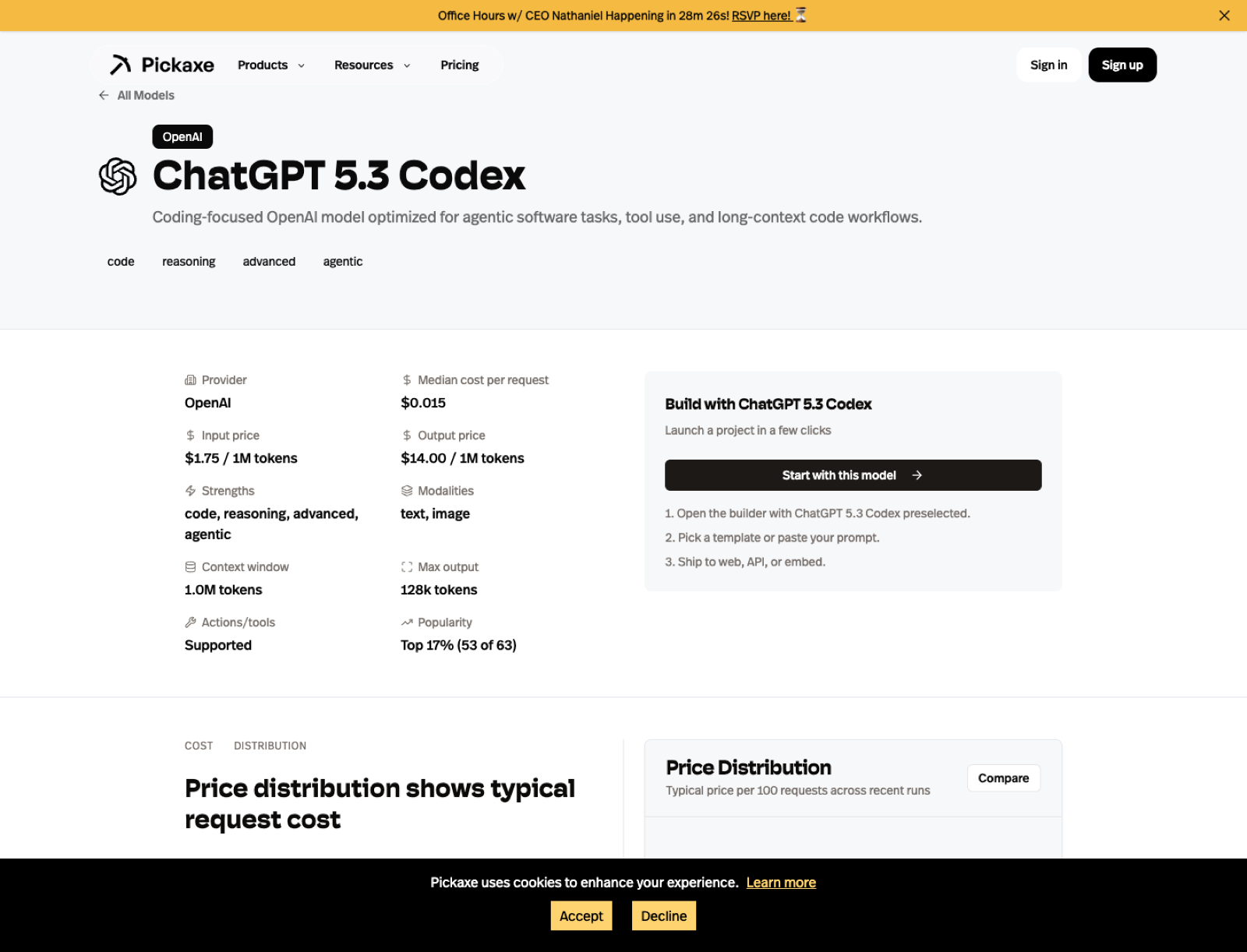
OpenAI released GPT-5.3 Codex on March 5, 2026. On Pickaxe it gives me a 1,000,000-token context window, a 128,000-token output ceiling, multimodal support, and action support, which makes it unusually well-positioned for long-context code review, repo-aware assistants, debugging flows, software planning, and agents that need to reason through implementation steps.
If I were building a code-generation tool, a software copilot, or a debugging assistant, ChatGPT 5.3 Codex would be my number one model to benchmark. I rank it below ChatGPT 5.4 and Claude 4.6 Opus overall because it is more specialized, but for the specific domain of coding agents I would move it to the front of the line immediately.
Use the ChatGPT 5.3 Codex model page if the product has any serious code-centric ambition.
5. GPT-5.2 Pro
GPT-5.2 Pro is the model I would pick when I need the most polished "serious business" default from OpenAI. Pickaxe lists it with a 399,000-token context window, 128,000-token output, text-and-image support, and action support, which makes it one of the cleanest fits for production agent systems.
I like OpenAI's premium models when I need structure, consistency, and better tool-using behavior. In practice, that means internal copilots, workflow assistants, data-enriched support tools, and AI products where the model has to connect cleanly to actions, APIs, or other automations.
It is not the model I would use for every creative writing job, and it is not the cheapest model I would put in front of a large anonymous audience. But if I were building a core business assistant that needed to call tools, follow instructions tightly, and hold up under repeated production traffic, GPT-5.2 Pro would be near the top of my short list.
The comparison I would run first is not benchmark theater. I would put it head-to-head with Claude on actual prompts, then cross-check the higher-level framing on OpenAI vs Claude and OpenAI vs Gemini.
For more detail, I would read the GPT-5.2 Pro model page and then compare that against OpenAI's API page.

6. Gemini 3 Pro
Gemini 3 Pro is the model I would reach for when context size stops being a nice-to-have and becomes the entire point. Pickaxe shows a 1,048,576-token context window, a 65,536-token output limit, image support, and action support, which makes it one of the most attractive choices for giant-document workflows.
I like Gemini most when I am building around breadth: long reports, big multi-document reviews, research copilots, content planning, or assistants that need to stay aware of a large body of material at once. When context is constrained, many model comparisons look closer than they really are. When context gets huge, the differences get much more practical.
I also think Gemini is one of the easiest models to underestimate if you only think of it as "Google's alternative." In real work, it is often the model I test early for knowledge-heavy assistants because a big context window changes the shape of the entire application.
I would compare it against OpenAI on OpenAI vs Gemini, against Claude on Claude vs Gemini, and then inspect the specific Gemini 3 Pro model page before choosing.
If you want the provider side, use Google's Gemini API docs. If you want the implementation side, use the Pickaxe model page and then test it against your actual prompt set.
7. Claude 4.6 Sonnet
If Claude 4.6 Opus is the premium answer, Claude 4.6 Sonnet is the model I would recommend to the most people. The Pickaxe page shows a 999,000-token context window, a 64,000-token output ceiling, image support, and action support, which is a very strong default profile.
This is the kind of model I like for premium-feeling results without forcing every workflow into the most expensive lane. I would use it for customer education tools, research assistants, consultants' private copilots, and polished writing-heavy products that still need to feel fast enough to live in the real world.
When someone says, "I want the answers to feel smart and natural, but I do not want to overspend," Sonnet is often where I start. I would still compare it against GPT-5.2 and Gemini 2.5 Flash, but Sonnet is one of the few models I can recommend broadly without immediately adding a long list of caveats.
The cleanest next step is to open the Claude 4.6 Sonnet model page, compare the cost and speed tradeoffs against GPT-5.2, and then use the Pickaxe cost page to validate whether the premium is justified for your workflow.
8. GPT-5.2
GPT-5.2 is what I would call a high-confidence generalist. It has the same 399,000-token context window and 128,000-token output limit as GPT-5.2 Pro on Pickaxe, plus image support and action support, but it is easier to justify as an everyday production choice.
I like models like this because they are boring in the best way. They are not trying to be the most exotic thing in the stack. They are trying to be competent, structured, and dependable across a wide range of practical work.
If I were launching a no-code AI agent product for consultants or agencies, GPT-5.2 is exactly the kind of model I would test early. It is capable enough for serious work, flexible enough for broad use, and less psychologically expensive than always defaulting to the top premium tier.
My main question would be whether it is materially better for the job than GPT-5 mini, Gemini 2.5 Flash, or Claude 4.6 Sonnet. I would answer that by checking the GPT-5.2 model page and then watching cost and TTFT on Pickaxe.
9. OpenAI o3
OpenAI o3 is the model I would use when I care more about the quality of the reasoning path than the smoothness of a chat experience. Pickaxe lists it with a 200,000-token context window, 100,000-token output limit, text-and-image support, and a reasoning-first positioning.
This is not the model I would use as my default website chatbot. It is the model I would use for difficult analytical tasks, planning, structured decomposition, logic-heavy synthesis, and workflows where I am willing to trade some speed for better thought.
I also think o3 is useful as a calibration tool. Even if I do not deploy it as the final production model, I like comparing its answers against cheaper models because it helps me see where the lower-cost option is actually failing versus where I am just assuming the premium model must be better.
If you want to inspect it in detail, open the OpenAI o3 model page, then compare it to the more production-oriented GPT family and the premium Claude models.
10. Grok 4.1 Fast Reasoning
Grok 4.1 Fast Reasoning is the model on this list that I would approach with the most curiosity and the most caution. On Pickaxe, it stands out immediately because the spec profile is unusual: 1,999,000 tokens of context, 30,000 tokens of output, image support, and action support.
That is an enormous context window. If your use case genuinely needs to hold a huge amount of material in active memory, Grok becomes hard to ignore. It also has a different tone and a different behavioral texture from the more polished defaults offered by OpenAI and Anthropic.
The reason I did not rank it higher is simple: I trust it less as a universal recommendation. I would absolutely test it for research-heavy or large-context reasoning flows, but I would not treat it as the safest one-size-fits-all public model for every brand-sensitive surface.
The right way to evaluate it is to compare it against Gemini and Claude on the same job. Use Gemini vs Grok, Claude vs Grok, and the Grok 4.1 Fast Reasoning model page. Then decide whether its differences are an advantage for your product or a liability.
For the provider side, I would start with xAI. For the product decision, I would trust my own test prompts more than hype.
11. Gemini 2.5 Flash
Gemini 2.5 Flash is one of the most practical models on this entire list. Pickaxe shows a 1,048,576-token context window, a 65,536-token output limit, image support, and action support, which is a very generous spec profile for a model that I mainly think of as a speed-and-value pick.
This is the sort of model I like for products that need to scale. If I were building a user-facing assistant with meaningful traffic, and I did not want every interaction to feel like I was paying premium-model tax, Gemini 2.5 Flash would be one of my first tests.
I also like it because it lets you keep a lot of the Gemini-context advantage without immediately moving into the flagship lane. That gives it a very practical role for high-volume assistants, embedded tools, and internal copilots where the cost-speed-quality balance matters more than prestige.
I would compare it directly against Claude 4.5 Haiku, GPT-5 mini, and GPT-5.2. Then I would use the cost page and TTFT page to see whether it is winning on the dimensions I actually care about.
12. GPT-5 mini
GPT-5 mini is the model I would keep around when I want OpenAI coverage without paying premium-model prices for every call. On Pickaxe it still shows a 399,000-token context window, 128,000-token output, and text-plus-image support, which is a very respectable lightweight profile.
I like small capable models because they keep ambitious products honest. If a workflow works almost as well on GPT-5 mini as it does on GPT-5.2 Pro, I would rather know that before I build the whole business around the expensive path.
This is the model I would test for FAQ assistants, internal draft generation, support triage, and a lot of first-pass workflows that do not need the absolute best answer every time. In many products, the real unlock is not the smartest model. It is the cheapest model that still feels good enough.
The relevant next step is to compare GPT-5 mini against Gemini 2.5 Flash and Claude 4.5 Haiku, then confirm the economics on Pickaxe instead of guessing.
13. Claude 4.5 Haiku
Claude 4.5 Haiku is the fast Claude I would use when I want speed but I still care a lot about phrasing quality. The Pickaxe page shows 199,000 context tokens, 64,000 output tokens, image support, and action support, which is enough room for a lot of serious work.
I tend to like Haiku-tier Claude models for support experiences, educational assistants, and lighter writing-heavy tools. They often keep enough of the Claude feel to make the experience nicer than many bargain-tier alternatives, but without asking me to deploy the most expensive model in the stack.
If I were building a public-facing assistant for coaches, consultants, or educators, Haiku is exactly the kind of model I would benchmark against Gemini Flash and GPT mini variants. It might not win every raw benchmark, but it can win the thing that matters more: a response profile your users actually enjoy.
For details, use the Claude 4.5 Haiku model page and then compare it against the other fast tiers on Pickaxe.
14. Sonar Deep Research
Sonar Deep Research is not the model I would use for every product, but it is one I would keep on the board for research-centric workflows because it has a different core strength. Pickaxe shows 127,000 context tokens, 127,000 output tokens, image support, and a provider positioning built around research and search.
I think Perplexity-style models are most interesting when the job is not just generation. The job is finding, synthesizing, and surfacing information well. That makes Sonar Deep Research more compelling for analyst assistants, research copilots, market scans, and user-facing tools where freshness and retrieval style matter.
The reason I ranked it outside the top ten is that it is more specialized. I would not choose it as my default model for broad assistant work. I would choose it when the nature of the task rewards its search-first orientation.
The best way to evaluate it is through contrast. Use OpenAI vs Perplexity, Claude vs Perplexity, and the Sonar Deep Research model page. For the provider side, use Perplexity's docs.
15. Mistral Medium 3.1
Mistral Medium 3.1 rounds out my list because I think too many teams ignore the strategic value of diversification. On Pickaxe, it shows 130,000 context tokens, 130,000 output tokens, image support, and action support, which gives it more headroom than many people assume.
I like Mistral when I want another serious option in the stack that does not simply mirror the OpenAI-Anthropic-Google triangle. It is useful for experimentation, for cost-aware fallback coverage, and for teams that want a provider mix that is not overly concentrated.
Would I rank it above the very best premium models for raw quality? No. But would I absolutely test it in production-minded stacks where flexibility and cost discipline matter? Yes, without hesitation.
The right comparison is not "is Mistral the single smartest model on Earth?" The right comparison is "does Mistral Medium 3.1 give me enough quality for this workflow at a better operational tradeoff?" The Mistral Medium 3.1 page, OpenAI vs Mistral, and Claude vs Mistral are where I would start.
For the official provider perspective, use Mistral.
How I would compare these models inside Pickaxe
The biggest mistake I see is choosing a model once and then treating that decision like theology. I would rather compare models continuously, especially when a product is early.
That is why I like having the model pages, cost distributions, and speed views in one place. I can start with theory, but I can finish with evidence.
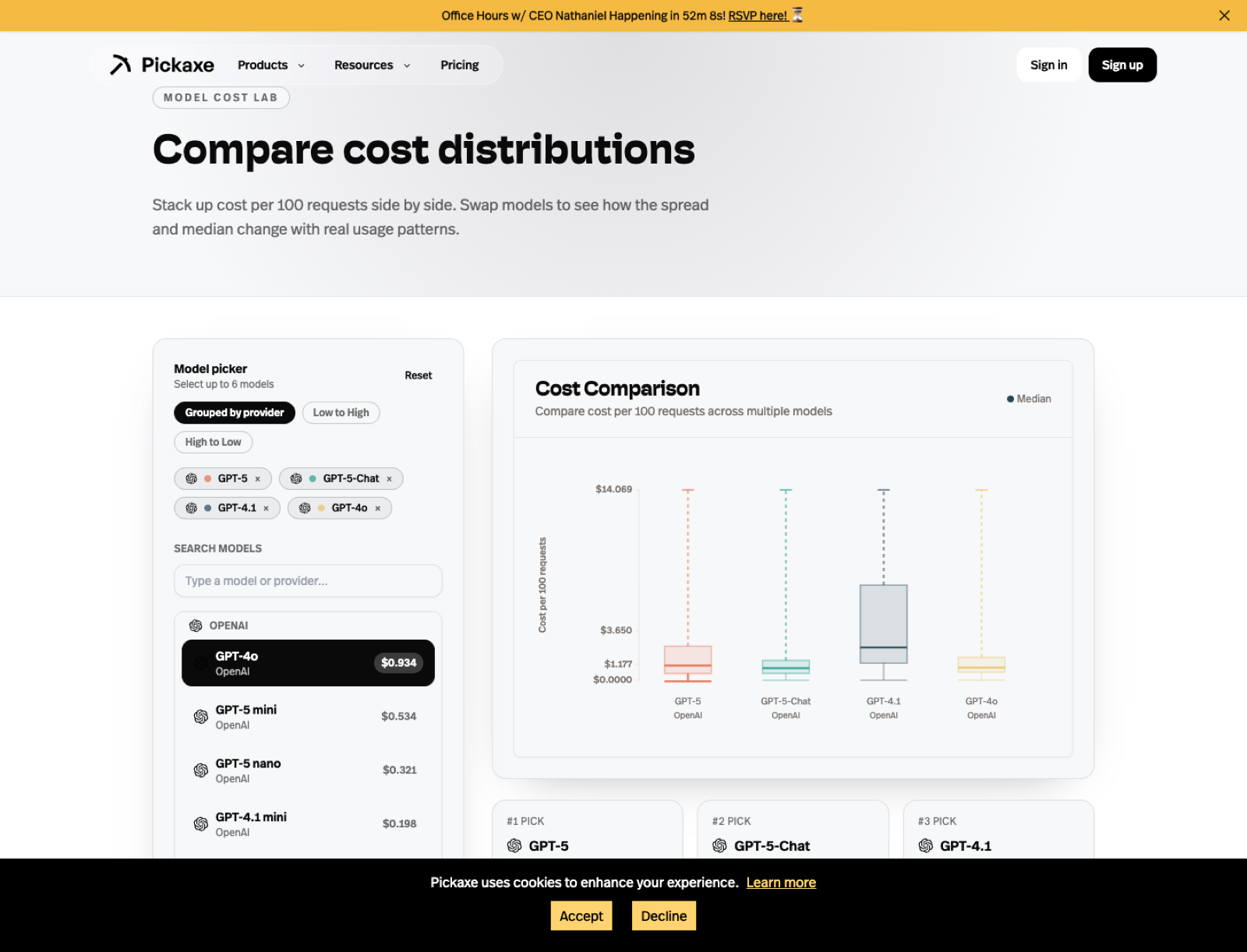
The cost page is where I would go when I need to make the economics real. A model can be incredible and still be the wrong answer if the margins do not work for the product.
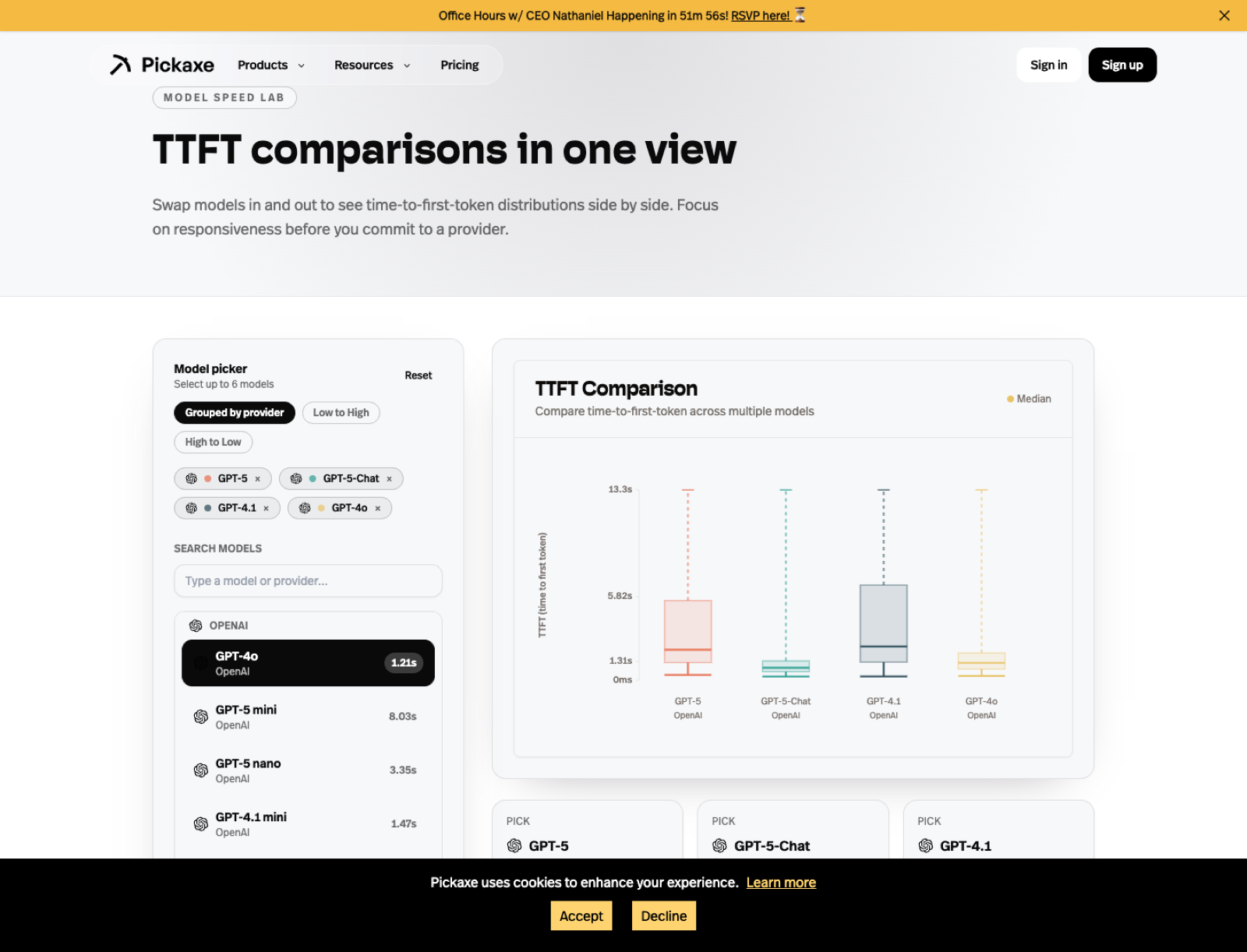
The TTFT page matters just as much for user experience. A model can be intellectually excellent and still feel broken if it starts too slowly in a live assistant.
I also like the generated comparison pages because they force a more grounded provider-level conversation. If someone on a team says "we should just use OpenAI" or "we should just use Claude," I would rather have them read OpenAI vs Claude and test both.
If I had to match a model to a specific job
If you want the fastest practical mapping, this is how I would think about it.
- Best overall premium model: ChatGPT 5.4 Pro
- Best premium writing and reasoning model: Claude 4.6 Opus
- Best coding-first model: ChatGPT 5.3 Codex
- Best broad OpenAI default: ChatGPT 5.4
- Best model for giant context windows: Gemini 3 Pro or Grok 4.1 Fast Reasoning
- Best default for many teams: Claude 4.6 Sonnet
- Best fast/value model: Gemini 2.5 Flash
- Best lightweight OpenAI option: GPT-5 mini
Models that almost made my top tier
A few models narrowly missed the main ranking, and I do not want that to sound like a dismissal. In a lot of real products, one of these could easily end up being the right answer.
GPT-4o is still relevant when you want a familiar multimodal OpenAI option and do not need the newest flagship behavior. I would not call it my first recommendation anymore, but I also would not be surprised if it still wins specific prompt sets on cost, speed, or response feel.
Gemini 3 Flash is the kind of model I expect to matter a lot in practical deployments because fast Gemini variants tend to become very attractive once teams start optimizing for traffic and experience instead of prestige. It missed the list only because I wanted to keep the core ranking focused.
Grok 4 is also worth watching if you like the xAI family but do not specifically need the fast-reasoning variant. I would test it when I want the Grok style without assuming the most specialized Grok tier is automatically the best fit.
Sonar Pro is another model I would keep in reserve for research workflows. If I were building a research or information assistant, I would likely benchmark both Sonar Pro and Sonar Deep Research before deciding how much specialization I really need.
Mistakes I would avoid when picking an LLM
I think teams waste a lot of time on model selection for predictable reasons. Most of the mistakes are less technical than they look.
1. Picking the smartest model before defining the job. I would never start with the model. I would start with the user experience I need, the latency budget I can tolerate, and the unit economics the product can survive.
2. Ignoring output limits. Context windows get all the headlines, but output limits can quietly wreck a workflow. If you need long structured outputs, a generous output ceiling is not a minor detail.
3. Treating action support like an afterthought. If the assistant needs to call tools, fetch data, trigger workflows, or do anything operational, I care a lot about how well the model behaves around actions. That is one reason I keep returning to the OpenAI, Claude, Gemini, and Mistral pages on Pickaxe instead of evaluating models in isolation.
4. Failing to test brand sensitivity. A model can be technically strong and still be the wrong fit for a public-facing product if the tone is unstable, too rigid, or too loose. I would always test for brand fit, not just correctness.
5. Choosing based on benchmark screenshots instead of actual prompts. I trust benchmarks as directional signals, not final answers. If the workflow matters, I want a side-by-side prompt test with my own data, my own tool calls, and my own evaluation criteria.
6. Forgetting that the right model can change. This is the biggest one. Model choice is not static anymore, which is exactly why I prefer a setup where I can swap models without rebuilding the rest of the product.
How I would choose by audience and business model
If I were a consultant building a premium expert assistant, I would probably start with Claude 4.6 Sonnet or Claude 4.6 Opus. I would care a lot about tone, nuanced synthesis, and client confidence.
If I were an agency building multiple client tools with operational workflows, I would test ChatGPT 5.4, GPT-5.2 Pro, and Gemini 2.5 Flash first. I would care more about action support, consistency, and cost control across many deployments.
If I were an educator or coach turning expertise into a user-facing assistant, I would start with Claude 4.5 Haiku, Claude 4.6 Sonnet, and Gemini 2.5 Flash. I would want something that reads naturally, handles long reference material well, and still feels viable for repeated public usage.
If I were an entrepreneur trying to launch a narrow AI SaaS product quickly, I would not marry myself to a flagship model on day one. I would benchmark GPT-5 mini, Gemini 2.5 Flash, Claude 4.5 Haiku, and ChatGPT 5.4, then pull in ChatGPT 5.4 Pro only if the premium lift was clearly worth paying for.
If I were building an internal business copilot where reliability and process execution mattered most, I would bias toward ChatGPT 5.4 Pro, ChatGPT 5.4, and Gemini 3 Pro. I would want structured behavior and strong tool integration more than I would want the most charming writing style.
If I were building a research-heavy product, I would test ChatGPT 5.4 Pro, Gemini 3 Pro, Claude 4.6 Opus, Sonar Deep Research, and Grok 4.1 Fast Reasoning. The mix I would choose would depend on whether the work leaned more toward synthesis, freshness, giant-context reasoning, or tool-heavy analysis.
Why I would manage these models through Pickaxe instead of juggling them manually
The reason I keep coming back to Pickaxe is that model choice is not a one-time architecture decision anymore. It is an operating discipline.
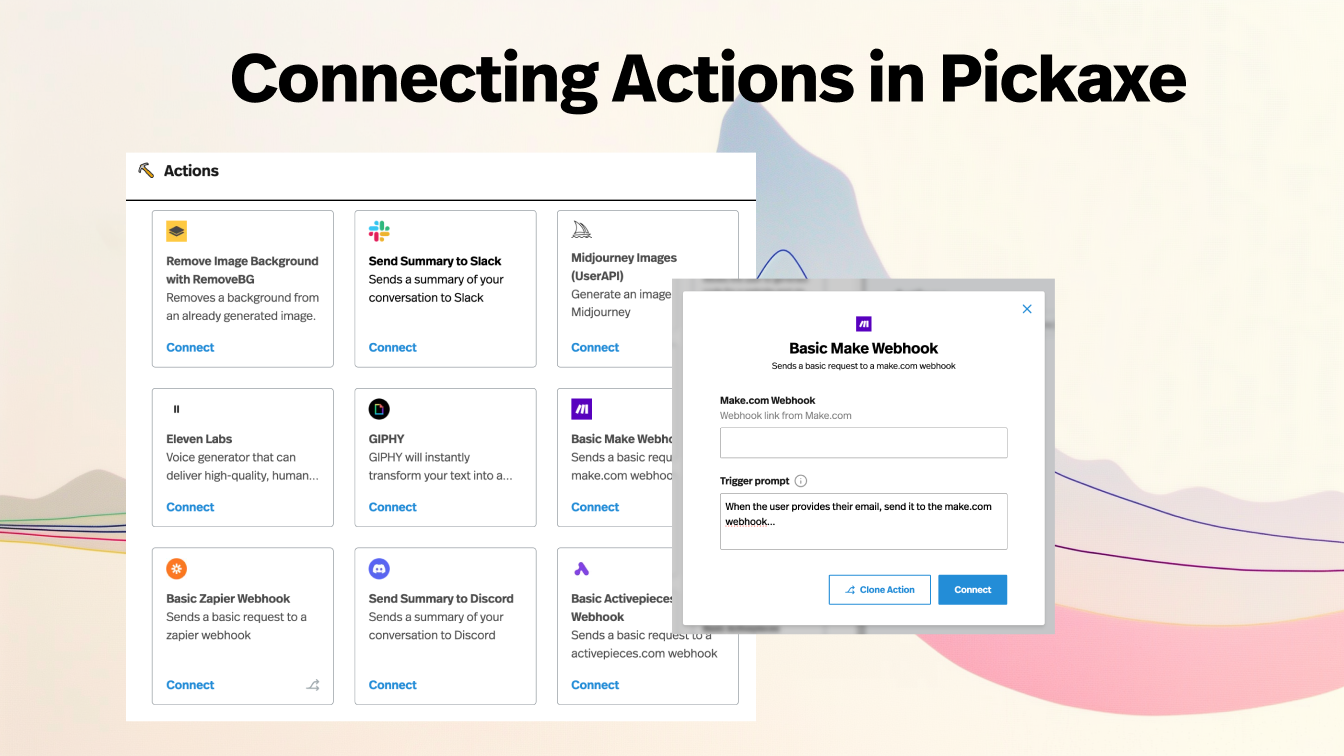
Once you accept that, the value of a platform like Pickaxe becomes much clearer. I can test multiple LLMs from one environment, compare their cost and speed, connect them to actions, deploy them as tools or chatbots, and keep the rest of the product layer stable while the model layer evolves.
That matters a lot for creators, consultants, agencies, and businesses because the best model for a workflow in March might not be the best model for that same workflow three months later. If I have to rebuild the UX, the access logic, the integrations, and the monetization setup every time I want to change models, I am moving too slowly.
With Pickaxe, I can treat the model as a swappable intelligence layer instead of a permanent identity crisis. I can test OpenAI against Claude, Claude against Gemini, or Perplexity against Mistral without changing the whole business around the test.
That is also where the non-model features start to matter. Pickaxe gives you deployment options, analytics, access controls, monetization, embeddable tools, portals, and white-labeling, which means you are not just choosing an LLM. You are choosing how that LLM becomes a product.
If you want to explore the tradeoffs yourself, start with the Pickaxe model directory, use the cost page and speed page, and then test the top few candidates in your own workflow. That is still the best way I know to answer the question honestly.
And if you want one place to manage different LLMs, compare them, deploy them, and turn them into something people can actually use, that is exactly where Pickaxe helps.