
ImprovementBuild ·
Pickaxe is now in the HighLevel App Marketplace
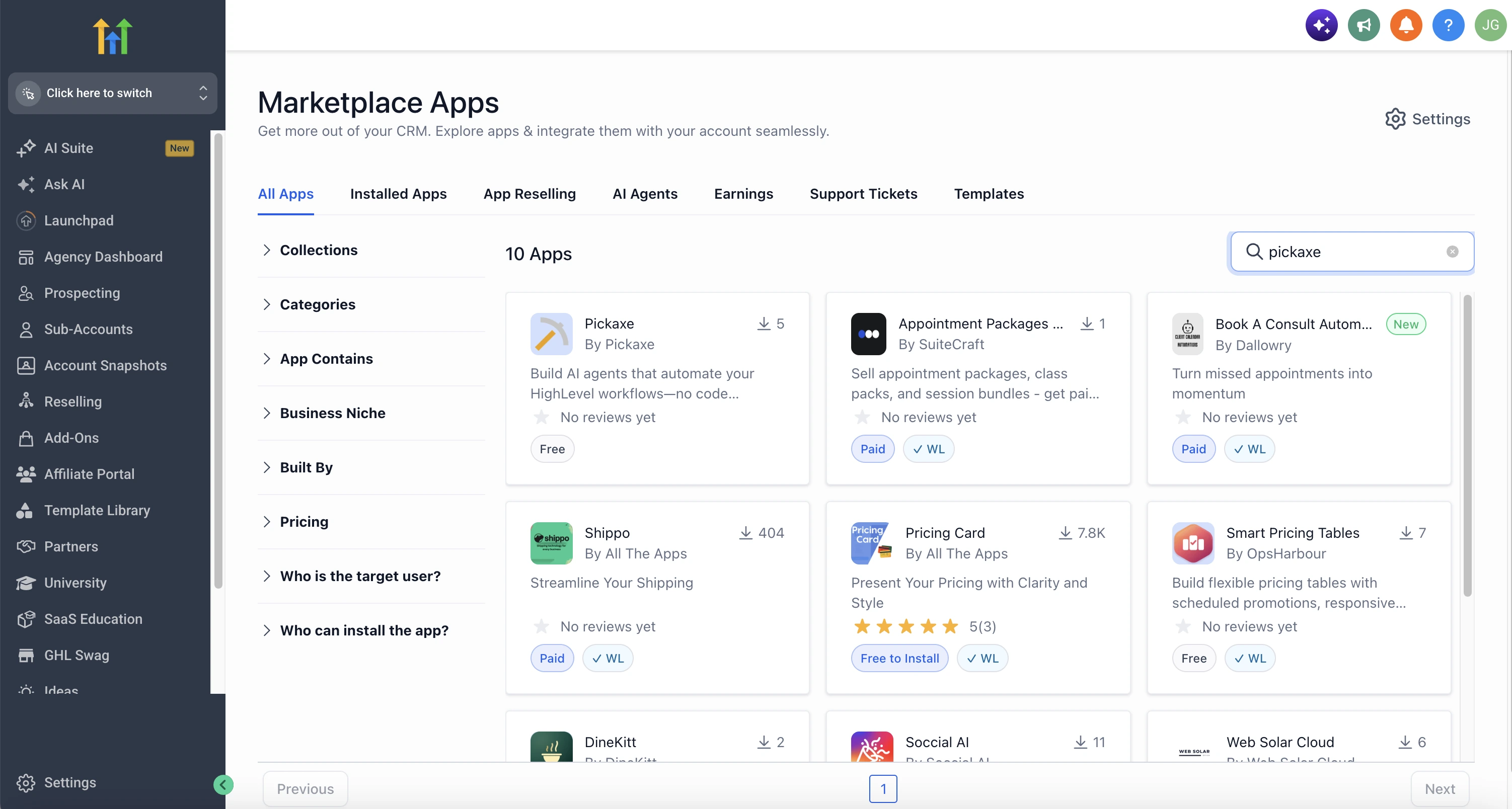
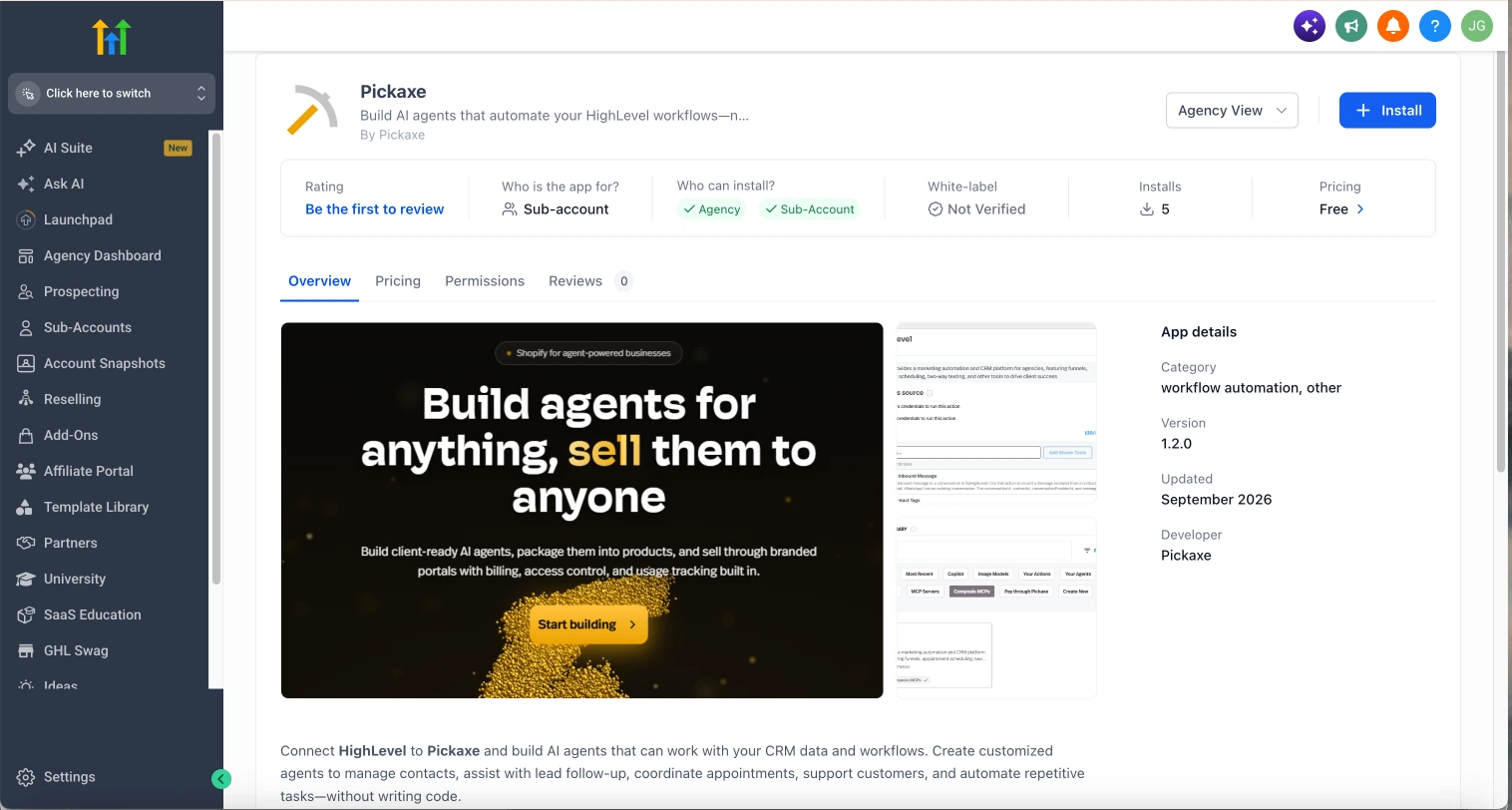
Open the HighLevel App Marketplace
Search for Pickaxe and install it for your HighLevel sub-account.
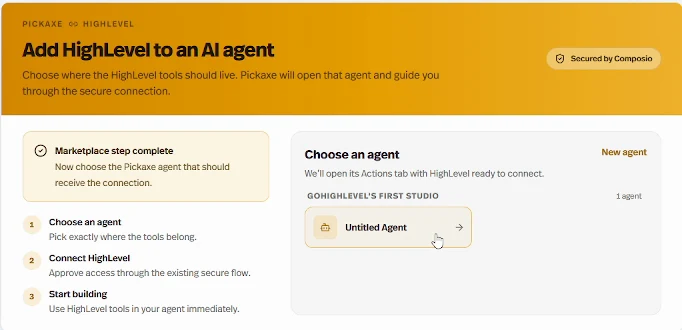
What it does
We’ve made it easier to connect your Pickaxe agents to GoHighLevel with a public marketplace app and guided setup.
Before this
You could already connect HighLevel through our Composio-powered Actions. The app is now public in the HighLevel App Marketplace, with a dedicated setup flow that helps you choose an agent and connect your account.
Why it matters
Give your AI agent access to HighLevel tools so it can work with your CRM, including adding contact tags and working with messages.
How to get started
- 1. Install Pickaxe
- Find Pickaxe in the HighLevel App Marketplace and install it for your sub-account.
- 2. Choose your agent
- Sign in to Pickaxe and choose the agent you want to connect, or create a new one.
- 3. Connect HighLevel
- Select the HighLevel tools your agent can use and authorize the connection.
- 4. Test your agent
- Add instructions for how your agent should use those tools, then test it in the Builder.
Your HighLevel connection appears in the agent’s Actions tab, where you can manage its settings. Setup guides you through connecting your account; you still choose your tools and approve access.