
Folders for agents and knowledge
Choose a workspace or use your account navigation to follow the steps below.
What it does
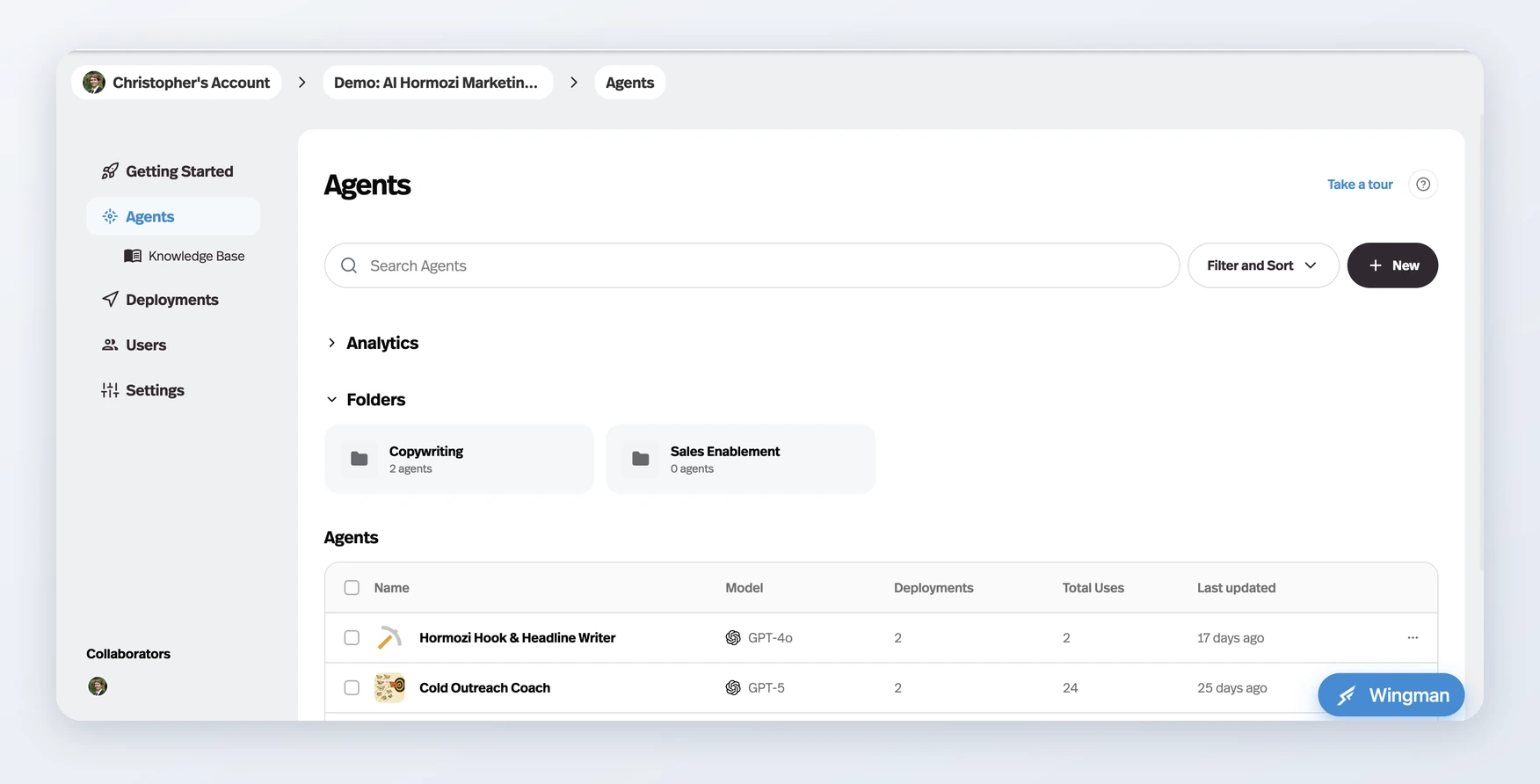
The Agents and Knowledge Base pages now take folders — create one from New → New folder, then fill it by selecting rows or dragging them onto the folder card.
Before this
New. Agents and documents each lived in a single flat list. You could sort and filter it, but you could not group it — there was no way to put the six agents belonging to one client together.
Why it matters
A workspace that has outgrown a single screenful becomes navigable again, and because a folder is a view rather than a move, filing something never hides it from the main list.
How it works
Folders sit in a row above the list on both the Agents page and the Knowledge Base page, created from New → New folder.
- Filling one
- Tick the rows you want and pick the folder icon in the selection bar, or drag a row onto a folder card.
- Inside a folder
- Switch between block and list view, or use Add agents to pull more in.
- Deleting one
- Leaves its contents alone — the folder goes, the agents and documents stay.
A folder is a view rather than a move, so a filed agent still appears in the full list. That is the deliberate difference from a filesystem: organising something never makes it harder to find by the route you already knew.