
Fast and thorough knowledge base search modes
Choose a workspace, then open Knowledge Base.
What it does
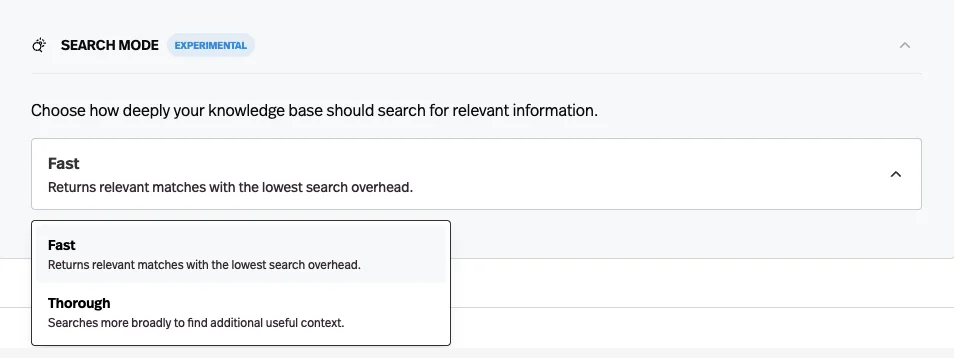
Knowledge bases gained a search mode: fast searches the most relevant subset of chunks, while thorough reads every chunk before choosing what informs the answer.
Before this
An expansion. Retrieval already worked, one way, for every agent. This turned that fixed behaviour into a choice.
Why it matters
Speed for high-volume agents, depth for the ones where a missed passage becomes a wrong answer — and you choose per agent.
How it works
Search Mode lives under Knowledge Settings in the agent builder's Knowledge tab, and it is set per agent rather than per document.
- Fast
- Searches the most relevant subset of chunks. The default, and the lowest search overhead.
- Thorough
- Searches more broadly for extra context before choosing what informs the answer, at a higher cost per response.
It is marked experimental in the product. The case for Thorough is an agent where a missed passage becomes a confidently wrong answer — policy, compliance, technical support — rather than one where the answer is usually in the obvious document anyway.