
ImprovementBuild ·
Improved model, knowledge, and template pickers in the builder
Try the builder
Open the model picker, Build → Knowledge Base, or Start with a template.
What it does
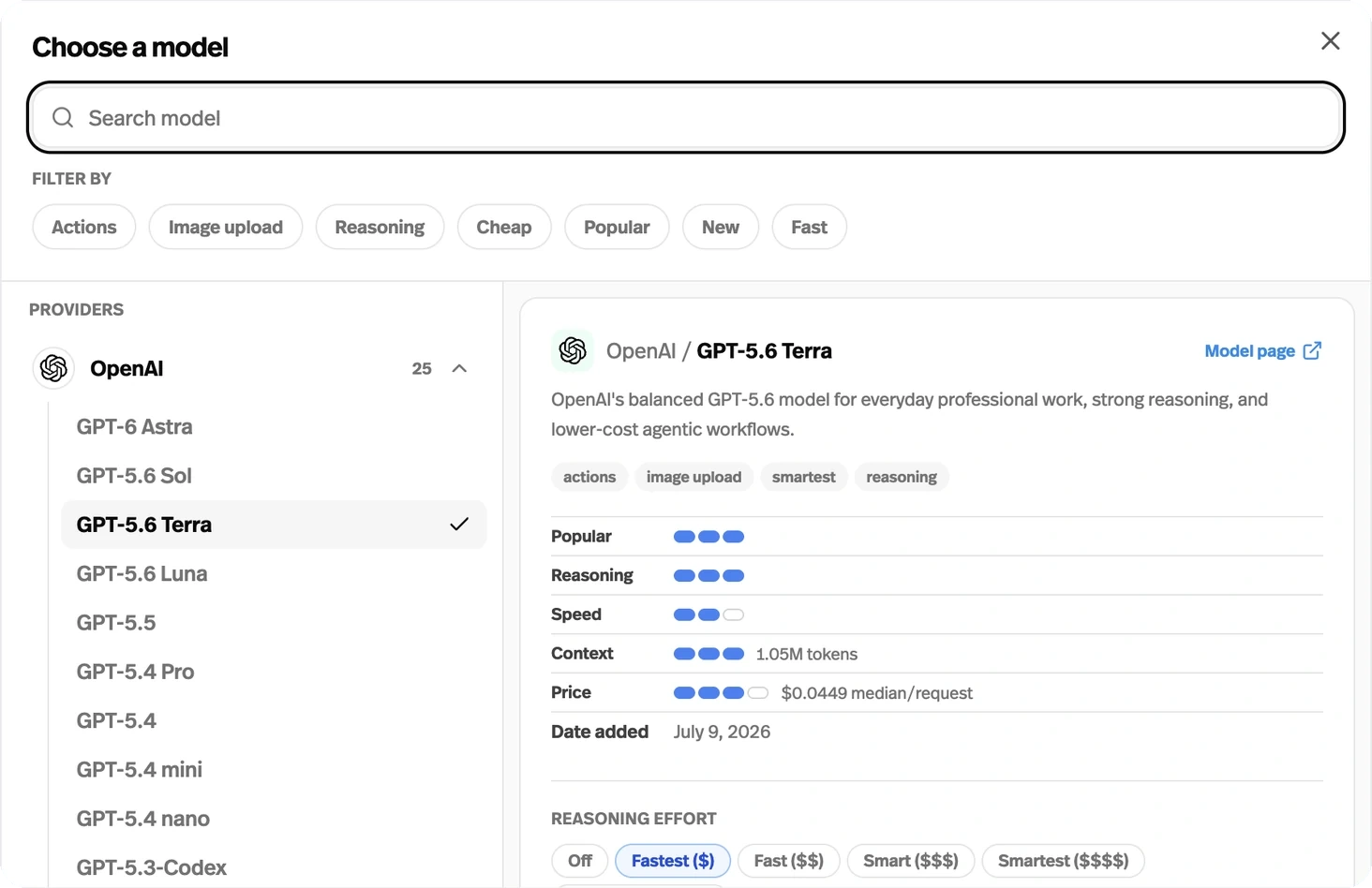
The builder now has a model picker with inline settings, a searchable knowledge-source picker, and a template picker with previews.
Before this
A reorganisation. Models, knowledge sources, and templates were already available; this refresh brings model settings into the picker, adds source search, and replaces the inline template grid with a searchable dialog and desktop previews.
Why it matters
Find the model, source, or starting template you need with more context before you choose.
How it works
- Models
- In the Agent Builder, open the model picker to browse providers, search, or filter by capabilities such as Actions, Image upload, and Reasoning. Inspect a model and set its supported reasoning or search options, then choose Use followed by its name, or Apply changes for the current model.
- Knowledge
- In Build → Knowledge Base, choose Connect files for an empty knowledge base or Add more files for an existing one. Search sources by name or file type, such as OneNote, CSV, or YouTube, and browse the Files, Web, and Apps groups. The source picker also appears in the workspace Knowledge Base.
- Templates
- Open Start with a template and use Search templates to find a starting point. On desktop, hover over or focus a template to preview its chat or form layout; choose Use followed by its name to apply it. Selecting a template configures your agent, so preview before applying it to an existing agent.