
Knowledge sources that keep themselves current
Choose a workspace, then open Knowledge Base.
What it does
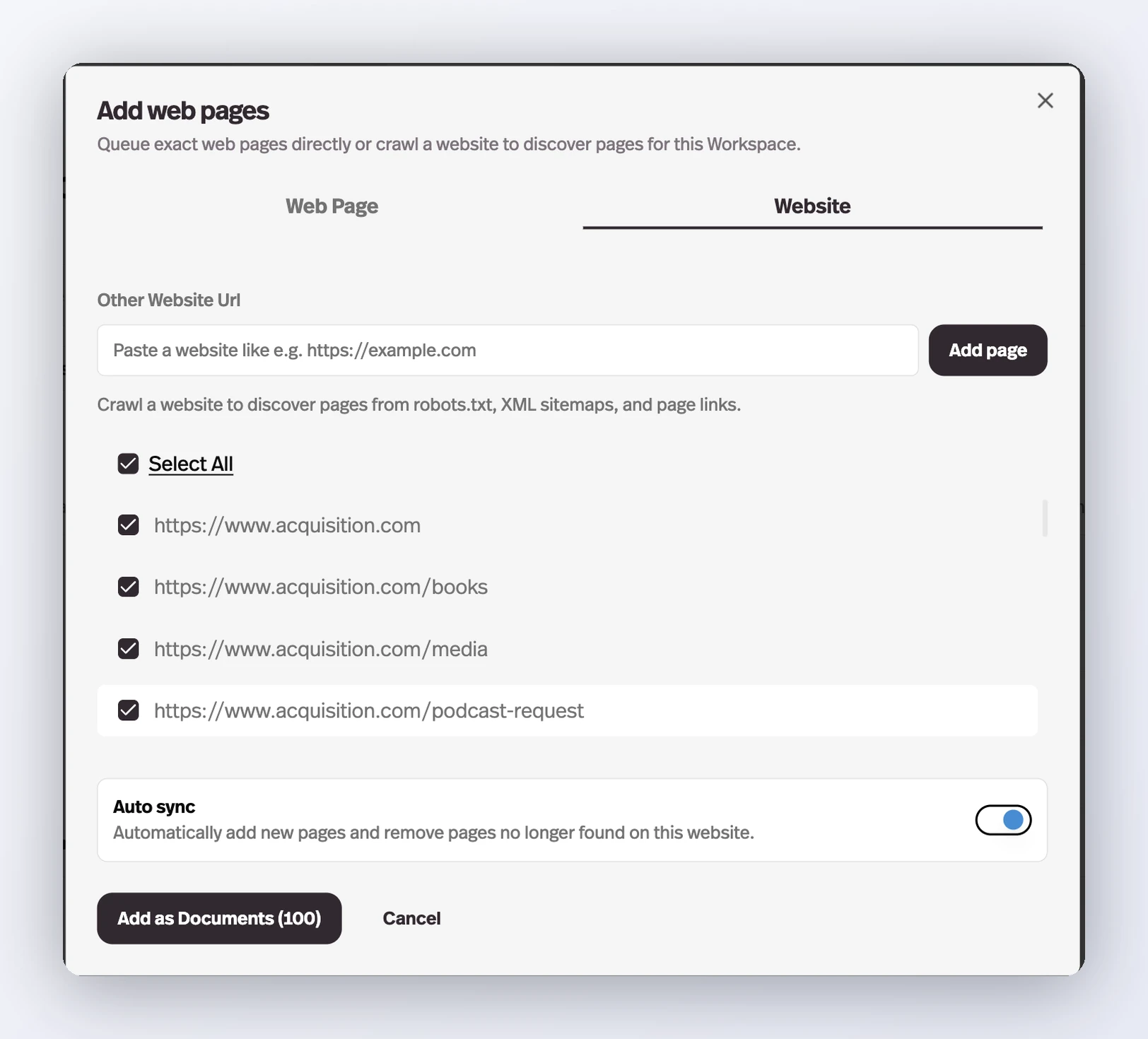
Website crawls, YouTube playlists and channels, and Google Drive folders now carry an Auto sync switch — once a day Pickaxe adds whatever appeared at the source and removes whatever left it.
Before this
An expansion. Connected sources were already re-checked and reprocessed when a page's content changed, and Google Drive files synced in near real time. What nothing noticed was a source gaining or losing something: a new page on the site, a new video on the channel. Auto sync adds membership to what was already tracking content.
Why it matters
A knowledge base built from a live site or a channel you keep publishing to stops drifting out of date on its own.
How it works
Auto sync is a property of the source, not of the individual documents it produced. It shows up in three places:
- Website crawls
- The switch is already on after a crawl. It adds pages that appear on the site and removes pages that stop being found.
- YouTube playlists and channels
- Adds new videos as they are published and drops ones removed from the playlist.
- Google Drive folders
- Keeps the folder's contents mirrored into the knowledge base.
It only applies while the whole source is selected. Untick a single page or video in the upload modal and the switch turns itself off, because a partial selection is a decision Pickaxe cannot re-derive tomorrow.
Runs happen once a day. A synced folder shows a Synced badge with the time of its last run, and its ⋮ menu has Force sync to run one immediately and Turn off auto sync to stop it. Deleting the folder disconnects the sync — the delete dialog says so before you confirm.