
New featureDeploy ·
Talk to Pickaxe agents from your own AI app
What it does
You and your users can talk to Pickaxe agents from Claude Code, Codex, Cursor, or VS Code using Use with an AI app.
Before this
An expansion. API/MCP deployments already existed; the AI app controls for embeds, direct links, and Portals were restricted to staff.
Why it matters
Keep working in your own AI app while using a Pickaxe agent.
How it works
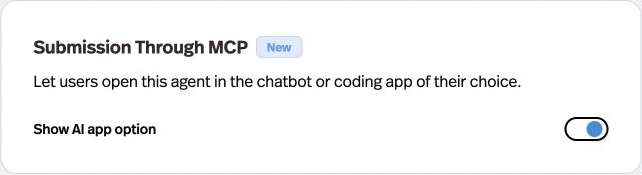
Open the deployment or Portal Design tab, find Submission Through MCP, and enable Show AI app option.
You or your users choose Use with an AI app (the terminal icon) in the agent, select a client, and copy its setup command or MCP configuration. Requests use the signed-in identity or visitor session and retain the deployment’s access and usage rules. New embeds and direct links enable the option by default.