
ImprovementBuild ·
Find actions by what they do
What it does
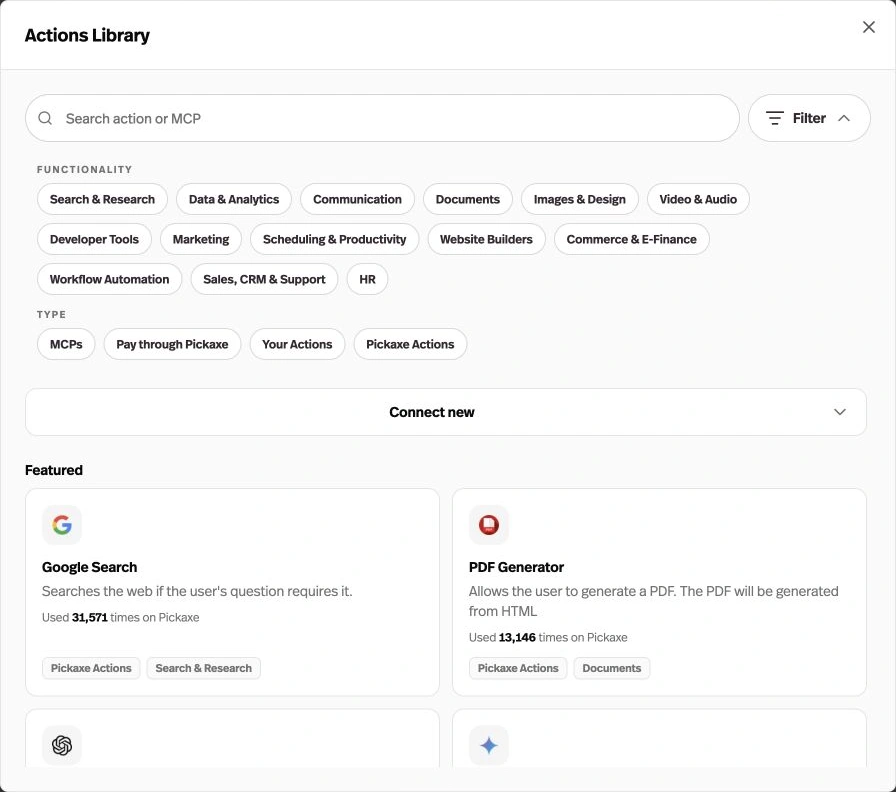
The Actions library now opens in a searchable dialog with functionality and type filters.
Before this
A reorganisation. The builder already had an Actions library; the new dialog adds broader categories and type filters.
Why it matters
Narrow the library to the integrations that fit your agent’s job.
How it works
Open Agent Builder → Actions → Browse actions. Use Filter to choose a function such as Documents or Communication, or a type such as MCPs, Pay through Pickaxe, Your Actions, or Pickaxe Actions.