
Wingman emails you a workspace summary
Choose a workspace or use your account navigation to follow the steps below.
What it does
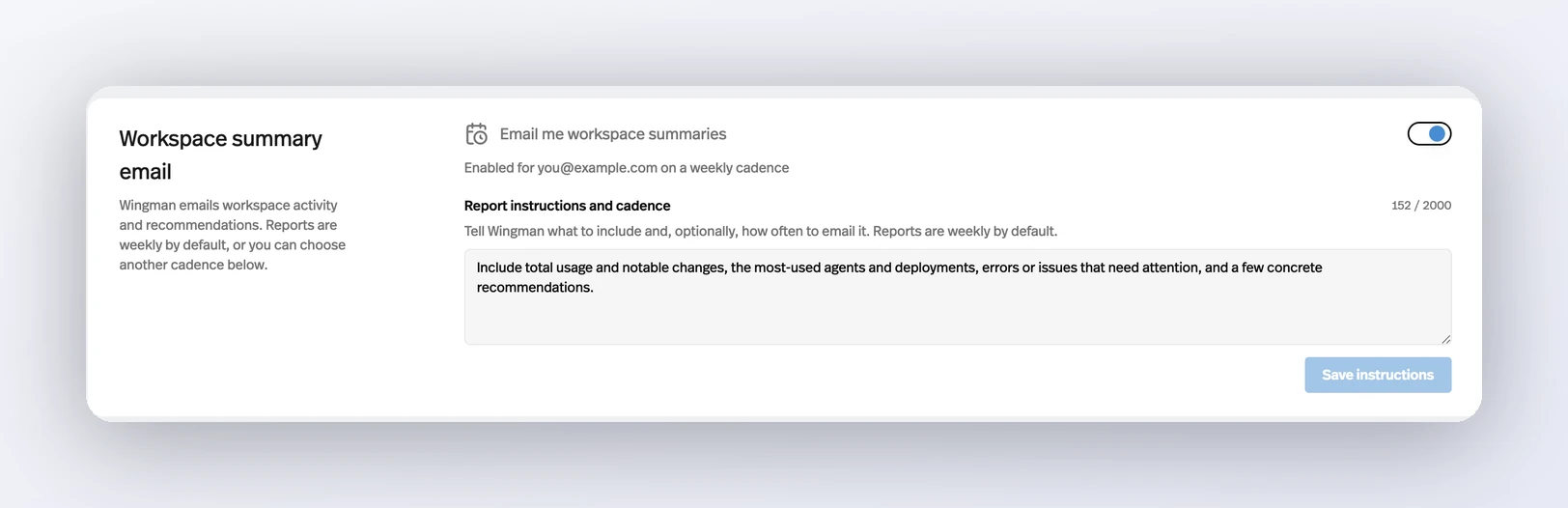
Turn on Workspace summary email in Settings and Wingman sends a recurring report on usage, notable changes, and what needs attention — weekly by default, or whatever cadence you describe.
Before this
New to customers rather than newly built. The report already existed but was restricted to a whitelist of internal accounts; on 17 August the restriction came off and the panel appeared in every workspace.
Why it matters
Reaching for the dashboard is a habit you have to keep; a report that arrives on its own is one you don't.
How it works
The report is written by Wingman with access to your workspace rather than assembled from a fixed template, which is why the instructions box can change what it covers instead of just toggling sections on and off.
- Where
- Settings → General → Workspace summary email.
- Default cadence
- Weekly, Monday at 9 AM in your timezone.
- Instructions
- One plain-English box, up to 2,000 characters, covering both what to include and how often to send it.
- Changing it
- Save instructions applies changes to a report that is already running — or just reply to the email.
Each report arrives as an email thread, and replying reaches the same Wingman session that produced it. Asking for a different day, a different focus, or for the whole thing to stop all work from the reply.